
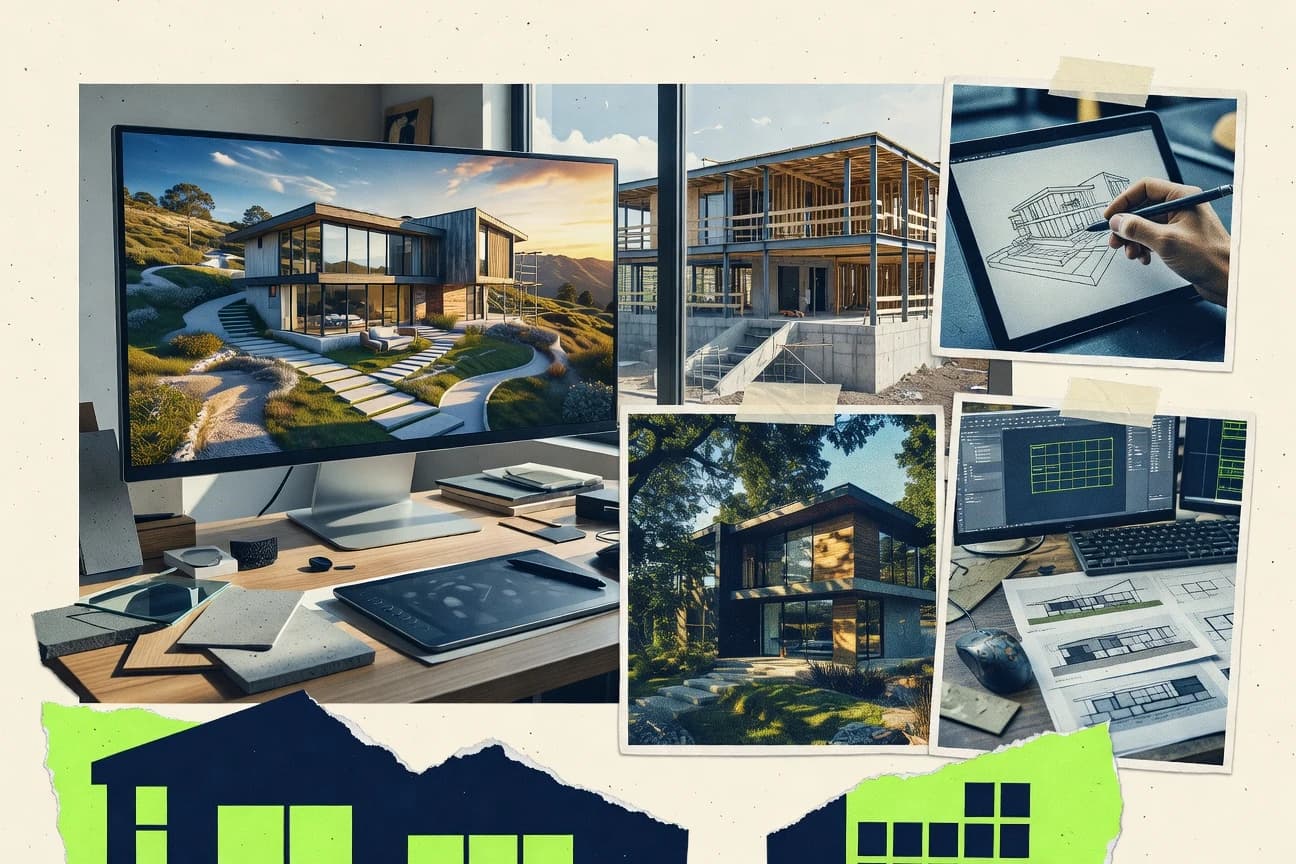
GITNUXSOFTWARE ADVICE
Art DesignTop 10 Best Exterior Rendering Software of 2026
Top 10 exterior rendering software ranked for exterior visualization. Includes Cedreo, Rhino, and 3ds Max with feature comparisons and tradeoffs.

How we ranked these tools
Core product claims cross-referenced against official documentation, changelogs, and independent technical reviews.
Analyzed video reviews and hundreds of written evaluations to capture real-world user experiences with each tool.
AI persona simulations modeled how different user types would experience each tool across common use cases and workflows.
Final rankings reviewed and approved by our editorial team with authority to override AI-generated scores based on domain expertise.
Score: Features 40% · Ease 30% · Value 30%
Gitnux may earn a commission through links on this page — this does not influence rankings. Editorial policy
Cedreo is the best fit when exterior proposal teams need fast, repeatable 3D render-ready visual iterations without deep rendering engineering, whereas Rhino suits teams that want editable CAD geometry to drive a dedicated render-engine workflow.
Editor’s top 3 picks
Three quick recommendations before you dive into the full comparison below — each one leads on a different dimension.
Cedreo
Guided exterior scene setup connects building context, landscaping, and camera framing to rapid client-ready render revisions.
Built for fits when exterior proposal teams need fast, repeatable visual iterations without deep rendering engineering..
Rhino
Editor pickRhino model integrity preserves NURBS surfaces through repeated exterior rendering revisions without mesh-only rework.
Built for fits when exterior teams need editable CAD geometry feeding a dedicated render engine workflow..
3ds Max
Editor pickArnold support with render elements and shader control for production-grade exterior look development.
Built for fits when studios need offline exterior quality with a full DCC workflow and repeatable renderer output..
Comparison Table
Cedreo
vertical specialistCedreo creates 3D home designs, exterior renderings, floor plans, and presentation materials.
Guided exterior scene setup connects building context, landscaping, and camera framing to rapid client-ready render revisions.
Cedreo is geared toward exterior scene composition using 3D model import and guided setup for finishes, landscaping, and building context so proposals can be produced without long modeling sessions. Render outputs are generated for client review workflows, with controls that map directly to what sales and design teams need to iterate during meetings. The most common fit signal is speed from plan inputs to proposal visuals when projects require frequent revisions from updated drawings.
A key tradeoff is that Cedreo is not positioned as a deep offline renderer for custom physically based material authoring beyond its guided material library workflow. Teams that need bespoke shader work, highly specific vegetation assets, or full pipeline control for production rendering may find the editor limits. Cedreo works best when teams prioritize iteration throughput for exterior proposals over renderer-level tuning and shader extensibility.
- +Plan-to-exterior visualization workflow reduces rework during proposal iterations
- +Guided controls for finishes, landscaping, and camera angles fit client review cycles
- +Project sharing supports coordinated revisions across sales and design roles
- +Export-ready render outputs streamline presentation and internal approvals
- –Limited depth for custom material and shader workflows compared with specialist render tools
- –Complex scene customization can feel constrained by the guided editor structure
- –External pipeline automation is limited when compared with script-first rendering setups
- –Vegetation and entourage styling options may not cover very niche asset requirements
Exterior renovation sales teams
Iterate elevations and landscaping for proposals
Faster proposal approvals
Architects and designers
Client-facing concept presentation
Clearer design decisions
Show 2 more scenarios
Home improvement estimators
Tie estimates to visuals
Lower mismatch risk
Keep exterior render outputs aligned with the scope reflected in project updates.
Marketing teams
Produce standardized exterior imagery
More uniform campaign assets
Create repeatable exterior visuals for multiple projects with consistent framing and styling.
Best for: Fits when exterior proposal teams need fast, repeatable visual iterations without deep rendering engineering.
Rhino
SMBRhino provides precise 3D modeling for architecture, landscapes, products, and complex exterior forms.
Rhino model integrity preserves NURBS surfaces through repeated exterior rendering revisions without mesh-only rework.
Rhino supports typical exterior scene composition by preserving curves, surfaces, and solid workflows from CAD and BIM exports, which helps keep facade geometry consistent across revisions. Rendering is commonly handled through add-ons and render integrations, so teams use Rhino to manage model organization, materials, UVs, and camera matching while the rendering engine controls the final physically based shading. Daylight studies and sun positioning are practical because Rhino scenes can be structured for repeatable camera and time-of-day setups.
A notable tradeoff is that Rhino does not provide one built-in rendering engine for every physically based workflow, so teams often depend on a specific integration per pipeline. Rhino fits when ongoing facade and site revisions must remain editable in the same environment as the exterior rendering workflow.
- +Editable NURBS modeling keeps facade geometry consistent across render iterations
- +Strong ecosystem via render add-ons that integrate directly with Rhino scenes
- +Camera and view management supports repeatable exterior angle delivery
- +Solid scene organization helps manage large exterior models during revisions
- –Rendering quality depends on the selected engine integration
- –Real-time and offline workflows require different renderer-specific setup
- –Vegetation and entourage pipelines often need curated libraries or add-ons
- –Exterior lighting calibration can take time to standardize across artists
Architectural visualization teams
Facade revisions feeding render updates
Fewer re-modeling cycles
CAD and design engineering groups
Site model handoff to rendering
Cleaner handoffs
Show 2 more scenarios
Rendering specialists
Engine-specific photoreal still production
Consistent camera framing
Use Rhino for scene assembly and camera matching while V-Ray or similar engines produce finals.
Design firms collaborating
BIM-derived exterior iteration cycles
Faster iteration loops
Use Rhino to keep parametric intent intact through surface edits before exterior visualization.
Best for: Fits when exterior teams need editable CAD geometry feeding a dedicated render engine workflow.
3ds Max
enterprise3ds Max supports professional 3D modeling, materials, lighting, and rendering for architectural exteriors.
Arnold support with render elements and shader control for production-grade exterior look development.
For exterior rendering, 3ds Max pairs modeling and layout with renderer integration via Arnold and extensible third-party pipelines. Material authoring can be managed through PBR workflows and texture maps, while render output supports layer-based adjustments using render elements. Daylight look development typically relies on physically based shading and controllable lights, then gets validated through camera-matched renders for view consistency. Its production footprint is also reinforced by long-standing scene interoperability with common import workflows.
A key tradeoff is that real-time review requires separate tools or a separate renderer path, so stakeholders may wait for offline renders during early iteration. The strongest usage situation is a studio or visualization team that already has 3ds Max scenes and wants renderer-grade control for final exterior images and animation shots.
- +Mature Arnold integration for high-control exterior image production
- +Workflow depth for modeling, layout, and camera iteration in one DCC
- +Extensible renderer options via supported plugin ecosystem
- +Render elements enable targeted comp adjustments without re-rendering
- –Offline rendering workflow can slow early stakeholder review
- –Large scene setups can increase memory and render management overhead
- –Cross-render consistency requires careful material and color management
Architecture visualization studios
Produce final daylight exterior hero shots
Consistent marketing-ready image sets
CG teams doing archviz animation
Render moving-camera exterior sequences
Reduced reshoot and rework
Show 2 more scenarios
Design teams reusing CAD models
Ingest imported geometry for visualization
Faster scene preparation
3ds Max scene editing supports preprocessing for exterior layouts before final rendering.
VFX compositing artists
Generate layered outputs for comp
More flexible final grading
Render elements provide component outputs used for sky, lighting, and material tuning in post.
Best for: Fits when studios need offline exterior quality with a full DCC workflow and repeatable renderer output.
Lumion
vertical specialistLumion creates rendered exterior scenes with landscaping, materials, lighting, and animation tools.
Mass placement and scene workflow for vegetation and entourage geared toward real-time exterior iterations.
Lumion is exterior rendering software built around rapid GPU-driven iteration and immediate visual feedback. It supports 3D model import into a scene for daylight-focused exterior composition, then adds vegetation, entourage, and camera-based viewpoint setup.
Lumion emphasizes real-time rendering output and fast scene rework so design changes propagate quickly to new stills and video. Its workflow centers on building a walkable, view-ready exterior layout rather than setting up complex offline ray-tracing pipelines.
- +GPU-focused workflow speeds up iteration for exterior camera views
- +Built-in vegetation and entourage assets reduce third-party content work
- +Quick scene rework supports design review cycles for daylight exteriors
- +Real-time output path keeps lighting and atmosphere adjustments responsive
- –Physically-based material controls are less granular than offline renderers
- –Advanced rendering features rely on add-on components for deeper look development
- –Large BIM-heavy sites can strain performance during heavy vegetation placement
- –Limited automation and API access makes batch production workflows harder
Best for: Fits when teams need fast exterior visuals for iterative design reviews without heavy offline render setup.
Twinmotion
enterpriseTwinmotion converts design models into real-time exterior images, videos, and immersive presentations.
Geolocation-based sun and sky controls for consistent exterior daylight setups inside a real-time rendering workflow.
Twinmotion converts exterior BIM and 3D models into real-time scenes for daylight studies and camera-ready visualization. It connects to Unreal Engine rendering features like ray tracing and global illumination while keeping an editor designed for rapid iteration.
Twinmotion’s geolocation and sun controls support consistent lighting setups for exterior comparisons. Export pipelines cover still images, panoramas, and video output for design reviews.
- +Real-time viewport makes exterior iteration fast across lighting and camera angles
- +Daylight and sun controls support repeatable exterior studies
- +Vegetation and entourage assets speed up street and landscape composition
- +Direct export to stills, panoramas, and video supports review workflows
- –Automation and API access for batch rendering is limited versus engineering-focused tools
- –Advanced material authoring is constrained compared with full DCC or shader workflows
- –Large BIM imports can slow interactions in dense scenes
- –Exact offline render tuning for physical accuracy is less granular than offline renderers
Best for: Fits when design teams need quick exterior visualization loops from BIM or CAD to review outputs.
V-Ray
enterpriseV-Ray delivers physically based rendering for detailed architectural images, animations, and environments.
Built-in V-Ray denoising and render-pass workflows for clean exteriors and controlled post-production.
V-Ray from chaos.com is an offline physically based renderer used for exterior visualization where material realism and photometric lighting matter. The engine supports GPU and CPU rendering with ray tracing and path tracing, which helps with accurate global illumination in daylight scenes.
V-Ray integrates with common DCC workflows through plugins for modeling and rendering, and it outputs production-ready image and animation formats for client review. Chaos tools around V-Ray also support asset and lighting workflows for large scenes that include landscaping, entourage, and atmospheric effects.
- +Ray-traced daylight and physically based materials for believable exteriors
- +GPU and CPU rendering paths for throughput control on mixed hardware
- +Deep control of sampling, denoising, and render presets for predictable output
- +Production-friendly output for stills, sequences, and high-resolution deliverables
- –Scene look-dev requires careful exposure and material calibration
- –Lighting and render settings tuning can take time for consistent results
- –Asset-heavy exterior scenes can bottleneck on VRAM limits in GPU mode
- –Plugin workflow complexity depends on the host DCC and its pipeline setup
Best for: Fits when architectural teams need physically based exterior renders with fine lighting and material control.
Blender
SMBBlender provides open-source modeling, rendering, materials, animation, and environment creation tools.
Cycles path tracing with denoising and GPU rendering inside Blender’s unified camera and node material workflow.
Blender differentiates itself in exterior rendering by combining an offline path tracer with a real-time viewport workflow in one extensible authoring tool. The software supports physically based materials, environment lighting, and ray- and path-based render engines for daylight and atmospheric perspective studies.
Blender’s node-based materials and camera tooling support consistent exterior shot setup across large scenes with vegetation, entourage assets, and post-processing controls. Import pipelines for common 3D formats let teams bring CAD and BIM-derived geometry into a unified render workflow.
- +Path-traced global illumination for daylight and exterior lighting accuracy
- +Node-based material and texture workflows for physically based surface control
- +Extensible add-on ecosystem for importing, scattering, and render automation
- +Viewport-to-render iteration supports rapid camera framing for exterior shots
- –Large exterior scenes can become slow without careful scene organization
- –Advanced automation requires scripting knowledge and disciplined pipeline setup
- –Some BIM-to-render material fidelity depends on import quality and mapping
- –Production-grade output depends on consistent render settings management
Best for: Fits when teams need one authoring tool for exterior scenes and custom automation without switching render software.
D5 Render
vertical specialistD5 Render provides real-time rendering, asset libraries, animation, and environment tools for design projects.
Geolocation-based sun and sky setup with real-time feedback for exterior daylight matching across revisions.
D5 Render targets exterior visualization workflows with real-time preview and physically based materials for quick iteration. The tool supports geolocation and sun studies so daylight direction and shadows stay consistent between design options.
Asset use is geared toward fast scene assembly using built-in vegetation and entourage libraries, with camera and post-processing controls aimed at presentation-ready outputs. Scene delivery centers on cloud rendering and GPU-driven rendering for faster turnaround on walkthrough and still images.
- +Real-time exterior preview reduces iteration time on lighting and massing
- +Geolocation and sun studies keep daylight direction consistent across variants
- +Built-in vegetation and entourage libraries speed up exterior scene composition
- +Camera and post-processing controls support presentation-ready framing
- –Deep material tuning depends on external asset quality and texture readiness
- –Automation and API surface for pipeline integration is limited for large estates
- –Scene optimization controls are less granular than DCC-focused renderers
- –Complex BIM-driven workflows may require extra cleanup before ingestion
Best for: Fits when teams need fast exterior visualization from models with consistent daylight studies and library assets.
Chief Architect
vertical specialistChief Architect generates residential building models, exterior views, materials, and construction documents.
Exterior elevation and perspective workflows built from architectural model data, not just generic scene tools.
Chief Architect generates exterior-focused architectural visualization from 2D plan inputs and 3D model elements into photoreal render outputs. The workflow emphasizes scene setup for exteriors, including camera placement, daylight and sky styling, and material assignment across imported geometry.
Builders can produce consistent views for elevations and perspectives using library-based components plus CAD interoperability. Export options for render outputs and the ability to iterate quickly on massing and facade details make it suitable for residential and light commercial exterior work.
- +Exterior scenes can be assembled from architectural primitives and facade components.
- +Camera and view consistency supports repeatable elevation and perspective sets.
- +CAD and mesh import workflows reduce re-modeling for existing site geometry.
- +Render output iteration is practical for early design reviews.
- –Physically based material controls can feel less granular than dedicated renderers.
- –Advanced vegetation realism depends heavily on available assets and manual placement.
- –Lighting studies require more manual setup than simulation-first tooling.
- –Automation and API-based extensibility are limited compared with developer-first tools.
Best for: Fits when architecture teams need fast exterior view iteration with CAD-driven model updates.
Archicad
enterpriseArchicad provides BIM design, documentation, visualization, and collaboration for architectural projects.
Archicad visualization keeps render cameras, views, and building elements aligned with ongoing BIM edits.
Archicad is a BIM authoring tool from Graphisoft that supports exterior rendering workflows through its visualization pipeline and exchange formats. Exterior scenes are typically composed from Archicad models, then prepared for photo-real output with material libraries, light setups, and image finishing controls.
It is especially distinct when exterior renderings must stay consistent with an active BIM model and repeated design iterations. For teams that already standardize on Archicad modeling and need repeatable visual outputs, the rendering workflow is integrated into the model-to-visual path rather than treated as a separate scene rebuild.
- +BIM-first workflow keeps exterior geometry and updates linked
- +Consistent materials and cameras across repeated design iterations
- +Strong CAD interoperability for bringing in site context models
- +Workflow fits teams that already manage projects in Archicad
- –Real-time look development is limited compared with dedicated render apps
- –Advanced physically based material control can require extra steps
- –Atmospheric and lighting studies need careful setup per export
- –Rendering output formats are workable but not geared for production pipelines
Best for: Fits when exterior renderings must follow an evolving BIM model without rebuilding scenes.
Conclusion
After evaluating 10 art design, Cedreo stands out as our overall top pick — it scored highest across our combined criteria of features, ease of use, and value, which is why it sits at #1 in the rankings above.
Use the comparison table and detailed reviews above to validate the fit against your own requirements before committing to a tool.
How to Choose the Right exterior rendering software
Exterior rendering software turns CAD and BIM models into client-ready exterior images using real-time and offline rendering workflows across tools like Cedreo, Rhino, and Lumion. The coverage also spans full DCC pipelines with 3ds Max and Blender, production rendering with V-Ray and Arnold in 3ds Max, and BIM-linked camera workflows with Archicad.
This guide focuses on integration depth, automation and API surface where available, and governance-style control needs that show up in scene iteration behavior and renderer setup. Each tool review maps how exterior teams handle repeatable camera and daylight studies, asset placement for landscaping and entourage, and the tradeoffs between quick iteration and deeper material and render-pass control.
Exterior Rendering Software for CAD and BIM to Produce Repeatable Exterior Visuals
Exterior rendering software builds physically based exterior scenes from architectural geometry, then outputs images for elevations, perspectives, and daylight studies using real-time preview or offline path-traced or ray-traced rendering. Cedreo is shaped around guided exterior scene setup that ties building context, landscaping, and camera framing into fast client-ready revisions.
Rhino targets a CAD-first workflow that preserves NURBS surfaces across repeated exterior rendering revisions, then relies on renderer integration for the final look. For exterior teams that need repeatable daylight direction inside a real-time viewport, Twinmotion and D5 Render both center geolocation-based sun and sky controls, while V-Ray and Blender shift emphasis toward physically based lighting, render passes, and path-traced or ray-traced quality control.
Exterior rendering capability checklist for CAD, BIM, and rapid exterior iteration
Exterior rendering software must translate architectural geometry into repeatable exterior camera sets without breaking model intent across revisions. The tools in this guide differ most in how they handle iteration loops, daylight consistency, and the handoff between authoring tools and renderer output.
Guided exterior scene revisions tied to client camera framing
Cedreo connects building context, landscaping, and camera angles into guided revisions so proposal teams can iterate toward client review outputs without rebuilding scenes.
CAD fidelity that survives repeated exterior render revisions
Rhino preserves NURBS surfaces through exterior rendering revisions so facade geometry stays consistent when render engine integration triggers different offline or real-time setup needs.
Production offline look-dev with render elements and shader control
3ds Max centered on Arnold supports render elements and shader control for high-control exterior image production, while V-Ray adds denoising plus render-pass workflows for cleaner exteriors.
Real-time exterior iteration for vegetation and entourage
Lumion focuses on GPU-driven iteration with mass placement plus built-in vegetation and entourage assets, which reduces third-party content work when camera changes happen weekly.
Daylight studies with consistent sun and sky setup from location
Twinmotion and D5 Render provide geolocation-based sun and sky controls so daylight direction stays consistent across exterior variants when design teams need fast real-time lighting checks.
Path-traced global illumination inside a unified authoring workflow
Blender’s Cycles path tracing delivers global illumination for daylight accuracy inside a single node-based material and camera workflow, with GPU denoising to keep iteration practical on larger scenes.
Pick the workflow philosophy that matches exterior iteration speed and render-control depth
The choice usually comes down to whether the team prioritizes guided exterior scene setup for proposal cycles or CAD-first geometry integrity for downstream renderer control. A second fork is whether daylight and exterior lighting consistency is driven inside a real-time viewport or tuned via offline renderer look-dev controls.
Choose guided proposal iteration or CAD-driven renderer pipelines
If the workflow needs fast, repeatable exterior revisions with client review framing, Cedreo’s guided editor connects building context, landscaping, and camera angles into a plan-to-exterior loop. If the workflow starts from editable architectural geometry where NURBS fidelity must survive revisions, Rhino keeps facade surfaces consistent before renderer integration determines the final look quality.
Decide real-time daylight consistency or offline look development control
If exterior teams need consistent sun and sky placement for daylight studies inside a real-time viewport, Twinmotion and D5 Render provide geolocation-based sun and sky controls that keep variants comparable. If the team requires offline renderer tuning with render elements, shader control, and post-production control, 3ds Max with Arnold and V-Ray for render-pass workflows better match production exterior look development.
Match vegetation and entourage workflow to iteration frequency
If mass placement and built-in vegetation assets must support frequent camera changes during design review, Lumion’s GPU-focused vegetation and entourage workflow reduces content overhead. If vegetation realism depends on external asset quality and disciplined scene organization, Blender and offline renderer workflows may require additional manual placement work to reach the same consistency.
Plan for automation and batch rendering limits early
If the pipeline expects batch automation at scale, Twinmotion’s automation and API access for batch rendering is limited compared with engineering-focused tools, which pushes teams toward manual review loops. If the pipeline expects faster lighting setup iterations rather than batch automation, D5 Render’s real-time exterior preview and geolocation controls support repeatable daylight studies with less pipeline complexity.
Use BIM-linked camera and element alignment when models keep changing
If exterior views must stay aligned with ongoing BIM edits, Archicad’s visualization keeps render cameras, views, and building elements aligned with changes without rebuilding scenes. If daylight consistency and real-time iteration dominate while materials are authored within the real-time environment, Twinmotion and D5 Render may reduce friction versus offline-only pipelines.
Pick a single-tool authoring path or a multi-tool DCC chain
If a unified authoring workflow matters, Blender keeps camera, node materials, and Cycles rendering inside one environment, with node-based physically based surface control and path-traced global illumination. If the studio already runs a DCC layout and needs repeatable Arnold output, 3ds Max provides the modeling and camera iteration environment while Arnold drives production rendering quality.
Which teams benefit from each exterior rendering approach
Exterior rendering selection rewards clear responsibility boundaries between architectural modeling, daylight setup, and image production output. The most successful deployments match tool behavior to that ownership model instead of forcing every workflow into the same editor pattern.
Exterior proposal teams running client review iterations
Cedreo’s plan-to-exterior guided workflow ties finishes, landscaping, and camera angles into repeatable revisions for stakeholder-friendly updates.
CAD-first firms preserving NURBS facade intent
Rhino maintains NURBS model integrity across revisions, which keeps facade geometry consistent before renderer integration determines the final look.
Architectural studios producing controlled offline exterior images
3ds Max centered on Arnold supports render elements and shader control for production-grade exterior look development, and V-Ray adds built-in denoising plus render-pass workflows.
Design teams running fast daylight and massing studies in real time
Twinmotion and D5 Render provide geolocation-based sun and sky controls so exterior daylight direction stays consistent across variant cameras in real-time.
Visualization teams focused on asset-heavy entourage and vegetation placement
Lumion’s vegetation and entourage asset library plus GPU-focused mass placement supports rapid exterior camera iteration without heavy third-party content prep.
Common exterior rendering buying and rollout pitfalls
Most failures show up as mismatches between iteration speed goals and the rendering or material control depth required for approvals. Tool selection can also break when the chosen editor constrains scene customization or when automation expectations exceed the product’s integration surface.
Selecting a guided exterior editor when deep shader customization is the approval bottleneck
Cedreo can feel constrained when the project needs complex custom material and shader workflows, and the scene customization structure can limit that depth compared with specialist render tools like V-Ray in 3ds Max.
Assuming real-time daylight studies will match offline render look without calibration time
V-Ray’s ray-traced daylight and physically based materials require exposure and material calibration to keep results consistent, which can take time before teams get stable exterior outputs.
Choosing a real-time viewport tool while expecting strong batch automation for pipelines
Twinmotion’s automation and API access for batch rendering is limited versus engineering-focused tools, which can force manual throughput planning when many projects must be rendered in parallel.
Relying on offline rendering for early approvals without building a review-friendly iteration loop
3ds Max offline rendering workflows can slow early stakeholder review, especially when large scene setups increase memory and render management overhead before decisions lock.
Underestimating asset dependency for vegetation realism and material tuning
D5 Render’s deeper material tuning depends on external asset quality and texture readiness, which means vegetation and surface realism can lag unless texture readiness and asset libraries are curated.
How We Selected and Ranked These Tools
We evaluated Cedreo, Rhino, 3ds Max, Lumion, Twinmotion, V-Ray, Blender, D5 Render, Chief Architect, and Archicad by weighting features at 40%, ease at 30%, and value at 30%. Cedreo ranked highest because its guided exterior scene setup connects building context, landscaping, and camera framing into rapid client-ready render revisions with plan-to-exterior workflow reductions in rework.
Rhino rated highly for preserving NURBS surface integrity across exterior rendering revisions and for supporting render add-ons that integrate directly with Rhino scenes. Twinmotion and D5 Render earned strong placement for geolocation-based sun and sky controls that keep exterior daylight direction consistent across real-time viewport iteration loops.
Frequently Asked Questions About exterior rendering software
How do exterior rendering teams connect BIM or CAD models to real-time daylight visualizations?
Which tools support maintaining editable CAD geometry during repeated exterior render revisions?
How does the rendering pipeline change between offline and real-time exterior outputs?
Which workflow is better for generating consistent exterior elevation and perspective views from architectural model data?
What breaks if an exterior scene needs high-fidelity lighting and material accuracy with controlled render passes?
How do teams handle vegetation and entourage libraries for exterior scene composition?
Which tool fits an exterior workflow that emphasizes render elements and post-processing controls for repeatable deliverables?
How do integrations and APIs affect automation for exterior scene setup and rendering?
What security and access controls matter when collaborating on exterior rendering projects across teams?
Tools reviewed
Primary sources checked during evaluation.
Referenced in the comparison table and product reviews above.
Keep exploring
Comparing two specific tools?
Software Alternatives
See head-to-head software comparisons with feature breakdowns, pricing, and our recommendation for each use case.
Explore software alternatives→In this category
Art Design alternatives
See side-by-side comparisons of art design tools and pick the right one for your stack.
Compare art design tools→