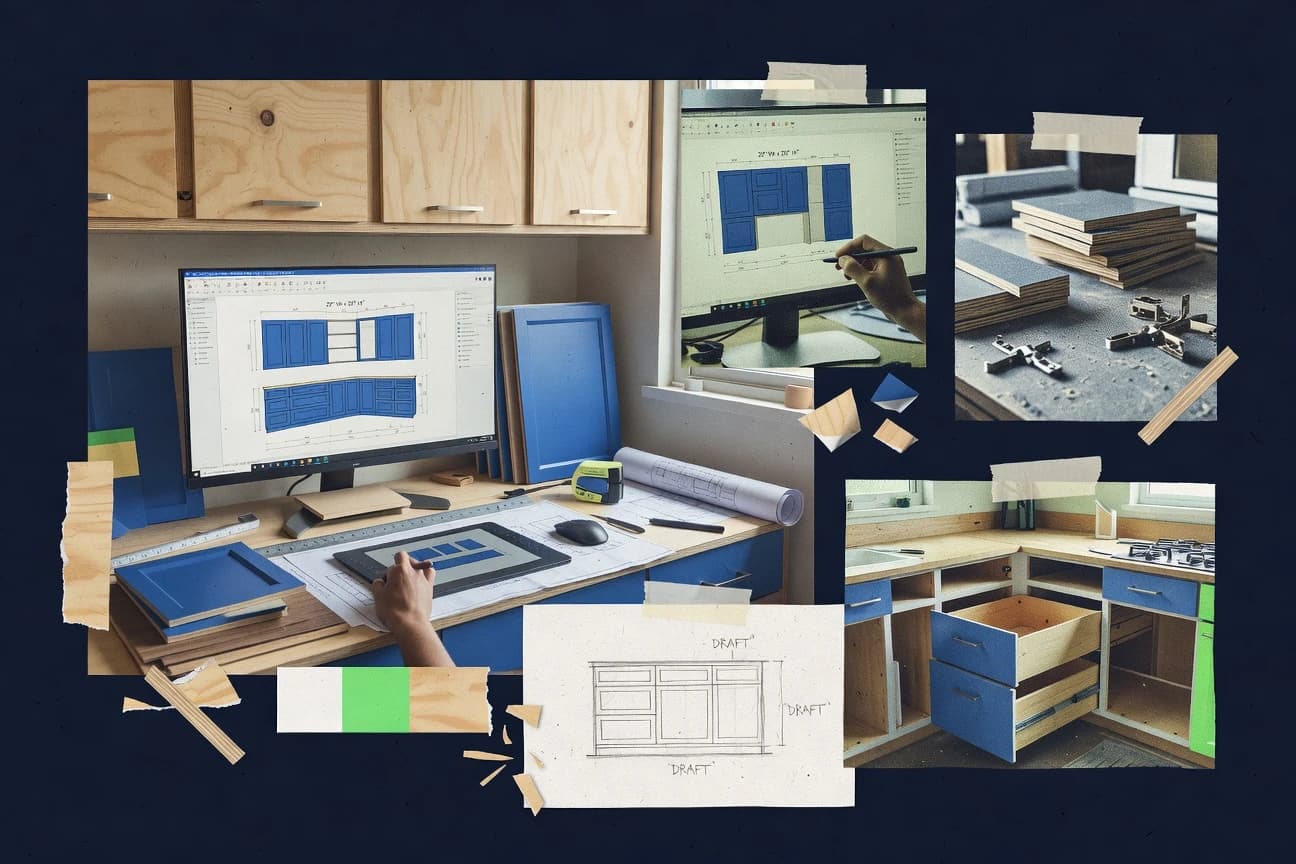
GITNUXSOFTWARE ADVICE
Art DesignTop 10 Best Cabinet Layout Software of 2026
Cabinet layout software comparison for shop owners and designers, covering workflows, outputs, and fit for cabinet design projects.

How we ranked these tools
Gitnux editors write the brief first: the topic, the inclusion rules, and the frame for what belongs.
Agents extract product evidence with provenance, then collect written reviews and transcribe video reviews and podcasts.
Framework: Features 40% · Ease 30% · Value 30%
Gitnux may earn a commission through links on this page — this does not influence rankings. Editorial policy
KCD Software is the best overall pick for cabinet shops that need production-minded room drawings and repeatable cabinet libraries because its CNC integration carries your design data into machining preparation without forcing you to redraw each job, while Mozaik Software fits teams that want faster door and drawer schedule-driven cut lists thanks to its connected scheduling workflow and dependable DXF/CSV exports.
Editor’s top 3 picks
Three quick recommendations before you dive into the full comparison below — each one leads on a different dimension.
KCD Software
KCD CNC integration carries cabinet design data into machining preparation without requiring each job to be redrawn.
Best for: Fits when cabinet shops need detailed room drawings, reusable catalogs, and a controlled path toward production files.
Mozaik Software
Editor pickConnected door and drawer schedule to cut list generation that stays consistent across plan view placement and elevation documentation.
Best for: Fits when cabinet shops need faster layout documentation, door schedules, and basic shop exports without deep nesting automation.
Microvellum
Editor pickConstruction-aware cabinet layout automation that keeps elevations, schedules, and CNC-oriented outputs synchronized from one parametric model.
Best for: Fits when cabinet manufacturers need repeatable parametric layouts and production-ready documentation without manual rebuilds.
Comparison Table
KCD Software
SMBKCD Software creates kitchen, bath, closet, and custom cabinet layouts with estimates and construction documents.
KCD CNC integration carries cabinet design data into machining preparation without requiring each job to be redrawn.
KCD Software supports reusable cabinet libraries, custom cabinet construction, appliance placement, fillers, toe spaces, and room-level layouts. Plan drawings, wall views, perspective presentations, material reports, and parts reports remain connected to the project data. The structure suits cabinet dealers and manufacturers that repeat product configurations across many rooms.
The desktop workflow requires more catalog and construction setup than lightweight room planners. That tradeoff suits cabinet shops producing detailed documentation for installers and machinists, while occasional residential users may find the configuration depth excessive.
- +Custom cabinet libraries support repeatable designs across projects.
- +Room layouts, drawings, renderings, and reports share one project file.
- +Manufacturer catalogs reduce repetitive component setup.
- +KCD CNC connects design data with machining preparation.
- –Windows desktop deployment limits browser-based editing and live collaboration.
- –Large custom libraries require substantial initial configuration.
- –Advanced machining workflows depend on separate KCD CNC software.
- –Public API and role-based administration receive limited product emphasis.
Cabinet manufacturers
Repeatable catalog-based room projects
Faster repeat project preparation
Kitchen designers
Appliance-centered residential layouts
Coordinated client documentation
Show 2 more scenarios
CNC cabinet shops
Design-to-machining handoff
Reduced redraw work
KCD CNC transfers cabinet project information into machining preparation after design approval.
Cabinet dealers
Installer-ready project documentation
Clearer installation instructions
Parts, materials, dimensions, and room views provide installers with project-specific production references.
Best for: Fits when cabinet shops need detailed room drawings, reusable catalogs, and a controlled path toward production files.
Mozaik Software
vertical specialistMozaik Software supports cabinet design, construction documentation, estimating, and CNC manufacturing.
Connected door and drawer schedule to cut list generation that stays consistent across plan view placement and elevation documentation.
Mozaik Software is a cabinet layout tool focused on turning wall and elevation planning into shop-ready outputs for cabinet box construction. The workflow centers on placing cabinet components on plan views, managing door and drawer schedule data, and generating cut lists that feed downstream fabrication.
It also provides 3D visualization and export options such as DXF and CSV to support field measurement workflows and drafting handoffs. Compared with higher-ranked tools in this category, Mozaik Software emphasizes planning-to-document automation more than parametric mass customization and sheet-goods nesting depth.
- +Plan-to-cut-list workflow reduces manual retyping between views.
- +DXF and CSV exports fit common drafting and BOM handoff steps.
- +3D visualization helps validate elevation, overhangs, and placement.
- +Door and drawer schedule inputs stay connected to generated outputs.
- –Automation coverage is thinner for complex corner and blind corner solutions.
- –Library maintenance for construction variations requires careful configuration discipline.
- –Material optimization and sheet-goods nesting are not a primary workflow focus.
- –CNC-ready machining instructions depend on export formats and post-processing.
Best for: Fits when cabinet shops need faster layout documentation, door schedules, and basic shop exports without deep nesting automation.
Microvellum
enterpriseMicrovellum provides cabinet and millwork design-to-manufacturing software built around production automation.
Construction-aware cabinet layout automation that keeps elevations, schedules, and CNC-oriented outputs synchronized from one parametric model.
Microvellum targets parametric cabinet design where layout configuration directly drives cabinet documentation and production outputs.
The tool supports construction-aware cabinet box building choices and generates elevation and plan view documentation from the same model state.
Door and drawer schedule outputs connect to model configuration so revisions update the schedule and dependent cut-driven artifacts.
- +Parametric layout changes propagate to schedules and cut-driven artifacts
- +CNC-oriented output formats support shop handoff and plate workflows
- +Library-based construction options cover face-frame, frameless, and inset needs
- +Door and drawer schedule generation stays aligned to the cabinet model
- –Model setup and naming discipline matter for clean downstream schedules
- –Automation depends on correct configuration of modules and component rules
- –Advanced workflows require training to avoid schedule drift between revisions
- –Export coverage varies by output type, especially for specialized shop data
Best for: Fits when cabinet manufacturers need repeatable parametric layouts and production-ready documentation without manual rebuilds.
SketchList 3D
SMB3D cabinet design and layout software for woodworkers and custom cabinet shops.
Linked component editing updates dependent parts after dimensional changes, reducing repeated edits across a cabinet assembly.
SketchList 3D fits custom shops that need detailed cabinet assemblies without adopting a full manufacturing suite. Reusable components and editable dimensions help maintain consistent construction details across related projects. Dimensional changes can update dependent parts, reducing repeated manual adjustments.
- +Component-based editing propagates dimensional changes across connected cabinet parts.
- +Automatic cut lists reduce manual part calculations.
- +Built-in door, drawer, hardware, and material libraries support shop planning.
- +Rendered design views help validate proportions before construction.
- –No documented public API supports external quoting, ERP, or production automation.
- –Team collaboration and role-based administration remain limited in the desktop workflow.
- –Advanced CNC machining workflows may require separate manufacturing software.
- –Large projects demand careful model organization and library maintenance.
Best for: Fits when custom cabinet shops need linked 3D design, shop documentation, and frequent dimensional revisions.
Autodesk Fusion 360
SMBCloud-based 3D CAD/CAM platform widely used for parametric cabinet design.
Timeline-based parametric edit propagation across cabinet assemblies and derived drawings, keeping dimensions synchronized during revisions.
Autodesk Fusion 360 is a parametric CAD tool that can serve cabinet-layout workflows when teams need a single model feeding planning, detailing, and CNC-ready documentation. Its strength is tight bidirectional linkage between a 3D cabinet assembly and derived 2D views, with parametric sketches and configurable components supporting overlay and construction variations.
- +Parametric assemblies keep elevations and plan-like views consistent
- +Rule-based component reuse supports repeatable cabinet family variants
- +Export of drawing views supports documentation handoff for fabrication
- +Timeline-driven edits reduce rework when dimensions change
- –Cabinet layout automation relies on templates, not a dedicated layout planner
- –Door and drawer schedule generation needs extra manual work
- –Filler strip placement and scribe allowance workflows are not specialized
- –Requires CAD modeling discipline to keep cut lists accurate
Best for: Fits when cabinet designers need CAD-grade parametric control and 3D-to-2D consistency over layout automation speed.
MaxCut Community Edition
SMBCut list optimization software used alongside cabinet design tools.
DXF export of cabinet component geometry derived from the layout workflow for direct machining documentation.
MaxCut Community Edition generates cabinet layouts that translate wall, base, and tall cabinet plans into construction-ready outputs. The workflow centers on cut list and parts list generation from entered dimensions, then it produces machine-oriented deliverables such as DXF exports.
- +Generates cut lists and parts lists from cabinet layout inputs
- +Exports DXF geometry for shop workflows and CNC-ready documentation
- +Provides plan view and cabinet elevation checks with 3D visualization
- +Supports overlay and inset style configuration for common cabinet types
- –Limited cabinet-depth automation compared with fully parametric modelers
- –API and integration options are minimal for external scheduling tools
- –Audit log and RBAC controls are not built for multi-user admin governance
- –Material optimization and sheet-goods nesting are basic for complex jobs
Best for: Fits when a small shop needs cabinet layout-to-cut-list production without deep enterprise controls.
CabWriter
SMBCabinet design plugin for SketchUp generating cut lists and shop drawings.
Construction-document output that ties cabinet schedule inputs to cut lists, parts lists, and CNC-ready files in one workflow.
CabWriter targets teams that start from cabinet layout decisions and end with fabrication-ready documentation.
- +Strong cut list and parts list output for cabinet scheduling workflows
- +Wall, base, and tall cabinet layout planning in one consistent workflow
- +CNC-ready exports aimed at fabrication handoff
- +Door and drawer schedule generation reduces manual spreadsheet work
- –Project setup for standards like overlay and scribe allowance can be time-consuming
- –Appliance integration and corner blind workflows are limited for complex layouts
- –Material optimization and sheet-goods nesting coverage is narrower than top tools
- –3D visualization exists, but photorealistic rendering depth is limited
Best for: Fits when small cabinet shops need construction documents and CNC handoff from repeatable layouts.
ProKitchen Software
vertical specialistProKitchen Software provides kitchen and bath design tools with cabinet catalogs, renderings, and quotations.
Integrated wall planning and elevation generation from a single cabinet layout model, with schedule-driven output for doors and drawers.
ProKitchen Software produces cabinet layout drawings from a defined set of cabinet types, then generates schedules for doors, drawers, and cut-related manufacturing outputs. It supports both plan-view layouts and cabinet elevations, so the same model can drive wall cabinet layout, base cabinet layout, and tall cabinet layout documentation.
- +DXF and CSV exports support shop-floor import workflows
- +Plan view and elevation stay consistent across the same cabinet model
- +Door and drawer schedules reduce manual transcription errors
- +Appliance integration can be represented in layouts and elevations
- –Advanced custom components take longer than standard cabinet types
- –Extensibility depends on available add-ons and supported file formats
- –Sheet-goods nesting and CNC-ready output are limited compared with top tools
- –Field measurement adjustments can require iterative recalculation cycles
Best for: Fits when a cabinet shop needs repeatable layouts plus schedules with exportable drawings for fabrication.
Cabinet Planner
SMBCabinet Planner provides online tools for cabinet layout, design visualization, and project planning.
Schedule-aware cabinet layout where door and drawer selections stay linked to the generated documentation.
Cabinet Planner is built for end-to-end cabinet layout work where the plan view drives elevations and schedules, rather than treating visualization as a separate step. Cabinet elements can be arranged in a way that keeps clear relationships between cabinet positions, openings, and component selections. Outputs include cut lists, parts lists, and file exports intended for downstream fabrication workflows. 3D visualization helps catch collisions and misalignments before generating documents.
- +Layout-to-document workflow ties schedules to cabinet placement
- +Cut list and parts list exports support fabrication handoff
- +3D visualization accelerates validation before generating outputs
- +Parametric placement reduces manual rework across revisions
- –Schedule outputs require disciplined project setup consistency
- –Advanced edge cases may need manual correction after export
- –Iteration speed depends on how granular components are defined
- –Export formats can constrain custom shop-specific workflows
Best for: Fits when installers or cabinet shops need consistent plan-to-cut-list production outputs.
Cabinet Solutions
SMBCabinet design software for custom and production cabinet manufacturers.
Schedule-first generation that ties cabinet layout changes to door and drawer schedule style outputs for downstream shop use.
Cabinet Solutions focuses on cabinet layout planning with workflow-oriented drawing outputs for cabinet elevation and plan view work. The tool supports parametric-style cabinet component placement so layout decisions carry through to downstream cut list and parts list style documentation.
- +Generates layout-to-document outputs for cut list and parts list workflows
- +DXF and CSV exports support shop handoff for drawings and schedules
- +Plan view and cabinet elevation views align with cabinet layout planning steps
- +Automation reduces manual redrawing when overlay configuration changes
- –Automation can lag for complex corner cabinet solutions with unusual constraints
- –Field measurement workflow is only as accurate as input consistency
- –3D visualization depth can be limited for photorealistic rendering review stages
- –Appliance integration layout rules need careful manual verification
Best for: Fits when cabinet shops need automated layout outputs that stay consistent through cut list, DXF, and CSV handoff.
Conclusion
After evaluating 10 cabinet layout software, KCD Software stands out as our overall top pick — it scored highest across our combined criteria of features, ease of use, and value, which is why it sits at #1 in the rankings above.
Use the comparison table and detailed reviews above to validate the fit against your own requirements before committing to a tool.
How to Choose the Right Cabinet Layout Software
This guide compares KCD Software, Cabinet Planner, SketchList 3D, Mozaik Software, ProKitchen Software, Autodesk Fusion 360, Microvellum, Cabinet Solutions, MaxCut Community Edition, and CabWriter for cabinet layout workflows. KCD Software ranks first for carrying cabinet design data into CNC preparation, while Autodesk Fusion 360 prioritizes parametric CAD control and MaxCut Community Edition targets smaller shops with limited integration needs.
What Cabinet Layout Software Produces From a Cabinet Design
Cabinet layout software converts room dimensions, cabinet selections, construction rules, and component changes into plan views, elevations, schedules, cut lists, parts lists, and fabrication files. KCD Software keeps room layouts, drawings, renderings, reports, reusable catalogs, and CNC preparation within a connected project file.
Some products prioritize production documentation, while others prioritize parametric modeling or machining output. Cabinet Planner links door and drawer selections to generated documentation, whereas Autodesk Fusion 360 propagates dimensional changes through parametric assemblies and derived drawings but requires more manual schedule work.
Cabinet layout feature set that determines documentation quality and production handoff
Cabinet layout software earns its place by keeping plan views, elevations, schedules, and fabrication outputs synchronized from one cabinet model. Tools that link door and drawer selections to generated documentation reduce manual retyping errors between drawings and cut lists.
Schedule-to-document linkage across plan, elevation, and cut lists
Cabinet Planner ties door and drawer selections to generated documentation so the schedule stays linked to placement. Mozaik Software and ProKitchen Software also keep schedules consistent with plan view and elevation documentation.
Parametric edit propagation inside a single cabinet model
SketchList 3D updates dependent parts after dimensional changes so linked component editing propagates through the assembly. Microvellum uses construction-aware cabinet layout automation so elevation and CNC-oriented outputs stay synchronized from one parametric model.
CNC-ready output pipeline from cabinet layout inputs
KCD Software includes CNC integration that carries cabinet design data into machining preparation without requiring a full redraw per job. MaxCut Community Edition focuses on DXF export of cabinet component geometry derived from the layout workflow for machining documentation.
Export formats that match fabrication handoff workflows
Cabinet Planner and Mozaik Software provide cut list and parts list exports that support fabrication handoff, with Mozaik Software offering DXF and CSV exports. ProKitchen Software and Cabinet Solutions also provide DXF and CSV exports for shop-floor import steps.
Connected project file for drawings, renderings, and machining preparation
KCD Software keeps room layouts, drawings, renderings, and reports in one project file so related outputs share the same project context. Cabinet Planner is centered on layout-to-document output, while CabWriter ties schedule inputs to cut lists, parts lists, and CNC-ready files in one workflow.
Corner-case automation coverage for complex cabinet solutions
Mozaik Software and Cabinet Solutions flag thinner automation coverage for complex corner and blind corner solutions that may require manual correction after export. KCD Software targets a controlled path toward production files, which matters when corner constraints drive schedule accuracy.
How to choose Cabinet Layout Software by integration depth and workflow control
Selection should start with the workflow the shop actually uses from cabinet placement to fabrication release. Tools differ most on whether edits propagate automatically through schedules and drawings or whether the user relies on templates and manual schedule work.
Choose a single-source workflow that keeps plan and documentation synchronized
If the shop needs door and drawer selections tied to generated documentation, Cabinet Planner and Mozaik Software keep the plan-to-cut-list pipeline consistent. If the shop relies on dimensional revisions and wants dependent parts to update automatically, SketchList 3D and Microvellum propagate parametric changes through linked components and schedules.
Decide whether CNC preparation is a built-in pipeline or a template exercise
If the primary requirement is carrying cabinet design data into machining preparation without redrawing, pick KCD Software. If CNC outputs come from a more general CAD parametric workflow, Autodesk Fusion 360 keeps dimensions synchronized via parametric assemblies but relies on templates for cabinet layout automation and needs extra manual work for schedules.
Verify export behavior matches the shop’s receiving formats
If shop handoff uses DXF and CSV for drawings and BOM imports, Mozaik Software, ProKitchen Software, and Cabinet Solutions provide DXF and CSV exports. If the workflow expects DXF geometry derived from the layout workflow for direct machining documentation, MaxCut Community Edition focuses on DXF export.
Select based on how much manual correction the shop will accept after complex corners
If blind corner and complex corner constraints appear frequently and the shop can not spend time correcting exports, prioritize tools that reduce manual edge-case handling. Mozaik Software and Cabinet Solutions warn that automation coverage is thinner for complex corner and blind corner solutions, which can require manual correction after export.
Pick deployment shape that matches collaboration and editing needs
If browser-based editing and live collaboration matter, KCD Software flags Windows desktop deployment as a limitation for those behaviors. If a desktop workflow is acceptable and the shop wants component-linked editing, SketchList 3D and Cabinet Planner support schedule-linked production documentation in a desktop-driven workflow.
Evaluate governance discipline needs for repeatable configuration
If the shop wants controlled reuse and reusable catalogs with one project file context, KCD Software and Cabinet Planner emphasize repeatable design and schedule-linked documentation. If overlay and scribe allowance standards must be set often, CabWriter flags project setup for overlay and scribe allowance as time-consuming.
Who each cabinet layout workflow fits best
Different cabinet layout tools optimize for different failure modes like schedule drift, cut list mismatches, or manual rework during revisions. The best match depends on whether the shop prioritizes CNC handoff precision, revision propagation, or schedule-first documentation output.
Cabinet shops that route jobs to CNC and want a connected design-to-machining path
KCD Software is a strong fit for carrying cabinet design data into machining preparation without requiring each job to be redrawn. MaxCut Community Edition can also support CNC-ready documentation through DXF export but keeps integration options minimal.
Installers and cabinet shops that need schedule-driven fabrication handoff without retyping
Cabinet Planner links door and drawer selections to generated documentation so plan placement stays consistent with generated schedules and cut lists. Mozaik Software and ProKitchen Software focus on schedule-connected output across plan view and elevation documentation.
Custom cabinet manufacturers that iterate dimensions often during revisions
SketchList 3D reduces repeated edits by updating dependent parts after dimensional changes in linked component editing. Microvellum propagates parametric layout changes to schedules and CNC-oriented outputs from a construction-aware model.
Small shops that need construction documents and cut lists from repeatable layouts
CabWriter targets wall, base, and tall cabinet layout planning in one consistent workflow that outputs cut lists, parts lists, and CNC-ready files. Cabinet Solutions provides schedule-first generation tied to door and drawer schedule style outputs with DXF and CSV exports.
Designers who already operate in CAD parametric workflows and accept more manual schedule work
Autodesk Fusion 360 is suited to timeline-based parametric edits and derived drawings with strong parametric control. It favors templates over a dedicated layout planner, and door and drawer schedule generation needs extra manual work.
Common Cabinet Layout Software mistakes that break schedule and cut list accuracy
Cabinet layout failures usually come from schedule drift, inconsistent project configuration, or assuming exports can compensate for a weak input model. These issues show up as mismatched door or drawer selections, cut list errors, or corner solutions that need manual correction.
Editing plan placement without validating that the door and drawer schedule stays linked to the documentation
Cabinet Planner and Mozaik Software keep door and drawer selections linked to generated documentation, so validate the schedule-based output after placement changes. When that linkage is not preserved, advanced edge cases can require manual correction after export.
Assuming a general CAD workflow will automatically produce cabinet-ready schedules and layout automation
Autodesk Fusion 360 provides parametric assemblies and derived drawings, but its cabinet layout automation relies on templates instead of a dedicated layout planner. Plan for extra manual work on door and drawer schedule generation when using Fusion 360.
Underestimating the configuration discipline required for clean downstream schedules and exports
Microvellum flags that model setup and naming discipline matter for clean downstream schedules and automation behavior. KCD Software also notes that large custom libraries require substantial initial configuration.
Choosing a tool that cannot integrate into quoting or automation workflows
SketchList 3D reports no documented public API, which blocks external quoting, ERP, and production automation. MaxCut Community Edition also has minimal API and integration options for external scheduling tools.
Ignoring complex corner and blind corner automation limits until release day
Mozaik Software warns that automation coverage is thinner for complex corner and blind corner solutions, which can force manual correction after export. Cabinet Solutions also cautions that automation can lag for complex corner cabinet solutions with unusual constraints.
How We Selected and Ranked These Tools
We evaluated KCD Software, Cabinet Planner, SketchList 3D, Mozaik Software, ProKitchen Software, Autodesk Fusion 360, Microvellum, Cabinet Solutions, MaxCut Community Edition, and CabWriter using features as the largest weight, ease and value as the next weights, and integration depth as a tie-break factor. Features weighed how tightly door and drawer schedules connect to generated documentation, how parametric edits propagate through dependent parts, and how consistently exports support shop handoff.
Ease and value assessed setup friction described for each product, including desktop workflow limits and how much manual correction can appear in advanced edge cases. KCD Software ranked first because its CNC integration carries cabinet design data into machining preparation without requiring each job to be redrawn, and because a single project file keeps room layouts, drawings, renderings, reports, reusable catalogs, and CNC preparation connected.
Frequently Asked Questions About Cabinet Layout Software
How does KCD Software handle cabinet layout updates across room dimensions and appliance positions?
Which tool keeps door and drawer selections linked to generated schedules during cabinet layout automation?
When a shop needs construction-aware outputs synchronized across plan, elevations, and production artifacts, which tool fits best?
Which workflow produces machining-ready deliverables tied to a single parametric model instead of wizards that re-enter dimensions?
What breaks if door and drawer schedule edits happen after cut list generation in Cabinet Solutions?
How do SketchList 3D and Fusion 360 differ when dimensional revisions must propagate through dependent cabinet parts?
When teams need DXF and CSV exports for field measurement workflows, which tools provide that orientation out of the box?
How does Mozaik Software manage planning across plan view and elevation documentation for wall cabinet layouts and tall cabinet layout planning?
Where does MaxCut Community Edition fall short versus enterprise-focused cabinet layout governance and extensibility?
Which tool is best for shops that want cabinet schedule inputs to directly generate cut lists, parts lists, and CNC-ready files in one workflow?
Tools reviewed
Primary sources checked during evaluation.
Referenced in the comparison table and product reviews above.
Funding and competing interests
This study was co-funded by several of the vendors assessed in it. No single vendor funded it. Funders could propose the market studied.
They had no role in selecting vendors, setting or weighting criteria, analysing data or drawing conclusions, and they received the same factual-accuracy check as every other vendor assessed.
Market definition, inclusion rules and criteria weights were fixed by an editor before research began and did not change afterwards. Editorial process →
- Furniture And Home DecorTop 10 Best 3D Cabinet Design Software of 2026
- Manufacturing EngineeringTop 10 Best Pc Board Layout Software of 2026
- Art DesignTop 10 Best Custom Closet Design Software of 2026
- Manufacturing EngineeringTop 10 Best Cabinet Building Software of 2026
- Construction InfrastructureTop 10 Best Electrical Cabinet Design Software of 2026
Keep exploring
Comparing two specific tools?
Software Alternatives
See head-to-head software comparisons with feature breakdowns, pricing, and our recommendation for each use case.
Explore software alternatives→In this category
Art Design alternatives
See side-by-side comparisons of art design tools and pick the right one for your stack.
Compare art design tools→