
GITNUXSOFTWARE ADVICE
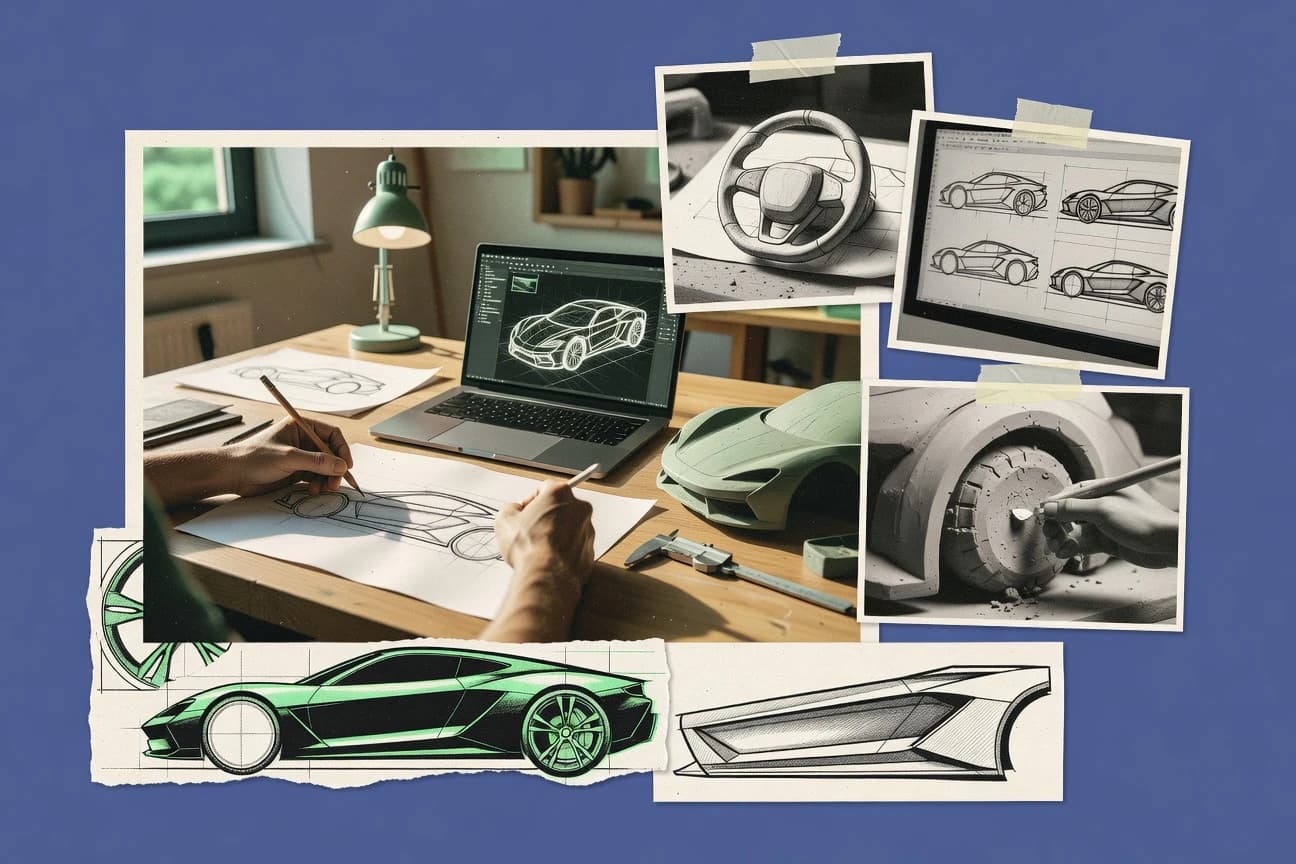
Art DesignTop 10 Best Automobile Design Software of 2026
Ranked roundup of Automobile Design Software for automotive styling and CAD, comparing Autodesk Alias, Fusion 360, and CATIA for engineering teams.

How we ranked these tools
Before any source is gathered, an editor locks the question, what qualifies, and how the piece will be judged.
Search agents gather the source set and the review record, including transcriptions of video reviews and podcasts.
Framework: Features 40% · Ease 30% · Value 30%
Gitnux may earn a commission through links on this page — this does not influence rankings. Editorial policy
Editor’s top 3 picks
Three quick recommendations before you dive into the full comparison below — each one leads on a different dimension.
Autodesk Fusion 360
Parametric Loft and surface creation tools for automotive body and aerodynamic forms
Best for: Designers and small teams shaping vehicle surfaces and producing manufacturable models
Autodesk Fusion 360
Editor pickParametric Loft and surface creation tools for automotive body and aerodynamic forms
Best for: Designers and small teams shaping vehicle surfaces and producing manufacturable models
Dassault Systèmes CATIA
Editor pickClass-A Freeform Surface design for vehicle exterior and interior geometry
Best for: Automotive design teams needing Class-A surfacing and integrated engineering workflows
Comparison Table
Autodesk Fusion 360
parametric CADProvides parametric CAD, surface tools, and simulation plus CAM to iterate vehicle parts and assemblies from early design through manufacturing.
Parametric Loft and surface creation tools for automotive body and aerodynamic forms
Fusion 360 stands out for combining parametric CAD, simulation, and CAM inside one workflow that supports iterative automotive design changes. It supports solid and surface modeling for body panels, enclosures, and interior parts, along with drawings and tolerance-ready dimensioning.
Its integrated assembly modeling helps manage vehicle-level layouts across multiple subcomponents and manufacturing-ready variants. For automobile design, the tool’s strengths show up in surfacing workflows and associativity between sketches, features, and downstream outputs.
- +Parametric CAD and robust assemblies keep automotive design edits consistent
- +Strong surface modeling workflows for bodywork and aerodynamic shaping
- +Integrated simulation and CAM reduce handoff friction between design and manufacture
- +Associative drawings and dimensioning support production-ready documentation
- –Surfacing and advanced constraints take time to learn for accurate intent
- –Large assemblies can slow down and complicate performance-heavy edits
- –Simulation setup can feel heavier than dedicated CAE tools for quick checks
- –CAM workflows may require deeper process knowledge to avoid rework
Automotive design engineers
Iterate body surfacing with parametric edits
Reduced redesign rework cycles
Tooling and manufacturing engineers
Generate CAM from design variants
Faster variant production planning
Show 2 more scenarios
Structural simulation analysts
Validate crash and stiffness constraints
Earlier risk identification
Simulation reuses model assemblies to test modifications against assembly-level load paths.
Production document controllers
Create drawings for tolerance-ready parts
Fewer drawing mismatches
Drawings stay linked to model dimensions and tolerances across design revisions.
Best for: Designers and small teams shaping vehicle surfaces and producing manufacturable models
Autodesk Fusion 360
parametric CADProvides parametric CAD, surface tools, and simulation plus CAM to iterate vehicle parts and assemblies from early design through manufacturing.
Parametric Loft and surface creation tools for automotive body and aerodynamic forms
Fusion 360 stands out for combining parametric CAD, simulation, and CAM inside one workflow that supports iterative automotive design changes. It supports solid and surface modeling for body panels, enclosures, and interior parts, along with drawings and tolerance-ready dimensioning.
Its integrated assembly modeling helps manage vehicle-level layouts across multiple subcomponents and manufacturing-ready variants. For automobile design, the tool’s strengths show up in surfacing workflows and associativity between sketches, features, and downstream outputs.
- +Parametric CAD and robust assemblies keep automotive design edits consistent
- +Strong surface modeling workflows for bodywork and aerodynamic shaping
- +Integrated simulation and CAM reduce handoff friction between design and manufacture
- +Associative drawings and dimensioning support production-ready documentation
- –Surfacing and advanced constraints take time to learn for accurate intent
- –Large assemblies can slow down and complicate performance-heavy edits
- –Simulation setup can feel heavier than dedicated CAE tools for quick checks
- –CAM workflows may require deeper process knowledge to avoid rework
Automotive design engineers
Iterate body surfacing with parametric edits
Reduced redesign rework cycles
Tooling and manufacturing engineers
Generate CAM from design variants
Faster variant production planning
Show 2 more scenarios
Structural simulation analysts
Validate crash and stiffness constraints
Earlier risk identification
Simulation reuses model assemblies to test modifications against assembly-level load paths.
Production document controllers
Create drawings for tolerance-ready parts
Fewer drawing mismatches
Drawings stay linked to model dimensions and tolerances across design revisions.
Best for: Designers and small teams shaping vehicle surfaces and producing manufacturable models
Dassault Systèmes CATIA
enterprise PLMSupports automotive product development with advanced surface modeling, tooling workflows, and PLM-connected engineering processes.
Class-A Freeform Surface design for vehicle exterior and interior geometry
CATIA stands out for end-to-end vehicle product development with deep CAD, generative design, and tooling workflows in one integrated environment. It supports Class-A freeform surface modeling, kinematic motion studies, and simulation-linked engineering through configurable processes.
Designers can create manufacturable body, interior, and exterior surfaces while engineering teams trace changes across parts, assemblies, and associated documentation. The software’s breadth is strongest in organizations that standardize CATIA templates, data structures, and model-based governance for automotive programs.
- +Strong Class-A surfacing for exterior and interior automotive design
- +Generative engineering and optimization connect design intent to manufacturability
- +Integrated kinematics for mechanism motion checks across assemblies
- +High-fidelity tooling and process modeling supports downstream production planning
- –Steep learning curve for navigation, modeling standards, and feature workflows
- –Powerful data management needs disciplined setup to avoid versioning complexity
- –Complex automation and templates require experienced admins to maintain
Automotive design engineering teams
Model Class-A exterior surfaces and details
Fewer rework cycles
Digital mockup and tooling groups
Create and validate interior trim tooling interfaces
Reduced fit issues
Show 2 more scenarios
Model-based program governance leads
Enforce standardized automotive data structures
Improved change traceability
Administrators manage templates and engineering change propagation across parts, assemblies, and documentation.
Motion study and kinematics analysts
Run mechanism motion checks with constraints
Faster mechanism validation
Analysts validate closures and mechanisms by studying kinematics and capturing motion-driven design requirements.
Best for: Automotive design teams needing Class-A surfacing and integrated engineering workflows
Siemens NX
integrated CAD/CAMDelivers unified automotive design and manufacturing CAD with high-end surface handling and integrated downstream processes.
NX Knowledge Fusion for rule-based automation in model-based design and manufacturing processes
Siemens NX stands out for a unified engineering suite that links automotive CAD, simulation, manufacturing planning, and data management in one workflow. For automobile design, it supports solid and surface modeling, body and trim workflows, assemblies, and parametric reuse for variant management.
NX also provides DFM and CAM capabilities that connect design geometry to machining and tooling definitions. Strong model-based processes help reduce downstream translation errors between design intent and production planning.
- +Body-oriented modeling tools support complex surface continuity
- +Variant-driven parametric design speeds derivative vehicle programs
- +Integrated simulation and manufacturing reduces geometry handoff issues
- –Interface complexity slows new users learning NX modeling patterns
- –Automation setup for design-to-manufacturing can require specialist configuration
- –Performance on large automotive assemblies depends heavily on system tuning
Best for: Automotive design teams needing high-fidelity modeling tied to manufacturing planning
Rhinoceros 3D
NURBS modelingEnables precise 3D modeling using NURBS surfaces for automotive styling, concept modeling, and freeform design iterations.
NURBS-based surface modeling with Rhino SubD and detailed curve editing
Rhinoceros 3D stands out for combining precise NURBS modeling with a car-friendly polygon and surface workflow for concept and styling shapes. It supports scalable automation via Grasshopper for generating repeatable design surfaces, styling details, and layout studies.
For automobile design deliverables, it offers strong interchange through common CAD and mesh formats plus rendering workflows for visual reviews. Its core strength is geometry control, while automotive-specific tooling like license plate classes, GD&T automation, and full assembly constraints requires additional plugins and external processes.
- +NURBS surface modeling delivers tight, class-A style control for automotive bodies
- +Grasshopper supports parametric surface generation for repeatable styling studies
- +Large plugin ecosystem expands workflows for rendering, analysis, and export
- +Strong import and export for meshes and CAD data improves iteration speed
- –Surface-focused modeling can lack built-in automotive engineering checks
- –Assemblies and constraints often rely on add-ons and careful data management
- –Learning curve is steep for NURBS operations and curve network planning
Best for: Automotive stylists needing precise surfaces and parametric shape iteration
Blender
3D modeling and renderSupports polygonal and subdivision modeling plus shading and rendering for vehicle concept visualization and stylized automotive assets.
Modifier stack with mirror and subdivision for fast, repeatable body-panel iterations
Blender stands out with a full open-source 3D suite that supports modeling, sculpting, UVs, rendering, and animation in one workspace. For automobile design, it enables CAD-adjacent workflows using polygon modeling, mirror and modifier stacks for fast part iteration, and precise UV unwrapping for paint-ready textures. Rendering and animation tools help teams visualize exterior concepts, while export pipelines support downstream use in visualization and asset pipelines.
- +Robust polygon modeling with modifiers speeds iterative car surface changes
- +Sculpting and subdivision tools support organic bodywork refinement
- +High-quality rendering and material nodes improve concept paint visualization
- +Animation and camera tools support turntables and design walkthroughs
- –Car-specific surfacing and constraints lack CAD-level precision tooling
- –UI and workflow complexity slow onboarding for new vehicle modelers
- –Real-time review pipelines often require extra setup and export discipline
Best for: Concept car teams needing flexible 3D modeling and visualization
SketchUp
fast concept modelingProvides fast 3D sketching for vehicle exterior environment concepts and proportional automotive model blocking using plugins and import/export.
Push-Pull solid modeling for rapid vehicle form development
SketchUp stands out for fast freeform modeling using push-pull editing and an intuitive 3D camera orbit workflow. Core tools include large component libraries, precise snapping, and dimension-driven measurement for building accurate vehicle scale concepts.
Extensions can add rendering and animation, but advanced automotive-specific constraints and CAD-grade engineering workflows remain limited compared with dedicated design CAD tools. The result fits concept sketching, packaging studies, and presentation models that prioritize shape exploration over simulation depth.
- +Push-pull modeling makes car surface ideation quick
- +Huge component and 3D warehouse ecosystem accelerates concept assembly
- +Strong native measurement and snapping supports dimensioned studies
- +Plugins extend rendering and scene visualization for presentations
- –Surface continuity and styling control lag behind CAD for Class-A work
- –Engineering features like constraints, assemblies, and tolerances are not CAD-grade
- –Topology edits for complex body panels can become fragile
- –Export pipelines to automotive CAD and simulation need careful cleanup
Best for: Automotive concept designers needing fast shape modeling and presentation
PTC Creo
parametric CADDelivers parametric and direct modeling with automotive-focused design workflows for parts, assemblies, and flexible configuration management.
Creo Parametric feature tree combined with direct modeling for late-stage geometry changes
PTC Creo stands out for end-to-end parametric CAD plus direct modeling tools that support automotive body, trim, and powertrain packaging design. Its core capabilities include feature-based 3D modeling, assembly management with constraints, surfacing and sheet-metal workflows, and drawing generation for manufacturing intent.
Creo also integrates strong simulation and data management options used for iterative design reviews across vehicle programs. For automobile design, it delivers practical tooling for late-stage edits and constraint-driven kinematics within complex assemblies.
- +Robust parametric modeling with direct edits for rapid automotive design iterations
- +Strong surfacing and sheet-metal capabilities for body and closure geometries
- +Assembly constraints and interfaces support complex vehicle packaging work
- –Advanced features increase setup and training time for new automotive teams
- –Large vehicle assemblies can feel heavy without disciplined model organization
- –Automation across multi-department workflows needs careful template and process design
Best for: Automotive teams needing parametric CAD plus surfacing for vehicle packaging
Onshape
cloud CADOffers browser-based collaborative CAD for vehicle part and assembly design with versioning and team workflows.
Cloud-based parametric CAD with document versioning and collaborative editing
Onshape stands out for browser-based CAD that keeps the entire automobile design workflow in a single, versioned workspace. It provides solid modeling, assemblies, and parametric feature history for packaging studies, part design, and design-for-change iterations.
Collaboration tools like real-time commenting and document permissions support shared development across multidisciplinary teams working on the same vehicle model. Limitations appear for highly specialized automotive workflows like motion-focused kinematics or deep simulation pipelines that require dedicated analysis tools.
- +Browser CAD with cloud document versioning for traceable design changes
- +Strong parametric modeling for consistent automotive part updates across variants
- +Assembly modeling and mate constraints support coherent vehicle sub-system layouts
- –Surface, curvature, and Class-A styling workflows can feel less streamlined
- –Advanced automotive simulations require external CAE tools and file handoffs
- –Feature history complexity can slow edits during late-stage geometry churn
Best for: Teams iterating parametric car components with shared cloud CAD collaboration
OpenSCAD
code-based CADGenerates vehicle design geometry from code to build repeatable parametric parts such as brackets, enclosures, and mounts.
Code-first parametric modeling using constructive solid geometry and reusable modules
OpenSCAD stands out for generating vehicle geometry from code-based constructive solid geometry and parametric modules. It supports accurate 2D sketches and 3D CSG operations like union, difference, and intersection for parts such as brackets, hubs, and body panels.
The workflow is code-centric, with excellent reproducibility for variant-driven design while lacking dedicated automotive styling and photoreal surfacing tools. For automobile design work that prioritizes precise mechanical components and repeatable part generation, it delivers strong geometric control.
- +Parametric scripts enable consistent reuse across many vehicle part variants.
- +CSG modeling with booleans is fast for brackets, ducts, and internal cavities.
- +STL and other mesh export supports downstream CAD, printing, and inspection workflows.
- –Surface-based automotive styling workflows are weak versus dedicated surfacing CAD.
- –Complex organic shapes often require heavy tessellation and careful tooling.
- –Design iteration depends on code changes instead of direct manipulation.
Best for: Code-driven teams making precise mechanical vehicle parts and printable components
Conclusion
After evaluating 10 automobile design software, Autodesk Fusion 360 stands out as our overall top pick — it scored highest across our combined criteria of features, ease of use, and value, which is why it sits at #1 in the rankings above.
Use the comparison table and detailed reviews above to validate the fit against your own requirements before committing to a tool.
How to Choose the Right Automobile Design Software
This buyer's guide covers Autodesk Alias, Autodesk Fusion 360, Dassault Systèmes CATIA, Siemens NX, Rhinoceros 3D, Blender, SketchUp, PTC Creo, Onshape, and OpenSCAD for automotive design workflows that span surfacing, parametric CAD, assemblies, and downstream manufacturing handoff.
The guide focuses on integration depth, data model choices, automation and API surface realities called out by each tool’s mechanisms, and admin and governance controls that affect multi-person vehicle programs.
Automobile Design Software that connects styling surfaces to manufacturable vehicle geometry
Automobile design software covers solid and surface modeling for vehicle parts and assemblies, plus the data handling needed to keep geometry changes consistent across variants and drawings. This software reduces geometry rework by maintaining associativity between sketches, features, and downstream outputs such as drawings and manufacturing-ready variants.
Autodesk Fusion 360 and Siemens NX illustrate the common pattern of linking modeling to downstream simulation and manufacturing planning in a single engineering workflow. CATIA represents the governance-heavy end of the spectrum with Class-A freeform surfacing and integrated engineering processes tied across related documentation.
Evaluation criteria grounded in the tools’ modeling, integration, and control mechanisms
The fastest route to wrong tool selection is choosing based on styling alone while ignoring how each platform handles data model continuity across assemblies and outputs. Tools that keep associativity between geometry edits and downstream artifacts reduce rework when vehicle design changes cascade.
Integration depth also matters because many programs need automation and governed templates for variant management, not just interactive modeling. Autodesk Alias and Fusion 360 focus on parametric surfacing workflows that preserve intent into drawings and manufacturing outputs, while Siemens NX and CATIA prioritize rule-based automation and governance across larger engineering organizations.
Class-A and automotive-grade surface construction
CATIA delivers Class-A freeform surface design for vehicle exterior and interior geometry, and Autodesk Alias and Fusion 360 emphasize strong surface modeling for bodywork and aerodynamic shaping using Parametric Loft and surface creation tools. This matters when styling surfaces must stay controlled enough for production-level edits and downstream manufacturing planning.
Parametric associativity across sketches, features, drawings, and variants
Fusion 360 and Alias keep design edits consistent via parametric CAD tied to downstream outputs, and they support associativity between sketches, features, and drawings plus tolerance-ready dimensioning. Onshape and Creo also use parametric feature history and drawing generation to keep variant updates coherent across an evolving vehicle model.
Model-based assemblies with mate, constraints, and named views
Fusion 360 and Alias manage vehicle-level layouts across multiple subcomponents with linked parts, constraints, and named views. Creo and Onshape provide assembly constraints and interfaces for coherent vehicle sub-system layouts, which helps when packaging and kinematics interfaces must stay aligned.
Rule-based automation inside the design-to-manufacturing workflow
Siemens NX includes NX Knowledge Fusion for rule-based automation in model-based design and manufacturing processes, and this supports consistent application of rules during manufacturing-oriented iterations. CATIA also pairs generative engineering and configurable processes with integrated engineering workflows, which supports program-level standardization when templates and processes are administered.
Automation via external parametric pipelines for surface generation
Rhinoceros 3D provides Grasshopper to generate repeatable design surfaces for styling details and layout studies, and this supports high-throughput iterations when geometry generation must be scripted. OpenSCAD offers code-first parametric modeling via reusable modules and constructive solid geometry operations, which supports reproducible mechanical vehicle components even when styling surfacing tools are limited.
Data model continuity and governance options for multi-team vehicle programs
CATIA emphasizes the need for disciplined data structures, templates, and model-based governance to avoid versioning complexity in automotive programs. Onshape supplies cloud document versioning and document permissions to keep traceable changes and collaborative development synchronized on shared vehicle models.
Decision framework for selecting the right automobile design CAD and surfacing platform
Start with the required geometry type and continuity guarantees, because Class-A surfacing workflows and NURBS control behave differently than polygon modeling or code-first CSG. If the program requires automotive body and aerodynamic forms with intent preserved into drawings, Autodesk Alias and Autodesk Fusion 360 fit the workflow pattern using Parametric Loft and surface creation plus associative dimensioning.
Then validate how changes propagate through assemblies, which requires checking assembly constraints and how downstream outputs update. Finally, assess whether automation and governance needs are met by built-in mechanisms such as NX Knowledge Fusion in Siemens NX or by admin-heavy templates in CATIA, and confirm whether browser-based collaboration in Onshape matches the team’s change management requirements.
Match tool surfacing fidelity to vehicle delivery targets
For Class-A exterior and interior automotive surfaces, CATIA is built around Class-A Freeform Surface design and tooling workflows. For automotive bodywork and aerodynamic shaping with controlled surface edits, Autodesk Alias and Autodesk Fusion 360 emphasize strong surface modeling plus Parametric Loft and surface creation tools.
Check associativity and downstream documentation update paths
Fusion 360 and Alias explicitly support associative drawings and tolerance-ready dimensioning that follow changes made to sketches and features. Siemens NX and Creo connect model processes to downstream planning, while SketchUp and Blender often require export discipline because they lack CAD-grade constraints and tolerances.
Validate assembly constraints for vehicle packaging and variant management
Choose Fusion 360 or Alias when assemblies must manage linked parts, constraints, and named views for vehicle-level layouts across manufacturing-ready variants. Choose Creo when constraint-driven packaging and late-stage geometry changes must stay stable within a feature tree plus direct modeling environment.
Select the automation model that matches program governance
If rule-based automation for model-based design and manufacturing is required, Siemens NX with NX Knowledge Fusion supports rule-driven processes inside the engineering environment. If the organization needs standardized templates and data structures for governance at scale, CATIA supports that workflow but requires disciplined admin setup to avoid versioning complexity.
Plan the integration path for external parametric generation and collaboration
If repeatable surface generation needs to be automated with a node-based system, Rhinoceros 3D pairs NURBS modeling with Grasshopper for scripted styling and layout studies. If cloud-based collaborative CAD with document versioning is required, Onshape keeps parametric feature history and permissions in a browser workspace.
Which teams should use which Automobile Design Software workflows
Automobile design software selection depends on whether the primary job is controlled automotive surfacing, parametric manufacturing-ready modeling, or high-throughput concept iteration. Each tool’s best-fit audience aligns to a specific modeling and automation mechanism.
When project outcomes require Class-A surfaces and integrated engineering workflows across documentation, CATIA fits the organizational pattern. When the deliverable requires parametric edits that propagate across sketches, features, drawings, and assemblies for manufacturable models, Autodesk Fusion 360 or Autodesk Alias fits the end-to-end iteration need.
Automotive exterior and interior surface teams with Class-A delivery targets
Dassault Systèmes CATIA fits teams needing Class-A Freeform Surface design for vehicle exterior and interior geometry plus integrated tooling and engineering processes across linked documentation. Autodesk Alias also targets manufacturable model outcomes for small teams shaping vehicle surfaces using Parametric Loft and surface creation tools.
Design teams iterating vehicle parts and assemblies with drawings and CAM-ready outputs
Autodesk Fusion 360 fits designers and small teams using parametric CAD plus strong surface workflows and associative drawings with tolerance-ready dimensioning. Autodesk Alias matches the same modeling and associativity pattern with an emphasis on surfacing and automotive class-A style workflows for concept and detailed body surfaces.
Manufacturing-oriented engineering teams needing rules and variant-driven parametric behavior
Siemens NX fits automotive design teams that need unified CAD tied to manufacturing planning plus NX Knowledge Fusion for rule-based automation in model-based design and manufacturing processes. It also supports variant-driven parametric design speeds for derivative vehicle programs.
Automotive stylists and modelers doing parametric surface generation at high iteration speed
Rhinoceros 3D fits automotive stylists needing precise NURBS surface modeling plus Rhino SubD and detailed curve editing. It supports repeatable styling studies via Grasshopper, which is a strong match for scripted surface generation.
Code-first teams producing repeatable mechanical vehicle components and printable geometry
OpenSCAD fits teams that want code-centric constructive solid geometry for brackets, ducts, and internal cavities with strong reproducibility across variants. It outputs STL and mesh formats for downstream CAD, printing, and inspection, even though dedicated automotive styling surfacing remains limited.
Common selection and implementation pitfalls in vehicle design software
Most failures happen when a tool’s modeling strength is used outside its intended data model or automation surface. Concept tools without CAD-grade constraints can create geometry that looks right but fails to support tolerances and stable assemblies.
Governance-heavy platforms also fail when templates and data structures are not administered carefully, which increases versioning complexity. The fixes below map directly to the concrete mechanisms each tool provides.
Choosing Blender or SketchUp for Class-A surfaces and tolerance-ready documentation
Blender and SketchUp deliver fast polygon or push-pull form iteration for concept and presentation, but they lack CAD-grade constraints, tolerances, and styling control needed for production surfaces. Switch to CATIA, Autodesk Alias, or Autodesk Fusion 360 when the work requires Class-A freeform surfaces or associative drawings with tolerance-ready dimensioning.
Using NURBS styling tools without a scripted pipeline for repeatable surfaces
Rhinoceros 3D can produce controlled surfaces, but surface-focused modeling becomes harder when repeatability and generation rules are not encoded. Use Grasshopper for parametric surface generation so styling and layout studies remain repeatable rather than manual one-off edits.
Underestimating assembly performance and constraint complexity in large vehicle models
Fusion 360, Alias, and Creo can slow when large assemblies require performance-heavy edits, and NX performance depends on system tuning for complex automotive assemblies. Use disciplined model organization and variant-driven workflows so constraint updates do not trigger expensive recomputation across the whole vehicle.
Treating CATIA or Siemens NX automation as a configuration-free feature
CATIA’s automation and templates require experienced admin work to prevent versioning complexity, and Siemens NX automation setup can require specialist configuration for design-to-manufacturing. Establish governance through administered templates and rule-based processes like NX Knowledge Fusion before scaling model-based workflows across teams.
Selecting Onshape when deep simulation pipelines are the primary output
Onshape provides cloud-based parametric CAD and collaborative versioning, but advanced automotive simulations require external CAE tools and file handoffs. If simulation-linked engineering is a core deliverable, Siemens NX or CATIA supports integrated simulation-link workflows more directly inside the engineering environment.
How We Selected and Ranked These Tools
We evaluated Autodesk Alias, Autodesk Fusion 360, Dassault Systèmes CATIA, Siemens NX, Rhinoceros 3D, Blender, SketchUp, PTC Creo, Onshape, and OpenSCAD using the same scoring rubric across features, ease of use, and value. Features carried the most weight in the overall rating because automobile design work depends on how surfacing, assemblies, drawings, and downstream connections behave under iteration. Ease of use and value each influenced the result when learning curve and setup overhead could slow model churn during real vehicle design cycles. This ranking reflects editorial research and criteria-based scoring from the provided tool descriptions, standout mechanisms, pros, and cons, not private lab benchmarks.
Autodesk Alias separated itself from lower-ranked tools through parametric Loft and surface creation tools for automotive body and aerodynamic forms paired with strong surface modeling workflows and associative drawings and tolerance-ready dimensioning. That combination lifted the features factor while also improving edit consistency for vehicle-level changes across linked parts and named views.
Frequently Asked Questions About Automobile Design Software
Which automobile design software best supports Class-A surface workflows for exterior and interior panels?
What tool combination supports a single workflow for iterative automotive CAD, simulation, and CAM?
How do Rhino 3D and Blender handle automotive styling iterations without losing geometric control?
Which software is best for vehicle-level assembly layouts and variant management across many subcomponents?
Which platform supports model-based automation and rule-driven manufacturing workflows?
How do admin controls and versioning differ between cloud CAD and desktop CAD tools?
What integration and API-style extensibility options matter when teams need repeatable geometry generation?
Which tool is better for late-stage edits when assemblies include complex constraints and packaging changes?
What technical constraint causes limitations for specialized motion and deep simulation workflows?
Which option is best for generating precise mechanical vehicle components like brackets and hubs with consistent outputs?
Tools reviewed
Primary sources checked during evaluation.
Referenced in the comparison table and product reviews above.
- Top 10 Best Form Designing Software of 2026
- Top 10 Best Form Designer Software of 2026
- Top 10 Best Form Design Software of 2026
- Top 10 Best Font Software of 2026
- Top 10 Best Fonts Software of 2026
- Top 10 Best Font Organizer Software of 2026
- Top 10 Best Font Preview Software of 2026
- Top 10 Best Font Making Software of 2026
- Top 10 Best Font Maker Software of 2026
- Top 10 Best Font Library Software of 2026
- Top 10 Best Font Editor Software of 2026
- Top 10 Best Font Generator Software of 2026
- Top 10 Best Font Editing Software of 2026
- Top 10 Best Font Development Software of 2026
- Top 10 Best Font Design Software of 2026
- Top 10 Best Font Creator Software of 2026
- Top 10 Best Font Building Software of 2026
- Top 10 Best Font Creating Software of 2026
- Top 10 Best Flyer Maker Software of 2026
- Top 10 Best Flyer Making Software of 2026
Keep exploring
Comparing two specific tools?
Software Alternatives
See head-to-head software comparisons with feature breakdowns, pricing, and our recommendation for each use case.
Explore software alternatives→In this category
Art Design alternatives
See side-by-side comparisons of art design tools and pick the right one for your stack.
Compare art design tools→