GITNUXSOFTWARE ADVICE
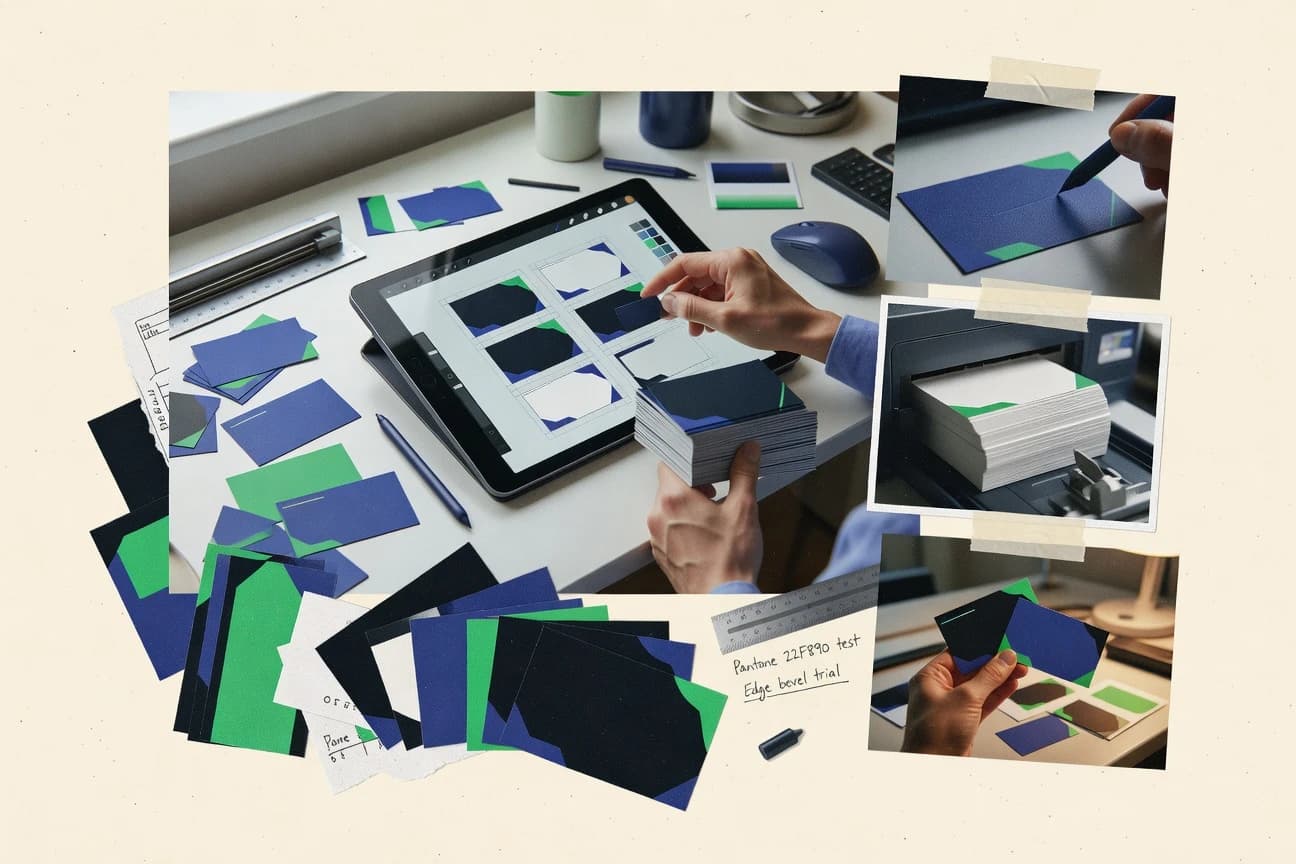
Art DesignTop 10 Best Business Card Design Software of 2026
Compare business card design software options with feature tradeoffs for small business teams, including Canva, CorelDRAW, and Kittl.

How we ranked these tools
Before any source is gathered, an editor locks the question, what qualifies, and how the piece will be judged.
Search agents gather the source set and the review record, including transcriptions of video reviews and podcasts.
Framework: Features 40% · Ease 30% · Value 30%
Gitnux may earn a commission through links on this page — this does not influence rankings. Editorial policy
CorelDRAW is the best pick for print-focused studios needing precise vector cards and consistent separation-ready exports because its spot-color handling stays loyal to the commercial print workflow, whereas BrandCrowd fits small teams that want fast, template-driven card iterations with drag-and-drop editing for quick layout changes.
Editor’s top 3 picks
Three quick recommendations before you dive into the full comparison below — each one leads on a different dimension.
CorelDRAW
Spot color handling inside a vector workflow, paired with export options that keep commercial print separations consistent.
Best for: Fits when a print-focused studio needs precise vector cards and consistent export packages.
Canva
Editor pickBrand Kit lets teams reuse logos, brand colors, and fonts across business card designs without rebuilding styles.
Best for: Fits when teams need fast, shareable business card drafts with consistent brand assets.
Kittl
Editor pickBrand asset ingestion plus card template editing in one workflow reduces logo and typography drift across card variants.
Best for: Fits when marketing teams need fast, template-based card production with light brand governance.
Comparison Table
CorelDRAW
SMBDesktop and web graphics software for detailed business card layout, typography, and print preparation.
Spot color handling inside a vector workflow, paired with export options that keep commercial print separations consistent.
CorelDRAW targets professional vector business card work with a mature page layout toolchain built around Bézier editing. It supports print-ready export with bleed and trim guides, plus CMYK color management and spot color handling for commercial print.
Card-specific output workflows include exporting industry formats like PDF/X-1a, PDF/X-4, and SVG alongside packaging of design assets for handoff. Automation is handled through templates, macros, and repeatable styles for repeatable card sets rather than through a modern web API.
- +Vector editing and typography tooling suitable for precise card layouts
- +Bleed and trim guides support consistent print alignment across batches
- +CMYK color management and spot colors fit commercial print requirements
- +Macros and reusable templates speed repeat card designs
- –No documented automation API for integrating card data ingestion
- –Business card specific automation like contact feed sync is not built in
- –Extensive configuration can slow teams new to vector workflows
- –Web-to-print style preview and provisioning are not a native focus
Best for: Fits when a print-focused studio needs precise vector cards and consistent export packages.
Canva
SMBGeneral-purpose graphic design platform with extensive business card templates and print ordering.
Brand Kit lets teams reuse logos, brand colors, and fonts across business card designs without rebuilding styles.
Canva’s workflow centers on ready-made templates, reusable brand elements, and quick edits that work well for single-card and small batches. Export outputs typically cover common print handoff formats and vector-friendly outputs when needed for logos and icons. Collaboration is handled through shared design files and commenting, which keeps review cycles in the same workspace. For teams that need card-specific customization like QR codes, Canva can generate and place them without separate tooling.
The main tradeoff is that advanced prepress control can be limited compared with tools built around strict print constraints like bleed, safe area enforcement, and dieline workflows. Production teams that rely on repeatable, print-shop-specific settings may need manual checking before sending files to vendors. Canva fits best when deadlines favor rapid iteration and when designs can tolerate a lighter prepress governance layer. Teams that need highly controlled print packaging or deep contact-data mapping for bulk card variants may outgrow Canva’s generic card builder.
- +Template-driven editor speeds one-off card creation
- +Brand kit ingestion keeps logo and colors consistent
- +Inline QR code placement avoids separate QR tools
- +Shared design collaboration supports quick stakeholder feedback
- –Limited control for print-shop dielines and strict trim constraints
- –Complex production layouts need manual validation before export
- –Bulk data-driven card variants require external workflows
- –Harder to enforce typography rules at scale across many users
Sales teams and recruiters
Quickly create role-specific card drafts
Faster handoff to printing
Small marketing teams
Maintain brand consistency across cards
Consistent look across batches
Show 2 more scenarios
Agencies
Review designs with client stakeholders
Shorter review cycles
Use shared links and in-canvas commenting to gather edits before final export.
Event teams
Create QR-linked attendee card sets
On-site scanning ready cards
Build cards with templated sections and place unique QR codes per attendee group.
Best for: Fits when teams need fast, shareable business card drafts with consistent brand assets.
Kittl
SMBBrowser-based design software with business card templates, typography controls, and print-ready exports.
Brand asset ingestion plus card template editing in one workflow reduces logo and typography drift across card variants.
Kittl generates business cards from templates and uploaded brand assets, then manages edits through a vector-first design workflow. The tool supports QR code generation and contact-focused layouts with consistent typography controls, which helps standardize card variants across a team.
Exports cover common print needs with PDF and editable formats, while preview modes help catch layout issues before sending to print. Design speed is driven by its library of ready-to-use card templates and reusable elements.
- +Template-driven card creation speeds up first drafts for new card sets.
- +Reusable brand assets reduce rework when updating logos and fonts.
- +Built-in QR code generation fits common contactless workflows.
- +Export options support both print handoff and editable iteration.
- –Precise bleed and trim guide control is less detailed than pro print tools.
- –Spot color and advanced press targeting support is limited for specialty jobs.
- –Variable-data style workflows for bulk card personalization are not central.
Best for: Fits when marketing teams need fast, template-based card production with light brand governance.
Visme
SMBVisual content creation platform with business card templates and brand kit management.
vCard field mapping that connects structured contact data to card layouts without redesigning elements.
Visme delivers a drag-and-drop card design workflow with brand asset ingestion and built-in QR code generation.
- +Drag-and-drop builder speeds layout iteration for business card formats
- +QR code generation is integrated into the design flow
- +Vector-capable logo handling keeps typography and marks crisp in export
- +vCard mapping supports structured contact field population
- –Template governance is limited for complex multi-region print workflows
- –Some print production constraints require manual checks for safe area fit
- –Advanced finishing controls like duplex dielines need extra workflow care
- –NFC encoding is not positioned as a first-class card field
Best for: Fits when teams need repeatable business card designs with contact field mapping and QR integration.
Adobe Express
SMBSimplified design tool from Adobe offering business card templates and brand kit features.
Drag-and-drop card composition with QR code placement in the same design canvas for event-ready cards.
Adobe Express is a browser-based design workflow where business card templates, typography choices, and brand assets can be combined into print-ready layouts without specialized layout software. Card designs can include QR codes and contact content that stays embedded in the artwork, which reduces the need for manual recomposition later. The platform also supports downloadable file outputs like PDF and SVG for distribution, plus common raster formats for preview use.
- +Template-driven business card layouts reduce layout mistakes
- +Brand asset ingestion keeps logos consistent across card variants
- +QR codes can be placed within the artwork during design
- +Built-in collaboration supports review before export
- –Advanced CMYK and spot workflows are not the primary authoring focus
- –Automation and API surface for card content generation is limited versus developer-first tools
- –Full dieline and trim guide control needs extra diligence for strict printers
Best for: Fits when marketing and sales need brand-consistent business cards with quick iteration and easy review.
Desygner
SMBMobile-first graphic design app with editable business card templates and brand asset management.
Template-driven card production with contact mapping for consistent batch variations across designs.
Desygner is a business card design tool built around a browser editor that emphasizes fast layout assembly from templates and brand assets. It supports print-oriented exports with bleed and trim guidance, plus common vector and raster output formats for downstream print workflows.
- +Drag and drop card layouts with template reuse for quick iterations
- +Print-focused export setup with bleed and trim guidance
- +Brand asset ingestion keeps logos and typography consistent across cards
- +Contact mapping reduces repetitive manual entry for batch card variants
- –Advanced production details require careful manual checks per print house
- –Limited control for prepress workflows compared with specialized layout suites
- –Offline designer mode is not a primary workflow for review-driven teams
- –Large template libraries need clear governance to avoid inconsistent branding
Best for: Fits when small teams need fast business card production with consistent branding and print-ready outputs.
BrandCrowd
vertical specialistLogo and business card maker offering editable templates generated from brand preferences.
Built-in template library plus drag-and-drop layout editing for rapid card iterations without specialist layout tooling.
BrandCrowd is a web-based business card designer built around a large template library and fast drag-and-drop editing. Card creation focuses on swapping layout, editing typography, and placing logos and graphics with print-ready export options.
- +Template-first workflow cuts design time for common card styles
- +Drag-and-drop builder supports quick layout and typography changes
- +Print-oriented exports support typical small-press and storefront workflows
- +QR code insertion helps cards support quick link sharing
- –Advanced print control is limited compared with layout tools
- –Design export packaging and proofing checks are not as comprehensive
- –Less support for complex multi-panel or highly customized print specs
- –Asset-to-layout automation is minimal for contact and content workflows
Best for: Fits when small teams need fast, template-driven business card creation with basic print-ready exports.
BeFunky
SMBPhoto editing and graphic design platform with business card templates and a drag-and-drop editor.
Logo raster-to-vector tracing inside the business card editor keeps brand marks legible at card size.
BeFunky’s card builder is oriented around templates, component editing, and quick image manipulation tools, so card production can start without building a layout from scratch. The tool supports logo raster-to-vector tracing so marks stay crisp at small print sizes, and it includes QR code generation for scannable cards. It also handles print-oriented layout constraints such as safe areas and bleed-like spacing patterns, which reduces trimming surprises during the handoff to print shops.
- +Drag-and-drop card builder built around templates and editable elements
- +Logo raster-to-vector tracing helps keep marks sharp for small prints
- +QR code generation integrates into the same layout workflow
- +Print-oriented layout constraints reduce safe-area mistakes
- –Limited spot color and press-specific controls for advanced print houses
- –Automation and API surface for bulk card production is minimal
- –Dieline integration for custom cutting paths is not a primary workflow
- –Variable data printing control depth is limited for high-volume runs
Best for: Fits when small teams need fast, template-based business card proofs with clean QR and logo handling.
Tailor Brands
vertical specialistAI brand identity platform producing logos and matching business card designs.
Prompt-driven layout generation that turns logo uploads and text entry into complete front and back card designs.
Tailor Brands focuses on fast business card creation driven by guided prompts and brand assets, which reduces the design time versus template-only editors. The builder supports uploading logos and images, composing front and back layouts, and generating print-ready exports for card production workflows.
- +Guided card layout flow speeds first draft creation
- +Logo and brand asset uploads feed consistent typography and styling
- +Front and back editing supports two-sided card layouts
- +QR code generator supports scannable cards without manual layout work
- –Limited control over prepress details compared with pro layout editors
- –Variable data printing and contact feed sync are not core workflows
- –Advanced spot color and CMYK proofing controls are narrow
- –Export packaging and deep web-to-print automation are limited
Best for: Fits when individuals need quick, branded business cards with reliable exports for local printing.
Looka
vertical specialistAI-powered brand identity platform that generates business card designs from logo preferences.
Logo raster-to-vector tracing that converts uploaded logos into scalable card elements for cleaner typography alignment.
Looka generates business card designs from brand inputs, then refines layouts with a drag-and-drop editor for typography and composition.
- +Fast generation from brand inputs with immediate visual iterations
- +Drag-and-drop editing for text, spacing, and layout adjustments
- +QR code generation that can be styled and placed on-card
- +Logo raster-to-vector tracing supports cleaner card rendering
- –Limited control over print-specific constraints like bleed and trim guides
- –Advanced variable data packaging for bulk card runs is not a core workflow
- –Export controls for color separation and press formats are less detailed than pro layout tools
- –Template library governance is limited for teams that require strict design rules
Best for: Fits when solo operators need quick business cards with light customization and print-ready exports.
Conclusion
After evaluating 10 business card design software, CorelDRAW stands out as our overall top pick — it scored highest across our combined criteria of features, ease of use, and value, which is why it sits at #1 in the rankings above.
Use the comparison table and detailed reviews above to validate the fit against your own requirements before committing to a tool.
How to Choose the Right Business Card Design Software
This guide compares BeFunky, Adobe Express, Canva, Desygner, and Looka for business card creation. It also covers BrandCrowd, Tailor Brands, Visme, Kittl, and CorelDRAW, with BeFunky ranked highest for its logo tracing, template workflow, and QR handling.
The comparison separates fast template editing from print-focused vector control, contact data mapping, brand asset reuse, and production automation.
What Business Card Design Software controls
Business card design software combines layout editing, typography controls, brand asset placement, and export preparation for front and back card designs. BeFunky uses templates, editable elements, QR placement, and logo raster-to-vector tracing inside one card editor.
Some tools prioritize repeatable contact data or print production instead of rapid template work. Visme maps vCard fields to card layouts, while CorelDRAW provides vector editing, spot color handling, and bleed and trim guides for commercial print workflows.
Business card control points that determine print readiness and batch consistency
Business card design software needs to manage card geometry, brand assets, and machine-readable exports so the final file matches how cards will be printed. Tools differ most in how they handle logo processing, contact data mapping, and repeatable production variants.
These capabilities decide whether a team can produce front and back designs with consistent QR placement, whether typography stays aligned after brand asset updates, and whether batch runs require manual corrections for each print house.
Logo processing that preserves alignment at card size
BeFunky provides logo raster-to-vector tracing inside the business card editor to keep marks sharp at card scale. Looka also uses logo raster-to-vector tracing to produce scalable card elements for cleaner typography alignment.
Template governance for consistent brand styling across variants
Canva includes Brand Kit so teams reuse logos, brand colors, and fonts across business card designs without rebuilding styles. Kittl combines reusable brand assets with template-driven card editing to reduce logo and typography drift across card variants.
QR and scannable elements placed in the same design workflow
Adobe Express supports drag-and-drop card composition with QR code placement in the same design canvas for event-ready cards. Visme integrates QR code generation into the design flow along with layout editing.
Contact mapping for structured data-driven card creation
Visme provides vCard field mapping that connects structured contact data to card layouts without redesigning elements. Desygner focuses on contact mapping for consistent batch variations across designs.
Export guidance for bleed and trim alignment in batch runs
Desygner includes print-focused export setup with bleed and trim guidance to reduce layout mistakes in production. CorelDRAW provides bleed and trim guides that support consistent print alignment across batches.
Prepress control depth for advanced print house workflows
CorelDRAW offers spot color handling inside a vector workflow to keep commercial print separations consistent. BeFunky is optimized for fast card proofs and basic logo and QR handling but it limits spot color and press-specific controls.
Automation and integration surface for bulk card production
BeFunky ranks highest in card design speed and logo tracing but automation and API surface for bulk card production is minimal. CorelDRAW supports precise vector editing but does not include a documented automation API for integrating card data ingestion.
Pick the workflow shape that matches card volume, data sources, and print constraints
The best fit depends on whether the work is template-first one-off card drafting, batch variation production, or structured contact data mapping. Each tool in this set optimizes a different bottleneck, from quick layout edits to print constraint handling and data-to-layout mapping.
The decision framework below separates philosophies that behave differently in practice, including whether the tool is designed for developer-driven generation or for designer-controlled composition and exports.
Choose between template-first layout editing and print-driven prepress control
If the priority is fast card proofs with clean QR and logo handling, BeFunky and Canva are tuned for template-driven layout creation with editable elements. If the priority is tighter print-house alignment, CorelDRAW and Desygner invest in bleed and trim guidance inside the workflow.
Select based on how brand assets change across a card set
If a team needs to reuse the same logos, brand colors, and fonts across many card designs, Canva Brand Kit is built for consistent brand asset ingestion. If the workflow is heavy on replacing logos while maintaining typography alignment, Looka and BeFunky focus on logo raster-to-vector tracing for scalable elements.
Decide whether contact data is a design input or an export problem
If business cards must be generated from structured contact fields, Visme and Desygner support contact mapping so variations stay consistent. If card content is mostly manual text entry with light data usage, Tailor Brands and Looka match the guided generation and quick iteration pattern.
Verify QR and scannable elements placement inside the authoring canvas
If QR placement must stay tightly coupled to layout iteration, Adobe Express places QR directly in the same design canvas as the card. If QR generation must be integrated with contact mapping and layout reuse, Visme keeps QR generation as part of the builder flow.
Assess whether advanced print workflows are first-class or manual checks
If specialty jobs require deep press targeting and spot-color decisions, CorelDRAW is the vector workflow option with spot color handling. If a tool works for standard proofs but advanced prepress details require manual checks per print house, Desygner and BeFunky can still fit smaller teams with review time.
Match automation needs to the available integration surface
If bulk production requires a documented integration path, none of the reviewed design tools provide a developer-first automation and API surface centered on card data ingestion. BeFunky and CorelDRAW both emphasize authoring and export rather than automation for card-content generation and bulk sync.
Who each buyer profile should target in this Business Card Design Software set
Different teams buy business card design software for different bottlenecks, such as faster draft creation, consistent batch variations, or structured contact-to-card mapping. The tools below align to the kinds of workflows that show up in small teams, marketing operations, and print-focused studios.
The segments also reflect practical constraints like prepress detail requirements, QR placement coupling, and the need to keep brand assets consistent across repeated card designs.
Small teams running fast approvals with template-based drafts
BeFunky and Canva emphasize drag-and-drop, template-driven card creation, and clean QR and logo handling so approvals can turn quickly without heavy manual layout work.
Teams generating repeat card variants from contact records
Visme and Desygner support contact mapping so structured contact fields can map into consistent card layouts for batch variations.
Event and campaign teams that need QR placement during layout editing
Adobe Express and Visme keep QR code generation or placement inside the design canvas, which reduces the chance that QR placement drifts during revisions.
Print-focused studios that prioritize vector control and commercial separation output
CorelDRAW is built around vector editing, spot color handling, and bleed and trim guides, which suits studio workflows that require consistent separations.
Solo operators who want quick brand input to card-ready designs
Looka and Tailor Brands generate branded card drafts from logo and text inputs and focus on fast iteration with export output suitable for local printing.
Business card design mistakes that create real production failures
Card templates can hide issues until export, and small authoring choices can cause print problems like trim misalignment or scannability problems. Common mistakes here are about assuming prepress control exists when the workflow is optimized for quick drafts, or assuming automation and data sync are built in.
The fixes below map directly to the capabilities and limits of the specific tools in this set.
Assuming advanced spot color and press-specific controls are available in template-first editors
BeFunky focuses on fast proofs and logo tracing but limits spot color and press-specific controls, so specialty jobs need extra prepress review. CorelDRAW provides spot color handling for commercial separation consistency when the job requires deeper control.
Skipping manual validation for bleed and trim when the tool guidance is basic
Canva and several template workflows provide limited control for strict print-shop dielines and trim constraints, so exports can require manual checks before production. Desygner and CorelDRAW include bleed and trim guidance that reduces alignment issues across batches.
Treating contact mapping as a built-in feature in every business card editor
Visme and Desygner include contact mapping capabilities, so structured data variations can stay consistent without redesigning. Tools like Tailor Brands and Looka are built for guided drafts and quick customization and do not treat contact feed sync as a core workflow.
Expecting an automation API for bulk card content generation during production runs
BeFunky and CorelDRAW both emphasize authoring and export and keep automation and API surface for bulk card production minimal or not documented for card data ingestion. If bulk production is the priority, card content generation needs a workflow built outside these design editors.
Using brand assets without tracing or governance and then reworking text alignment later
Looka and BeFunky use logo raster-to-vector tracing to keep brand marks legible and aligned at card size, which reduces rework after updates. Canva Brand Kit and Kittl brand asset ingestion reduce drift across templates, but complex production layouts can still require manual validation.
How We Selected and Ranked These Tools
We evaluated BeFunky, Adobe Express, Canva, Desygner, Looka, BrandCrowd, Tailor Brands, Visme, Kittl, and CorelDRAW on features and ease of producing front and back card layouts plus whether QR placement, logo handling, and contact mapping reduce revision cycles. Features accounted for 40% of the weighting because logo tracing, brand kit governance, and QR or vCard field mapping directly change production outcomes.
Ease and value each accounted for 30% because template-driven authoring and drag-and-drop behavior determine how quickly teams can reach export-ready output. BeFunky ranked highest because its logo raster-to-vector tracing lives inside the business card editor while the drag-and-drop template workflow keeps QR and logo handling consistent for fast card proofs.
Frequently Asked Questions About Business Card Design Software
How does brand asset ingestion differ between BeFunky and Canva for card templates?
Which tools support contact data mapping or vCard-driven fields for business cards?
What breaks if a logo arrives as a low-resolution raster file when using Looka or Looka-style tracing workflows?
When should CorelDRAW be chosen over template-first editors like BrandCrowd for print packaging?
Which tools handle spot color and CMYK color management for commercial print exports?
How do QR code and contact blocks get positioned relative to the final canvas in Adobe Express versus Tailor Brands?
What administration controls and governance features are available for managing template usage across teams?
Where does web-to-print collaboration differ between Desygner and Canva when stakeholders need review links?
How does export quality control for bleed, trim guidance, and typography rendering affect repeatability across tools like Desygner and Kittl?
Tools reviewed
Primary sources checked during evaluation.
Referenced in the comparison table and product reviews above.
Funding and competing interests
This study was co-funded by several of the vendors assessed in it. No single vendor funded it. Funders could propose the market studied.
They had no role in selecting vendors, setting or weighting criteria, analysing data or drawing conclusions, and they received the same factual-accuracy check as every other vendor assessed.
Market definition, inclusion rules and criteria weights were fixed by an editor before research began and did not change afterwards. Editorial process →
- Art DesignTop 10 Best Card Making Software of 2026
- Arts Creative ExpressionTop 10 Best Greeting Card Software of 2026
- Business FinanceTop 10 Best Business Card Scanning Software of 2026
- Art DesignTop 10 Best Interior Design Business Software of 2026
- Art DesignTop 10 Best Book Cover Design Software of 2026
Keep exploring
Comparing two specific tools?
Software Alternatives
See head-to-head software comparisons with feature breakdowns, pricing, and our recommendation for each use case.
Explore software alternatives→In this category
Art Design alternatives
See side-by-side comparisons of art design tools and pick the right one for your stack.
Compare art design tools→