
GITNUXSOFTWARE ADVICE
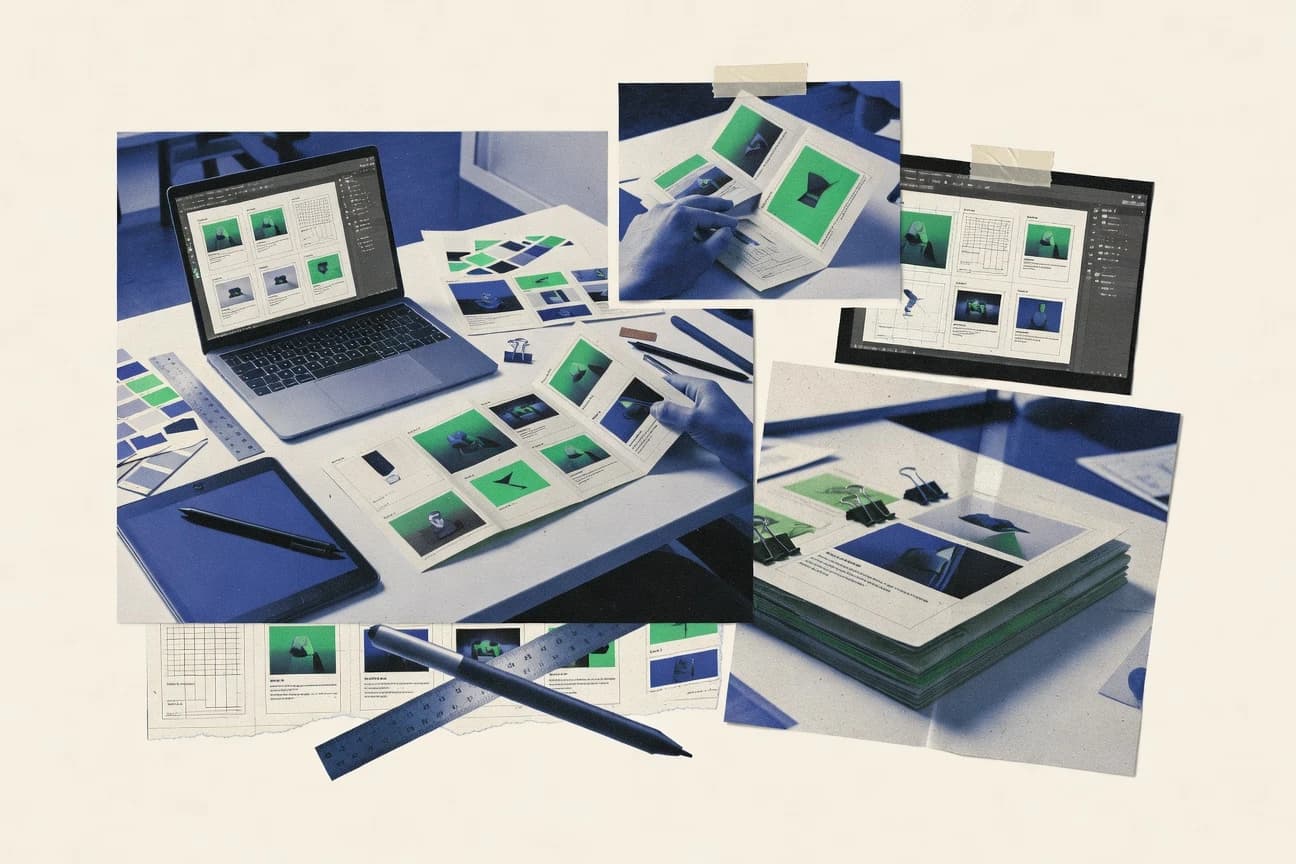
Art DesignTop 10 Best Brochure Design Software of 2026
Ranked list of the top 10 brochure design software tools with evaluation notes for marketers and designers, covering Marq, InDesign, and Visme.

How we ranked these tools
Core product claims cross-referenced against official documentation, changelogs, and independent technical reviews.
Analyzed video reviews and hundreds of written evaluations to capture real-world user experiences with each tool.
AI persona simulations modeled how different user types would experience each tool across common use cases and workflows.
Final rankings reviewed and approved by our editorial team with authority to override AI-generated scores based on domain expertise.
Score: Features 40% · Ease 30% · Value 30%
Gitnux may earn a commission through links on this page — this does not influence rankings. Editorial policy
Marq is the best fit for marketing teams that need repeatable, brand-controlled brochure production with shared review and consistent output, whereas Adobe InDesign is the move when print-ready governance across many versions matters, and Visme is the cheaper entry if you want fast template iteration with data-driven layouts.
Editor’s top 3 picks
Three quick recommendations before you dive into the full comparison below — each one leads on a different dimension.
Marq
Template-based layout with reusable brand kit items keeps multi-page brochures consistent across edits.
Built for fits when marketing teams need repeatable brochure production with shared review and consistent brand controls..
Adobe InDesign
Editor pickScripting access to layout objects enables automated updates to text, frames, and page geometry across brochure variants.
Built for fits when brochure production needs strict style governance and repeatable print-ready exports across many versions..
Visme
Editor pickBuilt-in chart and diagram objects that stay editable inside brochure page layouts during revisions.
Built for fits when teams need fast brochure iteration with consistent brand rules and data-driven layouts..
Comparison Table
Marq
SMBCloud-based brand templating and digital brochure platform formerly known as Lucidpress.
Template-based layout with reusable brand kit items keeps multi-page brochures consistent across edits.
Marq’s workflow centers on publishing brochure pages from templates and reusable components, so tri-fold and bi-fold designs can stay aligned across editions. Teams can manage an asset library and a brand kit to keep typography settings, color choices, and image reuse consistent across collaborators. Collaboration support includes review states and comment threads tied to the design artifact, which reduces mismatch between design intent and editorial changes.
A tradeoff is that advanced print production controls like fine-tuned crop marks, printer marks, and strict color management options can be more limited than dedicated desktop publishing tools. Marq fits best when brochure updates happen often, and layout consistency matters more than pixel-level typographic control in complex multi-master spreads. It is also a good fit when brochure review cycles require a shared, versioned design link rather than email attachments.
- +Template-driven page layouts keep trifold variants consistent across updates
- +Brand kit controls standardize typography and color choices for all pages
- +Collaborative review reduces rework from mismatched design and editorial edits
- +Exported print-ready PDFs preserve layout geometry for production workflows
- –Advanced prepress marking controls can lag desktop publishing tools
- –Fine-grain typographic overrides can require more manual attention
Marketing teams
Monthly tri-fold brochure updates
Faster revisions, fewer layout mistakes
Brand and design ops
Multi-team brochure governance
Consistent output across releases
Show 1 more scenario
Agencies
Client review cycles for bi-folds
Shorter feedback loops
Design review comments attach to the shared brochure artifact to track changes in context.
Best for: Fits when marketing teams need repeatable brochure production with shared review and consistent brand controls.
Adobe InDesign
enterpriseProfessional desktop publishing software for multi-page print and digital brochure layouts.
Scripting access to layout objects enables automated updates to text, frames, and page geometry across brochure variants.
InDesign fits when brochures require strict typography and consistent geometry across tri-fold, bi-fold, and gatefold layouts. Master pages and paragraph styles keep repeated sections aligned and maintain consistent spacing and numbering. Its export controls generate production assets like bleed and trim marks, crop marks, and printer marks, which reduces rework for print production workflows.
A key tradeoff is that automation depends on scripting or external workflow tooling rather than a first-party, guided rules engine for layout decisions. InDesign fits when a design team or prepress group can standardize styles and templates, then run exports frequently for printer-ready PDF delivery.
- +Master pages and styles maintain consistent brochure structure at scale
- +Print-ready PDF export supports marks, bleed, and CMYK production requirements
- +Scripting enables repeatable layout changes without manual rework
- +Variable typography and grid control support dense brochure compositions
- –Automation often requires scripts or add-ons for conditional layout logic
- –Collaboration review is handled through external workflows rather than native markup
- –Asset management features can require discipline to avoid broken links
- –Complex templates can raise onboarding time for new designers
In-house marketing design teams
Monthly tri-fold brochure refresh cycles
Faster versioned brochure production
Prepress and print production
Printer-ready PDF delivery with marks
Lower print rework rates
Show 2 more scenarios
Creative ops and automation
Bulk layout updates from new assets
Reduced manual editing time
Scripting updates frames and text while enforcing consistent page structure for large batch runs.
Brand teams
Template-driven brochure variants
More brand-consistent deliverables
Shared typography controls and reusable templates keep brand typography consistent across multiple campaign layouts.
Best for: Fits when brochure production needs strict style governance and repeatable print-ready exports across many versions.
Visme
SMBVisual content platform with brochure templates, data visualization, and brand kit management.
Built-in chart and diagram objects that stay editable inside brochure page layouts during revisions.
Visme is a strong fit for brochure production teams that need repeatable layouts without losing control over typography, spacing, and page composition. The editor supports reusable brand settings so multiple designers can follow consistent color and type rules across a brochure series. Diagram and data visualization widgets reduce manual redesign when charts or figures must update inside brochure pages. The tool also supports collaborative review workflows that help teams catch layout issues before export.
A key tradeoff is that deep print-prepress control can feel less granular than desktop publishing workflows for strict PDF/X preflight needs and complex printer mark requirements. Visme works best when brochure content changes frequently, like campaigns with updated offers, pricing tables, or event details that must be reflected across multiple versions.
- +Brand kit settings keep color and typography consistent across brochure pages
- +Diagram and chart components update quickly inside page layouts
- +Template-driven layouts speed tri-fold and bi-fold brochure production
- +Collaborative review workflows reduce revision loops before export
- –Fine-grained print mark control can lag behind desktop publishing tools
- –Strict prepress checks may require extra manual verification steps
- –Complex grid and style systems need careful setup to avoid drift
Marketing operations teams
Campaign brochures with weekly content updates
Fewer revision cycles
Product marketers
Feature brochures with embedded diagrams
Faster figure refreshes
Show 1 more scenario
Creative agencies
Multi-client brochure series at scale
More predictable deliverables
Asset libraries and brand kit controls keep consistent styling across multiple brochure versions.
Best for: Fits when teams need fast brochure iteration with consistent brand rules and data-driven layouts.
Desygner
SMBTemplate-based design platform with brochure layouts and brand asset management.
Brand kit management ties fonts, colors, and reusable assets to every brochure design for consistent, repeatable output.
Desygner is an online design and brochure publishing tool built around template-driven layouts and a drag-and-drop editor. It supports brand kits for reusable assets and consistent typography across tri-fold and bi-fold formats, then exports print-ready documents for production workflows.
The editor focuses on quick page assembly with guided layout elements like guides and safe-area style controls, which helps teams keep designs within trim constraints. Collaboration features support review loops for shared work so changes can be iterated before export.
- +Template-driven brochure page setup speeds tri-fold and bi-fold production
- +Brand kit reuse keeps typography and assets consistent across many layouts
- +Export targets common print workflows with print-ready PDF output options
- +Shared projects support collaborative review before final export
- –Advanced preflight control like PDF/X profile selection is limited versus DTP suites
- –Deep CMYK and spot color management workflows are not as granular as desktop tools
- –Complex vector editing can feel constrained compared with full desktop vector editors
- –Large, asset-heavy layouts can slow down during frequent page revisions
Best for: Fits when marketing teams need fast brochure layouts with consistent brand assets and collaboration before print export.
Snappa
SMBTemplate-driven graphic design tool supporting brochure and flyer creation.
Brand Kit style management that applies consistent typography and colors across multi-page brochure edits in the same project.
Snappa creates brochure page layouts through a browser-based editor with template-driven starting points and a drag-and-drop canvas. It centers on ready-to-export print artwork workflow, including bleed-related exports and print-ready PDF output for distribution to printers.
Brand Kit style controls keep typography and color choices consistent across multiple brochure pages. Asset management and reusable design elements speed up tri-fold and bi-fold variations without switching tools.
- +Template-driven brochure layouts reduce layout setup time for tri-fold and bi-fold designs.
- +Brand Kit keeps fonts and color selections consistent across many brochure pages.
- +Print-ready PDF export supports typical print production handoffs.
- +Reusable elements and layers make page variations faster than full rebuilds.
- –Advanced desktop publishing features like master pages and complex typographic styles are limited.
- –Preflight checks for print settings are not as granular as in pro layout tools.
- –Vector editing depth is narrower than dedicated desktop publishing software.
- –Production mark control for bleed, trim, and printer marks is more constrained.
Best for: Fits when small teams need fast brochure layout and print-ready PDF output without desktop publishing complexity.
PosterMyWall
SMBOnline design tool for marketing materials including brochures, flyers, and social media graphics.
Built-in brochure templates for common folds like tri-fold and bi-fold with fold-aware page layout presets.
PosterMyWall is an online brochure design tool built around a large template library and a browser-based drag-and-drop editor. It supports tri-fold and bi-fold layouts with consistent print setup outputs like print-ready PDFs and crop-friendly export options.
Brand kit features help keep typography and colors consistent across multiple pages and versions. Collaboration tools support design review workflows without requiring a desktop publishing install.
- +Template-first workflow for tri-fold and bi-fold brochure starting points
- +Browser editor removes desktop publishing setup for quick brochure drafts
- +Brand kit keeps fonts and colors consistent across multi-page designs
- +Export oriented toward print-ready PDF handoff for production workflows
- –Advanced prepress controls like PDF/X tuning are limited versus DTP tools
- –Complex vector-heavy layouts can show slower rendering in the editor
- –Layer organization controls are less granular than desktop publishing suites
- –Typography and style management across many variants stays manual
Best for: Fits when marketing teams need fast, template-driven brochure drafts and reliable print-ready PDF exports.
Flipsnack
SMBDigital flipbook platform for converting PDF brochures into interactive online publications.
Interactive flipbook publishing with page-level navigation and viewer behavior, while keeping a print-ready PDF export for production.
Flipsnack focuses on creating brochure-style flipbooks with interactive page behavior rather than only static page layouts. It combines a drag-and-drop editor with brochure templates and a controllable asset workflow for images, typography, and page-level composition.
Exports center on print-ready PDF output and shareable viewing formats for stakeholder review and distribution. Teams also benefit from collaboration features for feedback cycles without switching tools.
- +Drag-and-drop editor paired with brochure templates for fast starting points
- +Flipbook-style output supports interactive sharing alongside print-ready PDF exports
- +Master page workflow reduces repetition across multi-page brochure layouts
- +Asset library and brand kit-style controls streamline typography and imagery reuse
- –Print production controls like bleed and trim marks need careful manual attention
- –Advanced layout automation for complex variants requires more designer work
- –Interactive elements do not replace a dedicated desktop publishing workflow for complex pagination
- –Version-to-version layout consistency can be hard without disciplined master page use
Best for: Fits when marketing teams need brochure flipbooks with quick template editing and dependable print PDF output.
Issuu
SMBDigital publishing platform for hosting and distributing interactive brochures and catalogs.
Issuu conversion into embedded flipbooks delivers a consistent, shareable brochure viewer from uploaded PDFs.
Issuu focuses on publishing and distribution of brochure-style documents, not on full desktop publishing workflows. It provides a page-based viewer, upload and conversion into shareable flipbooks, and editing for layouts via its authoring tools.
Issuu is distinct for making print-like layouts publishable for web and mobile audiences with a consistent reader experience. For brochure teams, it works best when the deliverable is a print-ready PDF that also needs an online presentation layer.
- +Flipbook publishing turns print-ready PDFs into a consistent online reader experience
- +Viewer embedding supports distribution for campaigns and product catalogs
- +Page-based editing fits brochure layouts like bi-fold and tri-fold structures
- +Branding controls keep typography and cover presentation consistent across issues
- –Advanced prepress controls like CMYK tuning and PDF/X settings are limited
- –Design automation for bulk page updates is weaker than document workflow tools
- –Collaboration features are oriented to review, not production-grade co-editing
- –Template control is less granular than master-page authoring in desktop tools
Best for: Fits when brochures need a print-like layout that must publish reliably to web and mobile readers.
Publuu
SMBOnline flipbook creator that transforms PDF brochures into interactive digital publications.
In-publication review links let collaborators comment against the exact published brochure pages.
Publuu turns finished brochure layouts into shareable digital publications with page-by-page navigation and interactive viewing. The workflow supports template-driven brochure page building, and it focuses on publishing links rather than only exporting print assets.
It also includes brand controls like a brand kit and collaboration for review cycles tied to the same publication. Export options cover print-ready PDF output for teams that need a CMYK-based production handoff.
- +Digital publication publishing links keep brochure stakeholders in one review channel
- +Template-driven brochure layouts reduce layout variance across multi-page assets
- +Brand kit controls help keep typography and imagery consistent across issues
- +PDF export supports print production handoff for teams that must deliver files
- –Advanced print layout controls are narrower than desktop publishing suites
- –Complex bleed and trim mark adjustments require careful setup discipline
- –Deep vector editing is limited compared with dedicated desktop publishing workflows
- –Automation and API integrations for custom pipelines are limited for enterprise needs
Best for: Fits when teams need brochure-ready layouts plus digital publishing links for ongoing review cycles.
FlipHTML5
SMBHTML5 flipbook maker for creating interactive digital brochures from PDF files.
Flipbook publishing that ties the same brochure layout to shareable interactive viewing without rebuilding the design.
FlipHTML5 focuses on brochure-style page creation with an online workflow that converts designed pages into shareable flipbook-style content. The editor supports template-driven page layout, image and text placement, and branding-oriented styling controls.
Publishing emphasizes export to print-ready PDF and also distribution as web-friendly flipbooks, which fits marketing teams who need both paper artifacts and digital viewing. Asset handling and typography tools support consistent brochure production across multiple pages.
- +Template-driven brochure pages reduce setup time for repeatable campaigns
- +Export options include print-ready PDF for downstream print workflows
- +Flipbook publishing supports sharing designed brochures as interactive web views
- +Typography and styling controls help keep multi-page brochure layouts consistent
- –Advanced print production controls like full preflight depth are limited
- –Complex press-ready workflows can require manual adjustment for final output
- –Large brochure projects can feel slower when managing many assets at once
- –Limited visibility into color management decisions can complicate strict CMYK needs
Best for: Fits when marketing teams need fast brochure layout plus web and print outputs.
Conclusion
After evaluating 10 art design, Marq stands out as our overall top pick — it scored highest across our combined criteria of features, ease of use, and value, which is why it sits at #1 in the rankings above.
Use the comparison table and detailed reviews above to validate the fit against your own requirements before committing to a tool.
How to Choose the Right brochure design software
Brochure design software covers template-driven page layout for bi-fold and tri-fold brochures, along with export paths that reach print-ready PDF files for production.
This guide covers Marq, Adobe InDesign, Visme, Desygner, Snappa, PosterMyWall, Flipsnack, Issuu, Publuu, and FlipHTML5 so brochure teams can compare automation, brand governance controls, and review-ready publishing outputs.
Brochure design software for print-ready PDFs, templates, and controlled layout
Brochure design software builds template-based brochure page layouts with brand kit controls and repeatable structure so updates stay consistent across multi-page edits.
Marq emphasizes reusable brand kit items and template-based layout to keep tri-fold variants aligned across changes, while Adobe InDesign adds master pages and scripting access to automate object updates for many brochure versions. Visme focuses on editable chart and diagram components inside page layouts, which reduces the cost of updating data-linked brochure sections during revisions.
Brochure design software features that affect print readiness and repeatability
Brochure teams need template-driven layout so tri-fold and bi-fold pages stay consistent across edits. In this set, Marq, Desygner, and Snappa emphasize reusable brand kit controls that standardize typography and color choices across multi-page brochures.
Template-driven brochure structure with brand kit governance
Marq and Desygner use template-driven brochure page layouts tied to brand kit settings so multi-page tri-fold and bi-fold edits keep typography and color choices consistent. Snappa also applies Brand Kit style management across brochure pages, but it caps advanced desktop publishing controls.
Master pages and repeatable layout at document scale
Adobe InDesign provides master pages and styles to maintain consistent brochure structure across many versions. Marq also keeps trifold variants aligned through template-based layout and reusable brand kit items.
Automation surface for updating brochure variants
Adobe InDesign exposes scripting access to update layout objects such as text, frames, and page geometry across brochure variants. Marq supports repeatable edits through templates and brand kit controls rather than layout scripting depth.
Editable data visuals inside brochure page layouts
Visme keeps chart and diagram objects editable inside brochure page layouts during revisions. Marq supports diagram-like content through templates and brand kit governance, but Visme is positioned around maintaining editable visuals during iteration.
Prepress mark control and print-production depth
Desktop publishing strength shows up in Adobe InDesign with print-ready PDF exports that include marks, bleed, and CMYK production requirements. Marq and Visme can lag desktop publishing tools for advanced prepress marking controls.
Flipbook publishing for digital brochure distribution
Flipsnack produces interactive flipbooks with page-level navigation while still offering print-ready PDF exports. Issuu and FlipHTML5 both convert uploaded PDFs into embedded flipbooks for consistent shareable viewing, with limited prepress controls.
How to choose brochure design software by workflow control and publishing outputs
Start with the output target because tools that prioritize print prepress control behave differently from tools that prioritize interactive flipbook publishing. If the brochure must reach print-ready PDF production with reliable marks and repeatable structure, the choice usually concentrates on Adobe InDesign or template-driven print-first tools like Marq and Desygner.
Select the print-control profile based on prepress mark depth
Choose Adobe InDesign when the workflow needs print-ready PDF exports with marks, bleed, and CMYK production requirements. Choose Marq or Desygner when the workflow prioritizes template-driven consistency and brand kit governance, then manually verifies advanced prepress marking needs if marking depth becomes critical.
Choose document-scale governance between master pages and brand kit templates
Choose Adobe InDesign when master pages and styles drive brochure structure across many versions. Choose Marq, Desygner, or Snappa when template-driven page layouts plus brand kit controls are the governance mechanism for repeatability.
Pick the automation philosophy for variant production
Choose Adobe InDesign when layout object updates across brochure variants require scripting access for text, frames, and page geometry changes. Choose Marq when the automation goal is consistency through reusable template layout and standardized brand kit items across updates.
Decide whether brochure layouts must keep charts editable during revisions
Choose Visme when brochure pages include charts and diagrams that must remain editable inside the brochure layout during revisions. Choose template-driven tools like Marq or Desygner when the primary update work is swapping assets and copy while keeping layout structure stable.
Choose flipbook distribution when the same layout must publish online and mobile
Choose Flipsnack when interactive flipbooks with page-level navigation are required alongside print-ready PDF exports. Choose Issuu or FlipHTML5 when publishing is centered on converting uploaded PDFs into embedded flipbooks, and printed output tolerates limited print-production control.
Who brochure design software is built for
Brochure design software fits teams that need consistent layout structure across multiple versions and stakeholders. The differences between print-first governance tools and flipbook publishing tools map to different team responsibilities and review cycles.
Marketing teams producing repeated tri-fold and bi-fold brochure variants
Marq and Desygner provide template-driven brochure page setup tied to brand kit reuse so typography and assets stay consistent across many layouts.
Design teams managing strict style governance across brochure versions
Adobe InDesign uses master pages and styles for consistent brochure structure at scale and adds scripting access for automated object updates across variants.
Teams updating brochure content tied to charts and diagrams
Visme keeps diagram and chart components editable inside brochure page layouts so data-driven sections can change without rebuilding layouts.
Campaign teams distributing brochures as interactive flipbooks
Flipsnack provides an interactive flipbook viewer with page-level navigation and also delivers print-ready PDF exports for production.
Stakeholders who need review links on the exact published pages
Publuu provides digital publication publishing links where collaborators comment against the exact published brochure pages, which supports ongoing review cycles.
Common brochure design pitfalls that break print or review workflows
Teams often pick a design tool based on editor usability and then hit friction during print production or advanced prepress needs. The failure mode is usually unexpected manual work for marks, bleed, or variant logic.
Assuming template layouts remove all prepress marking work
Marq and Visme can lag desktop publishing tools for advanced prepress marking controls, so teams should budget time for careful mark and bleed verification before the final print-ready PDF handoff.
Using brochure automation tools that cannot express conditional layout logic
Adobe InDesign provides scripting access for object-level automation, while most template-first tools rely on repeatable layout patterns and may require more manual attention for complex variant logic.
Treating flipbook publishing settings as a substitute for press-ready controls
Issuu and FlipHTML5 convert uploaded PDFs into embedded flipbooks with limited CMYK tuning and PDF/X settings, so teams should not rely on those controls for production-grade press requirements.
Overestimating how much typography control can be automated without overrides
Marq standardizes typography and color choices through brand kit controls, but fine-grain typographic overrides can require more manual attention than teams expect during late-stage edits.
How We Selected and Ranked These Tools
We evaluated Marq, Adobe InDesign, Visme, Desygner, Snappa, PosterMyWall, Flipsnack, Issuu, Publuu, and FlipHTML5 using feature coverage as the primary weight and ease plus value as supporting weights. Feature coverage concentrated on template-driven brochure layout consistency, reusable brand kit governance, master page or structure repeatability, and the availability of automation surfaces like scripting access or editor-native components.
Ease and value focused on whether teams can reach print-ready PDF exports or interactive flipbook publishing outputs without building extra workflows. Marq separated itself by combining template-driven layout with reusable brand kit items that keep multi-page tri-fold variants consistent across edits.
Frequently Asked Questions About brochure design software
How can teams automate recurring brochure updates?
Which brochure design software best supports controlled print production?
When should a team choose a flipbook platform instead of a print-first editor?
What breaks if a finished PDF must become an online brochure without rebuilding it?
How do teams move existing brochure files into a digital publishing workflow?
Which tools provide brand controls for recurring brochure production?
Do these brochure design tools document SSO, RBAC, audit logs, or API security?
What technical setup is required for browser-based brochure design?
Where do template-driven tools fall short compared with desktop publishing software?
Tools reviewed
Primary sources checked during evaluation.
Referenced in the comparison table and product reviews above.
- Digital Products And SoftwareTop 10 Best Digital Brochure Software of 2026
- Art DesignTop 10 Best 2D Design Software of 2026
- Art DesignTop 10 Best Professional Graphic Design Software of 2026
- Art DesignTop 10 Best Commercial Interior Design Software of 2026
- Technology Digital MediaTop 10 Best Design Application Software of 2026
Keep exploring
Comparing two specific tools?
Software Alternatives
See head-to-head software comparisons with feature breakdowns, pricing, and our recommendation for each use case.
Explore software alternatives→In this category
Art Design alternatives
See side-by-side comparisons of art design tools and pick the right one for your stack.
Compare art design tools→