
GITNUXSOFTWARE ADVICE
Technology Digital MediaTop 10 Best Aerial Photo Software of 2026
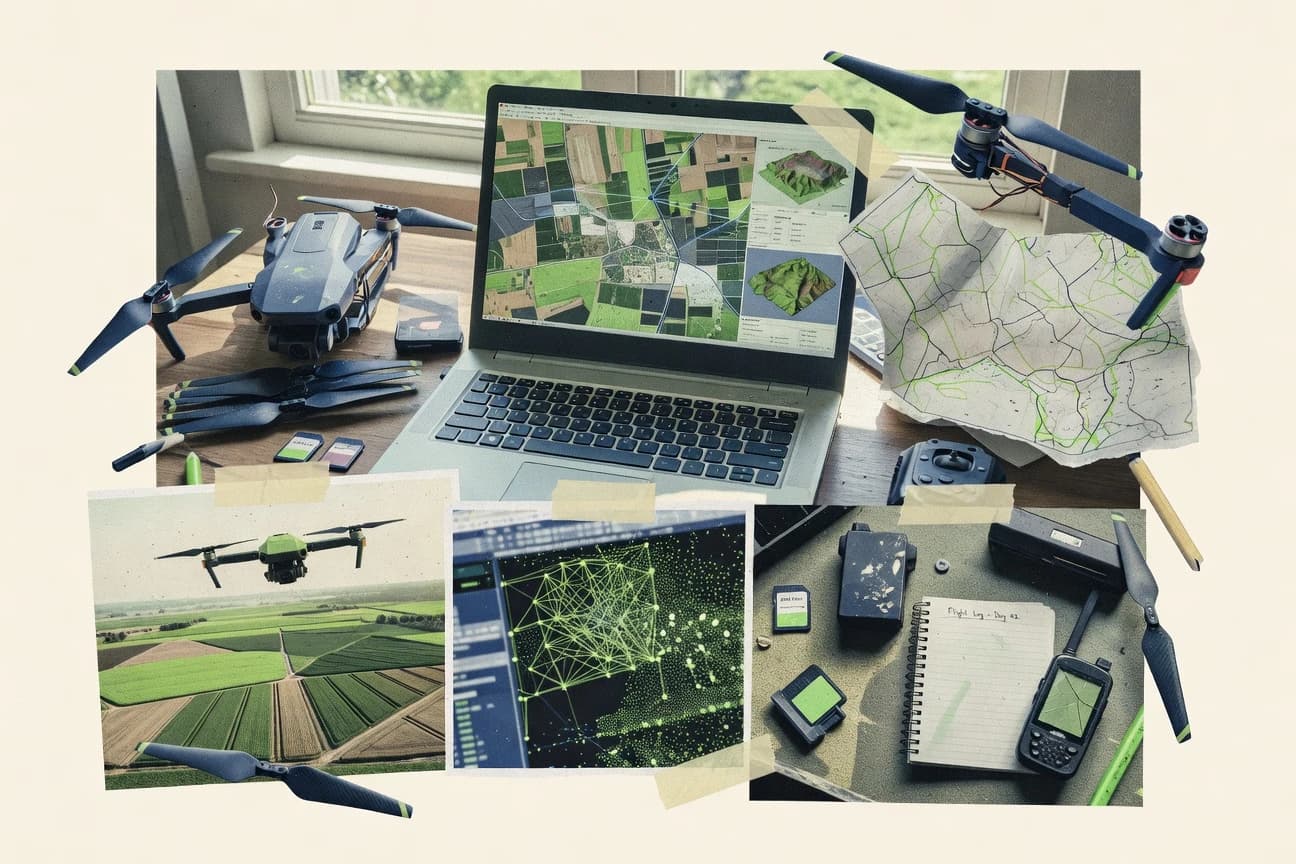
Ranked list of top aerial photo software for pilots and creators, comparing workflow, editing tools, and export options like RealityScan and WebODM.

How we ranked these tools
Before any source is gathered, an editor locks the question, what qualifies, and how the piece will be judged.
Search agents gather the source set and the review record, including transcriptions of video reviews and podcasts.
Framework: Features 40% · Ease 30% · Value 30%
Gitnux may earn a commission through links on this page — this does not influence rankings. Editorial policy
WebODM is the best pick for repeatable, web-driven photogrammetry outputs that land cleanly in GIS workflows, whereas RealityScan is a strong alternative when you need similarly consistent 3D results from drone imagery with minimal manual tuning.
Editor’s top 3 picks
Three quick recommendations before you dive into the full comparison below — each one leads on a different dimension.
WebODM
Job-based processing inside a web workspace with re-runs tied to the same project inputs.
Best for: Fits when teams need repeatable, web-driven photogrammetry outputs for GIS handoff.
RealityScan
Editor pickFlight-to-reconstruction iteration workflow that keeps quality checks inside a single guided process.
Best for: Fits when crews need repeatable photogrammetry outputs from drone imagery with minimal manual tuning.
DJI Terra
Editor pickOne-click import of DJI mission datasets feeds georeferenced processing through a single deliverables pipeline.
Best for: Fits when repeated drone capture missions must produce consistent mapping deliverables for GIS handoff.
Comparison Table
WebODM
SMBOpen-source desktop and cloud photogrammetry platform for drone image processing.
Job-based processing inside a web workspace with re-runs tied to the same project inputs.
WebODM runs photogrammetry end to end inside an accessible web UI, including image import, camera parameter handling, georeferencing, and job-based output generation. It produces mapping outputs such as orthomosaics and point clouds and can export geospatial rasters and common point formats for downstream GIS or CAD workflows. The project model treats each dataset as a repeatable processing pipeline, which helps teams standardize results across similar flight campaigns.
A key tradeoff is that photogrammetry quality depends heavily on input capture quality and control choices, not just the UI flow. WebODM fits best when a team needs browser-driven processing without building a custom pipeline, while still keeping reprocessing options open for parameter tuning and output regeneration.
- +Project-based jobs make reprocessing consistent across flight datasets
- +Georeferencing workflows fit teams using control or camera metadata
- +Exports support common GIS and point cloud handoff needs
- +Local or server processing supports different throughput constraints
- –Dense reconstructions can take significant time for large image sets
- –Advanced parameter tuning requires photogrammetry workflow familiarity
Drone mapping teams
Repeat orthomosaic builds per site
Consistent delivery across revisions
GIS analysts
Point cloud and raster export
Faster downstream integration
Show 2 more scenarios
Utilities survey managers
Georeferenced outputs for field maps
Accurate site alignment
Managers generate georeferenced products that align with existing reference systems.
Engineering contractors
Server processing for team throughput
Higher parallel production rate
Contractors run processing on shared infrastructure for multiple concurrent projects.
Best for: Fits when teams need repeatable, web-driven photogrammetry outputs for GIS handoff.
RealityScan
vertical specialistRealityScan creates detailed 3D models from photographs and image sequences.
Flight-to-reconstruction iteration workflow that keeps quality checks inside a single guided process.
RealityScan centers on structure from motion reconstruction from overlapping drone imagery, then prepares results for downstream use with export formats geared to common mapping and visualization workflows. The interface emphasizes capture review, alignment checks, and reconstruction quality monitoring so crews can iterate on flights without leaving the workflow. For teams that need consistent outputs across projects, the guided pipeline trades fine-grained photogrammetry tuning for repeatability.
A key tradeoff is limited depth in georeferencing and control-point handling compared with specialized photogrammetry and GIS processing tools. RealityScan fits best when a project is driven by image capture throughput and fast delivery of usable 3D outputs, such as site documentation and pre-construction visualization.
- +Guided reconstruction workflow reduces alignment and processing guesswork
- +Fast iteration from photo ingest to inspectable reconstruction results
- +Export-oriented outputs fit common downstream review workflows
- +Scene quality checks help catch problematic inputs early
- –Limited advanced control compared with desktop photogrammetry suites
- –Georeferencing and ground control point workflows are not as flexible
- –Complex multi-step GIS processing needs additional tooling
- –Automation depth for custom pipelines is narrower than pro tools
Drone operators
Iterate after each flight
Fewer reshoots wasted
Construction creators
Visual site documentation
Faster stakeholder review
Show 1 more scenario
Mapping assistants
Preprocess for GIS work
Reduced preprocessing time
Reconstructed outputs help bootstrap downstream terrain analysis steps elsewhere.
Best for: Fits when crews need repeatable photogrammetry outputs from drone imagery with minimal manual tuning.
DJI Terra
vertical specialistDJI Terra processes drone imagery into 2D maps, 3D models, and inspection data.
One-click import of DJI mission datasets feeds georeferenced processing through a single deliverables pipeline.
DJI Terra’s workflow centers on importing DJI mission assets, running dense reconstruction, and producing survey deliverables without manual stitching work. The system supports ground control points for alignment, and it maintains georeferencing context through export. Editing is geared toward adjusting model inputs and validating results rather than full creative retouching. Export options target downstream GIS and CAD use, with outputs designed for common file-based handoff.
A key tradeoff is that Terra’s editing depth is limited for creative grading and complex photogrammetry rework compared with general-purpose image editors. Terra fits best when a mapping deliverable must be generated repeatedly from similar capture missions and delivered to survey or GIS consumers. It also suits teams that want consistent configuration across many sites to reduce per-project cleanup effort.
- +DJI flight-log import reduces manual project setup time
- +Ground control points support alignment for survey workflows
- +Exports deliver GIS-friendly files for downstream processing
- +Batch-like repeatability supports multi-site mapping operations
- –Creative photo editing capabilities are limited
- –Advanced customization for reconstruction parameters is not as granular
- –Processing can be resource-intensive on mid-range workstations
- –File-output handoffs still require external GIS validation
Survey technicians
GCP-aligned site mapping delivery
Faster aligned deliverables
Construction inspection teams
Rapid as-built surface comparisons
Repeatable inspection outputs
Show 2 more scenarios
GIS analysts
Bring drone-derived surfaces into GIS
Cleaner downstream workflows
Exports support file-based ingestion into mapping and analytics workflows.
Photography creators
Modeling from DJI image sets
Less preprocessing overhead
Dense reconstruction turns capture sets into usable 3D outputs with minimal preprocessing.
Best for: Fits when repeated drone capture missions must produce consistent mapping deliverables for GIS handoff.
Pix4D
enterprisePix4D converts aerial imagery into orthomosaics, point clouds, meshes, and 3D models.
Ground control integration and georeferencing parameterization for accuracy-focused survey deliverables.
Pix4D turns drone imagery into photogrammetry outputs with a workflow designed around georeferencing and repeatable processing. Its processing pipeline handles aerial image stitching into orthomosaics, plus surface models and point cloud generation from typical drone captures.
Pix4D also supports mission data import and uses calibration and coordinate system controls to maintain measurement consistency across projects. For teams with consistent survey standards, Pix4D’s automation features help reduce rework when generating deliverables at scale.
- +Georeferencing controls support consistent coordinate reference system handling
- +Dense image matching pipeline produces usable orthomosaics and surface outputs
- +Ground control workflows support measurement accuracy checks
- +Automation and batch processing reduce repetitive project setup
- –Advanced accuracy settings require careful configuration for each capture
- –Some workflows depend on add-on capabilities rather than a single tool path
Best for: Fits when mid-size teams need repeatable photogrammetry processing with strong georeferencing controls.
DroneDeploy
enterpriseDroneDeploy provides cloud-based aerial mapping, inspection, and site documentation.
In-browser map review and publishing tied to processing results reduces time spent moving files between tools.
DroneDeploy turns drone image captures into geospatial deliverables with an end to end workflow that includes flight planning, automated processing, and publishing. The system emphasizes map review inside a web interface, where orthomosaic outputs and 3D-style visualizations can be checked for coverage gaps before export.
DroneDeploy also supports integration paths for teams that need repeatable capture runs via API-driven automation and managed deployments. Outputs include common geospatial formats for downstream use, including GeoTIFF and point cloud exports.
- +Web map review supports fast coverage checks before exporting deliverables
- +Automated processing pipeline reduces manual stitching and alignment steps
- +API and automation options fit repeatable capture and publishing workflows
- +Exports include GeoTIFF and point cloud formats for GIS and analysis handoff
- –Advanced geospatial configuration can require more setup time than editor-only tools
- –Deep downstream analytics often needs separate GIS or processing tooling
- –Higher resolution workflows can increase processing time for large surveys
- –Custom QA workflows depend on the available export formats and manual checks
Best for: Fits when survey teams need web-based review plus automated geospatial processing for repeatable drone flights.
WebODM
SMBWebODM creates maps, point clouds, elevation models, and 3D models from aerial images.
Self-hosted WebODM processing jobs with queued, parameterized runs across multiple projects and datasets.
WebODM is a browser-accessible photogrammetry workflow system built around aerial image stitching, georeferencing, and export of orthomosaics and point clouds. It runs processing jobs through a queued pipeline with configurable steps, so GCP inputs, camera calibration, and reconstruction parameters can be applied consistently across projects.
Output includes common GIS formats such as GeoTIFF rasters and LAS or LAZ point clouds, with results organized for review and download. Automation is driven by project configuration and job execution controls rather than interactive editing in the same UI.
- +Queued processing pipeline makes repeatable orthomosaic and point-cloud runs
- +Export targets GIS workflows with GeoTIFF rasters and LAS or LAZ point clouds
- +Georeferencing via GCP inputs supports coordinate-controlled outputs
- +Self-hostable deployment fits teams that need controlled compute and storage
- –Editing tools for refinement are limited compared with dedicated CAD or GIS editors
- –Parameter tuning for dense reconstruction can require iteration and domain knowledge
Best for: Fits when teams need consistent, repeatable photogrammetry processing with GIS-ready exports.
SimActive Correlator3D
enterpriseSimActive Correlator3D produces photogrammetric maps and 3D products from aerial imagery.
Correlation-driven tie-point and dense matching workflow that prioritizes stable correspondence for large aerial blocks.
SimActive Correlator3D targets dense image matching and point cloud processing stages where tie-point quality governs the rest of the photogrammetry pipeline.
The tool supports iterative correlation runs with correlation-specific parameters, plus georeferencing inputs that align results to coordinate reference systems and control constraints.
Because tuning and dataset-specific configuration are central, the strongest outcomes come from standardized processing settings across multiple projects.
- +Iterative dense matching improves correspondence stability across wide image baselines
- +Configurable correlation and filtering parameters for repeatable point cloud density
- +Designed for high-throughput processing on large image blocks
- +Outputs support downstream georeferenced surface generation workflows
- –Strong parameter tuning is required for consistent results across datasets
- –Automation depends on workflow discipline instead of built-in end-to-end orchestration
- –Less suited for users needing quick interactive editing inside the same tool
- –Integration with specific downstream toolchains can require manual handoff planning
Best for: Fits when photogrammetry teams need repeatable dense matching inputs for georeferenced orthomosaic and elevation workflows.
Mapware
SMBMapware provides cloud-based drone mapping and geospatial data processing.
Integrated georeferencing and map export workflow designed around completed aerial photo projects.
Mapware focuses on turning captured imagery into georeferenced mapping outputs through an integrated desktop workflow for aerial photo projects. The product’s core strength is end-to-end alignment, where image stitching, camera pose estimation, and geospatial export happen inside one toolchain rather than separate editors.
Mapware also targets common deliverables used in field and GIS pipelines, including map tiles and geospatial raster outputs. Integration depth is more about operational fit within mapping projects than about broad third-party system connectivity.
- +End-to-end aerial workflow keeps alignment and export in one tool
- +Georeferencing-oriented project setup supports practical mapping deliverables
- +Export formats align with common GIS ingestion workflows
- +Project organization reduces the back-and-forth between tools
- –Automation and API surface are limited compared with pipeline-first competitors
- –Advanced photogrammetry tuning is harder to standardize across teams
- –Multisensor workflows like thermal or multispectral processing are not a core emphasis
- –Large-scale point-cloud processing depth is less extensive than top editors
Best for: Fits when small teams need a contained aerial photo workflow with geospatial exports.
Agisoft Metashape
vertical specialistDesktop photogrammetry software that turns aerial and terrestrial photos into dense point clouds, meshes, and orthomosaics.
Project templates and batch workflows that keep multi-run processing consistent across sites and missions.
Agisoft Metashape performs aerial photogrammetry processing that turns overlapping drone or camera images into a calibrated point cloud and georeferenced surfaces. The workflow centers on structure from motion alignment, dense image matching, and subsequent orthomosaic generation and digital elevation model workflows.
Metashape also supports GCP-based and RTK-style georeferencing paths, plus repeatable processing via batch operations and project templates. Output handling targets production GIS and downstream analysis via formats like GeoTIFF and LAS or LAZ point clouds.
- +Strong photogrammetry pipeline for dense matching and surface reconstruction
- +GCP and georeferencing workflows support multiple positioning sources
- +Batch processing enables repeatable runs across large image sets
- +Exports support GIS and point-cloud pipelines with common formats
- –Dense matching throughput can demand high VRAM and fast storage
- –Automation depends on project setup discipline more than a guided wizard
Best for: Fits when teams need desktop photogrammetry outputs for GIS layers and point-cloud analysis.
RealityCapture
enterprisePhotogrammetry software for creating high-resolution 3D models from aerial and ground photos.
Tightly integrated dense image matching and meshing workflow optimized for fast, high-detail reconstructions from large photo sets.
RealityCapture targets aerial photogrammetry workflows with fast alignment, dense image matching, and high-fidelity 3D reconstruction. It supports photogrammetry outputs used for surveying and visual analytics, including textured meshes, point clouds, and georeferenced products suitable for mapping exports.
Automation centers on repeatable processing settings for batch runs and consistent coordinate system handling across projects. Export paths include common GIS and point cloud formats, which helps when RealityCapture feeds downstream orthomosaic and terrain pipelines.
- +High-throughput reconstruction for large image sets without manual chunking
- +Georeferencing pipeline that keeps outputs consistent across coordinate reference systems
- +Batch-friendly processing settings for repeatable runs on similar projects
- +Exports include GeoTIFF output options and common point cloud formats
- –Dense image matching tuning requires careful configuration for consistent results
- –Workflow depth depends on external tools for higher-level mapping QA and editing
- –Project setups can be harder to standardize across many operators without discipline
- –Some aerial editing tasks are not as direct as in photo-centric toolchains
Best for: Fits when photogrammetry teams need accurate reconstruction and mapping-ready exports from drone captures.
Conclusion
After evaluating 10 aerial photo software, WebODM stands out as our overall top pick — it scored highest across our combined criteria of features, ease of use, and value, which is why it sits at #1 in the rankings above.
Use the comparison table and detailed reviews above to validate the fit against your own requirements before committing to a tool.
How to Choose the Right Aerial Photo Software
Aerial photo software turns overlapping drone and camera imagery into mapping deliverables such as orthomosaics, elevation surfaces, and point clouds, then packages those outputs for GIS handoff. This guide covers WebODM, RealityScan, DJI Terra, Pix4D, DroneDeploy, SimActive Correlator3D, Mapware, Agisoft Metashape, and RealityCapture across job-based processing, guided reconstruction, and DJI mission pipelines.
Each review section highlights how reconstruction, georeferencing, and export paths affect repeatability from one flight dataset to the next, especially for teams processing many captures with consistent parameters. WebODM leads the ranking for job-based re-runs tied to the same project inputs, while RealityScan and DJI Terra are emphasized as pilot-forward workflows that move quickly from ingest to inspectable deliverables.
Aerial Photo Software for orthomosaic, photogrammetry reconstruction, and georeferenced exports
Aerial photo software is a processing workflow that performs alignment, dense image matching, and surface generation to produce mapping outputs like orthomosaics and elevation layers for coordinate reference systems. The software then exports those results in GIS-ready formats such as GeoTIFF and LAS or LAZ point clouds depending on the pipeline.
Tools differ in how they structure processing around repeatable runs and review loops. WebODM is built around job-based processing in a web workspace with re-runs tied to the same project inputs, while RealityScan focuses on a guided flight-to-reconstruction iteration workflow that keeps quality checks inside one process. DJI Terra emphasizes DJI flight-log import that feeds georeferenced processing through a single deliverables pipeline for mission-repeatability.
Evaluation criteria for Aerial Photo Software workflows and exports
Aerial photo software is judged by how it turns overlapping imagery into mapping deliverables and how consistently it repeats that output across new flight datasets. The differentiator is the orchestration layer around alignment, dense matching, surface generation, and export packaging.
Repeatability depends on whether each run is tied to a project job definition or a guided reconstruction loop, and whether exports land in GIS-ready formats without extra handoffs. WebODM’s job-based processing and re-runs from the same project inputs set the baseline for controlled throughput.
Repeatable job execution and re-runs
WebODM runs job-based processing in a web workspace and re-runs are tied to the same project inputs for consistent reprocessing across flight datasets. Mapware also keeps an end-to-end project flow, while RealityCapture prioritizes high-throughput reconstruction for large photo sets.
Georeferencing controls for deliverable alignment
Pix4D provides georeferencing parameterization and GCP-oriented controls designed for accuracy-focused survey deliverables. DJI Terra emphasizes DJI flight-log import plus ground control points, while Agisoft Metashape supports multiple positioning sources through its GCP and georeferencing workflows.
Review loop speed from ingest to inspectable outputs
RealityScan keeps quality checks inside a guided flight-to-reconstruction iteration workflow so inspection happens within one guided process. DroneDeploy supports in-browser map review tied to processing results so coverage checks happen before exports move to downstream work.
Export packaging for GIS and surface workflows
WebODM exports GIS-ready GeoTIFF rasters and LAS or LAZ point clouds from queued orthomosaic and point-cloud runs. WebODM’s export focus contrasts with RealityCapture and SimActive Correlator3D where downstream mapping QA and editing often depend on external tools.
Automation surface and parameter governance depth
WebODM and WebODM.org-style queued runs provide a parameterized pipeline across projects and datasets, which supports consistent automation. SimActive Correlator3D relies on correlation-driven dense matching where automation depends on workflow discipline, while WebODM-style orchestration is more constrained in Pix4D-style advanced accuracy settings.
How to choose Aerial Photo Software for repeatable deliverables
Selection should start with the orchestration philosophy that matches the team’s throughput model. WebODM is structured around job-based processing and re-runs tied to project inputs, while RealityScan is structured around a guided reconstruction loop that keeps quality checks in one place.
The second decision is how georeferencing gets governed from flight ingestion to export alignment. Pix4D treats georeferencing as a parameterized survey workflow, while DJI Terra treats mission-repeatability as a pipeline fed by DJI flight logs.
Choose the orchestration model that matches repeatability needs
If reprocessing must follow the same job definition across many flight datasets, WebODM’s job-based processing and re-run behavior fits repeatable GIS handoff. If the workflow requires guided reconstruction with quality checks inside one process, RealityScan aligns with flight-to-reconstruction iteration rather than job orchestration.
Match georeferencing governance to the data sources available
If accuracy workflows need strong georeferencing parameterization and coordinate reference system handling, Pix4D supports consistent coordinate reference system behavior with georeferencing controls. If the capture comes from DJI missions repeatedly, DJI Terra’s DJI flight-log import and ground control point alignment reduces manual project setup time.
Set the review loop requirement for coverage and reconstruction QA
If review must happen inside the web mapping context before exports, DroneDeploy provides in-browser map review tied to processing results. If inspection must happen quickly inside the reconstruction workflow itself, RealityScan provides guided reconstruction with inspectable outputs after ingest.
Decide how dense matching tuning will be controlled
If dense matching outputs must be made consistent with standardized processing parameters, WebODM and RealityCapture both focus on high-throughput reconstruction, but RealityCapture can require careful dense matching tuning for consistent results. If dense matching stability for wide aerial blocks is driven by correlation parameters, SimActive Correlator3D uses configurable correlation and filtering that requires tuning discipline.
Verify export targets match the downstream GIS workflow
If GIS handoff requires GeoTIFF rasters plus LAS or LAZ point clouds, WebODM provides those export targets directly from its queued processing runs. If the workflow expects orthomosaic and elevation outputs but accepts external QA and editing for higher-level mapping, RealityCapture’s workflow depth depends more on external tools.
Who should use these Aerial Photo Software tools
Different tools fit different operational constraints around dataset volume, review needs, and georeferencing governance. WebODM and DroneDeploy support web-centric throughput, while Pix4D and Agisoft Metashape align with accuracy-focused desktop or project-based photogrammetry.
The best match depends on whether the team needs a controlled job pipeline, a guided reconstruction loop, or a mission-driven DJI deliverables path.
GIS teams processing repeated drone missions at scale
WebODM’s job-based processing ties re-runs to the same project inputs and exports GIS-ready outputs such as GeoTIFF and LAS or LAZ point clouds. DroneDeploy supports in-browser map review so teams can validate coverage before exporting deliverables for GIS handoff.
Survey and accuracy-driven teams using GCP and coordinate reference systems
Pix4D emphasizes georeferencing controls and coordinate reference system handling with ground control integration for accuracy-focused deliverables. Agisoft Metashape supports georeferencing from multiple positioning sources with GCP workflows for multi-run consistency across sites.
Drone operators who need fast inspectable reconstruction results
RealityScan keeps quality checks inside a guided flight-to-reconstruction iteration workflow and minimizes manual alignment guesswork. DJI Terra focuses on DJI mission-repeatability using DJI flight-log import to feed a single deliverables pipeline for consistent mapping outputs.
Photogrammetry specialists tuning dense matching behavior for large blocks
SimActive Correlator3D uses correlation-driven tie-point and dense matching with configurable correlation and filtering parameters designed for stable correspondence in wide aerial blocks. RealityCapture also targets high-detail reconstructions for large photo sets, but it expects careful dense image matching tuning to keep results consistent.
Small teams that want a contained georeferencing and export workflow
Mapware keeps alignment and export inside one tool with a georeferencing-oriented project setup for practical mapping deliverables. This contained workflow can trade off deeper automation and API surface compared with pipeline-first competitors.
Common pitfalls when selecting and running Aerial Photo Software
Most failures come from mismatched workflow design and operational discipline rather than from missing orthomosaic output capability. Dense reconstruction speed, export format fit, and georeferencing parameter governance determine whether outputs remain consistent across flights.
The pitfalls below map to the differences between job-based reprocessing, guided reconstruction loops, mission-driven DJI pipelines, and correlation-driven dense matching tuning.
Switching processing parameters between runs and assuming outputs stay consistent
WebODM’s job-based processing is designed to tie re-runs to the same project inputs, which reduces accidental parameter drift. If parameter discipline is not enforced, tools like SimActive Correlator3D that require strong tuning can produce inconsistent dense matching across datasets.
Using a web review workflow but pushing all QA to downstream GIS tools
DroneDeploy’s in-browser map review is built to support fast coverage checks before exporting deliverables. When review is delayed, manual corrections often shift later into orthomosaic validation and can increase reprocessing rounds.
Over-relying on mission ingestion while expecting creative editing inside the same pipeline
DJI Terra focuses on DJI mission dataset import through a single deliverables pipeline, while creative photo editing capabilities are limited. If creative editing is required before reconstruction, the editing step must be handled in a separate tool path.
Expecting end-to-end photogrammetry editing and governance from desktop reconstruction tools
RealityCapture can reconstruct large photo sets with high-throughput dense image matching, but workflow depth depends on external tools for higher-level mapping QA and editing. When higher-level QA or refinement is required, plan the downstream tool path explicitly.
Assuming advanced georeferencing controls will be simple across varied capture conditions
Pix4D requires careful configuration for each capture to achieve advanced accuracy settings, which increases the need for repeatable capture patterns. When capture conditions vary widely, use a consistent GCP and coordinate reference system governance approach before dense matching and meshing.
How We Selected and Ranked These Tools
We evaluated the ten aerial photo software tools on features coverage at the level of reconstruction workflow structure, export targets, and how each tool supports repeatable reprocessing across datasets. Features accounted for 40% of the ranking, ease and operational effort accounted for 30% each, and the remaining scoring emphasized how fast teams can move from ingest to inspectable outputs with consistent results.
WebODM set the ranking lead because job-based processing in a web workspace ties re-runs to the same project inputs, and its queued parameterized pipeline exports GIS-ready GeoTIFF rasters plus LAS or LAZ point clouds. RealityScan and DJI Terra were weighted toward guided iteration and DJI mission repeatability, while Pix4D and Agisoft Metashape were weighted toward georeferencing parameterization and multi-run desktop workflows.
Frequently Asked Questions About Aerial Photo Software
How do WebODM and Pix4D differ in how they run photogrammetry jobs for repeatable exports?
Which tool provides a guided flight-to-reconstruction loop for faster iteration from drone photo sets?
When does DJI Terra’s mission dataset workflow reduce rework during production runs?
What breaks if a project relies on dense matching output stability rather than just fast alignment?
How do RealityCapture and Agisoft Metashape differ for georeferencing repeatability across multiple sites?
Which tool is designed for web-based capture review tied directly to processing outputs?
How do GCP workflows differ between Pix4D and DJI Terra for coordinate reference system handling?
What tradeoff appears when Mapware uses a contained desktop workflow instead of broad third-party integration?
Which tool best supports self-hosted photogrammetry processing with queued runs for throughput control?
How do RealityScan and WebODM handle exporting deliverables for GIS and point cloud workflows?
Tools reviewed
Primary sources checked during evaluation.
Referenced in the comparison table and product reviews above.
- Technology Digital MediaTop 10 Best Aerial Photography Mapping Software of 2026
- Technology Digital MediaTop 10 Best Photo-Editing Software of 2026
- Technology Digital MediaTop 10 Best Aerial Map Software of 2026
- Technology Digital MediaTop 10 Best Photo Slide Show Software of 2026
- Technology Digital MediaTop 10 Best Dslr Photo Booth Software of 2026
Keep exploring
Comparing two specific tools?
Software Alternatives
See head-to-head software comparisons with feature breakdowns, pricing, and our recommendation for each use case.
Explore software alternatives→In this category
Technology Digital Media alternatives
See side-by-side comparisons of technology digital media tools and pick the right one for your stack.
Compare technology digital media tools→