
GITNUXSOFTWARE ADVICE
Construction InfrastructureTop 10 Best Crane Inspection Software of 2026
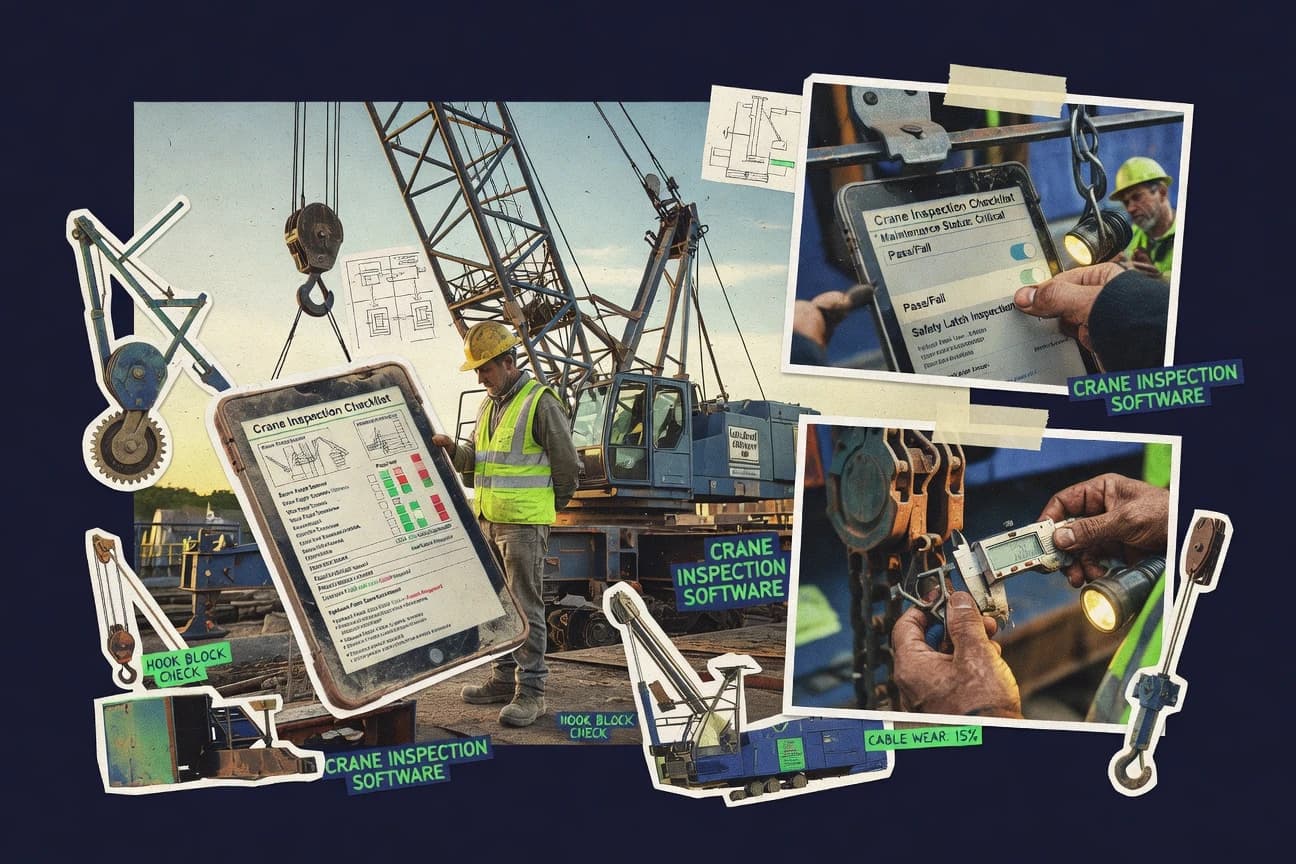
Top 10 crane inspection software ranking with feature and pricing comparisons for compliance, safety logs, and reporting across DigiDocs, CheckApp, and Fulcrum.

How we ranked these tools
Core product claims cross-referenced against official documentation, changelogs, and independent technical reviews.
Analyzed video reviews and hundreds of written evaluations to capture real-world user experiences with each tool.
AI persona simulations modeled how different user types would experience each tool across common use cases and workflows.
Final rankings reviewed and approved by our editorial team with authority to override AI-generated scores based on domain expertise.
Score: Features 40% · Ease 30% · Value 30%
Gitnux may earn a commission through links on this page — this does not influence rankings. Editorial policy
DigiDocs is the strongest pick when crane teams need mobile inspections that tie evidence and deficiencies into a clear deficiency-to-repair workflow per crane register, whereas Konecranes CheckApp fits if you’re focused on disciplined mobile capture and corrective action tracking for overhead crane maintenance reporting.
Editor’s top 3 picks
Three quick recommendations before you dive into the full comparison below — each one leads on a different dimension.
DigiDocs
Corrective action workflow connects deficiency classification to action-item tracking inside each inspection history chain.
Built for fits when crane teams need mobile inspections, evidence capture, and corrective action tracking tied to each crane register..
Konecranes CheckApp
Editor pickDeficiency-to-corrective-action workflow built into the inspection capture process.
Built for fits when crane maintenance teams need mobile inspection capture and disciplined corrective action tracking..
Fulcrum
Editor pickDeficiency records created from checklist answers can flow into an assignment and status workflow without rebuilding forms.
Built for fits when teams need mobile crane inspection checklists with evidence and corrective-action routing..
Comparison Table
DigiDocs
SMBPWA-based equipment inspection platform with OSHA 1926.1412 crane inspection templates, lift plans, and deficiency-to-repair workflow.
Corrective action workflow connects deficiency classification to action-item tracking inside each inspection history chain.
DigiDocs is built around recurring inspection workflows where each inspection run records inspector identity, findings, and linked evidence, then generates a structured PDF report. The crane asset register workflow supports crane identification number based organization, which helps keep inspection history consistent across periodic, frequent, and pre-use activities. Corrective action workflow records can be tracked from deficiency to closure so supervisors can monitor progress without rebuilding context from emails.
A tradeoff is that deeper customization of forms and governance controls requires disciplined configuration to keep deficiency categories, action stages, and reporting fields aligned. DigiDocs fits a team managing multiple cranes who need consistent digital inspection capture, clear action tracking, and evidence-heavy reports for regulatory reviews.
- +Mobile checklist capture with photo evidence attachments per finding
- +Corrective action workflow links deficiencies to tracked closure steps
- +Audit trail supports traceability across inspector updates and changes
- +PDF inspection report export reduces manual report assembly work
- –Custom inspection fields need configuration discipline to avoid reporting drift
- –Complex governance scenarios may require careful role mapping
- –Large evidence libraries can slow review screens without good document hygiene
- –Workflow design flexibility is narrower than full bespoke form builders
Maintenance supervisors
Track defects to closure
Faster closure visibility
Site compliance managers
Export inspection reports with evidence
Less manual documentation
Show 2 more scenarios
Field inspectors
Complete pre-use and periodic checks
Consistent capture in field
Inspectors fill digital inspection checklists on mobile and attach photographic evidence to deficiencies.
Fleet operations teams
Standardize inspections across cranes
Reduced cross-crane confusion
Teams use a crane asset register keyed by crane identification number to keep history and scheduling aligned.
Best for: Fits when crane teams need mobile inspections, evidence capture, and corrective action tracking tied to each crane register.
Konecranes CheckApp
enterpriseDigital inspection application from Konecranes for overhead crane maintenance documentation and reporting.
Deficiency-to-corrective-action workflow built into the inspection capture process.
Crews use CheckApp on-site to capture inspection results and attach photographic evidence to findings. Reports can be generated from the recorded inspection data to support documentation needs for internal and regulatory audiences. The workflow emphasis focuses on converting observations into actionable items with a clear path to resolution.
A key tradeoff is that effective use depends on having the right asset identification and inspection schedule inputs ready for inspectors in the field. The tool fits best when inspection work is organized around recurring crane visits and when corrective action tracking is already part of the maintenance process.
- +Mobile capture for inspection findings with photo attachments
- +Deficiency to corrective action workflow supports closure tracking
- +Inspection report output derived from captured results
- +Field-friendly process reduces time spent re-keying data
- –Asset identification and schedule data must be prepared for field use
- –Limited visibility into cross-site analytics without supporting integration
- –Workflow depth can feel rigid when sites need custom forms
- –Offline behavior and sync controls can constrain remote inspections
Maintenance technicians
Perform periodic crane inspections onsite
Faster reporting with fewer omissions
Service managers
Track corrective actions to completion
Higher closure discipline
Show 2 more scenarios
Safety and compliance leads
Standardize documented inspection records
More consistent evidence sets
Use consistent inspection outputs to support regulatory documentation needs across cranes.
Operations supervisors
Coordinate inspections against schedules
Improved inspection throughput
Align field inspections to planned visits so results return in the expected reporting cadence.
Best for: Fits when crane maintenance teams need mobile inspection capture and disciplined corrective action tracking.
Fulcrum
API-firstField data collection platform for structured crane inspection forms, geotagging, photos, and exports.
Deficiency records created from checklist answers can flow into an assignment and status workflow without rebuilding forms.
Fulcrum is built around creating inspection forms that capture crane identification details, checklist answers, and photographic evidence during on-site visits. Findings can be logged with severity so teams can route corrective action and track completion through defined statuses. Inspection reports are generated from the collected responses, so periodic, frequent, and pre-use inspections stay consistent across assets.
A common tradeoff is that governance for roles, audit trails, and data lifecycle depends on careful configuration of workspaces, form structures, and field permissions. Fulcrum works best when inspection teams follow a standardized checklist and when back-office staff enforce corrective-action closure criteria before exporting formal reports.
- +Mobile data capture with required fields and photo evidence per finding
- +Configurable inspection forms that standardize responses across multiple crane assets
- +Deficiency workflow supports assignment and status tracking to closure
- +Report exports compile checklist results into shareable inspection PDFs
- –Correct governance requires disciplined setup of forms, permissions, and statuses
- –Less suited for highly custom regulatory document assembly beyond generated reports
- –Complex multi-level crane hierarchies require careful field design
- –Offline-first behavior varies by device configuration and app permissions
Crane inspection teams
Log defects during field visits
Faster closure tracking
Maintenance supervisors
Manage corrective action timelines
Reduced missed follow-ups
Show 2 more scenarios
EHS and compliance leads
Standardize inspection reporting
More consistent documentation
Generate consistent inspection PDFs from structured responses for audits and internal review.
Asset management teams
Maintain crane-level inspection history
Cleaner inspection history
Tie inspections to crane identification fields so results aggregate across scheduled visits.
Best for: Fits when teams need mobile crane inspection checklists with evidence and corrective-action routing.
SafetyCulture
enterpriseInspection platform with configurable crane inspection checklists, corrective actions, and reporting.
Corrective action workflow that stays linked to each inspection result with an audit trail for review history.
SafetyCulture connects crane inspections to a consistent inspection checklist workflow across mobile and web. It supports structured findings with photo evidence and exports PDF inspection reports for documentation and follow-up.
The system also tracks corrective actions linked to inspections so crews can close deficiencies and maintain an audit trail. Governance features like role-based access and admin controls help manage who can create templates, assign audits, and review results.
- +Mobile-first inspection checklist workflow with photo evidence attached to findings
- +Corrective action tracking tied to specific inspection results
- +PDF inspection report export for distribution and record keeping
- +Role-based access and audit trail support governance for inspection ownership
- –Crane-specific item libraries need template work for wire rope and hook detail
- –Complex crane hierarchy setup takes planning to map sites, assets, and schedules
- –Deep certificate management often requires process design outside the basic forms
- –Integration coverage can require engineering effort for higher automation needs
Best for: Fits when teams need recurring crane inspections with mobile evidence, assignment control, and corrective action workflows.
GoCanvas
SMBMobile forms platform for crane inspection reports, signatures, photos, and field submissions.
Conditional form logic that changes inspection questions based on crane component selection and detected defect categories.
GoCanvas digitizes crane inspection checklists into a mobile inspection app workflow that captures structured fields and photos in the field. Inspections can be scheduled and repeated, and findings feed into a corrective action workflow with assigned ownership and tracking.
Form design supports conditional logic so different crane components and defect types can drive different questions. Exportable inspection reports help compile findings for review and close-out cycles.
- +Mobile form workflows support photo evidence collection with inspection results
- +Conditional questions reduce irrelevant prompts across crane components and defect types
- +Scheduled inspections support recurring inspection cycles and reminders
- +Report exports help package findings for review and close-out
- –Crane-specific governance needs extra configuration for asset hierarchy and classifications
- –Corrective action tracking depends on how workflows are modeled in forms
- –Enterprise audit log depth is limited compared with inspection-suite governance tools
- –Integration depth for crane systems varies by the available connectors and API usage
Best for: Fits when teams need a mobile checklist workflow for crane inspections and corrective actions without building a custom inspection system.
InspectMore
vertical specialistInspection management software supporting crane, rigging, and heavy equipment inspection workflows.
Built-in deficiency-to-corrective-action tracking keeps inspection findings tied to follow-up work and status changes across time.
InspectMore targets crane inspection teams that need consistent digital checklists across frequent, periodic, and post-repair visits. The system centers on mobile capture of inspections with structured findings, photographic evidence, and report export suitable for thorough examination reporting workflows.
It also supports an equipment register approach so each crane and inspection can be tied to an identifiable crane record and inspection schedule. Admin controls focus on keeping inspection history and actions traceable through an auditable corrective action workflow.
- +Mobile inspections link findings to crane records and dates
- +Photographic evidence stays attached to specific inspection items
- +Corrective action workflow ties deficiencies to follow-up status
- +Exported inspection reports reduce manual formatting work
- –Setup needs deliberate mapping between crane records and checklist items
- –Inspection templates can feel rigid for highly customized regulatory schemes
- –Limited visibility into multi-site rollups without additional process discipline
- –Deep automation across external systems depends on external integration work
Best for: Fits when crane inspection teams need consistent mobile checklists, evidence capture, and corrective actions with traceable history.
Inspectivity
vertical specialistAsset inspection management platform for inspection planning, field execution, findings, and reports.
Findings to corrective actions mapping that keeps evidence and closure steps attached to the same inspection record.
Inspectivity focuses on crane inspection workflows with an inspection checklist engine tied to real asset identity and findings capture. It supports digital evidence collection and structured deficiency logging, then pushes outcomes into corrective action tracking for closure review.
The system emphasizes exportable inspection reports and traceable history across scheduled and ad hoc inspection events. Inspectivity is best evaluated on how well its mobile capture, findings schema, and workflow steps fit a team’s existing asset register and compliance routines.
- +Digital checklist capture for crane inspections with photo evidence attachments
- +Structured deficiency logging that feeds a corrective action workflow
- +Report export workflow for inspection records and client documentation
- +Inspection history is tied to crane identity for traceable follow-up
- –Corrective action workflow depth depends on how teams structure their findings types
- –Audit trail coverage may require deliberate configuration for every inspection step
Best for: Fits when crane inspection teams need mobile checklist capture, structured findings, and action tracking.
Brightbox
vertical specialistInspection and compliance management software for cranes, rigging, and heavy equipment fleets.
Workflow-driven corrective action linking connects inspection deficiencies to tracked closure steps for each crane record.
Brightbox is a crane inspection software solution that centers on building structured inspection checklists and linking them to cranes through an asset register. It supports mobile field capture with photo evidence, defect notes, and workflow-driven corrective actions tied back to scheduled inspections.
Brightbox also generates inspection reports for documentation and ongoing compliance tracking, with certificate-oriented record handling for recurring examinations. Admin controls focus on managing inspectors, inspection templates, and review steps that keep findings consistent across sites.
- +Checklist templates map cleanly to crane asset records
- +Mobile inspection capture includes structured findings and photo evidence
- +Corrective action workflow keeps deficiencies linked to inspections
- +Report outputs support document control for recurring work
- –Complex inspection hierarchies need careful upfront configuration
- –Automation relies more on workflow setup than open-ended scripting
- –API coverage feels narrower than specialized integrations-focused products
- –Audit trail depth depends on which workflow steps are enabled
Best for: Fits when asset teams need mobile inspections, photo evidence, and corrective workflows tied to a crane register.
InspectAll
vertical specialistInspection platform with dedicated overhead crane and hoist module compliant with OSHA 1910.179, ASME B30.2, and CMAA 75.
Asset-linked corrective action that keeps deficiencies tied to the specific inspection instance and evidence set.
InspectAll runs mobile crane inspections by turning a scheduled inspection into a structured checklist with photos and findings.
It links inspection results to an asset record so deficiencies can flow into corrective action and ongoing compliance tracking.
Report exports support common field documentation needs such as thorough examination report outputs.
Admin controls focus on inspector qualification records, audit trail visibility, and governance over inspection templates.
- +Mobile inspection capture with photo evidence tied to each finding
- +Corrective action workflow supports tracking from deficiency to closure
- +Inspection schedules map to periodic, frequent, and pre-use style checks
- +Audit trail visibility for edits and inspection status changes
- –Large crane hierarchies can require careful template and naming discipline
- –External integrations depend on API coverage and implementation effort
- –Report customization is more effective through template tuning than ad hoc edits
- –Governance requires active maintenance of inspector qualification records
Best for: Fits when crane inspection teams need scheduled mobile checklists, photo evidence, and corrective action tracking with audit trails.
Core Inspection
vertical specialistLifting equipment inspection software for inspection companies covering LOLER, AS/NZS, and ASME B30 workflows.
Deficiency-to-corrective-action linking that keeps inspection findings attached to follow-up work and evidence.
Core Inspection targets crane inspection management with a mobile-first workflow for creating digital inspection checklists in the field and recording findings with evidence. The system focuses on traceability from planned inspection schedules through corrective action workflow and documented reports.
Core Inspection also supports crane asset register management with crane identification number tracking and inspection history. Export-ready documentation and audit-friendly reporting support teams preparing thorough examination reports from collected inspection data.
- +Field-ready mobile capture with digital checklist steps and evidence attachments
- +Inspection history stays tied to a crane identification number and asset record
- +Corrective action workflow connects deficiencies to tracked resolution work
- +Report output supports consistent documentation from collected findings
- –Limited insight into wire rope and sheave specific test sub-steps versus niche tools
- –Advanced reporting and governance needs careful configuration across assets and schedules
- –External integration breadth depends on available API capabilities and partner connectors
- –Large multi-site rollouts can require additional admin time for consistent templates
Best for: Fits when engineering teams need mobile inspections plus corrective action tracking with consistent report outputs.
Conclusion
After evaluating 10 construction infrastructure, DigiDocs stands out as our overall top pick — it scored highest across our combined criteria of features, ease of use, and value, which is why it sits at #1 in the rankings above.
Use the comparison table and detailed reviews above to validate the fit against your own requirements before committing to a tool.
How to Choose the Right crane inspection software
Crane inspection software coordinates mobile checklist capture, deficiency documentation, and corrective action tracking across a crane asset register. This guide covers DigiDocs, Konecranes CheckApp, Fulcrum, SafetyCulture, GoCanvas, InspectMore, Inspectivity, Brightbox, InspectAll, and Core Inspection based on how each tool ties findings to follow-up work.
The strongest differences across these tools show up in corrective action workflow design, how inspection history links to closure status, and how much setup discipline each system needs to keep field data consistent. Teams that require structured inspection forms and evidence attachments also need predictable configuration for asset identification and inspection scheduling.
Crane inspection software for mobile checklists, deficiency tracking, and corrective action closure
Crane inspection software digitizes inspection workflows so inspectors can capture findings on a mobile inspection app, attach photographic evidence per deficiency, and preserve an inspection history tied to a crane asset record. Tools such as DigiDocs and InspectAll keep deficiencies attached to a specific inspection instance so closure steps remain traceable.
In practice, these platforms center on a digital inspection checklist that produces structured findings, then routes those findings into a corrective action workflow with tracked status changes. DigiDocs is built around connecting deficiency classification to action-item tracking inside each inspection history chain, while SafetyCulture links corrective action workflow activity back to each inspection result through an audit trail.
Corrective action workflow and inspection-to-closure traceability
Crane inspection software must keep each inspection history chain tied to the corrective action workflow so field evidence and closure status never drift apart. Tools like DigiDocs connect deficiency classification to action-item tracking inside each inspection history chain, and that linkage is what makes closure auditable.
Inspection teams also need mobile capture that attaches photographic evidence per finding so deficiencies can be validated during thorough examination review and corrective action verification. SafetyCulture ties corrective action workflow activity back to each inspection result through an audit trail for review history, which helps teams track who changed what and when.
Inspection finding to corrective action workflow mapping
DigiDocs and Konecranes CheckApp both build a deficiency-to-corrective-action workflow directly into inspection capture so closure stays attached to the finding chain.
Mobile evidence attachments per finding
SafetyCulture and InspectAll both attach photo evidence to specific inspection findings so evidence sets remain linked to the deficiency that triggered corrective work.
Configurable inspection forms that standardize responses
Fulcrum and GoCanvas use configurable mobile forms to standardize checklist answers, with Fulcrum routing deficiency records into an assignment and status workflow without rebuilding forms.
Governance controls for asset and schedule consistency
SafetyCulture and DigiDocs both rely on setup discipline for crane hierarchy and field reporting consistency, especially when mapping sites, assets, and schedules to recurring inspections.
Depth of workflow model for statuses and closure steps
DigiDocs and Inspectivity differ in how much corrective action workflow depth depends on how teams structure findings types and closure steps per inspection record.
Choose by workflow depth, configuration discipline, and integration surface
The fastest path to reliable crane inspection closure comes from matching workflow depth to the team’s existing governance model. DigiDocs provides corrective action workflow linking inside the inspection history chain, while SafetyCulture focuses on audit trail continuity from inspection result through corrective action steps.
The second decision is how much form and asset setup discipline the team can sustain in the field. Fulcrum and GoCanvas both support configurable checklist behavior, but GoCanvas shifts complexity into conditional form logic and workflow modeling, and Fulcrum places it into governance of forms, permissions, and statuses.
Verify that each deficiency stays attached to closure steps across time
Confirm that DigiDocs links deficiency classification to action-item tracking inside each inspection history chain so closure remains traceable back to the exact inspection instance. Compare that to InspectMore, where built-in deficiency-to-corrective-action tracking keeps inspection findings tied to follow-up work and status changes across time.
Match mobile capture behavior to the team’s checklist standardization needs
If teams need configurable inspection forms that standardize checklist responses across multiple crane assets, prioritize Fulcrum because configurable inspection forms standardize responses and route deficiency records into assignment and status workflows. If teams need conditional question changes based on component selection and defect categories, prioritize GoCanvas because conditional form logic reduces irrelevant prompts across crane components and defect types.
Assess governance load for crane hierarchy and schedule mapping
If the organization expects complex crane hierarchy mapping to sites, assets, and schedules, plan for SafetyCulture configuration work because complex crane hierarchy setup takes planning. If the organization can enforce naming and template discipline for large asset structures, Validate how Brightbox handles complex inspection hierarchies because it depends on careful upfront configuration.
Check workflow depth for statuses versus rigid templates
When teams require corrective action workflow depth tied to how findings types and closure steps are structured, evaluate Inspectivity because workflow depth depends on teams structuring findings types. When teams want tighter integration between inspection findings and tracked closure steps per crane record, evaluate Brightbox because workflow-driven corrective action linking connects deficiencies to tracked closure steps for each crane record.
Confirm evidence linkage at the finding instance level
If the priority is keeping photographic evidence tied to each specific inspection instance, evaluate InspectAll because deficiencies stay tied to the specific inspection instance and evidence set. If the priority is keeping evidence tied to each inspection step while maintaining audit continuity, evaluate SafetyCulture because audit trail coverage ties corrective action workflow activity back to each inspection result.
Teams that should target crane inspection software with corrective-action traceability
Crane inspection software fits teams that must prove that field findings, photographic evidence, and corrective action closure all connect to the same inspection history chain. Tools that keep deficiency-to-corrective-action mapping inside the inspection capture process reduce the risk of losing traceability between mobile reports and follow-up work.
Teams with recurring inspection programs also benefit when audit trail activity records review history and corrective action workflow changes. SafetyCulture is built around recurring crane inspections with mobile evidence, assignment control, and corrective action workflows that stay linked to each inspection result.
Crane maintenance organizations running periodic and frequent inspections
DigiDocs and InspectAll both keep corrective action workflow tied to the inspection history chain or the specific inspection instance, which suits frequent field inspections where traceability must survive multiple follow-up cycles.
EHS and compliance teams that audit closure decisions
SafetyCulture connects corrective action workflow activity back to each inspection result through an audit trail, which helps compliance teams review review history and closure changes tied to evidence.
Engineering teams that need consistent report output tied to a crane identifier
Core Inspection keeps inspection history tied to a crane identification number and asset record while producing consistent report outputs, which supports engineering-led recordkeeping.
Asset managers standardizing checklists across multiple crane assets
Fulcrum and DigiDocs support configurable checklist capture patterns that standardize inspection findings and route them into corrective workflows without rebuilding forms from scratch.
Common buying and implementation mistakes for crane inspection closure workflows
Crane inspection software fails most often when teams treat mobile checklists as standalone forms instead of building a connected workflow from finding to closure. Corrective action linking only becomes reliable when deficiency classification and workflow statuses use consistent configuration and governance.
Another recurring mistake is underestimating the mapping work required for crane hierarchy and schedule data. Konecranes CheckApp and SafetyCulture both require asset identification and schedule data to be prepared for field use or mapped to sites, assets, and schedules.
Using custom inspection fields without governance rules, which can cause reporting drift across inspectors
DigiDocs warns that custom inspection fields need configuration discipline to avoid reporting drift, so field types and allowed values should be standardized before rolling out mobile capture.
Treating conditional form logic as a workflow engine instead of a checklist UX layer
GoCanvas uses conditional form logic to change inspection questions, but corrective action tracking depends on how workflows are modeled in forms, so workflow statuses must be designed alongside form logic.
Assuming large crane hierarchies will work without naming and template controls
InspectAll notes that large crane hierarchies can require careful template and naming discipline, so template naming conventions and crane record mapping should be enforced before scaling.
Expecting niche wire rope and sheave sub-steps without validating inspection step coverage
Core Inspection flags limited insight into wire rope and sheave specific test sub-steps versus niche tools, so the inspection checklist depth must be validated against expected testing steps.
How We Selected and Ranked These Tools
We evaluated DigiDocs, Konecranes CheckApp, Fulcrum, SafetyCulture, GoCanvas, InspectMore, Inspectivity, Brightbox, InspectAll, and Core Inspection using feature coverage that reflects corrective action workflow linking, evidence attachment per finding, and how inspection history stays connected to closure status. Features account for 40% of the score, ease and value each account for 30% of the score, and governance fit was scored through how much configuration discipline each tool requires to keep field data consistent.
DigiDocs earned the top rank because its corrective action workflow connects deficiency classification to action-item tracking inside each inspection history chain, which preserves traceability from mobile finding to tracked closure steps. DigiDocs also delivered high feature and ease ratings, which indicates that the connected workflow approach did not require excessive friction for mobile checklist capture.
Frequently Asked Questions About crane inspection software
How do DigiDocs, GoCanvas, and SafetyCulture route deficiency findings into corrective action work without losing evidence?
When teams need inspection findings tied to a specific crane identification number, which tools handle that mapping end to end?
What breaks if a crane team cannot export a thorough examination report as a document from inspection data?
How do conditional checklists differ across GoCanvas and Fulcrum for handling different components and defect types?
Which tools provide admin controls that govern inspector templates, access, and review steps for audit history?
How do audit trails get preserved when inspections move from mobile capture to review and closure?
When teams must run both scheduled inspections and issue-based inspections, which apps support that workflow shape?
Which tools are built around structured deficiency data that maps to corrective action steps without rebuilding forms?
What data migration risk appears when an organization uses an existing crane asset register with a crane identification number?
How do InspectAll, InspectMore, and Inspectivity handle inspector qualification records and compliance-oriented governance?
Tools reviewed
Primary sources checked during evaluation.
Referenced in the comparison table and product reviews above.
- Construction InfrastructureTop 10 Best Crane Dispatch Software of 2026
- Construction InfrastructureTop 10 Best Commercial Building Inspection Software of 2026
- Construction InfrastructureTop 10 Best Fire Alarm Test And Inspection Software of 2026
- Technology Digital MediaTop 10 Best Drone Inspection Software of 2026
- Manufacturing EngineeringTop 10 Best Mobile Inspection Software of 2026
Keep exploring
Comparing two specific tools?
Software Alternatives
See head-to-head software comparisons with feature breakdowns, pricing, and our recommendation for each use case.
Explore software alternatives→In this category
Construction Infrastructure alternatives
See side-by-side comparisons of construction infrastructure tools and pick the right one for your stack.
Compare construction infrastructure tools→