GITNUXSOFTWARE ADVICE
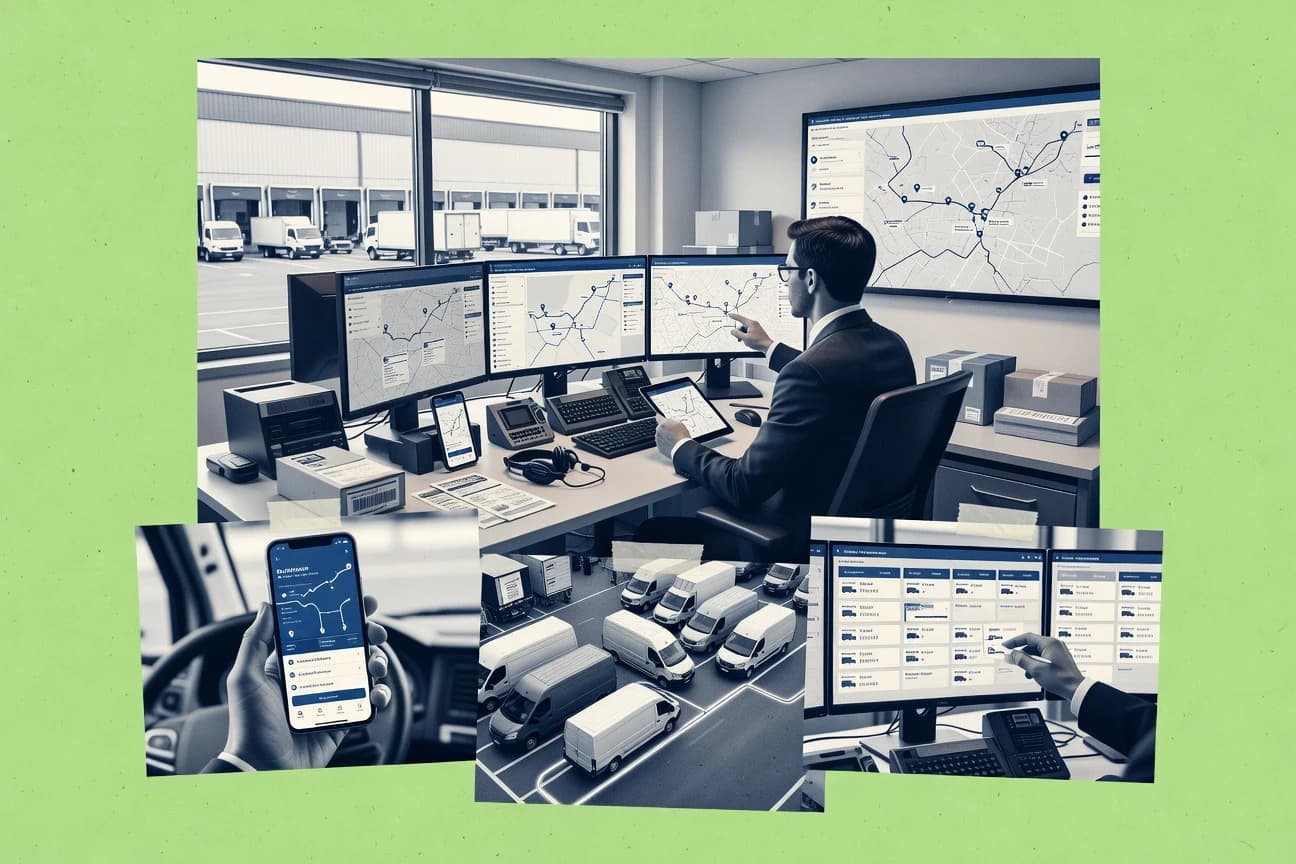
Transportation LogisticsTop 10 Best Cloud Based Dispatch Software of 2026
Editorial roundup of top cloud based dispatch software options, covering features and fit for fleet managers comparing Verizon Connect, Motive, and Samsara.

How we ranked these tools
Gitnux editors write the brief first: the topic, the inclusion rules, and the frame for what belongs.
Agents extract product evidence with provenance, then collect written reviews and transcribe video reviews and podcasts.
Framework: Features 40% · Ease 30% · Value 30%
Gitnux may earn a commission through links on this page — this does not influence rankings. Editorial policy
Samsara is the best pick for dispatch teams that need live telematics because geofencing-driven event feeds tie location thresholds directly into workflow status changes, while Motive is a strong alternative for fleets that want GPS-backed coordination plus mobile proof of service to cut post-visit cleanup.
Editor’s top 3 picks
Three quick recommendations before you dive into the full comparison below — each one leads on a different dimension.
Samsara
Geofencing-driven event feeds connect location thresholds to operational workflow status changes.
Best for: Fits when dispatch teams need real-time telematics, geofences, and enterprise integrations.
Motive
Editor pickProof of service capture tied to mobile execution and job progress, with fleet location context for dispatch decisions.
Best for: Fits when dispatch teams need GPS-backed coordination plus mobile proof of service across field jobs.
Verizon Connect
Editor pickReal-time GPS fleet tracking context feeds dispatch decisions during active job execution.
Best for: Fits when dispatch teams need live vehicle context tied to work order workflows and proof-of-service outcomes.
Comparison Table
Samsara
enterprise fleetCloud fleet management software with dispatch, telematics, vehicle tracking, and driver workflows.
Geofencing-driven event feeds connect location thresholds to operational workflow status changes.
Samsara captures telematics and operational signals and ties them to dispatch workflows for field service and mobile work. The solution supports live vehicle and driver visibility, geofenced events, and in-work status updates that feed route and job planning.
Samsara also offers dispatch-adjacent integrations through APIs and webhooks for bidirectional data flow with mapping tools and enterprise systems. Built-in configuration and governance features such as role-based access and audit logging support multi-operator administration.
- +Live GPS and telematics events support dispatch decisions in motion
- +Geofencing triggers map to job changes and exception handling
- +API and webhooks support bidirectional integration with dispatch stacks
- +Role-based access and audit logs support controlled operator workflows
- –Field service dispatch configuration requires careful mapping of statuses
- –Skills-based assignment logic is limited compared with dedicated dispatch suites
- –Offline mobile access coverage depends on mobile workflow design
- –Proof of service steps can require external forms and signatures
Best for: Fits when dispatch teams need real-time telematics, geofences, and enterprise integrations.
Motive
fleet managementCloud fleet management software with dispatch, GPS tracking, compliance, and driver operations.
Proof of service capture tied to mobile execution and job progress, with fleet location context for dispatch decisions.
Motive targets dispatch teams that need tight coordination between mobile work, vehicle movement, and job progress states. It combines field job management with GPS fleet tracking and driver level proof of service so dispatchers can react to progress and exceptions.
Mapping and routing support feed technician assignment decisions while work status changes move back from mobile to the dispatcher view. Motive also supports integrations through APIs and webhooks so job, customer, and asset data can be kept aligned across other systems.
- +GPS fleet visibility helps dispatchers reconcile job timing and technician location
- +Proof of service workflows reduce post-visit manual documentation
- +Job status updates sync from mobile to dispatcher screens
- +API and webhook integration options support system-to-system automation
- –Routing and assignment logic needs deliberate configuration to match work rules
- –Some advanced dispatch workflows depend on integration or add-on capabilities
- –Offline behavior for mobile devices can add operational testing requirements
- –Data flows across multiple systems can become complex without governance discipline
Best for: Fits when dispatch teams need GPS-backed coordination plus mobile proof of service across field jobs.
Verizon Connect
enterprise fleetCloud fleet management software with dispatch, GPS tracking, scheduling, and field operations tools.
Real-time GPS fleet tracking context feeds dispatch decisions during active job execution.
Verizon Connect combines dispatch management with an integrated GPS fleet tracking layer, so dispatch actions and live vehicle context stay connected.
The system supports work order workflows, mobile job handling, and job status updates that feed the dispatch board.
Field teams can capture proof of service and customer-facing communications through configurable notifications.
Verizon Connect is geared toward organizations that need tighter coordination between routing decisions, technician availability, and vehicle telemetry.
- +Telemetry-to-dispatch linkage improves situational awareness for active jobs
- +Proof of service capture supports clearer closure of field work
- +Mobile job workflows keep technicians aligned with dispatch changes
- +Mapping and location context reduce manual updates during shifts
- –Integrations and workflows require careful configuration to avoid data drift
- –Skills-based logic is less transparent than rule-driven assignment boards
- –Geofencing and territory setups can be complex across service regions
- –Some advanced automation depends on add-on capabilities
Best for: Fits when dispatch teams need live vehicle context tied to work order workflows and proof-of-service outcomes.
Onfleet
delivery specialistCloud dispatch software for delivery operations with driver tracking, routing, and customer notifications.
Customer notifications from dispatch updates, tied to driver movement and proof of service events, without manual status chasing.
Onfleet is a cloud-based dispatch system focused on day-of-operations field service and delivery workflows. Its dispatch board ties together job status workflow, driver or technician GPS tracking, and customer-facing updates.
- +Dispatch board shows job status workflow changes in a single view
- +Real-time GPS tracking supports live ETA updates for assigned jobs
- +REST API and webhooks connect dispatch events to external systems
- +Mobile workforce tools handle proof of service and job completion capture
- –Advanced routing and territory modeling need deliberate configuration
- –Complex skills-based dispatch rules can become hard to govern at scale
- –Offline mobile access requires operational planning for connectivity gaps
- –Some enterprise workflows depend on custom integrations for data sync
Best for: Fits when field teams need live tracking, job updates, and dispatch automation with API-backed integrations.
Geotab
API-first fleetCloud telematics platform supporting fleet dispatch, vehicle tracking, and connected operations.
MyGeotab SDK, Add-Ins, and rules engine connect telematics events to custom dispatch workflows and operational alerts.
Large fleets can configure groups, permissions, exception rules, dashboards, and reports for regional operations. The rules engine can trigger notifications from ignition, location, idling, speeding, or device conditions. Marketplace connectors extend data exchange with ERP, CRM, routing, and maintenance systems.
- +Deep vehicle, driver, trip, fault, and sensor data in MyGeotab
- +Rules engine supports event-based alerts and workflow triggers
- +SDK, REST API, and Add-Ins support custom integrations
- +Marketplace connects telematics with maintenance and business systems
- –Native work-order and appointment workflows are limited
- –Visual dispatch-board capabilities are less central than telematics administration
- –Advanced deployments need careful groups, permissions, and rule governance
- –Some workflows depend on partner applications or custom development
Best for: Fits when fleet operations need telematics-driven dispatch control across vehicles, drivers, regions, and connected business systems.
Routific
SMBRoute optimization and delivery dispatch platform for small to mid-size fleets.
Drag-and-drop stop editing with re-optimization, letting planners adjust routes minute-by-minute during dispatch.
Routific assigns and optimizes routes for field teams using an interactive dispatch workflow and a mapping view. It builds delivery and service plans by splitting work into stops, setting time windows, and generating efficient route groupings.
- +Drag-and-drop dispatch board supports rapid stop reordering
- +Route optimization handles time windows and stop sequencing
- +Mobile job execution supports field updates during the workday
- +Exports routes for practical offline-friendly field workflows
- –Limited depth for complex service territory rules
- –Automation is lighter than dispatch suites with heavy API-first operations
- –Skill-based assignment needs structured stop metadata discipline
- –Multi-route scenario modeling requires careful list organization
Best for: Fits when mid-size teams need route optimization with quick visual edits.
Bringg
enterpriseDelivery orchestration platform connecting retailers, fleets, and dispatchers.
A dispatch board workflow that ties work order state changes to assignment and real-time tracking updates.
Bringg targets cloud dispatch management for service businesses that need structured work order workflows tied to mobile delivery and field execution. It supports appointment scheduling, technician availability planning, and automated job assignment with a dispatch board built for operational control.
- +Automated job assignment built around service territories and capacity rules
- +Work order status workflow supports end-to-end job lifecycle visibility
- +Live technician tracking reduces ETA drift during dispatch and reassignments
- +Mapping and routing integration supports operational decision making
- –Complex configuration can slow time-to-production for non-standard workflows
- –Advanced dispatch behaviors depend on API or integration projects
- –Role and process governance needs careful planning across dispatch operators
- –Offline mobile access coverage may require validation for edge-case scenarios
Best for: Fits when field operations need automated dispatch with job status workflows and live tracking control.
Azuga
fleet managementCloud fleet management software with GPS tracking, dispatch visibility, safety, and vehicle monitoring.
Driver safety scoring connects telematics events, dashcam evidence, coaching actions, and incentive programs.
Azuga suits service fleets that need dispatch visibility alongside vehicle and driver oversight. GPS fleet tracking, route monitoring, mobile status updates, and automated alerts give managers a live view of field activity. Driver safety scores, incident detection, coaching workflows, and reward programs extend the system beyond basic assignment management.
- +Combines dispatch activity with vehicle telemetry and driver safety scoring
- +Geofencing supports arrival, departure, and unauthorized-use alerts
- +Dashcam events connect video evidence with risky driving behavior
- +Maintenance and fuel data add operational context to dispatch decisions
- –The broad feature set can exceed the needs of simple dispatch teams
- –Advanced telematics hardware is needed for the deepest fleet insights
- –Driver coaching workflows require consistent manager participation
- –Custom integrations may require technical implementation resources
Best for: Fits when service fleets need dispatch control with driver safety, vehicle data, and field activity monitoring.
DispatchTrack
delivery specialistCloud delivery management software for dispatch, routing, tracking, and customer communication.
Dispatch board workflows that keep job status, mobile updates, and electronic signatures tied to completion.
DispatchTrack fits dispatch operations that need a centralized job status workflow with work orders moving through consistent states from scheduling to completion. The dispatch board supports reassignments and reschedules without rebuilding the job structure, and mobile crews can update job progress in the field. Proof of service and electronic signature capture connect completion to service verification and customer confirmation workflows.
- +Drag-and-drop dispatch board for fast rescheduling and reassignments
- +Work order status workflow that supports consistent job completion stages
- +Proof of service with electronic signature capture
- +Mobile job updates synchronize job status back to dispatch
- –Integration depth varies by system and may require custom work
- –Advanced automation often depends on how job statuses are configured
- –Complex routing rules can increase setup time for dispatch teams
Best for: Fits when dispatch teams need tight work order workflows and mobile proof of service.
Teletrac Navman
enterpriseFleet tracking and management platform with dispatch and routing tools.
Telematics-driven field visibility that links live vehicle location to dispatch decision-making across active work orders.
Teletrac Navman is a cloud-based dispatch management solution built around work order execution, fleet visibility, and technician mobility. It connects job scheduling with GPS fleet tracking so dispatchers can coordinate field activity based on current location and job status.
- +GPS and dispatch work together for location-aware assignment decisions
- +Field workflows support proof-of-service capture tied to completed jobs
- +Telematics integration helps keep fleet telemetry in sync with operations
- +Job status updates flow from mobile work to dispatch visibility
- –Routing and optimization depth is limited versus dispatch-first route optimization engines
- –Complex service territory and skills mapping needs careful setup discipline
- –Advanced automation depends on integration configurations and add-on capabilities
- –Reporting granularity can require extra configuration to match internal KPIs
Best for: Fits when field operations need GPS-backed dispatch workflows and telematics-informed execution updates across mobile techs.
Conclusion
After evaluating 10 cloud based dispatch software, Samsara stands out as our overall top pick — it scored highest across our combined criteria of features, ease of use, and value, which is why it sits at #1 in the rankings above.
Use the comparison table and detailed reviews above to validate the fit against your own requirements before committing to a tool.
How to Choose the Right Cloud Based Dispatch Software
This buyer’s guide covers cloud based dispatch software across dispatch boards, mobile proof of service, and telematics-driven workflow triggers using DispatchTrack, Geotab, Onfleet, and Samsara as concrete anchors. It also includes Azuga, Motive, Verizon Connect, Teletrac Navman, Routific, and Bringg to show how dispatch control changes when the system focus shifts between work orders and vehicle events. The sections that follow evaluate integration depth, automation and API surface, and admin and governance controls using the capabilities each tool exposes for real dispatch execution.
Cloud Based Dispatch Software for work order workflows, live tracking, and assignment automation
Cloud based dispatch software coordinates field service execution by connecting a job status workflow to real-time technician tracking, then pushing job updates to mobile field users. A dispatch board typically manages dispatch events such as reassignment and completion, while mobile proof of service closes the work order lifecycle with execution timestamps and completion artifacts. DispatchTrack shows how drag-and-drop rescheduling can stay tied to work order status stages and electronic signatures at completion.
Onfleet illustrates a dispatch automation pattern where customer notifications and job status updates follow driver movement and proof of service events without manual status chasing. Geotab demonstrates the telematics-first alternative where the MyGeotab SDK, Add-Ins, and rules engine translate vehicle and sensor events into custom dispatch workflow triggers and operational alerts.
Dispatch workflows, mobile proof of service, and API-driven automation control
Dispatch control depends on how tightly a job status workflow stays attached to mobile execution and completion artifacts. DispatchTrack ties job status workflow stages to mobile updates and electronic signatures at completion, which reduces dispatcher guesswork during rescheduling.
Automation and integration depth determine whether dispatchers manually chase updates or let events drive status changes. Onfleet ties dispatch updates to driver movement and proof of service events and presents job status workflow changes in a single dispatch view, while Geotab routes telematics events through the MyGeotab SDK and rules engine into operational alerts.
Work order job status workflow tied to completion artifacts
DispatchTrack supports drag-and-drop dispatch board workflows plus a work order status workflow that supports consistent job completion stages with electronic signatures at completion. Motive focuses on proof of service capture tied to mobile execution and job progress with fleet location context for dispatch decisions.
Event-driven dispatch triggers from telematics and sensors
Geotab uses the MyGeotab SDK, Add-Ins, and rules engine to connect telematics events to custom dispatch workflows and operational alerts. Samsara uses geofencing-driven event feeds that map location thresholds to operational workflow status changes.
Dispatch board visibility with live tracking and notification automation
Onfleet provides a dispatch board that shows job status workflow changes and real-time GPS tracking for assigned jobs, and it automates customer notifications from dispatch updates. Verizon Connect emphasizes real-time GPS fleet tracking context feeding dispatch decisions during active job execution, with proof of service capture supporting clearer closure of field work.
Geofencing and location thresholds mapped to operational exceptions
Azuga supports geofencing arrival, departure, and unauthorized-use alerts and connects dispatch activity with vehicle telemetry and driver safety scoring. Teletrac Navman links live vehicle location to dispatch decision-making across active work orders and ties field workflows to proof-of-service capture on completed jobs.
Route optimization depth and re-optimization behavior
Routific provides drag-and-drop stop editing with re-optimization so planners can adjust routes during dispatch with time windows and stop sequencing. DispatchTrack prioritizes dispatch board workflow and work order status stages, while Routific is the clearer choice when route editing speed and optimization handling matter more than deep status governance.
Choose dispatch control by workflow ownership and automation surface
The main fork is where dispatch decisions originate. Some tools center on work order execution and keep job status tied to mobile completion, while others center on telematics or geofence event feeds that drive operational workflow changes.
A second fork is how automation gets governed and maintained. Tool choice should match whether teams want rules and workflow triggers inside the platform or they plan to engineer event-to-dispatch logic through SDKs and API-driven integration.
Start with the dispatch ownership model: work order workflow or vehicle event triggers
If dispatchers own job lifecycle stages and need completion artifacts locked to those stages, DispatchTrack and Motive provide workflow-first patterns with electronic signatures or proof of service tied to mobile execution. If dispatch control must originate from vehicle or sensor events, Geotab and Samsara provide rules-engine or geofencing event feeds mapped into workflow status changes.
Validate that job status updates and proof of service stay synchronized to the mobile path
DispatchTrack keeps mobile updates tied to dispatch events and uses electronic signatures to close work order completion stages. Motive reduces post-visit documentation by using proof of service workflows and attaching GPS fleet visibility to reconcile technician location and timing.
Check whether event automation needs an SDK, add-ins, or only configuration
Geotab provides the MyGeotab SDK, Add-Ins, and a rules engine that supports event-based alerts and workflow triggers across vehicles and regions. Onfleet supports API-backed integrations and automates customer notifications from dispatch updates tied to driver movement and proof of service events, which reduces manual status chasing without requiring telematics SDK engineering.
Stress-test route modeling expectations against the product’s route and territory ceiling
If planners need rapid stop reordering and minute-by-minute edits, Routific supports drag-and-drop stop editing with re-optimization and time window and stop sequencing handling. If complex service territories and skills-based assignment rules must remain governable at scale, Onfleet warns that complex skills-based rules can become hard to govern.
Decide how transparent skills and assignment logic must be for dispatch teams
Bringg emphasizes automated job assignment based on service territories and capacity rules, and it pairs that with a work order status workflow for end-to-end lifecycle visibility. Geotab focuses on telematics administration and rules engine triggers, and it notes that native work-order and appointment workflows are limited compared to its telematics-centric control surface.
Plan configuration effort around status mapping and governance discipline
Samsara and Motive both require careful mapping of statuses and workflow configuration so geofences or job rules map correctly to dispatch outcomes. DispatchTrack flags that advanced automation depends on how job statuses are configured and that integration depth varies by system and may require custom work.
Who should pick each cloud dispatch approach
Dispatch tool fit depends on whether field execution artifacts and job status governance are the center of gravity or whether dispatch control must be driven by telematics and geofence events.
Teams with mixed priorities can still pick a primary lane. The best match is the tool whose dispatch workflow and automation surface align with how operations decide, assign, and close work orders.
Dispatch teams running tight work order lifecycles with mobile signatures and staged completion
DispatchTrack keeps work order status workflow stages aligned with mobile updates and electronic signatures at completion. This design reduces rescheduling friction because job completion stages remain visible in the dispatch board.
Fleet operations using telematics to trigger operational alerts and workflow events
Geotab connects MyGeotab SDK and rules engine event triggers to custom dispatch workflows across vehicles, drivers, and regions. Samsara uses geofencing-driven event feeds that map location thresholds into operational workflow status changes.
Field service teams that need live GPS tracking plus customer updates without dispatcher status chasing
Onfleet ties dispatch board job status workflow changes to real-time GPS tracking and automates customer notifications from dispatch updates and proof of service events. Verizon Connect also supports proof-of-service outcomes with real-time GPS fleet tracking context during active jobs.
Service planners who adjust routes visually during dispatch using drag-and-drop editing
Routific supports drag-and-drop stop editing with re-optimization so planners can change stop order during dispatch. This route-forward workflow favors quick visual changes over deep job-status workflow governance.
Organizations pairing dispatch monitoring with driver safety scoring and telematics-linked field activity
Azuga combines dispatch activity with vehicle telemetry and driver safety scoring and includes geofencing alerts for arrival, departure, and unauthorized use. The tool fits teams that need dispatch decisions alongside safety coaching actions and evidence.
Common buying mistakes in cloud dispatch software projects
Dispatch projects fail when teams assume the product will handle the wrong part of the workflow automatically. Failures often show up as missing status transparency, weak route modeling, or configuration effort that blocks launch.
Choosing a telematics-centric platform for native work order and appointment workflows
Geotab’s standout center is telematics administration through MyGeotab SDK, Add-Ins, and rules engine triggers, while it flags limited native work-order and appointment workflows. DispatchTrack and Bringg center dispatch board workflows tied to work order status and completion, which matches job lifecycle ownership.
Underestimating status mapping work for geofencing or job rules
Samsara warns that field service dispatch configuration requires careful mapping of statuses so geofencing triggers land on the right workflow outcomes. DispatchTrack also notes advanced automation depends on how job statuses are configured, so workflow governance must be treated as a setup project.
Assuming complex skills-based assignment rules will remain easy to govern at scale
Onfleet warns that complex skills-based dispatch rules can become hard to govern at scale. Bringg centers automated job assignment around service territories and capacity rules, so teams with heavy skills logic should validate rule transparency and governance requirements early.
Buying for route optimization depth and then discovering limited territory or automation coverage
Routific provides strong drag-and-drop route editing with re-optimization, but it flags limited depth for complex service territory rules. Teletrac Navman limits routing and optimization depth versus dispatch-first route optimization engines, so route modeling requirements must be scored against expected territory complexity.
Treating integration depth as equal across dispatch and telematics tools
DispatchTrack flags that integration depth varies by system and may require custom work. Bringg warns that advanced dispatch behaviors depend on API or integration projects, so integration scope must be planned as part of the delivery plan.
How We Selected and Ranked These Tools
We evaluated dispatch workflow coverage, mobile proof of service execution support, and how job status workflow changes remain tied to completion artifacts. Features carried 40% weight because dispatch boards, signatures, geofencing feeds, and rules-engine triggers directly change dispatcher throughput.
Ease and value each carried 30% weight because teams must configure status mappings, govern skills logic, and operate integrations without creating data drift. DispatchTrack earned the highest rank because its drag-and-drop dispatch board workflows stay connected to a work order status workflow with mobile updates and electronic signatures at completion.
Frequently Asked Questions About Cloud Based Dispatch Software
How do cloud dispatch systems handle automated job assignment when job status changes mid-day?
Which integrations and APIs matter most when connecting dispatch to work orders, CRM, and mapping tools?
What breaks if a dispatch workflow needs offline mobile access for technician updates?
When should SSO and RBAC be treated as a hard requirement for a dispatch team?
How does data migration into a cloud dispatch system usually work for existing work orders and appointment schedules?
Which tool is better for telematics-driven dispatch control across vehicle territories and driver records?
How do dispatch boards manage real-time GPS tracking and event feeds during active work order execution?
What tradeoff appears when choosing drag-and-drop dispatch or route editing versus automated re-optimization?
How does extensibility differ between dispatch systems that use webhooks versus deeper SDK-based event handling?
Tools reviewed
Primary sources checked during evaluation.
Referenced in the comparison table and product reviews above.
Funding and competing interests
This study was co-funded by several of the vendors assessed in it. No single vendor funded it. Funders could propose the market studied.
They had no role in selecting vendors, setting or weighting criteria, analysing data or drawing conclusions, and they received the same factual-accuracy check as every other vendor assessed.
Market definition, inclusion rules and criteria weights were fixed by an editor before research began and did not change afterwards. Editorial process →
- Transportation LogisticsTop 10 Best Cloud Based Taxi Dispatch Software of 2026
- Transportation LogisticsTop 10 Best Cloud Based Freight Forwarding Software of 2026
- Transportation LogisticsTop 10 Best Web Based Dispatch Software of 2026
- Aerospace Aviation SpaceTop 10 Best Airline Dispatch Software of 2026
- Transportation LogisticsTop 10 Best Dispatch Work Order Software of 2026
Keep exploring
Comparing two specific tools?
Software Alternatives
See head-to-head software comparisons with feature breakdowns, pricing, and our recommendation for each use case.
Explore software alternatives→In this category
Transportation Logistics alternatives
See side-by-side comparisons of transportation logistics tools and pick the right one for your stack.
Compare transportation logistics tools→