
GITNUXSOFTWARE ADVICE
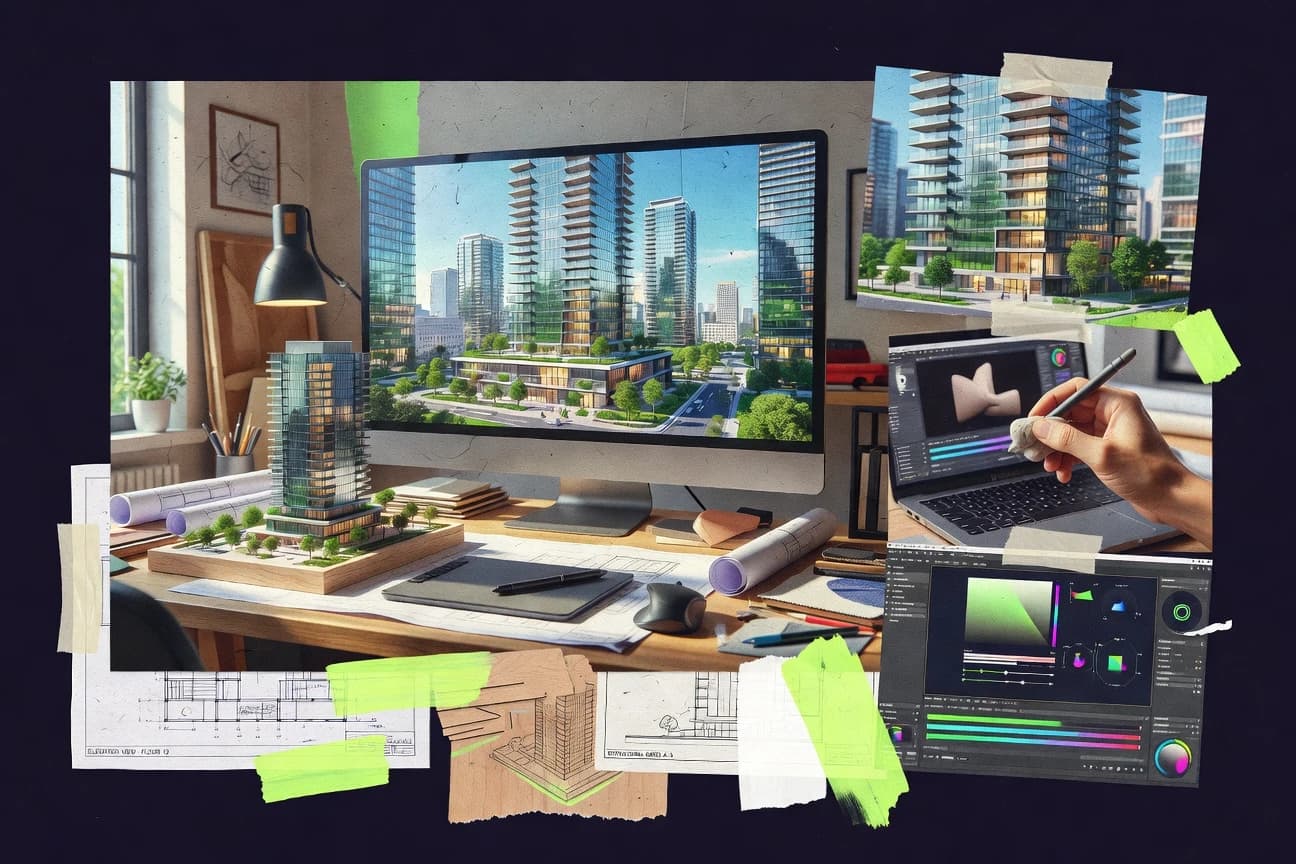
Construction InfrastructureTop 10 Best Architecture Render Software of 2026
Ranked architecture render software for modeling, lighting, and realism, with Lumion, V-Ray, Cinema 4D, Unreal Engine, and OctaneRender compared.

How we ranked these tools
Core product claims cross-referenced against official documentation, changelogs, and independent technical reviews.
Analyzed video reviews and hundreds of written evaluations to capture real-world user experiences with each tool.
AI persona simulations modeled how different user types would experience each tool across common use cases and workflows.
Final rankings reviewed and approved by our editorial team with authority to override AI-generated scores based on domain expertise.
Score: Features 40% · Ease 30% · Value 30%
Gitnux may earn a commission through links on this page — this does not influence rankings. Editorial policy
Lumion is the best pick when architecture teams need frequent, photoreal updates directly from CAD with minimal render pipeline setup, whereas Blender is a strong budget entry if you want a controllable, compositing-ready workflow and Unreal Engine fits when you need repeatable, script-driven archviz with deeper pipeline control.
Editor’s top 3 picks
Three quick recommendations before you dive into the full comparison below — each one leads on a different dimension.
Lumion
Real-time walkthrough authoring with scene effects designed for architectural presentation output.
Built for fits when teams need frequent visual updates with minimal rendering pipeline setup..
Unreal Engine
Editor pickPath-tracing mode with a material graph workflow enables photoreal stills from the same scene used for real-time previews.
Built for fits when teams need repeatable, script-driven archviz output with deep pipeline integration control..
OctaneRender
Editor pickOctaneRender’s EXR multi-pass outputs keep beauty, denoised, and light-separated layers for deterministic post workflows.
Built for fits when architecture studios need GPU-accelerated unbiased stills with EXR multi-pass comp control..
Comparison Table
Lumion
vertical specialistReal-time 3D rendering software designed for architects to create photorealistic videos and images from CAD models.
Real-time walkthrough authoring with scene effects designed for architectural presentation output.
Lumion’s core strength is scene authoring that stays close to the viewport, with immediate feedback for lighting changes, material tweaks, and camera moves. It is built around real-time walkthrough production plus still rendering, with effects and environment controls that map well to common architectural presentation needs. Its import workflow supports common CAD and 3D model exchange formats, so teams can focus on scene dressing rather than building a full rendering pipeline from scratch.
A tradeoff appears in lighting realism control when compared with renderers built for physically based ray-traced global illumination. Lumion tends to prioritize iteration speed, so projects needing deep render-solver tuning for difficult lighting scenarios may require a separate renderer in the delivery chain. It fits best when design reviews demand frequent visual updates and consistent presentation outputs across multiple design options.
- +GPU-accelerated viewport enables quick lighting and camera iteration
- +Panoramic 360 export supports walkthrough-style client reviews
- +Built-in environmental effects reduce external scene assembly work
- +Real-time walkthrough production supports rapid option comparisons
- –Advanced global illumination tuning is limited versus V-Ray-style workflows
- –Material and shader complexity can feel constrained for highly custom looks
Architectural design teams
Weekly design option visual updates
Faster review cycles and fewer reshoots
Visualization studios
Panoramic 360 client walkthroughs
More accessible project presentations
Show 2 more scenarios
BIM coordinators
Model exchange to presentation scenes
Reduced manual scene cleanup
Convert imported geometry into effect-ready scenes for walkthrough and still outputs.
Marketing and pitch teams
Cinematic camera path stills and edits
Consistent visuals across submissions
Produce consistent camera-based imagery for pitches while reusing environments.
Best for: Fits when teams need frequent visual updates with minimal rendering pipeline setup.
Unreal Engine
enterpriseReal-time 3D engine used for cinematic architectural visualization and interactive walkthroughs.
Path-tracing mode with a material graph workflow enables photoreal stills from the same scene used for real-time previews.
Unreal Engine supports GPU-accelerated viewport workflows for lighting iteration and material lookdev, which matters when design changes happen daily. The engine’s automation surface includes Python scripting plus editor automation hooks, which helps teams batch lighting setups, camera exports, and scene validation. Pipeline integration is strengthened by USD scene import and Alembic caches for geometry playback, which reduces friction when teams move between modeling tools and downstream rendering.
A key tradeoff is that Unreal Engine needs more pipeline engineering than dedicated archviz renderers, especially for consistent asset ingestion and repeatable camera output. It fits situations where architects want render output driven by a controlled scene build, such as repeatable product-like camera sequences for many design options.
- +GPU-accelerated viewport supports fast lighting iteration across large scenes
- +Material graph editor enables custom PBR shading workflows
- +Python scripting and editor automation support batch render preparation
- +USD and Alembic support keeps geometry exchange closer to production pipelines
- –Requires pipeline discipline to keep imports, units, and materials consistent
- –Render output reproducibility depends on scene build configuration
- –Cinematic export workflows take setup time for camera sequences and formats
- –Team onboarding is slower than dedicated archviz render tools
Architecture visualization studios
Batch camera sets across design options
Faster option turnaround
Design teams with BIM workflows
Exchange geometry and maintain material intent
Lower rework on transfers
Show 2 more scenarios
Technical artists
Create reusable lighting and material templates
More consistent visual output
The material graph and editor automation help standardize PBR shading and lighting rigs across projects.
Client-facing experience teams
Interactive walkthroughs with cinematic still exports
One scene for multiple deliverables
Real-time rendering supports walkthrough decisions while path-tracing produces high-fidelity stills from the same assets.
Best for: Fits when teams need repeatable, script-driven archviz output with deep pipeline integration control.
OctaneRender
enterpriseGPU-accelerated unbiased renderer available as a plugin for multiple 3D modeling applications.
OctaneRender’s EXR multi-pass outputs keep beauty, denoised, and light-separated layers for deterministic post workflows.
For architecture work, OctaneRender supports ray-traced global illumination and PBR material authoring so daylight and interior lighting setups stay consistent across iterations. The material system exposes graph-level controls and produces multi-pass EXR outputs that preserve separate light and beauty information for post-processing. GPU acceleration drives the interactive viewport, so lighting tweaks and material swaps feel responsive compared with CPU-only unbiased engines.
A practical tradeoff is that high-quality results depend on GPU capacity and scene optimization, especially when using heavy geometry and dense vegetation assets. OctaneRender fits best when projects need photorealistic still rendering, controlled multi-pass comp, or cinematic camera paths rather than tightly synchronized real-time walkthroughs.
- +GPU path tracing shortens lighting iteration cycles for stills
- +Multi-pass EXR output supports light and beauty separation
- +Material graph editor enables repeatable PBR shading setups
- +Render-node licensing enables distributed offline throughput
- –Large scenes can exceed GPU memory without LOD or pruning
- –Native governance and automation tooling are limited compared with enterprise pipelines
Architecture visualization teams
Interior and exterior lighting stills
Fewer re-render cycles
Lighting artists
Material-driven daylight calibration
More repeatable lighting
Show 1 more scenario
Studios with render farms
Distributed batch renders
Faster production turnarounds
Render-node licensing enables queueing heavy camera sets across multiple machines for throughput.
Best for: Fits when architecture studios need GPU-accelerated unbiased stills with EXR multi-pass comp control.
Blender
SMBFree and open-source 3D suite with Cycles and Eevee renderers used for architectural visualization.
Cycles supports EXR multi-pass outputs tied to render layers, enabling per-light and per-material adjustments after the render.
Blender is an open-source 3D suite that supports architectural lighting and photorealistic still rendering with built-in Cycles and an extensive material graph workflow. Architectural models can be built or refined with procedural geometry nodes, then rendered with path-tracing in the Cycles engine and exported for compositing using multi-pass EXR outputs.
Blender also supports camera animation for cinematic camera paths and provides tools for environment lighting via HDRI-based setups. For production interchange, Blender can be integrated into a pipeline using import export for common 3D formats and can render on external machines through headless execution and render queue setups.
- +Cycles path-tracing renderer supports photorealistic lighting and physically based materials
- +Material graph editor enables controllable PBR look development for architectural surfaces
- +Procedural geometry nodes support repeatable facade and layout variations
- +EXR multi-pass output supports grading and light-level adjustments in compositing
- –Real-time walkthrough quality depends on scene setup and material complexity
- –Procedural node graphs can become hard to maintain across large project handoffs
- –Some CAD and BIM exchanges require manual cleanup of hierarchy and metadata
Best for: Fits when architecture teams need a controllable rendering workflow with procedural modeling and compositing-ready outputs.
Rhino
SMB3D modeling software with rendering capabilities, popular for complex architectural forms.
NURBS-centric modeling workflow with reliable Rhino .3dm round-tripping into render-focused pipelines.
Rhino performs NURBS and polygon modeling for architectural scenes and exports clean geometry into rendering workflows. Its core strengths are material authoring through a shader-based material library, physically based shading support in render engines, and a deep ecosystem of rendering and automation add-ons.
Rhino also supports exchange formats like DWG and IFC for project handoffs, plus USD and Alembic for pipeline continuity across DCC tools. The model round-tripping focus matters when lighting, camera paths, and post-processing are handled downstream rather than inside Rhino.
- +Stable NURBS to polygon control for architectural massing and details
- +IFC and DWG export supports layered handoff to downstream tools
- +Large add-on ecosystem for render, rendering utilities, and automation
- +USD and Alembic export support keeps scene data consistent across tools
- –Photorealistic output depends on external render engines and settings
- –Material and light setup can require extra care across render add-ons
- –Viewport walkthrough realism is limited compared with dedicated renderers
- –High-end output workflows increase scene management overhead
Best for: Fits when architects need precise geometry modeling plus downstream rendering control.
Redshift
enterpriseGPU-accelerated biased renderer integrated with Cinema 4D, Maya, 3ds Max, and Houdini.
EXR multi-pass rendering supports separate light-group and AOV-style outputs for controlled architectural post-processing.
Redshift is a GPU-accelerated architecture rendering tool designed for teams that need photorealistic stills and animation with predictable render throughput. It pairs a physically based material workflow with a fast ray-traced pipeline, including denoising and multi-pass output for editorial-grade compositing. Integration is strongest when scenes are authored in common DCC tools that support Redshift’s material and render settings export, and when render farms need consistent command-line batch rendering.
- +GPU path-tracing mode supports fast iteration for lighting changes
- +Material library and shader graph options support PBR workflows
- +EXR multi-pass output supports light and material separation in comp
- +Denoising pass reduces turnaround for high-sample stills
- –Scene setup and render settings require disciplined configuration
- –Viewport performance depends heavily on GPU memory and scene complexity
- –Some architecture-specific pipelines rely on external DCC authoring
- –Advanced look development needs deeper shader and render-flag knowledge
Best for: Fits when architecture studios need GPU rendering with denoising and multi-pass EXR for comp-heavy deliverables.
FStorm Render
specialistGPU path-tracing renderer for 3ds Max with real-time previews and architectural materials.
FStorm’s GPU viewport workflow is tightly coupled to its path-tracing renderer controls for iterative arch viz look development.
FStorm Render focuses on production-style photoreal output with a GPU-accelerated viewport workflow and a path-tracing renderer aimed at still images and arch viz scenes. The renderer supports PBR materials and common architectural lighting setups, including HDRI environments and light adjustments that carry into final frames.
Scene authoring stays inside its render-focused toolchain, with import options intended to move geometry from common DCC sources into a render-ready layout. The tool’s main differentiator versus general-purpose visualization apps is that its interaction model is tightly tied to rendering controls and material shading rather than to game-like scene building.
- +GPU-accelerated viewport helps converge framing without full renders
- +PBR material workflow supports consistent shading across stills
- +Path-tracing engine targets photoreal light transport for arch scenes
- +Render pass outputs support compositing workflows for deliverables
- –Automation hooks and API surface are limited versus pipeline-first tools
- –Large scenes can hit workflow friction during look development
- –Some BIM and CAD workflows need manual cleanup after import
- –Built-in scene authoring is less suited for rapid ideation than editors
Best for: Fits when teams need photoreal stills from imported models and prefer render-grade material and lighting control.
Artlantis
vertical specialistArchitectural visualization software for still images, animations, panoramas, and VR scenes.
Atmosphere and environment-driven look controls designed for consistent exterior and interior render style across projects.
Artlantis focuses on fast architecture visualization from CAD imports, with a workflow centered on lighting, materials, and camera setups for photorealistic still rendering. The software provides a GPU-accelerated viewport for iterative look development, plus an offline renderer for final frames and high-resolution exports.
Its strengths concentrate on interior and exterior scene authoring, with libraries and controls for environment lighting, weather-like atmosphere, and post-processing output. Artlantis is most distinct when teams need consistent render settings across many project views without building custom render pipelines.
- +GPU-accelerated viewport supports quick lighting and material look iteration
- +Clear scene organization around cameras, views, and export settings
- +Strong controls for environment lighting and atmospheric effects
- +Workflow tuned for producing consistent stills across multiple viewpoints
- –Limited automation and render-node style distribution compared with queue-driven tools
- –External pipeline integration relies more on import/export than deep APIs
- –Advanced material customization can feel less granular than node-based editors
- –Geometry-heavy scenes can hit performance ceilings during interaction
Best for: Fits when architectural teams need fast, repeatable still-render output from CAD models.
Homestyler
SMBOnline home and interior design software with floor plans, 3D scenes, and panoramic renders.
Built-in panoramic 360 export tied to the web scene workflow for quick client navigation.
Homestyler lets architects draft and furnish interior scenes in a web workflow with drag-and-drop placement and a built-in asset library. It outputs render-friendly views and can generate panoramic 360 exports for client browsing without setting up a render pipeline.
Lighting and materials are handled through guided controls rather than deep shader graph authoring. For photoreal stills, results depend more on scene setup quality and material choices than on configurable render passes.
- +Web-based building and furnishing workflow for fast iteration
- +Panoramic 360 export for client-facing walkthrough views
- +Material and lighting controls are accessible without shader authoring
- +Large built-in interior asset library reduces sourcing friction
- –Limited control over render passes and multi-pass outputs
- –Import fidelity for CAD or BIM geometry is not the focus of the workflow
- –Shader depth is constrained versus dedicated render engines
- –High realism requires careful manual scene dressing and material tuning
Best for: Fits when interior designers need client-ready renders and 360 exports without a full render pipeline.
Cedreo
vertical specialistWeb-based residential design software for floor plans, 3D models, and rendered presentations.
Plan-to-3D building modeling with guided inputs for faster, repeatable render-ready scenes.
Cedreo turns 2D plans into 3D building models with lighting and material choices designed for fast architectural visuals. The workflow centers on preconfigured design elements, measurement-driven massing, and render outputs aimed at client-facing presentation rather than engine-level tuning.
Import support and export formats support common handoff steps between design, estimating, and visualization deliverables. For teams that need repeatable model creation with guided steps, Cedreo provides a more controlled pipeline than general-purpose render suites.
- +Guided modeling flow converts plans into 3D quickly
- +Client-ready render outputs focus on presentation consistency
- +Material and lighting presets reduce per-scene setup time
- +Project templates support repeatable building types
- –Limited depth for light-group style control versus pro render tools
- –Customization for advanced material behavior is constrained
- –Large scene optimization is less predictable than dedicated engines
- –Automation and API surface are not built for deep pipeline integration
Best for: Fits when estimating and design teams need repeatable 3D visuals from plans.
Conclusion
After evaluating 10 construction infrastructure, Lumion stands out as our overall top pick — it scored highest across our combined criteria of features, ease of use, and value, which is why it sits at #1 in the rankings above.
Use the comparison table and detailed reviews above to validate the fit against your own requirements before committing to a tool.
How to Choose the Right architecture render software
Architecture render software covers the end-to-end path from modeling handoff to photorealistic stills, real-time walkthroughs, and client-ready exports. This guide covers Lumion, Unreal Engine, OctaneRender, Blender, Rhino, Redshift, FStorm Render, Artlantis, Homestyler, and Cedreo.
The selection focuses on mechanisms that change outcomes in architecture workflows, including GPU-accelerated viewports for faster camera iteration, multi-pass EXR outputs for post-processing control, and material graph or shader graph tooling for consistent PBR surfaces. It also separates tools that prioritize interactive presentation authoring from tools that prioritize deterministic render outputs and comp-ready layer exports like EXR.
Architecture render software for modeling-to-photoreal stills and client walkthrough exports
Architecture render software turns architectural geometry into photorealistic output by combining render engines, lighting controls, and material workflows with export formats used in presentation pipelines. Tools like Lumion emphasize real-time walkthrough authoring with scene effects that target presentation-ready renders with minimal setup.
Other options shift toward render determinism and post control, such as OctaneRender’s EXR multi-pass outputs that keep beauty, denoised, and light-separated layers for repeatable comp steps. Unreal Engine adds a path-tracing mode paired with a material graph workflow to generate photoreal stills from scenes used for real-time previews, which matters when visual updates must stay tied to the same build configuration.
Evaluation criteria that change render output in architecture pipelines
Architecture render software is evaluated best by looking at what changes the last-mile deliverable format, not just whether it can generate photorealistic images. The tools in this list split into two practical approaches: author presentation scenes for fast walkthrough and stills, or produce deterministic multi-pass renders for comp-ready control.
GPU viewport iteration versus render determinism
Lumion pairs a GPU-accelerated viewport with real-time walkthrough authoring so lighting and camera iteration stay fast. Unreal Engine adds a path-tracing mode that targets repeatable photoreal stills from the same scene used for real-time previews.
EXR multi-pass outputs for comp control
OctaneRender generates EXR multi-pass outputs that separate beauty, denoised, and light-separated layers for deterministic post workflows. Blender and Redshift also support EXR multi-pass outputs tied to render layers or light groups for controllable architectural comp.
Material and shader graph workflow for PBR consistency
Unreal Engine includes a material graph editor so custom PBR shading workflows follow a reusable node setup. Blender’s material graph editor and Cycles path-tracing renderer support physically based materials with compositing-ready per-layer adjustments.
Workflow coupling to modeling handoff formats
Rhino focuses on NURBS-centric modeling with stable Rhino .3dm round-tripping into render pipelines and export paths that support IFC and DWG layer handoff. Cedreo uses guided plan-to-3D modeling to produce render-ready scenes that prioritize presentation consistency over deep light-group style controls.
Look development controls inside the render app
FStorm Render tightly couples its GPU viewport workflow to the path-tracing renderer controls so arch viz look development converges around framing and shading. Artlantis organizes scene work around cameras, views, and export settings with atmosphere and environment-driven controls aimed at consistent exterior and interior styles.
Client navigation exports and walkthrough formats
Lumion includes panoramic 360 export designed for walkthrough-style client reviews. Homestyler ties panoramic 360 export to its web scene workflow so clients can navigate furnished interiors without a separate render handoff.
How to choose architecture render software by production constraints
Choice should be driven by how the team produces visual updates under real deadlines. The right selection changes whether the workflow is camera-first and interactive, or render-first and comp-ready with multi-pass layer outputs.
Pick the deliverable authority: interactive walkthrough or comp-ready stills
Choose Lumion when the team must author real-time walkthroughs and publish camera changes frequently with GPU-accelerated viewport iteration. Choose OctaneRender or Redshift when deterministic post control matters and EXR multi-pass output with beauty, denoised, and light-separated layers reduces downstream re-render risk.
Decide where shading rules live: graph-based materials or app-scoped libraries
Choose Unreal Engine when a material graph editor must define reusable PBR shading logic that stays consistent across real-time previews and path-traced photoreal stills. Choose Blender when per-render-layer EXR multi-pass workflows and a controllable material graph need to support both render and compositing adjustments after the render.
Match the tool to the modeling handoff responsibility
Choose Rhino when geometry modeling accuracy and NURBS to polygon control must remain predictable while exporting via IFC and DWG layer mappings to downstream tools. Choose Cedreo when guided plan-to-3D conversion produces render-ready scenes for estimating and design visuals without maintaining a separate complex modeling pipeline.
Select for pipeline scale: GPU memory limits versus look-development friction
Choose OctaneRender when GPU path tracing speed for still lighting changes is the priority and EXR multi-pass comp layers are required. Choose FStorm Render when GPU viewport convergence for framing is the priority and the project team prefers its path-tracing controls to stay tightly coupled during look development.
Choose the client presentation channel early
Choose Lumion when panoramic 360 export needs to support walkthrough-style client reviews from the same authored scene. Choose Homestyler when client navigation should happen inside a web scene workflow with built-in panoramic 360 export and furnishing-driven iteration.
Choose between external render add-ons and native render-grade control
Choose Blender or Unreal Engine when material graphs and renderer modes inside the same environment reduce the risk of mismatched shading across tools. Choose Artlantis when atmosphere and environment-driven look controls need to stay consistent for exterior and interior still renders using its camera and export organization.
Who benefits from these architecture render software choices
Different teams treat architecture render software as either a presentation authoring surface or a render output system for post-production. The tools in this list align to those production roles through their viewport behavior, output formats, and scene organization choices.
Architectural teams producing frequent design iterations
Lumion fits teams that need rapid lighting and camera iteration through a GPU-accelerated viewport and panoramic 360 client reviews. Artlantis also fits when the objective is repeatable exterior and interior still style using atmosphere and environment-driven look controls.
Studios with comp pipelines that require deterministic layers
OctaneRender suits teams that need EXR multi-pass outputs that separate beauty, denoised, and light-separated layers for controlled post. Redshift and Blender also support EXR multi-pass workflows for comp adjustments tied to light groups or render layers.
Visualization teams that require graph-based PBR consistency across previews and finals
Unreal Engine supports a material graph editor paired with a path-tracing mode to generate photoreal stills from scenes used for real-time previews. Blender supports PBR look development with a material graph editor and Cycles path-tracing for photoreal lighting.
Firms that depend on Rhino as the modeling source of truth
Rhino fits when NURBS-centric modeling and reliable Rhino .3dm round-tripping must carry geometry control into downstream rendering. Its IFC and DWG export support layered handoff when render setup depends on preserving construction layer intent.
Interior design workflows focused on client navigation in a web scene
Homestyler fits when clients need interactive panoramic 360 navigation tied to a web building and furnishing workflow. Cedreo fits when estimating and design teams need guided plan-to-3D inputs that produce client-ready visuals with presentation consistency.
Common failure points when selecting architecture render software
Misalignment between scene build discipline and output expectations causes most rework. The most frequent issues show up as mismatched materials between previews and finals, weak multi-pass layer needs, or geometry handoff choices that break downstream layout work.
Selecting Unreal Engine for realism without planning for scene build configuration consistency
Unreal Engine path-tracing output depends on keeping imports, units, and materials consistent so reproducibility does not degrade. The material graph editor workflow also needs a disciplined setup so shading stays coherent across real-time and path-traced outputs.
Choosing a speed-first workflow when the production deliverable requires deterministic EXR comp layers
Lumion supports strong presentation exports but its advanced global illumination tuning is limited compared with V-Ray-style workflows. Teams that need light-separated EXR layers should prioritize OctaneRender, Redshift, or Blender where EXR multi-pass outputs provide post control.
Expecting full governance or automation control from GPU-centric tools used in enterprise pipelines
OctaneRender’s native governance and automation tooling are limited compared with enterprise pipeline needs. FStorm Render also shows limited automation hooks and API surface, so multi-team deployment may require extra external process work.
Overbuilding GPU-heavy scenes without planning polygon budget or pruning for GPU memory ceilings
OctaneRender can exceed GPU memory on large scenes without LOD or pruning, which slows lighting iteration cycles. Redshift and FStorm Render also depend heavily on GPU memory and scene complexity for viewport performance.
Treating CAD or BIM fidelity as a side detail instead of a handoff constraint
Rhino supports IFC and DWG export for layered handoff so render setup can preserve layer intent. Tools like Homestyler focus on web scene workflows and limit CAD or BIM geometry fidelity as a core strength.
How We Selected and Ranked These Tools
We evaluated Lumion, Unreal Engine, OctaneRender, Blender, Rhino, Redshift, FStorm Render, Artlantis, Homestyler, and Cedreo against deliverable control, viewport-driven iteration, and post pipeline usability. Features accounted for 40% of the ranking because multi-pass EXR output, material graph control, and walkthrough export capabilities directly affect what teams can publish.
Ease and value each accounted for 30% because GPU-accelerated viewport iteration speed and the time required to reach presentation-ready results determine daily throughput. Lumion ranked highest because it combines a GPU-accelerated viewport with real-time walkthrough authoring and panoramic 360 export that matches architectural presentation update cycles.
Frequently Asked Questions About architecture render software
How do Lumion and V-Ray differ for modeling-to-visual iteration time?
Which tool is better for photoreal still rendering from the same scene used in real-time reviews?
When does Cinema 4D become the limiting factor compared with GPU renderers like Redshift or OctaneRender?
How do OctaneRender and Blender handle EXR multi-pass outputs for architectural post-processing?
Which workflow is best for teams that need CAD-to-render interchange with IFC and DWG fidelity?
How do instanced foliage scattering and LOD choices affect performance in real-time walkthroughs?
What breaks if render pass requirements are ignored when moving from look development to final EXR delivery?
How do distributed render queue features change operational setup in OctaneRender versus Redshift?
When do admin controls, RBAC, and audit log requirements favor Unreal Engine over lighter render-focused tools like Lumion or Homestyler?
Tools reviewed
Primary sources checked during evaluation.
Referenced in the comparison table and product reviews above.
- Construction InfrastructureTop 10 Best Architecture Management Software of 2026
- Technology Digital MediaTop 10 Best Render 3D Software of 2026
- Construction InfrastructureTop 10 Best Construction Rendering Software of 2026
- Art DesignTop 10 Best Interior Design Rendering Software of 2026
- Construction InfrastructureTop 10 Best Architectural Project Management Software of 2026
Keep exploring
Comparing two specific tools?
Software Alternatives
See head-to-head software comparisons with feature breakdowns, pricing, and our recommendation for each use case.
Explore software alternatives→In this category
Construction Infrastructure alternatives
See side-by-side comparisons of construction infrastructure tools and pick the right one for your stack.
Compare construction infrastructure tools→