
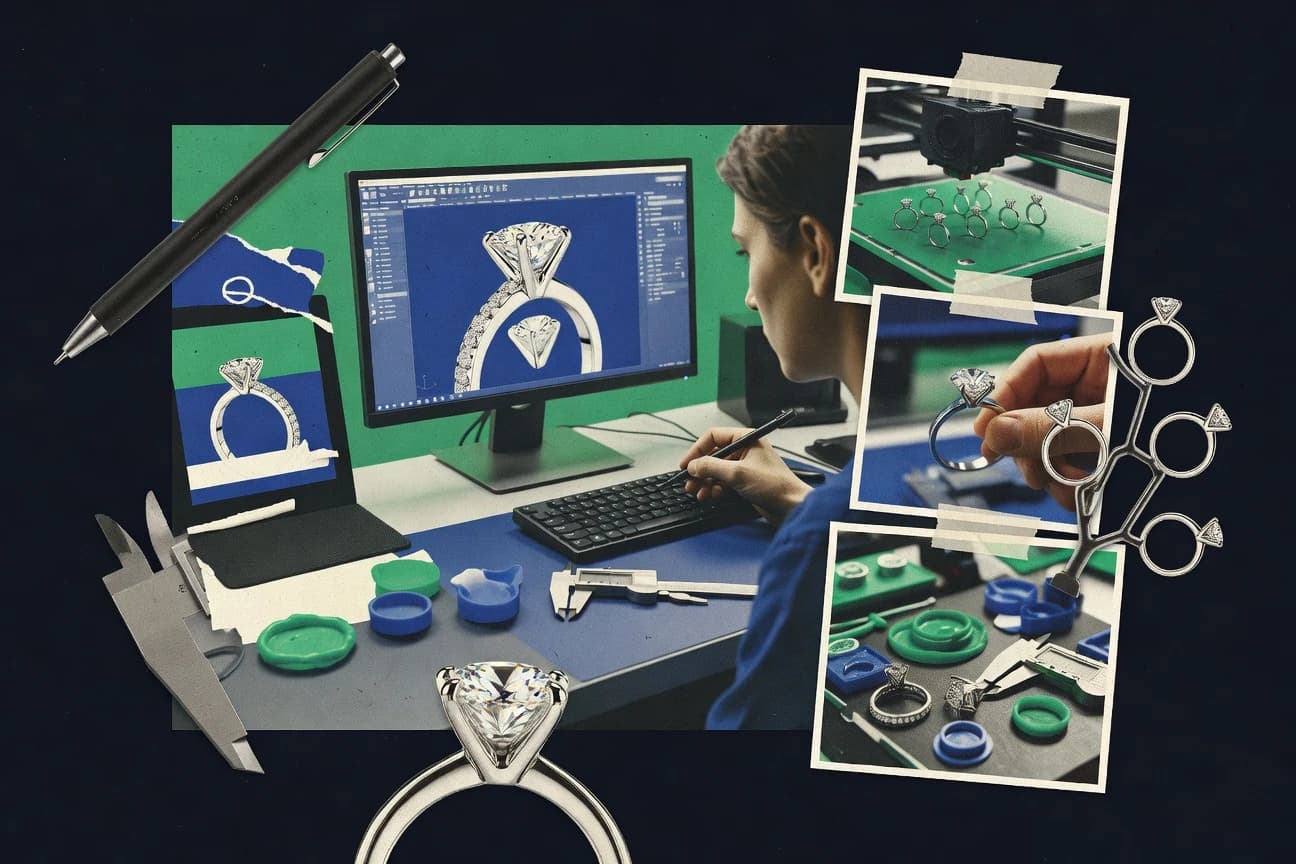
GITNUXSOFTWARE ADVICE
Business FinanceTop 10 Best 3D Jewelry Software of 2026
Ranked top 3d jewelry software for designers, with feature comparisons covering CaratCAD, KeyShot, and Clayoo plus other tools.

How we ranked these tools
Core product claims cross-referenced against official documentation, changelogs, and independent technical reviews.
Analyzed video reviews and hundreds of written evaluations to capture real-world user experiences with each tool.
AI persona simulations modeled how different user types would experience each tool across common use cases and workflows.
Final rankings reviewed and approved by our editorial team with authority to override AI-generated scores based on domain expertise.
Score: Features 40% · Ease 30% · Value 30%
Gitnux may earn a commission through links on this page — this does not influence rankings. Editorial policy
CaratCAD is the best pick if you iterate rings and settings and need a controlled CAD-to-render handoff, while KeyShot fits teams that want repeatable, photoreal jewelry renders from CAD exports; choose Blender if your priority is repeatable scene generation and visualization over turnkey CAD.
Editor’s top 3 picks
Three quick recommendations before you dive into the full comparison below — each one leads on a different dimension.
CaratCAD
Ring and setting construction workflows that keep stone layout and geometry consistent during parametric edits.
Built for fits when jewelry designers iterate ring and setting variants and need controlled CAD-to-render handoff..
KeyShot
Editor pickPhysically based rendering with quick material and lighting look-dev inside a dedicated render workflow.
Built for fits when teams need repeatable, photoreal jewelry renders from CAD exports..
Clayoo
Editor pickGuided ring and setting construction workflow that keeps proportions and placement aligned during variant changes.
Built for fits when jewelry studios need repeatable ring variants with consistent presentation and manufacturing exports..
Comparison Table
CaratCAD
vertical specialistJewelry CAD software for designing rings, gems, settings, and production models.
Ring and setting construction workflows that keep stone layout and geometry consistent during parametric edits.
CaratCAD supports jewelry-centric modeling workflows such as ring body and setting geometry construction, plus stone placement logic used to derive consistent layouts across variants. The workflow emphasis is on keeping edits tractable, so changes to shank and setting dimensions propagate through the model without manual rework of every downstream detail. CaratCAD also provides an output path to render-ready and fabrication-friendly formats so the same model can feed visualization and production steps.
A key tradeoff is that CaratCAD is optimized for jewelry construction rather than freeform organic sculpting, so complex non-jewelry surfaces require different tools for best control. CaratCAD fits teams that iterate many ring and setting variants, then reuse the resulting geometry for consistent renders and manufacturing handoff.
- +Jewelry-first modeling workflow for ring and setting geometry iteration
- +Stone layout edits stay consistent across design variants
- +Export outputs support both visualization and fabrication handoffs
- +History-aware editing reduces rework during dimension changes
- –Less suited to organic sculpting and highly custom surface work
- –Advanced detailing can require disciplined step-by-step modeling
Jewelry CAD designers
Iterate multiple ring variations quickly
Faster variant production cycles
Production CAD teams
Standardize setting geometry for vendors
Lower rework from mismatches
Show 1 more scenario
E-commerce visual content teams
Generate consistent render inputs
More consistent catalog visuals
Teams reuse the same CAD geometry outputs to keep product images aligned across options.
Best for: Fits when jewelry designers iterate ring and setting variants and need controlled CAD-to-render handoff.
KeyShot
enterpriseReal-time rendering software used extensively for jewelry product visualization.
Physically based rendering with quick material and lighting look-dev inside a dedicated render workflow.
KeyShot fits designers who need reliable render-ready geometry output from a separate modeling tool and then want fast iteration on materials, lighting, and camera angles. The workflow centers on importing common CAD and mesh formats, then assigning materials and tweaking render settings without changing the underlying model topology. Lighting controls and material parameter tuning support consistent product imagery across collections and revisions.
A key tradeoff appears when projects require history-based jewelry CAD edits like prong redesign, pavé layout changes, or shank geometry revision. In those cases, KeyShot can only re-render after the upstream CAD is updated. KeyShot works best for high-throughput visualization tasks like catalog images, marketing stills, and sales previews where the CAD source is already locked for manufacturability.
- +Fast iteration on photoreal lighting, materials, and camera angles
- +Extensive metal and gemstone material library with fine parameter controls
- +Handles common CAD and mesh imports for a render-focused pipeline
- +Consistent render settings support repeatable product imagery
- –Not designed for direct jewelry CAD edits like stone placement logic
- –Advanced scene automation requires external scripting rather than built-in rules
Jewelry designers
Material and lighting look-dev for rings
Faster approval-ready visuals
Product photographers
Catalog images without re-shooting
Higher catalog throughput
Show 2 more scenarios
Manufacturing teams
Previewing CAD updates for marketing
Reduced visual rework
Re-render after upstream CAD changes and maintain consistent visual style across batches.
Ecommerce operators
Batch renders for PDP and listings
More listing-ready images
Produce multiple angles and variations using shared material assignments and render settings.
Best for: Fits when teams need repeatable, photoreal jewelry renders from CAD exports.
Clayoo
vertical specialistOrganic and freeform modeling software for jewelry and product design.
Guided ring and setting construction workflow that keeps proportions and placement aligned during variant changes.
Clayoo focuses on jewelry-specific construction workflows, including configurable shapes, setting logic, and model organization that helps teams iterate on the same design family. The editor emphasizes fast visual checks so designers can validate proportions and setting placement without switching tools midstream. The geometry output is intended for downstream rendering and production handoff rather than only internal previews.
A tradeoff is that Clayoo’s strengths align more with jewelry product construction than with highly custom organic sculpting and deep solid-model history editing. Teams get the best outcome when a designer needs consistent ring variants and predictable presentation outputs for reviews. It also fits studios where the same designs move from design to photoreal rendering and exporting for fabrication partners.
- +Jewelry-focused modeling workflow reduces context switching
- +Configurable design controls support fast variant iteration
- +Export outputs align with common manufacturing handoff pipelines
- +Built for client review renders without extra scene assembly
- –Organic sculpting workflows are less central than jewelry construction
- –Advanced CAD-style history modeling needs external tooling
- –Complex custom stones and layouts can be slower to iterate
- –Automation and API surface are limited for bespoke studio pipelines
Jewelry design studios
Create ring variants for collections
Faster collection production cycles
Manufacturing handoff teams
Export models for fabrication partners
Less rework in handoffs
Show 2 more scenarios
E-commerce product teams
Produce render-ready product images
Quicker approval-to-publish
Use the design-to-visual workflow for client approvals and storefront imagery.
Independent jewelers
Iterate custom orders efficiently
More orders finalized per month
Adjust design parameters and settings while keeping visuals consistent for client reviews.
Best for: Fits when jewelry studios need repeatable ring variants with consistent presentation and manufacturing exports.
Rhino 3D
SMBGeneral-purpose NURBS modeling software widely used for custom jewelry design.
Rhino can pair NURBS modeling with Grasshopper automation to generate custom jewelry geometry from parameters.
Rhino 3D is a NURBS-based 3D modeling tool used for jewelry workflows that need precise surface work and control over export geometry. Its direct modeling and history-based modeling options support ring, shank, and component shaping without forcing a single jewelry-specific rig.
Rhino’s ecosystem includes render-ready workflows through external renderers and export to common manufacturing formats like STL and STEP. For jewelry, the practical distinction is how well Rhino can move from CAD geometry to downstream scripts, plugins, and CNC or 3D print pipelines when designers manage their own automation and checks.
- +NURBS surface modeling supports tight curvature control for metalwork
- +History-based modeling can preserve parametric intent during edits
- +Extensive plugin and script support for jewelry-adjacent automation
- +Exports include manufacturing-friendly formats like STEP and STL
- –No built-in stone-setting automation or pavé layout engine for jewelry
- –Jewelry manufacturability checks need add-ons or manual workflow steps
- –Automation often depends on plugins and scripting rather than native modules
- –Complex assemblies can become management-heavy without a strict process
Best for: Fits when designers need flexible CAD control and reliable CAD-to-manufacturing exports for custom jewelry.
Blender
SMBFree open-source 3D modeling software used for jewelry concepting and visualization.
Python-driven batch scene generation using custom add-ons and operators tied to jewelry asset libraries.
Blender is a 3D modeling and rendering application used for jewelry workflows that require both direct modeling and production-ready visuals. Mesh editing, modifier stacks, and sculpting tools support rapid ring, band, and accessory geometry iteration before polishing and export.
Cycles and EEVEE provide real-time and path-traced rendering so metal, gemstone, and material studies can be reviewed on the same asset. Blender’s Python API enables automation for repeatable layout tasks and custom operators that integrate into design pipelines.
- +Python API supports custom operators and batch processing for jewelry layouts.
- +Modifier stack enables non-destructive adjustments to shanks and surface details.
- +Cycles renderer supports physically based materials for metal and gemstones.
- +Sculpt and mesh repair tools help refine organic shapes and cleanup.
- –Jewelry-specific tools like stone placement are mostly add-on based.
- –Complex jewelry scenes can require careful render settings to stay predictable.
- –History-based modeling workflows depend on add-ons or manual modifier discipline.
- –Production handoff often needs explicit export cleanup and scale checks.
Best for: Fits when repeatable jewelry scene generation and photoreal rendering matter more than turnkey CAD features.
3Design
vertical specialistJewelry-focused CAD software for creating and modifying production models.
Jewelry-centric scene setup that keeps exports and variant reviews consistent across repeated design cycles
3Design targets jewelry CAD workflows that need tight integration between design editing, visual review, and manufacturing handoff. It supports direct modeling and history-based edits through a focused toolset for rings and other jewelry forms, then exports geometry for downstream render and production steps.
The most distinct capability is file and geometry preparation geared toward jewelry-specific iteration loops, including scene organization for consistent review. It fits teams that want more control than a pure viewer and less overhead than a general 3D suite, especially when render and export are frequent milestones.
- +Jewelry-focused modeling tools reduce time spent adapting generic 3D workflows
- +Repeatable export paths for production-friendly geometry formats
- +Scene organization supports clearer review cycles across design iterations
- +Direct edits plus history-based changes help keep variants manageable
- –Automation for stone layouts is limited compared with dedicated CAD automations
- –Integration depth with third-party render tools can require manual export steps
- –Mesh repair and advanced polygon cleanup workflows are not the primary strength
- –Complex metal topology workflows may require extra cleanup before export
Best for: Fits when jewelry CAD teams need fast iteration plus dependable export for render and manufacturing handoff.
ZBrush
SMBDigital sculpting software for highly detailed organic jewelry forms and prototypes.
Sculpting layers for preserving and swapping design iterations on dense jewelry meshes.
ZBrush focuses on direct sculpting for jewelry workflows, with brush-driven surface modeling built around detail refinement on dense meshes. It supports surface workflows via polygroups, layers, and non-destructive-style sculpting behaviors that help iterate ornaments, cutters, and wear patterns without converting to a parametric CAD model.
ZBrush also fits into production pipelines through common interchange exports like OBJ and STL so sculpted forms can move into rendering or fabrication steps. For jewelry specifically, it is strongest when the workflow prioritizes organic surface design and rapid design iterations over history-based parametric constraints.
- +Brush-based sculpting supports high-detail ornament and wear pattern iteration
- +Polygroups and masking speed targeted rework on complex jewelry surfaces
- +Layers and variants help preserve older sculpt states during redesign
- +OBJ and STL export support handoff to downstream render and print tools
- –Hard-surface jewelry CAD tasks take longer than dedicated ring and stone tools
- –Wall-thickness and manufacturability checks require external validation
- –Topology cleanup and mesh repair can become a time sink on production-ready assets
- –Stone-setting layout and prong geometry automation is limited compared with jewelry CAD
Best for: Fits when designers need organic surface mastery and fast sculpt iterations for jewelry concepts.
Fusion
SMBCloud-connected parametric CAD software applicable to jewelry prototyping and manufacturing.
Integrated parametric modeling with manufacturing-oriented export formats for CAD-to-production continuity.
Fusion from Autodesk is a CAD environment that covers jewelry-grade solid workflows while also supporting end-to-end downstream steps through export and simulation tools. Its history-based modeling, parametric sketches, and feature tree help manage ring variants, shank changes, and prong or bezel layout iterations.
Fusion also supports direct modeling edits when design history needs to be bypassed, and it can export STEP plus common manufacturing formats used for downstream tooling. For jewelry teams, its advantage is integration depth across modeling, assembly, and manufacturing prep inside one workspace rather than a jewelry-only modeling toolchain.
- +History-based parametric design for controlled ring and setting iterations
- +STEP export supports vendor-neutral handoff for CAD-to-CAD workflows
- +Direct modeling edits for refining localized geometry without full rebuilds
- +Manufacturing-oriented workspace for aligning CAD outputs to production
- –Jewelry-specific automation for stone layouts is limited versus jewelry-focused tools
- –Advanced simulation and CAM workflows increase setup overhead for small projects
Best for: Fits when jewelry designers need one CAD system for parametric variants and manufacturing handoff.
Matrix
vertical specialistJewelry-specific CAD software built on Rhino with gemstone libraries and rendering tools.
Built-in wall-thickness and setting collision awareness designed around jewelry manufacturability workflows.
Matrix from gemvision performs jewelry design, validation, and visualization from a single 3D modeling workflow that targets production-ready outputs. It supports parametric style editing through controllable components while also working with mesh and surface geometry for sculpt-like details.
The toolset is built around jewelry-specific manufacturing constraints like wall thickness checks and stone placement collision awareness, then carries the result into render-ready and exportable geometry. For studios that need consistent design variants and predictable downstream files, Matrix centers on controlled edits and repeatable model outputs.
- +History-based design edits keep design intent across iterations
- +Jewelry-specific manufacturability checks reduce last-minute fixes
- +Stone placement logic helps prevent collisions in common settings
- +Export formats support common jewelry fabrication pipelines
- –High-end features require more training than general CAD tools
- –Organic sculpting can be less predictable than parametric workflows
- –Complex assemblies may slow interactive edits on large models
- –Some downstream pipeline steps still need external review
Best for: Fits when jewelry studios need repeatable parametric variants with manufacturing checks before rendering or export.
Jewelers CAD
vertical specialistJewelry CAD software offering design tools tailored for ring and pendant creation.
Component-based reuse for ring and accessory parts using a geometry-first workflow.
Jewelers CAD is a jewelry-focused 3D CAD tool aimed at designers who need production-ready models for cast and CNC workflows. The core work centers on direct ring and component modeling plus export paths like STL and STEP for downstream fabrication.
It also supports design reuse for repeated jewelry elements through saved components and tooling-like parts. Rendering and material previews exist, but the strongest value concentrates on getting geometry into manufacturable output formats.
- +Direct modeling workflow suited to quick jewelry shape iterations
- +STEP and STL export support supports mixed fabrication toolchains
- +Component reuse helps keep recurring details consistent
- +Judgment-friendly viewport previews for design review before export
- –Less automation depth than parametric ring builders in this category
- –Thin coverage for stone layout tools compared with dedicated setters
- –Limited evidence of advanced collision checks for stones and prongs
- –Managing complex assemblies can feel manual without stricter tooling
Best for: Fits when small studios need repeatable jewelry components and reliable export for casting or CNC.
Conclusion
After evaluating 10 business finance, CaratCAD stands out as our overall top pick — it scored highest across our combined criteria of features, ease of use, and value, which is why it sits at #1 in the rankings above.
Use the comparison table and detailed reviews above to validate the fit against your own requirements before committing to a tool.
How to Choose the Right 3d jewelry software
3D jewelry software supports ring and setting iteration, stone-aware workflows, and render-ready output so designs stay consistent across CAD changes and presentation needs. This guide covers CaratCAD, KeyShot, Clayoo, Rhino 3D, Blender, 3Design, ZBrush, Fusion, Matrix, and Jewelers CAD.
The coverage focuses on where each tool changes designer throughput, such as stone layout logic in jewelry-first CAD apps, render pipeline speed in KeyShot, and automation extensibility via Rhino’s Grasshopper or Blender’s Python API.
3D jewelry software for ring CAD, stone layout workflows, and photoreal rendering handoff
3D jewelry software creates digital jewelry geometry for design review, casting planning, and render pipelines. Jewelry-focused CAD tools like CaratCAD and Clayoo concentrate on ring and setting construction workflows that keep stone layout and proportions aligned as designers generate variants.
Renderer and general 3D tools fill different roles in the same workflow. KeyShot produces photoreal jewelry renders from CAD exports using a physically based material and lighting look-dev workflow, while Rhino 3D pairs NURBS surface modeling with Grasshopper automation for parameter-driven geometry generation.
3D jewelry CAD-to-render capabilities that preserve stone layouts and outputs
Jewelry design work fails when ring edits break stone placement consistency, because designers then re-do settings for every variant. Category software in this list focuses on keeping placement logic aligned during ring and setting construction changes.
Ring and setting variant control during edits
CaratCAD keeps stone layout and geometry consistent while designers iterate ring and setting variants, which reduces rework when proportions change. Clayoo uses a guided ring and setting construction workflow to keep proportions and placement aligned during variant changes.
Photoreal render workflow tuned for jewelry materials and camera control
KeyShot provides physically based rendering with fast iteration on lighting, materials, and camera angles to produce repeatable jewelry presentations. 3Design prioritizes consistent export paths for repeated design cycles so renders and reviews stay tied to the same geometry outputs.
Automation surface for parameter-driven geometry generation
Rhino 3D pairs NURBS modeling with Grasshopper automation to generate custom jewelry geometry from parameters. Blender offers Python-driven batch scene generation using custom add-ons and operators tied to jewelry asset libraries.
Manufacturing-ready geometry handoff between design and production
Fusion adds history-based parametric design and includes STEP export for vendor-neutral CAD-to-CAD workflows. Jewelers CAD supports STEP and STL export for mixed casting and CNC toolchains.
Built-in manufacturability awareness for ring readiness
Matrix includes built-in wall-thickness and setting collision awareness designed around jewelry manufacturability workflows. Rhino 3D can preserve parametric intent through history-based modeling, but jewelry manufacturability checks require add-ons or manual steps.
Category-fit modeling focus versus general 3D production
ZBrush delivers sculpting layers that preserve and swap design iterations on dense jewelry meshes for organic concept work. CaratCAD and Clayoo concentrate on jewelry-first construction workflows where stone layout and setting proportions remain coherent across variants.
Choose by workflow philosophy: stone-aware ring builders versus extensible general 3D tools
The strongest differentiator across this list is how each tool behaves when a design changes midstream, because jewelry teams rarely lock a final ring once rendering begins. The key fork is whether the tool keeps stone placement logic consistent during ring and setting edits or whether stone workflows need external tooling.
Pick a stone-consistency approach for variant edits
If ring and setting changes must keep stone placement consistent, choose CaratCAD or Clayoo based on their jewelry-first construction workflows. If stone placement rules are not central to the iteration loop, general pipelines like KeyShot can still dominate presentation work after export.
Match automation tooling to the team’s scripting pattern
If automation needs parameter-driven geometry generation inside the same CAD ecosystem, Rhino 3D with Grasshopper fits designs that translate parameters into geometry repeatedly. If batch generation and custom operators across scene variations are the priority, Blender’s Python API and add-on approach aligns with custom jewelry asset libraries.
Decide whether manufacturing checks must be built in
If manufacturability checks should run before rendering or export, Matrix provides wall-thickness and setting collision awareness embedded into its workflow. If checks can be handled via add-ons or manual validation, Rhino 3D supports parametric intent but leaves jewelry manufacturability checks outside the core jewelry automation.
Optimize for render iteration speed or CAD-to-CAD continuity
If the main bottleneck is photoreal look-dev iteration with repeatable lighting and materials, KeyShot focuses on fast physically based rendering from CAD exports. If the main bottleneck is keeping parametric variants consistent through CAD-to-CAD handoffs, Fusion emphasizes history-based parametric design and STEP export.
Use sculpting tools only for concept surfaces, not production logic
If the design phase is dominated by organic ornament, ZBrush sculpting layers support fast rework on dense jewelry meshes. If the project requires ring and setting geometry logic tied to stone-ready constraints, CaratCAD or Clayoo is better aligned than sculpt-first workflows.
Teams that benefit from stone-aware builders, render pipelines, and extensible automation
Jewelry studios and designers benefit most when tools preserve design intent across variants, because stone layout and ring proportions change together during early client iterations. This list separates jewelry-first construction workflows from render-first presentation tools and from extensible general 3D environments.
Jewelry designers iterating ring and setting variants
CaratCAD keeps stone layout and geometry consistent during parametric edits, which prevents placement drift when designers revise ring proportions. Clayoo similarly keeps proportions and placement aligned during guided variant changes.
Studios producing repeatable photoreal jewelry presentations
KeyShot supports fast physically based rendering with quick material and lighting look-dev iterations so teams can produce consistent render outputs from CAD exports. 3Design helps keep exports and variant reviews consistent across repeated design cycles.
Parametric geometry builders using automation graphs or custom operators
Rhino 3D can generate custom jewelry geometry using Grasshopper from parameters and preserve intent through history-based modeling. Blender supports Python-driven batch scene generation and custom operators tied to jewelry asset libraries.
Manufacturing-minded jewelry studios running checks before export
Matrix includes wall-thickness and setting collision awareness designed around jewelry manufacturability workflows to reduce last-minute fixes. Fusion adds manufacturing-oriented export continuity through history-based parametric design and STEP export.
Common selection and workflow mistakes that cause rework in jewelry projects
Rework usually happens when the chosen tool does not match the iteration bottleneck, because jewelry teams repeatedly change the same geometry relationships while building approvals and production outputs. The next mistakes show up when teams treat render tools as design tools or treat general 3D sculpting as manufacturability logic.
Choosing a render-first tool for stone-aware design iteration
KeyShot produces photoreal jewelry renders fast, but it is not designed for direct jewelry CAD edits like stone placement logic. CaratCAD or Clayoo should be the primary design environment when stone layout consistency across variants is required.
Using general CAD flexibility without a jewelry setting automation layer
Rhino 3D can generate custom geometry via Grasshopper, but it does not include built-in stone-setting automation or pavé layout engine for jewelry. Matrix or CaratCAD fits better when the workflow depends on jewelry-specific setting logic.
Treating sculpt-first concept workflows as production-ready manufacturability checks
ZBrush supports high-detail organic surface iteration, but wall-thickness and manufacturability checks require external validation. Matrix or Fusion fits better when production-facing readiness must be verified before export.
Relying on add-ons for core stone workflows in time-critical projects
Blender’s jewelry-specific tools like stone placement are mostly add-on based, which can slow down consistent setting iteration. CaratCAD and Clayoo keep ring and setting construction logic central to variant workflows.
How We Selected and Ranked These Tools
We evaluated CaratCAD, KeyShot, Clayoo, Rhino 3D, Blender, 3Design, ZBrush, Fusion, Matrix, and Jewelers CAD on features, ease of use, and value with features weighted at 40 percent, ease and value weighted at 30 percent each. We scored how each tool handles ring and setting iteration while keeping stone layout and geometry consistent across variants.
We scored render workflow fit based on how quickly teams can reach photoreal jewelry output inside the tool and how predictably renders follow from exported CAD geometry. CaratCAD ranked highest because its ring and setting construction workflow keeps stone layout and geometry consistent during parametric edits, which directly reduces rework when designs change.
Frequently Asked Questions About 3d jewelry software
How do CaratCAD and Clayoo keep ring variants consistent during edits?
When does KeyShot become the bottleneck instead of the render engine?
Which tool provides stronger manufacturability checks before export for casting or CNC?
How do Rhino 3D and Blender handle automation and custom pipeline steps?
What data migration steps usually matter when moving projects between CAD and render tools?
When a studio needs both precise surfaces and parametric generation, where does the tradeoff fall?
What breaks if a workflow demands history-based edits but the tool is sculpt-first?
How do 3Design and Jewelers CAD differ in preparing repeatable jewelry deliverables?
What security and access controls are typically handled outside the modeling software?
How should an admin plan for extensibility when combining Matrix, Blender, and Rhino in one pipeline?
Tools reviewed
Primary sources checked during evaluation.
Referenced in the comparison table and product reviews above.
- Consumer RetailTop 10 Best Jewelry Business Software of 2026
- Finance Financial ServicesTop 10 Best Jewelry Accounting Software of 2026
- Business FinanceTop 10 Best Jewellery Business Software of 2026
- Art DesignTop 10 Best Jewelry Cad Software of 2026
- Business FinanceTop 10 Best Buy 3D Engineering Software of 2026
Keep exploring
Comparing two specific tools?
Software Alternatives
See head-to-head software comparisons with feature breakdowns, pricing, and our recommendation for each use case.
Explore software alternatives→In this category
Business Finance alternatives
See side-by-side comparisons of business finance tools and pick the right one for your stack.
Compare business finance tools→