
GITNUXSOFTWARE ADVICE
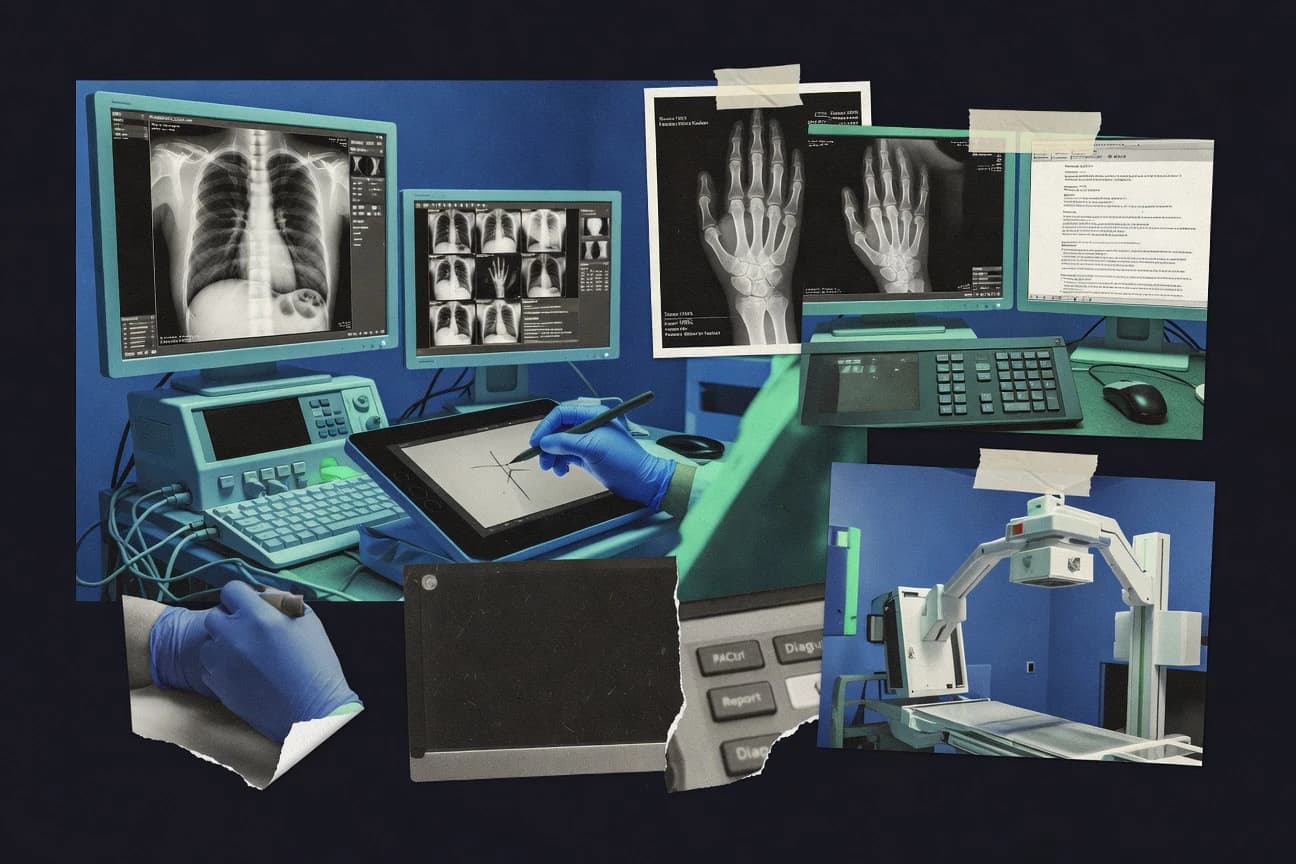
Healthcare MedicineTop 10 Best X Ray Imaging Software of 2026
Ranked roundup of x ray imaging software for clinical teams, comparing GE HealthCare, Agfa, Visage 7 by features and tradeoffs.

How we ranked these tools
Core product claims cross-referenced against official documentation, changelogs, and independent technical reviews.
Analyzed video reviews and hundreds of written evaluations to capture real-world user experiences with each tool.
AI persona simulations modeled how different user types would experience each tool across common use cases and workflows.
Final rankings reviewed and approved by our editorial team with authority to override AI-generated scores based on domain expertise.
Score: Features 40% · Ease 30% · Value 30%
Gitnux may earn a commission through links on this page — this does not influence rankings. Editorial policy
GE HealthCare Imaging and Clinical Applications is the best fit if multi-site radiography teams need consistent DICOM workflow automation and protocol discipline, whereas RadiAnt DICOM Viewer works better when you just need fast desktop X-ray review with measurements and lightweight image checking.
Editor’s top 3 picks
Three quick recommendations before you dive into the full comparison below — each one leads on a different dimension.
GE HealthCare Imaging and Clinical Applications
Acquisition-side image processing tied to exam protocols helps standardize results before images reach PACS.
Built for fits when multi-site radiography programs need protocol consistency and DICOM workflow automation..
Agfa Enterprise Imaging
Editor pickEnterprise workflow orchestration that coordinates routing and review steps across multiple imaging endpoints under shared governance.
Built for fits when radiology and IT need standardized DICOM image workflows across sites and reading locations..
Visage 7
Editor pickHigh-fidelity measurement and annotation toolset tuned for radiology review workflows.
Built for fits when clinical teams need consistent reader-side measurement and controlled workstation workflow across sites..
Comparison Table
GE HealthCare Imaging and Clinical Applications
enterpriseHealthcare imaging software supports radiology workflows, image review, and enterprise clinical operations.
Acquisition-side image processing tied to exam protocols helps standardize results before images reach PACS.
GE HealthCare Imaging and Clinical Applications fits organizations that need acquisition-side image processing tied to exam protocols, then delivered into existing PACS workflows. DICOM modality worklist support helps automate which studies start on which acquisition devices, reducing manual selection errors. DICOM Query/Retrieve and DICOM storage commitment support reliable retrieval and end-to-end storage behavior when images must be confirmed in the archive. For downstream reporting, the product’s integration points support radiologist workstation viewing and annotation workflows.
A key tradeoff is administrative overhead when protocols must match device configurations across sites, because consistent results depend on protocol governance. GE HealthCare Imaging and Clinical Applications works well when teams standardize acquisition presets and want fewer post-processing variations between technologists. It also fits teleradiology routing scenarios where predictable DICOM exchange behavior and workstation workflows reduce exceptions during peak reads.
- +DICOM modality worklist supports automated exam targeting from acquisition devices
- +Acquisition-side processing reduces variation in baseline image quality
- +Supports measurement and annotation workflows at radiologist workstation
- +DICOM Query/Retrieve and storage commitment support reliable PACS exchange
- –Protocol governance is required to keep cross-site imaging consistent
- –Automation depth depends on integration work with existing RIS and PACS
Radiology operations teams
Standardize technologist imaging protocols
More consistent image quality
PACS integration teams
Harden image flow reliability
Fewer archive exceptions
Show 1 more scenario
Teleradiology coordinators
Reduce delays during peak reads
Faster time to read
Modality worklist automation aligns exam starts to reduce handoff mismatches.
Best for: Fits when multi-site radiography programs need protocol consistency and DICOM workflow automation.
Agfa Enterprise Imaging
enterpriseEnterprise imaging software supports radiology workflows, PACS, reporting, and image exchange.
Enterprise workflow orchestration that coordinates routing and review steps across multiple imaging endpoints under shared governance.
Agfa Enterprise Imaging is a core imaging layer for routing, viewing, and workflow orchestration tied to enterprise imaging networks. It supports DICOM-based operations such as storage and retrieval so images move predictably between acquisition systems, archive, and viewing endpoints. Configuration supports role-based access patterns and operational oversight that matter in multi-department rollouts.
A key tradeoff is that the depth of workflow configuration requires disciplined implementation work, especially when aligning modality behavior and destination rules across sites. The tool fits best when radiology and IT must standardize imaging delivery and review steps for orthopedic imaging workflow or teleradiology triage.
- +Configurable DICOM workflows for consistent routing across imaging endpoints
- +Strong interoperability for storage and retrieval patterns in enterprise networks
- +Centralized governance supports multi-site imaging standardization
- +Workflow automation reduces manual steps during distributed reads
- –Workflow configuration complexity increases implementation and change-management effort
- –Advanced routing logic depends on careful integration with existing PACS and RIS
Radiology IT leaders
Standardize enterprise image delivery rules
Fewer routing inconsistencies
Teleradiology operations
Route urgent studies to remote readers
Faster triage turnover
Show 1 more scenario
Multi-site radiology teams
Control access and reading workflows
More uniform review practices
Use governance-focused configuration to keep imaging behavior consistent across locations.
Best for: Fits when radiology and IT need standardized DICOM image workflows across sites and reading locations.
Visage 7
enterpriseDiagnostic imaging software provides enterprise visualization and image management for radiology.
High-fidelity measurement and annotation toolset tuned for radiology review workflows.
Visage 7 is positioned for radiology workflows that require consistent image post-processing behavior and measurement features across modalities and sites. It fits environments that already standardize DICOM routing, since the system is designed to operate within PACS-centric routing and worklist-driven acquisition patterns. Teams tend to use its annotation and measurement toolset at the reader stage to support structured collaboration and case review.
A key tradeoff is that achieving consistent workflow outcomes depends on careful configuration of workstation behaviors and display standards. Visage 7 fits best when a clinical department needs controlled reader-side tooling and repeatable viewing plus measurement, such as for orthopedic case reviews or multi-site teleradiology handoffs.
- +Rich measurement and annotation tooling for reader workflow
- +Strong DICOM interoperability for retrieval and routing workflows
- +Configurable workstation behaviors for repeatable viewing
- +Designed for high-throughput imaging reading sessions
- –Workflow consistency depends on careful configuration and governance
- –Some automation and integration depth may require specialist implementation
Radiology reading teams
Measure and annotate orthopedic studies
Faster structured case review
PACS and imaging IT
Integrate modality-driven retrieval workflows
Less manual image handling
Show 1 more scenario
Multisite clinical governance
Standardize display and reader behavior
More uniform case processing
Configuration control supports consistent viewing and tool behavior across multiple sites.
Best for: Fits when clinical teams need consistent reader-side measurement and controlled workstation workflow across sites.
Sectra Enterprise Imaging
enterpriseEnterprise imaging software manages radiology workflows, image archives, and diagnostic viewing.
Enterprise imaging governance that coordinates workstation access and study workflow behavior across sites.
Sectra Enterprise Imaging is built for enterprise-wide diagnostic image sharing with tight control over who can access studies and how worklists flow across sites. It provides radiology workflow coverage through modality worklist integration, DICOM storage behaviors, and workstation viewing and reporting support.
Administration tooling focuses on governance for multi-site deployments, including audit-oriented operations and role-based access patterns. For clinical teams that need consistent imaging behavior across environments, Sectra’s integration depth with hospital systems is a core differentiator.
- +Enterprise deployment controls for multi-site access and workflow governance
- +Strong DICOM integration patterns that fit PACS and modality worklist workflows
- +Configuration support for consistent radiologist viewing and study handling
- +Extensible integration surface for connecting RIS and imaging acquisition systems
- –Workflow setup requires disciplined configuration to avoid inconsistent routing
- –Advanced tuning for imaging behavior can take specialized implementation effort
Best for: Fits when multi-site radiology groups need governed access, consistent study handling, and deep RIS and acquisition integration.
RadiAnt DICOM Viewer
SMBDesktop DICOM viewer supports rapid review of X-ray, CT, MRI, and other medical images.
Real-time interactive windowing and measurement editing tuned for rapid DICOM study review across varying series sizes.
RadiAnt DICOM Viewer centers on diagnostic viewing speed and interaction, including windowing and leveling, series navigation, and measurement workflows for DICOM image sets.
The viewer supports annotation and measurement tasks that fit radiologist workstation review and remote image inspection workflows.
Integration scope is mainly viewer-side, so PACS and acquisition routing require the surrounding environment to handle study retrieval and transfer.
- +Fast study load and responsive pan zoom for large DICOM series
- +Measurement and annotation toolkit covers common radiology marking needs
- +Flexible layout and windowing controls support quick diagnostic checks
- +Works well in ad hoc viewing scenarios without heavy workstation requirements
- –DICOM Query/Retrieve and PACS routing are limited to viewer-side operations
- –Advanced integration with RIS and HL7 message flows is not a core focus
- –Workflow automation is minimal compared with enterprise modality worklist tools
- –Some imaging processing tasks need external tools or additional workflow steps
Best for: Fits when teams need quick DICOM viewing, measurements, and image review with limited workflow automation.
MicroDicom
SMBWindows DICOM viewer supports X-ray review, image export, measurements, and basic reporting workflows.
DICOM Query/Retrieve and worklist-centric acquisition routing behavior designed for modality-driven delivery.
MicroDicom provides an on-premises DICOM-focused toolkit for X ray acquisition workflows that route images into storage and viewing environments. Its core strengths center on DICOM modality integration patterns such as Query/Retrieve and Worklist handling, plus image delivery built around standard DICOM operations.
The product also supports a viewer and editing layer for routine radiology post-processing tasks like windowing, measurement, and annotation. MicroDicom is a fit when clinical teams need controlled DICOM workflow behavior rather than a general-purpose imaging viewer only.
- +DICOM Query/Retrieve and modality worklist workflow support for acquisition routing
- +On-premises deployment shape for sites with strict network and data-control requirements
- +Viewer and annotation tools support routine measurements and structured markup
- +Scriptable automation via integration components for repeatable imaging steps
- –Automation depth depends on surrounding integration components rather than built-in orchestration
- –Governance controls for multi-tenant teams are less explicit than in enterprise PACS stacks
- –Advanced reporting and workflow customization requires external work to cover edge cases
- –Setup can become integration-heavy when multiple systems require strict DICOM timing
Best for: Fits when clinical teams need DICOM modality worklist routing and controlled on-prem acquisition-to-viewer flow.
Intelerad IntelePACS
enterpriseCloud-enabled PACS software supports radiology image management, interpretation, and distribution.
Configurable worklist-driven routing that standardizes studies across local and remote reading sites.
Intelerad IntelePACS is built around radiology workflow control, with worklist-driven routing and a reading experience designed for consistent study handling.
DICOM communications support includes DICOM Query/Retrieve and DICOM storage commitment to coordinate archive state with upstream systems.
Administrative governance uses role-based access patterns and audit-oriented visibility to track user actions across the imaging workflow.
- +Worklist-led routing supports high-volume reading workflows
- +DICOM Query/Retrieve and storage commitment support archive coordination
- +Annotation and measurement tooling fits routine interpretation tasks
- +RBAC-style access controls support segmented clinical governance
- –Workflow configuration can be complex without strong IT governance
- –Some advanced acquisition post-processing depends on connected modules
- –Integration outcomes hinge on how external systems expose modality worklists
- –Viewer behavior and display rules may require tuning per installation
Best for: Fits when clinical groups need configurable reading workflows with strong DICOM integration and governance.
OsiriX MD
vertical specialistCertified medical image viewer provides DICOM visualization and advanced radiology tools for macOS.
DICOM Query/Retrieve integration from within the viewer for study acquisition into an interpretation session.
OsiriX MD is an imaging viewer for DICOM images that emphasizes local interpretation workflows, with toolkits for measurement, annotation, and report-like export. The core capability is fast image navigation and post-processing on downloaded DICOM studies, including windowing, leveling, and standard radiology toolsets.
It supports DICOM Query/Retrieve and DICOM storage workflows, which helps move studies between repositories and the viewer. Automation and integration depth for clinical enterprise systems is more limited than workflow-focused PACS readers and cloud imaging platforms.
- +Low-friction workflow for local viewing, measurement, and annotation
- +DICOM Query/Retrieve support for pulling studies from a remote node
- +Built-in post-processing tools for windowing and common measurement tasks
- +Extensive tool palette for radiologist workstation-style review
- –Enterprise-grade provisioning and governance controls are limited
- –Thin coverage for modern modality worklist management and acquisition orchestration
- –Limited automation surface compared with PACS-centric readers
- –Collaboration features are constrained versus cloud or teleradiology platforms
Best for: Fits when clinical teams need a workstation-style DICOM viewer with local interpretation tools and selective retrieval.
Horos
open-sourceOpen-source medical image viewer provides DICOM visualization and analysis on macOS.
Plugin-driven imaging workflows that extend the viewer’s post-processing and annotation behavior.
Horos performs DICOM image viewing and workstation-style post-processing for radiology teams on macOS. The build focuses on image rendering, measurement and annotation workflows, and fast study navigation using standard PACS exports.
Horos also supports DICOM Query/Retrieve and storage integration patterns, which helps it slot into existing acquisition and archive workflows. It includes extensibility for additional plugins and viewer behaviors that support specific imaging use cases.
- +Mac-native DICOM viewer with strong workstation-style measurement tools
- +DICOM Query/Retrieve support fits archive-driven workflows
- +Extensible plugin model for specialized image processing workflows
- +Fast study navigation for high-throughput reading sessions
- –Workflow integration breadth can be thinner than enterprise PACS viewers
- –DICOM modality worklist management is not a primary focus in Horos
- –Plugin-dependent capabilities can fragment training and governance
- –Ortho and mammography-specific processing may require add-ons
Best for: Fits when macOS reading rooms need a workstation viewer with DICOM navigation and annotation tools.
3D Slicer
open-sourceOpen-source medical image platform supports DICOM import, visualization, analysis, and research workflows.
Slicer’s segmentation and analysis modules run interactive pipelines for 3D planning and quantitative measurements.
3D Slicer is an open-source medical imaging workstation focused on 3D visualization, segmentation, and analysis rather than clinical x-ray reading workflows. It reads and exports standard medical image formats and supports DICOM import for viewing and post-processing.
Core strengths come from measurement and annotation tooling plus extensibility via loadable modules. For x-ray teams needing picture archiving integrations, modality worklist handling, or dedicated radiology worklists, 3D Slicer’s scope is narrower than enterprise PACS and x-ray specific viewers.
- +Segmentation and measurement tools support quantitative orthopedic and bone workflows
- +Extensible module system adds custom processing and visualization steps
- +DICOM import supports viewing and basic post-processing on local studies
- +Annotation and export workflows support research-grade study outputs
- –No modality worklist management for scheduled acquisitions in clinical imaging
- –Audit-friendly governance features like RBAC and audit logs are not a built-in focus
- –Higher setup overhead when assembling the right modules for an x-ray pipeline
- –Less suited for daily radiologist reading compared with PACS-grade workstations
Best for: Fits when teams need research-grade x-ray post-processing and 3D measurement on local DICOM data.
Conclusion
After evaluating 10 healthcare medicine, GE HealthCare Imaging and Clinical Applications stands out as our overall top pick — it scored highest across our combined criteria of features, ease of use, and value, which is why it sits at #1 in the rankings above.
Use the comparison table and detailed reviews above to validate the fit against your own requirements before committing to a tool.
How to Choose the Right x ray imaging software
This buyer's guide focuses on x ray imaging software used to standardize acquisition to interpretation workflows, coordinate DICOM retrieval and routing, and support reader-side measurement and annotation. Coverage includes GE HealthCare Imaging and Clinical Applications, Agfa Enterprise Imaging, Visage 7, Sectra Enterprise Imaging, RadiAnt DICOM Viewer, MicroDicom, Intelerad IntelePACS, OsiriX MD, Horos, and 3D Slicer.
The tools span enterprise orchestration for multi-site operations and workstation-style viewers for local interpretation. The guide uses automation and integration depth into DICOM workflow patterns, plus governance and administration controls for multi-site behavior, as the main differentiators between clinical programs and IT-led deployments.
X ray imaging software for DICOM workflow orchestration, retrieval, and reader measurements
X ray imaging software manages digital radiography workflows around DICOM movement, retrieval, and study presentation for radiology review. In clinical stacks, GE HealthCare Imaging and Clinical Applications emphasizes acquisition-side image processing tied to exam protocols to reduce cross-site baseline variation before images reach PACS.
Enterprise workflow orchestration is handled differently by tools such as Agfa Enterprise Imaging, which coordinates routing and review steps across multiple imaging endpoints under shared governance. Reader-focused capabilities also differ, since Visage 7 concentrates on high-fidelity measurement and annotation tools that support consistent workstation behavior across sites.
X ray imaging software capabilities to verify across acquisition, routing, and interpretation
X ray imaging software sits between acquisition and radiology interpretation, so the biggest differences show up in how each tool handles DICOM movement, retrieval, and study presentation. Enterprise workflow orchestration and acquisition-side processing reduce variation that otherwise lands inside PACS or reader workstations.
Reader experience also varies, since measurement and annotation depth changes how consistently teams can apply clinical markings and quantitative workflows. Tools that coordinate routing and viewer behavior under governance reduce cross-site drift more than viewer-only DICOM viewing.
Acquisition-side image processing tied to exam protocols
GE HealthCare Imaging and Clinical Applications applies acquisition-side processing tied to exam protocols to reduce cross-site baseline variation before images reach PACS. This capability targets protocol standardization at the point where variability is introduced.
Enterprise workflow orchestration across imaging endpoints
Agfa Enterprise Imaging coordinates routing and review steps across multiple imaging endpoints under shared governance. It emphasizes configurable DICOM workflows that control where studies go next and how review steps are sequenced.
Reader-side measurement and annotation toolset for consistent interpretation
Visage 7 focuses on measurement and annotation tooling tuned for radiology review workflows. Its strength is consistent workstation behavior for reader-side marks and quantitative tasks.
Governed enterprise access and study workflow behavior across sites
Sectra Enterprise Imaging provides enterprise deployment controls for multi-site access and study workflow governance. It is designed to keep study handling consistent across reading locations and integration points.
Viewer performance and editing tuned for real-time DICOM review
RadiAnt DICOM Viewer emphasizes real-time interactive windowing and responsive pan zoom for large DICOM series. This is a viewer-first fit for rapid review and measurement editing rather than broad automation.
Worklist-centric acquisition routing behavior for modality delivery
MicroDicom supports DICOM Query/Retrieve and modality worklist workflow for acquisition routing. Its on-premises deployment shape is aligned with sites that require strict network and data-control boundaries.
Decision framework for selecting x ray imaging software by workflow ownership
The right choice depends on whether workflow ownership sits with imaging acquisition teams, enterprise IT, or reader-side workstations. Tools split along that line, since some platforms standardize at acquisition, while others coordinate enterprise routing, and others concentrate on viewer measurement.
The second decision point is integration and governance depth, since multi-site consistency requires disciplined configuration and a clear change path for routing and workflow behavior. The guide below routes the selection steps by these workflow responsibilities instead of treating all products as substitutes for a viewer.
If protocol standardization must happen before PACS, prioritize acquisition-side processing
Choose GE HealthCare Imaging and Clinical Applications when cross-site baseline variation needs control before images reach PACS. Confirm that exam protocols can drive acquisition-side image processing tied to acquisition workflows.
If routing and review steps must be coordinated across sites, select enterprise orchestration
Choose Agfa Enterprise Imaging when multi-site routing and review step sequencing must run under shared governance. Confirm that configurable DICOM workflows can coordinate routing across imaging endpoints without relying on manual handoffs.
If multi-site governance is primarily about access and study behavior, validate enterprise deployment controls
Choose Sectra Enterprise Imaging when consistent study handling and workstation access behavior must be governed across sites. Confirm integration patterns that support deep RIS and acquisition connectivity without creating inconsistent routing.
If the program needs controlled reader-side measurement consistency, evaluate workstation-grade tooling
Choose Visage 7 when measurement and annotation behavior must be standardized at the reader workstation. Confirm that the annotation toolset supports the specific radiology marking and quantitative workflows the clinical team performs most.
If the priority is fast DICOM viewing with limited orchestration, choose a viewer-first product
Choose RadiAnt DICOM Viewer when teams need real-time interactive windowing and fast study load with measurement editing. Confirm that PACS routing and DICOM Query/Retrieve needs are limited to viewer-side operations.
If acquisition delivery relies on worklist-driven modality routing in on-prem workflows, verify worklist-centric behavior
Choose MicroDicom when modality worklist routing and DICOM Query/Retrieve support must run in an on-premises delivery model. Confirm that built-in orchestration is sufficient for the site or that surrounding components will cover gaps.
Who should buy x ray imaging software in this short list
Clinical programs and radiology organizations buy x ray imaging software when standardization must happen across acquisition, routing, and reader workflows. The buyer split is driven by where the workflow is managed and where variability is introduced.
IT and radiology operations teams also need predictable configuration and change governance, since workflow orchestration complexity increases when routing logic must align with existing RIS and PACS behavior. Viewer-only tools fit different operational goals than enterprise orchestration platforms.
Multi-site radiography programs with protocol drift across sites
GE HealthCare Imaging and Clinical Applications fits when acquisition-side processing tied to exam protocols is required to reduce cross-site baseline variation before images reach PACS.
Radiology and IT teams standardizing study routing and review steps across endpoints
Agfa Enterprise Imaging fits when enterprise workflow orchestration must coordinate routing and review steps under shared governance across multiple imaging endpoints.
Radiology groups that need governed workstation access and consistent study handling
Sectra Enterprise Imaging fits when enterprise deployment controls are required to coordinate workstation access and study workflow behavior across sites.
Reader-side teams that need consistent measurement and annotation workflows
Visage 7 fits when measurement and annotation tooling must match reader workflow expectations and remain consistent across sites.
On-prem clinical teams focused on worklist-driven acquisition delivery
MicroDicom fits when DICOM Query/Retrieve and modality worklist behavior must support acquisition routing within strict network and data-control environments.
Common buying mistakes for x ray imaging software
Buying mistakes usually happen when workflow ownership is misunderstood. A viewer-first product is often purchased for routing automation needs it does not cover, which shifts operational risk onto manual processes.
Another frequent issue is underestimating configuration governance work. Multiple enterprise orchestration stacks require disciplined workflow configuration to prevent inconsistent routing behavior after deployment.
Treating a viewer-only DICOM workflow tool as a replacement for enterprise routing and orchestration
RadiAnt DICOM Viewer supports viewer-side DICOM Query/Retrieve and measurement editing, but advanced PACS routing and RIS integration are not a core focus. Confirm that routing automation requirements are covered by the selected platform before relying on manual review steps.
Ignoring protocol governance work when standardization is expected to happen across sites
GE HealthCare Imaging and Clinical Applications reduces variation using acquisition-side processing tied to exam protocols, but protocol governance is required to keep cross-site imaging consistent. Allocate time for cross-site protocol ownership and change control, not just software rollout.
Overlooking workflow configuration complexity for enterprise orchestration
Agfa Enterprise Imaging and Sectra Enterprise Imaging both require disciplined workflow configuration to avoid inconsistent routing behavior. Plan integration work with existing PACS and RIS so routing logic matches established operational expectations.
Selecting for enterprise governance when the program only needs high-fidelity reader measurement
Visage 7 focuses on measurement and annotation tools tuned for reader workflows, so teams that only need controlled marking and quantitative behavior may not benefit from full enterprise orchestration complexity. Confirm reader-side consistency requirements before choosing an orchestration-heavy stack.
Expecting worklist automation depth from a tool that depends on surrounding integration components
MicroDicom provides modality worklist workflow support and DICOM Query/Retrieve, but automation depth depends on the surrounding integration components rather than built-in orchestration. Validate which components cover the rest of the acquisition-to-delivery chain in the target environment.
How We Selected and Ranked These Tools
We evaluated each x ray imaging software option on workflow integration depth, including how well it supports DICOM modality worklist behavior and coordinated routing or retrieval for clinical interpretation. We scored features at 40% weight and then scored ease and overall value at 30% each to reflect operational friction and day-to-day usability.
We separated reader-side measurement strength from orchestration behavior so Visage 7 could be judged on annotation and measurement depth while Agfa Enterprise Imaging and Sectra Enterprise Imaging were judged on routing and governance coordination. GE HealthCare Imaging and Clinical Applications ranked first because acquisition-side image processing tied to exam protocols directly targets cross-site baseline variation before images reach PACS and because its DICOM modality worklist support enables automated exam targeting from acquisition devices.
Frequently Asked Questions About x ray imaging software
How does GE HealthCare Imaging and Clinical Applications automate image acquisition-side processing before PACS routing?
Which tools support DICOM Query/Retrieve for pulling studies into a reading workflow?
When does image routing across local and remote reading sites become a primary decision factor?
What breaks if an organization needs the same workstation behavior across multiple imaging endpoints and reading rooms?
How do Visage 7 and Horos differ in measurement and annotation workflow design?
How do admin controls and audit-oriented monitoring differ across enterprise imaging platforms like Sectra Enterprise Imaging and Intelerad IntelePACS?
Which software products are oriented around modality worklist handling for acquisition-to-viewer flow?
What tradeoff appears when an organization chooses a viewer-first tool rather than an enterprise orchestration platform?
How does extensibility impact operational workflow when choosing Horos versus an open-source platform like 3D Slicer?
Tools reviewed
Primary sources checked during evaluation.
Referenced in the comparison table and product reviews above.
- Healthcare MedicineTop 10 Best Radiology Imaging Software of 2026
- Science ResearchTop 10 Best Microscopy Imaging Software of 2026
- Healthcare MedicineTop 10 Best Dental Radiography Software of 2026
- Healthcare MedicineTop 10 Best Radiation Oncology Software of 2026
- Healthcare MedicineTop 10 Best Pacs Medical Imaging Software of 2026
Keep exploring
Comparing two specific tools?
Software Alternatives
See head-to-head software comparisons with feature breakdowns, pricing, and our recommendation for each use case.
Explore software alternatives→In this category
Healthcare Medicine alternatives
See side-by-side comparisons of healthcare medicine tools and pick the right one for your stack.
Compare healthcare medicine tools→