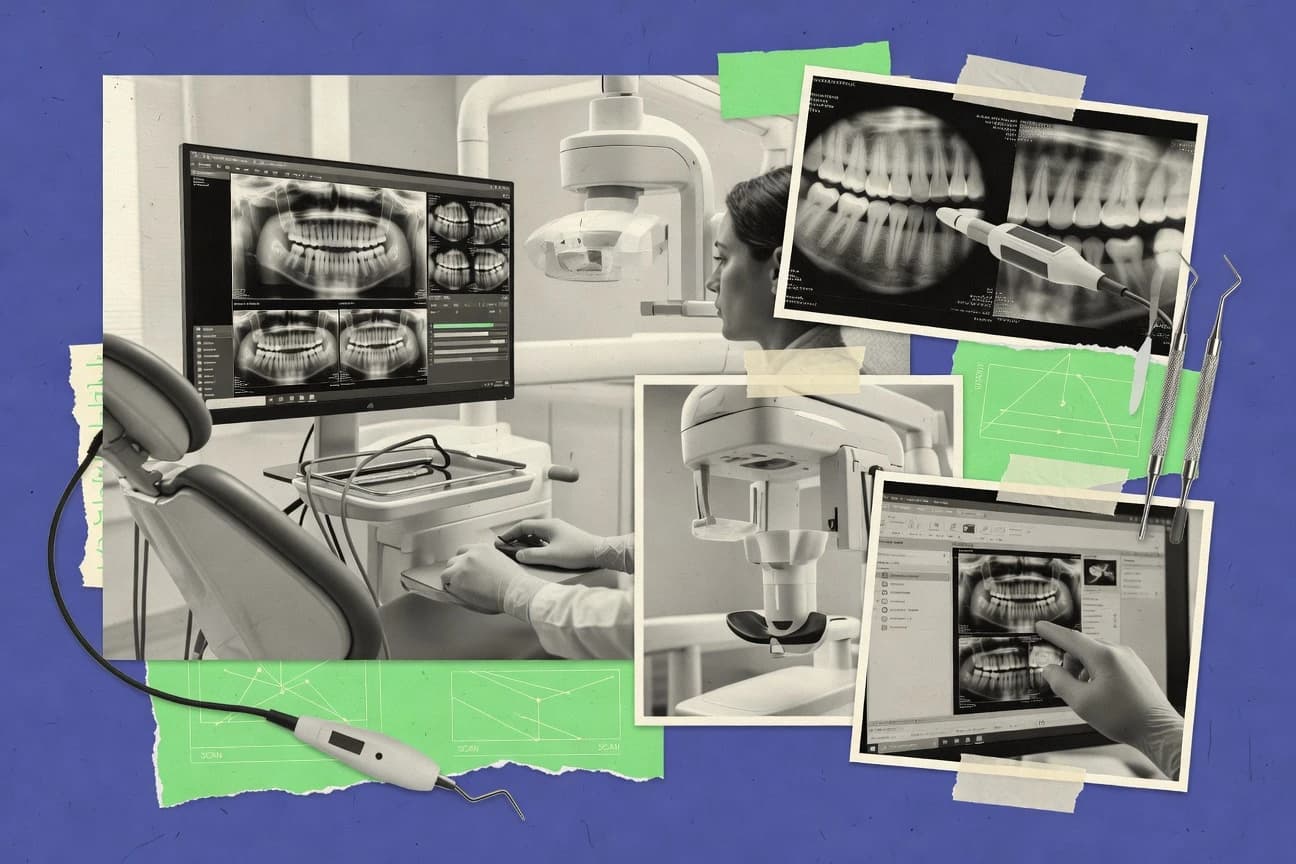
GITNUXSOFTWARE ADVICE
Healthcare MedicineTop 10 Best Dental Radiography Software of 2026
Top 10 dental radiography software ranked by imaging quality and workflow checks, including Apteryx XVWeb, Dentrix Ascend, and Open Dental Imaging.

How we ranked these tools
An editor sets the topic, the inclusion criteria, and the evaluation framework before research starts.
AI search agents find sources, extract figures with provenance, and aggregate written reviews. They also transcribe video reviews and podcasts.
Framework: Features 40% · Ease 30% · Value 30%
Gitnux may earn a commission through links on this page — this does not influence rankings. Editorial policy
For multi-room practices needing consistent web-based radiograph review with DICOM-integrated capture, Apteryx XVWeb is the clearest overall fit, whereas Dentrix Ascend Imaging suits Dentrix-backed teams that want cloud imaging linked to patient records with review, annotation, and documentation kept in step.
Editor’s top 3 picks
Three quick recommendations before you dive into the full comparison below — each one leads on a different dimension.
Apteryx XVWeb
Web-first DICOM viewing with annotation and measurement tools used for standardized radiographic documentation across rooms.
Best for: Fits when multi-room practices need consistent web-based radiograph review with DICOM-integrated capture.
Dentrix Ascend Imaging
Editor pickRetake analysis in the imaging workflow helps teams identify capture problems and reduce repeated exposures.
Best for: Fits when Dentrix Ascend practices want consistent imaging review, annotation, and documentation workflows without custom imaging rebuilds.
Open Dental Imaging
Editor pickMeasurement and radiographic annotation tools work inside the Open Dental imaging workflow instead of a separate viewer.
Best for: Fits when clinics run Open Dental daily and want imaging review tightly coupled to the chart.
Comparison Table
Apteryx XVWeb
vertical specialistApteryx XVWeb provides cloud-based dental image storage, viewing, and sharing.
Web-first DICOM viewing with annotation and measurement tools used for standardized radiographic documentation across rooms.
Apteryx XVWeb is designed for imaging workflow continuity from capture to review, with a web viewer that supports common radiographic review steps such as measurement and annotations. The product’s fit is strongest when a clinic needs web-based access for clinicians and staff rather than restricting viewing to a dedicated workstation. Integration depth is anchored around DICOM-centric exchange, which reduces friction when imaging devices and practice systems already use DICOM workflows.
A key tradeoff is that browser-based viewing still depends on correct imaging integration at the capture side, so device driver and worklist behavior must be validated during setup. Apteryx XVWeb is a strong choice for practices that want centralized review and repeatable documentation steps across multiple operator locations while keeping imaging handling consistent between rooms.
- +Browser-based DICOM viewing for shared chairside review
- +Radiographic annotation and measurement tools for documented findings
- +DICOM-centric integration supports existing imaging pipelines
- +Centralized access supports multi-room workflows without extra viewers
- –Capture-side device integration needs careful setup validation
- –Advanced workflow automation depends on how devices populate worklists
- –Large file sets can feel slower on constrained network links
- –Some governance requires deliberate configuration to match roles
Dental practice clinicians
Chairside review with annotated radiographs
More consistent documented findings
Imaging coordinator teams
Standardized image handling across operator rooms
Fewer workflow deviations
Show 2 more scenarios
IT administrators
Centralized DICOM workflow integration
Less integration churn
Administrators connect imaging sources using DICOM-centric exchange patterns for storage and retrieval.
Offsite clinical reviewers
Remote radiograph review and annotation
Faster case turnaround
Reviewers access radiographs through the web interface without needing a dedicated viewer install.
Best for: Fits when multi-room practices need consistent web-based radiograph review with DICOM-integrated capture.
Dentrix Ascend Imaging
SMBDentrix Ascend Imaging links dental radiographs and patient records in a cloud practice system.
Retake analysis in the imaging workflow helps teams identify capture problems and reduce repeated exposures.
Dentrix Ascend Imaging focuses on image review and documentation workflows rather than acting as a generic viewer. The product supports radiography image annotation and measurement tools for clinician use during case review. Practices also benefit from workflow feedback loops like retake analysis, which helps reduce repeat exposures when staff can review prior capture outcomes.
A tradeoff is that the value is strongest when the clinic commits to the Dentrix Ascend imaging and workflow pattern rather than building a highly custom standalone imaging workflow. It fits best for practices using Dentrix Ascend where staff want fewer handoffs between acquisition, review, and charting activities.
- +Tight alignment to Dentrix Ascend imaging and clinical workflow steps
- +Annotation and measurement tools support chairside documentation
- +Retake analysis helps staff learn from prior image capture outcomes
- +Image export supports sharing for clinical review and records
- –Best results depend on adopting the Dentrix Ascend workflow model
- –Advanced routing and integration depth can require practice-level IT involvement
Operations managers
Reduce repeated radiographs
Fewer retakes
Dentists
Chairside measurements and notes
More complete records
Show 2 more scenarios
Imaging coordinators
Coordinate imaging review handoffs
Faster case progression
Manage capture outcomes and move images into review with fewer workflow gaps between staff roles.
Multi-provider clinics
Standardize imaging documentation
Consistent documentation
Maintain consistent annotation and export behavior so multiple clinicians document cases in the same way.
Best for: Fits when Dentrix Ascend practices want consistent imaging review, annotation, and documentation workflows without custom imaging rebuilds.
Open Dental Imaging
SMBOpen Dental Imaging connects radiographic image capture and management with practice records.
Measurement and radiographic annotation tools work inside the Open Dental imaging workflow instead of a separate viewer.
Open Dental Imaging is designed to sit alongside Open Dental so radiography review, measurement, and radiographic annotations remain tied to the same patient record. The viewer supports common review operations like measurement and markup, and the enhancement tools support image adjustments during diagnostics. Device and imaging workflow configuration lets clinics standardize how images are acquired and stored per practice.
A key tradeoff is that advanced integration patterns depend on Open Dental deployment choices rather than offering a standalone imaging stack with a broad independent API. Open Dental Imaging fits best where daily imaging capture happens through the Open Dental environment and the clinic wants consistent study handling for every provider.
- +Stays anchored to Open Dental patient workflow for fewer context switches
- +Includes measurement and radiographic annotation tools for chairside review
- +Image enhancement supports consistent review during retake analysis
- +Practice-level configuration supports standardized imaging device handling
- –Standards-based interoperability depends on how the Open Dental deployment is set up
- –Standalone automation and API-first integration paths are narrower than imaging-only vendors
Dental practice operations
Standardize imaging device handling
More consistent study workflow
Associate dentists
Chairside retake review and markup
Faster quality corrections
Show 1 more scenario
Treatment coordinators
Generate referral-ready image exports
Cleaner referral documentation
Export options support moving selected studies for communication without leaving the imaging context.
Best for: Fits when clinics run Open Dental daily and want imaging review tightly coupled to the chart.
DEXIS IS
enterpriseDEXIS IS manages digital dental radiography, imaging workflows, and diagnostic records.
Chairside-first imaging workflow that keeps acquisition, enhancements, and annotations in one continuous review loop.
DEXIS IS is a dental imaging workflow system from DEXIS that focuses on chairside acquisition, image review, and distribution into practice records. Image enhancement, measurement tools, and radiographic annotation support intraoral, panoramic, and cephalometric workflows depending on configured devices.
- +Integrated acquisition and radiographic review tools reduce handoffs between steps
- +Measurement and annotation workflow supports consistent documentation during case review
- +DICOM-oriented distribution supports integration with imaging consumers in the practice
- +Configuration for common imaging workflows supports daily throughput at the chairside
- –Device driver and workflow configuration can be nontrivial for multi-unit practices
- –Depth of governance features such as audit log and granular RBAC is less visible than in some competitors
- –Advanced DICOM exchange options may require careful interoperability testing per destination
- –Some export and enhancement capabilities depend on enabled modules in the deployed setup
Best for: Fits when practices need a single clinical imaging loop with DICOM-oriented sharing into existing systems.
DBSWIN
vertical specialistDBSWIN supports digital dental radiography acquisition, processing, and image management.
In-image radiographic measurements and annotation stay attached to the viewing workflow for quick documentation during review sessions.
DBSWIN performs digital radiography acquisition and viewing for dental imaging workflows built around local image handling. It supports radiographic annotation and measurement tools so clinicians can document findings directly on images.
- +Annotation and measurement tools work directly on opened radiographs
- +Export workflows support moving images into external clinical documents
- +Designed for on-premises style use where local control matters
- +Supports common acquisition-to-viewing workflow sequencing for busy chairs
- –Integration depth depends heavily on installed environment and connectivity setup
- –Less automation for bulk processing than teams often expect for high throughput
- –Complex imaging device onboarding can slow initial deployments
- –Limited visibility into audit trails compared with stricter governed stacks
Best for: Fits when dental teams need in-chair radiograph viewing with annotations and controlled export for ongoing case review.
Owandy Imaging Software
vertical specialistOwandy imaging software supports digital dental radiography acquisition and image analysis.
Annotation and measurement tooling is embedded into the acquisition and viewing workflow to reduce tool switching during consults.
Owandy Imaging Software is a dental imaging workflow package focused on managing radiographic acquisition, viewing, and image handling in clinic environments. The product supports common imaging device connectivity patterns and emphasizes local workstation use for day-to-day intraoral and extraoral capture workflows.
- +Includes radiographic measurement and annotation tools inside the imaging viewer
- +Supports multiple capture workflows for intraoral and extraoral acquisition sessions
- +Designed for on-premises style use with local workstation-centric handling
- +Exports images for documentation without forcing a separate viewer product
- –DICOM exchange features require careful configuration for consistent retrieval behavior
- –Automation and API-based orchestration are limited compared with workflow-first vendors
- –Advanced governance such as fine-grained RBAC and centralized audit trails are thin
- –Retake analysis and exposure tracking depend on workflow specifics per device setup
Best for: Fits when a dental practice needs a workstation-led imaging workflow with annotations and export, plus workable DICOM exchange.
Planmeca Romexis
enterprisePlanmeca Romexis combines 2D, 3D, and clinical dental imaging in one platform.
Romexis viewer concentrates image review, radiographic annotations, and measurements in one case workflow.
Planmeca Romexis pairs imaging, annotation, and measurement in a single Romexis viewer workflow, which reduces context switching during intraoral, panoramic, and cephalometric reviews. Romexis also supports DICOM image handling with acquisition and device integration built around Planmeca imaging hardware and its driver stack.
- +Single viewer workflow for intraoral, panoramic, and cephalometric review
- +Measurement and radiographic annotation tools support consistent documentation
- +DICOM imaging workflows fit clinics already standardizing on Planmeca devices
- +Image export supports practical handoff for referrals and internal case review
- –Device integration depth favors Planmeca hardware over mixed-vendor imaging stacks
- –DICOM connectivity and imaging workflows can require more IT configuration effort
- –Annotation and measurement templates may need setup discipline for consistency
- –Browser-only access is not the primary emphasis compared with desktop workflows
Best for: Fits when imaging workflows center on Planmeca hardware and in-view measurement and annotations matter most.
CS Imaging
enterpriseCS Imaging organizes and analyzes intraoral, panoramic, cephalometric, and 3D dental images.
Measurement and annotation workflow designed for clinical interpretation across multiple radiography types within one viewer.
CS Imaging centers on dental radiography image viewing and workflow for intraoral radiography, panoramic radiography, and cephalometric review in one place. The software handles DICOM image ingestion and provides measurement and annotation tools for clinical interpretation and documentation.
- +DICOM image viewing with clinical measurement and annotation tools
- +Works across intraoral, panoramic, and cephalometric workflows
- +Supports image enhancement and export for clinical and operational use
- +Imaging-user access controls support consistent workflow across stations
- –Limited visibility into device integration depth compared with top workflow vendors
- –Automation surface for acquisition and post-processing is less extensive than higher-ranked systems
- –Advanced governance controls like detailed audit trails are less clearly defined
- –Browser-based deployment options are not emphasized for mixed on-prem and cloud setups
Best for: Fits when imaging teams need reliable DICOM viewing, measurement, and documentation across common radiography types.
Curve Dental Imaging
SMBCurve Dental Imaging stores and displays radiographs within a cloud dental practice platform.
In-view radiographic annotation and measurement tools support same-session case analysis.
Curve Dental Imaging handles dental radiography image acquisition workflows and viewer-based review for intraoral and extraoral studies. Curve Dental Imaging focuses on clinical image handling, including radiographic annotation and measurement tools used during case review.
- +Viewer workflow supports review and annotation for radiographic cases
- +Measurement tools support common consult and follow-up analysis
- +Export workflows support moving images to downstream processes
- +Image handling is oriented around day-to-day clinical throughput
- –Limited evidence of deep DICOM integration tooling for enterprise imaging
- –Automation and API surface appear constrained for large-scale integrations
- –Device driver and acquisition scope may require validation per hardware
- –Advanced governance controls like granular audit tooling are not clearly documented
Best for: Fits when practices need reliable imaging review with annotations and exports.
ClearDent Imaging
SMBClearDent Imaging manages dental radiographs and clinical images inside practice software.
Built around radiographic annotation and measurement workflows on DICOM images for interpretation-ready documentation.
ClearDent Imaging targets dental teams that need radiology viewing, annotation, and workflow around intraoral and other imaging types while keeping clinical images usable in day to day chart review. The tool centers on DICOM image handling for viewing and export, plus image annotation and measurements for interpretation and documentation.
- +DICOM-focused workflow supports consistent viewing, annotation, and export
- +Radiographic measurement and annotation tools support documentation
- +Image handling supports practice imaging processes without heavy customization
- +Integration with practice workflows reduces manual image handoffs
- –Automation and API depth for custom workflows is not as broad as top tier tools
- –Device onboarding and configuration can require stronger IT governance than expected
- –Advanced imaging enhancement controls are less granular than higher ranked systems
- –Some specialty workflow steps may depend on external practice system behavior
Best for: Fits when a dental team needs DICOM-based image viewing and documentation with moderate integration effort.
Conclusion
After evaluating 10 dental radiography software, Apteryx XVWeb stands out as our overall top pick — it scored highest across our combined criteria of features, ease of use, and value, which is why it sits at #1 in the rankings above.
Use the comparison table and detailed reviews above to validate the fit against your own requirements before committing to a tool.
How to Choose the Right Dental Radiography Software
Dental radiography software coordinates image acquisition review, radiographic annotation, and measurement so practices can document intraoral, panoramic, and cephalometric cases consistently across rooms and devices. This guide covers Apteryx XVWeb, Dentrix Ascend Imaging, Open Dental Imaging, and the other top-ranked options in the category list.
The standout differences show up in how each tool fits the imaging workflow loop and how well it supports DICOM-based viewing and documented findings without forcing additional handoffs. The product coverage also reflects where automation and integration effort shifts, from device worklists to practice management alignment and chart-anchored imaging review.
Dental Radiography Software for DICOM viewing, annotation, and measurement workflows
Dental radiography software processes radiographs from acquisition workflows into review tools that support image viewing plus radiographic annotations and measurement during clinical interpretation. In this category, Apteryx XVWeb emphasizes browser-based DICOM viewing with annotation and measurement tools designed for standardized radiographic documentation across rooms.
Dentrix Ascend Imaging centers on consistent imaging review and chairside documentation inside the Dentrix Ascend workflow model rather than requiring custom imaging rebuilds. Open Dental Imaging anchors measurement and radiographic annotation tools directly inside the Open Dental imaging workflow to reduce context switches back into the chart during case review.
Dental Radiography Software features that determine workflow speed and documented consistency
A dental practice needs radiographs to move from acquisition into a review space where clinicians can measure and annotate findings in the same place across visits. That consistency matters more than image quality alone because retakes, exports, and documentation each introduce failure points.
Web-first DICOM viewing with in-view documentation
Apteryx XVWeb delivers browser-based DICOM viewing with annotation and measurement tools intended for standardized radiographic documentation across rooms. This design reduces chairside context switching when clinicians review cases from multiple locations.
Retake analysis inside the imaging workflow loop
Dentrix Ascend Imaging includes retake analysis during the imaging workflow to help teams identify capture problems and reduce repeated exposures. This feature works best when the practice adopts the Dentrix Ascend workflow model end-to-end.
Chart-anchored imaging workflow with embedded annotation tools
Open Dental Imaging keeps radiographic measurement and radiographic annotation tools inside the Open Dental imaging workflow rather than forcing a separate viewer session. Teams get fewer navigation steps by staying anchored to the patient workflow.
Single continuous clinical loop from acquisition to annotations
DEXIS IS is built around a chairside-first imaging workflow that keeps acquisition, enhancements, and annotations in one continuous review loop. This reduces handoffs between steps during case review sessions.
In-image measurement and annotation tied to export
DBSWIN attaches radiographic measurements and annotation directly to the opened radiographs inside the viewing workflow. Export workflows then support moving images into external clinical documents for ongoing case review.
Multi-modality viewer workflow across common radiography types
CS Imaging supports measurement and annotation across intraoral, panoramic, and cephalometric workflows within one viewer. The workflow centers on DICOM viewing paired with clinical interpretation tools.
How to choose Dental Radiography Software based on integration depth and workflow control
This category splits into two dominant philosophies: tools that center on web-first DICOM review with documentation layers, and tools that center on the practice management workflow so images, measurements, and annotations stay close to chart actions. The choice changes how much effort goes into device onboarding, worklist population, and clinician navigation.
Pick the workflow anchor by where clinicians should spend time
If clinicians need browser access for radiographic review across rooms, Apteryx XVWeb aligns with that model using browser-based DICOM viewing plus annotation and measurement tools. If imaging review must stay inside the chart workflow, Open Dental Imaging anchors measurement and radiographic annotation inside the Open Dental imaging workflow.
Choose the product that matches the capture-to-review handoff style
If capture results must populate a review space for chairside evaluation with minimal context switching, DEXIS IS keeps acquisition, enhancements, and annotations inside a single clinical loop. If the practice runs Dentrix Ascend Imaging workflows, Dentrix Ascend Imaging emphasizes workflow alignment with built-in retake analysis during imaging steps.
Confirm whether device integration complexity fits existing IT capacity
If the practice expects careful setup validation for capture-side device integration, Apteryx XVWeb requires attention to how devices populate worklists before annotation workflows are consistent. If mixed-vendor imaging stacks are expected, Planmeca Romexis favors Planmeca hardware integration depth and can increase IT configuration effort for non-native stacks.
Assess automation expectations for bulk processing and custom integration
If automation needs rely on advanced workflow orchestration, the category cards show that workflow-first vendors like Apteryx XVWeb and DEXIS IS have stronger emphasis on automation surfaces than tools framed as narrower or more workflow-specific. If the practice mainly needs measurement and annotation in the viewer with limited orchestration, ClearDent Imaging focuses on DICOM-based viewing and documentation with narrower API breadth than top tier tools.
Validate governance capabilities through practical roles and export paths
If governance features matter for who can annotate and how changes are recorded, DEXIS IS has less visible depth in audit log and granular RBAC than competitors with more governance emphasis. If governance needs are lighter but consistent clinical documentation is required, CS Imaging pairs DICOM viewing with measurement and annotation across radiography types without emphasizing deep governance controls.
Who should consider each approach to Dental Radiography Software
Dental radiography software serves different operational patterns based on device mix, practice management platform, and whether clinicians review images in a dedicated imaging session or directly inside the chart workflow. The tools below map to those patterns using the specific workflow anchors described in the product cards.
Multi-room practices that want browser-based image review
Apteryx XVWeb fits when multiple rooms require consistent radiographic review because it uses web-first DICOM viewing with annotation and measurement tools designed for standardized documentation across locations.
Dentrix Ascend practices standardizing chairside imaging documentation
Dentrix Ascend Imaging fits when the practice wants consistent imaging review and documentation aligned to Dentrix Ascend workflow steps, including retake analysis to reduce repeated exposures.
Clinics running Open Dental daily with chart-anchored interpretation
Open Dental Imaging fits when imaging review needs to stay coupled to patient workflow, because measurement and radiographic annotation tools run inside the Open Dental imaging workflow.
Practices that need acquisition-to-annotation continuity at chairside
DEXIS IS fits when teams want one continuous clinical loop that includes acquisition, enhancements, and annotations in the same workflow instead of multiple handoffs.
Teams focused on in-view measurement and export for case documentation
DBSWIN fits when annotations and measurements must stay attached to the opened radiographs and export workflows must move images into external clinical documents.
Common pitfalls that break radiography workflow consistency
Radiography software failures usually come from mismatches between the expected imaging workflow and the real device and chart integration behavior. The category cards highlight several predictable causes tied to configuration, workflow adoption, and integration breadth.
Assuming browser viewing is enough without validating how devices populate worklists
Apteryx XVWeb can deliver consistent chairside review only after capture-side device integration is set up so devices feed the review workflow reliably. Test how worklists populate before rolling out shared web review across rooms.
Adopting imaging software without adopting the workflow model it is aligned to
Dentrix Ascend Imaging delivers best results when the practice adopts the Dentrix Ascend workflow model that supports retake analysis and review steps. Treating it as a drop-in viewer can increase routing and integration friction.
Expecting enterprise-grade automation from imaging-focused tools with narrower orchestration surfaces
ClearDent Imaging and Curve Dental Imaging are framed as narrower automation and API surface options compared with higher-ranked workflow automation emphasis. Map custom workflows and integration ambitions to the documented automation depth in the category cards before procurement.
Choosing a vendor workflow that favors one hardware ecosystem while planning a mixed-vendor stack
Planmeca Romexis shows integration depth that favors Planmeca hardware, and mixed-vendor imaging stacks can increase IT configuration effort. Validate device onboarding and DICOM connectivity expectations for the actual hardware mix.
Overlooking governance depth when multiple roles must annotate and export images
DEXIS IS has less visible depth of governance features such as audit log and granular RBAC than some competitors. If governance is a selection requirement, test role-based annotation and export behaviors during implementation planning.
How We Selected and Ranked These Tools
We evaluated Apteryx XVWeb, Dentrix Ascend Imaging, Open Dental Imaging, and the other category entries using features at 40% weight, ease and value at 30% weight each. Integration depth and workflow automation were central because radiography software must coordinate capture, viewing, measurement, annotation, and documented export paths.
Apteryx XVWeb separated itself by combining web-first DICOM viewing with radiographic annotation and measurement tools meant for standardized documentation across rooms. The ranking also reflected operational fit signals like retake analysis for Dentrix Ascend workflows and the chart-anchored workflow coupling in Open Dental Imaging.
Frequently Asked Questions About Dental Radiography Software
How do Apteryx XVWeb and Planmeca Romexis handle browser-based radiograph review with annotations?
Which platform is best when the practice uses Dentrix Ascend as the clinical data backbone for imaging steps?
How does Open Dental Imaging keep imaging tied to a single patient chart context during review and export?
Which tool is designed for a single clinical imaging loop that links acquisition, enhancement, and export?
What breaks if a practice needs retake analysis to reduce repeat exposures across imaging rooms?
How do DEXIS IS and Open Dental Imaging support interoperability using DICOM exchange patterns?
When does administration work differ between Apteryx XVWeb and CS Imaging for imaging user access and operational consistency?
Where does image export fall short for charting workflows if the practice requires in-workflow radiographic measurements?
Which solution should be evaluated when the priority is embedded measurement and radiographic annotation during capture-room consults?
How do developers assess extensibility and integration readiness across Apteryx XVWeb, ClearDent Imaging, and Open Dental Imaging?
Tools reviewed
Primary sources checked during evaluation.
Referenced in the comparison table and product reviews above.
- Healthcare MedicineTop 10 Best Dental Software of 2026
- Healthcare MedicineTop 10 Best Most Popular Dental Software of 2026
- Healthcare MedicineTop 10 Best Dental Treatment Plan Software of 2026
- Healthcare MedicineTop 10 Best Dental Cloud Based Software of 2026
- Healthcare MedicineTop 10 Best Radiology Speech Recognition Software of 2026
Keep exploring
Comparing two specific tools?
Software Alternatives
See head-to-head software comparisons with feature breakdowns, pricing, and our recommendation for each use case.
Explore software alternatives→In this category
Healthcare Medicine alternatives
See side-by-side comparisons of healthcare medicine tools and pick the right one for your stack.
Compare healthcare medicine tools→