
GITNUXSOFTWARE ADVICE
Technology Digital MediaTop 10 Best Wireframe Software of 2026
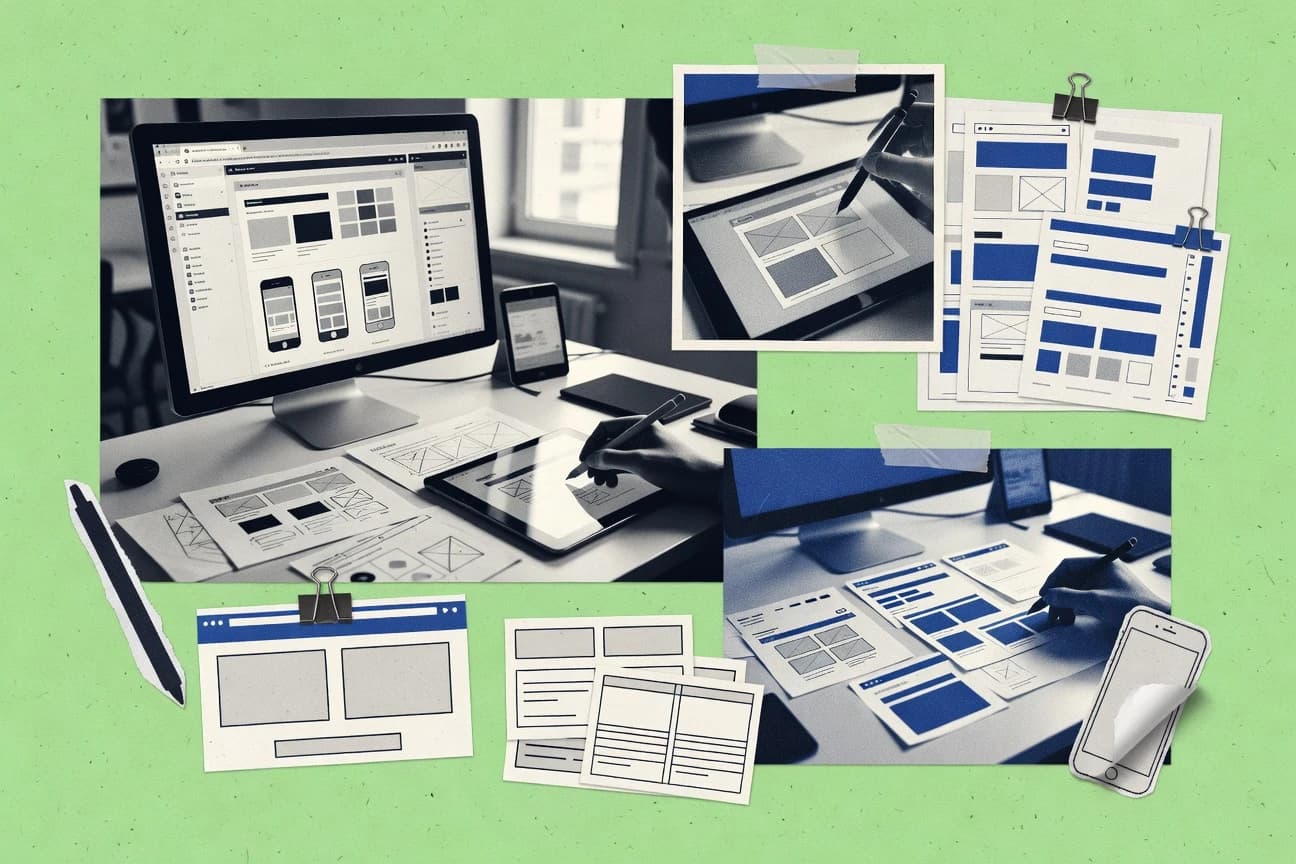
Top 10 ranked wireframe software for product designers with tradeoffs across Justinmind, Balsamiq Wireframes, Axure RP, plus UXPin.

How we ranked these tools
Core product claims cross-referenced against official documentation, changelogs, and independent technical reviews.
Analyzed video reviews and hundreds of written evaluations to capture real-world user experiences with each tool.
AI persona simulations modeled how different user types would experience each tool across common use cases and workflows.
Final rankings reviewed and approved by our editorial team with authority to override AI-generated scores based on domain expertise.
Score: Features 40% · Ease 30% · Value 30%
Gitnux may earn a commission through links on this page — this does not influence rankings. Editorial policy
For interaction-rich, documentation-heavy flows that need validated click paths inside the wireframe tool, Axure RP is the safest pick, whereas Balsamiq Wireframes fits teams that want fast, low-fidelity alignment and simple clickable checks early on.
Editor’s top 3 picks
Three quick recommendations before you dive into the full comparison below — each one leads on a different dimension.
Axure RP
Built-in logic with variables and conditionals drives stateful, multi-step prototypes from wireframes.
Built for fits when teams need interaction-rich wireframes for validated flows without leaving the wireframe tool..
Balsamiq Wireframes
Editor pickClickable mockups that connect screens for quick flow validation without high-fidelity interaction work.
Built for fits when teams need quick low-fidelity alignment and simple clickable flow checks..
UXPin
Editor pickBuilt-in interaction state modeling that turns wireframes into behavior-driven prototypes with screen-to-screen navigation.
Built for fits when product teams need stateful clickable prototypes that stay consistent across reused components..
Comparison Table
Axure RP
enterpriseWireframing and prototyping platform for documentation-heavy enterprise workflows.
Built-in logic with variables and conditionals drives stateful, multi-step prototypes from wireframes.
Axure RP centers on interactive wireframing, where hotspots, conditions, and page flow rules can be modeled on top of screen layouts. The workspace supports component reuse with properties that propagate across screens, which helps keep interaction behavior consistent during iteration. Teams can coordinate reviews with detailed annotations layered onto individual screens and regions.
A key tradeoff is that advanced interaction logic increases authoring complexity compared with tools that focus on static diagramming. Axure RP fits best when wireframes must include interaction states and edge-case flows for validated usability tests, not just visual layout for early alignment.
- +Variables and conditional actions enable true interaction logic, not just clickable links.
- +Reusable components keep behaviors consistent across large screen sets.
- +Annotations and logic live with the wireframe, reducing handoff ambiguity.
- +Prototype export supports stakeholder walkthroughs with interaction fidelity.
- –Complex page logic increases setup time for new templates.
- –Responsive behavior can require careful event planning per breakpoint.
- –Authoring can feel heavy for simple static mockups.
- –Advanced interaction patterns demand disciplined naming and structure.
Product designers
Model multi-state form interactions
Clear behavior for usability testing
UX research teams
Prototype edge-case task flows
Repeatable scenario validation
Show 2 more scenarios
Product engineering
Review interaction specs with annotations
Reduced interpretation gaps
Engineers can reference annotated screens while tracing interactions and state changes in the exported prototype.
Design system owners
Maintain reusable component patterns
Fewer inconsistencies during revisions
Shared components enforce consistent interaction behavior across screens during iterative updates.
Best for: Fits when teams need interaction-rich wireframes for validated flows without leaving the wireframe tool.
Balsamiq Wireframes
SMBLow-fidelity wireframing tool with a sketch-style interface.
Clickable mockups that connect screens for quick flow validation without high-fidelity interaction work.
Balsamiq centers on static-to-interactive wireframes with annotation and linkage between screens for quick user feedback cycles. Its widget library includes common UI elements like buttons, forms, navigation patterns, and layout containers, which speeds up screen inventory work. Clickable prototypes let reviewers jump between pages to test page flows without shifting into design-system fidelity.
A key tradeoff is that Balsamiq’s interaction depth is limited compared with tools built for detailed interaction states and component-level behavior. Balsamiq works best when teams need early alignment on navigation model and information hierarchy, then move to higher-fidelity tooling for edge-case and breakpoint behavior.
- +Rapid sketch-style wireframes using a large widget set
- +Clickable mockups for validating basic navigation and page flow
- +Annotation tools that keep review feedback attached to screens
- +Project organization supports multi-screen reviews for stakeholders
- –Interaction modeling is shallow for complex state transitions
- –Export and fidelity controls are limited versus high-fidelity editors
Product managers and designers
Align on onboarding page flow
Faster feedback on key steps
UX teams documenting requirements
Capture information hierarchy for forms
Clearer scope for implementation
Show 1 more scenario
Small product teams
Review mobile and desktop screen inventories
Less rework during design iteration
Builds a set of screens in one project and shares them for consolidated review.
Best for: Fits when teams need quick low-fidelity alignment and simple clickable flow checks.
UXPin
enterpriseDesign and wireframing tool with design system management features.
Built-in interaction state modeling that turns wireframes into behavior-driven prototypes with screen-to-screen navigation.
UXPin provides canvas-based wireframing with both layout editing and interaction setup, including click behavior and conditional states. The tool favors reusable UI components so teams can update styles and structure without redoing every screen. Prototype assembly supports multi-screen navigation and interaction states for quick validation of page flow and task flow assumptions.
A key tradeoff versus more code-first prototyping tools is that deep custom interaction logic can feel constrained to what the interaction engine models. UXPin fits teams validating responsive breakpoints and edge-case flows where designers need to see behavior early, then refine states iteratively.
- +Component-based editing reduces repetitive screen rebuilds during iteration
- +Interaction states support practical clickable prototypes without external tools
- +Reusable pattern updates propagate across connected screens
- +Admin project organization supports multi-team reuse and governance
- –Complex interaction logic is limited to the built-in interaction model
- –Workspace structure can require setup discipline for large libraries
Product design teams
Validate task flows with interaction states
Faster flow decisions
Design systems teams
Maintain reusable components across projects
Lower maintenance effort
Show 2 more scenarios
UX leaders
Review prototypes with behavior expectations
Better feedback quality
Stakeholders test click paths and conditional states in the prototype context.
Cross-functional teams
Align on responsive wireframe behavior
Fewer handoff surprises
Teams iterate breakpoints while keeping interactions consistent across screen variants.
Best for: Fits when product teams need stateful clickable prototypes that stay consistent across reused components.
Wireframe.cc
SMBMinimalist browser-based wireframing tool with a focus on speed.
One-link click-through wireframes for page-to-page flow review without building complex interaction maps.
Wireframe.cc focuses on quick browser-based wireframing with drag-and-drop placement and lightweight diagrams for layout and flow thinking. It supports both desktop and mobile screen views plus interaction links for clickable prototypes.
Wireframe.cc keeps markup minimal and relies on page-level organization, which speeds early drafts but limits advanced documentation patterns. Export options cover common formats for review, not design-system-grade asset pipelines.
- +Browser-first workflow with fast drag-and-drop component placement
- +Clickable screen links support basic page flow reviews
- +Mobile and desktop wireframe canvases for side-by-side thinking
- +Clear library of layout elements for low-fidelity page structures
- –Limited automation for bulk screen updates and global style changes
- –Thin annotation and edge-case state tooling compared with richer editors
- –Exports fit review workflows but offer less control over design handoff
- –Component reuse and parameterization are less governed than in system-driven tools
Best for: Fits when teams need quick clickable low-fidelity wireframes for early usability feedback.
Figma
enterpriseCollaborative interface design tool widely used for wireframing.
Plugins plus inspect-oriented export workflows let wireframe artifacts move from shared design files to development handoff with automation.
Figma lets designers create wireframes and then iterate in a shared workspace with real-time cursors and comment threads. It supports reusable component libraries and interactive prototypes that link screens to simulate user flows.
Vector-based layout and export options make it practical for responsive wireframe work and developer handoff via inspect panels. Automation and integration are driven through a public plugin API and file-sharing model that keeps changes synchronized across collaborators.
- +Real-time collaboration with comments and versioned file history for wireframe review cycles
- +Component library reuse keeps screen inventory consistent across large page sets
- +Clickable prototypes support interaction states and screen-to-screen navigation testing
- +Plugin API enables wireframe utilities like bulk naming, layout helpers, and custom exports
- –Governance depends on team discipline for component structure and naming consistency
- –Interactive prototype behavior can get complex for large edge-case state graphs
- –Large canvases can slow down when many frames and components are open together
- –Developer-ready handoff relies on conventions for tokens, naming, and component semantics
Best for: Fits when design teams need shared wireframe collaboration plus prototype testing without separate tooling.
Sketch
SMBMac-native vector design tool with wireframing plugins and templates.
Symbol and library reuse with overrides that preserve shared layout while varying per-screen instances.
Sketch is a wireframing and UI design tool used for fast screen creation and pixel-precise layout work in macOS-centric workflows. Core capabilities center on vector-based shapes, component libraries, reusable symbols, and interactive prototypes built from artboards and linking.
Sketch also supports common design handoff steps through export of assets and sharing of designs for review, including presentation-style layouts. For teams needing structured UI reuse, Sketch’s symbol and library model reduces redraw time across large screen inventories.
- +Vector-first editing keeps lines, typography, and spacing crisp
- +Symbols and libraries support consistent UI reuse across many screens
- +Prototype linking from artboards supports quick interaction checks
- +Fast asset export workflows help prepare visual handoff materials
- –macOS-first workflow limits use for cross-OS design teams
- –Native governance controls are limited versus enterprise design platforms
- –Interactive prototypes need extra care for complex edge-case states
- –Responsive breakpoint behavior requires manual planning and review
Best for: Fits when a design team relies on macOS for vector UI work and wants reusable symbols for screen inventory.
MockFlow
SMBWireframing and product design suite with built-in UI component libraries.
Built-in clickable prototype wiring from within the wireframe canvas, linking screens for task-focused testing.
MockFlow targets wireframing with an interaction-first workflow that supports both static layouts and clickable prototypes. The editor includes ready-made UI elements and layout controls for building screens, page flows, and annotated handoff materials.
It also supports responsive viewport work so teams can review breakpoint behavior without switching tools. For collaboration, MockFlow emphasizes shareable prototypes and review notes tied to specific screens.
- +Clickable prototype tooling is built into the wireframe workflow
- +Reusable UI elements reduce time spent recreating common layouts
- +Responsive preview supports breakpoint-based review of screen behavior
- +Annotations can be attached to wireframe artifacts for review handoff
- –Design system alignment and token mapping are limited compared with dedicated UI tooling
- –Complex component variants can require manual rework instead of schema-driven reuse
- –Export options for developer handoff can be narrower than Axure-style model exports
- –Advanced interaction logic coverage is thinner than high-end prototype suites
Best for: Fits when teams need interactive wireframes and screen review with responsive previews.
Fluid UI
SMBBrowser-based wireframing and prototyping tool for mobile and web apps.
Library-first wireframe building with reusable components to keep screen inventories consistent during iteration
Fluid UI is a wireframe software centered on a library-driven design workflow for building screen inventories and flows. It supports interactive and annotated wireframes, so designers can test navigation and document behavior without leaving the canvas.
Teams typically use its component and pattern libraries to standardize layout rules and reduce rework across related screens. Fluid UI also supports responsive layout behavior to keep wireframes aligned with mobile and desktop breakpoints.
- +Component library supports consistent UI layout across large screen inventories
- +Interactive prototypes clarify navigation behavior for stakeholders and reviewers
- +Annotation tooling keeps requirements attached to specific screens
- +Responsive breakpoint handling reduces duplicate work for mobile and desktop
- –Limited governance controls for cross-team standardization beyond libraries
- –Automation and API surface are not strong compared with more extensible tools
- –High-fidelity visual styling can require workarounds during early wireframing
- –Edge-case interaction states need manual setup for complex flows
Best for: Fits when design teams need reusable wireframe components plus clickable flow review.
Pidoco
SMBCloud-based wireframing and prototyping tool with clickable mockups.
Built-in interaction rules that make wireframes behave like clickable prototypes, including state-based behavior tied to screens.
Pidoco is a wireframe editor focused on turning layout work into clickable prototypes through interaction rules and state behavior. Screen creation supports responsive breakpoints and page-flow style linking so teams can validate navigation and task flows without exporting to another tool.
It also provides annotation and collaboration-friendly review workflows designed for handoff and stakeholder feedback on screen inventories. Compared with simpler static wireframe tools, Pidoco adds stronger interaction modeling for prototypes and review links.
- +Interactive prototype behavior built into the wireframe workflow
- +Responsive breakpoint handling for multiple device layouts
- +Linking supports navigation and task-flow validation across screens
- +Annotation and review links support iterative stakeholder feedback
- –Interaction setup takes extra clicks versus purely static wireframing
- –Library customization can require planning before scaling screen inventories
- –Export and handoff steps may feel indirect for developer-first pipelines
- –Complex prototypes can get harder to manage without strict organization
Best for: Fits when teams need interactive wireframes with responsive behavior and review-ready navigation flows.
OmniGraffle
SMBMac and iPad diagramming app with stencils for wireframing.
Stencil-driven component reuse with vector drawing keeps wireframe geometry consistent across large screen sets.
OmniGraffle targets designers who need wireframes with precise layout control and fast diagram workflows. It supports stencil-based components, vector drawing, and consistent styling for screen inventories and page flows.
OmniGraffle also handles interactive clickable prototypes through exported links and viewer settings, plus presentation-oriented exports for reviews. Compared with Justinmind and Axure RP, it offers deeper visual drafting control but less built-in interaction logic and automation surface for complex prototypes.
- +Vector-first canvas keeps alignments crisp for wireframes with many UI boxes
- +Stencil and master-style components reduce repetitive screen inventory edits
- +Smart guides and layout tools improve consistent spacing across flows
- +Exports support sharing for stakeholder review without extra tooling
- –Interactive prototype behavior stays lighter than Axure RP task flows
- –Automation and API surface are limited compared with code-driven prototype workflows
- –Cross-tool handoff for design systems needs manual mapping
- –Large projects require careful file organization to avoid style drift
Best for: Fits when desktop designers need accurate diagram layout and reliable wireframe exports for review.
Conclusion
After evaluating 10 technology digital media, Axure RP stands out as our overall top pick — it scored highest across our combined criteria of features, ease of use, and value, which is why it sits at #1 in the rankings above.
Use the comparison table and detailed reviews above to validate the fit against your own requirements before committing to a tool.
How to Choose the Right wireframe software
Wireframe software covers tools that create low-fidelity or mid-fidelity screen layouts and, in many cases, clickable interactions for page flow checks. This guide compares Axure RP, Balsamiq Wireframes, Figma, and eight other wireframe tools to show where interaction depth, reuse, and collaboration differ.
The tool set spans logic-driven wireframing in Axure RP and state modeling in UXPin, plus fast sketch-style flow validation in Balsamiq Wireframes. It also includes browser-first click-through review in Wireframe.cc, library-driven component reuse in Sketch and Fluid UI, and interactive canvas wiring in MockFlow. OmniGraffle, Pidoco, and the remaining tools round out tradeoffs around automation, governance, and how interactions survive screen-scale iteration.
Wireframe software for designing and validating screen layouts with clickable or stateful interactions
Wireframe software is used to build screen inventory and navigation models with layout boxes, components, annotations, and interaction links that reviewers can click. Many tools in this category also support stateful behavior, where buttons and regions change what appears next based on defined conditions.
Axure RP distinguishes itself by combining wireframes with built-in logic using variables and conditionals, which supports multi-step interaction flows without leaving the wireframe tool. UXPin emphasizes built-in interaction state modeling tied to reusable components, which keeps behavior consistent when teams iterate across many screens.
Interaction logic depth, component reuse, and workflow automation for wireframes
Wireframe software is only useful at scale when interactions are modeled beyond simple click paths. Tools must also keep screen inventory consistent through reusable components, or teams lose time rebuilding the same layout patterns across many pages.
The selection criteria prioritize automation and extensibility surfaces that move artifacts into repeatable review cycles. It also tracks how tools handle state transitions for edge-case flows without turning every screen into a one-off build.
Stateful interaction logic with built-in conditions
Axure RP supports variables and conditional actions that drive multi-step stateful prototypes directly inside wireframes. Pidoco provides built-in interaction rules and responsive breakpoint handling, but it uses an interaction setup workflow that can add extra clicks for comparable behavior.
Component-centric interaction modeling across screen sets
UXPin pairs component-based editing with interaction state modeling so reused components keep behavior consistent during iteration. Figma can reuse components via its component library, but interactive prototype behavior can become complex when large edge-case state graphs need coverage.
Fast clickable flow validation with low-fidelity speed
Balsamiq Wireframes focuses on rapid sketch-style wireframes that connect screens for quick flow validation. Wireframe.cc emphasizes one-link click-through wireframes for page-to-page flow review, which keeps setup light but limits annotation and edge-case state tooling.
Workflow design for collaboration and review cycles
Figma provides real-time collaboration with comments and versioned file history for wireframe review cycles. Axure RP centers interaction-rich behavior inside the wireframe tool, which reduces dependency on external prototype steps for validated flows.
Reuse mechanics for screen inventory consistency
Sketch offers symbols and libraries with overrides that preserve shared layout while varying per-screen instances. Fluid UI emphasizes a library-first build approach that supports reusable components to keep screen inventories consistent, but it provides limited governance controls beyond libraries.
Prototype wiring inside the canvas workflow
MockFlow includes clickable prototype wiring from within the wireframe canvas so teams can link screens while reviewing tasks. Axure RP goes further for behavior depth by adding variables and conditional logic that support stateful interaction beyond navigation links.
Choose by interaction model fit, reuse governance needs, and automation depth
The first fork is whether wireframes must behave like validated interaction flows. Axure RP and UXPin support stateful interaction modeling so reviewers can test behavior across screens without leaving the wireframe environment.
The second fork is whether teams need speed for low-fidelity alignment or they need reusable, governance-friendly screen libraries. Balsamiq Wireframes and Wireframe.cc optimize for click-through feedback, while Sketch and Fluid UI prioritize library reuse and layout consistency with different limits around governance and automation.
Select the interaction model that matches required behavior coverage
If the wireframes must implement stateful multi-step flows using variables and conditionals, Axure RP is the match. If behavior needs to track interaction states tied to components, UXPin fits the component-centric interaction model while avoiding heavy custom logic per screen.
Decide whether screen-to-screen navigation is enough or true state transitions are required
Choose Balsamiq Wireframes when the goal is quick low-fidelity alignment with clickable mockups that validate basic navigation and page flow. Choose Wireframe.cc when one-link click-through review is sufficient for early usability feedback, since its edge-case state and annotation tooling stays thin.
Match reuse governance to the way the team structures components and libraries
Pick Figma when collaboration includes shared components and comment-driven review cycles, then enforce naming and structure discipline so component behavior stays consistent. Pick Sketch when the team is already invested in symbols and libraries with overrides for screen inventory reuse across many layouts.
Evaluate whether automation and bulk updates matter more than single-screen editing speed
Choose tools with stronger automation and extensibility surfaces when wireframe libraries grow and require repeated updates across large screen inventories, which fits Axure RP’s logic-driven approach and Figma’s inspect-oriented export workflows. Choose lighter tools like Wireframe.cc when bulk global styling changes are not a recurring workflow requirement.
Confirm how responsive behavior and breakpoints are handled in prototypes
If breakpoint behavior is a core requirement for interactive review, Pidoco provides responsive breakpoint handling tied to its interaction rules. If responsive behavior needs to be planned carefully as events per breakpoint, Axure RP can support it but requires event planning discipline for each breakpoint scenario.
Who benefits from specific wireframe software behaviors and workflows
Wireframe software fits different team workflows depending on whether prototypes need real logic, whether reusable components control behavior consistency, and whether review cycles require collaboration tooling.
Teams also differ in whether responsive behavior and edge-case state coverage are expected from day one or only after initial navigation alignment.
Product design teams validating complex, multi-step flows
Axure RP supports variables and conditional actions that drive stateful interaction across pages, which matches validated flows that must behave like the product. Pidoco also supports interaction rules and responsive breakpoint handling for review-ready navigation behavior.
UX teams building behavior consistency through reusable components
UXPin keeps interaction state tied to component reuse so behavior stays consistent as screens are iterated. Figma provides component libraries for reuse and collaborates with comments and version history, but interactive behavior complexity can increase for large edge-case graphs.
Design teams running early alignment workshops
Balsamiq Wireframes accelerates sketch-style layout work and connects screens for quick flow validation without high-fidelity interaction modeling. Wireframe.cc supports fast browser-first click-through review that reduces time spent setting up prototype logic.
Design teams standardizing screen inventory across many pages
Sketch symbols and libraries with overrides reduce repetitive rebuilds when layout patterns repeat across screen sets. Fluid UI offers a library-first approach that also keeps screen inventory consistent, with governance limits beyond libraries.
Common wireframe buying and rollout pitfalls
The most frequent failures come from choosing a tool whose interaction model cannot represent required behavior. Another common issue is assuming that component reuse alone guarantees consistency without governance discipline around naming and structure.
Teams also overestimate annotation and edge-case state tooling when early planning needs interactive validation across breakpoints and state transitions.
Buying a click-through wireframe tool for workflows that require stateful logic
Balsamiq Wireframes and Wireframe.cc excel at basic page flow validation, but they do not model interaction depth comparable to Axure RP’s variables and conditionals.
Underestimating how quickly interaction setup time rises when logic becomes complex
Axure RP’s condition-rich behavior can increase setup time for new templates, so teams should plan reusable patterns before scaling. Pidoco interaction setup can also take extra clicks compared with purely static wireframing.
Assuming component reuse eliminates governance needs
Figma relies on team discipline for component structure and naming consistency, so inconsistent library organization can break interaction expectations. Fluid UI supports libraries, but governance controls stay limited for cross-team standardization beyond those libraries.
Selecting a tool that cannot support edge-case and breakpoint behavior early enough
Wireframe.cc keeps interaction and annotation tooling thin, so it can lag when edge-case state review becomes necessary. UXPin’s built-in interaction model supports stateful prototypes, but complex interaction logic can be limited to its interaction framework.
How We Selected and Ranked These Tools
We evaluated Axure RP, Balsamiq Wireframes, and the rest of the set using feature coverage, ease of building wireframes into review-ready interactions, and value for the workflow. Features accounted for 40% of the scoring, ease accounted for 30%, and value accounted for 30% to reflect day-to-day build speed and practical output usefulness.
Axure RP earned the highest rank because built-in logic with variables and conditional actions supports stateful multi-step prototypes inside the wireframe tool. The scoring also rewarded tools that keep reuse and interaction consistent across screen inventories, such as UXPin’s component-based editing and Figma’s component library behavior.
Frequently Asked Questions About wireframe software
How do Axure RP and UXPin differ for building interactive wireframes?
Which tool fits teams that need quick low-fidelity alignment with clickable screens?
When does Figma become the practical choice for wireframes that require collaboration and review?
What breaks if a team relies on Wireframe.cc for complex interaction maps?
How do Justinmind and Sketch handle reusable UI across large screen inventories?
Which tool provides the strongest built-in support for screen inventory consistency and component libraries?
How do OmniGraffle and MockFlow differ for producing wireframe diagrams and review-ready prototypes?
What is the tradeoff between responsive behavior work in Pidoco and annotation-centric workflows in Balsamiq?
When do admins need stronger governance features like RBAC and audit logs for wireframe workflows?
How do teams handle data migration and handoff formats when moving wireframes into development?
Tools reviewed
Primary sources checked during evaluation.
Referenced in the comparison table and product reviews above.
- Technology Digital MediaTop 10 Best Website Wireframe Software of 2026
- Technology Digital MediaTop 10 Best Graphic Web Design Software of 2026
- Manufacturing EngineeringTop 10 Best Wire Harness Software of 2026
- Digital Products And SoftwareTop 10 Best Wireless Survey Software of 2026
- Telecommunications ConnectivityTop 10 Best Wireless Planning Software of 2026
Keep exploring
Comparing two specific tools?
Software Alternatives
See head-to-head software comparisons with feature breakdowns, pricing, and our recommendation for each use case.
Explore software alternatives→In this category
Technology Digital Media alternatives
See side-by-side comparisons of technology digital media tools and pick the right one for your stack.
Compare technology digital media tools→