GITNUXSOFTWARE ADVICE
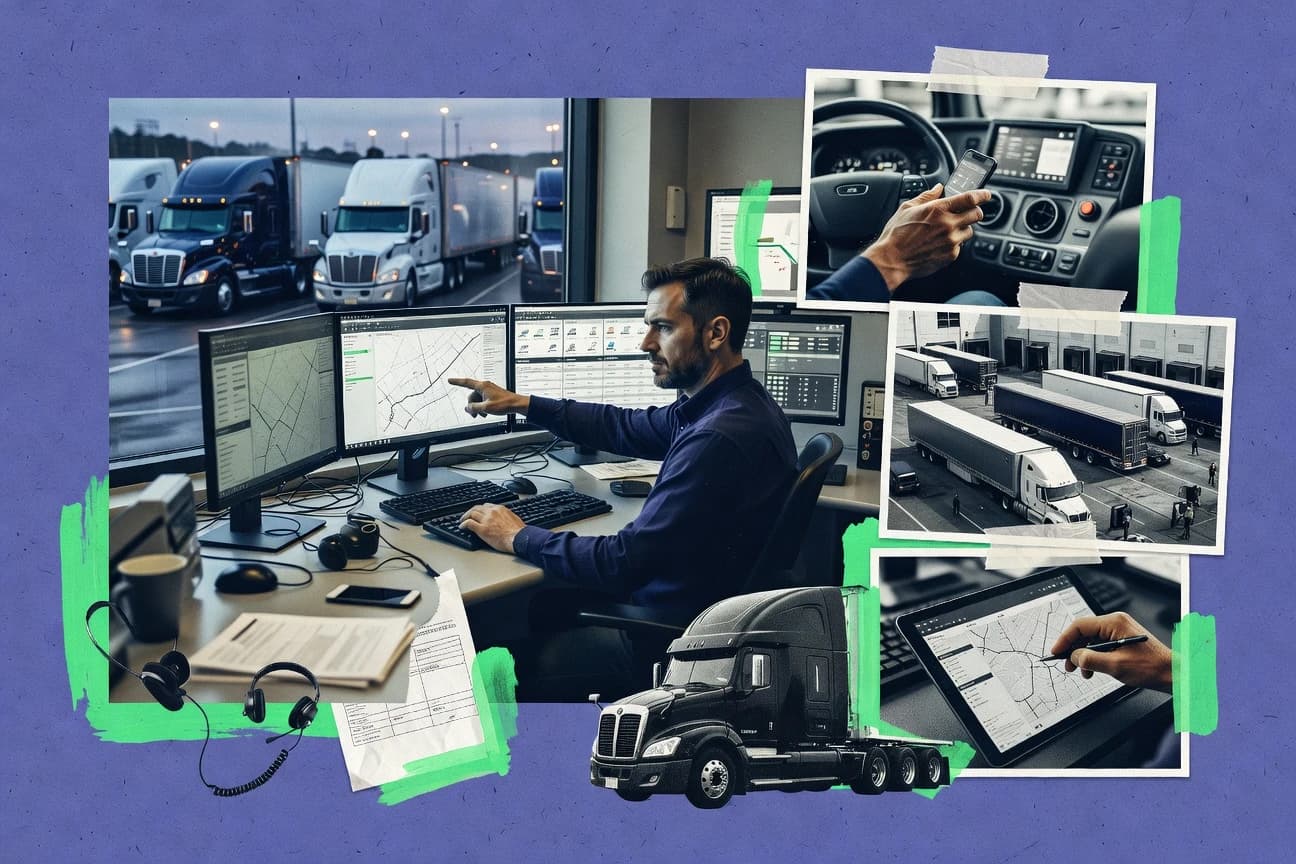
Transportation LogisticsTop 10 Best Truck Dispatch Software of 2026
Editorial roundup comparing truck dispatch software options like Geotab and Verizon Connect, with tradeoffs for fleet managers and dispatch teams.

How we ranked these tools
Vendors set the topic, but our editors set the inclusion criteria and the evaluation framework before research starts.
Agents extract product evidence with provenance, then collect written reviews and transcribe video reviews and podcasts.
Framework: Features 40% · Ease 30% · Value 30%
Gitnux may earn a commission through links on this page — this does not influence rankings. Editorial policy
Axon is the best pick for dispatch teams that face frequent exceptions because its rule-based scheduling engine handles exception-driven rescheduling while keeping POD document capture tied to completed loads, whereas Geotab is the smarter fit for fleets that want telematics-triggered dispatch alerts and API-friendly workflow integration.
Editor’s top 3 picks
Three quick recommendations before you dive into the full comparison below — each one leads on a different dimension.
Axon
Rule-based scheduling engine that handles exception-driven rescheduling using configurable dispatch logic.
Best for: Fits when dispatch teams need rule-driven scheduling, POD capture, and integration-oriented automation without a complex TMS replacement.
Geotab
Editor pickEvent and geofence triggers from vehicle telemetry feed dispatch alerts and operational state updates.
Best for: Fits when dispatch needs telematics-driven exception management and API-based workflow integration.
Verizon Connect
Editor pickProof-of-delivery capture ties completion documentation directly to the trip execution workflow.
Best for: Fits when dispatch teams need telematics-driven status, POD capture, and API connectivity to a TMS.
Comparison Table
Axon
SMBIntegrated trucking software combining dispatch, accounting, maintenance, and fuel reporting.
Rule-based scheduling engine that handles exception-driven rescheduling using configurable dispatch logic.
Axon provides truck dispatch workflows built around order intake, assignment, and operational status visibility for fleet teams. It supports rule-driven scheduling and exception handling to keep carrier assignment and driver routing moving when plans change.
Axon’s operational tracking includes proof-of-delivery capture and detention-related follow-through, reducing the need for spreadsheet reconciliation. Integration capability centers on connecting dispatch events and updates to existing systems through an automation and API surface.
- +Rule-based dispatch logic helps manage frequent exception scenarios
- +POD workflow supports document capture tied to completed loads
- +Operational status tracking reduces manual handoff between dispatch and ops
- +API surface supports integrating dispatch events with external systems
- –Live load and yard management depth may require careful configuration
- –Automation coverage varies by workflow, with some steps needing manual completion
- –Advanced governance controls like RBAC and audit log need validation in rollout
- –ETL-style data migration from legacy TMS tools can be time-consuming
Dispatch operations teams
Assign loads and track active movements
More consistent load coordination
Operations and IT teams
Exchange dispatch and status via API
Better system continuity
Show 2 more scenarios
Documentation and compliance staff
Capture proof of delivery in records
Less duplicate data entry
Teams centralize shipment forms, proof of delivery, and operational events against shipment records.
Truckload operations teams
Coordinate lane decisions and handoffs
Controlled delivery execution
Truckload operators connect quoting, dispatch, carrier communication, and handoff steps into execution workflows.
Best for: Fits when dispatch teams need rule-driven scheduling, POD capture, and integration-oriented automation without a complex TMS replacement.
Geotab
enterpriseTelematics platform offering fleet tracking, dispatch support, and reporting.
Event and geofence triggers from vehicle telemetry feed dispatch alerts and operational state updates.
Geotab is distinct because dispatch workflows connect to an operational telematics data layer used for vehicle, driver, and event state.
Dispatch teams can rely on status tracking and event triggers to manage exceptions instead of depending only on manual check-ins.
Custom integrations and an API surface support tighter telematics-to-dispatch synchronization with external systems.
- +Telematics signals drive dispatch alerts and operational status decisions
- +Integration and API access support custom workflows beyond canned dispatch
- +Geofence and event triggers help surface exceptions quickly
- +Provisioning and role control support multi-team governance needs
- –Dispatch board workflows are not as built-out as TMS-native dispatch products
- –Automation rules require careful configuration to avoid noisy alerts
- –Proof-of-delivery and appointment workflows depend on integration choices
- –Operational governance can add setup overhead for small dispatch teams
Dispatch and field service teams
Update job status from geofence events
More current job statuses
Route planning and dispatch managers
Assign routes using live availability
Improved route assignment decisions
Show 2 more scenarios
Fleet integration and operations teams
Sync telematics and dispatch via APIs
Less duplicate fleet data entry
Event-driven data and APIs connect telematics to dispatch, reporting, and back-office workflows.
Commercial transportation operators
Centralize electronic driver logs with fleet data
Unified driver log workflows
Connected devices capture driver log information alongside vehicle and fleet state in one workflow.
Best for: Fits when dispatch needs telematics-driven exception management and API-based workflow integration.
Verizon Connect
enterpriseFleet management and dispatch software with GPS tracking and route planning.
Proof-of-delivery capture ties completion documentation directly to the trip execution workflow.
Verizon Connect supports dispatch boards with assignment, status tracking, and work progression updates tied to live asset and driver signals. Proof-of-delivery capture and related trip artifacts help close the loop between operations execution and customer documentation needs. Integration depth is a key differentiator, since telematics and ELD integration can drive automatic status changes instead of requiring dispatcher rework.
A tradeoff appears in operational governance for multi-entity fleets, since role permissions and workflow configuration require careful setup to avoid inconsistent assignment paths. It fits situations where dispatch teams must reconcile live telematics updates with planned trip moves, then produce completed delivery records with minimal manual intervention.
- +Telematics and ELD integration updates job status with minimal dispatcher work
- +Proof-of-delivery workflows stay attached to trip execution
- +Dispatch alerts help route teams handle exceptions during active runs
- +API access supports connecting dispatch to existing TMS processes
- –Role permissions and workflow rules need disciplined configuration
- –Advanced dispatch logic often requires integration or admin support
- –Setup effort increases when multiple operating units share a single account
- –Some workflow views can feel dense for small dispatch teams
Truck dispatch teams
Manage live trip status and exceptions
Fewer manual status calls
Operations managers
Standardize completion documentation for customers
Faster customer closeout
Show 2 more scenarios
IT and integration teams
Connect dispatch events to enterprise systems
Reduced manual rekeying
APIs support building automation around job creation, updates, and operational triggers.
Fleet compliance teams
Maintain driver and vehicle readiness state
More compliant operations
ELD integration supports driver status visibility that dispatch can reference during planning.
Best for: Fits when dispatch teams need telematics-driven status, POD capture, and API connectivity to a TMS.
Samsara
enterpriseFleet operations platform with GPS tracking, dispatch, and compliance in one system.
Telematics-to-dispatch status updates drive dispatch alerts and workflow steps as field conditions change.
Samsara pairs dispatch workflows with telematics and live operational signals so dispatch decisions can react to real-world conditions. Fleets can centralize status tracking, capture proof-of-delivery, and coordinate driver work through mobile and device-linked events.
- +Dispatch decisions can use live telematics events without manual re-entry
- +Proof-of-delivery capture is tightly tied to completed trip status
- +API and webhook patterns support integration with existing transport systems
- +Role-based access helps separate dispatch, safety, and admin duties
- –Dispatch workflows depend on data feeds from Samsara-connected devices
- –Some advanced rule logic needs careful configuration across operations
Field service dispatchers
Assign jobs using technician location updates
Schedules align with crew movement
Fleet maintenance managers
Plan repairs from diagnostics and inspections
Repairs follow actual vehicle condition
Show 2 more scenarios
Yard and utility operations managers
Track equipment and coordinate yard movements
Improved awareness of resource status
Operations teams use asset and location visibility to manage equipment availability and movement.
Safety and compliance managers
Review hours and driving signals
More centralized compliance oversight
Safety teams evaluate ELD records, driving behavior indicators, and telematics events centrally.
Best for: Fits when mid-size fleets need dispatch plus telematics-linked status and POD across multi-driver operations.
Motive
SMBFleet management platform with ELD, dispatch, and driver workflow tools.
Movement event to dispatch execution linking so missed stops and dwell changes trigger operational follow-ups automatically.
Motive supports day-to-day dispatch execution with driver-facing status updates and dispatcher visibility into run progress. The platform ties operational changes to movement data so dispatch alerts and exception workflows can reflect what drivers and equipment actually do on the road. Teams can manage work through operational events such as appointment status changes and service time impacts without duplicating data between systems.
- +Telematics-linked status changes reduce manual dispatch updates
- +Operational event workflows support detention and dwell tracking
- +API and webhook options enable event-driven TMS interoperability
- +Driver messaging supports fast exception handling in transit
- –Event accuracy depends on correct device setup and driver behaviors
- –Advanced automation requires configuration discipline across lanes and rules
- –Dispatch board flexibility can lag specialized dispatch-only systems
Asset-based carrier ops
Dispatch reroutes after missed appointments
Fewer deadhead miles
Linehaul dispatch managers
Detention logging tied to work orders
Cleaner invoice support
Show 2 more scenarios
TMS integration teams
Event sync via API and webhooks
Lower manual reconciliation
Dispatch and operational updates push into external systems through integration endpoints.
Fleet supervisors
Driver messaging during exceptions
Faster exception resolution
Dispatch can coordinate drivers using structured messaging tied to run status changes.
Best for: Fits when dispatch teams need telematics-backed exception handling and dispatch execution in one workflow.
Rigbooks
SMBTrucking bookkeeping and dispatch software for owner-operators and small fleets.
Stop-level POD workflow with status transitions tied to dispatch execution, reducing drift between planning and delivery outcomes.
Rigbooks targets dispatch teams that need structured shipment and workflow tracking for truck operations. It centers on job or trip execution data such as stops, statuses, and proof-of-delivery workflow steps.
- +Trip-centric workflow keeps status tracking aligned with POD steps
- +Event-driven updates reduce manual rework when shipment details change
- +API access supports data synchronization with existing TMS and operational systems
- +Exception handling flows are easier to follow on a per-stop basis
- –Rule-based scheduling depth is limited compared with dispatch systems built for optimization
- –More complex setups need careful governance to keep field mapping consistent
- –Telematics-to-dispatch sync coverage depends on connected data sources
- –Live load update workflows are weaker when appointment changes require multi-party coordination
Small dispatch teams
Track trip stops and proof-of-delivery
Clear follow-through to delivery
Owner-operators
Run dispatch through trip-centered workflow
Less re-entry for bookkeeping
Show 2 more scenarios
Owner-operators and bookkeeping staff
Categorize receipts into trucking expenses
Cleaner records for reporting
Teams capture driver and vendor receipts and apply consistent categories to trip transactions.
Small fleet accounting teams
Reconcile loads, settlements, and documents
Repeatable reconciliation closeouts
Accounting teams combine load execution, settlement records, and documentation into repeatable closeouts.
Best for: Fits when dispatch teams need structured trip event workflows with POD checkpoints and system-to-system synchronization.
ITS Dispatch
SMBWeb-based trucking dispatch and accounting software for carriers and brokers.
Trip-level POD workflow stays attached to the same assignment record for consistent exception and closeout handling.
ITS Dispatch is built around day-to-day dispatch control, including assignment decisions, schedule outcomes, and exception handling when loads stall. Operators can track progress through milestones that map to load lifecycle steps and can trigger dispatch alerts when events arrive out of expected order. The platform also supports POD workflow so proof capture stays linked to the specific trip record.
- +End-to-end dispatch workflow covers assignment through POD proof capture
- +Exception visibility ties operational status to dispatch decisioning
- +Driver routing changes can be tracked against trip progress
- +Automation and API access reduce manual load and event entry
- –Automation quality depends on upstream event completeness and timestamps
- –Some scheduling rules require careful configuration to avoid noisy exceptions
- –Telematics-specific workflows may require extra integration work for consistency
Broker operations teams
Convert bids into booked carrier trips
Faster load acceptance cycles
Fleet dispatch teams
Re-route drivers during disruptions
Lower disruption resolution time
Show 2 more scenarios
Operations analysts
Control detention and closeout timing
Cleaner closeout evidence
Detention tracking plus POD workflow supports consistent capture for operational and billing reviews.
TMS integration teams
Push load updates into dispatch
Reduced manual rekeying
API access and event ingestion support load and milestone syncing across dispatch and upstream systems.
Best for: Fits when dispatch teams need coordinated bid-to-assignment workflows plus POD and detention tracking across every trip.
TruckingOffice
SMBTrucking management software covering dispatch, IFTA, invoicing, and maintenance tracking.
POD workflow ties proof capture directly to dispatch status progression for faster trip closeout.
TruckingOffice is a truck dispatch application focused on day-to-day assignment workflows, including dispatch board management and load updates for active trips. The system supports load tendering and carrier assignment steps inside the same operational flow, which reduces context switching between spreadsheets and dispatch notes.
- +Dispatch board workflow keeps assignments and updates in one place
- +Load tendering and carrier assignment steps fit common dispatch routines
- +Proof-of-delivery workflow supports trip completion without manual handoffs
- +Dispatch alerts help surface exceptions during active trips
- –Automation depth depends on consistent data entry for status transitions
- –API and webhook capabilities are not clearly documented for custom integrations
- –Detention tracking and yard management features are limited in scope
- –Exception management tools feel less granular than higher-ranked dispatch systems
Small carrier dispatch teams
Assign shipments and track status lifecycle
Improved job visibility
Active driver dispatch coordinators
Keep messages tied to assignments
Fewer manual status logs
Show 2 more scenarios
Carrier operations and back-office
Collect delivery documents for closure
More complete delivery records
Teams gather proof of delivery and related documents during trip closing workflow.
Carriers handling IFTA reporting
Organize fuel and mileage for IFTA
Better mileage and fuel records
Teams organize recurring mileage and fuel information to support reporting workflows.
Best for: Fits when a dispatcher team needs structured board-based execution with POD closure and operational alerts.
Truckstop
SMBLoad board and freight matching platform with booking and dispatch tools.
Carrier-market load tender execution paired with live shipment status updates in the same workflow.
Truckstop connects dispatch and tender workflows through a carrier marketplace and shared shipment visibility.
- +Tendering and carrier acceptance workflow in one operational thread
- +Shipment and appointment status updates reduce manual chasing
- +Exception surfaces for missed or delayed carrier responses
- +Broad carrier connectivity through its marketplace network
- –Dispatch-specific automation depends on how loads are sourced and tendered
- –Deeper TMS interoperability requires intentional integration work
- –Advanced workflow customization can be limited versus code-first automation
- –Some governance controls are harder to model for multi-user dispatch teams
Carrier dispatch and fleet teams
Adjust appointments and driver assignments
Plans update with shipment execution
Broker and carrier dispatchers
Manage tenders and execution follow-up
Execution organized per shipment
Show 2 more scenarios
Dispatch and brokerage operations
Monitor shipment status and exceptions
Visibility improves for next steps
Teams track shipment events and respond to delays or status changes during transit.
Freight brokers and brokerage ops
Source capacity for posted loads
Carrier capacity gets assigned
Brokers post loads and search for carriers to cover spot or recurring freight needs.
Best for: Fits when dispatch teams rely on carrier networks and need fast tender-to-status turnaround.
McLeod Software
enterpriseEnterprise trucking dispatch and fleet management platform for carriers and brokers.
Shipment document and exception handling stays connected to the same operational records used by dispatchers.
McLeod Software manages day-to-day trucking dispatch with routing, communications, and paperwork workflows tied to shipments. Load tendering and carrier assignment can be driven from dispatch boards with status updates that flow through planning to execution.
- +Dispatch board workflows keep load status moving from planning to delivery
- +POD and detention tracking cover common post-trip operational needs
- +Customer-specific process configuration reduces manual dispatch corrections
- +Paperwork and shipment documentation stay linked to each load
- –Routing and assignment workflows take setup to match real operating rules
- –Integrations and automation often require custom configuration work
- –Live operational changes can feel slow if upstream data updates lag
- –Admin governance for multi-branch operations can require careful role design
Dispatch and carrier operations teams
Coordinate daily load, driver, and equipment execution
More consistent freight movement control
Fleet managers and compliance teams
Track drivers, units, and inspection locations
Connected operational records for assets
Show 2 more scenarios
Dispatch and documentation teams
Convert shipment activity into bill-ready documentation
Fewer dispatch documentation handoffs
Operational statuses and paperwork outputs support bill-related records tied to shipments.
Transportation accounting and finance
Reconcile accessorials against shipment charge records
More traceable cost reconciliation
Finance compares shipment-linked charges, carrier bills, and agreement details during review.
Best for: Fits when mid-size carriers need dispatch execution plus POD and detention workflows without custom development.
Conclusion
After evaluating 10 truck dispatch software, Axon stands out as our overall top pick — it scored highest across our combined criteria of features, ease of use, and value, which is why it sits at #1 in the rankings above.
Use the comparison table and detailed reviews above to validate the fit against your own requirements before committing to a tool.
Frequently Asked Questions About Truck Dispatch Software
How do Verizon Connect and Samsara connect telematics updates to dispatch execution?
Which tools support API-first integrations for pushing load and event data into dispatch?
How does POD capture work across Verizon Connect, TruckingOffice, and Rigbooks?
When do exception management workflows trigger in Motive versus Geotab?
What breaks if a team tries to run bid-to-award coordination without a bid-capable system like ITS Dispatch?
How do rule-based scheduling capabilities differ between Axon and Geotab?
Which tools handle detention tracking as part of post-load execution instead of separate add-ons?
How do Samsara and McLeod Software differ in operational configuration for dispatch alerts and appointment workflows?
What admin controls and governance features matter most when scaling dispatch teams in Samsara versus Verizon Connect?
Tools reviewed
Primary sources checked during evaluation.
Referenced in the comparison table and product reviews above.
How to Choose the Right Truck Dispatch Software
We see options split most on the Dispatch workflow fit: how they move loads from acceptance to usable moves, and how much control you get in the system. The biggest separator is Dispatch board usability, plus how strongly each product supports automation around your real day-to-day exceptions.
Dispatch board usability
Why it matters
Dispatch board usability decides whether your planners can actually manage daily moves without constant workarounds. When it matches your process, planning time drops and fewer loads get stuck in limbo.
How to check
During a demo, ask to replicate a day plan from an import list into an active dispatch view, then move two loads to different drivers. Ask the planner to describe what the board shows in the first 30 seconds and where they edit stops, times, and notes.
Exception handling for late or reroutes
Why it matters
Late arrivals and reroutes are where dispatch software either helps or adds chaos. Strong exception handling keeps priorities clear and prevents silent failures when plans change midstream.
How to check
Request a scenario where a driver misses a pickup window, then see how the system prompts next actions. Confirm whether the same load can be reprioritized, reassigned, and re-sequenced without losing historical context.
Load status history and audit log
Why it matters
Load status history and audit log matter when shippers ask what happened and when disputes start. Good history also helps you learn which failures are process vs. execution.
How to check
Pick one loaded run and change three fields across the lifecycle; then review the status timeline. Ask where a user role can view who changed what and when, and whether exported records preserve those changes.
Automation with human approval steps
Why it matters
Automation with human approval steps separates click-heavy planning from repeatable execution. You want guardrails so routine tasks run while exceptions still route to people.
How to check
Ask the team to show one automation that creates a draft move plan or updates fields automatically, then requires confirmation for sensitive changes. Test with two different load types and verify which actions run automatically vs. wait for approval.
Stops and time windows data model
Why it matters
Stops and time windows data model affects routing quality and downstream documents when appointments shift. If the model is rigid, planners spend time re-entering or correcting data manually.
How to check
Import a sample route with multiple stops and time windows, then modify one appointment and check how the system recalculates affected fields. Ask whether you can store multiple notes per stop and whether edits keep prior values accessible.
RBAC and admin governance controls
Why it matters
RBAC and admin governance controls keep dispatch processes consistent across teams. When roles are weak, unauthorized edits and inconsistent handling turn into operational risk.
How to check
In the demo, create at least three roles (dispatcher, driver-facing view, admin) and attempt representative actions in each. Ask how provisioning works for adding users and whether audit trails apply to permission-relevant changes.
Red flags
- The dispatch view forces planners to jump between screens to change a single load.
- Status changes don’t show who made them, or history disappears after reroutes.
- Automations run without clear checkpoints for approvals on sensitive edits.
Fit by situation
- If our planners need to run daily moves with minimal clicks and quick edits, prioritize Dispatch board usability.
- If we regularly deal with missed pickups and mid-route reroutes, prioritize Exception handling for late or reroutes.
- If we face frequent customer questions about what changed and when, prioritize Load status history and audit log.
Funding and competing interests
This study was co-funded by several of the vendors assessed in it. No single vendor funded it. Funders could propose the market studied.
They had no role in selecting vendors, setting or weighting criteria, analysing data or drawing conclusions, and they received the same factual-accuracy check as every other vendor assessed.
Market definition, inclusion rules and criteria weights were fixed by an editor before research began and did not change afterwards. Editorial process →
- Transportation LogisticsTop 10 Best Dump Truck Dispatch Software of 2026
- Transportation LogisticsTop 10 Best Truck Dispatching Software of 2026
- Transportation LogisticsTop 10 Best Cloud Based Dispatch Software of 2026
- Transportation LogisticsTop 10 Best Fuel Dispatch Software of 2026
- Transportation LogisticsTop 10 Best Dispatch Trucking Software of 2026
Keep exploring
Comparing two specific tools?
Software Alternatives
See head-to-head software comparisons with feature breakdowns, pricing, and our recommendation for each use case.
Explore software alternatives→In this category
Transportation Logistics alternatives
See side-by-side comparisons of transportation logistics tools and pick the right one for your stack.
Compare transportation logistics tools→