
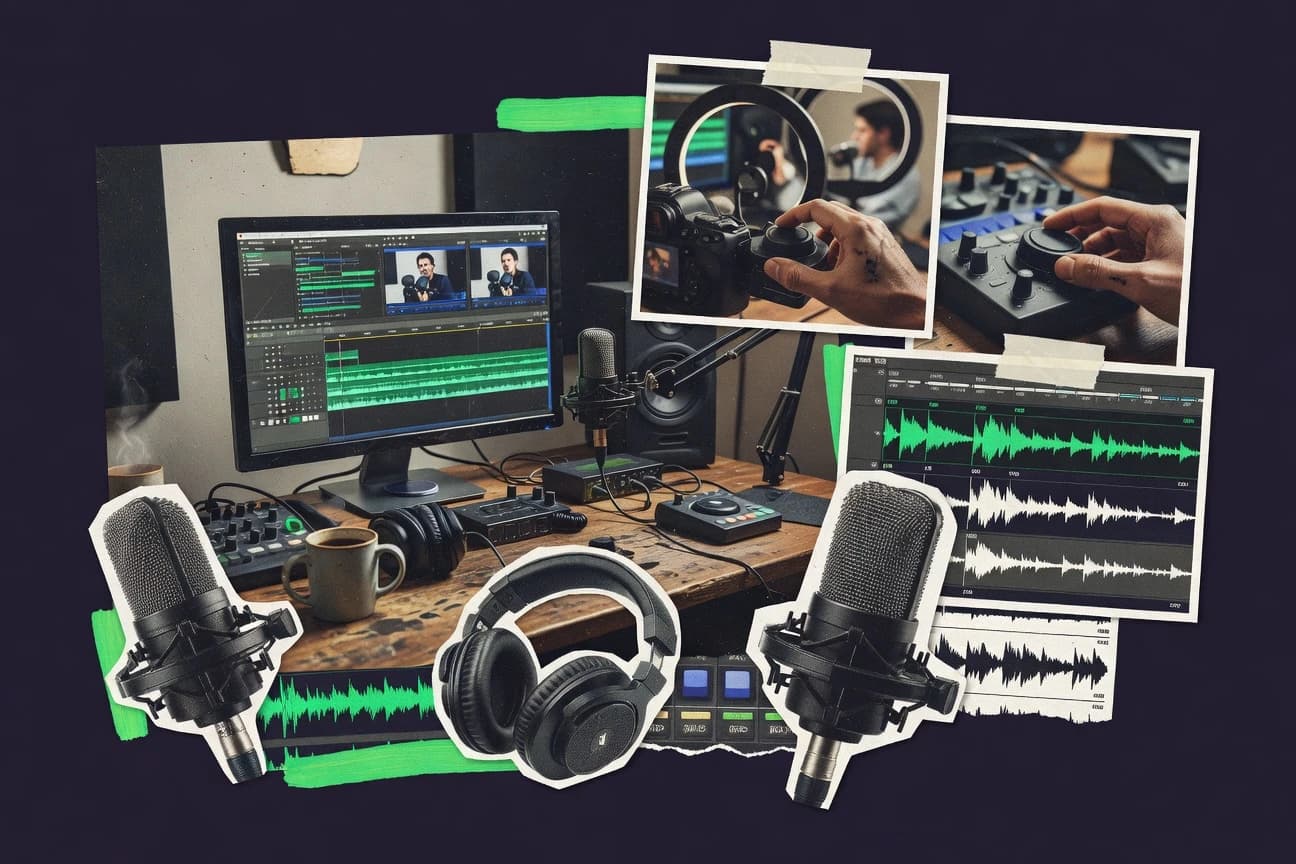
GITNUXSOFTWARE ADVICE
MediaTop 10 Best Podcast Video Editing Software of 2026
Discover the best podcast video editing software to elevate your content. Find top tools for smoother editing—start creating standout videos today.

How we ranked these tools
Core product claims cross-referenced against official documentation, changelogs, and independent technical reviews.
Analyzed video reviews and hundreds of written evaluations to capture real-world user experiences with each tool.
AI persona simulations modeled how different user types would experience each tool across common use cases and workflows.
Final rankings reviewed and approved by our editorial team with authority to override AI-generated scores based on domain expertise.
Score: Features 40% · Ease 30% · Value 30%
Gitnux may earn a commission through links on this page — this does not influence rankings. Editorial policy
Editor’s top 3 picks
Three quick recommendations before you dive into the full comparison below — each one leads on a different dimension.
Adobe Premiere Pro
Audio track mixing with waveform-based editing for clean dialogue in podcast video
Built for professional podcast video editors needing advanced audio, captions, and motion graphics.
DaVinci Resolve
Editor pickFairlight audio mixing with waveform editing and integration across a single edit timeline
Built for podcast video editors needing professional grading, graphics, and multi-cam editing.
Final Cut Pro
Editor pickMulticam editing with one-click angle switching inside the magnetic timeline
Built for independent podcasters editing multi-cam video on macOS with high polish output.
Comparison Table
Adobe Premiere Pro
pro editorA full-featured non-linear editor with strong audio tools, advanced effects, and streamlined workflows for high-quality podcast video edits.
Audio track mixing with waveform-based editing for clean dialogue in podcast video
Adobe Premiere Pro stands out for its professional nonlinear editing workflow and tight integration with Adobe After Effects and Audition. It supports multi-track video editing, audio mixing, and broadcast-style finishing for podcast video deliverables like 16:9 and 9:16 exports.
Built-in captions and smooth timeline tools help you refine spoken segments with visible waveforms and precise cuts. The same project can feed roundtrips for motion graphics and automated sound cleanup when paired with other Adobe apps.
- +Precise timeline editing with track controls for multi-cam podcast video
- +Robust audio tools for leveling dialogue and polishing podcast sound
- +Seamless roundtrip with After Effects for animated podcast bumpers
- +Captions workflow supports readable titles and transcript-based edits
- –Subscription cost can outweigh needs for small solo podcast production
- –Learning curve is steep for advanced timeline and audio workflows
- –Performance depends heavily on project size, codecs, and storage speed
- –Media organization can feel heavy without a disciplined project structure
Best for: Professional podcast video editors needing advanced audio, captions, and motion graphics
DaVinci Resolve
color + editA free-to-enter pro editor and color suite with powerful timeline tools for multi-cam podcast video editing and grading.
Fairlight audio mixing with waveform editing and integration across a single edit timeline
DaVinci Resolve stands out for combining high-end video editing with professional color grading and audio post in a single timeline-based workflow. It supports multi-camera editing, waveform-based audio, and cinematic color tools that help podcast video teams quickly polish talking-head content.
Delivering clean results for livestream or recorded shows is supported by delivery templates, resolution management, and GPU-accelerated effects. Its node-based Fusion page enables broadcast-style graphics and animated lower thirds without leaving the editor.
- +Free version includes professional editing, Fusion effects, and advanced color tools.
- +Multi-camera sync and editing speeds up podcast video shoots.
- +Fairlight audio tools support waveform editing and broadcast-ready mixing.
- –Fusion compositing has a steeper learning curve for simple podcast graphics.
- –Timeline playback can stutter on weaker systems with heavy effects.
- –Advanced workflows require careful project settings to avoid export issues.
Best for: Podcast video editors needing professional grading, graphics, and multi-cam editing
Final Cut Pro
mac editorA fast macOS editor with optimized performance for multi-track podcast edits, clean media management, and robust export options.
Multicam editing with one-click angle switching inside the magnetic timeline
Final Cut Pro stands out for its high-speed timeline editing, optimized media handling, and tight integration with macOS hardware. It supports multicam editing, chroma key compositing, and powerful audio tools like noise reduction and voice isolation for podcast video workflows.
You can assemble show packages with motion graphics, captions, and export formats tuned for web distribution. It is also strong for round-tripping with Apple ecosystem apps such as Compressor for efficient render management.
- +Multicam editing for switching between guest and host angles quickly
- +Strong audio repair tools for voice cleanup and dialogue consistency
- +Fast timeline performance with magnetic timeline editing and smart media management
- +Integrated color grading and chroma key compositing for podcast visuals
- –Advanced tools require learning to avoid slower edits during early setups
- –Podcast-specific automation features are limited compared with dedicated studio platforms
- –Collaboration features lag behind multi-user editing workflows
Best for: Independent podcasters editing multi-cam video on macOS with high polish output
Vegas Pro
timeline editorA timeline-based editor with strong audio handling and flexible effects for producing polished podcast video episodes.
Audio Suite effects and detailed mixing tools for podcast-ready voice enhancement
Vegas Pro stands out for its timeline-first editing workflow and deep color and effects tooling that suits podcast video post-production. It supports multi-format media handling, non-linear editing, and accurate audio-video synchronization for recording-to-publication pipelines.
Vegas Pro also offers flexible GPU-accelerated playback and rendering options to keep iterative podcast edits fast. Its strengths show up in advanced sound mixing, custom transitions, and detailed export settings for platform-ready deliverables.
- +Powerful audio mixing with strong waveform-level control
- +Comprehensive effects and transitions for podcast video polish
- +Advanced color tools for consistent brand-grade output
- +GPU-accelerated playback and rendering for faster iterations
- –Workflow feels complex for podcast creators focused on simple edits
- –Learning curve is steep compared with streamlined editor suites
- –Paid upgrade path can raise long-term costs for small teams
- –Project setup takes time when coordinating audio and multiple cameras
Best for: Podcast video editors needing pro audio and deep effects control
Descript
AI text editorA transcription-first video editor that lets podcasters edit by text and rapidly produce clips with automated workflows.
Transcript-based editing with Overdub for rewriting spoken lines without re-recording
Descript stands out for editing video and podcast audio by typing in the transcript and letting the editor update media automatically. It combines studio-style tools like overdub for voice revisions with text-based editing, filler-word removal, and multi-track timeline playback for podcast production.
For podcast video, it supports layouts and styling workflows that turn scripted narration into share-ready clips without a traditional NLE learning curve. Collaboration and review tools streamline revision cycles for guest interviews and multichannel releases.
- +Transcript-first editing lets you cut, rewrite, and reorder audio with text
- +Overdub enables rapid voice take replacements without full re-records
- +Filler-word removal speeds up podcast polishing and reduces manual cleanup
- +Built-in collaboration supports comment and review workflows for releases
- –Power-video editing controls are limited versus dedicated NLEs
- –Advanced audio mastering and routing options are not as deep
- –Text-based workflows can break down for highly visual, motion-heavy edits
- –Exports and templates can feel rigid for branded, complex video pipelines
Best for: Podcast teams editing audio and podcast video via transcript-based workflows
CapCut
template clipsA template-driven editor with quick cut, captions, and social-first export workflows that suit high-volume podcast clip production.
Automatic captioning with editable karaoke-style text overlays
CapCut stands out with fast, mobile-friendly editing workflows that still support professional podcast video needs. It provides timeline editing, automatic captions, and template-based overlays for turning spoken audio into shareable video episodes.
You can fine-tune captions, apply visual effects, and export formats suited for social platforms. For podcast creators, the strongest fit is rapid repurposing with consistent styling rather than deeply scripted broadcast pipelines.
- +Automatic captions convert speech to readable on-screen text quickly
- +Template overlays speed up consistent podcast intros, lower-thirds, and promos
- +Timeline editing with effects supports clean video pacing for episodes
- +Mobile-first workflow makes episodic edits fast on handheld devices
- –Advanced audio mixing and mastering tools are limited for studio workflows
- –Template-driven layouts can feel generic without custom motion work
- –Caption styling controls are less precise than dedicated caption editors
- –Batch processing for multiple episode files is not as strong as full NLE suites
Best for: Solo podcasters and small teams needing fast captioned video repurposing
Riverside
record + editA podcast recording and editing platform that generates ready-to-edit video exports and supports clip workflows for faster publishing.
Browser-based recording that captures separate tracks for multi-speaker podcast video editing
Riverside focuses on browser-based recording and high-quality podcast video creation with a shared editing workflow for teams. It provides a timeline editor for cutting clips, cleaning audio, and styling output for podcast episodes.
The software supports multi-track handling so each speaker can be edited and delivered with consistent video and audio alignment. Exports are built around repurposing-ready formats for distribution to common video platforms.
- +Browser recording supports remote podcast video production and consistent intake
- +Multi-track editing helps isolate speakers during cuts and timing fixes
- +Audio cleanup tools improve intelligibility without leaving the editor
- +Video styling and episode layout tools speed up publishing workflows
- –Editing controls can feel limited versus full NLE tools for complex motion graphics
- –Real-time collaboration features are not as extensive as dedicated conferencing platforms
- –Export presets may constrain highly customized deliverables
Best for: Podcast teams needing fast remote capture and clean clip-to-publish video editing
VEED
web editorA browser-based video editor with captions, trimming, and clip creation tools designed for rapid podcast repurposing.
Auto subtitle generation with editable transcription for podcast video clips
VEED stands out with a browser-first video editing workflow built around templates, subtitles, and quick finishing. For podcast video editing, it supports auto subtitle generation, transcription-based editing, and style controls for captions and lower-thirds.
You can remove filler moments with clip trimming, generate share-ready exports, and reuse brand assets across episodes. Collaboration tools help teams review edits and deliver consistent visuals across multi-episode podcast workflows.
- +Auto captions and subtitle styling speed up podcast clip production
- +Browser-based timeline keeps edits accessible without local software installs
- +Podcast-friendly tools for trimming and generating ready-to-post exports
- +Template workflow helps keep thumbnails and overlays consistent across episodes
- –Advanced audio editing is limited compared with dedicated DAW workflows
- –Brand asset controls feel less robust for large-scale media libraries
- –Export options and bitrate control can be restrictive for pro deliverables
- –Performance can degrade on longer, multi-layer edits in the browser
Best for: Solo creators and small teams needing fast captioned podcast video edits
Filmora
beginner editorA guided editor with built-in effects and caption tools that helps produce consistent podcast video edits with minimal setup.
Template-driven title and transition effects for rapid podcast clip assembly
Filmora stands out for turning podcast video editing into a fast, template-driven workflow with timeline tools made for non-linear edits. It supports multi-track editing with title overlays, transitions, and audio tools that fit common podcast formats like clip extraction and chaptered reels.
Media handling is built around drag-and-drop editing for mixing voice audio, music, and on-screen graphics. Its strengths show up most when you want polished results quickly rather than deep post-production control.
- +Template-based editing speeds up podcast clip creation and title cards
- +Multi-track timeline supports voice, music, and layered visuals
- +Built-in effects and transitions help produce polished episodes quickly
- +Drag-and-drop workflow reduces setup friction for recurring shows
- –Advanced color, audio mixing, and editing precision feel limited
- –Some professional podcast workflows require third-party plugins
- –Export and workflow optimization lag behind more specialized editors
- –Storing and reusing consistent show layouts can take extra effort
Best for: Creators editing podcast video clips with templates and quick polish
Shotcut
open-sourceA free, open-source video editor that supports essential trimming, filters, and multi-track editing for budget podcast workflows.
Frame accurate keyframes with timeline-based filters
Shotcut stands out as a free, open-source video editor that targets fast editing workflows without locking you into proprietary codecs. It supports multi-track timelines, audio and video filters, and keyframe-based effects that work for podcast-style screen recordings and picture-in-picture layouts.
You can export common delivery formats for social and broadcast use, including resolutions up to 4K. Its strengths are practical feature coverage and low cost, while its UI can feel less guided for audio-first podcast assembly.
- +Free, open-source editor with strong baseline video tools
- +Multi-track timeline supports overlay workflows for podcast segments
- +Extensive filters and keyframes enable custom motion and corrections
- +Exports common formats and resolutions for typical podcast publishing
- –Audio editing tools are limited compared with dedicated podcast editors
- –Workflow feels less guided for assembling episode-ready podcast layouts
- –Performance can drop on heavy filter stacks and high-res timelines
Best for: Budget creators editing podcast video with basic audio enhancement and overlays
Conclusion
After evaluating 10 media, Adobe Premiere Pro stands out as our overall top pick — it scored highest across our combined criteria of features, ease of use, and value, which is why it sits at #1 in the rankings above.
Use the comparison table and detailed reviews above to validate the fit against your own requirements before committing to a tool.
How to Choose the Right Podcast Video Editing Software
This buyer’s guide helps you choose Podcast Video Editing Software by matching workflows to real production needs across Adobe Premiere Pro, DaVinci Resolve, Final Cut Pro, and the clip-first tools Riverside, Descript, CapCut, VEED, Filmora, and Shotcut. You’ll also see how Vegas Pro fits podcast teams that want deep audio and effects control. The guide focuses on editing speed, caption and transcript workflows, multi-speaker cleanup, and deliverable-ready output for podcast video publishing.
What Is Podcast Video Editing Software?
Podcast video editing software is a toolset for cutting podcast recordings into episode-ready videos, aligning audio and video, and polishing spoken segments for distribution. It solves problems like removing filler, isolating dialogue, creating captions and lower-thirds, and producing exports for platform-specific formats such as 16:9 and 9:16. Tools like Adobe Premiere Pro and DaVinci Resolve cover professional multi-track editing and waveform-based audio mixing in a timeline workflow, while Descript and Riverside focus on speaker tracks and editing speed around transcript or clip publishing.
Key Features to Look For
These features determine whether your podcast edits stay fast and consistent or turn into a time-consuming post pipeline.
Waveform-based audio mixing and dialogue cleanup
Waveform-based audio mixing helps you level dialogue and remove problem moments with precision for spoken podcasts. Adobe Premiere Pro provides audio track mixing with waveform-based editing for clean dialogue, and DaVinci Resolve provides Fairlight audio mixing with waveform editing inside a single edit timeline.
Transcript-first or transcription-based editing
Transcript-based editing speeds up cutting and rewriting by letting you fix spoken lines by text instead of only by timeline scrubbing. Descript uses transcript-first editing with Overdub to rewrite spoken lines without full re-records, and VEED and VEED use auto subtitle generation with editable transcription for clip editing.
Automatic captions and editable caption overlays
Automatic captions reduce setup time and help you ship subtitle-ready clips fast for podcast distribution. CapCut provides automatic captions with editable karaoke-style text overlays, and VEED provides auto subtitle generation with style controls for captions and lower-thirds.
Multi-cam and multi-speaker track handling
Multi-cam and multi-speaker timelines help you switch angles and isolate speakers when guests talk over each other. Final Cut Pro supports multicam editing with one-click angle switching inside the magnetic timeline, and Riverside captures separate tracks for multi-speaker editing during browser-based recording.
Graphics and motion graphics workflow for podcast visuals
Podcast edits need animated titles, bumpers, and lower-thirds that look consistent across episodes. Adobe Premiere Pro streamlines roundtrips with After Effects for animated podcast bumpers, and DaVinci Resolve includes Fusion compositing for broadcast-style graphics and animated lower thirds.
Fast clip-to-publish publishing workflow
If you repurpose episodes into many short clips, your editor must support trim, review, and export without heavy timeline overhead. Riverside builds exports around clip workflows, and VEED and CapCut use template and subtitle workflows to keep episode repurposing moving quickly.
How to Choose the Right Podcast Video Editing Software
Pick the tool that matches your editing trigger: advanced timeline control, transcript editing, browser-based capture and clip workflow, or template-driven clip repurposing.
Start with your editing trigger: waveform, transcript, or templates
If your main pain is bad dialogue timing, choose waveform-first editors like Adobe Premiere Pro and DaVinci Resolve to level speech with visible waveform editing. If your main pain is finding the right sentence fast, choose Descript for transcript-based editing with Overdub or choose VEED for editable transcription-driven clip edits. If your main goal is shipping many captioned clips quickly, choose CapCut or Filmora for template-driven title and transition assembly.
Match multi-speaker complexity to your recording setup
If you regularly switch between host and guest angles, choose Final Cut Pro for magnetic timeline multicam switching or Adobe Premiere Pro for multi-track podcast video editing with track controls. If your workflow depends on remote guests and speaker separation, choose Riverside for browser-based recording that captures separate tracks for multi-speaker editing. If you need a browser-first editor for subtitle-first clip repurposing, choose VEED for quick trimming and captioned exports.
Decide how much graphics and finishing you truly need
If you build animated bumpers and branded motion graphics, Adobe Premiere Pro’s integration with After Effects supports animated podcast bumpers and broadcast-style finishing. If you want in-editor graphics with color finishing in one timeline, choose DaVinci Resolve for Fusion effects plus professional grading tools. If your needs are mostly titles, overlays, and quick transitions, Filmora and CapCut provide template-driven title cards and consistent overlay styling.
Validate performance on your edit style and timeline weight
If your projects include heavy effects or long episodes, test timeline playback stability in DaVinci Resolve because timeline playback can stutter with heavy effects on weaker systems. If your projects rely on advanced effects and large media libraries, validate Premiere Pro performance because it depends heavily on project size, codecs, and storage speed. If your workflow is light and clip-focused, Shotcut and CapCut can stay responsive because they emphasize trimming, overlays, and focused edits.
Align your deliverable targets with export and caption workflows
If you deliver both 16:9 and vertical versions, Adobe Premiere Pro includes export presets and formats for common podcast video platforms and supports captions workflow for readable titles. If you want subtitle-ready exports built into the editing flow, choose VEED or CapCut because auto captions and subtitle styling reduce manual finishing. If you produce studio-grade deliverables with strong audio and graphics coordination, choose DaVinci Resolve for an end-to-end edit timeline that includes Fairlight audio and Fusion graphics.
Who Needs Podcast Video Editing Software?
Podcast video editors cover everything from solo clip repurposers to multi-cam studios, so the right tool depends on how you record, edit, and distribute.
Professional podcast video editors who need advanced audio, captions, and motion graphics
Adobe Premiere Pro fits this audience because it provides precise timeline editing with track controls, waveform-based audio track mixing, and captions plus export presets. DaVinci Resolve also fits because it combines Fairlight waveform audio mixing with professional color grading and Fusion graphics inside one timeline.
Podcast video editors producing multi-cam shows who want fast angle switching
Final Cut Pro fits because it supports multicam editing with one-click angle switching inside the magnetic timeline. Adobe Premiere Pro also fits because it supports multi-track podcast video editing with precise track controls and timeline tools for refined spoken segments.
Podcast teams running remote recordings who want quick clip workflows
Riverside fits because its browser-based recording captures separate tracks for multi-speaker podcast video editing and supports clean clip-to-publish exports. Riverside also supports timeline cutting, audio cleanup, and video styling to keep remote production moving without leaving the capture-to-edit loop.
Solo creators and small teams repurposing episodes into captioned short clips
CapCut fits because it uses automatic captions with editable karaoke-style overlays and template overlays to speed consistent intros and lower-thirds. VEED fits because it provides auto subtitle generation with editable transcription for rapid captioned clip exports.
Common Mistakes to Avoid
These mistakes slow down podcast video production and usually happen when you pick a tool that targets the wrong editing workflow.
Choosing an editor without waveform-based speech control
If dialogue clarity is a core requirement, avoid tools that do not emphasize waveform-based audio editing. Adobe Premiere Pro and DaVinci Resolve provide waveform-based mixing in a timeline workflow so you can polish spoken audio with visible control.
Forcing transcript-like editing into a purely timeline workflow
If you need to cut by sentence and rewrite spoken lines quickly, avoid workflow friction from purely manual editing. Descript uses transcript-based editing plus Overdub to replace spoken lines without full re-records, and VEED provides editable transcription for subtitle-driven edits.
Underestimating caption styling needs for repurposed clips
If your distribution depends on readable subtitles, avoid caption workflows that are too rigid for quick iteration. CapCut’s editable karaoke-style text overlays and VEED’s subtitle styling controls help you keep caption formatting consistent across multiple clip exports.
Buying for complex motion graphics when your real needs are templates and trimming
If your podcast publishing is mostly quick titles, transitions, and consistent overlays, avoid overbuilt finishing pipelines. Filmora and CapCut focus on template-driven title and transition effects and rapid captioned repurposing, while Shotcut stays practical for trimming, filters, and keyframe-based overlays.
How We Selected and Ranked These Tools
We evaluated Podcast Video Editing Software solutions by overall capability across editing workflow, features coverage for podcast deliverables, ease of use for real editing sessions, and value for how quickly teams can finish episodes or clips. We gave the strongest separation to Adobe Premiere Pro because it combines precise multi-track timeline editing, waveform-based audio track mixing for clean dialogue, and a captions workflow that supports readable titles plus export formats for common podcast platforms. We also weighed strengths like DaVinci Resolve’s Fairlight waveform mixing and Fusion graphics in a single timeline, Final Cut Pro’s multicam one-click angle switching, and Descript’s transcript-based editing with Overdub as distinct workflow advantages that can outweigh deeper timeline complexity for certain producers.
Frequently Asked Questions About Podcast Video Editing Software
Which editor best handles multi-cam podcast video editing with clean audio timing?
What tool is strongest for professional color grading of talking-head podcast video?
Which software is best for editing by transcript when I’m cutting podcast video clips?
Which option is best for fast repurposing into captioned social clips with minimal setup?
What editor makes it easiest to create and refine captions and lower-thirds for podcast episodes?
Which software offers the most advanced audio post tools for dialogue cleanup?
Can I keep a browser-first workflow for podcast video recording and editing with separate speaker tracks?
Which tool is best for integrating motion graphics and complex finishing into a podcast video pipeline?
What should I use if I need a free editor that still supports keyframes and multi-track layouts for podcast visuals?
Tools reviewed
Primary sources checked during evaluation.
Referenced in the comparison table and product reviews above.
- MediaTop 10 Best Video Podcast Editing Software of 2026
- Technology Digital MediaTop 10 Best Music Video Editing Software of 2026
- Entertainment EventsTop 10 Best Podcast Streaming Software of 2026
- Arts Creative ExpressionTop 10 Best Book Editing Software of 2026
- Business FinanceTop 10 Best Fast Video Editing Software of 2026
Keep exploring
Comparing two specific tools?
Software Alternatives
See head-to-head software comparisons with feature breakdowns, pricing, and our recommendation for each use case.
Explore software alternatives→In this category
Media alternatives
See side-by-side comparisons of media tools and pick the right one for your stack.
Compare media tools→