
GITNUXSOFTWARE ADVICE
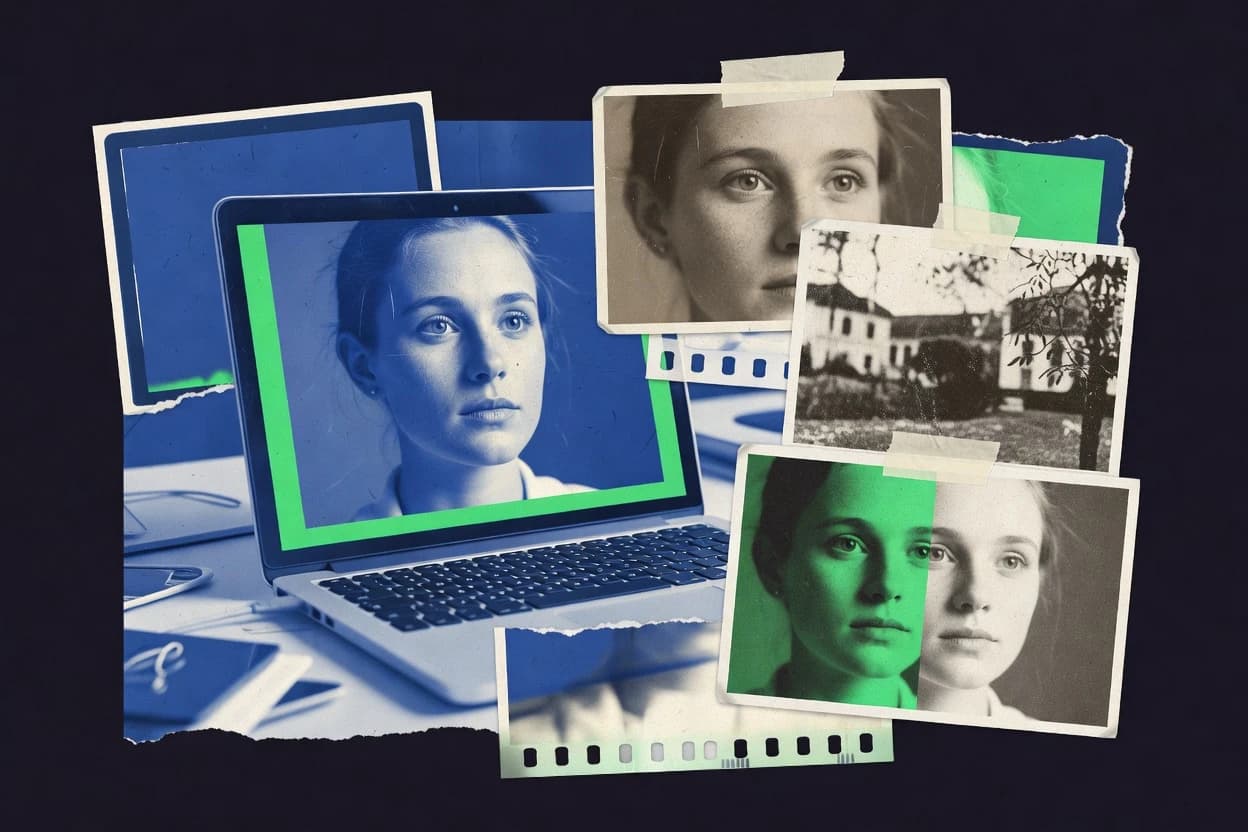
Art DesignTop 10 Best Photo Enhance Software of 2026
Ranked list of the top photo enhance software for retouching and upscaling, with technical test notes and options like ON1 Photo RAW and Topaz Photo AI.

How we ranked these tools
Core product claims cross-referenced against official documentation, changelogs, and independent technical reviews.
Analyzed video reviews and hundreds of written evaluations to capture real-world user experiences with each tool.
AI persona simulations modeled how different user types would experience each tool across common use cases and workflows.
Final rankings reviewed and approved by our editorial team with authority to override AI-generated scores based on domain expertise.
Score: Features 40% · Ease 30% · Value 30%
Gitnux may earn a commission through links on this page — this does not influence rankings. Editorial policy
ON1 Photo RAW is the best fit when you want repeatable, non-destructive RAW enhancement with batchable results for photographers, whereas Luminar Neo suits teams that need quick, consistent AI improvements for large sets without heavy masking work.
Editor’s top 3 picks
Three quick recommendations before you dive into the full comparison below — each one leads on a different dimension.
ON1 Photo RAW
A layer-based, masked enhancement workflow that stays fully editable while applying optics and detail corrections.
Built for fits when photographers need repeatable RAW enhancement with local masks and batch processing in one editor..
Luminar Neo
Editor pickAI Enhancement workflow combines global corrections with mask-constrained refinements in the same edit session.
Built for fits when teams need consistent photo enhancement with fast iteration and limited manual masking..
Upscayl
Editor pickAI upscaling models that run offline in a desktop app with batch export control.
Built for fits when teams need repeatable AI upscaling and denoising for large photo batches..
Comparison Table
ON1 Photo RAW
professionalNon-destructive raw editor with AI-based noise reduction, sharpening, and upscaling modules.
A layer-based, masked enhancement workflow that stays fully editable while applying optics and detail corrections.
ON1 Photo RAW combines RAW development tools with a non-destructive layer stack that supports masked adjustments and blending modes for precise local work. It also includes optics correction controls for common issues like chromatic aberration and lens distortion, so many cleanup steps can happen before heavy stylization. Catalog and batch processing support lets the same edits run across sets while keeping edits linked to source images.
A tradeoff appears in the breadth-to-depth balance. Some AI-style results are achievable through dedicated enhancements, but advanced workflows still benefit from manual refinement and mask tuning. ON1 Photo RAW fits best when photographers want an all-in-one editor that still supports repeatable batch enhancement across catalogs of RAW files.
- +Non-destructive layer workflow keeps edits reversible during iterative refining
- +Masked local adjustments support controlled area targeting across complex scenes
- +Batch processing and catalog management support repeatable enhancement on large shoots
- +Optics correction tools handle common chromatic aberration and distortion issues
- –Mask control can feel slow on high-zoom, fine-edged subjects
- –Some enhancement outputs need manual cleanup to avoid haloing
- –Catalog workflows require consistent folder and metadata hygiene to stay tidy
Wedding photographers
Batch enhance mixed-light RAW sets
Faster consistent delivery
Real estate photographers
Correct optics and refine windows locally
Cleaner interior presentation
Show 2 more scenarios
Portrait photographers
Retouch skin with controlled targeting
Natural-looking retouching
Use layered adjustments to guide contrast and color while protecting fine texture.
Freelance photo editors
Standardize client edits across catalogs
Lower rework between rounds
Run repeatable enhancement passes and maintain metadata with consistent export settings.
Best for: Fits when photographers need repeatable RAW enhancement with local masks and batch processing in one editor.
Luminar Neo
prosumerAI-powered photo editing desktop application with enhancement tools like Supersharp and Noiseless AI.
AI Enhancement workflow combines global corrections with mask-constrained refinements in the same edit session.
Luminar Neo’s core workflow starts with AI-driven controls that adjust denoising, sharpening, and exposure-related artifacts in a single pass, then lets edits be refined with layers and masks. Local edits use brushes and mask feathering to constrain changes to faces, skies, or objects without affecting the whole image. RAW processing is handled inside the app, so color and tone changes stay connected to the original capture data rather than replacing it with a canned look.
A key tradeoff is that Luminar Neo prioritizes enhancement over advanced layer compositing and fine-grained retouching tools found in dedicated editors. It fits best when batches of travel, portrait, or event photos need fast consistency, with manual cleanup only where masks expose edge cases like hair detail. Power users who require tethered shooting integration and custom plugin pipelines may find the automation surface narrower than general-purpose pro editors.
- +AI-driven enhancement gives fast baseline results per photo
- +Mask-based local adjustments limit changes to targeted regions
- +Nondestructive layer workflow keeps edits reversible
- +Batch processing supports consistent edits across folders
- –Less capable compositing and retouching depth than pro editors
- –Some AI outputs need manual masking for tricky edges
- –Limited extensibility compared with plugin-centric workflows
- –Workflow can feel enhancement-first rather than craft-first
Freelance event photographers
Batch deliver post-event photo sets
Faster turnarounds with fewer re-edits
Wedding photographers
Consistent portraits across mixed lighting
More uniform gallery look
Show 2 more scenarios
Travel photographers
Quick improvements for large shoot archives
Consistent results across destinations
Run batch processing for exposure and contrast baseline, then apply targeted adjustments to skies.
Social media content editors
Rapid enhancement for daily uploads
Fewer mistakes during revisions
Combine nondestructive layers with AI enhancement to keep edits reversible during iterations.
Best for: Fits when teams need consistent photo enhancement with fast iteration and limited manual masking.
Upscayl
open-sourceFree open-source desktop application for AI image upscaling using various models.
AI upscaling models that run offline in a desktop app with batch export control.
Upscayl targets a specific job: increasing resolution while reducing noise artifacts. It is most effective when the source images are moderately sharp and the goal is practical upscaling for viewing or publishing rather than heavy retouching. The workflow typically stays within enhance-and-export steps, with fewer editing primitives than roundtrip editors.
A key tradeoff is limited manual control over localized edits, which makes face-level skin retouching and complex masking workflows harder than in full editors. Upscayl fits situations like restoring a set of scanned photos or improving quality of exported images from a camera pipeline when batch throughput matters.
- +Fast batch processing using GPU acceleration
- +Clear input-output workflow for consistent results
- +Good noise reduction during upscaling
- –Limited tools for localized, mask-based edits
- –Less suited for compositing and layer-based finishing
- –Model results can introduce detail that needs manual review
Wedding photo editors
Upscale batch delivery previews
Quicker client-ready exports
E-commerce image ops
Enhance catalog thumbnails
More legible product imagery
Show 1 more scenario
Archive and scanning teams
Restore scanned family photos
Faster restoration workflow
Runs resolution recovery and denoising across large scan sets.
Best for: Fits when teams need repeatable AI upscaling and denoising for large photo batches.
Topaz Photo AI
prosumerDesktop application using AI models for noise reduction, sharpening, and upscaling of photographs.
One-click model-based enhancement that stacks denoise, sharpening, and artifact removal decisions into a single processing pass.
Topaz Photo AI focuses on AI-driven image enhancement with a workflow built around single image and batch processing. It provides denoising and sharpening-style improvements designed to preserve fine detail while reducing common artifacts from blur, low light, and compression.
The software emphasizes GPU-accelerated processing and supports round-trip refinement by keeping edits aligned to common post-processing needs. Its distinct value is the emphasis on automated, model-based correction for quality defects before manual retouching.
- +AI enhancement pipeline delivers visible denoising and detail recovery quickly
- +Batch processing supports consistent output across large photo sets
- +GPU acceleration reduces wait time during iterative enhancement
- +Controls are geared toward quick refinement without complex layer management
- –Local adjustment masking is limited compared with full editor layer workflows
- –Results can show artifacts in high-contrast edges without careful tuning
- –Workflow relies on an external editor for deeper non-destructive layer work
- –Automation favors enhancement operations over custom, rule-based scene logic
Best for: Fits when photographers need fast AI-based enhancement for large sets before deeper retouching.
VanceAI
SMBOnline and desktop AI image enhancer covering upscaling, sharpening, denoising, and restoration.
One-click AI enhancement that combines upscaling with denoising and sharpening in a single output pass.
VanceAI enhances photos by running AI-based image quality passes that include upscaling, denoising, and sharpening controls. The workflow centers on uploading images to generate processed outputs that preserve common photo post-production intents like detail recovery and artifact reduction.
VanceAI focuses on automated enhancement rather than layer-based non-destructive editing, so users evaluate results per output rather than revising edits over time. Batch enhancement is supported for handling multiple images in one session.
- +Clear, fast enhancement workflow for upscaling plus denoising and sharpening
- +Batch processing supports bulk output runs for multiple images
- +Consistent AI-driven detail recovery on low-resolution inputs
- +Artifact reduction targets common quality issues from aggressive resizing
- –Edits are not integrated into a layered, non-destructive timeline
- –Fine-grained masking and localized brushes are limited versus editor-grade tools
- –RAW processing controls are not the primary workflow for the category
- –Results may require multiple iterations to avoid over-sharpening
Best for: Fits when teams need quick bulk enhancement for delivery-ready images without layer editing.
Remini
consumerAI photo enhancer specializing in face restoration and old photo revival for mobile and web.
Face-focused enhancement optimized for low-resolution selfies and old photos, with automated super-resolution and refinement steps.
Remini focuses on automated photo enhancement with AI-driven super-resolution, denoising, and sharpening for portraits, faces, and low-detail images. It works as a web and mobile workflow where uploads are processed without a manual stack of adjustment layers.
Output emphasis is on visual clarity improvements rather than non-destructive, parameterized editing controls. Batch-friendly usage supports quick reprocessing of multiple images for social sharing and archived photo touchups.
- +Fast AI enhancement pipeline for faces and small, blurry photos
- +Simple upload-to-result flow reduces manual parameter tuning
- +Batch processing supports re-enhancing multiple images efficiently
- +Consistent upscaling output suitable for social crops and previews
- –Limited control over denoising strength and sharpening amount
- –Non-destructive editing workflow is not comparable to layered editors
- –Artifacts can appear around high-contrast edges and hairlines
- –Customization for batch jobs is constrained without an API workflow
Best for: Fits when quick AI upscaling and cleanup are needed for portraits and archived photos.
HitPaw Photo Enhancer
consumerDesktop and online AI tool for upscaling, denoising, and colorizing photographs.
Folder batch enhancement with a guided, parameter-light pipeline geared for consistent upscaling runs.
HitPaw Photo Enhancer focuses on automatic photo improvement with one-click workflows for resolution upscaling, denoising, and sharpening. The editor provides before-after controls and batch enhancement so large folders can be processed without manual parameter tuning.
Its enhancement pipeline targets common image issues like blur, low detail, and visible noise rather than full non-destructive layer editing. Output controls center on producing a cleaner still image file, not managing complex editing stacks or deep retouching masks.
- +One-click improvement tools for upscaling, noise reduction, and sharpening
- +Batch processing for consistent results across large image folders
- +Before-after preview for quick assessment of enhancement impact
- +Lightweight workflow that avoids complex layer-based editing
- –Limited mask controls for localized edits compared with RAW editors
- –No clear support for RAW pipelines and bit-depth preservation workflows
- –Fewer calibration controls than tools built around professional color management
- –Fine-grained tuning options are thin when results need targeted correction
Best for: Fits when small teams need fast automated enhancement of still photos at scale.
Cutout.pro
SMBAI-powered image enhancement and editing platform offering upscaling, restoration, and color correction.
Segmentation-first cutout workflow that keeps mask refinement tight across large batches.
Cutout.pro centers on cutout and background removal workflows that feed directly into common photo enhance tasks. Batch processing supports mass edits across many images without redoing masks for each file.
The editor workflow emphasizes fast segmentation, then applies finishing steps like cleanup and export-ready output. For teams that need consistent results across large image sets, its value is in repeatable masking and throughput.
- +Batch cutout workflow reduces time spent generating per-image masks
- +Quick refinement tools help correct edges without full manual redraw
- +Consistent export output supports production-ready asset handoff
- +Designed around segmentation-first editing for product-style imagery
- –Refinement control can feel limited versus layer-based editors
- –Complex scenes with overlapping subjects need extra cleanup time
Best for: Fits when image teams need high-throughput cutouts with predictable edge cleanup.
BeFunky
consumerBrowser-based photo editor with AI enhancement tools including denoising and detail enhancement.
Layer-based non-destructive editing with guided retouch and background removal inside a browser editor.
BeFunky performs photo enhancement through online editing tools that include one-click effects, tone and color adjustments, and retouching controls. Its editor combines global edits with guided tools like background removal and blur effects, then exports the result in common image formats.
Batch enhancement is supported for processing multiple images with repeatable settings. The workflow is browser-first and geared toward fast visual iteration rather than file-level RAW pipelines.
- +Browser-first editor reduces friction for quick enhancement iterations
- +Batch processing supports consistent results across multiple images
- +Guided retouching and background removal reduce manual masking work
- +Non-destructive layer workflow keeps edits reversible during refinement
- –RAW processing and deep parameter control are limited versus desktop editors
- –Automation hooks and API access are not exposed for programmatic enhancement
Best for: Fits when teams need fast browser-based photo enhancements with consistent batch output.
Pixlr
consumerOnline photo editing suite with AI-powered enhancement tools including auto-fix and upscaling.
Layered enhancement workflow with masking-style control for applying sharpening and tone changes only where needed.
Pixlr targets browser-based photo enhancement with an editor that mixes guided controls and manual retouching in the same workspace. The core workflow supports common improvement steps like color and tonal adjustments, sharpening, and batch-style processing patterns for sets of images. Pixlr also includes layer tools and masking-style edits for non-destructive layering during enhancement passes.
- +Browser-first editor keeps enhancement work in one place
- +Layer-based adjustments support iterative, non-destructive edits
- +Mask-style workflows help limit changes to targeted regions
- +Batch-style processing reduces time for image sets
- –Super-resolution quality trails specialized AI upscalers on fine textures
- –RAW processing depth is weaker than dedicated RAW editors
- –Advanced lens correction workflows take more manual effort
- –Automation and API extensibility are limited for integration needs
Best for: Fits when small teams need fast browser photo enhancement with layered edits for social and web deliverables.
Conclusion
After evaluating 10 art design, ON1 Photo RAW stands out as our overall top pick — it scored highest across our combined criteria of features, ease of use, and value, which is why it sits at #1 in the rankings above.
Use the comparison table and detailed reviews above to validate the fit against your own requirements before committing to a tool.
How to Choose the Right photo enhance software
Photo enhance software applies automated image improvements like denoising, sharpening, and upscaling so editors spend less time on repetitive refinements. This buyer’s guide covers ON1 Photo RAW, Luminar Neo, Upscayl, Topaz Photo AI, VanceAI, Remini, HitPaw Photo Enhancer, Cutout.pro, BeFunky, and Pixlr.
The selection emphasizes editing control paths, from layered non-destructive workflows to offline batch upscalers and browser-first enhancement pipelines. ON1 Photo RAW leads the set for a fully editable, masked enhancement workflow. Luminar Neo follows for AI enhancement plus mask-constrained refinements inside the same session.
Photo enhance software that improves detail, reduces noise, and scales images for delivery
Photo enhance software improves image quality by combining enhancement passes such as denoising, sharpening, and artifact reduction, then applying those results either as layered edits or as one-click processing outputs. Many tools also support batch processing so teams can run consistent improvements across folders or multi-image sets.
ON1 Photo RAW targets iterative enhancement with a layer-based, masked workflow that keeps corrections editable while applying optics and detail changes. Upscayl targets repeatable AI upscaling and denoising using offline desktop processing with GPU-accelerated batch export control. Tools like Topaz Photo AI focus on a stacked one-click pipeline that runs denoise, sharpening, and artifact removal decisions in a single pass for large sets before deeper retouching.
Evaluation criteria for photo enhance software quality and control
The fastest way to separate photo enhance software is to compare how each tool handles edit control versus one-click processing, because that determines whether outputs stay reversible. ON1 Photo RAW, Luminar Neo, Pixlr, and BeFunky keep layered adjustments editable, while Upscayl, Topaz Photo AI, VanceAI, Remini, and HitPaw Photo Enhancer lead with offline or one-pass outputs for speed.
Teams also need to measure automation throughput against local targeting quality, because batch runs are only useful when masking and edge handling stay consistent. ON1 Photo RAW emphasizes masked local adjustments inside a layer workflow, while Upscayl and Topaz Photo AI emphasize repeatable batch enhancement using GPU acceleration and stacked processing passes.
Layered, non-destructive enhancement with mask targeting
ON1 Photo RAW delivers a layer-based, masked enhancement workflow that stays fully editable, with optics and detail corrections remaining revisable. Luminar Neo also combines AI enhancement with mask-constrained refinements inside the same session, while Pixlr provides layered adjustments with masking-style control for sharpening and tone changes.
AI pipeline shape: single-pass stacking versus iterative finishing
Topaz Photo AI uses a one-click model-based enhancement pipeline that stacks denoise, sharpening, and artifact removal decisions into a single processing pass for large sets. Upscayl and VanceAI also focus on offline or batch upscaling combined with denoising, while ON1 Photo RAW prioritizes iterative finishing with local masks.
Batch processing throughput for folders and multi-image sets
Upscayl supports fast batch processing with GPU acceleration and a clear input-output workflow for consistent exports. HitPaw Photo Enhancer and VanceAI both emphasize folder batch runs for upscaling plus denoising and sharpening output, while BeFunky and Pixlr support batch processing for browser-based enhancement.
Localized edge handling when masks are complex
ON1 Photo RAW supports masked local adjustments that target controlled areas across complex scenes, with reversibility during iterative refining. Luminar Neo limits mask-constrained refinement to AI outputs that still need manual masking on tricky edges, while Pixlr and BeFunky provide layered edits but keep advanced RAW and parameter depth weaker.
RAW and bit-depth oriented enhancement depth
ON1 Photo RAW is built for RAW enhancement with a non-destructive layer workflow that keeps iterative corrections editable. Pixlr and BeFunky place the editor in a browser workflow that is weaker for RAW processing depth, and Remini is optimized for face-focused cleanup rather than RAW-grade parameter control.
Mask-first workflows for cutout outputs at scale
Cutout.pro organizes its workflow around segmentation-first cutouts that keep mask refinement tight across large batches. It pairs batch cutout time savings with quick refinement tools, while layer-based photo editors like ON1 Photo RAW and Luminar Neo focus on enhancement edits rather than predictable cutout pipelines.
How to choose photo enhance software based on workflow mechanics
The right photo enhance software selection depends on whether the job needs reversible, local edits or whether the job can accept a completed enhancement output. ON1 Photo RAW and Luminar Neo fit iterative refinement, while Upscayl, Topaz Photo AI, Remini, HitPaw Photo Enhancer, and VanceAI fit repeated batch enhancement with less concern for mid-stream edit reversibility.
Selection also depends on how the tool treats edge cases, because halos and artifacts usually surface at high-contrast boundaries where masking and tuning matter. Tools that rely on one-click stacked enhancement can produce visible artifacts on fine edges without careful tuning, while layer workflows handle local masking more directly.
Choose a control model: layered masks or output-first AI passes
Select ON1 Photo RAW when iterative enhancement requires a layer-based masked workflow that stays fully editable through refinements. Select Topaz Photo AI when one-click stacked denoise, sharpening, and artifact removal outputs matter more than layered revision control.
Branch for batch shape: offline GPU batch export versus folder-driven pipelines
Pick Upscayl when offline desktop processing with GPU-accelerated batch export is the main throughput goal. Pick HitPaw Photo Enhancer or VanceAI when a guided parameter-light folder enhancement pipeline is enough to produce consistent delivery-ready outputs.
Branch for localization: mask depth for hard edges or simplified targeting
Pick Luminar Neo when AI Enhancement plus mask-constrained refinements inside one session should reduce manual steps for standard scenes. Pick ON1 Photo RAW when mask control must remain iterative for controlled area targeting across complex subject boundaries.
Pick the editor surface: browser-first convenience versus desktop enhancement depth
Choose BeFunky or Pixlr when a browser editor keeps enhancement work in one place and supports batch processing for quick web or social deliverables. Choose ON1 Photo RAW when RAW enhancement depth and non-destructive layered editing must align with professional finishing needs.
Select for specialized outputs: portraits and faces or cutouts and segmentation
Choose Remini when face-focused enhancement and quick upscaling cleanup are the target output rather than comprehensive local control. Choose Cutout.pro when segmentation-first cutout masking speed matters and edge cleanup must be consistent across large batches.
Who should buy photo enhance software
Photo enhance software fits teams that need repeatable image quality improvements across large sets, but the best fit depends on whether the work is enhancement-only or enhancement plus finishing. ON1 Photo RAW suits photographers who refine details through reversible layers, while Upscayl and Topaz Photo AI suit production pipelines that prioritize consistent batch exports.
Some tools also target narrow output types, which matters when the workflow is constrained to faces or cutouts rather than general photo finishing. Remini focuses on faces and small blurry photos, and Cutout.pro focuses on segmentation-first cutouts with batch mask refinement.
Photographers who need reversible enhancement during finishing
ON1 Photo RAW keeps a non-destructive, layer-based masked workflow so iterative optics and detail corrections stay editable until final output. Luminar Neo also supports mask-constrained refinements inside the same session for controlled adjustments.
Studios that process large batches for delivery
Upscayl provides offline desktop GPU-accelerated batch export control for consistent upscaling and denoising runs. Topaz Photo AI supports one-click model-based enhancement with batch processing for visible denoising and detail recovery.
Teams that want browser-first enhancement for quick iterations
BeFunky and Pixlr provide browser-first editing with layered, non-destructive workflows that include batch output support. Their RAW depth and parameter control remain weaker than dedicated RAW editors like ON1 Photo RAW.
Content teams producing cutouts at high volume
Cutout.pro is designed for segmentation-first cutouts with batch mask refinement that reduces per-image mask work. It includes quick refinement tools for edge cleanup without requiring full layer-based enhancement finishing.
Workflows focused on portraits and archived face restoration
Remini is optimized for face-focused enhancement using automated super-resolution and refinement steps. The tool’s limited control over denoising strength and sharpening amount makes it less suited for general, precision finishing.
Common pitfalls when buying photo enhance software
A common mistake is choosing one-click enhancement only to discover that local control is needed to fix edge halos and high-contrast artifacts. Topaz Photo AI can show artifacts in high-contrast edges without careful tuning, while tools with limited masking can still force manual cleanup after the first pass.
Another mistake is assuming all photo enhance software supports RAW enhancement depth and bit-accurate workflows. Browser-first tools like BeFunky and Pixlr provide layered editing but have weaker RAW processing depth than ON1 Photo RAW.
Buying an output-first upscaler when iterative, masked finishing is required
Choose ON1 Photo RAW when masked local adjustments must remain editable during iterative refining. If the workflow can accept finished outputs, Upscayl or Topaz Photo AI fit faster batch runs.
Ignoring edge-case tuning needs in one-click stacked enhancement
Plan on manual verification at high-contrast boundaries when using Topaz Photo AI, because stacked denoise and sharpening can still produce artifacts on fine edges. Use tools with deeper mask control like ON1 Photo RAW when halos require targeted fixes.
Expecting browser editors to match RAW-grade enhancement depth
BeFunky and Pixlr handle layered adjustments and masking-style control in a browser workflow, but RAW processing depth remains weaker than ON1 Photo RAW. Pick ON1 Photo RAW when RAW enhancement and non-destructive layer iteration are the main requirement.
Confusing enhancement software with cutout segmentation workflows
Cutout.pro is built for segmentation-first cutouts with batch mask refinement, while ON1 Photo RAW focuses on masked enhancement rather than predictable cutout pipelines. Use Cutout.pro when segmentation and edge cleanup across batches are the core deliverable.
Underestimating the need for local masking in tricky scenes
Luminar Neo delivers mask-constrained refinements inside an AI session, but some AI outputs still need manual masking for tricky edges. ON1 Photo RAW offers more direct masked local targeting when fine edges and complex scenes dominate.
How We Selected and Ranked These Tools
We evaluated ON1 Photo RAW as the top tool because it combines a fully editable, layer-based masked enhancement workflow with optics and detail corrections that stay reversible during iterative refining. Features weighed the strongest across tools, with ON1 Photo RAW scoring higher overall than Luminar Neo, while Upscayl and Topaz Photo AI were judged on offline or one-pass batch consistency.
Ease and value also shaped the ranking, because browser-first tools like BeFunky and Pixlr score lower on RAW depth yet remain fast for quick enhancement loops. The final ordering reflects the control model differences, with ON1 Photo RAW leading on mask-driven iterative control and Upscayl and Topaz Photo AI leading on batch export speed.
Frequently Asked Questions About photo enhance software
How do ON1 Photo RAW and Luminar Neo differ for non-destructive edits and masking workflows?
Which tool handles high-throughput AI upscaling locally with GPU acceleration: Upscayl or Topaz Photo AI?
When does round-trip refinement matter more than one-pass output: Topaz Photo AI or VanceAI?
What breaks if a team expects fully editable layers from VanceAI and Remini?
How do browser-first editors compare with desktop pipelines for file formats and workflow continuity: Pixlr or ON1 Photo RAW?
Which tool is better for segmentation-first batch processing before enhancement: Cutout.pro or HitPaw Photo Enhancer?
How do Luminar Neo and BeFunky handle local adjustments when the source image needs both tonal work and sharpening?
When a photo enhancement workflow must support team-level governance, how do tools differ for administration controls and auditability: ON1 Photo RAW or browser editors like BeFunky?
How should data migration be handled when moving existing catalog edits from one editor to another: ON1 Photo RAW or Pixlr?
Tools reviewed
Primary sources checked during evaluation.
Referenced in the comparison table and product reviews above.
- Art DesignTop 10 Best Enhance Photo Software of 2026
- Art DesignTop 10 Best Automatic Photo Enhancement Software of 2026
- Technology Digital MediaTop 10 Best Photo Enhancer Software of 2026
- Art DesignTop 10 Best Online Photo Editing Services of 2026
- Art DesignTop 10 Best Online Photo Retouching Services of 2026
Keep exploring
Comparing two specific tools?
Software Alternatives
See head-to-head software comparisons with feature breakdowns, pricing, and our recommendation for each use case.
Explore software alternatives→In this category
Art Design alternatives
See side-by-side comparisons of art design tools and pick the right one for your stack.
Compare art design tools→