GITNUXSOFTWARE ADVICE
Business FinanceTop 10 Best Mobile Inventory Management Software of 2026
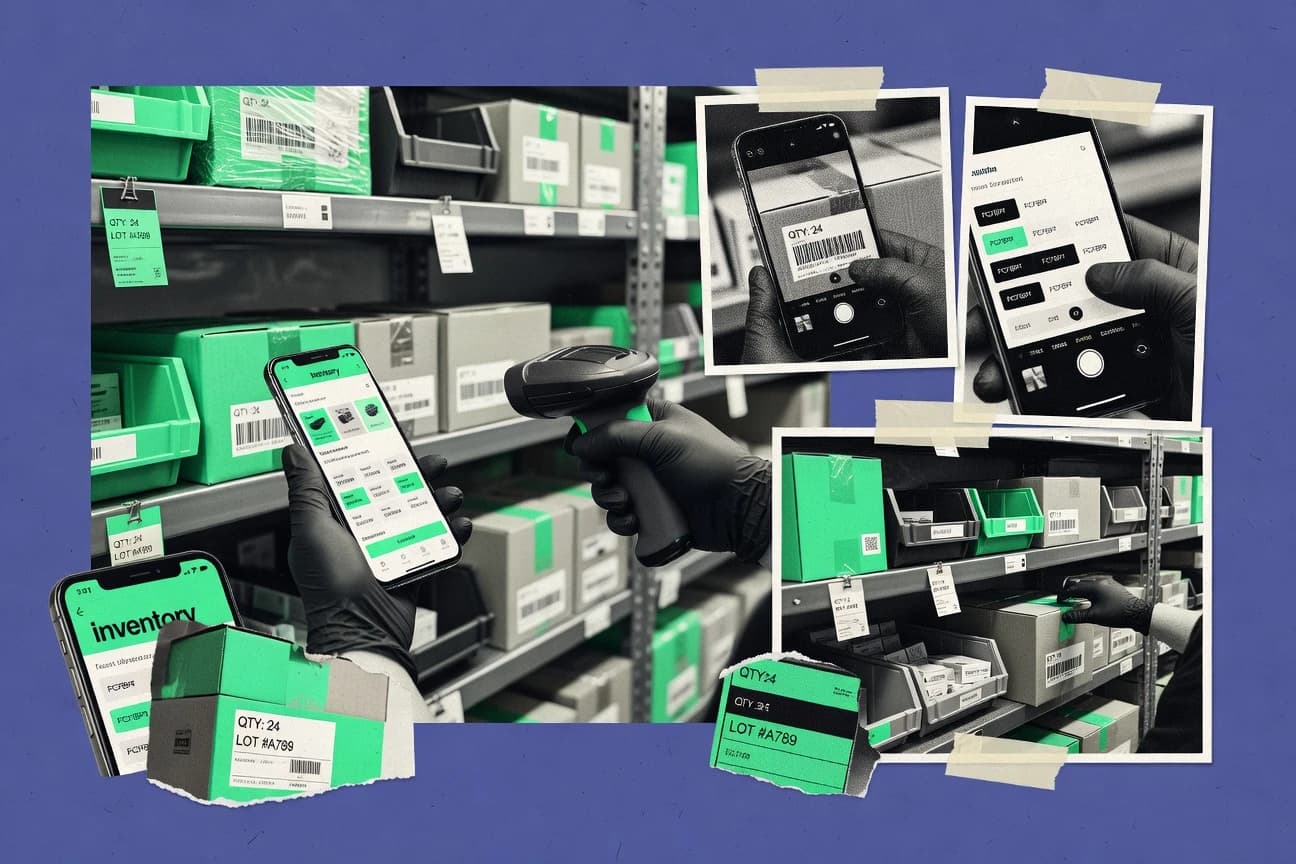
Top 10 ranking of mobile inventory management software for field teams, comparing inFlow Inventory, Zoho Inventory, and InventoryCloud features and tradeoffs.

How we ranked these tools
Gitnux editors write the brief first: the topic, the inclusion rules, and the frame for what belongs.
Agents extract product evidence with provenance, then collect written reviews and transcribe video reviews and podcasts.
Framework: Features 40% · Ease 30% · Value 30%
Gitnux may earn a commission through links on this page — this does not influence rankings. Editorial policy
Inflow Inventory is the best pick if you need scan-led mobile stock counts and multi-location control without a heavy WMS rollout, whereas SAP Extended Warehouse Management fits when SAP-centric enterprises want mobile RF execution that matches strict warehouse handling and inventory logic.
Editor’s top 3 picks
Three quick recommendations before you dive into the full comparison below — each one leads on a different dimension.
inFlow Inventory
Mobile scan-driven cycle counting updates perpetual balances per SKU and location during handheld count runs.
Best for: Fits when teams need mobile scan workflows and multi-location stock control without a full WMS rollout.
Zoho Inventory
Editor pickMobile receiving and cycle counting are designed to update inventory records immediately from scanned transactions.
Best for: Fits when warehouse teams want mobile scanning tied to orders and counts across multiple warehouses.
InventoryCloud
Editor pickHandheld transaction capture with change tracking for inventory adjustments across locations.
Best for: Fits when mid-size warehouses need mobile scanning for inventory accuracy across multiple locations.
Comparison Table
inFlow Inventory
SMBInventory management with a dedicated mobile companion app for scanning and stock counts.
Mobile scan-driven cycle counting updates perpetual balances per SKU and location during handheld count runs.
inFlow Inventory is built for mobile inventory operations using handheld terminals with barcode scanning for inbound, outbound, and count processes. The system supports perpetual inventory updates tied to movements, plus SKU-level reconciliation via adjustments and counting runs. Multi-warehouse and transfer workflows keep stock movements traceable when operations span locations.
A key tradeoff is that deeper WMS behaviors like complex wave picking or advanced pick-path optimization are not the primary focus. inFlow Inventory fits teams that need fast scan capture on mobile devices and consistent stock accuracy without investing in a full WMS feature set. It is also a strong fit when handheld users must complete counts and movement transactions with minimal back-office intervention.
- +Handheld barcode scanning drives receiving, picking, and counting
- +Multi-location inventory supports transfers and location-aware balances
- +Cycle counting workflows reduce inventory variance faster
- +Reorder-point triggers support proactive procurement
- –Advanced WMS picking optimization features are limited
- –Extensibility relies more on configuration than custom integrations
- –Governance controls are lighter than enterprise inventory suites
Warehouse supervisors
Run count-to-adjust cycles
Reduced variance and fewer surprises
Operations teams
Manage transfers between warehouses
Accurate multi-location stock tracking
Show 1 more scenario
Procurement analysts
Trigger replenishment from thresholds
Fewer stockouts and missed demand
Reorder-point logic flags SKUs that fall below target levels based on activity.
Best for: Fits when teams need mobile scan workflows and multi-location stock control without a full WMS rollout.
Zoho Inventory
SMBCloud inventory and order management with a mobile scanner app.
Mobile receiving and cycle counting are designed to update inventory records immediately from scanned transactions.
Zoho Inventory handles end-to-end inventory operations by connecting purchase orders, sales orders, and inventory adjustments to what users scan and count on mobile devices. The app is built around frequent warehouse tasks like receiving items, confirming quantities, and running cycle counts rather than general back-office reporting. Multi-warehouse sync keeps stock levels aligned across locations as transfers and transactions post. Barcode scanning supports faster reconciliation when SKU lists are stable and item master data is clean.
A key tradeoff is that mobile execution depends on accurate item setup such as units, warehouses, and tracked fields, because users need consistent product records to prevent inventory variance. Zoho Inventory fits best when daily picking and receiving are already mapped to purchase and sales orders, and when teams can enforce receiving and count procedures consistently. It also works well when operations need continuity across multiple Zoho apps for example accounting and CRM triggers around stock availability changes.
- +Barcode scanning workflow maps directly to receiving and picking
- +Multi-warehouse stock balances update with inventory transactions
- +Cycle counting on mobile supports ongoing variance control
- +Zoho ecosystem integrations reduce duplicate item and order entry
- –Mobile accuracy depends on preconfigured item, warehouse, and unit data
- –Advanced WMS features like wave picking require stronger external process alignment
- –Offline use can add resync complexity during network interruptions
- –Batch-level exception workflows need careful setup to avoid posting errors
Retail stockroom teams
Cycle count audits by aisle
Lower stock variance month to month
Third-party logistics staff
Multi-warehouse receiving confirmations
Faster putaway readiness
Show 2 more scenarios
Small wholesale distributors
Order-driven picking and replenishment
Fewer order and inventory mismatches
Sales order workflows guide mobile picking so stock changes stay aligned with fulfillment.
Ops managers at Zoho shops
ERP-aligned inventory updates
Reduced manual corrections
Inventory events integrate with Zoho business apps to keep downstream documents consistent.
Best for: Fits when warehouse teams want mobile scanning tied to orders and counts across multiple warehouses.
InventoryCloud
SMBWasp Barcode cloud inventory system with mobile barcode scanning.
Handheld transaction capture with change tracking for inventory adjustments across locations.
InventoryCloud targets daily warehouse operations with handheld data capture for receiving, picking support, and inventory adjustments using barcode scanning. It emphasizes multi-location inventory visibility and repeatable transactions so cycle counting and variance resolution can follow the same item identifiers and locations. Operational reporting focuses on reconciliation, change history, and the effects of adjustments across warehouse locations.
A notable tradeoff is that advanced warehouse execution features like wave picking orchestration and putaway optimization are narrower than full WMS suites that run end-to-end. InventoryCloud is a strong fit when handheld scanning must drive inventory accuracy and transfer movements in a contained set of workflows. It is less ideal when requirements depend on complex picking algorithms, deep slotting rules, or EDI-driven ASN flows as the primary execution layer.
- +Mobile scanning workflow reduces manual keying during inventory adjustments
- +Multi-location inventory visibility keeps transfers and balances aligned
- +Transaction history supports variance review and change accountability
- +Fast handheld execution supports quick counts and frequent updates
- –Wave picking orchestration is not as extensive as WMS-first systems
- –Putaway logic depth is limited compared with advanced slotting engines
- –Offline mode coverage depends on setup discipline and device behavior
- –ERP and WMS integration depth may require connector planning
Warehouse operations supervisors
Manage daily inventory adjustments
Faster variance resolution
Inventory control teams
Run frequent cycle counts
Improved perpetual inventory accuracy
Show 2 more scenarios
Logistics teams handling transfers
Coordinate inter-warehouse stock movement
Fewer transfer mismatches
Transfer transactions update balances across warehouses using the same item identifiers.
Mobile workforce in retail back rooms
Reconcile stock after receiving
Lower stockout risk
Receiving and adjustment tasks captured on handhelds reduce post-receipt discrepancies.
Best for: Fits when mid-size warehouses need mobile scanning for inventory accuracy across multiple locations.
SAP Extended Warehouse Management
enterpriseWarehouse management software with mobile RF operations, labor processes, yard control, and advanced inventory tracking.
Warehouse process orchestration that binds mobile confirmations to task state and ERP inventory in one execution chain.
SAP Extended Warehouse Management is SAP’s warehouse execution layer for complex, operationally strict warehouses. It drives mobile warehouse workflows through terminal handoffs that stay aligned with warehouse processes like task creation, confirmations, and execution status.
- +Tight ERP-driven stock and order alignment for execution accuracy
- +Configurable warehouse process control for task, confirmation, and status flows
- +Strong extensibility for warehouse-specific execution rules
- +Multi-warehouse synchronization supports structured transfers and staging
- –Mobile rollout depends on disciplined configuration and master data readiness
- –Handheld workflow UX depends heavily on terminal and process design choices
- –Offline inventory capture is not a universal default across all deployments
- –Advanced mobile workflows usually require integration engineering effort
Best for: Fits when SAP-centric enterprises need mobile execution that mirrors warehouse control logic and strict inventory handling.
Körber Warehouse Management
enterpriseWarehouse management software with mobile user interfaces, automation support, inventory control, and fulfillment orchestration.
Configurable task orchestration for putaway, replenishment, and shipping driven from mobile work queues.
Körber Warehouse Management runs handheld-based warehouse execution for receiving, putaway, picking, replenishment, and shipping with transaction-level control. It supports scan-driven workflows and configurable task logic to keep handhelds aligned with warehouse rules for accuracy.
- +Work-queue execution keeps handheld users on controlled task sequences
- +Scan-driven transactions reduce freeform entry and downstream reconciliation effort
- +Putaway and replenishment logic can be tuned to site-specific storage rules
- +Integration orientation supports consistent stock state between WMS and ERP
- –Initialization requires careful configuration of locations, item rules, and tasks
- –Advanced picking optimization depends on enabled process flows and configuration
- –Offline use is not the default differentiator compared with mobile-first competitors
- –High-volume warehouses may need tighter governance to manage handheld exceptions
Best for: Fits when distribution centers need handheld execution with strong workflow control and WMS-to-ERP consistency.
MRPeasy
vertical specialistManufacturing inventory software with barcode scanning, lot tracking, serial numbers, stocktakes, and reorder planning.
MRP-driven reorder planning tied directly to current on-hand stock reduces reorder math and variance.
MRPeasy is built for teams that manage item quantities through mobile stock movements, then turn that reality into replenishment actions.
- +Barcode-based receiving and adjustments speed day-to-day inventory entry
- +MRP-style reorder suggestions reduce manual reorder calculations
- +Mobile workflows support frequent stock updates without desktop dependence
- +Multi-location inventory views help prevent cross-site stock confusion
- –Limited warehouse execution depth compared with WMS wave and pick-path features
- –Transfer workflows need careful setup to avoid quantity mismatches
- –Complex batch rules like FEFO enforcement are not as central as standard lot handling
- –API and automation options are narrower than warehouse-integrated ecosystems
Best for: Fits when teams need handheld stock updates plus reorder logic without full WMS execution.
EZO Inventory
SMBCloud inventory software with barcode scanning, stock transfers, purchase orders, reorder levels, and mobile access.
Device-first scan workflow orchestration that records operational moves as stock transactions for later reconciliation.
EZO Inventory is a mobile-first inventory management tool that centers on real-time stock updates driven by handheld scans and device workflows. It supports perpetual inventory concepts with barcode-based item movement, with controls for receiving, putaway, picking, and stock adjustments.
- +Handheld scan workflows keep receiving, putaway, and picking aligned to location
- +API support enables two-way synchronization of items, stock, and transactions
- +Transaction history supports inventory variance investigation across adjustments
- +Multi-warehouse stock tracking supports distributed locations and transfers
- –Cycle counting coverage depends on how warehouses structure count sessions
- –Complex batch and lot workflows require careful configuration and mapping
- –Advanced pick planning is limited compared with dedicated mobile WMS engines
- –Offline operation needs validation for scan capture and later reconciliation
Best for: Fits when operations need mobile scan-driven stock moves with API sync to ERP or WMS.
Odoo Inventory
SMBInventory software with barcode scanning, warehouse routes, replenishment rules, and mobile operations.
Stock moves apply consistently across Odoo apps, letting mobile scanning update the same ERP valuation and reporting ledger.
Odoo Inventory is part of the Odoo ERP suite and is distinct for using shared stock rules, warehouses, and accounting hooks across modules that also serve sales and purchasing. Core capabilities include multi-warehouse inventory flows, barcode-driven operations on handheld terminals, and support for lot and serial tracking with valuation links.
- +Warehouse operations reuse ERP stock rules across sales, purchase, and accounting
- +Handheld barcode scanning supports fast receiving, putaway, and picking confirmations
- +Lot and serial tracking travels with stock moves for traceability
- +Extensible automation supports custom workflows without breaking core stock moves
- –Mobile workflows can feel constrained for advanced warehouse routing needs
- –Cycle counting coverage depends on configured inventory adjustment and counting processes
- –Complex multi-warehouse policies require disciplined configuration to avoid variance
- –Automation changes often require developer work for tight operational tailoring
Best for: Fits when ERP-connected inventory control needs barcode scanning and lot or serial traceability.
Wasp Inventory Control
SMBInventory control software with barcode scanning, mobile data collection, purchase orders, and stock reporting.
Scan-guided workflows that enforce transaction consistency at the handheld step for receiving, putaway, and stock adjustments.
Wasp Inventory Control runs mobile inventory workflows for scanning, receiving, putaway, picking, and stock adjustments tied to item master data. It focuses on barcode-led execution for daily counts and transaction accuracy, with cycle-style practices supported by scan verification.
- +Barcode-driven receiving and picking reduces data entry during warehouse transactions
- +Supports multi-location stock visibility for distribution operations and audits
- +Mobile scan prompts guide workers through putaway and adjustments
- +Cycle-style recount flows support inventory variance investigation
- –Limited visibility into advanced replenishment logic like reorder point triggers
- –Automation depth for outbound documents like ASN processing is not a primary focus
- –Integration breadth with ERP and WMS systems is narrower than larger mobile suites
- –Offline mode capability is not clearly a core workflow pillar
Best for: Fits when teams need scan-led handheld execution for transactions and counts across a few warehouse locations.
Katana Cloud Inventory
vertical specialistCloud inventory and manufacturing software with barcode scanning, stock transfers, purchasing, and shop-floor visibility.
ERP-driven inventory movement documents that reduce mismatch risk during mobile receiving and picking.
Katana Cloud Inventory targets teams that need mobile-friendly inventory execution tied to ERP workflows, with stock control centered on SKUs and operational documents. It supports handheld inventory activities like receiving, picking, and stock movements through a guided process that maps to warehouse transactions. Katana also emphasizes integration and sync with the connected ERP so inventory changes flow back to the system of record without manual re-entry.
- +ERP-linked stock transactions reduce double entry during warehouse execution
- +Mobile workflows keep scanners focused on the next required warehouse step
- +Inventory documents track the full movement lifecycle from receiving to issue
- +Consistent SKU setup supports repeatable operations across locations
- –Advanced warehouse math like pick path optimization is not a core fit
- –Offline execution depth for handheld capture is limited compared with dedicated WMS tools
- –Automation options can require careful process alignment in the ERP layer
- –Cross-warehouse synchronization can lag if inbound ERP updates are delayed
Best for: Fits when mid-market teams need mobile inventory movements that stay synchronized with their ERP.
Conclusion
After evaluating 10 mobile inventory management software, inFlow Inventory stands out as our overall top pick — it scored highest across our combined criteria of features, ease of use, and value, which is why it sits at #1 in the rankings above.
Use the comparison table and detailed reviews above to validate the fit against your own requirements before committing to a tool.
How to Choose the Right Mobile Inventory Management Software
Mobile inventory management software uses handheld barcode scanning to move inventory records forward during receiving, putaway, picking, transfers, and counts. This buyer's guide covers inFlow Inventory, Zoho Inventory, and InventoryCloud alongside enterprise-oriented execution systems like SAP Extended Warehouse Management and Körber Warehouse Management.
The evaluation emphasis stays on how mobile workflows update inventory accuracy, how well tasks and confirmations track operational state, and how inventory transactions synchronize across multiple locations or warehouses. The list also includes MRPeasy for reorder logic tied to current stock, EZO Inventory and Odoo Inventory for ERP-connected scan workflows, plus Wasp Inventory Control and Katana Cloud Inventory for scan-led handheld execution tied to their inventory movement models.
Mobile Inventory Management Software for scan-led warehouse execution and inventory accuracy
Mobile inventory management software coordinates handheld scanning so warehouses can record inventory movements during execution instead of relying on end-of-day data entry. inFlow Inventory and Zoho Inventory focus on immediate inventory updates from scanned receiving and counting transactions, including multi-warehouse stock balance updates driven by inventory transactions.
InventoryCloud adds handheld transaction capture with change tracking for adjustments across locations, which supports later reconciliation when inventory quantities shift during physical work. Tools like SAP Extended Warehouse Management and Körber Warehouse Management bind mobile confirmations to task state so mobile steps mirror controlled warehouse process logic tied to ERP inventory.
Mobile execution features that keep handheld scans and inventory records aligned
Mobile inventory management software is only useful when handheld confirmations turn into inventory transactions that update balances immediately. Tools that couple scan workflows to receiving, putaway, picking, and counts reduce end-of-day variance and keep multi-location stock control consistent.
This guide weighs how each tool handles operational throughput at the handheld step, how well confirmations bind to task state, and how inventory transactions stay synchronized across warehouses or ERP inventory ledgers. inFlow Inventory and Zoho Inventory emphasize scan-to-balance updates, while SAP Extended Warehouse Management and Körber Warehouse Management emphasize controlled task orchestration tied to ERP-consistent execution.
Scan-to-transaction execution during receiving and counts
inFlow Inventory updates perpetual balances from mobile scan-driven cycle counting during the handheld run. Zoho Inventory maps barcode scanning directly to receiving and cycle counting so inventory records update immediately from scanned transactions.
Multi-location stock visibility for transfers and location-aware balances
inFlow Inventory supports multi-location inventory so transfers and location-aware balances stay aligned during handheld work. InventoryCloud provides multi-location inventory visibility and uses handheld transaction capture with change tracking to keep adjustments across locations reconcilable.
Mobile workflow binding to task state for ERP-consistent execution
SAP Extended Warehouse Management binds mobile confirmations to warehouse task state so ERP inventory and execution chain stay aligned. Körber Warehouse Management uses configurable work queues so handheld execution follows controlled task sequences and reduces freeform entry.
Extensibility and API-driven synchronization with ERP or WMS
EZO Inventory provides API support for two-way synchronization of items, stock, and transactions, which fits mobile scan workflows that must sync to external systems. Katana Cloud Inventory keeps mobile receiving and picking synchronized with ERP-linked inventory movement documents to reduce double entry.
Choose based on handheld workflow philosophy, not just barcode scanning
Different products optimize for different handheld execution philosophies, and those choices determine which warehouse steps remain accurate under real throughput. Some tools focus on direct scan-to-balance transaction updates for day-to-day inventory control, while others focus on ERP or WMS task orchestration so every confirmation follows a controlled workflow.
The fastest way to narrow the selection is to map each warehouse step to the tool’s execution chain. The steps below force selection forks between scan-led perpetual updates, queue-led task orchestration, and ERP-driven movement documents, then validate whether cycle counting and transfer handling fit the warehouse’s actual process design.
Pick scan-to-balance tools when handheld counts must update perpetual balances mid-session
Choose inFlow Inventory if handheld cycle counting runs need scan-driven updates that change perpetual balances per SKU and location during the handheld count run. Choose Zoho Inventory if mobile receiving and cycle counting must update inventory records immediately from scanned transactions across multiple warehouses.
Pick queue-orchestration tools when mobile confirmations must follow controlled task sequences
Choose Körber Warehouse Management if handheld execution needs work-queue sequences for putaway, replenishment, and shipping driven from mobile queues. Choose SAP Extended Warehouse Management if SAP-centric enterprises require mobile confirmations bound to warehouse process states with ERP inventory in one execution chain.
Pick handheld transaction capture when reconciliation matters more than orchestration depth
Choose InventoryCloud when handheld transaction capture with change tracking across locations is the primary mechanism for later reconciliation after adjustments. Choose Wasp Inventory Control when scan-guided handheld steps must enforce transaction consistency for receiving, putaway, and stock adjustments across a few warehouse locations.
Pick ERP-linked movement documents when execution must reduce double entry with ERP
Choose Katana Cloud Inventory when mobile receiving and picking must stay synchronized with ERP-linked inventory movement documents to reduce mismatch risk. Choose Odoo Inventory when stock moves need to apply consistently across Odoo apps so mobile scanning updates the same ERP valuation and reporting ledger.
Validate cycle counting session structure and batch or lot complexity before committing
Choose MRPeasy if reorder planning tied directly to current on-hand stock reduces reorder math, and validate that transfer workflows match warehouse quantity rules before rollout. Choose EZO Inventory if API sync is required, and validate that cycle counting coverage and complex batch or lot workflows map cleanly to the warehouse’s count sessions and transaction mapping.
Who Mobile Inventory Management Software fits best
Mobile inventory management software fits teams where inventory accuracy depends on handheld execution instead of end-of-day data entry. It also fits warehouses that must coordinate multi-location moves and keep scanned transactions synchronized with external inventory systems.
The audience split comes from whether the warehouse needs scan-to-balance updates for operational speed or ERP and WMS task orchestration for execution control. It also depends on whether reorder logic, reconciliation workflows, or ERP ledger consistency is the primary requirement.
Distribution centers that need handheld scan execution without a full WMS rollout
inFlow Inventory is designed for mobile scan workflows and multi-location stock control without requiring advanced WMS picking optimization. Zoho Inventory similarly updates multi-warehouse stock balances from scanned receiving and cycle counting transactions.
Warehouses that rely on controlled task sequences tied to ERP execution logic
SAP Extended Warehouse Management binds mobile confirmations to task state and ERP inventory in one execution chain for strict inventory handling. Körber Warehouse Management uses configurable work queues so handheld users follow controlled sequences for putaway, replenishment, and shipping.
Teams that must reconcile adjustments across multiple locations from handheld-captured transactions
InventoryCloud emphasizes handheld transaction capture with change tracking for inventory adjustments across locations. EZO Inventory emphasizes device-first scan workflow orchestration that records operational moves as stock transactions for later reconciliation with API sync.
ERP-connected operators that need ledger-consistent barcode scanning across operations
Odoo Inventory applies stock moves consistently across Odoo apps so mobile scanning updates the same ERP valuation and reporting ledger. Katana Cloud Inventory keeps mobile inventory movements synchronized with ERP-linked documents to reduce mismatch risk during receiving and picking.
Operations that prioritize reorder planning tied to current on-hand stock alongside handheld updates
MRPeasy ties MRP-style reorder planning to current on-hand stock so reorder math is reduced when handheld scan updates flow into inventory status. Wasp Inventory Control targets scan-led handheld execution with transaction consistency across a limited number of warehouse locations.
Common failure points during mobile inventory management rollout
Mobile inventory programs fail most often when handheld workflows are configured around the wrong execution unit, such as item data rules or process state transitions. They also fail when cycle counting sessions and location structures are not designed to match how the tool applies scan transactions.
Another frequent failure is selecting a system for advanced warehouse math without validating that the handheld execution and orchestration depth for wave and pick optimization matches the warehouse’s process flows. The pitfalls below map to concrete constraints shown in tool capability coverage and configuration requirements.
Relying on advanced picking optimization expectations in tools that limit WMS-first orchestration
inFlow Inventory limits advanced WMS picking optimization features, so pick-path and wave complexity needs a separate fit check before rollout. InventoryCloud states wave picking orchestration is not as extensive as WMS-first systems, so warehouses expecting deep wave execution should validate process coverage early.
Under-preparing master data so mobile scanning cannot map barcodes to warehouse structure
Zoho Inventory notes mobile accuracy depends on preconfigured item, warehouse, and unit data, so missing units or warehouse mappings will break scan-to-transaction flow. Körber Warehouse Management warns initialization requires careful configuration of locations, item rules, and tasks, so incomplete setup leads to queue friction at handheld time.
Assuming transfer and reconciliation will work without aligning quantity rules to the tool’s workflow
MRPeasy indicates transfer workflows need careful setup to avoid quantity mismatches, so transfer quantity rules must be validated with test scans. InventoryCloud ties multi-location adjustments to change tracking, so reconciliation needs a defined adjustment workflow instead of ad hoc handheld edits.
Skipping governance discipline for ERP-linked execution and assuming handheld UX automatically matches warehouse control logic
SAP Extended Warehouse Management requires disciplined configuration and master data readiness, and its handheld workflow UX depends heavily on terminal and process design choices. Katana Cloud Inventory has limited offline execution depth compared with dedicated WMS tools, so offline gaps can surface if network reliability is weak.
How We Selected and Ranked These Tools
We evaluated mobile inventory management software by testing how scan-driven receiving, putaway, picking, and cycle counting updates inventory transactions during handheld execution. Features made up 40% of the ranking weight because inFlow Inventory’s mobile scan-driven cycle counting updates perpetual balances per SKU and location during the handheld count run. Ease and value each contributed 30%, and inFlow Inventory’s immediate scan-to-balance workflow plus multi-location inventory visibility drove its position at the top of the list.
Frequently Asked Questions About Mobile Inventory Management Software
Which mobile inventory tools handle multi-warehouse stock moves with real-time updates from handheld scans?
How does offline mode change scan-based workflows and stock accuracy handling on handheld devices?
When does cycle counting update perpetual inventory balances, and how is it tied to SKU and location data?
What breaks if an organization needs strong ERP orchestration for mobile confirmations instead of basic inventory entry?
How do integrations and APIs differ between tools that need inventory sync to ERP or WMS systems?
Which tools provide admin controls that prevent invalid stock moves during receiving, putaway, and picking?
How is data migration handled when moving existing item masters, locations, and transaction history into a mobile inventory system?
Which tools support lot or serial tracking while still enabling barcode scanning on handheld terminals?
What security and access-control model matters most for multi-user handheld operations, and where does it show up in these tools?
Tools reviewed
Primary sources checked during evaluation.
Referenced in the comparison table and product reviews above.
Funding and competing interests
This study was co-funded by several of the vendors assessed in it. No single vendor funded it. Funders could propose the market studied.
They had no role in selecting vendors, setting or weighting criteria, analysing data or drawing conclusions, and they received the same factual-accuracy check as every other vendor assessed.
Market definition, inclusion rules and criteria weights were fixed by an editor before research began and did not change afterwards. Editorial process →
- Business FinanceTop 10 Best Mobile Inventory Software of 2026
- Business FinanceTop 10 Best Mobile Work Order Software of 2026
- Business FinanceTop 10 Best Mobile Forms Automation Software of 2026
- Technology Digital MediaTop 10 Best Mobile Device Asset Management Software of 2026
- Business FinanceTop 10 Best Inventory Barcode Scanner Software of 2026
Keep exploring
Comparing two specific tools?
Software Alternatives
See head-to-head software comparisons with feature breakdowns, pricing, and our recommendation for each use case.
Explore software alternatives→In this category
Business Finance alternatives
See side-by-side comparisons of business finance tools and pick the right one for your stack.
Compare business finance tools→