GITNUXSOFTWARE ADVICE
Marketing AdvertisingTop 10 Best Heat Map Software of 2026
Top 10 heat map software for web and product teams. Ranking and feature limits compare VWO, Microsoft Clarity, Contentsquare, Crazy Egg, Mouseflow.

How we ranked these tools
Gitnux editors write the brief first: the topic, the inclusion rules, and the frame for what belongs.
Agents extract product evidence with provenance, then collect written reviews and transcribe video reviews and podcasts.
Framework: Features 40% · Ease 30% · Value 30%
Gitnux may earn a commission through links on this page — this does not influence rankings. Editorial policy
Crazy Egg is the best overall pick for web teams that want quick, page-scoped attention views and fast iteration feedback, while Contentsquare fits product and web groups running ongoing optimization with repeatable segmentation, and Microsoft Clarity is the budget-friendly entry for fast replay and heat-map diagnostics.
Editor’s top 3 picks
Three quick recommendations before you dive into the full comparison below — each one leads on a different dimension.
Crazy Egg
Overlay-style comparisons pair heat maps from different page versions to validate whether changes shift attention.
Best for: Fits when web teams need page-scoped attention views and rapid iteration feedback.
Contentsquare
Editor pickJourney analysis that links behavioral signals to conversion step drop-off across segments, not just per-page hotspots.
Best for: Fits when product and web teams run ongoing conversion optimization with repeatable segmentation workflows.
Mouseflow
Editor pickLinking element-level heat map hotspots to session replay to confirm intent behind clicks.
Best for: Fits when web and product teams need replay-backed heat maps for UX debugging.
Comparison Table
Crazy Egg
SMBHeatmap and A/B testing platform for conversion optimization.
Overlay-style comparisons pair heat maps from different page versions to validate whether changes shift attention.
Crazy Egg’s core flow starts with a JavaScript tag that captures on-page behavior, then turns it into page-level and element-level attention views like click and scroll heat maps. Mouse-movement heat maps add an attention proxy that complements click density when users hover over interactive controls. Session recordings let analysts inspect the exact journey behind a hotspot and verify whether clicks come from meaningful intent or misreads.
A key tradeoff is that cross-site behavior analysis depends on what the tag can observe within the pages it controls, so it is less suitable for deep attribution across multiple domains or complex identity stitching. Crazy Egg fits best when web teams need fast, page-scoped insights for iteration cycles such as CTA placement, navigation changes, or form step redesigns.
- +Heat maps and session recordings connect hotspots to concrete user behavior
- +Element-level and mouse-movement views help separate hover interest from clicks
- +URL and device segmentation keep analysis scoped to specific traffic sources
- +Overlay comparisons speed validation after page edits
- –Cross-domain user journey analysis is limited by page-scoped tagging
- –Advanced automation and external workflow integration are thinner than enterprise analytics tools
Ecommerce conversion teams
Diagnose product page CTA friction
Higher add-to-cart conversions
Marketing landing page teams
Separate engagement by traffic source
Improved campaign landing performance
Show 2 more scenarios
Product marketing teams
Validate feature page navigation changes
Reduced bounce and confusion
Mouse-movement and click heat maps reveal whether key sections attract attention or get skipped.
Web analytics teams
Triage dead click reports
Fewer usability defects
Heat map hotspots highlight non-functional interaction points and recordings help confirm the root cause.
Best for: Fits when web teams need page-scoped attention views and rapid iteration feedback.
Contentsquare
enterpriseDigital experience analytics platform with zone-based heatmaps and journey analysis.
Journey analysis that links behavioral signals to conversion step drop-off across segments, not just per-page hotspots.
Teams use Contentsquare to generate element-level attention maps and scroll patterns, then compare how different segments interact with the same page structure. Conversion work benefits from its path analysis and funnel-oriented views that tie observed friction to step completion. The product also supports session recording for investigating individual journeys when heat maps show a problem area.
A clear tradeoff is the higher workflow and governance burden when multiple teams need consistent segmentation and report definitions. Contentsquare fits best when there is ongoing optimization work across many pages and campaigns, and analysts need repeatable configuration rather than one-off screenshots.
- +Element-level attention mapping ties friction to specific UI components
- +Funnel and path analysis connect observed behavior to conversion steps
- +Segmented reporting supports cross-page comparisons for targeted audiences
- +Session recording helps validate issues found in heat map views
- –Segment definitions and reporting workflows require consistent governance discipline
- –Custom dashboarding can take time to standardize across teams
- –Dynamic page setups demand careful tagging and QA before rollout
- –Analysis depth can slow quick ad hoc investigations
Ecommerce conversion teams
Diagnose checkout friction by step
Reduced checkout drop-off
Product analytics teams
Compare feature adoption paths
Clearer activation bottlenecks
Show 2 more scenarios
UX research teams
Validate UI changes with recordings
Faster usability issue confirmation
Scroll and attention views guide recording review to confirm whether proposed fixes reduce misclicks.
Marketing analytics teams
Attribute landing engagement issues
Better landing page targeting
Behavior comparisons across traffic sources isolate whether campaigns reach pages that drive intended actions.
Best for: Fits when product and web teams run ongoing conversion optimization with repeatable segmentation workflows.
Mouseflow
SMBSession replay and heatmap analytics for understanding visitor behavior.
Linking element-level heat map hotspots to session replay to confirm intent behind clicks.
Mouseflow captures both click behavior and attention patterns with heat maps that map to page and element areas, and it links those visuals to recorded sessions for direct behavioral forensics. Session replay is used to validate whether a heat map hotspot reflects intentional interaction or a UI misunderstanding. Audience filtering lets teams compare behavior across user segments so investigation stays tied to the same pages and flows.
A tradeoff is that replay-driven analysis can become time-consuming when large volumes of sessions must be reviewed manually. Mouseflow fits best when a team needs fast behavioral diagnosis after UX changes or during checkout and form debugging, and when a visual trail from click patterns to individual sessions reduces speculation.
- +Click and attention heat maps map directly to page elements
- +Session replay provides immediate context for heat map hotspots
- +Audience filtering supports comparison across traffic segments
- +Debug workflow ties visual evidence to individual user journeys
- –Replay review can slow down when traffic volume is high
- –Investigations can require careful segment setup to stay comparable
- –Heat map interpretations still depend on manual validation
- –Cross-page journey insights require structured page and event instrumentation
Product design teams
Validate new CTA layout
Faster UX iteration decisions
Conversion optimization teams
Diagnose checkout dead clicks
Reduced checkout friction
Show 2 more scenarios
Support and CX analytics
Investigate form submission issues
Lower form abandonment
Teams correlate heat map interaction patterns with replayed attempts to see validation and field confusion.
Growth and experimentation
Compare landing page segments
More targeted landing changes
Teams use audience filtering to compare attention and click behavior across traffic sources.
Best for: Fits when web and product teams need replay-backed heat maps for UX debugging.
Microsoft Clarity
SMBFree heatmap and session recording analytics tool provided by Microsoft.
Consent-aware session replay and heat-map collection behavior can be tuned to respect opt-in and privacy constraints.
Microsoft Clarity pairs session replay with click heat mapping and scroll behavior to show where users stall, hesitate, and exit. It attributes heat map and replay slices to selected traffic and device conditions so analysts can compare behavior across segments.
- +Click and scroll heat maps link directly to session recordings for fast root-cause checks
- +Consent-aware collection controls reduce recorded-event exposure for compliant deployments
- +Segmented heat map and replay views support device and traffic-condition comparisons
- +Microsoft ecosystem integration patterns fit teams already using Microsoft identity and analytics workflows
- –Advanced governance depends on disciplined tag and configuration management across environments
- –API automation depth is limited compared with heat map tools that expose broader programmatic controls
Best for: Fits when web teams need fast session-replay and heat-map diagnostics with practical consent controls.
Lucky Orange
SMBConversion optimization suite with heatmaps, recordings, live chat, and polls.
Dead click and rage click detection combines heat signals with session context to pinpoint broken or frustrating UI elements.
Lucky Orange maps on-page attention with click, scroll, and mouse-movement views tied to sessions and page context. Session recordings and playback views let teams correlate heatmap clusters with real user behavior, including rage and dead click patterns.
- +Heatmaps link directly to session recordings for faster behavioral validation
- +Mouse-movement patterns help explain hover-driven engagement gaps
- +Dead click and rage click detection surfaces specific UX friction points
- +Segmentation filters support device and traffic-source comparisons across pages
- –Cross-domain tracking setup can become complex for multi-property journeys
- –Richer automation and API depth is limited versus developer-first alternatives
Best for: Fits when web and product teams need heatmaps tied to recorded sessions for UX debugging and hypothesis testing.
Smartlook
SMBProduct analytics platform with session recordings and heatmaps for web and mobile.
Session replay correlation that connects heat map hotspots to specific user journeys for faster root-cause analysis.
Smartlook ties session replay with click and attention views so product and web teams can connect behavior to specific UI elements. Heat maps are generated from tracked events with segment filters, so viewers can compare patterns by traffic and user attributes.
- +Heat maps stay actionable because session replay links directly to the observed UI behavior
- +Event-based segmentation helps isolate patterns by user attributes and traffic sources
- +Privacy controls include consent integration hooks and data retention settings
- +API access supports exporting and syncing behavior data for downstream tooling
- –Cross-domain tracking and dynamic-page support can require careful tag configuration
- –Governance for annotation and access depends on administrators setting up controls correctly
Best for: Fits when product teams need heat maps tied to session replay and segment filters without losing governance control.
Inspectlet
SMBSession recording and heatmap tool for tracking visitor interactions.
Replay-to-heat-map navigation that lets teams jump from hotspots to the specific sessions where they occurred.
Inspectlet pairs heat maps with session replay so each click or scroll pattern can be verified against actual user behavior. It focuses on page-level and element-level interactions, including scroll heat maps and mouse-movement heat maps, with segmentation to compare cohorts.
- +Session replay links behavior to heat-map hotspots for fast root-cause checks
- +Scroll heat maps and mouse-movement views cover common interaction analytics needs
- +Segmented comparisons make it easier to isolate differences by traffic source or device
- +Privacy and retention controls reduce risk when recording user sessions
- –Cross-domain tracking setup can require careful tag and identity configuration
- –Mouse-movement heat maps can be noisy on highly dynamic pages without tuning
- –Automation and API depth are lighter than analytics suites that integrate broadly
- –Governance controls for multi-team access and audit history can require process discipline
Best for: Fits when product and web teams need heat maps plus replay to validate conversion issues.
UXCam
vertical specialistMobile app analytics platform with session replay and mobile heatmaps.
Heat map overlays that stay connected to session replay timelines for rapid UI root-cause checks.
UXCam focuses on product analytics workflows that combine heat maps with session replay to connect UI behavior to user journeys. It provides element-level attention views and session timelines that support behavioral segmentation by properties captured at event time.
- +Session replay and heat maps link UI issues to real user journeys
- +Behavioral segmentation uses captured event properties for targeted attention views
- +Element-level heat maps support rapid diagnosis of specific UI regions
- +Cross-session analysis works for web and in-app instrumentation
- –Advanced setup for precise event-to-element mapping can take iteration
- –Complex multi-page attribution can be harder than page-focused tools
- –High interaction pages can produce dense heat map layers to sift
- –Relying on app property instrumentation limits insights when data is sparse
Best for: Fits when web and mobile product teams need heat maps tied to replay and property-based segmentation.
Matomo
open-sourceOpen-source web analytics platform with a heatmap and session recording plugin.
Session recordings are linked to heat map context so investigation can move from attention areas to exact user sessions.
Matomo generates attention heat maps from tracked on-page interactions and renders them over DOM locations so teams can see where users focus. It pairs heat maps with session recording and click-level behavior analysis so visual patterns connect to replayed journeys.
- +Heat maps align to tracked element positions using the same tagging pipeline
- +Session recording pairs with heat maps for faster root-cause review of behavior
- +Extensibility via plugins and an API surface for report automation
- +Configurable data retention controls reduce long-lived behavioral storage risk
- –Complex dashboards take time to configure for multi-page funnels
- –Heat map accuracy depends on stable selectors on dynamic page layouts
- –Cross-domain and consent workflows require careful tag and governance setup
- –Element-level granularity can be harder to interpret on complex component grids
Best for: Fits when teams want heat maps tied to controllable tracking governance and API-driven reporting.
Glassbox
enterpriseEnterprise digital experience analytics with session replay and heatmaps.
Replay-to-heat map correlation that accelerates root-cause review by linking UI attention patterns with individual session context.
Glassbox targets web and product analytics teams that need both heat maps and session replay with governance and extensibility. It combines attention visualizations with behavior-level playback so teams can connect UI friction to user journeys and specific segments.
- +Session replay ties attention patterns to concrete user actions
- +Configurable JavaScript tag supports controlled rollout and integration into tracking stacks
- +Segmentation lets heat map views map to behavioral cohorts
- +Admin and governance controls support RBAC-style oversight and operational discipline
- –Advanced configuration adds overhead for multi-site and dynamic-page setups
- –Some workflows require tighter coordination between tracking, consent, and tagging teams
- –Deep dashboard customization takes more time than basic clickmaps
- –Large volumes can slow exploratory analysis without careful sampling strategy
Best for: Fits when product and web teams need heat maps plus session replay with controlled governance and integration into existing tracking.
Conclusion
After evaluating 10 heat map software, Crazy Egg stands out as our overall top pick — it scored highest across our combined criteria of features, ease of use, and value, which is why it sits at #1 in the rankings above.
Use the comparison table and detailed reviews above to validate the fit against your own requirements before committing to a tool.
How to Choose the Right Heat Map Software
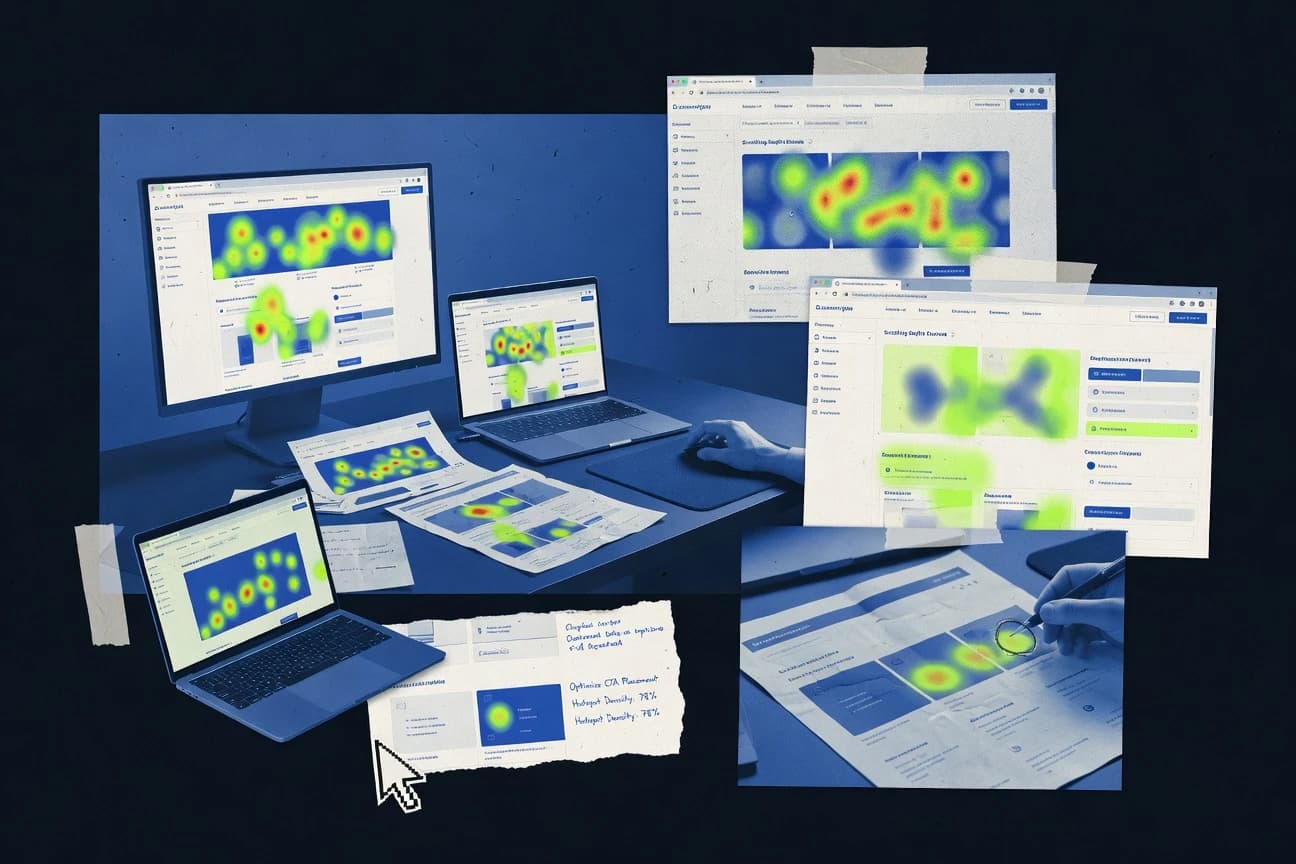
Heat map software turns large volumes of user interactions into attention overlays and element-level views that show where people click, scroll, and hover across web pages and product interfaces.
This buyer’s guide covers Crazy Egg, Contentsquare, Mouseflow, Microsoft Clarity, Lucky Orange, Smartlook, Inspectlet, UXCam, Matomo, and Glassbox, emphasizing how each tool connects heat patterns to session replay, funnels, and segmentation workflows. It also compares integration depth and automation surface, focusing on what web teams can operationalize with tagging and governance rather than just what dashboards display. Selection criteria track how page-scoped analysis differs from journey-based analysis when conversion drop-off spans multiple steps.
Heat Map Software for web and product teams: attention overlays, replay correlation, and journey analytics
Heat map software visualizes behavioral density across interfaces using attention heat maps such as click heatmaps, scroll heatmaps, and mouse-movement heatmaps, then ties those visual hotspots to recorded user sessions. Tools like Crazy Egg emphasize overlay-style comparisons across page versions to validate whether interface changes shift attention. Other platforms such as Contentsquare focus on journey analysis that links behavioral signals to conversion step drop-off across segments instead of only per-page hotspots.
Across this set, session replay correlation is the recurring mechanism that turns “where users looked” into “what users did next,” including element-level and trajectory-linked investigation paths. The differences show up in how reliably tools keep heat map hotspots mapped to UI elements during dynamic rendering and how strongly they support repeatable segmentation and reporting workflows.
Heat map capabilities that determine real debugging and conversion work
Heat map software delivers value only when hotspots can be traced to the exact UI behavior that produced them, either through replay correlation or navigation from overlay back to sessions. Crazy Egg prioritizes overlay-style comparisons and pairs heat maps with session recordings so teams can validate whether attention shifts after interface changes.
The next layer of usefulness comes from how segmentation and funnel logic behave after tagging and governance are set. Contentsquare focuses on journey analysis that ties behavioral signals to conversion step drop-off across segments, while Microsoft Clarity adds consent-aware replay and heat map collection tuning for compliant deployments.
Replay correlation that keeps hotspots actionable
Mouseflow, Matomo, and Glassbox all connect heat map hotspots to session replay so teams can confirm intent behind clicks and scroll behavior. Inspectlet also supports replay-to-heat-map navigation that jumps from a hotspot to the sessions where it occurred.
Journey and conversion drop-off analysis beyond page overlays
Contentsquare links element-level attention to funnel and path analysis so conversion friction maps to specific steps. Crazy Egg supports page-scoped overlays that validate change impact, but cross-step journeys are less central.
Element-level versus hover-versus-click interpretability
Crazy Egg combines element-level and mouse-movement views to separate hover interest from clicks, which matters for interactive UI. Contentsquare uses element-level attention mapping to tie friction to specific UI components.
Consent-aware collection controls for replay-linked investigations
Microsoft Clarity includes consent-aware collection behavior that reduces recorded-event exposure under opt-in constraints while still enabling click and scroll heat maps linked to session recordings. Tools that focus more on general replay linkage can require tighter configuration discipline in multi-environment deployments.
Automation and governance readiness for repeatable reporting
Smartlook emphasizes event-based segmentation and session replay correlation tied to journeys, so product teams can filter patterns without losing governance control. Matomo is positioned for controllable tracking governance and API-driven reporting, while Contentsquare’s segment workflows require consistent governance discipline.
Choose Heat Map Software by how attention answers translate into decisions
Teams should start with the debugging workflow they run most often because tools differ in whether they optimize for page-scoped experimentation or journey-wide diagnosis. Crazy Egg fits rapid iteration feedback with overlay-style comparisons across page versions, while Contentsquare is built around conversion optimization using repeatable segmentation workflows.
Next, choose based on how much operational overhead the tagging and governance model creates. Microsoft Clarity can tune collection behavior for consent constraints, but advanced governance depends on disciplined tag and configuration management, while Inspectlet and Smartlook may demand careful segment setup to keep comparisons stable.
Map the primary question to overlay comparisons or journey drop-off
If the main task is validating whether interface changes shift attention across versions, Crazy Egg’s overlay-style comparisons pair with heat maps to show change impact. If the main task is explaining conversion step drop-off using behavioral signals, Contentsquare’s funnel and path analysis ties attention to conversion steps across segments.
Require replay-linked confirmation for every critical hotspot
If the team needs to confirm intent behind clicks and scroll behavior, prioritize tools that jump from overlays to specific sessions such as Mouseflow, Inspectlet, or Glassbox. If replay correlation is present but the investigation loop still slows due to volume, Mouseflow’s replay review can become slower when traffic volume is high.
Pick element mapping depth based on UI interaction types
For interfaces where hover interest and click behavior diverge, Crazy Egg’s mouse-movement and element-level views help separate hover-driven engagement gaps from actual clicks. For friction tied to explicit UI components during conversion, Contentsquare’s element-level attention mapping and journey logic connect friction to conversion workflow.
Set governance constraints before deciding between consent-aware and API-driven operations
If consent constraints are already part of the deployment model, Microsoft Clarity’s consent-aware session replay and heat map collection behavior reduces recorded-event exposure under opt-in. If tracking governance and API-driven reporting are the dominant operations requirement, Matomo’s controllable governance and API-driven reporting shape the workflow.
Validate dynamic-page and cross-domain assumptions against the tag plan
For multi-property journeys, cross-domain tracking complexity can limit outcomes, and tools like Lucky Orange and Inspectlet call out setup complexity for cross-domain tagging. For dynamic-page setups, tools such as Smartlook and Glassbox note that cross-domain tracking and dynamic-page support can require careful tag configuration.
Who should buy Heat Map Software built for attention overlays and replay-linked diagnosis
Web and product teams use heat map software to convert large interaction volumes into actionable UI signals that connect to session-level evidence. The right fit depends on whether the organization runs frequent interface experiments, conversion optimization sprints, or consent-constrained investigations.
Teams also differ in how they operationalize segments and investigations across environments. Contentsquare suits ongoing conversion optimization with repeatable segmentation, while Microsoft Clarity fits teams that need practical consent controls integrated into replay-linked diagnostics.
Web teams running iterative design changes across page versions
Crazy Egg provides overlay-style comparisons across page versions so attention shifts can be validated quickly with hotspot evidence tied to session recordings.
Product and growth teams measuring conversion friction across steps
Contentsquare ties behavioral signals to conversion step drop-off through funnel and path analysis so debugging maps to specific stages rather than isolated pages.
UX and QA teams that need replay-backed confirmation for click and scroll issues
Mouseflow links element-level heat map hotspots to session replay so teams can confirm intent behind clicks during UX debugging.
Teams deploying consent-aware replay and heat map collection
Microsoft Clarity includes consent-aware collection controls that tune session replay and heat map collection behavior under opt-in constraints.
Analytics-driven teams prioritizing governance and API reporting
Matomo pairs heat maps and session recording context with an API-driven reporting workflow so administrators can align analysis with tracking governance.
Common Heat Map Software buying and rollout mistakes
Heat map tools fail when teams treat overlays as end results instead of starting points for session-level evidence and repeatable segmentation. Another failure mode is selecting a tool without mapping how it handles dynamic-page selectors, cross-domain journeys, or the governance workload required to keep segment definitions stable.
Several tools also have identifiable investigation friction points, like replay volume slowing analysis or configuration overhead increasing for multi-site rollouts, which can derail expected turnaround time.
Buying overlay-heavy tools without replay-backed workflows for root-cause checks
Crazy Egg and Lucky Orange both connect hotspots to recordings, but organizations that do not operationalize session evidence can stall after seeing attention density. Selecting tools such as Mouseflow or Inspectlet helps ensure teams can move from hotspots to the sessions where they occurred.
Assuming segment reporting works the same across organizations with inconsistent tagging
Contentsquare’s segment definitions and reporting workflows require consistent governance discipline, which can slow rollout if tag standards differ across teams. Smartlook and Matomo also depend on correct setup so segment filters and API reporting stay comparable.
Underestimating cross-domain and dynamic-page configuration complexity
Lucky Orange and Inspectlet call out cross-domain tracking setup complexity for multi-property journeys, which can break end-to-end attribution. Glassbox and Smartlook flag that cross-domain tracking and dynamic-page support can require careful tag configuration.
Ignoring consent constraints and planning governance through tag discipline only after launch
Microsoft Clarity’s consent-aware collection behavior reduces recorded-event exposure, but advanced governance still depends on disciplined tag and configuration management across environments. Glassbox also notes that multi-site and dynamic-page setups can add advanced configuration overhead.
How We Selected and Ranked These Tools
We evaluated heat map and replay correlation workflows across Crazy Egg, Contentsquare, Mouseflow, Microsoft Clarity, Lucky Orange, Smartlook, Inspectlet, UXCam, Matomo, and Glassbox. Features counted for 40% of the score because replay-to-heat-map correlation, element-level mapping, and funnel or journey analysis determine whether hotspots translate into root-cause work.
Ease and value each counted for 30% because teams need consistent segment handling, investigation speed, and manageable configuration overhead. Crazy Egg earned the top spot by combining overlay-style comparisons across page versions with element-level and mouse-movement views plus heat maps tied to session recordings for fast iteration feedback.
Frequently Asked Questions About Heat Map Software
How do Crazy Egg and Contentsquare differ in what a heat map report is built to explain?
Which tool connects heat map hotspots to conversion or funnel step behavior rather than only page-level engagement?
How does session replay correlation change debugging speed in Mouseflow and Inspectlet?
When do Microsoft Clarity and Smartlook provide stronger consent-aware control over what gets collected and retained?
What breaks if cross-domain tracking or dynamic-page support is required for a web app?
How do Lucky Orange and Crazy Egg handle dead click and rage click patterns in heat map workflows?
Which data model or reporting workflow is best when teams need repeatable segmentation analysis across product and web contexts?
How do integrations and APIs differ across Matomo and Smartlook for automation and reporting pipelines?
What admin controls matter most for role-based oversight in Glassbox versus Lucky Orange?
Tools reviewed
Primary sources checked during evaluation.
Referenced in the comparison table and product reviews above.
Funding and competing interests
This study was co-funded by several of the vendors assessed in it. No single vendor funded it. Funders could propose the market studied.
They had no role in selecting vendors, setting or weighting criteria, analysing data or drawing conclusions, and they received the same factual-accuracy check as every other vendor assessed.
Market definition, inclusion rules and criteria weights were fixed by an editor before research began and did not change afterwards. Editorial process →
Keep exploring
Comparing two specific tools?
Software Alternatives
See head-to-head software comparisons with feature breakdowns, pricing, and our recommendation for each use case.
Explore software alternatives→In this category
Marketing Advertising alternatives
See side-by-side comparisons of marketing advertising tools and pick the right one for your stack.
Compare marketing advertising tools→