
GITNUXSOFTWARE ADVICE
Wellness FitnessTop 10 Best Gym Class Scheduling Software of 2026
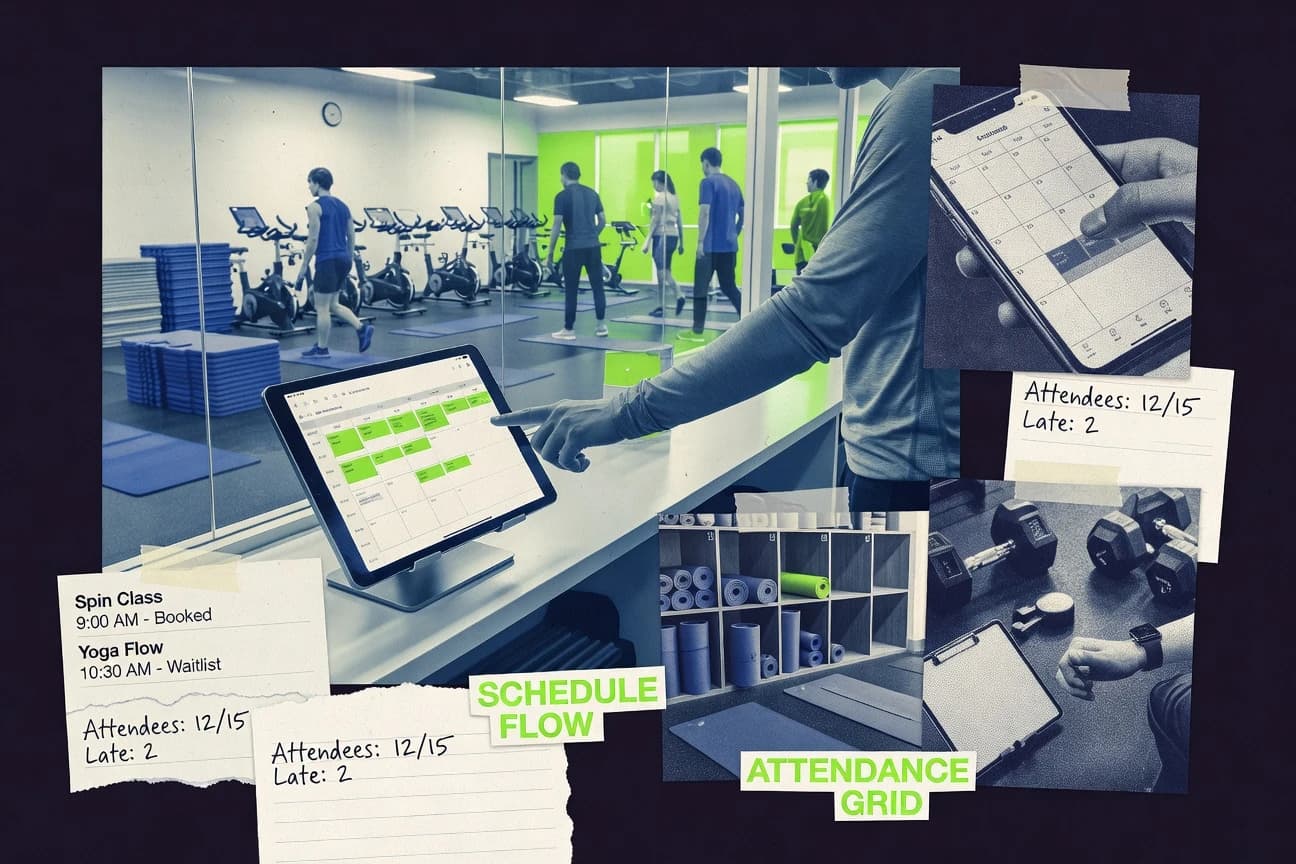
Ranked list of the top gym class scheduling software for studios, comparing Wodify, Push Press, Virtuagym, and other tools by features and fit.

How we ranked these tools
Core product claims cross-referenced against official documentation, changelogs, and independent technical reviews.
Analyzed video reviews and hundreds of written evaluations to capture real-world user experiences with each tool.
AI persona simulations modeled how different user types would experience each tool across common use cases and workflows.
Final rankings reviewed and approved by our editorial team with authority to override AI-generated scores based on domain expertise.
Score: Features 40% · Ease 30% · Value 30%
Gitnux may earn a commission through links on this page — this does not influence rankings. Editorial policy
Wodify is the best fit for mid-size gyms that want recurring class schedules with waitlist automation and safer instructor conflict prevention, and if you’re managing classes plus check-in and billing workflows across locations, Push Press is the stronger alternative.
Editor’s top 3 picks
Three quick recommendations before you dive into the full comparison below — each one leads on a different dimension.
Wodify
Waitlist auto-enrollment tied directly to capacity reopening, which reduces manual callouts after cancellations.
Built for fits when mid-size gyms need recurring schedules, waitlist automation, and instructor conflict prevention..
Push Press
Editor pickScheduling workflows that account for instructor availability and resource conflicts during recurring class planning.
Built for fits when gyms need instructor-aware recurring scheduling plus automated waitlists and check-in workflows across locations..
Virtuagym
Editor pickAutomatic waitlist auto-enrollment for capacity-full sessions reduces manual booking corrections.
Built for fits when multi-role club staff need recurring scheduling tied to member eligibility and attendance..
Comparison Table
Wodify
vertical specialistPerformance tracking and gym management software with class scheduling and member engagement tools.
Waitlist auto-enrollment tied directly to capacity reopening, which reduces manual callouts after cancellations.
Wodify centers on recurring class schedule creation with instructor assignment and conflict checks for room or equipment overlaps, which reduces scheduling rework across multi-location teams. The product includes series booking support for structured programs and a waitlist that can auto-enroll when capacity opens, which limits lost attendance. Attendance tracking supports staff workflows for instructor-led classes and ties check-in to the scheduled bookings.
A tradeoff is that complex membership eligibility rules and waiver plus payment flows can require configuration across integrations, which adds time during rollout. Wodify fits best when a gym needs consistent recurring timetables, predictable instructor coverage, and hands-off waitlist fulfillment rather than one-off event planning.
- +Recurring timetable builder with instructor availability and conflict checks
- +Capacity-based registrations with waitlist and auto-enrollment options
- +Attendance tracking with QR-friendly check-in workflows
- +Reporting focuses on utilization and participation trends
- –Advanced eligibility and policy setup can require careful configuration work
- –Multi-integration workflows can add operational complexity during changes
- –Offline check-in support depends on the kiosk setup and connectivity
- –Resource scheduling depends on accurate room and equipment mapping
Operations managers
Recurring timetable with fewer schedule conflicts
Fewer manual edits
Front desk teams
Fast class check-in and attendance capture
Cleaner attendance records
Show 2 more scenarios
Program directors
Series bookings across multiple weeks
More consistent enrollment
Series scheduling helps manage structured programs while keeping capacity tracking consistent.
Membership and support staff
Waitlist fulfillment after cancellations
Higher class fill rates
Auto-enrollment moves qualified members into open spots without manual outreach.
Best for: Fits when mid-size gyms need recurring schedules, waitlist automation, and instructor conflict prevention.
Push Press
vertical specialistGym management platform with class scheduling, check-in, and billing.
Scheduling workflows that account for instructor availability and resource conflicts during recurring class planning.
Push Press is built around operational scheduling so staff can manage instructor availability and resource conflicts while building recurring class schedules. It supports both drop-in bookings and series bookings, with capacity limits that drive waitlist behavior when a class fills. Attendance tracking and check-in flows support day-of-class execution, including QR check-in. For gyms that run multiple sites, the scheduling workflows are designed to stay consistent across locations and avoid overbooking.
A tradeoff is that configuration depth around membership eligibility rules and booking windows requires upfront setup to match each club’s policies. Push Press fits best when a gym needs fewer spreadsheets and more automation between bookings, waitlists, and attendance workflows for front-desk and instructors.
- +Instructor and resource conflict checks during schedule creation
- +Waitlist auto-enrollment reduces manual follow-ups
- +Attendance and QR check-in workflows support day-of-class throughput
- +Automated reminders help reduce last-minute no-shows
- –Membership eligibility rules require careful initial configuration
- –Complex policy variations across locations can increase admin overhead
Operations managers
Run recurring schedules across multiple locations
Fewer manual corrections
Front-desk teams
Handle walk-ins and fully booked classes
Faster class day throughput
Show 2 more scenarios
Membership administrators
Apply eligibility and booking windows
Lower policy breaches
Booking and cancellation windows enforce membership eligibility rules without manual staff screening.
Program directors
Manage series bookings for programs
Cleaner program scheduling
Series bookings keep recurring offerings organized while capacity tracking updates across sessions.
Best for: Fits when gyms need instructor-aware recurring scheduling plus automated waitlists and check-in workflows across locations.
Virtuagym
vertical specialistAll-in-one fitness software with class scheduling, member management, and coaching tools.
Automatic waitlist auto-enrollment for capacity-full sessions reduces manual booking corrections.
Virtuagym covers the full lifecycle from publishing recurring class schedules to managing instructor availability and room assignment constraints during the booking window. Capacity limits feed waitlist management so filled sessions can route members into auto-enrollment logic, which reduces front-desk interventions. Attendance tracking connects in-class participation to operational reporting so staff can evaluate utilization by class and resource.
A tradeoff appears in dependency on configuration for membership eligibility rules, including booking and cancellation windows and late-cancellation handling that must be mapped to club policies. Virtuagym fits best when a club wants scheduling to stay synchronized with member records and operational check-in, not when scheduling is the only system being used.
- +Waitlist routing supports filled-session auto-enrollment flows
- +Attendance records link check-in behavior to class participation
- +Recurring schedule publishing reduces manual timetable rebuilds
- +Instructor availability settings prevent many scheduling collisions
- –Eligibility rules need careful setup to match club policy
- –Room and equipment constraints are less granular than dedicated resource planners
- –Advanced automation depends on consistent booking-window configuration
- –Reporting depth favors class operations more than ad hoc analysis
Operations managers
Recurring schedules with capacity control
Fewer last-minute schedule changes
Front desk staff
Check-in driven attendance recording
Cleaner attendance logs
Show 2 more scenarios
Membership administrators
Eligibility-based booking enforcement
Reduced unauthorized bookings
Membership eligibility rules restrict bookings based on club status and policies.
Studio managers
Instructor availability scheduling
Fewer instructor no-shows
Instructor availability constraints help prevent staff conflicts during scheduling windows.
Best for: Fits when multi-role club staff need recurring scheduling tied to member eligibility and attendance.
Mindbody
vertical specialistFitness and wellness business management platform with class scheduling, booking, and payments.
Booking and schedule decisions stay connected to customer membership eligibility and attendance tracking in the same operational flow.
Mindbody is class scheduling software that combines in-person bookings with broader studio operations tied to customer accounts. It supports recurring class schedules, instructor assignment, capacity limits, and online booking via a branded booking experience.
Administration includes attendance recording workflows and class staffing changes that affect the schedule immediately across locations. Mindbody also supports automation patterns around reminders and membership eligibility checks that reduce manual coordination for front-desk staff.
- +Recurring class schedule management with instructor assignment and capacity controls
- +Online booking experience tied to customer accounts and membership eligibility
- +Attendance tracking flows that match typical front-desk and studio operations
- +Automation patterns for reminders reduce manual reach-outs for scheduled classes
- –Complex multi-location schedule changes require careful operational discipline
- –Resource conflict detection for room and equipment allocation is limited compared to specialist schedulers
- –Substitute instructor workflows can add extra steps during last-minute staffing
- –Integration depth depends heavily on configured systems and connected workflows
Best for: Fits when gyms need class scheduling tied to memberships and attendance workflows across locations.
Zen Planner
vertical specialistAll-in-one software for fitness businesses including class scheduling, member management, and billing.
Member eligibility rules can gate bookings by membership status and assignment, including drop-in bookings and series booking access controls.
Zen Planner handles gym class scheduling by combining recurring class schedule management with attendee signups and attendance capture in one workflow. The system supports multi-location operations through location-specific schedules, instructor availability settings, and member eligibility rules tied to memberships.
Admin users can run automated reminders tied to bookings and manage common scheduling constraints like capacity limits and waitlist management. Built-in reporting covers utilization and attendance patterns so managers can adjust room and instructor allocation over time.
- +Recurring class schedule tools cover multi-week patterns without spreadsheet work
- +Waitlist management supports automatic enrollment after capacity opens
- +Attendance tracking ties check-ins back to specific classes and sessions
- +Automated reminders reduce manual outreach around bookings
- –Calendar synchronization needs careful setup when multiple calendars are involved
- –Substitute instructor workflow is operationally heavy when schedules change late
Best for: Fits when mid-size gyms want one system for recurring scheduling, attendance tracking, and eligibility rules across locations.
Glofox
vertical specialistStudio management software offering class scheduling, member app, and payment processing.
Instructor availability tooling ties scheduling decisions directly to staff constraints for fewer conflicts during timetable updates.
Glofox fits gyms that need a unified schedule, bookings, and attendance workflow across staff and locations without building custom back-office tools. Its core capabilities center on managing recurring class schedules, instructor availability, and room or capacity constraints tied to each session. Glofox also supports member booking flows with rules for booking windows and cancellation windows, plus attendance tracking for in-studio verification.
- +Recurring class schedule management supports consistent timetable updates
- +Instructor availability controls reduce last-minute conflict planning
- +Capacity limits and waitlist options help handle full classes
- +Attendance tracking supports post-class reporting and follow-up
- –Complex room and equipment allocation rules require careful setup
- –Instructor substitute workflows need more operational steps for fast swaps
- –Multi-location booking needs tighter governance to avoid schedule drift
- –Deep reporting depends on how sessions map to products and locations
Best for: Fits when multi-class operations need recurring schedule control and dependable attendance and waitlist handling.
TeamUp
vertical specialistClass scheduling and member management software for fitness studios and gyms.
Waitlist auto-enrollment rules that move eligible members into full classes when capacity opens.
TeamUp focuses on gym scheduling workflows that connect instructors, classes, and bookings through a shared timetable and an online booking widget. It supports recurring class schedules, capacity limits, and waitlist behavior with waitlist auto-enrollment options for overflow demand.
Admin tools handle instructor availability, room and equipment allocation, and recurring schedule configuration across multiple calendars. The system also records attendance and supports operational routines like substitutions and series bookings without forcing external tooling for day to day operations.
- +Recurring class schedule management with bulk edits across dates
- +Waitlist auto-enrollment for capacity-based overflow bookings
- +Instructor availability controls reduce last-minute scheduling gaps
- +Attendance tracking supports follow-up on enrollments and no-shows
- –Resource conflict detection depends on configured rooms and equipment
- –Substitute instructor workflow needs careful per-class setup to avoid mismatches
- –Multi-location scheduling requires consistent calendar conventions across sites
- –Calendar sync coverage can be limited when class formats vary by location
Best for: Fits when studios need recurring scheduling control plus waitlist automation with strong instructor and capacity governance.
Pike13
vertical specialistClient management and scheduling software for fitness, martial arts, and instruction-based businesses.
Substitute instructor workflow that keeps session identity while updating staffing and assignment details in the schedule.
Pike13 is a gym class scheduling system that focuses on operational control for recurring schedules, staffing changes, and room allocation across multi-location calendars. It provides an online booking widget for members and an admin workflow for approvals, substitutions, and capacity handling.
Scheduling automation centers on recurring class timetables and rules that govern eligibility and booking windows. Reporting supports utilization views tied to attendance and instructor assignments.
- +Recurring class timetable management reduces manual rescheduling for regular programs
- +Instructor availability and substitution workflow supports last-minute coverage changes
- +Room and equipment allocation logic helps surface resource conflicts during scheduling
- +Attendance tracking ties check-ins back to specific sessions and instructors
- –Complex rule sets can take time to configure and validate across locations
- –Waitlist auto-enrollment behavior may require careful capacity and rule alignment
Best for: Fits when mid-size gyms need controlled scheduling workflows with substitutions and capacity safeguards.
Amilia
vertical specialistRegistration and management platform for activities, classes, and memberships.
Automated waitlist auto-enrollment for capacity openings with policy-aware enrollment.
Amilia schedules gym classes with tools for recurring class schedules, instructor availability, and room and equipment allocation. The system supports attendance tracking and waitlist management with automated waitlist auto-enrollment when capacity opens.
Administrative controls cover booking windows and cancellation window enforcement, including late-cancellation policy handling for enrolled members. Amilia also provides calendar synchronization options and an online booking widget for mobile booking.
- +Recurring class scheduling supports instructor and resource constraints
- +Waitlist auto-enrollment reduces manual capacity checks
- +Attendance tracking ties check-ins to scheduled sessions
- +Booking windows and cancellation rules enforce policy at the scheduling layer
- –Multi-location scheduling adds operational overhead without clear governance workflow
- –Substitute instructor workflow requires setup discipline for consistent coverage
Best for: Fits when mid-size gyms need recurring schedules with resource conflicts, waitlists, and attendance without custom development.
Fitli
vertical specialistBooking and management platform for fitness studios and wellness businesses.
Waitlist auto-enrollment that converts eligible users into booked seats as capacity frees up.
Fitli focuses on scheduling gym classes with a workflow built around instructors, rooms, and recurring class schedules. It supports online booking with eligibility rules, booking windows, and capacity limits for both members and drop-ins.
The system handles operational needs like attendance capture and waitlist auto-enrollment so staff can manage oversubscription without spreadsheets. Integration depth centers on connecting Fitli to the gym’s existing booking and customer systems through its automation and API surface.
- +Recurring class schedule builder reduces repetitive admin work
- +Waitlist auto-enrollment handles capacity oversubscription without manual lists
- +Instructor and room conflict checks reduce double-booking errors
- +Automated reminders cut no-shows compared with manual outreach
- –Resource allocation setup requires careful mapping of rooms and capacity
- –API depth can lag full POS and CRM event coverage for complex workflows
Best for: Fits when gyms need recurring scheduling plus operational controls for capacity, waitlists, and attendance across a small class network.
Conclusion
After evaluating 10 wellness fitness, Wodify stands out as our overall top pick — it scored highest across our combined criteria of features, ease of use, and value, which is why it sits at #1 in the rankings above.
Use the comparison table and detailed reviews above to validate the fit against your own requirements before committing to a tool.
How to Choose the Right gym class scheduling software
Gym class scheduling software is judged by how accurately recurring class timetables stay aligned with instructor availability, capacity limits, and waitlist behavior as enrollments change. This buyer’s guide covers Wodify, Push Press, and Virtuagym along with Mindbody, Zen Planner, Glofox, TeamUp, Pike13, Amilia, and Fitli.
Wodify is highlighted for waitlist auto-enrollment tied directly to capacity reopening, which reduces manual callouts after cancellations. Push Press is highlighted for instructor-aware recurring scheduling and resource conflict checks during schedule creation. Virtuagym is highlighted for capacity-full session handling that routes eligible members into auto-enrollment flows from the waitlist.
Gym class scheduling software for recurring timetables, capacity control, and instructor-aware planning
Gym class scheduling software manages recurring class schedules with capacity-based registrations that can move waitlisted members into booked seats when space becomes available. The schedule engine also needs instructor availability and resource conflict detection so room and equipment constraints do not get violated when classes are edited across dates.
Tools like Wodify and Push Press focus scheduling workflows on conflict checks and waitlist auto-enrollment, so the system updates attendance opportunities without constant manual updates. Mindbody connects recurring class schedule management to customer accounts with membership eligibility and attendance tracking in the same operational flow, which changes how admins handle booking rules across locations.
Core scheduling mechanics that keep recurring classes correct
Recurring class timetables only stay usable when the booking engine enforces instructor availability and capacity rules during edits, not after the fact. The products below tie schedule changes to enrollment outcomes like waitlist conversion so staff does not have to manually reconcile seats.
Look for tools that include the schedule authoring workflow, conflict checks, and waitlist auto-enrollment in the same operational loop. Wodify, Push Press, and Virtuagym lead because their standout capabilities directly reduce manual callouts and booking corrections when class capacity changes.
Waitlist auto-enrollment tied to capacity reopening
Wodify auto-enrolls from waitlists when capacity reopens, which reduces manual callouts after cancellations. TeamUp also automates waitlist auto-enrollment when full classes gain seats, which lowers follow-up work.
Instructor-aware recurring scheduling with conflict checks
Push Press accounts for instructor availability and resource conflicts during recurring class planning so edits avoid clashes. Glofox ties scheduling decisions to staff constraints through instructor availability controls to reduce last-minute conflicts.
Recurring schedule changes backed by capacity controls
Zen Planner combines recurring class schedule tools with capacity and waitlist management so pattern updates do not break access controls. Wodify adds capacity-based registrations with waitlist and auto-enrollment options so seat state stays consistent as the timetable changes.
Eligibility-aware booking and attendance flow
Mindbody keeps booking and schedule decisions connected to customer membership eligibility and attendance tracking in the same operational flow. Virtuagym links attendance records to check-in behavior and routes eligible members into auto-enrollment flows when sessions are full.
Substitute instructor workflow that preserves session identity
Pike13 keeps session identity while updating staffing and assignment details so administrators can swap coverage without rebuilding the class. Wodify includes instructor assignment with recurring timetable management, which reduces the need to recreate sessions during staffing changes.
Pick the scheduling engine that matches the way class changes actually happen
Class schedule failure patterns usually start with how a product handles edits, not with the initial timetable build. The decision steps below focus on what happens after capacity changes, after instructor constraints change, and after policy rules differ across locations.
Each step branches to a different operating philosophy. Choose the path that matches internal workflows such as centralized governance versus per-location policy variations, and centralized substitutions versus last-minute swaps.
Prioritize waitlist conversion that runs automatically after cancellations
If cancellations frequently reopen seats, choose Wodify for waitlist auto-enrollment tied directly to capacity reopening. If studios need the same automation with bulk edits across dates, choose TeamUp because it includes waitlist auto-enrollment rules aligned to capacity-based overflow bookings.
Select conflict-checking depth for instructors and shared resources during recurring builds
If recurring class planning regularly hits instructor constraints, choose Push Press because it runs instructor and resource conflict checks while creating schedules. If staffing constraints are the dominant failure mode and timetable updates need more constraint-based control, choose Glofox because instructor availability controls reduce last-minute conflict planning.
Choose a governance approach for eligibility rules and membership-linked attendance
If booking rules must follow membership eligibility and attendance tracking in the same flow, choose Mindbody because its online booking experience ties to customer accounts and eligibility. If club staff needs recurring scheduling linked to member eligibility and attendance records, choose Virtuagym to connect filled-session handling to waitlist auto-enrollment flows.
Match substitution workflow design to late staffing changes
If late coverage swaps must preserve the class identity and reduce rescheduling work, choose Pike13 for a substitute instructor workflow that updates staffing and assignment details in-place. If substitute changes tend to be operationally heavy because schedules shift late, choose carefully since Zen Planner substitute workflows require more operational steps when schedules change.
Evaluate multi-location edit complexity and where policy variations live
If multi-location schedule changes are frequent and require governance discipline, choose Mindbody with attention to its complex multi-location schedule change requirements. If multi-role club staff works across locations and needs waitlist routing tied to eligibility, choose Virtuagym while planning for eligibility-rule setup that matches club policy.
Confirm room and equipment constraint granularity for your class formats
If room and equipment allocation rules must be granular, prefer Wodify or Push Press since their scheduling workflows include capacity controls plus conflict checks. If room and equipment constraints are less granular in the operating model, Virtuagym can fit because room and equipment constraints are less granular than dedicated resource planners.
Who benefits most from these scheduling mechanics
Gym operators should choose scheduling software based on what triggers staff intervention after schedule edits. The best match usually depends on whether capacity changes cause repeated manual callouts, whether instructor constraints drive most conflicts, and whether eligibility rules must follow member status.
The segments below map real workflows to specific product strengths from the set.
Mid-size gyms running recurring programs with frequent cancellations
Wodify fits because waitlist auto-enrollment ties directly to capacity reopening and reduces manual callouts after cancellations.
Studios planning recurring timetables where instructor and shared-resource conflicts occur during build
Push Press fits because recurring schedule creation runs instructor and resource conflict checks and supports waitlist auto-enrollment during overflow.
Multi-role club staff that must gate bookings by member eligibility and keep attendance aligned
Virtuagym fits because waitlist routing supports filled-session auto-enrollment flows and attendance records link to class participation.
Organizations that need member eligibility and attendance tracking connected to customer accounts
Mindbody fits because booking and schedule decisions stay connected to membership eligibility and attendance tracking in one operational flow across locations.
Common scheduling pitfalls that show up after go-live
Most failures come from assuming the timetable engine will handle policy edge cases without configuration rigor. Another frequent issue is planning substitutions and multi-location edits without a workflow plan for late changes.
The pitfalls below translate those failure patterns into concrete checks before adopting a tool.
Assuming waitlist automation will work the same after every cancellation type
Wodify and Push Press handle waitlist auto-enrollment tied to capacity reopening, but advanced eligibility and policy setup in Wodify can require careful configuration work.
Underestimating membership eligibility configuration effort for gating rules
Push Press requires careful initial configuration for membership eligibility rules, and Zen Planner eligibility rules also gate bookings by membership status and assignment for access control.
Relying on calendar sync without validating multi-calendar setup behavior
Zen Planner states that calendar synchronization needs careful setup when multiple calendars are involved, which can cause timetable drift if configuration is not validated.
Handling late substitutions as a simple schedule copy instead of a workflow update
Pike13 updates staffing and assignment details while keeping session identity, while Zen Planner substitutes can become operationally heavy when schedules change late.
Expecting multi-location schedule edits to be low-friction without governance discipline
Mindbody flags that complex multi-location schedule changes require careful operational discipline, and Glofox flags that complex room and equipment allocation rules require careful setup.
How We Selected and Ranked These Tools
We evaluated Wodify, Push Press, Virtuagym, Mindbody, Zen Planner, Glofox, TeamUp, Pike13, Amilia, and Fitli on scheduling mechanics that keep recurring class timetables aligned with instructor availability, capacity controls, and waitlist behavior. Feature coverage accounted for 40% of the score and combined conflict checks, waitlist automation, recurring schedule management, and attendance linkage into the same operational workflows.
Ease and value each accounted for 30% and reflected how directly admins can operate bulk recurring edits without turning eligibility and policy rules into manual work. Wodify ranked highest because waitlist auto-enrollment tied directly to capacity reopening reduces manual callouts after cancellations while still supporting instructor assignment and recurring conflict checks.
Frequently Asked Questions About gym class scheduling software
How do Wodify and Push Press handle waitlist auto-enrollment when capacity opens after a cancellation?
What changes when scheduling moves from single-location to multi-location operations in TeamUp versus Mindbody?
How does instructor availability get enforced during recurring class planning in Wodify versus Glofox?
Which tools connect member eligibility rules to booking decisions for drop-in and series bookings?
How do Virtuagym and Pike13 differ in handling substitutes without losing session identity?
When should an admin choose Amilia over Virtuagym for cancellation-window enforcement and late-cancellation policy handling?
What breaks if class attendance check-in is delayed or missed when using Push Press versus Zen Planner?
How do online booking widgets integrate with class scheduling in Virtuagym versus TeamUp?
Which tool offers the strongest API or automation surface for connecting external systems to scheduling workflows?
Tools reviewed
Primary sources checked during evaluation.
Referenced in the comparison table and product reviews above.
- Wellness FitnessTop 10 Best Gym Class Software of 2026
- Wellness FitnessTop 10 Best Gym Check-In Software of 2026
- Wellness FitnessTop 10 Best Yoga Class Scheduling Software of 2026
- Wellness FitnessTop 10 Best Gym Membership Tracking Software of 2026
- Wellness FitnessTop 10 Best Gym Scheduling Software of 2026
Keep exploring
Comparing two specific tools?
Software Alternatives
See head-to-head software comparisons with feature breakdowns, pricing, and our recommendation for each use case.
Explore software alternatives→In this category
Wellness Fitness alternatives
See side-by-side comparisons of wellness fitness tools and pick the right one for your stack.
Compare wellness fitness tools→