GITNUXSOFTWARE REVIEW
Wellness FitnessTop 10 Best Gym Check-In Software of 2026
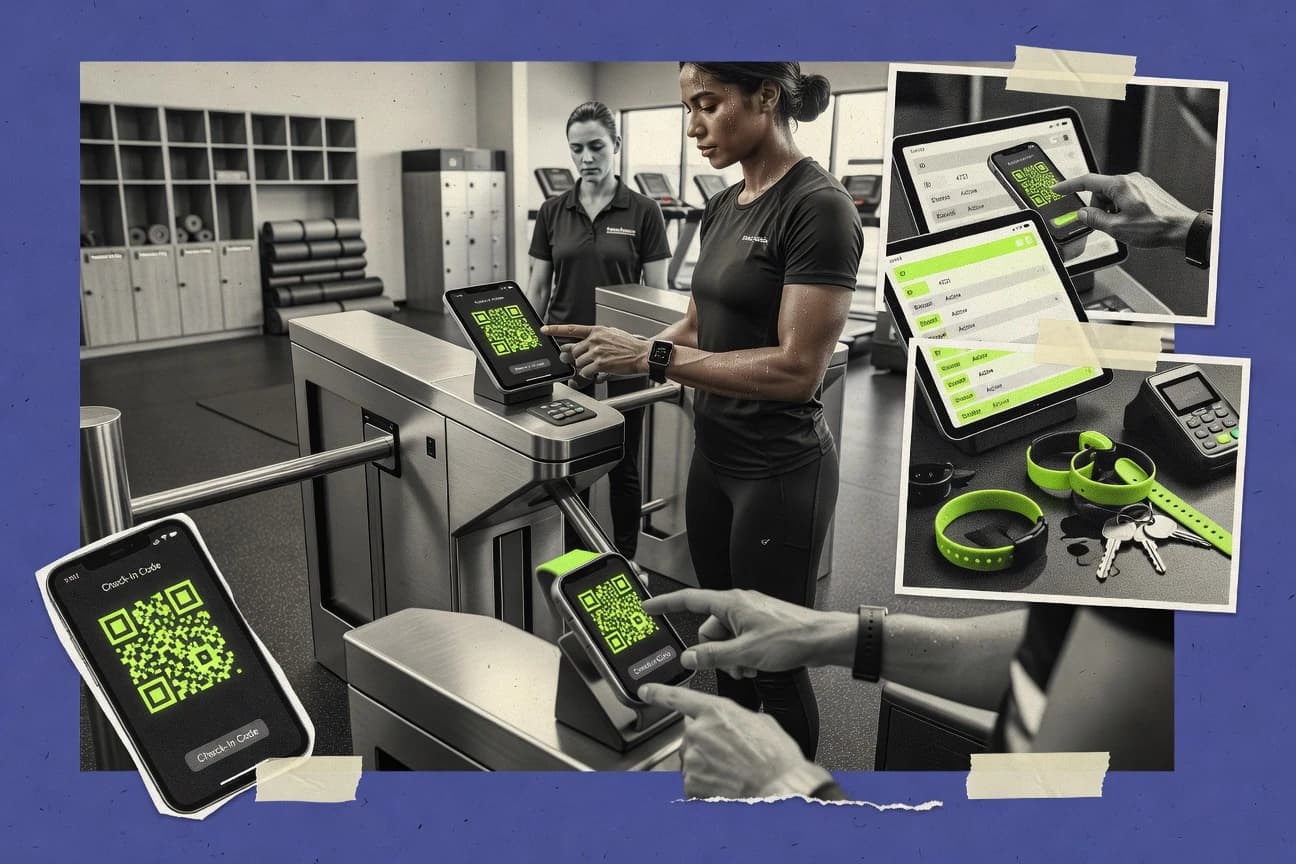
Compare gym check in software options, covering features and fit for gyms looking to streamline check-ins with tools like Vagaro, Zen Planner, and PushPress.

How we ranked these tools
Vendors set the topic, but our editors set the inclusion criteria and the evaluation framework before research starts.
Agents extract product evidence with provenance, then collect written reviews and transcribe video reviews and podcasts.
Framework: Features 40% · Ease 30% · Value 30%
Gitnux may earn a commission through links on this page — this does not influence rankings. Editorial policy
Vagaro is the best pick for staff-assisted check-in teams that need scheduling and client records to stay aligned with visit history, because it validates arrivals from unified operational data, while Mindbody is the stronger alternative for multi-location operators that already centralize memberships and schedules, since attendance reporting stays consistent by linking check-ins to the booked class or appointment.
Editor’s top 3 picks
Three quick recommendations before you dive into the full comparison below — each one leads on a different dimension.
Vagaro
Unified client and scheduling records drive check-in validation and visit history from the same operational data.
Best for: Fits when staff-assisted check-in must align with scheduling, client records, and visit history across locations.
Zen Planner
Editor pickWorkout tracking and benchmark history connect daily training results with member profiles and class records.
Best for: Fits when class-based gyms need check-in, scheduling, billing, and workout records in one administration system.
PushPress
Editor pickShared member records between PushPress Core and Member app connect bookings, payments, messages, and attendance.
Best for: Fits when gyms want check-in tied to memberships, classes, billing, and member communications in one administrative workspace.
Comparison Table
Vagaro
SMBBooking and business management platform for fitness, spa, and salon with member check-in.
Unified client and scheduling records drive check-in validation and visit history from the same operational data.
Vagaro combines gym management workflows with member check-in, focusing on staff-assisted and front-desk intake tied to its broader scheduling and client records. Check-in can be tied to membership validation and visit history so front-desk staff can confirm eligibility and see prior visits.
Staff can manage guest check-in and day-pass style scenarios as part of the same operating stream. The primary differentiator is how check-in activity is organized around existing business entities like services, schedules, and client accounts rather than operating as a standalone kiosk app.
- +Check-in flows connect directly to scheduled services and client records
- +Visit history supports faster front-desk verification during peak periods
- +Guest and day-pass handling fits staff-assisted workflows
- +Operational data stays in one system for attendance and eligibility
- –Hardware-first kiosk workflows are not the main focus of the product
- –Multi-location and advanced rules can require careful account setup
- –Deep access-control integrations depend on supported add-ons
- –Automation options for edge cases can be limited versus custom builds
Best for: Fits when staff-assisted check-in must align with scheduling, client records, and visit history across locations.
Zen Planner
SMBGym and studio management software with member check-in, billing, and class scheduling.
Workout tracking and benchmark history connect daily training results with member profiles and class records.
Zen Planner combines gym check-in with membership administration, class scheduling, billing, and workout tracking in one operating system. Its member check-in kiosk records visits alongside class rosters, member profiles, and attendance reports.
Digital waivers, recurring payments, automated member communications, and a branded mobile app cover common front-desk tasks. The product suits CrossFit, martial arts, and other class-based gyms, but dedicated door-access systems offer deeper hardware control.
- +Dedicated kiosk mode supports self-service check-in at the front desk.
- +Workout tracking records benchmarks, personal records, and daily results alongside member profiles.
- +Automated member communications support reminders, renewals, and inactive-member follow-up.
- +Class scheduling, recurring billing, waivers, and membership management share one member record.
- –Door-access and turnstile workflows are less developed than scheduling and membership administration.
- –Reporting favors operational dashboards over custom analytics and warehouse-style data exports.
- –Workout features add complexity for gyms that only need basic attendance and billing.
- –Multi-location administration may require more configuration than single-gym operations.
Best for: Fits when class-based gyms need check-in, scheduling, billing, and workout records in one administration system.
PushPress
SMBGym management system with kiosk check-in, membership billing, and workout tracking.
Shared member records between PushPress Core and Member app connect bookings, payments, messages, and attendance.
PushPress connects gym check-in with membership records, class scheduling, billing, and member communications. Core provides attendance tracking, class reservations, automated billing, staff workflows, and member account administration.
Members can use the PushPress Member app for bookings, payments, messaging, and account actions, while gyms can use a tablet kiosk for self-service arrival. Dedicated access-control and highly specialized reporting require additional systems or configuration.
- +Member check-in kiosk supports self-service arrivals during staffed and unstaffed periods.
- +Shared member records connect attendance, reservations, billing status, and communication history.
- +PushPress Member app supports bookings, payments, messaging, and account updates.
- +Automated billing workflows include recurring charges and failed-payment follow-up.
- –Dedicated door access integrations require separate hardware and implementation work.
- –Custom reporting can require exports when native reports do not cover a gym's metric.
- –Multi-location operations add administrative complexity around memberships and staff permissions.
- –Specialized workout programming may need configuration beyond core attendance workflows.
Best for: Fits when gyms want check-in tied to memberships, classes, billing, and member communications in one administrative workspace.
Glofox
SMBFitness business management platform offering member check-in, booking, and payments via app and kiosk.
Session-level class roster check-in records attendance tied to each scheduled class event.
Glofox manages member check-in through a centralized workflow that ties visit history to staff-assisted and self-service attendance. Class check-in can be handled from the gym operations side, with rosters and attendance records captured per session.
- +Class roster attendance is captured with per-session visit records
- +Multi-location visit history supports consistent reporting across sites
- +Staff-assisted and self-service check-in can run from shared operations screens
- +Member data stays aligned through integration with the core membership system
- –Advanced hardware check-in setups need careful planning for kiosk flow
- –Automation depth for custom workflows is limited without deeper integration work
- –Guest check-in and waiver steps may require stricter staff process discipline
- –Role separation for frontline versus admin tasks can feel coarse at scale
Best for: Fits when gyms need class attendance capture and visit history across multiple locations with controlled front-desk operations.
Mindbody
enterpriseFitness and wellness business management platform with member check-in, scheduling, and payments.
Attendance tracking links check-in events to the booked class or appointment to keep reporting consistent.
Mindbody supports member check-in through front-desk and mobile entry patterns that tie each visit to a specific class or appointment when schedules are set up. Attendance tracking rolls up to visit history tied to member accounts, which reduces reconciliation work during peak check-in periods. Multi-location setups use shared customer records and location-scoped calendars, which helps standardize member status across sites.
- +Visit history ties check-in events to booking and member accounts
- +Multi-location reporting stays anchored to location calendars
- +Staff-assisted workflows handle validation and exception paths
- +Class and appointment attendance maps to check-in records
- –Kiosk-ready automation requires additional setup beyond standard front desk flow
- –Guest and day-pass workflows can add admin steps during peak hours
- –Operational accuracy depends on consistent schedule and member data maintenance
- –Hardware integration depth varies by deployment approach and add-ons
Front-desk operations teams
Validate members during busy arrival windows
Fewer manual attendance corrections
Fitness studios at multiple locations
Standardize check-in across sites
Consistent multi-site reporting
Show 2 more scenarios
Membership and customer success teams
Audit member visit history and eligibility
Cleaner eligibility decisions
Recorded check-in outcomes feed member account history that supports operational follow-ups and outreach.
Scheduling managers
Ensure attendance reflects class rosters
More accurate class occupancy
When classes and appointments are configured, check-in becomes the source signal for attendance rollups.
Best for: Fits when operations already centralize memberships and schedules and need consistent check-in data across locations.
Wodify
vertical specialistCrossFit and functional fitness gym software with check-in, workout tracking, and billing.
Programming-linked attendance capture that ties check-ins directly to coaching workflows and class participation context.
Wodify is gym check-in software built around coaching, programming, and member visit logging for staff-assisted and self-serve flows. It supports QR code check-in and integrates visit history with memberships, classes, and accountability workflows.
- +QR code check-in reduces front-desk friction during peak hours
- +Visit history stays tied to programming and class participation workflows
- +Staff role controls limit who can edit attendance and rosters
- +Integration pathways help keep eligibility rules consistent across systems
- –Kiosk-grade hardware compatibility depends on the gym’s chosen devices
- –Guest check-in workflows can require extra staff steps for edge cases
- –Multi-location rollouts take deliberate configuration to avoid eligibility drift
- –Advanced automation often depends on external integration design
Best for: Fits when gyms need check-in records that stay consistent with classes, programming, and staff permissions across locations.
Perfect Gym
enterpriseFitness club management platform with member check-in, access control, and multi-branch support.
Configurable staff-led validation rules that tie check-in events directly to attendance reporting and visit history.
Perfect Gym fits operators who need consistent member validation across repeated entry points, especially when staff-assisted check-in is the primary flow. Check-in events are recorded with enough granularity for attendance tracking and visit history, which reduces spreadsheet dependency. Multi-location setups are handled through configuration that keeps reporting and validation aligned per site.
- +Member validation and visit history are built into the check-in flow
- +Attendance tracking is generated from actual check-in events
- +Multi-location configuration keeps reporting aligned per site
- +Guest handling supports front-desk check-in without manual logging
- –Limited flexibility for custom check-in automation outside built-in workflows
- –Some hardware and door-control use cases require operational alignment on site
- –Role governance needs careful setup to avoid staff permission drift
Front-desk operations teams
Daily member validation at reception
Fewer attendance errors
Multi-location gym operators
Consistent entry rules per site
Cleaner cross-site reporting
Show 2 more scenarios
Membership managers
Guest and member access checks
Lower front-desk friction
Guest validation and member status checks run inside the check-in workflow.
Operations analysts
Track visits and attendance trends
Faster performance reviews
Check-in event history supports operational reporting without spreadsheet exports.
Best for: Fits when staff-assisted check-in needs consistent membership validation and audit-friendly visit logs across locations.
Gymdesk
SMBGym management software with member check-in, access control, and recurring billing.
Rank tracking supports belt levels, stripes, and promotion history inside member profiles.
Gymdesk combines front-desk attendance capture with membership administration, class scheduling, billing, and rank tracking for martial arts schools and fitness clubs. Its member check-in kiosk supports self-service attendance recording, while staff can manage visits and member status from the admin dashboard.
- +Combines membership records, attendance, billing, scheduling, and rank tracking.
- +Self-service kiosk reduces front-desk entry work.
- +Automated email campaigns support renewal and attendance follow-up.
- +Member app supports bookings, payments, and account updates.
- –Hardware integrations are less extensive than dedicated access-control systems.
- –Advanced reporting requires careful configuration of filters and exports.
- –Native support for turnstiles and biometric readers is limited.
- –Multi-location administration can require additional operational oversight.
Best for: Fits when martial arts schools need self-service attendance capture alongside memberships, class schedules, billing, and rank records.
TeamUp
SMBClass and member management software with check-in, scheduling, and payments for fitness businesses.
Visit history linked to class attendance records enables staff to reconcile missed or incorrect check-ins quickly.
TeamUp is a gym check-in system built around class attendance and member visit tracking.
- +Class and member attendance stay tied to check-in records
- +QR-based member sign-in supports fast front-desk verification
- +Visit history provides an audit trail for past check-ins
- +Multi-location setup supports shared staff workflows
- –Hardware-based entry paths like turnstiles need external coordination
- –Automation coverage for custom access rules is limited without add-ons
- –Advanced governance needs careful staff role configuration
- –Multi-site check-in consistency can require manual operational discipline
Best for: Fits when gym staff need dependable attendance check-in tied to classes and member visit history.
GymMaster
vertical specialistGym management software with member check-in, access control, and 24/7 door entry integration.
Staff-assisted check-in flows that keep visit history aligned with scheduled membership operations.
GymMaster’s core capability is tying check-in events to an operational record so attendance and visit history stay consistent with what staff and members see in day-to-day scheduling. The product supports both front-desk verification and member-led check-in patterns, which reduces the gap between scheduled classes and ad hoc arrivals. Multi-location management is handled through shared member identity and location-aware workflows that keep visit records separated by site.
- +Check-in events tie directly to membership and class workflows
- +Visit history and attendance tracking remain consistent across staff and member flows
- +Supports multi-location operations with location-aware validation
- +Automation favors operational handoffs between front desk and reporting
- –Kiosk-style rollouts depend on careful identifier scanning setup
- –More advanced integrations may need technical involvement for deployments
- –Some venue-specific workflows require configuration to match staff habits
- –Hardware choice can limit how quickly check-in stations get standardized
Front-desk operations teams
Verify members during peak-hour rush
Faster desk throughput
Club managers
Track attendance across locations
Cleaner multi-location reporting
Show 2 more scenarios
Membership coordinators
Handle guest and walk-in validation
Reduced validation errors
Operational check-in captures visit history while staff apply membership rules consistently.
IT and integration owners
Connect check-in to reporting pipelines
Lower manual data entry
Integration and automation hooks support event-driven connections from check-in to downstream systems.
Best for: Fits when multi-location gyms need check-in tied to memberships and scheduling workflows with controlled operations.
Conclusion
After evaluating 10 gym check in software, Vagaro stands out as our overall top pick — it scored highest across our combined criteria of features, ease of use, and value, which is why it sits at #1 in the rankings above.
Use the comparison table and detailed reviews above to validate the fit against your own requirements before committing to a tool.
How to Choose the Right Gym Check in Software
The strongest options connect check-ins to attendance tracking and visit history so reporting stays consistent when staff validate members or when QR code check-in runs during peak hours. Tool differences also show up in kiosk-ready automation setup, guest and day-pass workflows, and how tightly check-in records map to class roster or appointment data.
Gym Check in Software for attendance capture, visit history, and staff or kiosk validation
Gym check in software records member arrivals by matching a person identifier to a membership and then logging a check-in event to the correct scheduled activity. The check-in record then drives attendance tracking and visit history so multi-location reporting can stay anchored to location calendars and booked sessions.
Mindbody links check-in events to booked classes or appointments to keep reporting consistent with scheduling. Wodify ties programming-linked attendance capture to coaching workflows using QR code check-in, while TeamUp connects visit history to class attendance records so staff can reconcile missed or incorrect check-ins quickly.
Gym check-in software features that keep attendance data consistent
Gym check-in software should map each arrival to the correct booked activity so attendance and visit history stay synchronized across staff and kiosks. This category differentiates on how tightly check-in events link to class roster or appointments versus how loosely they log generic “member present” events.
Check-in to booked activity linkage
Mindbody ties check-in events to the booked class or appointment so reporting remains consistent with scheduling. Glofox records attendance at the session level so each scheduled class event gets its own visit records.
Visit history tied to scheduling context
Mindbody links visit history to booking so multi-location reporting stays anchored to location calendars. Vagaro uses unified client and scheduling records so check-in validation and visit history pull from the same operational data.
Staff-led validation and audit-friendly flow
Perfect Gym uses configurable staff-led validation rules that tie check-in events directly to attendance reporting and visit history. TeamUp lets staff reconcile missed or incorrect check-ins by linking visit history to class attendance records.
Front desk load reduction with kiosk check-in
Zen Planner includes a dedicated kiosk mode for self-service check-in at the front desk. Wodify uses QR code check-in to reduce front-desk friction during peak hours.
Programming and workflow-aligned attendance capture
Wodify ties programming-linked attendance capture to coaching workflows and class participation context. Zen Planner connects workout tracking and benchmark history with member profiles and class records.
Multi-location check-in consistency controls
Mindbody keeps multi-location reporting anchored to location calendars while check-in events connect to booked activity. GymMaster maintains consistent visit history and attendance tracking across staff and member flows when multi-location operations use membership and scheduling workflows.
How to choose gym check-in software for your check-in workflow and reporting
Start by selecting the workflow model that must stay consistent under peak hours. Some tools prioritize class roster alignment or appointment alignment, while others emphasize staff-led validation rules tied to visit history.
Pick the source of truth for “what activity was attended”
If reporting must mirror booked classes or appointments, select Mindbody because check-in events link to the booked class or appointment. If class attendance must be recorded at the per-session roster level, select Glofox because it captures session-level class roster check-in attendance.
Choose how kiosk and staff-assisted check-in coexist
If the plan includes self-service arrivals at the front desk, select Zen Planner because it includes dedicated kiosk mode for self-service check-in. If staff-assisted validation must stay controlled and audit-friendly, select Perfect Gym because configurable staff-led validation rules drive attendance and visit history.
Decide whether member check-in must be tied to member communications and shared records
If check-in needs to operate from shared member records across bookings and messages, select PushPress because PushPress Core and the Member app share member records for attendance and communications. If check-in must align with scheduling and client records used by staff for verification, select Vagaro because check-in flows connect directly to scheduled services and client records.
Validate whether door-access integration depth matches the facility layout
If door-access and turnstile workflows are required, verify integration maturity with the facility hardware because PushPress reports that dedicated door access integrations require separate hardware and implementation work. If door-access integration is a secondary priority and scheduling administration is the focus, select Zen Planner and plan around less developed door and turnstile workflows.
Test multi-location reporting anchors before rollout
If operations rely on location calendars to keep reporting consistent, Mindbody anchors multi-location reporting to location calendars. If operations rely on membership and scheduled membership operations to keep visit history aligned, GymMaster ties check-in events directly to membership and class workflows.
Confirm edge-case workflows for guests and day passes
If guest and day-pass workflows are frequent, evaluate whether they add admin steps during peak hours because Mindbody notes guest and day-pass workflows can add admin steps. If guest complexity is low and internal check-in is the priority, prioritize tools that focus on identifier scanning and session alignment like GymMaster and Glofox.
Who gym check-in software is for
Gyms need check-in software that matches the way staff validate members and the way attendance reports are generated. Different platforms align check-in records with bookings, session rosters, or staff validation rules.
Multi-location gyms running shared scheduling
Mindbody fits multi-location operations because visit history stays tied to booking and multi-location reporting remains anchored to location calendars. GymMaster also fits multi-location workflows because check-in events stay aligned with membership and class workflows across staff and member flows.
Staff-assisted check-in teams with validation rules
Perfect Gym fits teams that need staff-led validation rules because those rules tie check-in events directly to attendance and visit history. TeamUp fits staff teams that must reconcile missed or incorrect check-ins because visit history links back to class attendance records.
Class-first gyms that require session-accurate attendance
Glofox fits class-based operations because it records attendance tied to each session and keeps visit history consistent across locations. Zen Planner fits class-based operations that also need workout and benchmark history alongside check-in because it connects workout tracking and daily results to member profiles and class records.
Studios using programming and coaching workflows
Wodify fits programming-led training because programming-linked attendance capture ties check-ins directly to coaching workflows and class participation context. Gymdesk fits martial arts schools that want self-service attendance capture alongside membership, class scheduling, billing, and rank records.
Common gym check-in software mistakes
Mistakes typically happen when check-in capture is evaluated only for front-desk convenience. The harder failures appear when check-in records cannot reconcile with booked activity, roster sessions, or multi-location calendars.
Buying for kiosk convenience while ignoring how check-in records connect to booked classes and appointments
Select Mindbody when reporting must match booked class or appointment data because it keeps reporting consistent with scheduling. If session-level roster accuracy is the main requirement, select Glofox because it records attendance per scheduled class event.
Assuming multi-location reporting works automatically after rollout
Mindbody anchors multi-location reporting to location calendars so check-in events remain aligned with site schedules. GymMaster also supports multi-location consistency by keeping visit history aligned with membership and scheduled membership operations.
Overlooking door-access integration work after kiosk and check-in validation are already planned
PushPress requires separate hardware and implementation work for dedicated door access integrations. Zen Planner includes less developed door-access and turnstile workflows than its scheduling and membership administration.
Choosing a tool that does not match the studio’s training workflow model
Wodify fits programming-linked attendance capture because it ties check-ins to coaching workflows and class participation context. Gymdesk fits martial arts operations because it adds rank tracking and promotion history alongside attendance.
How We Selected and Ranked These Tools
We evaluated gym check-in software on check-in to booked activity linkage, visit history alignment to attendance reporting, and how kiosk or staff-assisted check-in reduces front-desk friction under peak hours. Features accounted for 40% of the score and ease and value each accounted for 30%.
Mindbody separated itself by connecting check-in events to booked classes or appointments and by keeping multi-location reporting anchored to location calendars via visit history tied to booking. The ranking also weighed whether each tool’s check-in flow supports operational consistency across staff and locations rather than producing attendance records that diverge from class rosters or scheduling.
Frequently Asked Questions About Gym Check in Software
How do Mindbody and GymMaster keep attendance tied to the right scheduled session?
Which tools support both staff-assisted check-in and self-serve member check-in in the same system?
What breaks if a gym does not map identities correctly for guest check-in and day-pass scenarios?
How do Zen Planner and PushPress handle waivers and member verification during check-in?
What API or integration options matter most when connecting check-in to an access-control system?
How does Wodify compare with TeamUp for QR-based workflows and session-level attendance logging?
When do Glofox and Gymdesk differ in admin configuration for multi-location operations?
Which tools provide granular staff controls for what each role can record during check-in?
Where does Glofox fall short compared with hardware-first access control for entry gating?
Tools reviewed
Primary sources checked during evaluation.
Referenced in the comparison table and product reviews above.
Funding and competing interests
This study was co-funded by several of the vendors assessed in it. No single vendor funded it. Funders could propose the market studied.
They had no role in selecting vendors, setting or weighting criteria, analysing data or drawing conclusions, and they received the same factual-accuracy check as every other vendor assessed.
Market definition, inclusion rules and criteria weights were fixed by an editor before research began and did not change afterwards. Editorial process →
- Review · 2026 · Wellness FitnessGym Attendance Software
- Review · 2026 · Business FinanceMembership Check In Software
- Review · 2026 · Non Profit Public SectorChurch Check In Software
- Review · 2026 · Tourism HospitalityFront Desk Check In Software
- Review · 2026 · Facilities Property ServicesLobby Check In Software
Keep exploring
Comparing two specific tools?
Software Alternatives
See head-to-head software comparisons with feature breakdowns, pricing, and our recommendation for each use case.
Explore software alternatives→In this category
Wellness Fitness alternatives
See side-by-side comparisons of wellness fitness tools and pick the right one for your stack.
Compare wellness fitness tools→