
GITNUXSOFTWARE ADVICE
HR In IndustryTop 10 Best Employee Check In Software of 2026
Top 10 employee check in software ranked for team tracking and updates. Covers Time Doctor, Rippling, TimeCamp with key tradeoffs for managers.

How we ranked these tools
Core product claims cross-referenced against official documentation, changelogs, and independent technical reviews.
Analyzed video reviews and hundreds of written evaluations to capture real-world user experiences with each tool.
AI persona simulations modeled how different user types would experience each tool across common use cases and workflows.
Final rankings reviewed and approved by our editorial team with authority to override AI-generated scores based on domain expertise.
Score: Features 40% · Ease 30% · Value 30%
Gitnux may earn a commission through links on this page — this does not influence rankings. Editorial policy
Time Doctor is the best fit for distributed teams that need reliable check-in context alongside dependable time tracking, while Rippling works best when HR and identity governance must coordinate check-in rules with payroll-ready updates, and Clockify is the best cheap entry if you mainly need consistent time logging with exports, not strict attendance enforcement.
Editor’s top 3 picks
Three quick recommendations before you dive into the full comparison below — each one leads on a different dimension.
Time Doctor
Time Doctor combines ongoing activity tracking with check-in status to keep timesheets consistent between manual updates.
Built for fits when managers need check-in context plus reliable time tracking across distributed teams..
Rippling
Editor pickAutomated attendance workflows that trigger from check-in changes into approval and HR payroll sync processes.
Built for fits when HR and identity governance must coordinate check-in rules and downstream payroll updates..
TimeCamp
Editor pickCorrection and approval workflows preserve an audit trail while keeping timecard outputs consistent after changes.
Built for fits when distributed teams need check-in governance and timecards tied to projects for reporting..
Comparison Table
Time Doctor
SMBTime tracking and productivity monitoring with check-ins.
Time Doctor combines ongoing activity tracking with check-in status to keep timesheets consistent between manual updates.
Time Doctor covers the core employee check-in workflow by combining self-reported status moments with automated time tracking that fills the gaps between check-ins. Managers get dashboards and reports for attendance patterns and time usage, while employees get prompts to keep their entries current. Governance features include role-based access controls and audit-ready exports for time records used in downstream payroll processes. Integration options include HRIS and payroll-related connections plus API and webhook support for custom event handling.
A key tradeoff is that teams that only need kiosk or face-to-face identity verification may find the configuration focus heavier than a hardware-first attendance system. Time Doctor fits best when check-in context and timecard hygiene matter, like for distributed teams where managers need consistent status data alongside tracked work time.
- +Automated time tracking reduces missed entries between check-ins
- +Admin-configured reminders support consistent employee status updates
- +API and webhooks enable custom sync into existing workflows
- +Role-based access limits visibility by team and function
- –Workforce-only kiosk identity flows are not the primary focus
- –Complex reporting configuration can take time for multi-worksite setups
- –Some check-in refinements require admin governance discipline
- –Offline reconciliation is limited compared with dedicated attendance terminals
Operations managers
Review status gaps in distributed teams
Fewer clock corrections
HR and payroll analysts
Prepare time records for payroll
Cleaner payroll inputs
Show 2 more scenarios
Systems integrators
Automate attendance event syncing
Less manual data handling
Engineering uses the API and webhooks to trigger workflow actions on updates.
Team leads
Monitor productivity by work patterns
More accurate workforce planning
Leads use reports to understand time usage and check-in compliance.
Best for: Fits when managers need check-in context plus reliable time tracking across distributed teams.
Rippling
enterpriseHR and IT platform with time tracking and check-in.
Automated attendance workflows that trigger from check-in changes into approval and HR payroll sync processes.
Rippling supports employee attendance workflows that connect to HRIS records and payroll sync so check-in outcomes reflect the same employee identity used across systems. Administration centers on workflow configuration and role-based controls for HR, managers, and system operators that need audit trail visibility. Automation rules can trigger when check-in data changes, including exception handling paths for corrected entries.
A tradeoff is that deep check-in policy control depends on configuring the workflow rules and mappings to HR and payroll data sources correctly. Rippling fits best when one organization needs attendance and identity governance coordinated across HR and IT, not just a standalone kiosk or mobile clock-in experience.
- +HR and attendance records share the same employee identity
- +Workflow automation routes check-in outcomes into approvals
- +Role-based governance supports separation between HR and managers
- +APIs and webhooks enable custom policy and system synchronization
- –Exception and routing rules require careful configuration
- –Advanced check-in enforcement still needs external device and network planning
- –Reporting views can lag behind custom workflow logic
- –Geofence and location accuracy policies depend on device behavior
HR operations teams
Route check-in exceptions into approvals
Fewer unreviewed time corrections
IT and identity admins
Control who can clock in
Reduced unauthorized check-ins
Show 2 more scenarios
Payroll operations
Sync corrected timecards to payroll
Lower payroll rework
Payroll operations use integration flows to keep payroll-ready time data consistent after changes.
Facilities and operations
Enforce location-based check-in rules
More reliable on-site attendance data
Operations teams apply site-aware check-in policies and monitor exceptions tied to location signals.
Best for: Fits when HR and identity governance must coordinate check-in rules and downstream payroll updates.
TimeCamp
SMBTime tracking software with automatic and manual check-ins.
Correction and approval workflows preserve an audit trail while keeping timecard outputs consistent after changes.
TimeCamp is a strong fit when employee check-in needs connect to time and work reporting, because the same system can drive timecard-ready outputs and project-level reporting. Clock-in behavior can be governed with policy rules for approvals, corrections, and audit trails for changes. The product also supports HRIS and payroll sync scenarios where attendance data must align with downstream payroll calculations and schedules.
A tradeoff is that organizations expecting check-in only, with minimal time tracking configuration, may find the extra project and workflow surface increases setup time. TimeCamp works well when teams need consistent clock-in across locations and must reconcile exceptions like missing punches or corrected times using a structured workflow.
- +Clock-in events connect directly to timecard and project reporting workflows
- +Configurable policy rules for exceptions and clock corrections reduce manual cleanup
- +API supports external syncing of time events and time data exports
- +Audit trail visibility supports review of changes to recorded time
- –Project and workflow configuration can add complexity for attendance-only deployments
- –Advanced enforcement and exception handling depend on careful admin configuration
- –Some reporting customization requires deeper setup than simple attendance summaries
People operations teams
Manage clock corrections and approvals
Lower manual review workload
Operations managers
Enforce consistent check-in across sites
Fewer attendance anomalies
Show 2 more scenarios
Payroll operations
Sync attendance data to payroll systems
Cleaner payroll reconciliation
Use integrations and export options to keep attendance and time totals aligned downstream.
IT systems integrators
Automate check-in and time sync
Reduced manual data handling
Use API endpoints and webhook events to push and pull time events with external systems.
Best for: Fits when distributed teams need check-in governance and timecards tied to projects for reporting.
Clockify
SMBFree time tracker with employee check-in and timesheets.
Time correction history with an audit trail for each entry edit, supporting review of clock corrections.
Clockify is a time-tracking focused check-in option with lightweight workflows for recording employee hours and attendance signals. It supports manual and device-driven time entry patterns that can be used for shift-based compliance checks without requiring a full HRIS replacement.
The core value comes from calendar-aware work tracking, exception handling for adjustments, and exportable time data for payroll and reporting. Admin control is mainly governed through workspace settings and user permissions rather than policy-grade geofencing or identity verification features.
- +Simple check-in style time entry flows for quick daily logging
- +Time exports and reporting support CSV-based payroll and reconciliation
- +Works across devices with mobile-oriented time capture patterns
- +Audit trail for time edits supports basic compliance review
- –Limited native enforcement for location-based check-in accuracy
- –Advanced identity verification options are not built into check-in
- –Workflow automation depends on external integrations rather than native rules
- –Many governance controls rely on workspace-level configuration discipline
Best for: Fits when teams need consistent time logging with auditability and exports, not strict geofenced attendance enforcement.
Homebase
SMBEmployee scheduling and time clock for small businesses.
Clock correction workflow that routes punches for approval with a traceable history for audit and manager accountability.
Homebase handles employee check-in for hourly and on-site work with shift-linked time clocking, including mobile check-in and location-based enforcement. The core workflow centers on submitting punches, handling attendance exceptions, and routing clock correction requests for manager action.
Admin controls cover worksite rules, user access, and reporting outputs for time and attendance visibility. Integrations connect the check-in data to HRIS and payroll workflows used for timecard reporting and downstream payroll processing.
- +Shift-aware clocking reduces missed punches and mis-timed entries
- +Location enforcement supports geofenced check-in for on-site attendance
- +Manager workflows route clock correction requests with a clear audit trail
- +HRIS and payroll integrations support timecard handoff to downstream systems
- –Complex custom policies need careful setup across work locations
- –Offline mode reconciliation is limited compared with systems designed for remote sites
- –Advanced identity verification options are narrower than biometric-first check-in tools
- –Reporting and exports can require additional configuration for specialized formats
Best for: Fits when multi-location hourly teams need shift-linked check-in plus location enforcement for manager review.
Deputy
SMBEmployee scheduling and time attendance platform.
Deputy ties check-in prompts to schedules and location workflows so exceptions follow the same approval paths across teams.
Deputy is designed for employee check-in around shift work, with mobile and kiosk-ready workflows that handle daily attendance, notes, and task-style prompts. The core admin controls cover check-in policies, schedule-linked expectations, and exception handling for employees who cannot check in normally.
Deputy also provides HR and payroll integration paths and supports workflow automation via an API and webhooks for syncing events into downstream systems. Governance features focus on audit visibility for attendance actions and role-based access for managing locations, schedules, and approvals.
- +Shift-linked check-in workflows reduce mismatches between schedule and attendance
- +API and webhook events support automated downstream processing and integrations
- +Admin policy rules cover exceptions without forcing manual spreadsheets
- +Role-based access controls keep scheduling and attendance governance separated
- –Offline reconciliation is not as smooth for remote sites with intermittent connectivity
- –Complex multi-location rollouts require careful configuration of workflows and rules
- –Audit visibility helps, but detailed event exports require integration work
- –Some check-in identity verification needs add-ons or external process steps
Best for: Fits when shift-based teams need policy-driven check-in flows with integration and approvals.
Buddy Punch
SMBOnline time clock with GPS and biometric check-in options.
Approval-based clock correction workflows that connect employee edits to manager review and timekeeping outcomes.
Buddy Punch is an employee clock-in and check-in system built around shift-based attendance workflows with mobile and kiosk-style capture. It supports geofenced location checking, attendance exceptions, and manager approval steps tied to time correction requests.
Admin configuration focuses on location and policy controls, with exports for payroll and attendance reporting. Automation is driven through integrations and callbacks so other systems can reflect check-in events and corrections.
- +Geofenced check-in supports location accuracy enforcement for worksite rules
- +Time correction workflows route clock edits through approval steps
- +Mobile and kiosk capture options fit shop floor and offsite staff
- +Attendance exports support payroll sync workflows with report-ready formats
- –Geofencing accuracy depends on deliberate radius and worksite configuration
- –Advanced automation can require custom integration work for complex HRIS models
- –Audit trail review is functional but not built for deep operational forensics
- –Offline capture behavior requires planning to prevent late reconciliation surprises
Best for: Fits when managers need approval-driven clock correction and location-based attendance controls for distributed sites.
Jibble
SMBFree time clock and attendance tracking with mobile check-in.
Location boundary enforcement tied to check-in rules, with exception context preserved for later correction workflows.
Jibble is an employee check-in tool that centers on time tracking workflows with QR or kiosk style entry, plus location-aware rules for field work. The core capability is mobile and device check-in that can enforce worksite boundaries and capture exception context for later review.
Admin control focuses on managing users, work locations, and check-in behavior so attendance events stay consistent across devices. Extensibility comes through an API and event-driven hooks that support payroll sync, reporting exports, and custom clock correction flows.
- +QR and kiosk check-in options reduce ambiguity during shift start
- +Location boundary enforcement supports worksite policy for mobile workers
- +API and webhooks support timecard automation and integration workflows
- +Clock correction workflows preserve context for attendance exceptions
- –Advanced policy setups need careful configuration of locations and rules
- –Biometric and face verification are not part of the standard check-in feature set
- –Offline reconciliation behavior can require extra operational planning
- –Large reporting requirements may depend on exports and external tooling
Best for: Fits when field and retail teams need consistent check-in behavior with location rules and integration automation.
Hubstaff
SMBTime tracking with GPS and activity monitoring for remote teams.
Webhooks and API eventing let systems ingest check-in and time activity signals for custom attendance governance.
Hubstaff captures time via mobile and desktop check-in workflows, then ties activity to timesheets for review. It includes GPS tracking and manager controls for attendance behavior, plus exception handling around missed or corrected entries.
Hubstaff adds automated payroll-ready exports and integrates with common HR and payroll systems to move time data forward. Reporting supports audit trails for attendance changes and policy enforcement outcomes.
- +GPS location tracking supports worksite enforcement for mobile check-ins
- +Time and attendance records include change history for manager review
- +Export and reporting cover timesheet review and audit workflows
- +API and webhooks support syncing attendance events into internal tools
- –Geofenced check-in rules require careful setup to avoid false exceptions
- –Admin controls for complex shift rules can feel fragmented across screens
- –Offline reconciliation for field devices is not as transparent as expected
- –SSO and advanced identity controls add extra configuration steps
Best for: Fits when distributed teams need GPS-backed attendance checks plus audit trails for timesheet corrections.
Gusto
SMBPayroll and benefits platform with time tracking add-on.
Time and attendance changes feed into payroll processing workflows without separate data wrangling.
Gusto is an HR and payroll provider that also includes employee check-in style workflows tied to time tracking.
Core capabilities collect attendance information and keep it aligned with payroll and HR records through the same operational workspace.
Admins manage employee access and handle attendance-related changes inside Gusto’s HR workflows.
Reporting centers on attendance history and the timing of submitted or adjusted entries for payroll synchronization.
- +Attendance and HR administration live in one account
- +Time changes can follow a consistent HR-friendly approval flow
- +Payroll alignment reduces re-keying of timecard data
- +Employee onboarding supports recurring check-in expectations
- –Limited standalone kiosk, QR, or geofenced enforcement options
- –Advanced attendance exceptions need careful rule setup
- –Audit trails are less detailed than specialized time vendors
- –Offline check-in reconciliation is not a primary focus
Best for: Fits when payroll-first teams want check-in and attendance captured for HR operations.
Conclusion
After evaluating 10 hr in industry, Time Doctor stands out as our overall top pick — it scored highest across our combined criteria of features, ease of use, and value, which is why it sits at #1 in the rankings above.
Use the comparison table and detailed reviews above to validate the fit against your own requirements before committing to a tool.
How to Choose the Right employee check in software
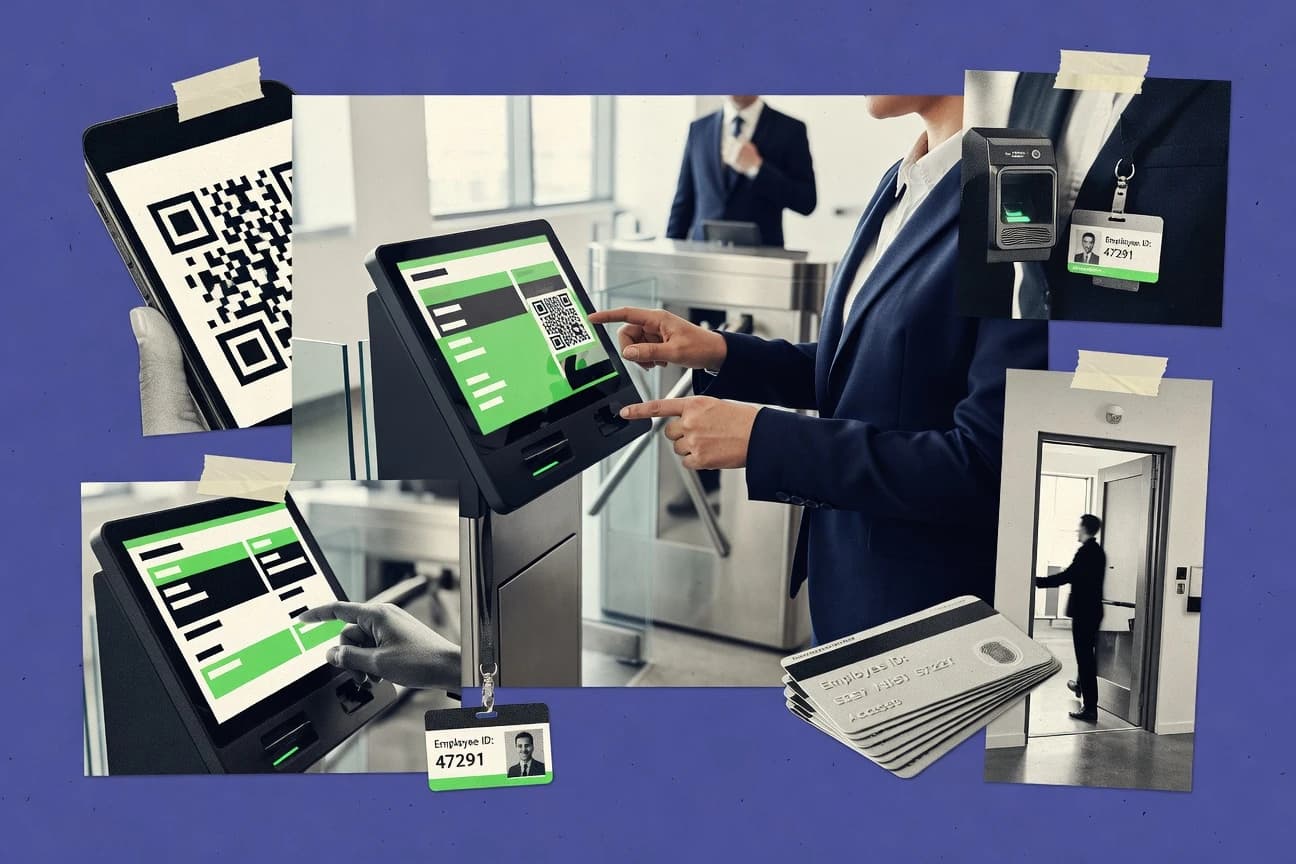
Employee check in software captures an employee’s presence at shift start and ties that event to approvals, corrections, and timecard outputs across teams. This guide covers Time Doctor, Rippling, TimeCamp, Clockify, Homebase, Deputy, Buddy Punch, Jibble, Hubstaff, and Gusto.
The selection focus stays on integration depth, automation behavior triggered by check-in outcomes, and the controls administrators use to keep attendance rules consistent. Time Doctor is positioned around activity-context-driven time tracking, while Rippling connects check-in changes to approval and payroll sync workflows.
Employee check in software for shift-linked time capture, approvals, and attendance governance
Employee check in software records check-in events from mobile, kiosk, QR, or scheduled prompts and turns those signals into managed time and attendance outcomes. Systems like Homebase and Buddy Punch tie clocking to location enforcement and route exceptions through approval workflows.
Some tools emphasize auditability for clock corrections and edits, such as TimeCamp with correction and approval workflows that preserve an audit trail and keep timecard outputs consistent. Other platforms prioritize automation and integration surfaces, such as Deputy and Hubstaff, where API and webhook events support downstream processing tied to attendance changes.
Employee check in evaluation criteria built around integrations, automation, and governance
Employee check in software needs more than a clock-in button because check-in outcomes usually drive approvals, corrections, and timecard outputs. Time Doctor turns ongoing activity tracking into consistent timesheet behavior between manual updates, which directly reduces mismatches after shift start.
For teams that want policy consistency across locations and HR workflows, the deciding factor is how check-in changes propagate through automation paths and controls. Rippling routes check-in changes into workflow approvals and HR payroll sync using shared employee identity, while Deputy ties check-in prompts to schedules and location workflows so exceptions follow the same approval paths.
Check-in to approval and payroll workflow automation
Rippling automates attendance workflows that trigger from check-in changes into approvals and HR payroll sync. Deputy also links check-in prompts to schedules and location workflows so exceptions follow approval paths.
Clock correction governance with audit history
TimeCamp preserves correction and approval workflows that keep an audit trail and maintain timecard output consistency after changes. Clockify provides time correction history with an audit trail for each entry edit.
Timecard consistency tied to check-in context
Time Doctor combines activity tracking with check-in status so timesheets stay consistent between manual updates. TimeCamp connects clock-in events directly to timecard and project reporting workflows.
Geofenced or location-bound enforcement for on-site attendance rules
Homebase includes location enforcement for geofenced check-in tied to shift-aware clocking and manager review. Buddy Punch supports geofenced check-in with location accuracy enforcement for worksite rules.
API and eventing for integrating check-in signals into custom systems
Deputy provides API and webhook events that support automated downstream processing for check-in outcomes. Hubstaff supports webhooks and API eventing for ingesting check-in and time activity signals.
Offline mode and remote reconciliation behavior
Homebase limits offline mode reconciliation compared with systems built for remote sites. Deputy also flags less smooth offline reconciliation for remote sites with intermittent connectivity.
Choose based on how check-in outcomes flow into controls, time outputs, and integrations
The right employee check in software depends on which downstream systems must change when a check-in happens or is corrected. Time Doctor is strongest when check-in status and activity context must prevent timesheet drift across distributed teams, while Clockify fits when audit trails and exports matter more than strict location enforcement.
Two different operating models dominate this set. Some products center governance through correction workflows and audit trails, while others center automation through workflow routing and eventing. The decision steps below separate those philosophies using concrete behaviors tied to check-in updates.
Map the required downstream actions for each check-in outcome
If check-in outcomes must route into approval steps and payroll sync, prioritize Rippling because it turns check-in changes into approval and HR payroll sync workflows. If check-in prompts must follow schedule-linked and location workflows with exceptions routed through consistent approvals, prioritize Deputy.
Require an audit trail for clock corrections and edits
If teams need edit-level correction history tied to approval, select TimeCamp or Clockify because both preserve correction history with audit trails. TimeCamp keeps correction and approval workflows connected to timecard outputs, while Clockify emphasizes time correction history per entry edit.
Decide whether location enforcement is a primary requirement or a secondary control
If on-site attendance rules rely on geofenced enforcement, select Homebase or Buddy Punch because both link check-in to location accuracy behavior. If geofencing accuracy is not the core goal, select Clockify since it emphasizes check-in style time entry and exports rather than native enforcement strength.
Choose the integration surface for check-in signals
If custom systems must ingest check-in activity via eventing, select Deputy or Hubstaff because both support webhooks and an API surface for automated governance. Hubstaff emphasizes GPS-backed attendance checks and change history, while Deputy focuses on schedule and location workflow-driven check-in outcomes.
Validate offline reconciliation for the worksite connectivity reality
If remote or intermittent connectivity is common, test Homebase and Deputy for offline reconciliation because both explicitly limit offline reconciliation for remote sites. If the deployment is more stable at worksite start, these tools still support location enforcement and correction workflows, but offline behavior needs verification.
Assess configuration complexity against the number of work locations and rules
If multi-worksite policy setup is heavy, Time Doctor warns that multi-worksite reporting configuration can take time. If rule complexity is manageable but schedule-linked exceptions are essential, Deputy’s workflow and rule routing model aligns with those governance needs.
Who should buy employee check in software
Operations teams and managers need employee check in software when check-in events must be governed, corrected, and approved without creating inconsistent time records. TimeCamp fits when project reporting and governance must stay consistent after corrections, and Hubstaff fits when GPS-backed attendance checks and manager-reviewed change history must feed custom systems.
HR and identity governance teams need tools that coordinate check-in rules with shared employee identity and downstream payroll operations. Rippling supports that need with workflow automation triggered from check-in changes that routes into approvals and HR payroll sync.
HR and payroll teams coordinating attendance with identity and approvals
Rippling connects check-in outcomes to approval workflows and HR payroll sync using shared employee identity and downstream routing.
Multi-location managers running shift-linked attendance enforcement
Homebase and Buddy Punch both tie attendance to location enforcement and shift-linked clocking workflows that route exceptions for manager accountability.
Distributed teams that need edit governance and audit trails for clock corrections
TimeCamp and Clockify preserve correction workflows and entry-level audit history so timecard outputs stay consistent after employee and manager edits.
IT and operations teams building custom downstream governance around check-in events
Deputy and Hubstaff provide webhooks and API eventing so check-in and attendance signals can drive custom attendance governance and integrations.
Workforces with inconsistent connectivity that still require reliable check-in outcomes
Homebase and Deputy flag limits in offline reconciliation, so they fit best when connectivity is predictable or offline workflows are testable in the deployment.
Common buying pitfalls for employee check in software
A common mistake is selecting a tool for its check-in UX while ignoring how corrections move through approvals and how those changes preserve audit history. TimeCamp and Clockify are designed around correction governance and audit trails, while other tools can focus more on workflow automation or enforcement.
Choosing geofenced enforcement without validating location accuracy behavior
Buddy Punch states geofencing accuracy depends on deliberate radius and worksite configuration, so teams must validate worksite boundaries before rollout. Homebase also requires careful setup for location enforcement across work locations.
Assuming offline reconciliation will match worksite expectations
Homebase and Deputy both note limited offline reconciliation for remote sites with intermittent connectivity. Offline behavior should be tested against expected check-in and exception workflows.
Building workflows that depend on complex rule configuration without planning for admin effort
Rippling warns that exception and routing rules require careful configuration, which can add governance overhead. Time Doctor warns that complex multi-worksite reporting configuration can take time, so plan for rollout work when rules span many locations.
Treating check-in as a standalone feature rather than an input to time outputs and project reporting
TimeCamp connects clock-in events directly to timecard and project reporting workflows, so check-in mapping must be aligned with reporting structures. Clockify supports CSV-based exports, so teams that need payroll reconciliation should confirm the export and reporting flow matches their payroll process.
Selecting a tool for activity tracking while expecting strict kiosk identity workflows
Time Doctor’s workforce-only kiosk identity flows are not its primary focus, so kiosk-based identity checks need separate validation in the deployment model. Jibble offers QR and kiosk check-in options, so teams relying on kiosks should evaluate kiosk flows directly.
How We Selected and Ranked These Tools
We evaluated Time Doctor, Rippling, TimeCamp, Clockify, Homebase, Deputy, Buddy Punch, Jibble, Hubstaff, and Gusto on features for check-in-driven workflows, ease of setup for governance and location rules, and value for operational outcomes. Features accounted for 40% of the score because check-in software must carry outcomes into approvals, corrections, exports, or eventing for integrations.
Ease and value each accounted for 30% because admin configuration effort and downstream cleanup determine how quickly check-in processes stabilize. Time Doctor earned the top rank because it pairs check-in status with ongoing activity tracking to keep timesheets consistent between manual updates while also supporting admin-configured reminders for consistent employee status updates.
Frequently Asked Questions About employee check in software
Which tools provide check-in workflows tied to approvals for clock corrections?
How do check-in systems pass attendance data into payroll or HRIS without manual exports?
When do offline mode and reconciliation become a requirement for check-in at field sites?
Where does worksite enforcement fall short if a team only needs exports for compliance?
What breaks if identity governance needs SSO with centralized access control for check-in submission?
How do admin controls handle role-based access for corrections and audit visibility?
How should teams validate that check-in edits preserve an audit trail for timecard integrity?
Which tools best connect check-in status to ongoing activity signals for timesheet consistency?
How do teams handle location accuracy when GPS or location signals conflict with check-in policy rules?
Tools reviewed
Primary sources checked during evaluation.
Referenced in the comparison table and product reviews above.
- HR In IndustryTop 10 Best Employee Review Software of 2026
- Business FinanceTop 10 Best Check-In Software of 2026
- HR In IndustryTop 10 Best HR Background Check Software of 2026
- Entertainment EventsTop 10 Best Event Check In Software of 2026
- HR In IndustryTop 10 Best Employee Internet Usage Monitoring Software of 2026
Keep exploring
Comparing two specific tools?
Software Alternatives
See head-to-head software comparisons with feature breakdowns, pricing, and our recommendation for each use case.
Explore software alternatives→In this category
HR In Industry alternatives
See side-by-side comparisons of hr in industry tools and pick the right one for your stack.
Compare hr in industry tools→