
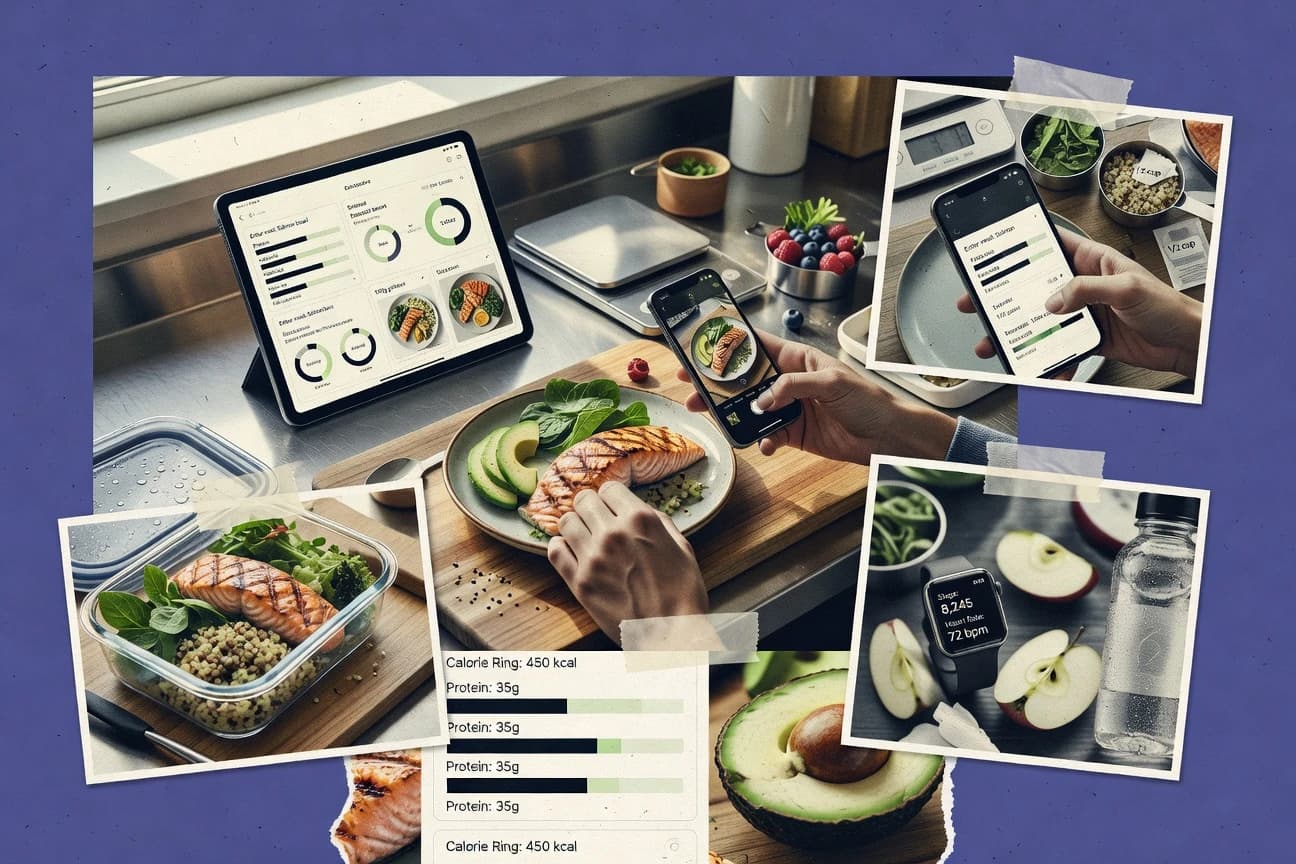
GITNUXSOFTWARE ADVICE
Wellness FitnessTop 10 Best Dietary Analysis Software of 2026
Discover the top 10 best dietary analysis software for accurate nutrition tracking.

How we ranked these tools
Core product claims cross-referenced against official documentation, changelogs, and independent technical reviews.
Analyzed video reviews and hundreds of written evaluations to capture real-world user experiences with each tool.
AI persona simulations modeled how different user types would experience each tool across common use cases and workflows.
Final rankings reviewed and approved by our editorial team with authority to override AI-generated scores based on domain expertise.
Score: Features 40% · Ease 30% · Value 30%
Gitnux may earn a commission through links on this page — this does not influence rankings. Editorial policy
Editor’s top 3 picks
Three quick recommendations before you dive into the full comparison below — each one leads on a different dimension.
Cronometer
Micronutrient breakdown with vitamins and minerals displayed alongside totals for each day
Built for people tracking micronutrients precisely for health, performance, or clinical-style diets.
MyFitnessPal
Editor pickCommunity-driven food database with instant nutrient calculations for logged items
Built for individuals needing fast nutrition breakdowns and trend-based diet feedback.
Yazio
Editor pickMeal and daily nutrition totals with macro breakdown tied to goal progress
Built for individuals tracking calories and macros with simple trend analytics.
Comparison Table
Cronometer
nutrition trackingTracks foods and nutrients with detailed micro- and macro-nutrition reporting and nutrition targets for wellness and fitness planning.
Micronutrient breakdown with vitamins and minerals displayed alongside totals for each day
Cronometer stands out for detailed nutrition tracking with a library that can break foods down into far more micro-nutrients than typical diet logs. The core workflow centers on logging meals, then viewing nutrient totals across calories, macronutrients, vitamins, minerals, fiber, and other key dietary metrics.
It supports goal targets and shows nutrient adequacy through summary dashboards that make gaps visible. It also emphasizes data accuracy via import and database features for recurring foods and labeled items.
- +Extensive vitamin and mineral coverage beyond standard macro-only trackers
- +Clear nutrient dashboards that surface missing micronutrients quickly
- +Strong food database support for repeat logging and labeled foods
- –Micronutrient depth can feel overwhelming for simple diet tracking
- –Nutrient breakdown accuracy depends on selecting the right food entry
- –Deeper analytics require more time than basic calorie counting
Best for: People tracking micronutrients precisely for health, performance, or clinical-style diets
MyFitnessPal
macro trackingLogs meals to calculate calories and macros and uses a large food database to support dietary analysis for fitness and wellness goals.
Community-driven food database with instant nutrient calculations for logged items
MyFitnessPal stands out for its massive food database that supports fast dietary logging and consistent nutritional breakdowns. It delivers daily macro and calorie analysis with customizable goals, plus nutrient views like fiber, sodium, and sugar.
Meal tracking and barcode-style search speed up entry, which improves analysis continuity. Social and progress views help users interpret trends across days and weeks.
- +Large food database reduces manual nutrition lookup time
- +Macro, calorie, and micronutrient breakdowns support detailed dietary analysis
- +Quick logging workflows make daily tracking practical
- +Trends and reports clarify patterns across days and weeks
- –Crowdsourced entries can vary in accuracy without verification
- –Advanced dietary analytics remain limited versus specialized nutrition tools
- –Manual portion entry can create extra friction for complex meals
Best for: Individuals needing fast nutrition breakdowns and trend-based diet feedback
Yazio
smart trackingLogs food intake and provides calorie, macro, and nutrition breakdowns with dietary insights aimed at weight and fitness management.
Meal and daily nutrition totals with macro breakdown tied to goal progress
Yazio stands out by combining daily nutrition logging with meal-level macronutrient and calorie breakdowns in one dietary analysis workflow. Core capabilities include food search, nutrition totals, and goal tracking that translates user entries into trends over time. The tool also emphasizes consistency by connecting intake logging with ongoing performance signals.
- +Fast food search and quick entry for consistent daily logging
- +Clear calorie and macronutrient totals with goal-oriented tracking
- +Trend-focused view of intake patterns across days
- –Limited advanced dietary analytics compared with specialized nutrition platforms
- –Data quality depends on accurate food selection and portion entry
- –Less robust workflow tooling for team or clinician use cases
Best for: Individuals tracking calories and macros with simple trend analytics
FatSecret
food diaryProvides a food diary with nutrition breakdowns so users can analyze daily intake and track progress toward fitness and wellness targets.
Community food database with instant macro calculation inside the meal diary
FatSecret stands out with a large food database and community-driven nutrition entries that support quick meal logging. It offers full macro and calorie breakdowns, plus daily totals, weigh-ins, and basic progress tracking to support dietary analysis. The meal diary workflow is built around searching foods, composing meals, and reviewing nutrient reports across time ranges.
- +Large food database enables fast searches and accurate nutrient lookups
- +Meal diary provides daily calorie and macro totals with clear nutrient summaries
- +Charts for weight and intake trends make progress review straightforward
- +Mobile-first logging supports frequent use during meals
- –Nutrition entry accuracy depends on user-submitted data quality
- –Diet analysis depth for advanced plans is limited compared with specialized tools
- –Reporting options for custom nutrient targets are less flexible
Best for: Individuals tracking calories and macros with quick food logging and basic trend reports
Lose It!
fitness coachingCalculates calories and macros from logged foods and offers guidance and reports to support dietary analysis for weight and fitness goals.
Goal-based daily nutrient targets with progress trends from logged foods
Lose It! stands out with a consumer-focused food logging experience that ties dietary tracking to daily nutrition targets.
It provides macro and calorie breakdowns from a large food database, plus goal-based summaries like streaks and progress charts. Dietary analysis is driven by quick search entry and frequent updates, which helps users understand patterns over time rather than run deep lab-grade analyses.
- +Fast logging with barcode search and a large packaged-food database
- +Clear calorie and macro breakdowns by day, meal, and food item
- +Trends and goal dashboards make dietary patterns easy to spot
- –Limited support for custom nutrient panels beyond common macros
- –Analysis depth is modest compared with dietitian-grade software
- –Accuracy depends heavily on correct food entry and portion sizing
Best for: Individuals tracking calories and macros with daily progress insights
SparkPeople
wellness trackingTracks food intake and delivers nutrition-focused reports with goal setting for wellness and fitness routines.
Daily nutrient breakdown with easy food lookup and trend reports
SparkPeople centers on dietary logging and macro-focused reporting tied to a built-in food database. It supports meal and nutrient tracking across calories, macronutrients, and common micronutrients from logged items. Reports visualize intake trends and help connect food choices to daily targets.
- +Fast food search supports quick logging for meals and snacks
- +Nutrient summaries show calories and macro breakdown without extra setup
- +Trend-oriented reports make daily intake patterns easier to review
- –Micronutrient depth can lag behind specialist diet analysis tools
- –Limited advanced analytics for custom nutrients and complex recipes
- –Diet planning features feel basic compared with top-tier nutrition software
Best for: Individuals tracking daily calories and macros with clear, simple reports
Nutritionix
API-firstTurns food images, text, and wearable inputs into nutrition data via product nutrition databases and developer tools for dietary analysis.
Nutritionix food search with structured nutrient data for instant meal analysis
Nutritionix stands out for fast dietary logging powered by a large food database and a search experience built for quick entries. It supports meal and nutrient analysis by turning logged foods into macro and micronutrient totals across days and meals. The tool also includes supporting features like barcode-style lookup and customizable serving handling to reduce friction during food entry.
- +Large food library enables quick macro and micronutrient breakdown
- +Search-first logging reduces steps for repeated foods
- +Nutrient totals support meal and day-level tracking
- –Less analytical depth for advanced diet planning compared to top tools
- –Reporting is narrower than meal-plan and program management platforms
- –Database coverage can still require manual corrections for niche items
Best for: Users who need rapid food logging with reliable macro and nutrient totals
Fooducate
food quality analysisHelps analyze food quality and nutrition by logging items and highlighting nutritional breakdowns and ingredient-level concerns.
Food rating score from barcode scans with ingredient-focused explanations
Fooducate stands out for turning scanned barcodes and ingredient lists into nutrition scores with food-by-food explanations. It supports dietary analysis through nutrition label breakdowns, ingredient-level flags, and personal targets tied to common diet goals.
The tool emphasizes clarity over deep analytics, using simple visuals and guidance rather than advanced reporting. Dietary tracking is present but remains more lifestyle-oriented than lab-grade for macro optimization.
- +Barcode and ingredient scanning makes quick diet assessments fast
- +Food rating breakdowns explain why items score higher or lower
- +Simple visuals support day-to-day food choice improvements
- +Ingredient-level alerts highlight additives and less favorable components
- –Dietary analysis depth is limited for advanced macro and nutrient planning
- –Exportable reporting and custom analytics for programs are weak
- –Scoring logic can oversimplify complex meals with mixed ingredients
Best for: Individuals using quick food scoring and ingredient alerts for daily choices
Open Food Facts
open databaseUses an open database of nutrition facts and ingredients to support dietary analysis by product lookup and nutrition comparisons.
Ingredient- and nutrition-based search powered by the Open Food Facts product database
Open Food Facts centers dietary analysis on a crowd-sourced food product database with ingredient lists, nutrition data, and processing inputs. Users can search and filter foods by nutrient values, categories, and ingredients to support diet planning and nutrition comparisons.
The tool’s analysis is primarily data-driven through its database rather than through advanced personal nutrition modeling. Manual data quality variability can limit reliability for rigorous dietary conclusions.
- +Large, community-built dataset of ingredients and nutrition labels
- +Powerful search filters for ingredients, categories, and nutrient values
- +Data transparency supports quick cross-checking of product composition
- +Accessible data model enables downstream analysis workflows
- –Nutrition completeness and accuracy vary by product entry
- –Dietary analysis depth is limited compared with clinical-grade tools
- –Personalized recommendations require extra tooling beyond built-in features
- –Complex dietary rules need external processing rather than native automation
Best for: Researchers or nutrition advocates needing ingredient and nutrient dataset exploration
My Diet Coach
coaching appProvides personalized meal logging and nutrition analysis features for fitness and wellness programs.
Meal logging plus intake-to-target comparisons across days
My Diet Coach distinguishes itself with guided dietary coaching wrapped around dietary logging and nutrition analysis for meal tracking and goal-oriented consumption. Core capabilities center on entering meals, generating nutrition breakdowns, and comparing intake to targets. It also supports reporting that helps users spot patterns across days rather than offering only single-meal feedback.
- +Guided diet workflows combine logging and actionable nutrition feedback
- +Daily intake summaries make it easier to follow and adjust targets
- +Meal-level analysis helps diagnose which foods drive macro and calorie changes
- –Limited advanced analytics for complex diet research and custom experiments
- –Food data management tools can feel basic for high-precision tracking
- –Fewer automation options for importing and reconciling meals at scale
Best for: Individuals needing practical dietary analysis and coaching-style meal tracking
Conclusion
After evaluating 10 wellness fitness, Cronometer stands out as our overall top pick — it scored highest across our combined criteria of features, ease of use, and value, which is why it sits at #1 in the rankings above.
Use the comparison table and detailed reviews above to validate the fit against your own requirements before committing to a tool.
How to Choose the Right Dietary Analysis Software
This buyer's guide explains how to select dietary analysis software for logging foods, calculating nutrient totals, and turning intake into actionable targets. It covers Cronometer, MyFitnessPal, Yazio, FatSecret, Lose It!, SparkPeople, Nutritionix, Fooducate, Open Food Facts, and My Diet Coach. The guide focuses on the exact tracking workflows and analysis strengths that differentiate these tools for day-to-day use.
What Is Dietary Analysis Software?
Dietary analysis software calculates nutrition totals from meals and food entries so users can compare intake against calorie and nutrient targets. Most tools connect food search and meal logging to daily summaries like calories and macronutrients, while some go deeper into micronutrients or ingredient-level quality signals. Tools like Cronometer emphasize vitamins and minerals alongside daily totals, while MyFitnessPal emphasizes instant nutrient calculations from a large community food database. Many users rely on these systems to identify patterns across days and meals, then adjust intake based on those targets.
Key Features to Look For
The right feature set determines whether a tool stays practical for daily logging or supports the specific nutrient depth and analysis depth required.
Micronutrient depth with vitamins and minerals alongside daily totals
Cronometer provides vitamins and minerals displayed alongside daily nutrient totals, which supports precise micronutrient tracking for wellness and clinical-style diets. This depth can feel overwhelming for simple calorie counting, but it is the differentiator for users who need detailed adequacy visibility.
Fast, accurate food lookup powered by large databases and structured search
MyFitnessPal delivers a massive food database with instant nutrient calculations for logged items, which reduces friction during daily logging. Nutritionix also focuses on quick search-first logging with structured nutrient data and barcode-style lookup to speed repeated entries.
Meal and daily totals tied to goal tracking and intake-to-target comparisons
Yazio centers on meal and daily nutrition totals with macro breakdown tied to goal progress. My Diet Coach adds intake-to-target comparisons across days so changes can be linked back to the foods that moved calories and macros.
Community-driven nutrition data for instant macro and calorie breakdowns
FatSecret and MyFitnessPal both rely on community food database entries that calculate macros instantly inside the meal diary or tracking workflow. This speeds logging, but nutrient accuracy depends on selecting the right food entry and portion size.
Progress dashboards that visualize trends across days and meals
Lose It! provides goal-based daily nutrient targets with progress trends from logged foods. SparkPeople emphasizes daily nutrient breakdown with easy food lookup and trend reports to make intake patterns visible over time.
Ingredient scanning, nutrition label scoring, and ingredient-level alerts
Fooducate turns barcode scans and ingredient lists into nutrition scores with ingredient-focused explanations and alerts. Open Food Facts supports ingredient- and nutrition-based search using an open product database so users can compare ingredient and nutrient profiles across items.
How to Choose the Right Dietary Analysis Software
The selection process should match the software workflow to the nutrient depth, logging speed, and analysis style needed.
Start by defining the nutrient depth required
Users who need vitamins and minerals should prioritize Cronometer because it displays micronutrient breakdown with vitamins and minerals alongside daily totals. Users who only need calorie and macronutrient analysis can focus on macro-first tools like Lose It! and Yazio, which center on calorie and macro breakdowns tied to daily targets.
Choose the logging workflow that fits the day-to-day routine
For fast meal logging, MyFitnessPal and Nutritionix optimize for instant nutrient calculations using large food libraries and quick search workflows. For users who prefer scanning and label-driven discovery, Fooducate focuses on barcode scans and ingredient-level explanations that support quick food choice decisions.
Match analysis outputs to how decisions get made
If dietary decisions depend on seeing missing micronutrients, Cronometer’s nutrient dashboards are built to surface gaps quickly. If decisions depend on macro and calorie trends, Yazio, FatSecret, and SparkPeople provide daily macro or nutrient summaries and trend-focused views across days.
Validate data quality controls for real food entries
Crowdsourced databases can vary in accuracy, so MyFitnessPal and FatSecret require careful selection of food entries and portion sizing for dependable totals. Tools built on structured food search like Nutritionix still need manual corrections for niche items, so entry accuracy remains a practical requirement.
Pick the tool style that aligns with the intended use case
Clinical-style micronutrient tracking fits Cronometer best because it is designed around detailed nutrient reporting and adequacy visibility. Coaching-style meal tracking fits My Diet Coach because guided workflows focus on intake-to-target comparisons, while ingredient discovery fits Open Food Facts because it enables ingredient- and nutrition-based search for dataset exploration.
Who Needs Dietary Analysis Software?
Dietary analysis software benefits people with different goals, from micronutrient precision to quick calorie and macro tracking and ingredient-level food quality screening.
Micronutrient precision for health, performance, or clinical-style diets
Cronometer is the best match because it is built around micronutrient breakdown with vitamins and minerals displayed alongside daily totals. This tool targets users who need far more micronutrients than macro-only trackers to identify nutrient gaps.
Fast nutrition breakdowns with trend-based feedback for general fitness goals
MyFitnessPal is best for people needing fast dietary logging using a massive food database that calculates macros, calories, and additional nutrient views like fiber, sodium, and sugar. Yazio is a strong fit when the priority is straightforward meal and daily macro totals tied to goal progress.
Quick consumer logging with community database support for calorie and macro totals
FatSecret suits users who want a meal diary with quick food logging and daily calorie and macro totals plus basic progress tracking. Lose It! fits users who want barcode search, packaged-food database logging, and goal-based daily nutrient targets with progress trends.
Barcode scanning, nutrition score explanations, and ingredient-level quality alerts
Fooducate fits users who want barcode scans that generate nutrition scores with ingredient-focused explanations and alerts. Open Food Facts fits researchers and nutrition advocates who need ingredient- and nutrition-based search powered by an open product database for comparison and dataset exploration.
Common Mistakes to Avoid
These pitfalls show up repeatedly across the reviewed tools because food entry accuracy and the depth of analytics vary by platform.
Choosing a macro-only focus when micronutrient reporting is required
Cronometer supports vitamins and minerals alongside daily totals, while SparkPeople and Yazio primarily emphasize calories and macros with simpler micronutrient depth. Selecting a macro-first tool for micronutrient adequacy can make nutrient gaps harder to spot.
Relying on crowdsourced entries without verifying the specific food selection
MyFitnessPal and FatSecret use community-driven food database entries, so totals depend on selecting the right food entry and portion size. Nutritionix also requires manual corrections for niche items, which means inaccurate selection will directly distort nutrient totals.
Expecting advanced diet planning analytics from consumer tracking apps
Yazio and Lose It! are built around daily logging and trend insights, while Cronometer’s deeper micronutrient dashboards take more time to interpret. Nutritionix and My Diet Coach deliver strong logging and totals, but advanced diet research and complex custom experiments are limited compared with specialist nutrition tools.
Using ingredient scoring tools for precision macro optimization
Fooducate emphasizes nutrition scores and ingredient-level explanations, which is optimized for food quality decisions rather than lab-grade macro optimization. Open Food Facts is powerful for ingredient and nutrition dataset exploration, but complex dietary rules often need external processing instead of native automation.
How We Selected and Ranked These Tools
We evaluated every tool on three sub-dimensions: features with a weight of 0.4, ease of use with a weight of 0.3, and value with a weight of 0.3. The overall rating is the weighted average computed as overall = 0.40 × features + 0.30 × ease of use + 0.30 × value. Cronometer separated itself primarily on the features dimension because its micronutrient breakdown shows vitamins and minerals alongside daily nutrient totals, which directly serves users who need micronutrient adequacy visibility rather than just macros.
Frequently Asked Questions About Dietary Analysis Software
Which dietary analysis software is best for micronutrient-level tracking rather than just calories and macros?
What tool works fastest for routine meal logging when accurate totals matter?
Which option is better for people who want macro tracking plus simple progress insights?
How do barcode and scanning features change day-to-day workflows across tools?
Which tools support ingredient-level understanding rather than only nutrient totals?
Which software is most suitable for analyzing food patterns over time across meals and days?
Which dietary analysis tool fits performance or training goals that require consistency in macro adherence?
Which option is best when reliable food data is needed for recurring meals and labeled items?
What is the main difference between guided coaching-style analysis and self-directed logging?
Tools reviewed
Primary sources checked during evaluation.
Referenced in the comparison table and product reviews above.
- Wellness FitnessTop 10 Best Nutrient Analysis Software of 2026
- Wellness FitnessTop 10 Best Nutrition Facts Label Software of 2026
- Food Service RestaurantsTop 10 Best Recipe Analysis Software of 2026
- Data Science AnalyticsTop 10 Best Financial Data Analysis Software of 2026
- Wellness FitnessTop 10 Best Nutritionist Practice Management Software of 2026
Keep exploring
Comparing two specific tools?
Software Alternatives
See head-to-head software comparisons with feature breakdowns, pricing, and our recommendation for each use case.
Explore software alternatives→In this category
Wellness Fitness alternatives
See side-by-side comparisons of wellness fitness tools and pick the right one for your stack.
Compare wellness fitness tools→