
GITNUXSOFTWARE ADVICE
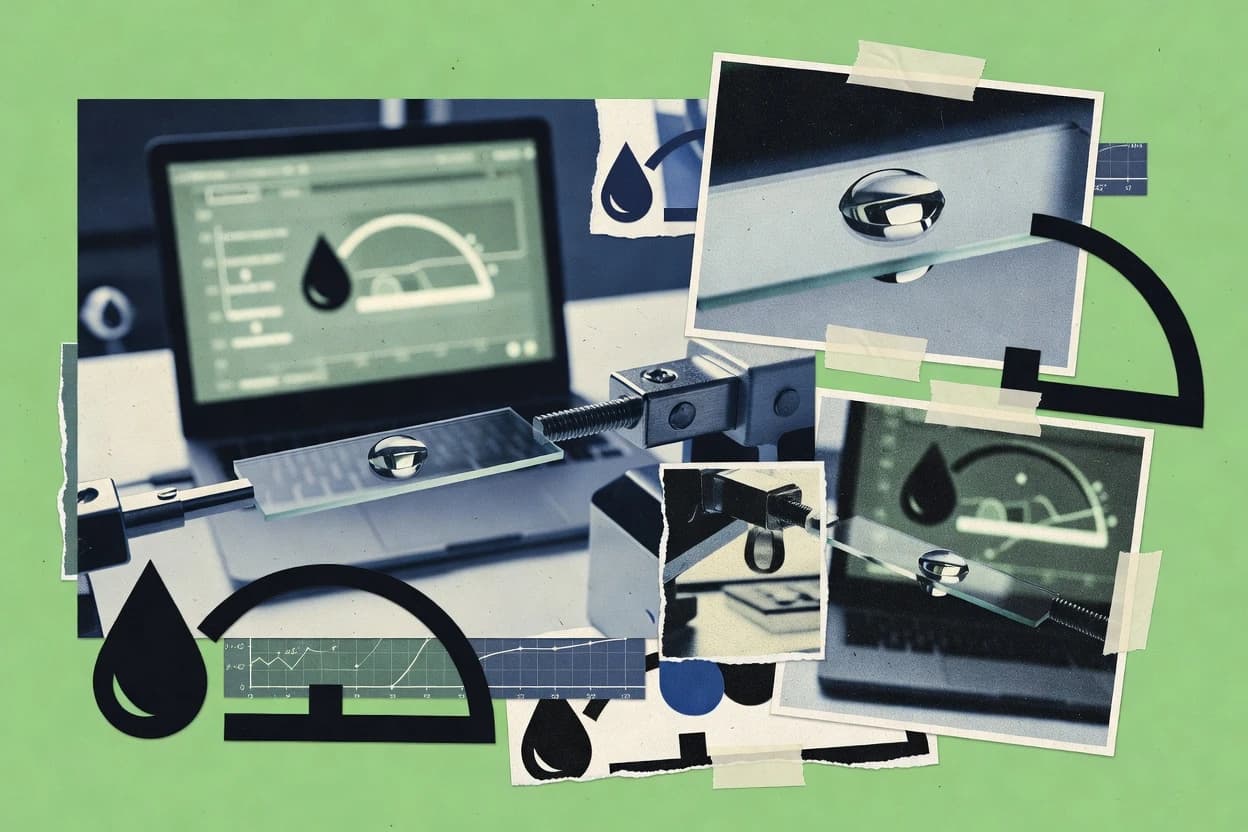
Science ResearchTop 8 Best Contact Angle Measurement Software of 2026
Ranking and comparison of contact angle measurement software for goniometers and drop shape tools, with tools like SCA202 and CAST3.

How we ranked these tools
Before any source is gathered, an editor locks the question, what qualifies, and how the piece will be judged.
Search agents gather the source set and the review record, including transcriptions of video reviews and podcasts.
Framework: Features 40% · Ease 30% · Value 30%
Gitnux may earn a commission through links on this page — this does not influence rankings. Editorial policy
SCA202 is the best fit for labs running repeatable contact angle measurements on DataPhysics instruments with batch analysis and clean CSV exports, whereas ImageJ with DropSnake works better if you already use ImageJ and want scripted, batch-ready drop shape analysis without enterprise overhead.
Editor’s top 3 picks
Three quick recommendations before you dive into the full comparison below — each one leads on a different dimension.
SCA202
Integrated measurement workflow that keeps capture settings aligned with detection and fitting across batches.
Best for: Fits when labs need repeatable contact angle runs with batch analysis and CSV outputs.
CAST3
Editor pickRun procedure configuration links capture parameters to automated feature extraction for consistent wetting comparisons.
Best for: Fits when labs need standardized contact angle runs with automated extraction and repeatable export.
KRÜSS ADVANCE
Editor pickMethod-linked analysis settings maintain consistent contour and baseline handling between static and dynamic runs.
Best for: Fits when standardized wetting measurements require consistent acquisition, analysis, and export across multiple runs.
Comparison Table
SCA202
enterpriseSCA202 controls DataPhysics contact angle instruments and evaluates sessile drop measurements.
Integrated measurement workflow that keeps capture settings aligned with detection and fitting across batches.
SCA202 is built around contact angle measurement cycles that combine image acquisition, contact line detection, and curve fitting to compute static and dynamic angles. Batch processing is practical for datasets that share camera settings, since the same detection and fitting steps can be applied across many frames and samples. Reporting uses CSV export so results can flow into spreadsheets and lab information workflows.
A key tradeoff is that accurate contact line detection depends on consistent illumination, camera framing, and dosing stability, which makes setup discipline part of the measurement quality. SCA202 works best when a lab runs repeatable sessile drop style workflows or pendant workflows on the same instrument configuration, where automation reduces operator steps without changing the core method.
- +Analysis pipeline links image capture to contact angle calculations consistently
- +Batch processing supports repeated measurements with minimal manual rework
- +CSV export fits common lab reporting and data review workflows
- +Curve fitting workflow supports modeling for measured droplet profiles
- –Contact line detection quality drops when lighting or drop placement varies
- –Workflow tuning can take multiple iterations before results stabilize
- –Automation depends on stable instrument and camera configuration
Materials testing labs
Routine surface wettability panels
Faster throughput with repeatable results
Thin film process teams
Daily lot-to-lot wettability checks
Earlier detection of drift
Show 1 more scenario
Research groups
Drop profile model fitting studies
Comparable results across experiments
Fit droplet curves to estimate angles and compare wetting behavior between liquids or surfaces.
Best for: Fits when labs need repeatable contact angle runs with batch analysis and CSV outputs.
CAST3
enterpriseContact angle measurement software from Kyowa Interface Science for their goniometer line.
Run procedure configuration links capture parameters to automated feature extraction for consistent wetting comparisons.
CAST3 targets wetting labs that run repeated sessile drop style studies and need consistent contact line behavior from frame capture through angle calculation. The software groups analysis into configurable measurement procedures that reduce manual rework when comparing batches, substrates, and liquids. CAST3 also emphasizes image output and traceable run data so results can be carried into documentation and internal reviews.
A tradeoff is that deep automation depends on committing to the software’s measurement procedure configuration rather than adjusting every step ad hoc. CAST3 is a strong fit for labs standardizing contact angle and wetting hysteresis-style comparisons across multiple sample lots. It is a weaker fit for one-off exploratory sessions where operators want rapid, throwaway tuning between each camera frame.
- +Repeatable run configuration reduces variation between operators and sessions
- +Automated droplet feature detection accelerates angle and fit extraction
- +Export-oriented workflow supports downstream lab documentation
- +Supports multi-liquid measurement patterns for batching comparisons
- –Flexible customization requires upfront procedure setup
- –Advanced tuning can feel constrained during rapid exploratory work
- –Workflow depth can increase onboarding time for new operators
- –Hardware integration ties performance to instrument and camera configuration
Materials characterization teams
Batch wetting comparison across substrates
Lower variance across batches
Thin film process engineers
Monitor surface changes from treatments
Clear treatment wetting trends
Show 2 more scenarios
QA and analytical documentation
Generate traceable measurement records
Auditable measurement history
CAST3 output supports lab documentation workflows that keep analysis tied to specific capture runs.
Lab automation owners
Reduce operator variability during testing
More consistent operator results
CAST3 enforces a repeatable workflow that limits manual decisions between capture and analysis.
Best for: Fits when labs need standardized contact angle runs with automated extraction and repeatable export.
KRÜSS ADVANCE
enterpriseKRÜSS ADVANCE analyzes contact angle images and supports surface characterization workflows.
Method-linked analysis settings maintain consistent contour and baseline handling between static and dynamic runs.
KRÜSS ADVANCE is built around instrument-linked acquisition of droplet images and video frames, then processes them with contact line detection and shape fitting used for angle extraction. Analysis configuration covers camera and optical settings, baseline and contour handling, and method choices for static and dynamic measurements. The export path includes structured output suitable for CSV-based reporting and lab records tied to each run.
A tradeoff appears in workflow rigidity, since analysis settings are typically configured for a method and instrument pairing rather than ad hoc per-sample tuning. It fits best when teams need standardized parameters across sessions, such as routine wetting checks for coatings and inks with controlled dosing and repeatability requirements.
- +Instrument-integrated acquisition keeps timing and calibration tied to the camera view
- +Automated baseline and contact line handling reduces manual contour selection
- +Dynamic measurement workflows support advancing and receding sequences
- +Exported results support consistent archiving across repeated runs
- –Analysis tuning is less flexible for one-off, unconventional droplet geometries
- –Method configuration requires careful setup to match each liquid and surface pairing
Materials and coatings engineers
Batch contact angle checks for formulations
Lower variability between runs
Quality control teams
Routine wetting compliance measurements
More repeatable lab records
Show 1 more scenario
R&D surface scientists
Dynamic wetting characterization over time
Faster hysteresis analysis
Runs advancing and receding sequences with automated contact line and contour handling.
Best for: Fits when standardized wetting measurements require consistent acquisition, analysis, and export across multiple runs.
ImageJ with DropSnake plugin
SMBOpen-source image analysis platform with contact angle measurement plugins.
DropSnake’s active contour style droplet boundary tracing turns contact angle measurements into a segmentation-driven workflow inside ImageJ.
ImageJ with the DropSnake plugin is a research-oriented contact angle measurement workflow built on ImageJ’s open macro and analysis pipelines. The DropSnake segmentation engine tracks a droplet boundary across frames and outputs geometric descriptors used for static and time-resolved contact angle analysis.
The combined setup supports batch processing on folders of images or videos and relies on ImageJ scripting to standardize thresholds and fitting steps. For teams already using ImageJ for image segmentation and metrology, DropSnake fits into existing preprocessing, calibration, and export routines.
- +DropSnake boundary tracking supports consistent contact line detection across frames
- +ImageJ macros enable repeatable batch runs for large image sets
- +Works with existing ImageJ calibration and preprocessing steps
- +Segmentation results feed downstream angle and profile calculations in one pipeline
- –More setup work than dedicated goniometer software due to manual calibration steps
- –Advanced compliance workflows like ISO-style reporting need custom scripting
- –Tuning segmentation parameters can be time-consuming for low-contrast images
- –Video throughput depends on ImageJ hardware and plugin processing speed
Best for: Fits when labs already use ImageJ and want scripted, batch-ready drop shape analysis with controllable segmentation.
OneAttension
vertical specialistOneAttension manages Biolin Scientific measurements and analyzes contact angle data.
Instrument-coupled imaging to automated contact line detection to keep contact angle computations consistent across sessions.
OneAttension drives contact angle measurement workflows that tie instrument imaging to automated drop and contact line detection.
Drop shape analysis feeds geometry-based fitting to produce contact angle outputs used for static and dynamic assessments.
Results can be exported for method reporting and cross-run comparisons across multi-session studies.
- +Automated contact line detection reduces manual frame-by-frame edits
- +Instrument-linked capture supports repeatable imaging across runs
- +Drop shape analysis outputs are structured for export and review
- +Workflow supports recurring multi-session wetting studies
- –Method setup and thresholds require careful calibration per instrument and lighting
- –Advanced fitting and corrections depend on selecting the right analysis configuration
Best for: Fits when lab teams need repeatable goniometer and droplet analysis runs with automation and export.
FTA32
vertical specialistFTA32 analyzes contact angle, surface tension, and drop shape measurements.
Young–Laplace fitting integrated into the same contact angle workflow for drop shape-derived interfacial insight.
FTA32 is contact angle measurement software from First Ten Angstroms that focuses on goniometer and drop-image workflows with automated droplet handling and analysis. It captures image and video sequences for optical goniometry, then runs contact line detection to compute static and dynamic contact angle metrics.
The software supports drop shape analysis using Young–Laplace fitting, which helps estimate interfacial parameters when a straight contact-line view is insufficient. FTA32 also produces exports that fit lab reporting needs, including CSV-style data handoff for spreadsheets and further processing.
- +Young–Laplace fitting for more physics-based drop shape interpretation
- +Automated contact line detection for consistent static and dynamic angles
- +Image and video capture supports repeatable analysis across sessions
- +Analysis outputs are formatted for spreadsheet workflows
- –Camera and lighting setup discipline is required for stable segmentation
- –Advanced fitting workflows can require iterative parameter tuning
Best for: Fits when labs need repeatable droplet angle analysis with optional drop shape fitting on optical goniometry images.
DROPimage Advanced
vertical specialistDROPimage Advanced measures contact angles from captured droplet images.
Rame-Hart aligned image analysis routines with automated contact line and baseline handling tuned for consistent drop geometry measurements.
DROPimage Advanced is contact angle measurement software from Rame-Hart that focuses on image-based goniometry workflows tied to Rame-Hart hardware. It supports sessile drop analysis with automated contact line and baseline handling, and it outputs results in analysis-friendly formats for lab reporting.
The software also organizes multi-image capture sessions to compare repeat measurements across different liquids and substrates. DROPimage Advanced is most distinct in how tightly its analysis routines align with common Rame-Hart imaging and instrument setups.
- +Automated contact line and baseline steps reduce manual rework
- +Session-based capture supports consistent repeats across substrate and liquid sets
- +Analysis outputs fit common lab reporting workflows via CSV export
- +Built around Rame-Hart instrument imaging patterns for fewer integration gaps
- –Automation quality can drop when image contrast or illumination is inconsistent
- –Advanced workflows require careful configuration to keep results consistent
- –Dynamic workflows are less straightforward than static-focused routines
- –Depth of non-Rame-Hart instrument integration is limited
Best for: Fits when labs already run Rame-Hart goniometers and need repeatable contact angle measurements from captured images.
drop-analysis
SMBOpen-source program for sessile drop contact angle, contact line position, and center of mass measurement from 2D images.
Contact line detection and drop-geometry fitting run as a connected, project-based workflow from capture to export.
Drop-analysis provides contact angle measurement workflows centered on drop shape analysis, from image capture to quantitative output. The system focuses on detecting drop geometry and fitting parameters, which supports static contact angle studies and downstream surface free energy calculations.
It supports exporting results for lab documentation and comparison workflows, including CSV-style tabular outputs. The primary distinctiveness is the way drop-analysis ties measurement capture, droplet processing, and analysis outputs into one repeatable contact angle pipeline.
- +Single pipeline links image capture, contact line finding, and quantitative outputs
- +Automated baseline and geometry processing reduces manual re-tracing time
- +Exportable measurement outputs fit routine lab reporting and comparisons
- +Drop shape analysis workflow supports multi-angle studies in one project
- –Limited visibility into analysis internals compared with instrument-native software
- –Automation depends on consistent imaging and may need iterative tuning
- –Fewer automation controls for batch runs than some goniometer-centric tools
- –Extensibility is constrained versus platforms with deeper API and webhooks
Best for: Fits when a lab needs repeatable contact angle and surface free energy outputs from recorded droplet images.
Conclusion
After evaluating 8 contact angle measurement software, SCA202 stands out as our overall top pick — it scored highest across our combined criteria of features, ease of use, and value, which is why it sits at #1 in the rankings above.
Use the comparison table and detailed reviews above to validate the fit against your own requirements before committing to a tool.
How to Choose the Right Contact Angle Measurement Software
Contact angle measurement software turns optical goniometry images into static contact angle and dynamic angle outputs using repeatable capture-to-analysis workflows. This guide covers SCA202 and CAST3 first, then KRÜSS ADVANCE, ImageJ with DropSnake plugin, OneAttension, FTA32, DROPimage Advanced, and drop-analysis for drop shape workflows.
The ordering prioritizes automation and run-to-run consistency, not just measurement display. The evaluation also tracks how each tool maintains alignment between capture settings, detection logic, and fitting so batch CSV export reflects the same measurement procedure across operators.
Contact Angle Measurement Software for automated drop shape analysis, detection, and fitting
Contact angle measurement software processes sessile drop or pendant drop images to detect droplet contours, establish baselines, and compute contact angles from those geometries. Tools like SCA202 link image capture to the contact angle calculations so batch runs reuse the same analysis pipeline and export structure.
CAST3 focuses on run procedure configuration that connects capture parameters to automated feature extraction for consistent wetting comparisons. In instrument-native workflows such as KRÜSS ADVANCE and DROPimage Advanced, method-linked analysis settings keep contour and baseline handling consistent between static and dynamic runs, which reduces manual contour selection during repeated measurements.
Evaluation criteria for Contact Angle Measurement Software workflows
Contact angle measurement software should keep capture settings, contour handling, and fitting logic aligned so batch outputs stay comparable across runs and operators. The strongest tools treat the measurement workflow as one pipeline so automated contact line detection and baseline handling do not drift between static and dynamic sessions.
Workflow alignment from capture to computation
SCA202 links image capture to contact angle calculations consistently so repeated measurements reuse the same analysis pipeline and CSV export structure. OneAttension couples instrument imaging to automated contact line detection so computations remain consistent across sessions.
Run procedure configuration and automated extraction
CAST3 connects run procedure configuration to automated feature extraction so wetting comparisons stay standardized between operators and sessions. DROPimage Advanced provides Rame-Hart aligned routines that automate contact line and baseline handling to reduce manual rework.
Method-linked analysis settings for static and dynamic runs
KRÜSS ADVANCE uses method-linked analysis settings so contour and baseline handling stays consistent between static and dynamic runs. FTA32 pairs automated contact line detection with Young–Laplace fitting in the same contact angle workflow for drop shape-derived interpretation.
Segmentation-driven drop boundary tracing for batch analysis
ImageJ with DropSnake plugin turns droplet boundary detection into an active contour segmentation workflow, then uses ImageJ macros for repeatable batch runs. This approach supports large image sets where the lab already standardizes on ImageJ for image processing.
Project-based pipeline from capture to outputs
drop-analysis runs contact line detection and drop geometry fitting as one connected project pipeline that links image capture to quantitative outputs. This connected workflow is built around repeatable baseline and geometry processing to reduce manual re-tracing time.
How to choose Contact Angle Measurement Software for consistent droplet results
A good choice depends on whether the lab needs instrument-coupled repeatability, configurable procedure automation, or image-processing control. The decision should start with how measurement settings travel from capture to contact line detection and fitting, because inconsistencies here create run-to-run drift. The second fork should match the analysis posture to the team workflow, since segmentation-heavy tools trade ease for control and require governance around calibration and method setup.
Select the alignment model for capture to angle outputs
Choose SCA202 when the lab needs an integrated measurement workflow that keeps capture settings aligned with detection and fitting across batches. Choose OneAttension when instrument-coupled imaging must drive automated contact line detection so computations stay consistent across sessions.
Decide whether procedure configuration should be the control surface
Choose CAST3 when run procedure configuration must link capture parameters to automated feature extraction for consistent wetting comparisons. Choose DROPimage Advanced when Rame-Hart aligned automation should handle contact line and baseline steps without frequent manual contour intervention.
Match static and dynamic consistency to method-linked settings
Choose KRÜSS ADVANCE when consistent contour and baseline handling must hold between static and dynamic runs through method-linked analysis settings. Choose FTA32 when drop shape interpretation should include Young–Laplace fitting tied to the same workflow used for contact angle computation.
Choose image-processing control if ImageJ is already a standard
Choose ImageJ with DropSnake plugin when the lab wants segmentation-driven droplet boundary tracing using DropSnake active contour behavior and ImageJ macros for batch runs. This path fits teams that can handle manual calibration steps and custom compliance reporting through scripting.
Pick project-based automation when exports must follow one pipeline
Choose drop-analysis when a single project pipeline should run capture, contact line finding, baseline processing, and quantitative outputs with reduced manual re-tracing. This fits labs that prioritize connected automation even when analysis internals are less visible than instrument-native tools.
Plan for the tuning effort needed by the chosen workflow
Prefer SCA202, CAST3, or KRÜSS ADVANCE when stable results must follow from workflow tuning that is invested once and then reused across batch analysis. Avoid choosing ImageJ with DropSnake or FTA32 when imaging discipline and parameter iteration capacity is limited, because segmentation quality and fitting stability depend on lighting, camera setup, and thresholds.
Who should buy Contact Angle Measurement Software
Laboratory teams should buy contact angle measurement software when measurement repeatability depends on automated alignment between capture settings, contour detection, and fitting logic. The best fit varies by whether the lab standardizes on instrument-native workflows, needs configurable automation across operators, or already runs ImageJ-based image processing.
Surface science labs running repeated wetting comparisons across many substrates and liquids
SCA202 and CAST3 support repeatable batch analysis through capture-to-calculation alignment and run procedure configuration that reduces operator and session variation.
Instrument-centric teams measuring static and dynamic behavior on the same camera view pipeline
KRÜSS ADVANCE keeps contour and baseline handling consistent across static and dynamic runs through method-linked analysis settings. OneAttension provides instrument-linked capture plus automated contact line detection to keep computations stable across sessions.
Physics-focused teams that want drop shape interpretation beyond contact angle values
FTA32 integrates Young–Laplace fitting into the same optical goniometry workflow so drop shape-derived insight comes from the same images used for angle measurements.
Teams that already run ImageJ macros for batch image processing and want segmentation-level control
ImageJ with DropSnake plugin supports segmentation-driven droplet boundary tracing and batch-ready macro execution for large image sets.
Labs that prefer a connected project workflow that goes from capture to quantitative outputs
drop-analysis uses a connected pipeline for contact line detection and drop geometry fitting so baseline and geometry processing is automated as part of one project flow.
Common mistakes when deploying Contact Angle Measurement Software
Mistakes typically come from separating capture conditions from detection logic, or from treating automation settings as interchangeable across instruments and lighting. Another frequent failure mode is underestimating the tuning and governance work required to keep contact line detection stable.
Switching lighting and drop placement without revalidating contact line detection quality
SCA202 contact line detection quality drops when lighting or drop placement varies, so measurement protocols must keep illumination and dosing control consistent before batch analysis.
Relying on flexible customization for exploratory work without locking a procedure for comparison studies
CAST3 automated extraction benefits from upfront procedure setup, so labs should define procedure configuration once and then reuse it for standardized wetting comparisons.
Using method-linked settings for every workflow while ignoring liquid and surface pairing constraints
KRÜSS ADVANCE requires careful method configuration to match each liquid and surface pairing, so the team must validate method selection when material combinations change.
Assuming segmentation control removes calibration and governance work
ImageJ with DropSnake plugin adds setup work due to manual calibration steps, and ISO-style reporting requires custom scripting, so deployment must include a scripting and validation plan.
Choosing drop shape fitting without enforcing camera and lighting discipline
FTA32 requires camera and lighting setup discipline for stable segmentation, and Young–Laplace fitting can require iterative parameter tuning, so the team must budget time for method stabilization.
How We Selected and Ranked These Tools
We evaluated SCA202, CAST3, KRÜSS ADVANCE, ImageJ with DropSnake plugin, OneAttension, FTA32, DROPimage Advanced, and drop-analysis using a scoring model that weights features at 40% and combines ease and value at 30% each. We prioritized integration depth by checking whether each tool maintains alignment between capture settings, automated contact line detection, baseline handling, and the resulting contact angle or fit outputs.
We scored SCA202 highest because its integrated measurement workflow links image capture to contact angle calculations consistently and supports batch processing that minimizes manual rework while preserving CSV output structure. We also treated workflow governance risk as a practical factor when tools required repeated tuning, because contact line detection quality and fitting stability depend on imaging consistency and method configuration.
Frequently Asked Questions About contact angle measurement software
How do SCA202 and KRÜSS ADVANCE keep static and dynamic contact angle analysis consistent across multiple runs?
When does ImageJ with DropSnake become a better choice than turnkey capture-to-result tools like FTA32?
What breaks if CAST3 and OneAttension are used with hardware that does not match their instrument-coupled imaging workflow?
Which tool is strongest for drop-shape-driven interfacial insight using Young–Laplace fitting: FTA32 or SCA202?
How does DROPimage Advanced differ from drop-analysis for baseline and contact line handling in sessile drop workflows?
How do SCA202 and drop-analysis export results for downstream reporting and comparison workflows?
What role does data migration play when switching from ImageJ-based workflows to OneAttension or CAST3?
When does security and access control become a requirement, and how do admin features differ across the reviewed tools?
How does extensibility work in practice for labs that want custom segmentation or automated batch processing: DropSnake or SCA202?
Where does each tool fall short when a lab must run multiple liquid methods with strict reproducibility across different substrates?
Tools reviewed
Primary sources checked during evaluation.
Referenced in the comparison table and product reviews above.
- Top 10 Best Fishbone Software of 2026
- Top 10 Best Fishbone Diagram Software of 2026
- Top 10 Best Finite State Machine Software of 2026
- Top 10 Best Finite Analysis Software of 2026
- Top 10 Best Field Trial Software of 2026
- Top 10 Best Field Survey Software of 2026
- Top 10 Best Fft Analysis Software of 2026
- Top 10 Best Fft Software of 2026
- Top 10 Best Failure Analysis Software of 2026
- Top 10 Best Facial Reconstruction Software of 2026
- Top 10 Best Exploration Software of 2026
- Top 10 Best Evidence Collection Software of 2026
- Top 10 Best Event Simulation Software of 2026
- Top 10 Best Equation Software of 2026
- Top 10 Best Equation Editor Software of 2026
- Top 10 Best Ephemeris Software of 2026
- Top 10 Best Eor Software of 2026
- Top 10 Best Environmental Science Software of 2026
- Top 10 Best Environmental Modeling Software of 2026
- Top 10 Best Environmental Mapping Software of 2026
Keep exploring
Comparing two specific tools?
Software Alternatives
See head-to-head software comparisons with feature breakdowns, pricing, and our recommendation for each use case.
Explore software alternatives→In this category
Science Research alternatives
See side-by-side comparisons of science research tools and pick the right one for your stack.
Compare science research tools→