GITNUXSOFTWARE ADVICE
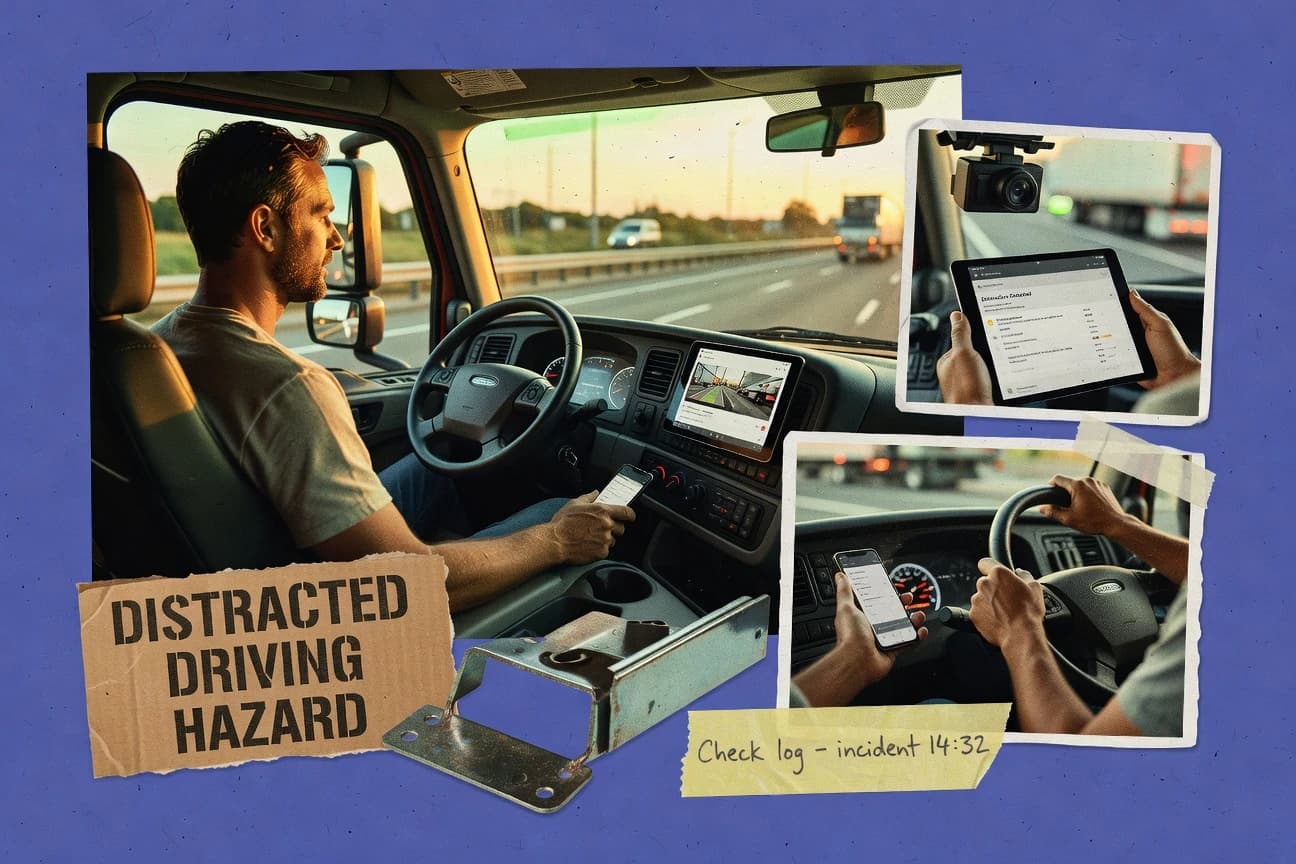
Transportation LogisticsTop 10 Best Commercial Distracted Driving Software of 2026
Top 10 ranking of commercial distracted driving software for fleets. Compare Verizon Connect, Motive, Netradyne features and costs.

How we ranked these tools
Before any source is gathered, an editor locks the question, what qualifies, and how the piece will be judged.
Search agents gather the source set and the review record, including transcriptions of video reviews and podcasts.
Framework: Features 40% · Ease 30% · Value 30%
Gitnux may earn a commission through links on this page — this does not influence rankings. Editorial policy
Verizon Connect is the strongest fit for fleet safety managers who need configurable distracted-driving event triage at scale with governed review workflows, whereas Azuga works better when you want a lighter-entry telematics-plus-video setup for repeatable alerts and review.
Editor’s top 3 picks
Three quick recommendations before you dive into the full comparison below — each one leads on a different dimension.
Verizon Connect
Safety event review ties in-cabin incident clips to trip and driver context for structured corrective action processing.
Best for: Fits when fleet safety managers need configurable distracted-driving event triage at scale with governed review workflows.
Motive
Editor pickCentralized safety event review combines event clips with workflow assignment, policy acknowledgment, and corrective action tracking.
Best for: Fits when fleet safety teams need configurable distracted-driving detection with fast event review and closed-loop follow-up.
Netradyne
Editor pickIn-cabin AI event detection that generates clip-backed safety records for driver-facing alerts and manager review workflows.
Best for: Fits when fleet safety teams need standardized event review for distracted driving and repeatable corrective action workflows.
Comparison Table
Verizon Connect
enterpriseFleet management and video solutions help identify distracted driving and unsafe vehicle use.
Safety event review ties in-cabin incident clips to trip and driver context for structured corrective action processing.
Verizon Connect’s distracted driving process centers on capturing in-cabin events, surfacing them in a fleet safety review workflow, and linking them to driver and trip context for investigation. Driver coaching workflows and policy acknowledgment steps can be incorporated into the incident lifecycle so managers can drive consistent responses across regions and vehicle groups. Admin controls support multi-level permissions and audit trails so fleet safety teams can review who acknowledged policies and who processed events.
A key tradeoff is that higher alert quality depends on upfront configuration of detection thresholds and review routing, so under-tuned settings can increase false-positive review work. Verizon Connect fits well when fleet safety managers need repeatable event triage for many units and want automation to route clips to responsible supervisors based on vehicle, driver, or operating location.
- +Event review workflow links clips to driver and trip context
- +Policy acknowledgment steps add traceability to corrective actions
- +Configurable driver-facing alerts reduce escalation-to-review latency
- +Integration options cut manual event copying between systems
- –Detection accuracy depends on careful threshold and routing configuration
- –Corrective action workflows require defined ownership rules per unit
Fleet safety managers
Triage and document distracted driving incidents
Faster, auditable incident handling
Compliance and training teams
Track policy acknowledgment and coaching
Higher completion and documentation
Show 1 more scenario
Operations leaders
Correlate incidents to vehicle schedules
Targeted behavior reduction
Operations associates event timing with trip windows to prioritize coaching for recurring routes.
Best for: Fits when fleet safety managers need configurable distracted-driving event triage at scale with governed review workflows.
Motive
enterpriseAI dash cameras detect phone use, smoking, eating, and other distracted-driving events.
Centralized safety event review combines event clips with workflow assignment, policy acknowledgment, and corrective action tracking.
Motive centralizes event clip review and driver coaching workflows around recorded safety events, with structured metadata that speeds triage by severity. Driver-facing alerts and configurable detection thresholds help standardize responses for cellphone use patterns and other distracted-driving behaviors captured in-vehicle. Safety managers can assign follow-up actions and record outcomes so repeat offenders and recurring vehicle-level issues become visible during audits and trend reviews.
A key tradeoff is that strong results depend on disciplined configuration of alert thresholds and review queues across vehicle models, because overly broad sensitivity can increase false-positive review. Motive fits situations where a centralized fleet safety team must process high event volume and needs repeatable workflows for corrective action tracking tied to specific driver and vehicle evidence.
- +Event clip review ties evidence to driver actions and assignment workflows
- +Configurable detection thresholds reduce unnecessary events reaching drivers
- +Driver-facing alert workflows support consistent distracted-driving response
- +Corrective action tracking creates closure on repeat safety issues
- –Threshold tuning requires ongoing governance across vehicle configurations
- –Some advanced automations depend on integration setup work
- –Large deployments can add review workload during sensitivity changes
- –Evidence organization works best with consistent vehicle onboarding
Fleet safety managers
Route distracted-driving events to drivers
Faster triage and closure
Commercial motor vehicle fleets
Standardize in-cabin alert thresholds
Lower variability in enforcement
Show 2 more scenarios
Operations leadership
Reduce repeat incidents by driver
Targeted coaching interventions
Event history and follow-up tracking surface recurring distracted-driving patterns by driver and vehicle.
Driver coaching teams
Use clip evidence for training
More specific driver feedback
Coaching workflows use specific event clips to focus remediation on observed behaviors.
Best for: Fits when fleet safety teams need configurable distracted-driving detection with fast event review and closed-loop follow-up.
Netradyne
enterpriseDriveri uses computer vision to detect distraction, phone use, and other unsafe driving behavior.
In-cabin AI event detection that generates clip-backed safety records for driver-facing alerts and manager review workflows.
Netradyne’s core value is its computer-vision event detection that turns in-cabin camera signals into safety event records with clip evidence for review. The workflow supports driver-facing alerts and manager review flows that help standardize how fleets respond to distracted driving incidents. The practical fit is strongest for fleets that want event-centric review loops instead of ad hoc footage searches.
A tradeoff is that governance and operational consistency depend on configuring alert thresholds, review practices, and corrective action steps across the fleet. Netradyne works best when a safety team can run periodic false-positive review and driver coaching workflows using the same event categories over time.
- +Event clips link driver behavior to reviewable evidence
- +Driver-facing alerts support immediate behavior correction
- +Configurable distracted driving triggers reduce noisy reports
- +Manager workflows support consistent corrective action tracking
- –Configuration depth requires ongoing governance to avoid alert fatigue
- –Event volume can overwhelm reviewers without strict review rules
- –Integration scope varies by vehicle environment and gateway setup
- –High-quality outcomes depend on disciplined false-positive review
Commercial motor vehicle fleets
Reduce phone-related distracted driving
Fewer repeat violations in cohorts
Fleet safety managers
Run weekly safety coaching cycles
Consistent coaching across sites
Show 2 more scenarios
Operations leaders
Triage high-risk events faster
Shorter investigation turnaround
Managers prioritize event records with clip proof to focus investigation time on the most actionable cases.
Compliance teams
Support documented driver follow-up
Clear audit trail of actions
Compliance workflows track policy acknowledgment and corrective action steps tied to identified safety events.
Best for: Fits when fleet safety teams need standardized event review for distracted driving and repeatable corrective action workflows.
GreenRoad
enterpriseFleet safety software identifies distracted driving and provides behavior feedback for commercial drivers.
Safety event review workflow that ties in-cabin distraction clips to corrective action tracking for fleet safety managers.
GreenRoad focuses on distracted driving risk management for commercial fleets using computer-vision event detection from in-cabin video telematics. Fleets use driver-facing alerts, safety event review, and corrective action tracking to turn event clips into repeatable coaching workflows.
- +In-cabin video event clips support focused safety event review and coaching
- +Configurable alert thresholds help manage distraction sensitivity by fleet policy
- +Corrective action tracking connects reviewed events to documented follow-up
- +Driver-facing alerts can be routed to coaching workflows instead of raw incidents
- –Event quality depends heavily on install and camera placement standards
- –Operational review queues can create workflow overhead for small safety teams
- –False-positive review requires consistent reviewer training to stay usable
- –Integration work is often needed to align video events with existing fleet systems
Best for: Fits when fleets need in-cabin event clips, review workflow, and corrective actions tied to policy acknowledgment.
Samsara
enterpriseAI dash cameras and fleet software identify distracted driving and support driver coaching.
In-cabin safety events generate reviewable clips that link directly to driver-facing alerts and configurable rule thresholds.
Samsara delivers distracted driving detection by combining in-cabin computer vision with telematics and fleet safety workflows. Driver-facing alerts are tied to recorded event clips so safety managers can review context and tag likely causes like cellphone use or gaze behavior.
- +In-cabin video event clips tied to safety events speed review and dispute handling
- +Configurable alert thresholds reduce noise while keeping meaningful behaviors in scope
- +Driver-facing alerts help close the loop between detection and behavior change
- +Fleet data from vehicle connectivity supports cross-event correlation workflows
- –Large rollout needs careful governance of driver privacy and retention controls
- –Some advanced workflows require process design to avoid inconsistent corrective actions
- –Event review can be time-consuming when camera coverage varies by vehicle
- –Integration outcomes depend on consistent vehicle and device provisioning practices
Best for: Fits when commercial fleets need in-cabin distracted driving detection with review workflows and vehicle connectivity context.
Fleet Complete
enterpriseFleet management and camera solutions help detect distracted driving and improve driver accountability.
Safety event review ties driver alert outcomes to safety manager adjudication with clip-based evidence for corrective action tracking.
Fleet Complete targets commercial motor vehicle fleets that need distracted driving detection backed by vehicle and driver telemetry. Its workflow centers on safety events with driver-facing alerts and safety manager review so teams can handle false positives and enforce corrective action tracking.
- +Event review workflows connect driver-facing alerts to safety manager adjudication.
- +Vehicle telematics integrations support consistent capture across mixed vehicle sources.
- +Policy configuration enables tuned thresholds to manage alert volume and quality.
- +Audit visibility helps track who reviewed and changed safety event handling.
- –Integration depth depends on gateway and vehicle telematics availability in the fleet.
- –Automations may require process discipline from safety managers to close corrective actions.
- –False-positive review can become time-heavy without clear internal triage rules.
- –Advanced detection coverage can require add-on camera hardware per vehicle.
Best for: Fits when fleets need governed event review and corrective action workflows across many vehicles.
Azuga
SMBFleet telematics and camera tools track risky driving behaviors, including distracted driving.
In-cabin computer vision generates reviewable event clips that drive driver coaching workflows without manual re-tagging.
Azuga combines in-cabin computer vision event detection with a cloud-based workflow for safety event review and driver coaching. Fleets can configure driver-facing alerts and tune event thresholds, then review event clips tied to specific incident timelines.
- +Configurable alert thresholds for driver-facing notifications tied to event types
- +Event clips with review workflows that support driver coaching documentation
- +Computer vision event detection designed for cellphone and distracted-driving behaviors
- +Fleet safety manager routing for consistent review and corrective action tracking
- –Requires disciplined configuration to limit false-positive reviews across routes
- –Some advanced governance controls depend on how teams structure internal roles
- –Event correlation depth can lag behind gateways that provide richer vehicle-state context
- –Edge processing coverage varies by installation type and vehicle hardware
Best for: Fits when fleets need configurable distracted-driving alerts plus repeatable safety review workflows.
IntelliShift
SMBFleet video and telematics software flags distracted driving and other unsafe driver actions.
Policy acknowledgment and corrective action tracking are built around safety event review, linking driver response to follow-up.
IntelliShift is a commercial distracted driving software product focused on fleet safety event detection and review workflows. It supports configurable driver-facing alerts and safety manager review of event clips so teams can separate true risk from false positives.
- +Configurable alert thresholds support consistent driver-facing decisions across fleets
- +Event clip review workflow reduces time spent validating detections
- +Automated safety event correlation supports faster identification of recurring patterns
- +Administrative controls support safety manager governance of acknowledgments
- –Deeper tuning needs ongoing governance discipline to manage false positives
- –Integration scope can require vehicle telematics and camera onboarding work
- –Driver coaching workflows depend on disciplined policy and corrective action setup
- –Some advanced reporting outputs require analyst-style configuration effort
Best for: Fits when fleets need automated distracted driving detection plus review and corrective action tracking.
Nauto
enterpriseAI driver monitoring detects distraction and provides real-time in-cab safety alerts.
Safety event review workbench that ties driver-facing event clips to acknowledgment and corrective action status in one workflow.
Nauto delivers commercial distracted driving detection by combining driver-facing video capture with computer vision event detection and safety event review workflows. Fleet safety managers get driver-facing alerts for policy-driven behaviors and event clips to support false-positive review.
- +Driver-facing video event clips speed safety event review and dispute handling.
- +Configurable alert thresholds reduce nuisance triggers across different vehicle use cases.
- +Policy acknowledgment workflows connect detection outcomes to corrective action tracking.
- +RBAC-style permissions help separate fleet operations from coaching reviewers.
- –Video processing and alert tuning require disciplined configuration to limit false positives.
- –Integration depth beyond Nauto’s core workflow is narrower than some telematics ecosystems.
- –Automation for coaching workflows is less granular than systems with rule engines.
- –Operational visibility into edge processing latency and throughput is limited.
Best for: Fits when fleets want driver-facing event clips, configurable alert thresholds, and structured corrective action tracking.
Seeing Machines Guardian
vertical specialistGuardian monitors driver attention and fatigue with in-cab computer vision technology.
Event clip capture designed for safety event review workflows that connect detection outputs to manager assignment and corrective action tracking.
Seeing Machines Guardian targets commercial driver monitoring with computer vision event detection and in-cabin video telemetry for distracted-driving review. Guardian’s core workflow centers on capturing event clips, generating safety events, and routing those events into fleet safety manager review so corrective action can be tracked.
- +Video-backed distracted-driving event clips for faster safety review
- +Configurable driver-facing alert behavior tied to event detection
- +Fleet workflows for assigning safety events to managers
- +Integrates into real vehicle and telematics environments rather than spreadsheets
- –Onboarding depends on vehicle, camera, and telemetry integration work
- –False-positive review can become time-heavy at scale
- –Governance for policies and roles needs disciplined fleet administration
- –Automation depth varies by integration path and installed modules
Best for: Fits when fleets want video-evidence event detection with manager review workflows and policy-driven alert configuration.
Conclusion
After evaluating 10 commercial distracted driving software, Verizon Connect stands out as our overall top pick — it scored highest across our combined criteria of features, ease of use, and value, which is why it sits at #1 in the rankings above.
Use the comparison table and detailed reviews above to validate the fit against your own requirements before committing to a tool.
How to Choose the Right Commercial Distracted Driving Software
Commercial distracted driving software packages in-cabin detection with clip-backed safety event review so fleet safety managers can route incidents into corrective action workflows. This buyer’s guide covers Verizon Connect, Motive, and Netradyne, along with eight other commercially deployed systems built for driver-facing alerts and manager adjudication.
Tools in this category differ most in event review workflow design, governance needs for threshold tuning, and how tightly they connect driver acknowledgment to corrective action tracking. The guide also flags where detection accuracy depends on routing and camera placement discipline, because those factors determine whether review queues stay manageable for safety teams.
Commercial Distracted Driving Software that pairs in-cabin detection with governed safety event review and corrective action tracking
Commercial distracted driving software uses in-cabin computer vision or in-cabin AI detection to create safety events and clip evidence that support driver-facing alerts and manager review workflows. Verizon Connect ties safety event review to in-cabin incident clips and structured trip and driver context for governed corrective action processing.
Motive also centers centralized safety event review on event clips, workflow assignment, policy acknowledgment steps, and corrective action tracking. Across fleets, the practical buying difference is how each platform operationalizes review throughput and governance for configurable alert thresholds so false-positive events do not overwhelm reviewer queues while repeatable coaching and corrective actions remain traceable.
Governed event review, driver-facing alerts, and corrective action traceability
Commercial distracted driving software only becomes operational at fleet scale when safety events produce reviewable clip evidence and a workflow path for assignment, acknowledgment, and corrective action status. Tools in this list converge on clip-backed safety records, but they diverge on how review queues are governed and how review outcomes feed follow-up steps.
The buying priority is the end-to-end loop from detection to adjudication to corrective action. Verizon Connect ties in-cabin incident clips to trip and driver context for structured corrective action processing, while Motive centralizes event clip review with workflow assignment, policy acknowledgment, and corrective action tracking for closed-loop follow-up.
Safety event review that connects clips to accountable workflow steps
Verizon Connect links in-cabin incident clips to trip and driver context and routes them through structured corrective action processing. Motive centralizes safety event review with workflow assignment, policy acknowledgment, and corrective action tracking tied to the same event artifacts.
Throughput controls for threshold tuning and review queue management
Motive uses configurable detection thresholds to reduce unnecessary events reaching drivers, but threshold tuning requires ongoing governance across vehicle configurations. Netradyne has configuration depth that needs ongoing governance to avoid alert fatigue when event volume grows beyond reviewer capacity.
Driver-facing alert design tied to manager adjudication outcomes
Samsara generates in-cabin safety events that link directly to driver-facing alerts and configurable rule thresholds, then supports dispute handling via reviewable clips. Fleet Complete connects driver-facing alert outcomes to safety manager adjudication with clip-based evidence for corrective action tracking.
Policy acknowledgment and corrective action tracking wired into review workbenches
IntelliShift builds policy acknowledgment and corrective action tracking around safety event review by linking driver response to follow-up. Nauto keeps driver-facing event clips, driver acknowledgment, and corrective action status in one safety event review workbench.
Configurable alert behavior mapped to event types and documented coaching workflows
Azuga uses in-cabin computer vision to create event clips that drive driver coaching workflows without manual re-tagging. Seeing Machines Guardian captures event clips designed for manager assignment and corrective action tracking with configurable driver-facing alert behavior tied to detection outputs.
Choose by review governance model, integration depth, and automation boundary
A distracted driving program fails when event detection produces too many low-confidence events, because reviewer queues then become the bottleneck. The right platform matches the team’s governance approach for threshold tuning, routing, and corrective action ownership.
Selection should also reflect integration depth and how much automation exists before humans adjudicate events. Fleet Complete depends on gateway and vehicle telematics availability for integration depth, while Verizon Connect and Motive emphasize governed review workflows that keep corrective actions traceable to structured event context.
Map the workflow control points from clip to corrective action ownership
If the program requires structured corrective action processing tied to trip and driver context, prioritize Verizon Connect because its safety event review connects in-cabin incident clips to driver and trip context. If the program centers centralized event review with assignment, policy acknowledgment steps, and corrective action tracking in the same workflow, prioritize Motive.
Select the threshold governance approach that matches reviewer capacity
If the fleet expects ongoing governance for configurable detection thresholds across vehicle configurations, evaluate Motive because threshold tuning reduces noise but needs disciplined ownership. If the fleet anticipates high event volume, evaluate Netradyne because configuration depth must be managed to prevent alert fatigue and reviewer overload.
Decide where automation ends and manager adjudication begins
If driver-facing alerts must connect to manager adjudication with clip-based evidence for consistent follow-up decisions, prioritize Fleet Complete. If reviewable clip evidence must support dispute handling while the driver-facing workflow stays tied to configurable rule thresholds, prioritize Samsara.
Verify corrective action traceability to driver acknowledgment for repeatable follow-up
If the program requires policy acknowledgment steps that explicitly link driver response to follow-up, evaluate IntelliShift because acknowledgment and corrective action tracking are built around safety event review. If the program wants driver-facing event clips, acknowledgment, and corrective action status in one safety event review workbench, evaluate Nauto.
Confirm install and video evidence quality expectations before committing to scale
If camera placement and install standards strongly influence event quality for the fleet, evaluate GreenRoad with attention to how in-cabin video event clips support focused review and coaching. If onboarding vehicle and telemetry integration work is acceptable because event clip capture must support manager assignment and corrective action tracking, evaluate Seeing Machines Guardian.
Check integration boundary for mixed vehicle environments and onboarding workload
If mixed vehicle sources require consistent capture across telematics sources, evaluate Fleet Complete because vehicle telematics integrations support capture across mixed sources but depend on gateway availability. If the fleet needs review workflows with telematics context tied to safety events while keeping privacy and retention controls governable, evaluate Samsara because large rollout needs careful governance of privacy and retention controls.
Who benefits from governed distracted driving event review and corrective action tracking
Commercial fleets need a workflow that routes distracted driving detections into reviewable evidence and consistent corrective action tracking. This buyer’s guide fits teams that already operate a safety function and must prevent reviewer overload while preserving traceability and dispute handling.
The best fit varies by how the safety team runs adjudication and how much process design is acceptable before outcomes become consistent. Large safety operations tend to need governed workflows at scale, while mid-sized teams often need faster review queues and clear routing ownership.
Fleet safety managers running high-volume event triage across many vehicles
Verizon Connect fits fleets that need configurable distracted-driving event triage with governed review workflows because safety event review ties clips to trip and driver context for structured corrective action processing. Motive also fits because centralized safety event review combines clips with workflow assignment, policy acknowledgment, and corrective action tracking.
Safety teams that must reduce false-positive impact on driver experience
Motive supports reducing unnecessary events reaching drivers via configurable detection thresholds, but threshold tuning requires ongoing governance across vehicle configurations. Azuga also reduces noise through configurable alert thresholds, but false-positive reviews require disciplined configuration to stay manageable.
Operations teams with mixed vehicle fleets that rely on telematics and gateway availability
Fleet Complete supports vehicle telematics integrations for consistent capture across mixed vehicle sources, but integration depth depends on gateway and vehicle telematics availability. Samsara supports review workflows linked to in-cabin safety events and vehicle connectivity context, but large rollout requires governance of driver privacy and retention controls.
Organizations that need driver acknowledgment and follow-up captured in the same workflow record
IntelliShift includes policy acknowledgment and corrective action tracking linked to driver response and follow-up. Nauto keeps acknowledgment and corrective action status in the same driver-facing event clip review workbench.
Fleets that want standardized, clip-backed evidence for repeatable coaching workflows
Netradyne generates clip-backed safety records through in-cabin AI detection that supports driver-facing alerts and manager review workflows. Azuga supports repeatable safety review and coaching documentation by generating in-cabin computer vision event clips without manual re-tagging.
Common pitfalls in distracted driving software deployments
Most failures occur after detection is turned on and event volume rises faster than review rules. The result is either alert fatigue for drivers or inconsistent adjudication for safety managers.
Another recurring issue is treating installation quality and tuning discipline as an afterthought. Several tools tie event quality and review workload to configuration governance and camera placement standards, which becomes visible only after rollout begins.
Turning on detection without defining routing and ownership rules for corrective actions
Verizon Connect requires defined ownership rules per unit because corrective action workflows depend on who adjudicates and who follows up. Motive also depends on configurable detection thresholds and assignment workflows that still require process ownership to keep follow-up consistent.
Underestimating how threshold tuning changes reviewer workload over time
Netradyne configuration depth needs ongoing governance to avoid alert fatigue and reviewer overload when event volume increases. Azuga requires disciplined configuration to limit false-positive reviews across routes, because otherwise coaching and review time expands.
Assuming clip evidence automatically produces consistent coaching outcomes
GreenRoad event quality depends heavily on install and camera placement standards, which directly affects review outcomes and coaching usefulness. Seeing Machines Guardian onboarding depends on vehicle, camera, and telemetry integration work, which affects how quickly managers can handle review queues at scale.
Ignoring governance needs for driver privacy and retention controls during rollout
Samsara large rollouts need careful governance of driver privacy and retention controls because privacy and retention decisions influence how review artifacts are handled. Fleet Complete also requires automation process discipline from safety managers to close corrective actions consistently.
How We Selected and Ranked These Tools
We evaluated each distracted driving platform on features weight and ease of deployment for fleet workflows, then added value scoring based on the ability to keep review queues manageable. Features counted for 40% because safety event review must connect in-cabin clips to driver-facing alerts and manager adjudication steps.
Ease and value each counted for 30% because threshold governance workload and operational overhead determine whether corrective action tracking stays consistent after rollout. Verizon Connect ranked highest because its safety event review ties in-cabin incident clips to trip and driver context for structured corrective action processing and because policy acknowledgment steps add traceability to corrective actions.
Frequently Asked Questions About Commercial Distracted Driving Software
How do Verizon Connect and Motive route safety events from detection to corrective action tracking?
Which platforms support programmatic integration for vehicle telematics data and event workflows?
How does Netradyne handle false positives during distracted driving detection and safety event review?
What breaks if policy acknowledgment and corrective action tracking are not connected to the same event record?
When does GreenRoad work best for fleets managing distracted driving risk with in-cabin video telematics?
Which tools emphasize governance and audit visibility for event review accountability?
How do Samsara and Azuga differ in how event clips connect to driver-facing alerts?
What technical setup is required when a fleet wants video-evidence workflows instead of aggregated scoring?
How do Orion-like deployment choices show up in these products when fleets already operate with telematics and video evidence?
Tools reviewed
Primary sources checked during evaluation.
Referenced in the comparison table and product reviews above.
Funding and competing interests
This study was co-funded by several of the vendors assessed in it. No single vendor funded it. Funders could propose the market studied.
They had no role in selecting vendors, setting or weighting criteria, analysing data or drawing conclusions, and they received the same factual-accuracy check as every other vendor assessed.
Market definition, inclusion rules and criteria weights were fixed by an editor before research began and did not change afterwards. Editorial process →
- Transportation LogisticsTop 10 Best Commercial Fleet Management Software of 2026
- Education LearningTop 10 Best Driving School Software of 2026
- Business FinanceTop 10 Best Traffic Software of 2026
- Automotive ServicesTop 10 Best Heavy Duty Truck Software of 2026
- Legal Professional ServicesTop 10 Best Commercial Contract Management Software of 2026
Keep exploring
Comparing two specific tools?
Software Alternatives
See head-to-head software comparisons with feature breakdowns, pricing, and our recommendation for each use case.
Explore software alternatives→In this category
Transportation Logistics alternatives
See side-by-side comparisons of transportation logistics tools and pick the right one for your stack.
Compare transportation logistics tools→