
GITNUXSOFTWARE ADVICE
Communication MediaTop 10 Best Call Center Call Monitoring Software of 2026
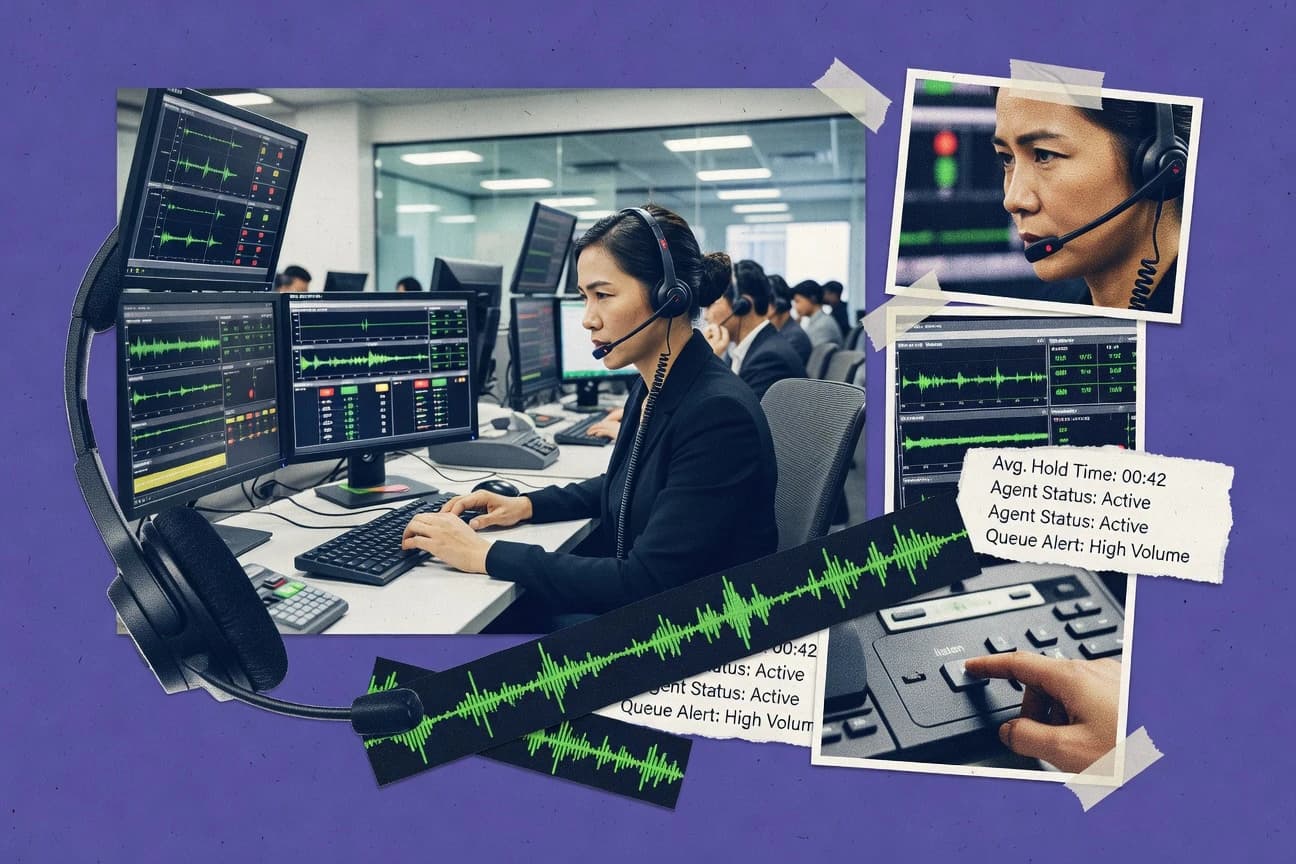
Top 10 ranking of call center call monitoring software options with comparison notes for teams reviewing Talkdesk, CloudTalk, and Verint.

How we ranked these tools
Core product claims cross-referenced against official documentation, changelogs, and independent technical reviews.
Analyzed video reviews and hundreds of written evaluations to capture real-world user experiences with each tool.
AI persona simulations modeled how different user types would experience each tool across common use cases and workflows.
Final rankings reviewed and approved by our editorial team with authority to override AI-generated scores based on domain expertise.
Score: Features 40% · Ease 30% · Value 30%
Gitnux may earn a commission through links on this page — this does not influence rankings. Editorial policy
Talkdesk is the best fit for contact centers that want rubric-based QA governance linked to real review workflows, whereas CloudTalk is a strong lower-cost entry when supervisors need live monitoring with evidence-based scorecards for ongoing calibration.
Editor’s top 3 picks
Three quick recommendations before you dive into the full comparison below — each one leads on a different dimension.
Talkdesk
Configurable evaluation forms and scorecards that turn transcript playback into consistent calibration-ready QA outputs.
Built for fits when contact centers need rubric-based call review workflows tied to actionable QA governance..
CloudTalk
Editor pickSupervisor console links live call monitoring with structured scorecards tied to the same call evidence.
Built for fits when supervisors need live monitoring plus evidence-based scorecards for ongoing calibration..
Verint
Editor pickEvaluation forms tied to scorecards and call calibration workflows for standardized QA scoring.
Built for fits when enterprise QA teams need scorecard governance plus supervisor live monitoring..
Comparison Table
Talkdesk
enterpriseTalkdesk includes call recording, interaction analytics, quality management, and real-time supervisor tools.
Configurable evaluation forms and scorecards that turn transcript playback into consistent calibration-ready QA outputs.
Talkdesk supports call recording for compliance recording and quality review, then layers transcription so supervisors can evaluate what was said without scrubbing audio. QA scoring is handled through configurable evaluation forms and scorecards that route calls into review pipelines for calibration. Supervisors can use dashboards to compare performance across agents and time windows, and evaluators can document findings during playback. The integration surface connects monitoring outputs to contact center systems so QA results can be operationalized in the same workflows agents use.
A key tradeoff is that meaningful evaluation depends on rubric design and consistent calibration across evaluators, because scorecards reflect the form configuration. Talkdesk fits teams that already run structured QA and want call review to plug into their governance cycle, not teams that only need ad hoc audio search. In practice, it works best when transcripts are accurate enough for fast review and when telephony event flows are stable for ongoing ingestion.
- +Evaluation workflows combine transcript review with rubric scorecards
- +Supervisor dashboards make agent and team QA trends reviewable
- +Call review routes support structured calibration and repeatability
- +Automation-ready monitoring outputs connect with contact center workflows
- –Rubric consistency and calibration require governance discipline
- –Advanced monitoring outcomes rely on upstream data quality
Contact center QA teams
Run rubric scoring and calibration sessions
More consistent QA results
Contact center supervisors
Monitor agent performance trends
Targeted coaching focus
Show 1 more scenario
Operations and workforce managers
Standardize QA governance workflows
Process consistency across teams
Teams route calls into review pipelines that enforce repeatable evaluation across evaluators and shifts.
Best for: Fits when contact centers need rubric-based call review workflows tied to actionable QA governance.
CloudTalk
SMBCloudTalk offers call recording, live call monitoring, whispering, and analytics for sales and support teams.
Supervisor console links live call monitoring with structured scorecards tied to the same call evidence.
CloudTalk is designed for contact center QA workflows that start with real-time visibility and end with documented coaching. Supervisors can monitor calls live and review recordings from one console, then attach structured evaluation results to the same call context. Scorecards and feedback fields support calibration by making criteria repeatable across teams.
A key tradeoff is that call monitoring value depends on telephony and configuration fit, because live monitoring and in-call overlays require correct setup in the call routing path. CloudTalk works best for teams that need frequent supervisor review during active queues, not only after the fact during reporting cycles.
- +Live monitoring workflow keeps supervisors aligned with active call context
- +Recorded-call review pairs evidence with structured evaluation artifacts
- +Scorecards and feedback fields support calibration across review cycles
- +Admin controls help standardize QA criteria across teams
- –Live monitoring and guidance require disciplined telephony configuration
- –Deep reporting depends on how evaluations are applied during reviews
- –More advanced automation typically needs careful rules setup
- –Some governance steps take time to roll out consistently
Contact center QA leads
Run daily call calibration sessions
Consistent coaching and fewer scoring gaps
Contact center supervisors
Monitor calls during peak queues
Faster issue identification
Show 2 more scenarios
Training and enablement teams
Build coaching libraries from evidence
Higher coaching clarity
Review recordings and reuse evaluation notes to show behaviors tied to outcomes.
Quality operations teams
Standardize QA across multi-campaign teams
Lower variability in evaluations
Apply consistent scorecard structures so audits and coaching follow the same rubric.
Best for: Fits when supervisors need live monitoring plus evidence-based scorecards for ongoing calibration.
Verint
enterpriseVerint provides interaction recording, automated quality management, speech analytics, and compliance monitoring.
Evaluation forms tied to scorecards and call calibration workflows for standardized QA scoring.
Verint supports live call monitoring for supervisors, along with call recording and evaluation workflows for quality assurance scoring. Evaluation forms and scorecards enable repeatable assessment, and call calibration programs can align scoring consistency across QA reviewers and sites. Recording search helps teams find specific calls for coaching, QA validation, and operational review without manual browsing.
A tradeoff is that deeper automation and governance depend on a configured workflow model and disciplined QA processes for scorecard maintenance. Verint fits best when supervisors need real-time guidance and QA teams need structured scoring plus searchable recordings across multiple queues or business units.
- +Unified recording capture with quality scoring workflows
- +Evaluation forms and scorecards support consistent QA calibration
- +Live monitoring gives supervisors real-time coaching context
- +Recording search reduces time spent locating coaching examples
- –Workflow configuration takes governance discipline across scorecards
- –Implementation effort rises when many queues and teams must align
- –Real-time monitoring usefulness depends on agent and supervisor roles
Contact center QA managers
Calibrate scoring across sites
More consistent quality scoring
Contact center supervisors
Coach during live customer calls
Faster coaching interventions
Show 2 more scenarios
Workforce operations teams
Find calls for coaching and QA
Less time locating examples
Recording search speeds retrieval of specific interactions for review and training.
Enterprise compliance owners
Support structured recording governance
Consistent review traceability
Call recording plus searchable access supports controlled review workflows for regulated processes.
Best for: Fits when enterprise QA teams need scorecard governance plus supervisor live monitoring.
NICE CXone
enterpriseNICE CXone provides contact center recording, quality management, interaction analytics, and supervisor monitoring.
Supervisor live monitoring controls with call barging plus whisper and silent modes inside CXone monitoring sessions.
NICE CXone brings call monitoring into a broader contact center environment with real-time and post-call coaching, transcription, and quality workflows. The solution supports supervisor views for live monitoring such as call barging, whisper, and silent monitoring, paired with evaluation forms and scorecards used for calibration.
CXone’s automation and integration surface fit monitoring into existing telephony, CRM, and workforce processes rather than running it as a standalone recorder. Analytics features like speech analytics and keyword spotting help route issues to QA and training workflows.
- +Live supervisor monitoring modes include barging, whisper, and silent monitoring
- +QA evaluation forms and scorecards support repeatable calibration workflows
- +Speech analytics and keyword spotting help drive targeted QA reviews
- +Automation and integrations reduce monitoring gaps across journeys
- –Governance requires structured QA calibration to keep scoring consistent
- –Advanced monitoring configurations can take time to wire to existing workflows
- –Deep configuration depends on CXone contact center setup more than standalone deployments
- –Reporting breadth can feel complex without clear monitoring ownership
Best for: Fits when contact centers need live monitoring and QA scoring tied to broader analytics and coaching workflows.
Genesys Cloud
enterpriseGenesys Cloud supports call recording, interaction evaluation, speech analytics, and supervisor monitoring.
Quality management scorecards linked to calibration sessions, with evaluation artifacts organized around conversations inside Genesys Cloud.
Genesys Cloud records calls and enables supervisor review with quality management workflows tied to its conversation analytics outputs. Real-time and post-call views support monitoring with transcription, scoring, and evaluation forms that can drive calibration cycles across teams.
Admin controls cover user permissions, workspace configuration, and governance of recording and data handling behaviors that affect monitoring and review. Integration options connect the call monitoring workflow to CRM and contact center operations so observations can map back to customer context.
- +Quality management ties evaluation forms to recorded conversations for consistent review
- +Transcription supports search and targeted review by what was said
- +Supervisor dashboards aggregate performance signals from monitored interactions
- +Extensibility via Genesys APIs supports automation around review workflows
- –Configuration depth increases setup time for monitoring, scoring, and routing rules
- –Screen capture coverage depends on endpoint and session permissions at the organization level
- –Live monitoring features require careful permissions so supervisors see only intended data
- –Calibration reporting can feel indirect for teams that want single-screen summaries
Best for: Fits when enterprises need quality evaluation workflows tied to recordings and analytics, with automation via APIs.
Playvox
SMBPlayvox provides contact center quality assurance, agent evaluations, coaching, and performance monitoring.
Supervisor review queues that connect evaluation forms to call playback for calibration workflows.
Playvox is a call monitoring and coaching tool built for supervisor-led quality programs. It combines live and post-call review with structured scoring using evaluation forms and conversation playback.
Supervisors can route calls into queues for calibration and trend review, which supports consistent QA workflows. Admin capabilities focus on user governance, auditability, and controlled access to recordings and feedback artifacts.
- +Evaluation forms and scorecards standardize QA and calibration reviews
- +Supervisor queues reduce time spent hunting for calls to review
- +Playback and feedback loops fit coaching workflows for many teams
- +Governance controls limit who can view recordings and QA outputs
- –Advanced automation depends on integration and operational setup
- –Some workflow depth requires careful configuration of scoring rules
- –Large libraries can slow review if metadata capture is incomplete
- –Real-time guidance coverage varies by telephony and integration path
Best for: Fits when QA teams need consistent scorecards plus review queues, with governance over recordings and feedback.
Observe.AI
enterpriseObserve.AI monitors contact center conversations with automated quality assurance, transcription, and performance insights.
Conversation intelligence that pairs call playback with automated summaries for faster supervisor review and QA scoring workflows.
Observe.AI is built for call center monitoring with a focus on conversation intelligence and supervisor review workflows rather than only post-call analytics. It captures call context, generates automated summaries, and supports QA scoring workflows for calibration and coaching.
The tool also provides integration points for telephony and customer data so supervisors can connect performance patterns to operational outcomes. Admin controls center on user roles, access boundaries, and review activity so monitoring coverage remains auditable.
- +Automated conversation summaries reduce manual call triage time for QA
- +QA scoring workflows support repeatable calibration across supervisors
- +Supervisor dashboards make it easier to review patterns by agent and call set
- +Telephony and CRM integrations link call insights to operational context
- –Live monitoring coverage depends on telephony integration maturity per environment
- –QA configuration requires careful setup to keep scorecards consistent across teams
- –Call playback and filtering can feel slow on large call volumes
- –Some advanced automation requires deeper admin involvement than basic monitoring tools
Best for: Fits when teams need structured QA scoring with conversation summaries and review dashboards across multiple queues.
Dialpad
SMBDialpad monitors business and contact center calls with recording, transcription, coaching, and conversation intelligence.
Conversation search that drives QA review from transcript evidence, linking recordings to searchable moments for calibration sessions.
Dialpad focuses call monitoring and coaching workflows on transcription-driven conversation intelligence and real-time supervisor visibility for contact center teams. It provides call recording with transcription, conversation search, and evaluation tooling that supports quality assurance reviews and calibration.
Supervisors can view performance context during live conversations through built-in monitoring and guidance controls rather than relying only on post-call analysis. Dialpad also supports agent and workflow integrations that matter for call center execution, such as CRM and telephony connections tied to call events.
- +Transcription-first conversation search for fast QA review
- +Supervisor monitoring features designed for live coaching
- +Quality scoring workflows for repeatable calibration reviews
- +Integration options that connect call events to customer records
- –Live monitoring and guidance setup requires careful policy configuration
- –Screen-capture monitoring is limited compared with dedicated QA suites
- –Real-time insights rely heavily on transcription accuracy quality
- –Some advanced QA workflows require tighter process governance
Best for: Fits when teams need transcription-based monitoring plus structured QA scoring with live supervisor oversight.
Cresta
enterpriseCresta analyzes contact center conversations and delivers automated quality scoring, coaching, and agent guidance.
Live agent coaching that triggers from detected conversation events and routes the guidance to the active agent session.
Cresta monitors and analyzes live customer calls to produce real-time agent guidance during active conversations. It uses conversation intelligence to surface risks like compliance, policy drift, and stalled progress, then shows supervisors and agents what to do next.
Quality management workflows rely on evaluation artifacts such as scorecards and calibration-ready review views tied to recorded calls. The solution also supports integration with contact center and CRM systems to contextualize guidance and post-call evaluation.
- +Real-time agent guidance based on live conversation signals
- +Supervisor review workflows for call calibration and coaching
- +Integration hooks to tie call insights to CRM and contact-center context
- +Automation that turns conversation detections into actionable review items
- –Tighter setup requirements for accurate guidance alignment to policies
- –Advanced governance needs disciplined configuration across teams
- –Evaluation workflows can feel rigid for highly custom scorecard schemes
- –High call volume can increase operational attention on transcription quality
Best for: Fits when teams need live guidance and calibration workflows tied to recorded calls.
CallMiner
enterpriseCallMiner analyzes recorded and live customer conversations for quality, compliance, and agent performance.
Call barging and call whispering let supervisors intervene during live calls based on ongoing conversation insights.
CallMiner focuses on call center call monitoring tied to evaluation workflows, combining call recordings, transcription, and conversation analysis into supervisor review. It supports live call monitoring and in-call guidance features such as call whispering and call barging for targeted coaching.
Quality management is centered on scorecards and calibration workflows that structure how agents are scored and how teams align on results. Integrations for telephony, CRM, and speech analytics data help teams connect monitoring outcomes to operational systems.
- +Scorecards and calibration workflows standardize evaluation across supervisors
- +Live monitoring plus call barging and whispering support in-the-moment coaching
- +Conversation intelligence uses transcription and keyword-level signals for review
- +Integration options connect monitoring results to telephony and CRM workflows
- –Deep configuration and governance are needed for consistent scoring and routing
- –Advanced guidance workflows require careful coordination with call flows
- –Live monitoring scale depends on contact center architecture and media setup
- –Some reporting requires more admin effort than lightweight monitoring tools
Best for: Fits when QA teams need structured calibration and real-time guidance tied to evaluation.
Conclusion
After evaluating 10 communication media, Talkdesk stands out as our overall top pick — it scored highest across our combined criteria of features, ease of use, and value, which is why it sits at #1 in the rankings above.
Use the comparison table and detailed reviews above to validate the fit against your own requirements before committing to a tool.
How to Choose the Right call center call monitoring software
Call center call monitoring software records and surfaces agent and customer interactions so supervisors can review performance in a controlled workflow across call recording and evaluation forms. This buyer's guide covers Talkdesk, CloudTalk, Verint, NICE CXone, Genesys Cloud, Playvox, Observe.AI, Dialpad, Cresta, and CallMiner.
Each tool review focuses on practical differences in live monitoring, supervisor session controls, and how evaluation artifacts connect to calibration workflows. The buying sections emphasize integration depth, automation and API surface, and governance controls like scorecard consistency and review queue management.
Call center call monitoring software for live supervision, recording review, and QA calibration workflows
Call center call monitoring software enables live call monitoring options like supervisor whispering, silent monitoring, and call barging, then links those sessions to recorded call evidence for review. It also supports quality management workflows that use evaluation forms and scorecards to turn transcript playback or conversation context into repeatable QA scoring.
Tools like Talkdesk emphasize configurable evaluation forms and scorecards that produce calibration-ready QA outputs from transcript playback. CloudTalk ties live call monitoring in the supervisor console to structured scorecards that attach the same call evidence to recorded-call review so calibration stays tied to what was said.
What to verify in call monitoring: supervisor controls, QA artifacts, and workflow wiring
The buying outcome depends on whether live monitoring sessions connect to the same evidence used for QA scoring. Talkdesk, CloudTalk, Verint, and NICE CXone all emphasize evaluation forms and scorecards tied to call playback so calibration stays consistent across reviewers.
Supervision features also determine what supervisors can do during a live interaction. NICE CXone supports barging plus whisper and silent monitoring inside the monitoring session, while CallMiner adds barging and whispering so supervisors intervene during the call with in-the-moment context.
Evaluation forms and scorecards built for calibration workflows
Talkdesk and Verint both use configurable evaluation forms that drive rubric-based scorecards from transcript playback and recorded conversations. NICE CXone also pairs QA scoring artifacts with scorecards so QA teams can run repeatable calibration workflows across supervisors.
Live supervisor monitoring modes tied to review evidence
CloudTalk links live call monitoring from the supervisor console to structured scorecards that attach the same call evidence used in recorded review. NICE CXone provides live supervisor controls including call barging plus whisper and silent monitoring within CXone monitoring sessions.
Supervisor review queues that reduce time spent hunting for calls
Playvox builds supervisor review queues that connect evaluation forms to call playback so QA reviewers can move from triage to scoring without switching systems. Talkdesk also supports supervisor dashboards that make agent and team QA trends reviewable from the same governance workflow.
Conversation search and evidence navigation for faster QA decisions
Dialpad drives QA review from transcription-based conversation search that links recordings to searchable moments. Genesys Cloud supports transcription-driven search and targeted review by what was said, which helps QA teams focus on specific segments rather than full calls.
Live agent coaching and guidance routing
Cresta triggers real-time agent coaching from detected conversation events and routes guidance to the active agent session. NICE CXone focuses more on supervisor intervention modes like whisper and silent monitoring, while Cresta centers guidance as an in-call action tied to conversation signals.
Automated conversation summaries to speed QA review and scoring
Observe.AI pairs call playback with automated summaries so supervisors can triage and score faster across multiple queues. This approach reduces manual review effort compared with tools that rely primarily on transcript replay for reviewer context.
How to choose call monitoring software by supervision workflow and governance depth
Start by mapping the expected supervision behavior to the product’s live monitoring controls. NICE CXone and CallMiner both support supervisor intervention during active calls, while CloudTalk emphasizes live monitoring tied to structured evaluation artifacts.
Then confirm how QA scoring gets governed across teams. Talkdesk and Verint provide calibration-ready scorecard workflows, while Genesys Cloud adds automation via APIs and room for deeper setup when monitoring, scoring, and routing rules must align across the enterprise.
Decide whether supervisors must intervene during live calls
If supervisors need call barging plus whisper and silent monitoring, NICE CXone and CallMiner provide live intervention controls inside the live monitoring workflow. If supervisors mainly need live observation plus evidence-based scoring artifacts, CloudTalk’s supervisor console workflow links live monitoring to structured scorecards.
Choose QA governance based on how scorecards are applied
If calibration requires consistent rubric output from transcript playback, Talkdesk focuses on configurable evaluation forms and scorecards that produce calibration-ready QA outputs. If QA requires standardized scorecard governance at enterprise scale with unified scoring workflows, Verint centers on evaluation forms tied to scorecards and call calibration.
Pick the evidence navigation model: search, triage queues, or guided review
If QA teams want to jump to moments using transcription evidence, Dialpad and Genesys Cloud emphasize transcription-first search and targeted review by what was said. If QA teams want review queues that connect directly to scorecards and call playback, Playvox reduces hunting time through supervisor review queues.
Assess automation surface for multi-queue monitoring operations
If automation must be driven through enterprise integrations and rule logic, Genesys Cloud explicitly supports automation via APIs and couples quality management workflows to recorded conversations. If review speed relies on summarization for triage, Observe.AI uses automated conversation summaries that feed supervisor review and QA scoring workflows.
Confirm screen capture coverage requirements against session permissions
If screen capture monitoring must work across endpoints, Genesys Cloud flags that screen capture coverage depends on endpoint and session permissions at the organization level. If screen capture coverage is less critical than call and transcript evidence for scoring, tools like Talkdesk and Verint can stay focused on transcript playback and scorecard governance.
Align real-time guidance needs to the coaching model
If the requirement is real-time agent coaching triggered by conversation events, Cresta routes guidance to the active agent session. If guidance is instead handled through supervisor monitoring modes, NICE CXone offers whisper and silent monitoring that keeps supervisors in control without agent-targeted guidance routing.
Who call center call monitoring software fits best
Call monitoring software fits teams that need repeatable QA scoring and supervisor workflows tied to the same call evidence. Talkdesk, Verint, and NICE CXone target QA governance use cases where evaluation forms and scorecards must remain consistent across supervisors.
It also fits organizations that need faster supervisor review and operational visibility. Playvox and Observe.AI reduce reviewer time using review queues and automated summaries, while Dialpad and Genesys Cloud prioritize transcription search to navigate large call volumes.
Quality assurance teams running calibration across supervisors
Talkdesk and Verint emphasize configurable evaluation forms and calibration-ready scorecards that standardize QA scoring outputs for consistent reviews.
Contact centers that require live supervisor intervention during active calls
NICE CXone provides barging plus whisper and silent monitoring, and CallMiner adds call barging and call whispering for in-the-moment coaching and supervision.
Supervisors who need live monitoring linked to structured scoring artifacts
CloudTalk connects live monitoring in the supervisor console with recorded-call review and structured scorecards tied to the same call evidence.
Operations teams that need faster QA triage across many queues
Playvox uses supervisor review queues that connect evaluation forms to call playback, and Observe.AI adds automated conversation summaries to reduce manual triage time.
Enterprise analysts who rely on transcript navigation and automation
Dialpad and Genesys Cloud support transcription-based conversation search, and Genesys Cloud adds automation via APIs for deeper workflow and integration control.
Common pitfalls when deploying call center call monitoring software
Most deployment failures come from mismatch between governance requirements and configuration discipline. Talkdesk and Verint both note that rubric consistency and calibration require governance discipline, while NICE CXone calls out that structured calibration is needed to keep scoring consistent.
Other failures come from wiring expectations that the product cannot fulfill without specific operational setup. CloudTalk and Cresta both point to disciplined telephony or setup work to align live monitoring, guidance, and configuration to the live environment.
Treating scorecards as a one-time setup instead of a calibration process
Talkdesk and Verint both tie calibration readiness to rubric consistency, so ongoing governance and calibration routines must be planned to prevent drift across supervisors.
Assuming live monitoring will work reliably without telephony configuration discipline
CloudTalk states that live monitoring and guidance require disciplined telephony configuration, and Cresta highlights tight setup requirements so guidance aligns to policies and conversation signals.
Overlooking that advanced monitoring behavior depends on how workflows are wired
NICE CXone notes that advanced monitoring configurations can take time to wire into existing workflows, so rollout plans must account for integration effort rather than expecting immediate parity.
Expecting screen capture monitoring to match call and transcript coverage in every environment
Genesys Cloud flags that screen capture coverage depends on endpoint and session permissions at the organization level, so screen capture requirements must be validated as part of deployment planning.
Using conversation summarization or search without validating QA scorecard alignment
Observe.AI requires careful QA configuration to keep scorecards consistent across teams, and Dialpad’s transcription-first approach still depends on live and recorded evidence being aligned to scoring rules.
How We Selected and Ranked These Tools
We evaluated each tool on features that connect supervisor monitoring sessions to QA evaluation artifacts like evaluation forms and scorecards, because calibration depends on shared evidence. Features accounted for 40% of the ranking, and ease of setup and day-to-day usability accounted for 30% while value accounted for 30%. Talkdesk ranked highest because its configurable evaluation forms and scorecards turn transcript playback into calibration-ready QA outputs and because supervisor dashboards make agent and team QA trends reviewable from the same governance workflow.
Frequently Asked Questions About call center call monitoring software
Which tools provide rubric-based scorecards tied to call evidence instead of showing recordings alone?
How does live monitoring with supervisor controls differ between NICE CXone and Dialpad?
Which solutions support real-time guidance during active calls and what happens when guidance triggers?
What breaks if evaluation scoring workflows are not integrated with transcripts and playback views?
How do admins control access and auditability for monitoring activity across users and teams?
When does call recording redaction and retention policy enforcement become a practical requirement?
How do integrations and APIs affect mapping monitoring insights into CRM and contact center operations?
What are the typical integration points for telephony and contact center events, and which tools treat this as a core workflow input?
Which tool is better suited for supervisor review that combines live monitoring sessions with structured scorecard evidence?
Tools reviewed
Primary sources checked during evaluation.
Referenced in the comparison table and product reviews above.
- Communication MediaTop 10 Best Call Monitoring System Software of 2026
- Communication MediaTop 10 Best Call Center Agent Software of 2026
- Communication MediaTop 10 Best Contact Center Call Recording Software of 2026
- Communication MediaTop 10 Best Speech Analytics Call Center Software of 2026
- Communication MediaTop 10 Best Help Desk Call Center Software of 2026
Keep exploring
Comparing two specific tools?
Software Alternatives
See head-to-head software comparisons with feature breakdowns, pricing, and our recommendation for each use case.
Explore software alternatives→In this category
Communication Media alternatives
See side-by-side comparisons of communication media tools and pick the right one for your stack.
Compare communication media tools→