
GITNUXSOFTWARE ADVICE
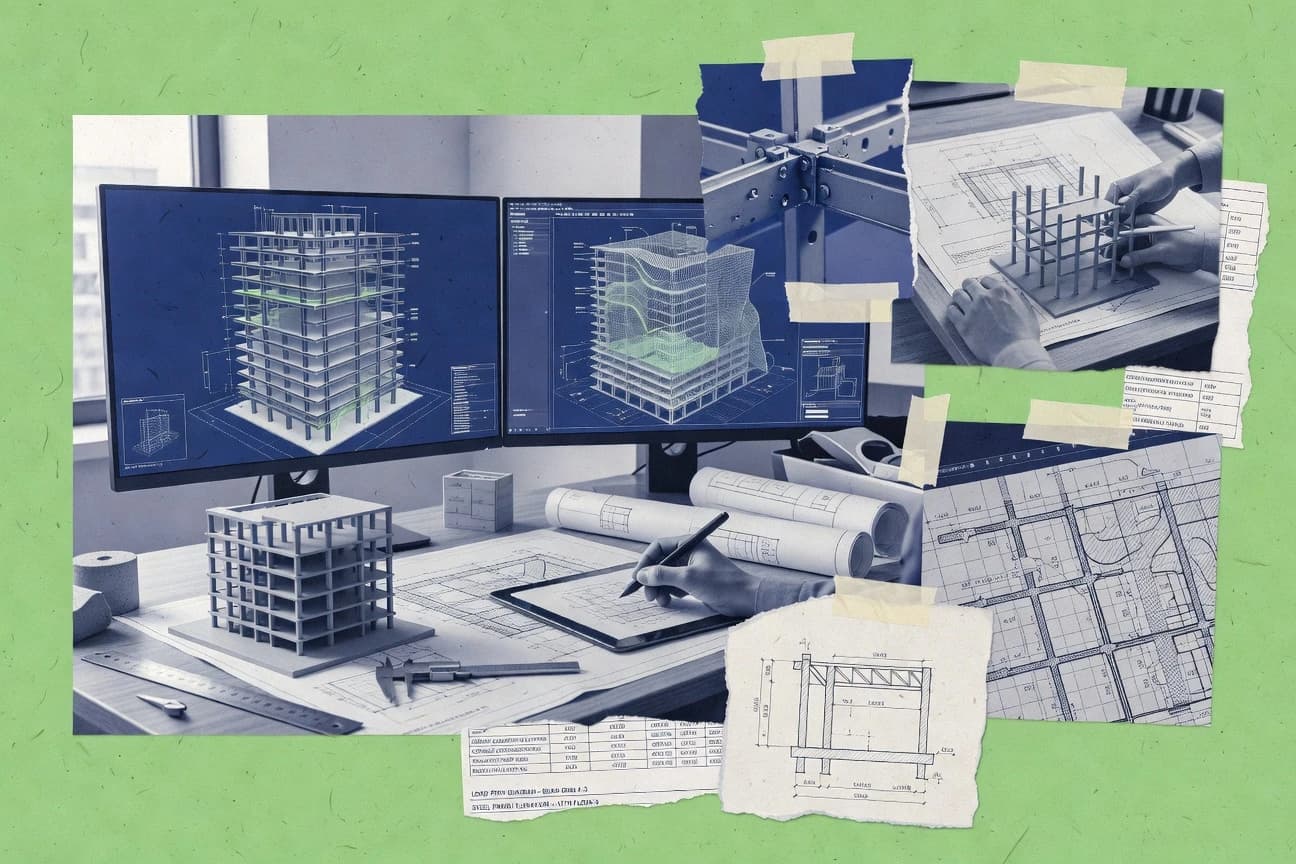
Construction InfrastructureTop 10 Best Building Structure Design Software of 2026
Top 10 ranking of building structure design software for engineers, with comparisons of Autodesk Revit, STAAD.Pro, and SkyCiv.

How we ranked these tools
Core product claims cross-referenced against official documentation, changelogs, and independent technical reviews.
Analyzed video reviews and hundreds of written evaluations to capture real-world user experiences with each tool.
AI persona simulations modeled how different user types would experience each tool across common use cases and workflows.
Final rankings reviewed and approved by our editorial team with authority to override AI-generated scores based on domain expertise.
Score: Features 40% · Ease 30% · Value 30%
Gitnux may earn a commission through links on this page — this does not influence rankings. Editorial policy
Autodesk Revit is the best pick for structural teams that need a parametric BIM model feeding documentation and coordination at scale, whereas SkyCiv suits engineers who want quick analysis and calculation reports in the cloud without heavy setup.
Editor’s top 3 picks
Three quick recommendations before you dive into the full comparison below — each one leads on a different dimension.
Autodesk Revit
Revit API for automation of model edits, parameter-driven tagging, and view and sheet batch operations.
Built for fits when structural teams need a parametric BIM model that drives documentation and coordination at scale..
STAAD.Pro
Editor pickExtensive design output reporting with structured member checks that supports batch design iteration.
Built for fits when structural teams need repeatable analysis and code-based member design for frame projects..
SkyCiv
Editor pickDesign reports generated directly from analysis results for steel and reinforced concrete workflows.
Built for fits when structural engineers need quick analysis, member checks, and calculation reports..
Comparison Table
Autodesk Revit
enterpriseBuilding information modeling software with structural modeling, documentation, and analysis workflows.
Revit API for automation of model edits, parameter-driven tagging, and view and sheet batch operations.
Revit’s core strength is authoring a single, structured BIM model that ties structural components to views, schedules, and construction documentation. Structural detailing work benefits from built-in rebar and concrete-related modeling primitives, while model coordination supports issue workflows when teams share a common project model. The automation surface is deeper than typical drawing tools because the Revit API can drive family placement, parameter updates, and batch operations on views and sheets.
A key tradeoff is that Revit’s modeling fidelity depends on correct family and parameter setup, which makes early configuration time significant on large structural programs. Revit fits best when the team’s deliverables require frequent updates across plans, sections, and schedules from one authoritative model rather than exporting static geometry for downstream rework.
- +Parametric BIM model links structural elements to views and schedules.
- +Rebar-focused tools support reinforcement detailing in authoring workflows.
- +Revit API enables batch automation of tagging and sheet generation.
- +Model coordination workflows reduce document drift during revisions.
- –Family and parameter design work front-loads setup effort.
- –Structural analysis inputs often require external SAD and analysis environments.
- –Large models can stress performance during heavy view or schedule updates.
Structural BIM drafters
Reinforcement detailing with consistent documentation
Fewer manual annotation updates
Design coordination teams
Clash-driven model issue resolution
Reduced rework in revisions
Show 2 more scenarios
BIM automation engineers
Batch placement and tagging
Higher throughput on repetitive tasks
Revit API scripts can place families and update parameters across many model instances.
Multi-discipline project teams
Single-model documentation for structural scope
More consistent drawing sets
Revit generates consistent plan and section outputs tied to one source model and its parameters.
Best for: Fits when structural teams need a parametric BIM model that drives documentation and coordination at scale.
STAAD.Pro
enterpriseStructural analysis and design software for buildings and civil structures.
Extensive design output reporting with structured member checks that supports batch design iteration.
STAAD.Pro covers core SAD needs with finite element analysis for frame and solid modeling workflows, plus design checks that span steel and reinforced concrete detailing outputs. Teams typically use it when they need controlled load case management, repeatable member design, and consistent reporting for structural deliverables. It is also common where existing STAAD input files and automation scripts already exist, since the project setup often begins from structured model input.
A key tradeoff is that BIM authoring and model coordination are not its primary center of gravity compared with BIM-first authoring tools. STAAD.Pro is a strong fit when the deliverable is an analytical model with design verification and member-level results, and when engineers expect to manage geometry and connectivity carefully before running design checks. It is less ideal for workflows that depend on frequent model clash resolution and bidirectional coordination from shared BIM references.
- +Strong member-level design checks for steel and reinforced concrete frames
- +Repeatable batch design runs from structured input workflow
- +Detailed output reports for load cases, combinations, and member utilization
- +Broad analysis coverage for gravity and lateral load cases
- –BIM authoring and coordination workflows are not the primary focus
- –Model preparation effort rises for complex connectivity and detailing
- –Some advanced automation requires familiarity with STAAD input structure
- –Collaboration features can lag BIM-first tool expectations
Structural engineering firms
Code checks for steel frame variants
Faster design iteration cycles
Project engineering managers
Standardized analysis workflow across teams
Consistent deliverables
Show 2 more scenarios
Consulting engineers
Lateral system analysis for buildings
Clear lateral capacity verification
Model gravity and lateral loads and generate member-level design results for documentation.
Design automation engineers
Batch runs for repetitive studies
Higher throughput studies
Automate repeated analyses for parameter changes using the structured project input approach.
Best for: Fits when structural teams need repeatable analysis and code-based member design for frame projects.
SkyCiv
SMBCloud structural engineering software for analysis, design, and reporting.
Design reports generated directly from analysis results for steel and reinforced concrete workflows.
SkyCiv targets building structure design work where an analytical model, load combinations, and design checks drive the deliverables. Core capabilities include frame and truss analysis, reinforced concrete design workflows, and steel member design outputs that can be exported into readable reports. The tool fits teams that need repeatable design calculations and structured documentation without building a full custom modeling pipeline. For governance, the workflow is centered on the model and results artifacts rather than project-wide administrative controls.
A key tradeoff is reduced emphasis on full BIM coordination tasks compared with BIM-first toolchains that manage model coordination and constructible 3D detailing. SkyCiv fits scenarios where early-stage structural sizing and justification must move quickly from load case setup to member checks and formatted calculations. A typical usage situation is a small to mid-size practice producing standard design packages for typical building systems, then refining members as inputs change.
- +Web-based workflow for fast analysis-to-report cycles
- +Steel and reinforced concrete design outputs from the same model
- +Load combinations and results organization for repeatable checks
- +Exportable calculation-style reporting for design documentation
- –Weaker coverage for BIM coordination and constructible detailing workflows
- –More limited extensibility than API-first design automation stacks
- –Advanced foundation and connection design depth may require specialist tools
- –Governance controls for multi-project administration can feel lightweight
Structural design engineers
Iterate frame sizing with load changes
Faster redesign cycles
Small engineering firms
Produce standard building design packages
More predictable deliverables
Show 2 more scenarios
Consultants supporting revisions
Respond to client input updates quickly
Reduced rework effort
Update the analytical model and capture revised results in the same reporting format.
Project managers for deliverables
Track design justification output
Clear audit trails
Package results into report outputs aligned to design check needs.
Best for: Fits when structural engineers need quick analysis, member checks, and calculation reports.
Space Gass
SMBStructural analysis and design software for building and civil engineering structures.
Model-linked structural design and deliverable generation keeps sizing decisions traceable across the workflow.
Space Gass focuses on building structure design workflows that connect modeling, structural calculations, and deliverables in one place. The tool supports structural member design cycles driven by analysis results, so outputs like sizing and detailing stay tied to the same project context.
Automation features target repetitive load cases and iteration, and export controls help maintain documentation consistency for design-to-documentation handoffs. Space Gass also provides integration options for exchanging geometry and supporting external coordination workflows.
- +Workflow linkage keeps member sizing connected to the same project model
- +Automated iteration for load case management reduces manual rework
- +Export outputs support consistent documentation handoff across project stages
- +Geometry exchange options support coordination with external authoring tools
- –Collaboration features are less detailed than specialized BIM model coordination tools
- –Advanced customization needs clearer extensibility hooks than typical CAD-adjacent tools
- –Some analysis workflow steps require disciplined model setup
- –API and automation surface is limited compared with integration-first engineering platforms
Best for: Fits when structural teams want a tight design-to-documentation loop with fewer handoffs.
midas Gen
vertical specialistBuilding structural analysis and design software for steel and concrete systems.
Integrated structural analysis and design workflow that updates member sizing using design parameters tied to the analytical model.
midas Gen supports structural analysis model creation for building design workflows, including member layout, material properties, and load definition tied to design checks. The software enables iterative analysis and sizing loops with modeling constraints and automated generation of analytical input from the structural model.
midas Gen also supports output for reinforcement and steel-oriented design-to-documentation workflows and provides interfaces for exchanging models with other BIM tools. Model refinement is driven through repeatable actions for meshing, results review, and design parameter updates, rather than manual rebuilds for each analysis run.
- +Strong iterative loop between modeling changes and analysis results
- +Detailed structural member definition for both analysis and design checks
- +Clear workflow for load case setup and result review
- +Interoperability supports handoff into BIM and documentation workflows
- –Complex project settings increase the need for careful model governance
- –Automation coverage for nonstandard workflows can require manual steps
- –Advanced capabilities can feel workflow-heavy for small models
- –Model exchange requires disciplined naming and object mapping
Best for: Fits when engineering teams need repeatable analysis and member sizing loops with consistent documentation output.
ENERGY CALC
SMBStructural analysis and design software for building engineering calculations.
Tied calculation and reporting pipeline that links project inputs to design documentation in one workflow.
ENERGY CALC targets building structure design work where energy-related constraints and structural inputs must stay aligned across iterations. It provides calculation-driven workflows for modeling loads, collecting assumptions, and generating deliverable outputs for design documentation.
The product is geared toward repeatable computations rather than only interactive geometry authoring. For structural teams, the key differentiator is how calculations and reporting stay tied to project inputs across the design cycle.
- +Calculation-first workflow keeps assumptions connected to outputs
- +Repeatable scenario runs support iterative load and parameter studies
- +Structured reporting reduces manual rework during documentation rounds
- +Focused scope fits energy-constraint driven structural checking
- –Limited BIM authoring and coordination compared with BIM-native tools
- –Fewer automation hooks for external toolchains than API-heavy alternatives
- –Automation quality depends on consistent input setup per project
- –Export formats may require extra steps for downstream SAD workflows
Best for: Fits when structural teams need calculation repeatability tied to documentation for energy-related constraints.
SCIA Engineer
vertical specialistStructural analysis and design software for steel, concrete, and composite structures.
Integrated design checking tied to load combinations, with member-level verification outputs organized for document-ready review.
SCIA Engineer is a structural analysis and design workflow built around fast model checks and comprehensive Eurocode-centered design automation. The software supports geometry for structural members, load and load combination definitions, and design checks that run directly on the analytical model results.
It is also known for detailed steel, reinforced concrete, and timber design capabilities tied to code-oriented verification outputs. For teams that need consistent documentation, SCIA Engineer ties calculation results into a structured design-to-documentation process instead of treating analysis outputs as isolated reports.
- +Code-based design checks that stay tied to member sizing results
- +Detailed steel, reinforced concrete, and timber design workflows in one environment
- +Load and load combination handling supports repeatable verification runs
- +Calculation output structure makes it easier to trace decisions
- –Deep workflow coverage can increase setup time for new projects
- –Interoperability beyond basic geometry exchange depends on specific file routes
- –Automation outside the native command set needs extra process planning
- –Advanced model coordination requires disciplined model ownership
Best for: Fits when engineering teams need repeatable code checks with detailed member-level design outputs, not just analysis runs.
IDEA StatiCa
vertical specialistStructural steel, concrete, connection, and anchoring design software.
Connection design modules that generate check-ready documentation from joint configuration and member forces.
IDEA StatiCa is a structural analysis and design workflow focused on steel, reinforced concrete, and connection detailing tasks. The software links an analytical model to member sizing and connection design tools so geometry, loads, and design checks stay connected across the workflow.
A key differentiator is connection-specific engineering support, including joint configuration, member forces input, and detailing outputs for fabrication-oriented drawings. Automation is strongest in repeatable design checks and report generation tied to the model results.
- +Connection design workflow ties joint configuration to member forces
- +Report generation compiles design checks from model results
- +Tools for steel and reinforced concrete design cover common engineering needs
- +Integration-focused workflow reduces manual transfer between analysis and design
- –Automation depth varies across modules and may require workflow discipline
- –Some detailing and export steps depend on drafting configurations
- –Model-to-document handoff can feel indirect for non-connection deliverables
- –Long projects need careful model organization to avoid recompute churn
Best for: Fits when teams need connection-centric design outputs driven by analysis results.
FEM-Design
vertical specialistFinite element structural design software for buildings and civil structures.
Member design results flow directly from the finite element model into structured design outputs.
FEM-Design performs finite element structural analysis and design workflows for steel, reinforced concrete, and other structural systems. The software focuses on setting up load cases and combinations, generating and managing the finite element mesh, and producing member results for design checks and detailing outputs.
Its practical strength is a design-to-documentation pipeline driven by a structural model rather than a disconnected analysis workflow. FEM-Design also supports interoperability through common exchange formats for integration with external model and drafting processes.
- +FEA workflow tied to structural design checks across common material types
- +Load combinations and result reporting support repeatable structural design iterations
- +Model-driven detailing outputs reduce manual transfer between analysis and documentation
- +Interoperability supports exchanging geometry and model data with external tools
- –Workflow is most productive with domain expertise in structural modeling
- –Advanced automation requires more setup than simpler analysis-only tools
- –Collaboration and governance controls are not the center of the product experience
- –External coordination depends on disciplined model exchange and mapping
Best for: Fits when engineering teams need iterative FEA-to-design checks for frame and foundation projects.
Tekla Structures
enterpriseStructural BIM software for detailed steel, concrete, and fabrication models.
Connection and reinforcement detailing that remains tied to parametric model elements for fabrication-grade documentation.
Tekla Structures is a structural modeling and detailing environment used to produce constructible 3D models for steel, reinforced concrete, and precast work. Its distinct advantage is bidirectional alignment between model elements and generated detailing and documentation artifacts, which keeps fabrication-ready geometry consistent across disciplines.
The workflow supports analytical model exchange and interoperability with IFC and common CAD formats, so coordination can be handled without rebuilding geometry from scratch. Automation relies on parametric tools and add-on extensibility for repeatable detailing logic and project-specific standards.
- +Parametric detailing rules keep structural and fabrication geometry aligned
- +Extensible modeling logic supports organization-specific connection and reinforcement patterns
- +Constructible 3D modeling supports rebar, steel, and precast detailing in one environment
- +Interoperability supports model coordination via IFC and CAD exchange
- –Higher setup effort is needed to standardize models and detailing templates
- –Automation requires learning the tool framework used for parametric behaviors
- –Some coordination workflows depend on correct model preparation and exports
- –Model governance across large teams is harder without disciplined standards
Best for: Fits when engineering teams need constructible 3D structural detailing with repeatable, organization-wide modeling logic.
Conclusion
After evaluating 10 construction infrastructure, Autodesk Revit stands out as our overall top pick — it scored highest across our combined criteria of features, ease of use, and value, which is why it sits at #1 in the rankings above.
Use the comparison table and detailed reviews above to validate the fit against your own requirements before committing to a tool.
How to Choose the Right building structure design software
This buyer's guide covers building structure design software tools used for structural modeling, analysis, member sizing, and design-to-documentation workflows. It references Autodesk Revit, STAAD.Pro, midas Gen, SCIA Engineer, IDEA StatiCa, Tekla Structures, and others.
The guide focuses on integration depth, workflow automation, and the practical mechanics that determine whether outputs stay consistent across project iterations. Each tool is positioned around its strongest workflow path from modeling inputs to report-ready or fabrication-ready deliverables.
Software that turns structural models into check-ready designs and documentation
Building structure design software supports structural analysis and design workflows that connect loads and member definitions to verification outputs and documentation artifacts. Tools like midas Gen and SCIA Engineer drive member sizing from an analytical model into code-oriented checks and structured result review.
Some tools also support structural BIM authoring and detailing so model elements stay aligned with annotations, schedules, and constructible deliverables. Autodesk Revit and Tekla Structures are examples where parametric modeling and documentation artifacts stay connected across the project lifecycle.
Teams use these tools to manage load combinations and design parameters, reduce document drift during revisions, and produce outputs that engineering, detailing, and fabrication processes can consume.
Evaluation criteria that map to structural workflow reliability
Building structure design work fails most often at handoffs. The right tool keeps structural assumptions, geometry references, and calculation results tied to the same project context.
Evaluation also needs automation and integration mechanics. Autodesk Revit is strongest when automation must edit model views and sheets in batches. STAAD.Pro is strongest when the workflow must run repeatable design variants through structured input and design output reporting.
Model-to-output traceability across analysis, design, and deliverables
Choose tools that keep member sizing decisions tied to the same structural context. Space Gass links sizing decisions to a model-linked design and deliverable generation workflow. FEM-Design routes member design results directly from its finite element model into structured design outputs.
Automation surface for repeatable model edits and batch runs
Automation matters when teams rerun variants and regenerate documentation at scale. Autodesk Revit provides an API for batch operations like parameter-driven tagging and view or sheet batch creation. STAAD.Pro supports repeatable batch design runs from structured input workflows for iterative revisions.
Integrated analysis-to-design outputs with structured reporting
Member checks should emerge from results rather than being retyped or reformatted manually. SkyCiv generates design reports directly from analysis results for steel and reinforced concrete workflows. SCIA Engineer ties design checking to load combinations and organizes member-level verification outputs for document-ready review.
Connection-centric engineering and joint output generation
Connection design requires joint configuration support plus report-ready outputs derived from member forces. IDEA StatiCa connects analytical model member forces to connection design modules and generates check-ready documentation from joint configuration. Tekla Structures keeps connection and reinforcement detailing tied to parametric model elements for fabrication-grade documentation.
Interoperability shape for coordination and exchange
Interoperability determines how geometry and analytical models move across authoring and downstream tools. Tekla Structures supports IFC and common CAD exchange so coordination can proceed without rebuilding geometry from scratch. midas Gen includes interfaces for exchanging models with other BIM tools for handoff into documentation workflows.
Finite element workflow support when mesh-based design control is required
When projects require FEA mesh generation and mesh-driven design checks, choose a tool built around that pipeline. FEM-Design focuses on setting up load cases, generating and managing finite element meshes, and producing design check outputs from the finite element model. ENERGY CALC prioritizes calculation-first repeatability for energy-constraint driven structural checking rather than mesh-heavy workflows.
Pick the tool that matches the required workflow boundary
Selection should start with where the workflow boundary must sit. Some teams need BIM-driven documentation and coordination loops. Others need repeatable analysis variants and code-based member checks with report structure.
Then pick the automation and integration mechanisms that match the delivery format. Autodesk Revit and Tekla Structures are strongest when deliverables must remain aligned with parametric model elements. STAAD.Pro, midas Gen, and SCIA Engineer are stronger when repeatable analysis and structured verification runs drive the work.
Identify the primary deliverable boundary: documentation, verification reports, or fabrication-grade detail
Choose Autodesk Revit if deliverables depend on parametric model-driven views, schedules, and sheet generation with structural elements linked to views. Choose SCIA Engineer if the deliverable is document-ready verification output tied to load combinations and member sizing results. Choose Tekla Structures if the deliverable is constructible 3D detailing with connection and reinforcement artifacts tied to parametric model elements.
Match automation needs to the tool's batch and API mechanics
If model edits must be automated across many sheets, pick Autodesk Revit because its Revit API supports batch operations for parameter-driven tagging and view or sheet setup. If engineering teams must run many design variants from structured inputs, pick STAAD.Pro because it supports repeatable batch design runs and produces extensive design output reporting for load cases and combinations.
Decide whether the core workflow is analysis-first or model-first and pick accordingly
If the core job is fast analysis-to-report output, pick SkyCiv because it generates design reports directly from analysis results in the same workflow. If the core job is tightly linked modeling changes to analysis and sizing loops, pick midas Gen because it updates member sizing using design parameters tied to the analytical model.
For connection-heavy scope, select a tool built around joint configuration and joint-driven deliverables
Pick IDEA StatiCa when connection design must be derived from joint configuration plus member forces and then compiled into check-ready documentation. Pick Tekla Structures when connection and reinforcement detailing must remain tied to parametric model elements so fabrication-grade output stays consistent across revisions.
When mesh-based FEA control is required, choose a finite element pipeline rather than a member-check-only workflow
Pick FEM-Design when the workflow requires finite element mesh generation and mesh-driven design checks and reporting. If the project is driven by repeatable calculation scenarios and energy-related constraints, pick ENERGY CALC because its calculation and reporting pipeline keeps assumptions tied to project inputs for documentation outputs.
Confirm how much integration and coordination is expected across tools before committing to a workflow
If coordination and document drift reduction depend on model-linked workflows, pick Revit-based modeling with Revit API automation or Tekla Structures for IFC and CAD exchange plus parametric detailing alignment. If coordination is secondary and the main deliverable is verification reports with structured member utilization outputs, pick STAAD.Pro, SCIA Engineer, or SkyCiv to keep the workflow centered on analysis and code checks.
Which teams get the most reliable output from each workflow style
Different building structure design tools fit different delivery pipelines. Teams should choose based on whether the work is driven by BIM documentation, repeatable structural verification, connection engineering, or finite element design checking.
The best fit depends on whether outputs must be traceable to model elements across revisions and whether automation must regenerate documentation at scale. The recommended tools below map directly to each tool's best-fit workflow.
BIM-first structural teams that need documentation and coordination at scale
Autodesk Revit fits structural teams that need parametric BIM models that drive documentation and coordination at scale. Tekla Structures also fits teams that need constructible 3D detailing where connection and reinforcement artifacts stay tied to parametric model elements for fabrication-grade output.
Structural engineers running repeatable frame design variants with structured member checks
STAAD.Pro fits teams that need repeatable analysis and code-based member design for frame projects through structured input workflows and batch design runs. SCIA Engineer fits teams that need repeatable code checks with detailed member-level verification outputs organized for document-ready review.
Engineers focused on fast analysis and calculation-style reporting
SkyCiv fits structural engineers who need quick analysis, member checks, and calculation reports generated directly from analysis results. ENERGY CALC fits structural teams that need calculation repeatability tied to documentation for energy-related constraints.
Teams where the analysis-to-sizing loop must update member decisions from design parameters
midas Gen fits engineering teams that need repeatable analysis and member sizing loops with consistent documentation output. Space Gass fits teams that want a tight design-to-documentation loop where sizing decisions remain traceable across the workflow.
Teams with connection-centric scope or fabrication-grade detailing requirements
IDEA StatiCa fits teams that need connection-centric design outputs driven by analysis results and joint configuration. Tekla Structures fits teams that need fabrication-grade connection and reinforcement detailing with parametric rules that remain aligned to model elements.
Where building structure design workflows break and how to prevent it
Building structure design software fails when teams mismatch tool strengths to deliverable expectations or underinvest in model governance. Several reviewed tools show predictable friction points around setup effort, automation depth, and handoff mechanics.
These pitfalls can be avoided by selecting the tool boundary intentionally and by planning model structure and automation needs early in the workflow.
Overestimating BIM-native tools for deep analysis workflows
Autodesk Revit provides structural modeling and coordination plus Revit API automation, but structural analysis inputs often require external SAD and analysis environments. For workflows that must center on analysis and member checks, pick midas Gen, SCIA Engineer, or STAAD.Pro instead of relying on Revit as the primary analysis engine.
Assuming connection detailing output will match connection design output
IDEA StatiCa generates connection design documentation from joint configuration and member forces, while Tekla Structures produces constructible 3D detailing artifacts tied to parametric model elements. Teams that need fabrication-grade detailing should plan for Tekla Structures output rather than treating connection design modules as a substitute for detailed fabrication artifacts.
Skipping model setup discipline for tools that depend on consistent object mapping
midas Gen and FEM-Design both depend on careful project settings and disciplined model exchange mapping for consistent results. Teams that cannot standardize naming, load case structures, or exchange mappings will see recompute churn and workflow delays, so governance needs must be part of the implementation plan.
Treating report structure as an afterthought instead of a generated output
SkyCiv and SCIA Engineer generate document-ready outputs tied to load combinations or analysis results, while other workflows can require reformatting if deliverables are not derived from model results. Teams that need calculation-style documentation should pick SkyCiv or SCIA Engineer so reports are generated directly from analysis outputs.
Choosing an analysis-first tool when the project requires constructible 3D detailing
STAAD.Pro and SkyCiv focus on analysis and structured reporting rather than constructible 3D detailing tied to fabrication-grade artifacts. When the project deliverable is constructible 3D models with parametric detailing rules, Tekla Structures is the tool type that matches the deliverable pipeline.
How We Selected and Ranked These Tools
We evaluated Autodesk Revit, STAAD.Pro, SkyCiv, Space Gass, midas Gen, ENERGY CALC, SCIA Engineer, IDEA StatiCa, FEM-Design, and Tekla Structures using three scoring axes. Features carry the most weight at 40 percent because the strongest differentiators in this category are workflow outputs like connection documentation generation, load-combination tied design checking, and structured batch design reporting. Ease of use and value each account for 30 percent because teams need repeatable iteration loops and usable project setup paths for analysis and design workflows.
Autodesk Revit stands apart because the Revit API supports automation of model edits, parameter-driven tagging, and view and sheet batch operations, which directly lifts the tool on the features axis tied to scale documentation and coordination. That automation-and-documentation linkage is a practical differentiator compared with lower-ranked tools that focus primarily on analysis engines or connection modules.
Frequently Asked Questions About building structure design software
How do Autodesk Revit and Tekla Structures differ in the structural model that drives documentation output?
Which tool best supports automation and batch operations for repetitive design-to-documentation tasks?
How does the analysis-to-design workflow differ between SCIA Engineer and IDEA StatiCa for steel connection work?
What breaks if the workflow needs web-based modeling and quick calculation reports instead of deep BIM authoring?
When is midas Gen a better fit than STAAD.Pro for iterative sizing loops tied to an analytical model?
How do Space Gass and FEM-Design differ in keeping sizing decisions traceable to the same project context?
Which tool is most suitable when finite element meshing is a core requirement rather than optional setup?
How do integration and exchange expectations change between Autodesk Revit and IDEA StatiCa?
Where does SCIA Engineer fall short compared with Tekla Structures when the deliverable requires fabrication-grade constructible geometry?
What does data migration typically look like when moving from a BIM authoring model into analysis tools like STAAD.Pro or Space Gass?
Tools reviewed
Primary sources checked during evaluation.
Referenced in the comparison table and product reviews above.
- Construction InfrastructureTop 10 Best House Building Design Software of 2026
- Construction InfrastructureTop 10 Best Structural Steel Connection Design Software of 2026
- Construction InfrastructureTop 10 Best Building Plan Drawing Software of 2026
- Construction InfrastructureTop 10 Best Wood Building Design Software of 2026
- Construction InfrastructureTop 10 Best Building Estimation And Costing Software of 2026
Keep exploring
Comparing two specific tools?
Software Alternatives
See head-to-head software comparisons with feature breakdowns, pricing, and our recommendation for each use case.
Explore software alternatives→In this category
Construction Infrastructure alternatives
See side-by-side comparisons of construction infrastructure tools and pick the right one for your stack.
Compare construction infrastructure tools→