GITNUXSOFTWARE ADVICE
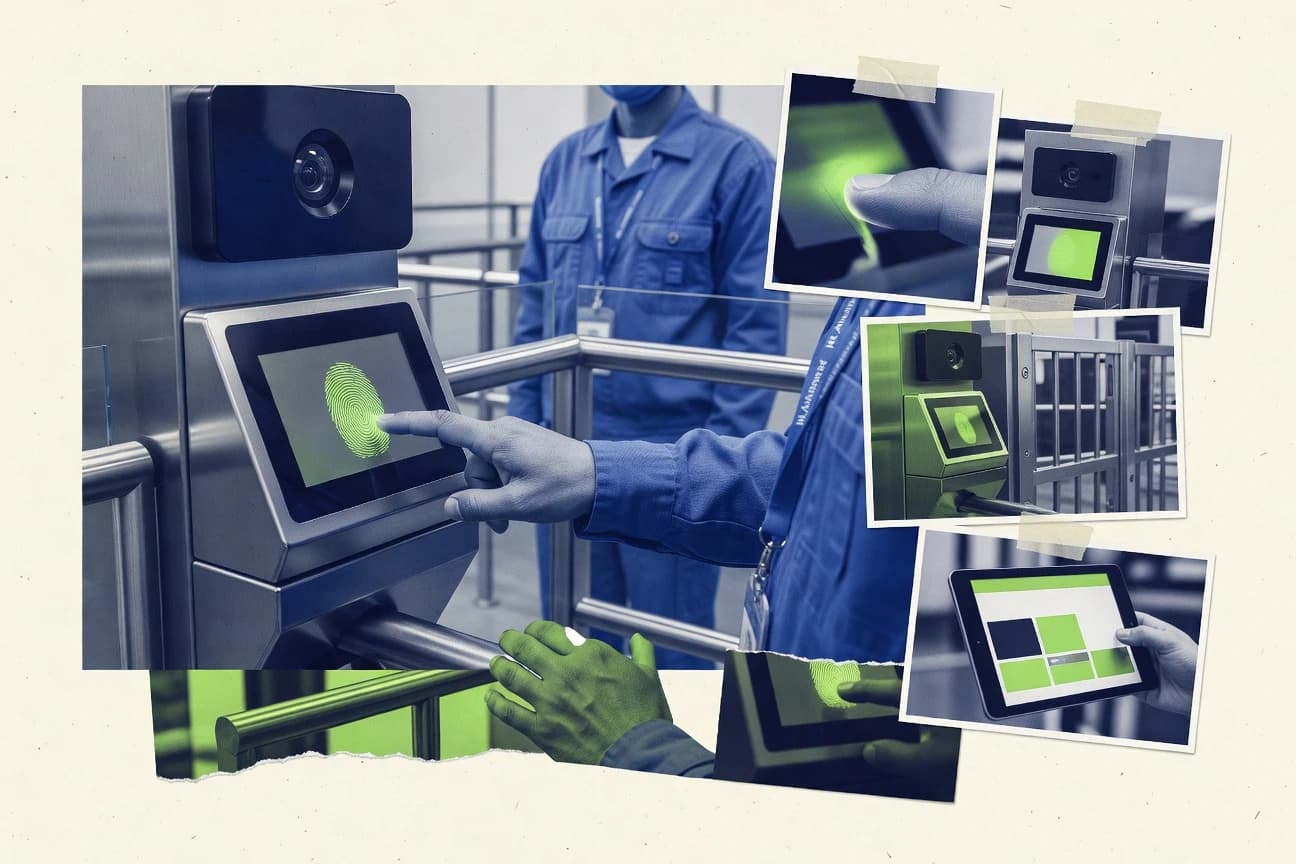
HR In IndustryTop 11 Best Biometric Attendance Software of 2026
Editorial roundup comparing biometric attendance software options like Suprema BioStar 2, ZKBio Time, and Hikvision for staffing and security teams.

How we ranked these tools
An editor sets the topic, the inclusion criteria, and the evaluation framework before research starts.
AI search agents find sources, extract figures with provenance, and aggregate written reviews. They also transcribe video reviews and podcasts.
Framework: Features 40% · Ease 30% · Value 30%
Gitnux may earn a commission through links on this page — this does not influence rankings. Editorial policy
Suprema BioStar 2 is the best overall choice for multi-site organizations running structured shifts with Suprema fingerprint and face terminals because it centralizes multi-device management and user and attendance control in one place, whereas ZKBio Time fits teams needing on-prem offline capture with later punch synchronization for consistent payroll-ready history.
Editor’s top 3 picks
Three quick recommendations before you dive into the full comparison below — each one leads on a different dimension.
Suprema BioStar 2
BioStar 2’s centralized multi-device management for biometric attendance and access control
Best for: Organizations managing multiple sites with Suprema biometric terminals and structured shift policies
ZKBio Time
Editor pickOffline attendance capture on terminals with later punch synchronization to keep payroll-ready history consistent during outages.
Best for: Fits when multi-shift sites need reliable on-prem biometric attendance with offline resilience and centralized reporting.
Hikvision Biometric Time Attendance
Editor pickBiometric face or fingerprint attendance from Hikvision terminals
Best for: Organizations standardizing on Hikvision biometric terminals for attendance and access workflows
Comparison Table
Suprema BioStar 2
biometric platformA biometric access and time attendance platform that centralizes device enrollment, tracking, and rule-based attendance management.
BioStar 2’s centralized multi-device management for biometric attendance and access control
Suprema BioStar 2 stands out with strong tight-coupling to Suprema biometric hardware for door access and time attendance workflows. It supports time and attendance tracking with role-based access rules, schedules, and approval flows tied to biometric events.
The system focuses on on-premise control through a centralized management server, making it suitable for organizations that want local data handling. Core capabilities include user enrollment, device management, attendance reporting, and event-based audit trails.
- +Deep integration with Suprema fingerprint and face terminals for accurate attendance events
- +Centralized device and user administration for multi-site deployments
- +Configurable schedules and rules for handling shift-based attendance policies
- +Audit-ready event records tied to biometric reads and enrollments
- –Administration complexity is higher than typical cloud-first attendance tools
- –Best results depend on compatible Suprema biometric hardware and deployment choices
- –Scenarios needing custom logic can require technical configuration effort
- –User interface can feel dense for managers who only need reports
Best for: Organizations managing multiple sites with Suprema biometric terminals and structured shift policies
ZKBio Time
vertical specialistBiometric time and attendance software for ZKTeco access and attendance devices.
Offline attendance capture on terminals with later punch synchronization to keep payroll-ready history consistent during outages.
ZKBio Time fits workplaces that already standardize on ZKTeco biometric devices and want a single attendance workflow for both enrollment and daily punch processing. The core workflow centers on managing biometric templates on terminals, pulling punch events into centralized reporting, and applying time and attendance configuration for overtime and exceptions. Admin control is geared toward managing terminals and users in one place, which reduces the operational overhead of coordinating separate device consoles for each site. It also works well where identity enrollment must follow a controlled rollout plan across multiple attendance terminals.
A tradeoff appears when teams expect broad third-party HR integration or modern event streaming, because ZKBio Time’s integration depth is typically strongest within the ZKTeco attendance ecosystem. The best usage situation is a fixed-site deployment that needs consistent punch collection, reliable offline capture during network gaps, and later reconciliation for timesheet approval and payroll processing.
- +Handles fingerprint and facial devices in one attendance workflow
- +Supports offline capture with later synchronization for continuous operations
- +Centralized terminal management simplifies multi-site punch processing
- +Attendance reporting covers shift rules and exception handling
- –Integration outside the ZKTeco ecosystem can require extra effort
- –User and terminal setup needs more governance discipline
- –Advanced automation and event streaming options are limited
- –UI workflows for exceptions can feel dense for first-time admins
Operations managers
Keep attendance running during network issues
Fewer missing clock events
HR administrators
Enforce shift rules and exceptions
More consistent timesheets
Show 1 more scenario
IT and site admins
Administer multiple attendance terminals
Lower administration overhead
Centralized terminal enrollment and user provisioning reduces per-device operational churn across locations.
Best for: Fits when multi-shift sites need reliable on-prem biometric attendance with offline resilience and centralized reporting.
Hikvision Biometric Time Attendance
biometric terminalsA biometrics-enabled attendance management setup that pairs facial and fingerprint terminals with centralized time and attendance software.
Biometric face or fingerprint attendance from Hikvision terminals
Hikvision Biometric Time Attendance stands out with tight pairing of biometric capture hardware and attendance management workflows from a single vendor. It supports face and fingerprint based check-in and generates attendance records for shift tracking, leave status visibility, and policy-driven rules.
It also focuses on security oriented deployments by integrating with Hikvision access and surveillance ecosystems for centralized operational visibility. The main tradeoff is that it is strongest when you standardize on Hikvision devices and workflow assumptions.
- +Strong device ecosystem when you deploy Hikvision biometric terminals
- +Attendance policies support structured shift and schedule rules
- +Centralized workflow fits teams running related Hikvision security tools
- –Best results require consistent hardware procurement and setup
- –Reporting and customization can feel limited versus general HR systems
- –Initial configuration effort rises in multi-site environments
Factory HR and attendance managers
Shift-based check-in with policy rules
Faster attendance audit resolution
Security operations teams
Link attendance with access control events
Unified access and labor visibility
Show 1 more scenario
Multi-site facility operations
Deploy face and fingerprint terminals
Consistent attendance across sites
Standardizes biometric capture across locations while keeping attendance records consistent by device workflows.
Best for: Organizations standardizing on Hikvision biometric terminals for attendance and access workflows
ZKTeco BioTime
enterprise biometricA biometric time and attendance system that manages fingerprint and facial devices, time clocks, and attendance reporting for workforce tracking.
ZKTeco BioTime terminal integration for real-time biometric attendance capture and reporting
ZKTeco BioTime stands out for pairing biometric attendance with ZKTeco door and access hardware support, which reduces integration friction. It delivers standard attendance workflows like fingerprint and face clock-ins, shift and schedule handling, and employee attendance reports. The system emphasizes on-device and centralized management options for sites that use multiple terminals.
- +Strong fit for ZKTeco biometric terminals and access control deployments
- +Shift scheduling and attendance summaries support day-to-day payroll preparation
- +Report views and data exports help auditors and finance teams reconcile time
- –Best results depend on matching supported biometric hardware
- –UI configuration can feel technical for teams without admin experience
- –Advanced workflows may require careful setup across terminals and shifts
Best for: Organizations standardizing on ZKTeco biometric terminals for reliable attendance reporting
Jibble
SMBCloud attendance software with facial recognition, geofencing, and payroll support.
Approvals and shift-based time rules run inside a single attendance workflow, which keeps corrections auditable across time periods.
Jibble records employee clock-in and clock-out events through web and mobile check-in flows, then turns them into timesheets with approvals and payroll-ready reports. It supports manual and location-based attendance patterns for teams that need straightforward capture without deploying biometric terminals. Jibble also provides rule-based scheduling, absence tracking, and integrations that route time data to HR and payroll systems.
- +Fast web and mobile check-in with clear timesheet review
- +Scheduling and approvals reduce admin effort for time corrections
- +Strong exports for payroll and external reporting needs
- +Useful admin controls for shifts, rules, and attendance visibility
- –Biometric device support is not a native core use case
- –Identity and attendance integrity depend on setup choices and processes
- –Reporting is less granular than biometric-first attendance suites
Best for: Fits when mid-size teams want mobile attendance workflows with approvals and reporting automation.
IDEMIA MorphoManager
biometric managementA biometric management software suite used to configure, operate, and monitor biometric identity and attendance workflows across devices.
Centralized device and biometric enrollment management for IDEMIA attendance setups
IDEMIA MorphoManager stands out for its biometric device management focus, including configuration, user enrollment workflows, and biometric data handling. It supports managing Morpho fingerprint and related biometric systems used for access control and attendance capture, with centralized administration for multiple devices.
- +Centralized management for IDEMIA biometric devices and enrollment workflows
- +Supports biometric template lifecycle tasks needed for attendance operations
- +Administrative tooling supports multi-device rollouts across sites
- –Usability depends heavily on biometric administration expertise
- –Attendance reporting is less flexible than general HR systems
- –Best results require standard IDEMIA hardware ecosystems
Best for: Organizations standardizing on IDEMIA biometric hardware for multi-site attendance administration
Truein
vertical specialistFacial recognition attendance software for distributed and deskless workforces.
Terminal-centric enrollment and attendance workflow management for biometric devices.
Truein focuses on biometric attendance for organizations that need device-side enrollment support and consistent punch event handling across terminals. The workflow centers on collecting biometric template-based clock-in and clock-out events and turning them into attendance records with configurable rules.
- +Device-focused attendance workflow supports biometric punch event processing
- +Enrollment and management workflow reduces friction when scaling terminals
- +Attendance reporting is built around clock-in and clock-out record outcomes
- +Rules-based attendance handling supports common workforce policies
- –Configuration effort increases when aligning shifts, approvals, and exceptions
- –Extensibility depends on integration options that may require custom work
Best for: Fits when facilities need biometric clocking that stays consistent across multiple terminals and HR reporting.
uAttend
web-basedA web-based attendance tracking system that supports biometric time clocks and provides schedules, approvals, and reporting.
Attendance exception alerts for missed punches and late arrivals tied to configured check-in windows
uAttend differentiates itself with biometric attendance powered by time-bound check-in rules and a clear employee attendance workflow. It supports face or fingerprint capture options and produces punch-based daily attendance with exceptions for missed or late marks.
- +Biometric capture with attendance rules for punch validation and exception detection
- +Device enrollment and employee management streamline onboarding for new staff
- +Attendance and exception reporting supports payroll review workflows
- –Setup can feel device-heavy compared with cloud-first attendance tools
- –Workflow customization options are more limited than broader HR suites
- –Export and reporting depth may require additional tooling for complex payroll
Best for: Companies using biometric terminals that need reliable punch tracking and daily attendance reports
Zoho People
SMBCloud human resources software supporting biometric device integrations and attendance policies.
Attendance and timesheet processing connected directly to HR records and approval flows.
Zoho People handles employee time tracking workflows with HR context, and it fits attendance administration better than device-only time clocks. It supports schedule management, employee leave handling, and approval steps that connect attendance records to HR actions.
- +HR-first time and leave workflows with approvals attached to attendance
- +Role-based access controls for who can view and process time data
- +Audit trail coverage for changes in time and HR record activity
- +Configurable schedules that feed attendance expectations
- –Biometric enrollment and device management are not its core strength
- –Offline punch capture depends on external terminals and sync behavior
- –Complex policy rule sets take time to model correctly
- –Deep biometric device integrations require careful setup planning
Best for: Fits when HR needs attendance, leave, and approvals in one workflow.
Paychex Flex
enterprisePayroll and HR platform supporting biometric time clock integrations for attendance tracking.
Time and attendance outputs flow into Paychex Flex payroll and HR workflows using configured approval paths.
Paychex Flex fits organizations that need HR core records, payroll workflows, and timekeeping connected to downstream pay processes. It handles clocking through supported time and attendance experiences and ties attendance results into HR actions like schedules, time approvals, and pay-related calculations.
- +Centralizes timekeeping outcomes within HR and payroll workflows
- +Workflow rules support manager review before pay impacts
- +Permissioned administration for supervisors and HR staff
- +Reporting built around payroll-ready time and labor outputs
- –Biometric hardware support depends on integration paths
- –Attendance configuration work increases with multi-site complexity
- –Less documentation specificity for biometric device event mapping
- –Automation breadth varies by configured HR workflow scope
Best for: Fits when mid-size employers want biometric attendance to feed approvals and payroll-ready time calculations.
Time Doctor
time trackingA workforce attendance and time tracking tool that can support identity verification workflows through integrations and device-based checks.
Biometric-friendly time tracking with audit trails for payroll reconciliation
Time Doctor stands out with biometric-ready time tracking that pairs well with attendance devices and shift-based workflows. It captures presence and time on tasks to support payroll reconciliation, with reports that show attendance patterns and productivity-linked timestamps.
- +Robust time tracking reports support biometric attendance reconciliation
- +Device-friendly time logs and audit trails simplify payroll exports
- +Task and activity insights validate worked time beyond clock-in data
- –Setup for attendance devices can take more effort than simpler punch tools
- –Advanced monitoring features can feel intrusive for some teams
- –Workflow customization is less flexible than purpose-built workforce products
Best for: Teams using biometric clock-ins with audit-friendly time tracking and reporting
Conclusion
After evaluating 11 biometric attendance software, Suprema BioStar 2 stands out as our overall top pick — it scored highest across our combined criteria of features, ease of use, and value, which is why it sits at #1 in the rankings above.
Use the comparison table and detailed reviews above to validate the fit against your own requirements before committing to a tool.
How to Choose the Right Biometric Attendance Software
This buyer's guide explains how to evaluate biometric attendance software using concrete capabilities from ZKTeco BioTime, Suprema BioStar 2, Kisi Time and Attendance, Hikvision Biometric Time Attendance, IDEMIA MorphoManager, RingCentral Video-based Attendance, uAttend, Time Doctor, Deputy, and ClockShark. You will learn which features matter for biometric clock-in quality, shift and exception handling, device administration, and payroll-ready reporting. You will also get a checklist of common rollout mistakes tied to how these products actually operate.
What Is Biometric Attendance Software?
Biometric attendance software captures employee identity at check-in using fingerprints, facial recognition, or video-based face capture tied to scheduled workflows. It solves manual clocking problems like buddy punching by turning biometric reads into attendance records plus audit trails. It also standardizes shift rules, late or missed punch handling, and reporting workflows for payroll preparation. Tools like Suprema BioStar 2 and ZKTeco BioTime represent a device-centric approach where biometric terminals feed centralized attendance reporting.
Key Features to Look For
Biometric attendance tools succeed when they reliably convert biometric events into correct time punches, exceptions, and audit-ready records.
Biometric terminal integration built around the vendor ecosystem
ZKTeco BioTime is strongest when you pair it with ZKTeco biometric terminals for real-time biometric capture and reporting. Hikvision Biometric Time Attendance and IDEMIA MorphoManager similarly focus on working best when you standardize on their respective hardware ecosystems.
Centralized multi-device administration and enrollment workflows
Suprema BioStar 2 centralizes multi-device management for user enrollment and rule-based attendance management across sites. IDEMIA MorphoManager also centralizes device and biometric enrollment management for consistent administration of multiple devices.
Shift scheduling and policy-driven attendance rules
ZKTeco BioTime supports shift scheduling and attendance summaries that map to day-to-day payroll preparation. Deputy adds shift and labor dashboards with approval workflows that connect biometric punch data to timesheets.
Attendance exceptions and audit trails tied to biometric events
uAttend focuses on attendance exception alerts for missed punches and late arrivals using configured check-in windows. BioStar 2 provides event-based audit trails tied to biometric reads and enrollments for audit-ready recordkeeping.
Access-control alignment for attendance verification
Kisi Time and Attendance ties biometric check-in to attendance verification and exception workflows using door activity as context. Hikvision Biometric Time Attendance also integrates into a broader Hikvision ecosystem for centralized operational visibility tied to access and security tooling.
Workflows that match your operational model for time capture
ClockShark is built for field teams that need GPS-stamped punches and audit logs for dispute resolution. RingCentral Video-based Attendance uses face capture during scheduled RingCentral video sessions so recurring meetings become the time-capture trigger.
How to Choose the Right Biometric Attendance Software
Pick the product that matches your biometric hardware plan and your attendance workflow from check-in to approvals to audit-ready reporting.
Choose a biometric capture method that matches your environment
If you already plan to deploy ZKTeco biometric terminals, ZKTeco BioTime delivers real-time terminal integration plus reporting built around fingerprint and face clock-ins. If you run Suprema biometric terminals, Suprema BioStar 2 delivers centralized device and user administration with attendance rules tied to biometric events. If your workflow is recurring video meetings, RingCentral Video-based Attendance captures attendance via face capture during scheduled RingCentral sessions.
Confirm device administration and rollout control for your site footprint
For multi-site deployments that require centralized device and user enrollment, Suprema BioStar 2 centralizes multi-device management and configurable schedules. IDEMIA MorphoManager also provides centralized management for IDEMIA devices and enrollment workflows. For distributed rollouts using a portal-like model, uAttend includes device pairing and employee enrollment plus attendance status tracking across locations.
Validate shift rules, check-in windows, and exception handling depth
If missed punches and late arrivals must trigger operational alerts, uAttend provides attendance exception alerts tied to configured check-in windows. If you need structured schedules and shift-based attendance summaries for payroll prep, ZKTeco BioTime focuses on shift and schedule handling plus attendance reporting views and exports. If approvals must be part of the core process, Deputy ties biometric punch data to manager sign-off inside time approval workflows.
Match the reporting outputs to how payroll and audits consume time records
For finance and audit reconciliation, ZKTeco BioTime emphasizes report views and data exports aligned to payroll preparation. BioStar 2 supports audit-ready event records tied to biometric reads and enrollments so investigations have traceable evidence. If you need GPS-backed dispute resolution for field entries, ClockShark pairs biometric-enabled time clocking with GPS stamping and audit logs.
Align attendance capture with your operational toolchain
If attendance must align with door activity, Kisi Time and Attendance uses biometric credentials captured at in-store devices and connects attendance with access-event workflows. If you already operate alongside productivity tracking, Time Doctor adds identity-friendly time tracking with audit trails plus task and activity insights beyond clock-in. If your focus is labor management, Deputy connects biometric attendance inputs directly into timesheets and approval workflows.
Who Needs Biometric Attendance Software?
Biometric attendance software fits teams that need verifiable identity at clock-in and consistent handling of shifts, exceptions, and audit trails.
Organizations standardizing on ZKTeco biometric terminals for workforce tracking
ZKTeco BioTime is built for fingerprint and facial clock-ins with ZKTeco terminal integration for real-time attendance capture and reporting. It also supports shift scheduling and attendance summaries that help payroll reconciliation and auditor-friendly exports for finance teams.
Multi-site organizations already deploying Suprema fingerprint and face hardware
Suprema BioStar 2 centralizes multi-device management for biometric attendance and access control, with user enrollment, device management, schedules, and rule-based attendance handling. It delivers audit-ready event records tied to biometric reads and enrollments for organizations that need traceability across sites.
Retail and workplaces that want attendance tied to physical access behavior
Kisi Time and Attendance converts biometric access events into time and attendance insights while supporting exception workflows tied to attendance verification. Deputy also links biometric clock-in directly to timesheets and manager approval workflows for shift-based teams.
Field teams that require location-backed proof for attendance disputes
ClockShark supports biometric time clocking with audit logs and GPS-stamped punches for stronger dispute resolution across multiple worksites. Time Doctor complements biometric-ready clock-ins with audit-friendly reporting for payroll reconciliation and activity insights.
Common Mistakes to Avoid
These common pitfalls show up repeatedly across biometric attendance deployments and each has direct mitigation paths in specific products.
Choosing software without matching supported biometric hardware
ZKTeco BioTime produces best results when you standardize on ZKTeco biometric terminals, and Hikvision Biometric Time Attendance likewise relies on consistent Hikvision terminal procurement. Suprema BioStar 2 and IDEMIA MorphoManager both depend on compatible Suprema or IDEMIA biometric ecosystems for consistent attendance events and administration.
Underestimating the admin workload needed for complex shift rules and workflows
BioStar 2 adds administration complexity when you need dense rule modeling for shift-based attendance policies. Deputy can require careful hardware configuration and time to model advanced attendance rules for complex schedules.
Relying on biometric capture without planning for exception handling and auditability
uAttend is designed for exception alerts for missed punches and late arrivals using configured check-in windows, which prevents silent timekeeping failures. BioStar 2 provides event-based audit trails tied to biometric reads and enrollments to support audit-ready investigations.
Selecting a video-based approach that does not match your capture conditions
RingCentral Video-based Attendance can fail when lighting or camera angles are poor because it depends on face capture during live sessions. If your environment cannot support consistent video capture, ClockShark and Time Doctor emphasize device-based biometric and audit trails instead.
How We Selected and Ranked These Tools
We evaluated ZKTeco BioTime, Suprema BioStar 2, and the other tools using overall capability, feature depth, ease of use, and value for real attendance operations. We prioritized how well each product converts biometric reads into correct attendance outcomes with shift handling, exception workflows, and audit-ready records. ZKTeco BioTime separated itself by pairing biometric attendance with ZKTeco door and access hardware support while delivering shift scheduling and attendance summaries plus report views and exports for payroll and reconciliation. Lower-ranked tools often required more operational setup effort or relied more heavily on a single capture workflow model such as video sessions in RingCentral Video-based Attendance or GPS stamping in ClockShark.
Frequently Asked Questions About Biometric Attendance Software
Which tools support bi-directional integrations for payroll and HR workflows?
How does SSO typically work with biometric attendance platforms that manage access to time data?
When biometric templates are already enrolled elsewhere, how is data migration handled?
What breaks if the deployment mixes biometric terminal vendors or models without shared workflow assumptions?
Which tools provide centralized multi-device administration for attendance terminals?
How do offline attendance capture and later synchronization work during outages?
What audit trail features exist when admins need traceability for attendance corrections?
How do rule-based attendance exceptions differ between terminal-centric and HR-workflow systems?
Which tools support automation hooks for workflow routing, such as webhooks and event-driven updates?
Tools reviewed
Primary sources checked during evaluation.
Referenced in the comparison table and product reviews above.
Funding and competing interests
This study was co-funded by several of the vendors assessed in it. No single vendor funded it. Funders could propose the market studied.
They had no role in selecting vendors, setting or weighting criteria, analysing data or drawing conclusions, and they received the same factual-accuracy check as every other vendor assessed.
Market definition, inclusion rules and criteria weights were fixed by an editor before research began and did not change afterwards. Editorial process →
- HR In IndustryTop 10 Best Attendance Software of 2026
- Communication MediaTop 10 Best Voice Biometric Authentication Software of 2026
- Employment WorkforceTop 10 Best Attendance Machine Software of 2026
- Education LearningTop 10 Best Student Attendance Tracking Software of 2026
- Wellness FitnessTop 10 Best Gym Attendance Software of 2026
Keep exploring
Comparing two specific tools?
Software Alternatives
See head-to-head software comparisons with feature breakdowns, pricing, and our recommendation for each use case.
Explore software alternatives→In this category
HR In Industry alternatives
See side-by-side comparisons of hr in industry tools and pick the right one for your stack.
Compare hr in industry tools→