GITNUXSOFTWARE ADVICE
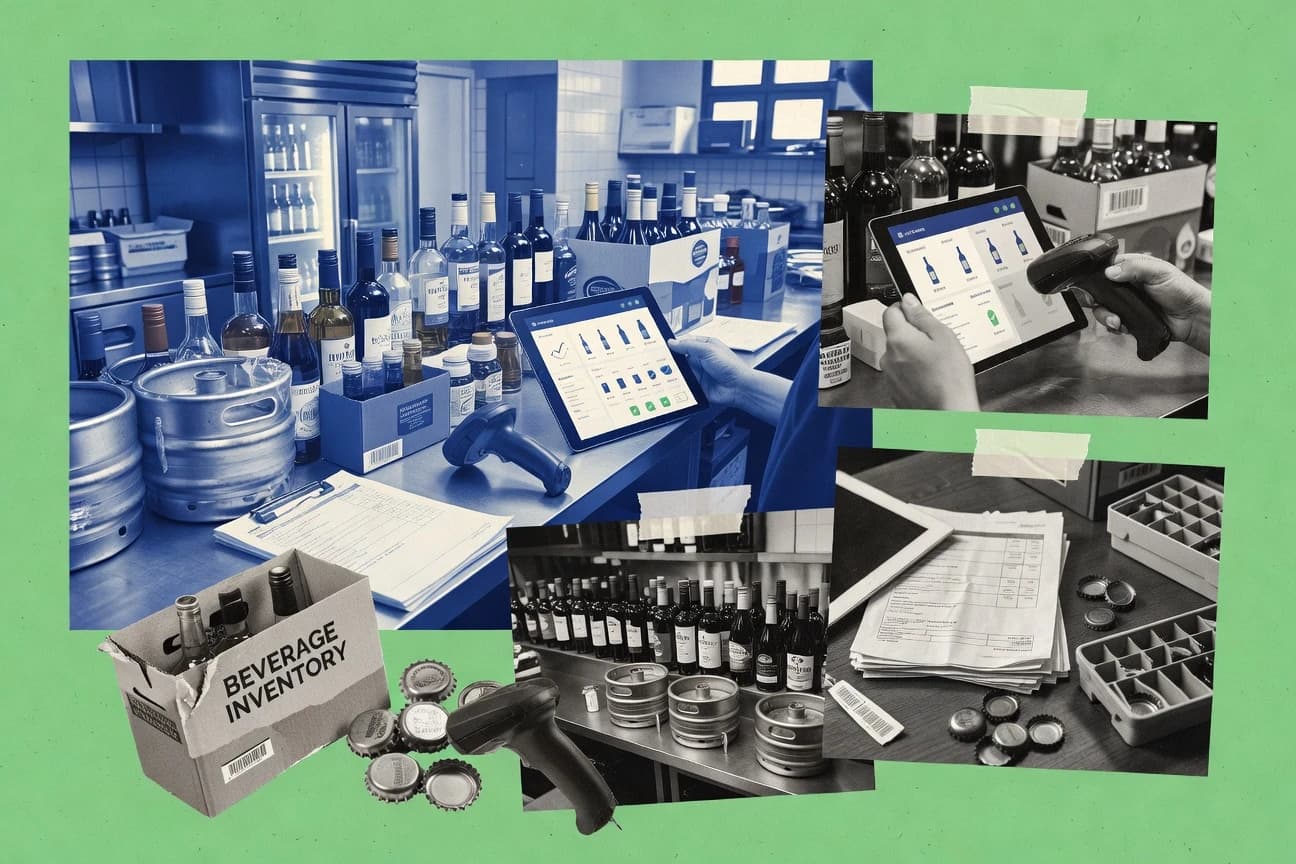
Food Service RestaurantsTop 10 Best Beverage Inventory Software of 2026
Ranking roundup of the top 10 beverage inventory software tools with side-by-side criteria for bar, restaurant, and beverage ops teams.

How we ranked these tools
An editor sets the topic, the inclusion criteria, and the evaluation framework before research starts.
AI search agents find sources, extract figures with provenance, and aggregate written reviews. They also transcribe video reviews and podcasts.
Framework: Features 40% · Ease 30% · Value 30%
Gitnux may earn a commission through links on this page — this does not influence rankings. Editorial policy
MarginEdge is the best pick if you run multi-location venues and need perpetual, bottle-level reconciliation with clear variance visibility, while WISK fits multi-location beverage teams that want scan-driven perpetual inventory and variance checks and Craftable is a strong alternative when you need perpetual-style control plus variance-driven cost reporting.
Editor’s top 3 picks
Three quick recommendations before you dive into the full comparison below — each one leads on a different dimension.
MarginEdge
Bottle-level depletion tracking that reconciles theoretical usage to actual usage for variance-driven adjustments.
Best for: Fits when venues need perpetual, bottle-level reconciliation with variance visibility across multiple locations.
WISK
Editor pickEvent-style inventory syncing through an API that keeps transfers, pours, and adjustments consistent across connected systems.
Best for: Fits when multi-location beverage teams need scan-driven perpetual inventory and variance reconciliation.
Craftable
Editor pickMovement ledger with variance analysis that links cost percentage shifts to specific posted usage and adjustment events.
Best for: Fits when multi-location operators need perpetual-style control and variance-driven cost reporting.
Comparison Table
MarginEdge
restaurant operationsMarginEdge combines invoice processing, food and beverage inventory, recipe costing, and financial reporting.
Bottle-level depletion tracking that reconciles theoretical usage to actual usage for variance-driven adjustments.
MarginEdge is built for liquor and beverage operations that need bottle-level depletion and pour-based reconciliation rather than spreadsheet-only periodic counting. The core workflow ties purchases into inventory, tracks what leaves the bar or warehouse, and surfaces variance so counts and adjustments can be reviewed by location.
A key tradeoff is that bottle-level tracking demands consistent item setup and disciplined scanning or entry habits so theoretical usage stays aligned with actual usage. MarginEdge fits best when daily or weekly reconciliation reduces end-of-cycle surprises for venues with multiple outlets.
- +Bottle-level depletion tracking supports precise variance analysis
- +Receipts to inventory updates keep perpetual counts current
- +Theoretical versus actual usage reporting highlights pour and loss gaps
- +Location-based tracking fits multi-outlet inventory workflows
- –High accuracy depends on consistent scanning and item configuration
- –Recipe costing coverage can require process discipline for batch usage
- –Some governance needs workarounds for complex approval chains
Bar operations managers
Track bottle depletion and variance
Lower beverage cost variance
Inventory control leads
Maintain perpetual inventory across locations
More accurate stock positions
Show 2 more scenarios
Finance and cost accountants
Support beverage cost percentage reporting
Cleaner cost explanations
Use ongoing inventory events to explain actual usage differences in cost views.
Ops managers at distributors
Monitor keg and bottle movements
Fewer stock record disputes
Track inventory changes by location so transfers and consumption do not drift from records.
Best for: Fits when venues need perpetual, bottle-level reconciliation with variance visibility across multiple locations.
WISK
vertical specialistWISK provides beverage inventory, purchasing, invoice processing, and POS-connected cost tracking.
Event-style inventory syncing through an API that keeps transfers, pours, and adjustments consistent across connected systems.
WISK fits operators who run perpetual inventory and need bottle-level depletion handling for liquor and ready-to-pour programs. It supports scanning workflows for receiving, transfers, and stocktakes so updates stay close to real-world movement. The automation surface includes rule-based actions for reorder triggers and reconciliation views that highlight variance by item, location, and time window.
A key tradeoff is that WISK works best when locations, items, and UoM conversion rules are set up with consistent identifiers before scaling to many SKUs. Teams with ad hoc spreadsheets often spend effort normalizing barcodes, units, and location structure. WISK is a stronger choice for multi-location beverage operations where daily pours, wastage, and transfers must reconcile cleanly into cost reporting and audit trails.
- +Scan-first receiving and stock updates reduce manual entry friction
- +Variance views tie item usage differences to location and time
- +API supports automation between inventory events and ordering systems
- +Par-based reorder signals support ongoing perpetual counts
- –Setup overhead rises with many SKUs and complex UoM conversion
- –Advanced reconciliation workflows require consistent barcode and location mapping
- –Multi-location transfer rules need clear governance to avoid drift
- –Reporting depth depends on how teams structure items and lots
Restaurant operations managers
Bottle depletion and variance review
Fewer unexplained cost variances
Warehouse and purchasing teams
Receiving to replenishment workflow
Lower stockout and overstock
Show 2 more scenarios
Accounting and finance teams
Costing inputs from movements
Cleaner month-end reconciliation
Generate consistent inventory movement histories for beverage cost percentage and variance analysis.
Multi-location beverage directors
Transfers between outlets and storage
Better operational visibility
Track bottle-level movements during warehouse-to-outlet transfers and compare outlet consumption rates.
Best for: Fits when multi-location beverage teams need scan-driven perpetual inventory and variance reconciliation.
Craftable
restaurant operationsCraftable combines restaurant inventory, recipe costing, purchasing, accounting, and beverage management.
Movement ledger with variance analysis that links cost percentage shifts to specific posted usage and adjustment events.
Craftable centers around perpetual-style tracking using item movements, so inventory levels update as transactions post rather than waiting for a scheduled recount cycle. It handles multi-location inventory and transfer events, which helps when outlets share centralized storage or when staff need consistent stock visibility across locations. The reporting layer connects usage and movement history to beverage cost percentage style metrics and variance analysis outputs.
A tradeoff is that Craftable’s value depends on consistent SKU setup and disciplined entry of consumption, transfers, and adjustments at the bottle or unit level. It is a strong fit when teams run frequent stocktaking, investigate variance by location, and need reorder signals that reflect real stock changes rather than periodic estimates.
- +Multi-location inventory and transfer events keep outlet stock aligned
- +Variance analysis reports tie cost outcomes back to posted movements
- +Reorder point automation reflects transaction-level inventory changes
- +Audit-friendly movement history supports consumption and adjustment traceability
- –Bottle-level accuracy requires strict transaction entry discipline
- –Advanced integrations depend on the available API surface and setup effort
- –Unit-of-measure conversion adds configuration overhead for complex SKUs
- –Recipe costing requires clean mappings between menu items and stock units
Restaurant operations teams
Track per-outlet inventory variance
Faster variance investigations
Inventory controllers
Automate reorder triggers
Lower stockout risk
Show 2 more scenarios
Central warehouse managers
Control warehouse to outlet transfers
More reliable outlet par levels
Record transfer events so outlet levels reflect inbound shipments immediately after posting.
Accounting and cost teams
Connect inventory changes to cost metrics
Clearer cost attribution
Use movement history to support beverage cost percentage tracking and variance analysis reporting.
Best for: Fits when multi-location operators need perpetual-style control and variance-driven cost reporting.
Backbar
vertical specialistBackbar manages bar inventory, recipes, purchasing, sales analysis, and beverage costs.
Per-item FIFO rotation that respects expiration dates while maintaining variance-ready theoretical usage calculations.
Backbar targets beverage inventory management with bottle-level and multi-location workflows tied to day-to-day stockkeeping. The product focuses on perpetual tracking and cycle counts to keep theoretical usage and variance analysis grounded in the latest stock positions.
- +Bottle-level stock records support controlled depletion and variance analysis
- +Expiration-date visibility supports FIFO rotation and spoilage prevention workflows
- +Perpetual inventory keeps theoretical usage and variance tied to current positions
- +API and integrations support syncing inventory, menu, and receiving workflows
- –Setup discipline is required to keep par levels, reorder points, and UOM conversions consistent
- –Advanced batch and lot workflows require careful item configuration
- –Multi-location transfers can create reconciliation steps when receiving data is incomplete
- –Barcode and mobile stocktaking depend on the chosen hardware and integration path
Best for: Fits when beverage operators need perpetual, bottle-level inventory with variance analysis across multiple locations.
Partender
vertical specialistPartender uses mobile inventory counting to measure beverage usage, variance, and pour costs.
Depletion and stock movement logging at the bottle level, connected to FIFO rotation visibility for usage and variance follow-up.
Partender manages beverage inventories with bottle-level item tracking and stock movement logs tied to locations. It supports ongoing reconciliation using variance signals between expected theoretical usage and recorded activity.
- +Bottle-level depletion logging supports high-precision pour cost analysis workflows
- +Mobile stocktaking supports periodic inventory count cycles without extra tooling
- +FIFO rotation visibility reduces reliance on spreadsheet handoffs
- +Multi-location inventory tracking keeps outlet-level variance contained
- –Barcode scanning and POS integration depth may require planning for each venue workflow
- –Perpetual inventory accuracy depends on consistent receiving and movement updates
- –Variance analysis becomes actionable only after item data and par levels are configured
- –Permissioning and audit trace depth may require admin setup discipline
Best for: Fits when beverage teams need bottle-level perpetual inventory with mobile counting and FIFO rotation across multiple locations.
BinWise
vertical specialistBinWise manages wine and beverage inventory, purchasing, sales, and cellar operations.
FIFO rotation plus expiration-date tracking is enforced inside the day-to-day stocktaking and receiving workflow.
BinWise targets beverage inventory management with bottle and batch workflows that focus on tracking depletion and variance across locations. The system supports barcode-driven stocktaking and receipt logging, then links usage patterns to pour cost and beverage cost percentage reporting.
- +Bottle-level depletion logging tied to variance analysis for drinks
- +Expiration-date tracking with FIFO rotation workflow for aged stock control
- +Barcode scanning for receiving and mobile stocktaking rounds
- +Multi-location inventory supports warehouse-to-outlet transfer visibility
- –Perpetual inventory depends on disciplined receiving and count cadence
- –Recipe costing coverage is limited when menus rely on complex batch rules
- –API integration depth is less clear for accounting and POS sync edge cases
- –Unit-of-measure conversion requires careful setup across product templates
Best for: Fits when venues need bottle-level and batch-aware tracking across multiple locations with barcode stocktaking.
BevSpot
SMBBar and restaurant inventory management platform focused on beverage programs.
Bottle-level tracking with barcode-driven stocktaking that keeps perpetual inventory alignment during busy receiving and pour cycles.
BevSpot targets beverage inventory workflows with bottle-level tracking built around real bar operations. It captures receiving through consumption signals for perpetual inventory with variance analysis that helps explain why usage diverges from expectations.
- +Bottle-level inventory records for accurate depletion tracking
- +Mobile stocktaking supports faster periodic inventory count workflows
- +Variance analysis ties losses to items and movement history
- +Barcode scanning reduces data-entry errors during receiving and counts
- –Multi-location setups require careful item and location configuration
- –Deeper accounting and POS automation depends on integration readiness
- –Complex recipe and lot models need disciplined item setup
- –Advanced audit log depth depends on administrative settings
Best for: Fits when beverage teams need bottle-level tracking, barcode stocktaking, and variance-based reconciliation across multiple outlets.
MarketMan
SMBMarketMan provides restaurant inventory, purchasing, recipe costing, supplier, and variance management.
Automated receiving and invoice matching creates a cost-linked inventory ledger for faster variance root-cause tracking.
MarketMan focuses on beverage inventory workflows that connect purchasing, receiving, and stockkeeping to finance-ready costing. It supports bottle-level tracking and perpetual inventory visibility so variance analysis can be tied back to pours, adjustments, and documented waste.
- +Bottle-level depletion tracking supports accurate theoretical usage and variance analysis
- +Receiving to invoice matching connects inventory changes to procurement records
- +Expiration-date tracking supports FIFO rotation and planned pull lists
- +Multi-location inventory workflows reduce manual reconciliation across outlets
- –Setup requires disciplined SKU mapping across menus, suppliers, and units of measure
- –Advanced reporting depth can take time to configure for consistent variance narratives
- –Large item catalogs can slow daily stocktaking if barcode scanning is not enforced
- –Some automation depends on external data feeds for point-of-sale and purchasing context
Best for: Fits when beverage operations need perpetual bottle tracking across locations with receiving-to-cost visibility and variance discipline.
Restaurant365
enterpriseRestaurant365 provides restaurant inventory, purchasing, recipe costing, accounting, and operations management.
Perpetual beverage inventory with variance analysis that combines location-level usage signals with recipe-linked theoretical consumption.
Restaurant365 records beverage inventory movements from receiving through usage with perpetual tracking focused on alcohol products. It supports bottle and keg level workflows, variance review by location, and cost reporting that links items to menu recipes and theoretical usage.
- +Perpetual beverage tracking supports bottle and keg workflows across venues
- +Variance analysis ties inventory and cost signals to locations and item behavior
- +Menu recipe costing connects theoretical usage to item depletion
- +Role-based access and audit trails support controlled inventory adjustments
- –Complex alcohol item setup can slow adoption for small catalogs
- –Advanced stocktake workflows require disciplined data entry from staff
- –Barcode scanning and mobile stocktaking depend on how locations standardize processes
- –Integration depth for POS workflows varies by the chosen connection pattern
Best for: Fits when multi-location venues need perpetual beverage tracking with variance review and controlled adjustments.
BarMinder
vertical specialistAutomated liquor inventory system using wireless scales and mobile app.
Barcode scanning combined with POS item mapping to drive accurate inventory movements from sales and receiving.
BarMinder targets beverage inventory management for bars that need bottle-level and keg-level visibility for daily ordering and cost control.
- +Bottle and keg tracking workflows align with real bar stock routines
- +Expiration and batch fields help manage rotation and compliance-related constraints
- +Adjustments and usage logging support variance analysis against expected stock
- +Barcode and POS mapping reduce manual typing during stock movements
- –Multi-location transfers require more structured item setup to avoid reconciliation gaps
- –Recipe costing depth depends on how consistently menu items are mapped
- –Automation coverage is limited for advanced workflows like multi-step receiving rules
- –Reporting needs configuration effort to keep variance views usable over time
Best for: Fits when a bar team needs bottle-level perpetual inventory with scanning and variance tracking for ordering.
Conclusion
After evaluating 10 beverage inventory software, MarginEdge stands out as our overall top pick — it scored highest across our combined criteria of features, ease of use, and value, which is why it sits at #1 in the rankings above.
Use the comparison table and detailed reviews above to validate the fit against your own requirements before committing to a tool.
How to Choose the Right Beverage Inventory Software
Beverage inventory software tracks bottle-level and keg-level stock through receiving, pours, transfers, and adjustments, then ties those movements to theoretical usage so variance analysis stays actionable. This buyer's guide covers MarginEdge, WISK, Craftable, Backbar, Partender, BinWise, BevSpot, MarketMan, Restaurant365, and BarMinder to map how each tool handles perpetual control, rotation, and reconciliation.
Across these ten products, the biggest differences show up in how inventory syncing is triggered by scanning or event logging, how multi-location transfers are represented, and how strongly the system connects operational movements to cost outcomes. MarginEdge emphasizes bottle-level depletion reconciliation that links theoretical and actual usage for variance-driven adjustments, while WISK emphasizes an API-driven event sync model to keep transfers, pours, and adjustments consistent across connected systems.
Beverage Inventory Software for perpetual tracking, variance analysis, and rotation control
Beverage inventory software maintains perpetual inventory records for bottles and kegs, then calculates theoretical consumption from documented usage signals to support variance analysis and controlled adjustments. It also supports stock rotation workflows such as FIFO expiration handling in tools like Backbar and BinWise, where expiration-date visibility is built into the way stock moves through the system.
The practical value comes from how each system turns real-world operations into inventory ledger updates, including barcode stocktaking and bottle-level depletion logging in MarginEdge and BarMinder. Some tools such as WISK add an API-focused approach that can sync receiving, transfers, and pour-driven updates across connected systems, while other tools like MarketMan emphasize automated receiving and invoice matching to connect procurement records to inventory changes.
Key evaluation features for Beverage Inventory Software
Beverage inventory software earns its keep when receiving, pours, transfers, and adjustments update one inventory ledger that supports both theoretical usage and variance analysis. Tools that do that reliably reduce month-end corrections and make variance root-cause tracking repeatable across outlets.
The strongest differentiators across MarginEdge, WISK, Craftable, Backbar, Partender, BinWise, BevSpot, MarketMan, Restaurant365, and BarMinder are how movements get captured, how rotation is enforced, and how inventory ledger updates connect to cost outcomes.
Perpetual bottle and keg ledger tied to variance narratives
MarginEdge pairs bottle-level depletion tracking with theoretical versus actual usage for variance-driven adjustments. MarketMan also supports bottle-level depletion tracking while tying changes to automated receiving and invoice matching for procurement-linked variance review.
Event sync and API-driven inventory updates across systems
WISK uses an event-style inventory syncing approach through an API so transfers, pours, and adjustments stay consistent across connected systems. Craftable focuses more on a movement ledger that links cost percentage shifts to posted usage and adjustment events rather than external system event orchestration.
Rotation controls with FIFO and expiration-date workflows
Backbar provides per-item FIFO rotation that respects expiration dates while keeping theoretical usage calculations variance-ready. BinWise enforces FIFO rotation plus expiration-date tracking inside receiving and day-to-day stocktaking so aged inventory follows the workflow.
Movement capture quality via scanning, mobile stocktaking, and mapping
Partender combines bottle-level depletion logging with mobile stocktaking and FIFO visibility across multiple locations. BarMinder pairs barcode scanning with POS item mapping so sales and receiving drive accurate inventory movements.
Multi-location transfers and location-aware inventory alignment
Craftable represents multi-location inventory and transfer events to keep outlet stock aligned and variance analysis tied to usage differences. WISK also models transfers consistently across connected systems, but it raises setup overhead as SKU volume and UoM complexity increase.
How to choose Beverage Inventory Software for perpetual control and reconciliation
Selecting beverage inventory software is mostly about choosing a workflow trigger and then matching it to the venue’s operational discipline. Some tools prioritize scan-first receiving and event updates, while others prioritize transaction entry that feeds a movement ledger with variance analysis.
A second decision axis is how expiration and rotation rules get enforced. Tools like Backbar and BinWise embed FIFO expiration handling into inventory movement workflows, while other tools require careful configuration to maintain variance accuracy.
Pick the inventory ledger trigger that matches day-to-day operations
Choose WISK when scan-first receiving and API event syncing should keep transfers, pours, and adjustments consistent across connected systems. Choose MarginEdge when bottle-level depletion logging and reconciliation between theoretical and actual usage should drive variance-driven adjustments across venues.
Set the bar for bottle-level accuracy and reconciliation discipline
Select Backbar, Partender, or MarginEdge when the team can maintain consistent receiving and movement updates because bottle-level accuracy depends on transaction discipline. Avoid expecting high variance stability without consistent scanning and item configuration, which is explicitly called out as a factor in MarginEdge and also affects perpetual accuracy elsewhere.
Enforce rotation rules inside the workflow or accept manual governance
Choose BinWise or Backbar when FIFO rotation must respect expiration dates as part of receiving and day-to-day stocktaking. Choose tools with less embedded rotation enforcement only if item configuration can stay consistent for par levels, reorder points, and UoM conversions.
Match multi-location transfers to the system’s transfer model
Choose Craftable when transfer events and outlet-aligned stock are core inputs to cost outcome variance reporting. Choose WISK when transfers must be synchronized through an API event model, but plan for higher setup effort when SKU counts and UoM conversions become complex.
Confirm whether cost outcomes tie back to receiving and invoices
Choose MarketMan when automated receiving and invoice matching needs to create a cost-linked inventory ledger for faster variance root-cause tracking. Choose tools like Restaurant365 when variance analysis must combine location-level usage signals with recipe-linked theoretical consumption for controlled adjustments.
Who Beverage Inventory Software is for
Beverage inventory software fits teams that must reconcile theoretical usage against actual outcomes and then explain variance in a repeatable way. These products are designed for perpetual bottle tracking, rotation handling, and inventory ledger updates tied to operational movements.
The best match depends on whether variance investigation starts from scans and event updates, from movement ledger postings, or from receiving-to-invoice cost connections.
Multi-location venues with scan-driven receiving and transfer-heavy operations
WISK aligns with scan-first receiving and API-driven event syncing so transfers, pours, and adjustments remain consistent across connected systems. Craftable also supports outlet alignment through transfer events and variance analysis tied to posted usage and adjustment events.
Operators that need bottle-level variance reconciliation across busy service cycles
MarginEdge emphasizes bottle-level depletion tracking that reconciles theoretical usage to actual usage for variance-driven adjustments. Partender also centers bottle-level depletion logging with mobile stocktaking that supports FIFO rotation visibility for usage and variance follow-up.
Teams with high exposure to expiration loss that require workflow-enforced FIFO rotation
Backbar supports per-item FIFO rotation that respects expiration dates while keeping variance-ready theoretical usage calculations. BinWise enforces FIFO rotation plus expiration-date tracking inside receiving and day-to-day stocktaking.
Organizations that want procurement cost linkage through receiving and invoice matching
MarketMan links inventory changes to procurement records through automated receiving and invoice matching to speed variance root-cause tracking. Restaurant365 uses perpetual beverage inventory with variance analysis that ties inventory and cost signals to locations and recipe-linked theoretical consumption.
Common pitfalls when implementing Beverage Inventory Software
Most failures come from mismatches between how the system expects inventory movements to be recorded and how staff actually complete receiving, pours, and adjustments. Perpetual accuracy is repeatedly framed as a function of consistent scanning, item configuration, and disciplined transaction entry.
Another frequent mistake is underestimating rotation governance. If FIFO expiration workflows are not enforced inside the workflow or if configuration drift occurs, variance views can report inconsistencies that are caused by data issues rather than true usage changes.
Treating bottle-level perpetual accuracy as automatic even when scanning and item setup are inconsistent
MarginEdge calls out that high accuracy depends on consistent scanning and item configuration, and variance-driven adjustments rely on that consistency. Partender and BevSpot also rely on receiving and movement updates to keep perpetual counts aligned.
Configuring FIFO and expiration fields without enforcing them in receiving and stocktaking workflows
BinWise enforces FIFO rotation plus expiration-date tracking inside day-to-day stocktaking and receiving workflows, which reduces rotation drift. Backbar still requires setup discipline to keep par levels, reorder points, and UoM conversions consistent, so governance gaps can still undermine results.
Assuming API and integration depth eliminates mapping work for multi-location SKUs and units of measure
WISK notes that setup overhead rises with many SKUs and complex UoM conversion because event syncing depends on consistent mapping. Craftable and MarketMan also emphasize that advanced reconciliation workflows require careful item and mapping setup to preserve variance narratives.
Under-building barcode and POS item mapping so scans do not translate into correct inventory movements
BarMinder relies on barcode scanning combined with POS item mapping to drive accurate inventory movements from sales and receiving. BevSpot and Partender also depend on barcode-driven stocktaking and structured item configuration to keep variance reconciliation usable.
How We Selected and Ranked These Tools
We evaluated MarginEdge, WISK, Craftable, Backbar, Partender, BinWise, BevSpot, MarketMan, Restaurant365, and BarMinder using feature depth at 40%, ease of getting to accurate perpetual ledger updates at 30%, and value for variance and rotation workflows at 30%. Features weighed how bottle-level depletion tracking, theoretical versus actual usage reconciliation, FIFO expiration workflows, and scan-driven movement capture work in the supplied tool cards.
Ease/value weighed how the required item configuration discipline and mapping workload show up in the stated pros and cons for each product. MarginEdge separated itself with bottle-level depletion tracking that reconciles theoretical usage to actual usage for variance-driven adjustments, supported by perpetual alignment through receipts to inventory updates and explicit bottle-level variance visibility.
Frequently Asked Questions About Beverage Inventory Software
How does bottle-level tracking affect variance analysis in MarginEdge versus Backbar?
Which tools provide an API or event-style integration that keeps inventory movements consistent across systems?
How does WISK handle multi-location transfers so theoretical usage matches outlet reality?
When do teams choose perpetual inventory workflows over periodic inventory counts in Restaurant365 and Partender?
What breaks if a team needs expiration-date-aware rotation but uses a tool without FIFO enforcement in the day-to-day workflow?
How do craft costing and recipe linkage impact variance and cost percentage reporting in Craftable versus MarketMan?
Which tool best supports barcode scanning with real-world stock movement capture across outlets?
How do admin controls and governance differ between Restaurant365 and MarginEdge for multi-location operations?
What tradeoff appears when a team prioritizes event syncing throughput in WISK versus traceable variance reconciliation in MarginEdge?
Tools reviewed
Primary sources checked during evaluation.
Referenced in the comparison table and product reviews above.
- Food Service RestaurantsTop 10 Best Beverage Distribution Software of 2026
- Food Service RestaurantsTop 10 Best Food Inventory Control Software of 2026
- Food Service RestaurantsTop 10 Best Beverage Industry Software of 2026
- Consumer RetailTop 10 Best Liquor Store Inventory Management Software of 2026
- Food Service RestaurantsTop 10 Best Food Beverage Erp Software of 2026
Keep exploring
Comparing two specific tools?
Software Alternatives
See head-to-head software comparisons with feature breakdowns, pricing, and our recommendation for each use case.
Explore software alternatives→In this category
Food Service Restaurants alternatives
See side-by-side comparisons of food service restaurants tools and pick the right one for your stack.
Compare food service restaurants tools→