
GITNUXSOFTWARE ADVICE
Fashion ApparelTop 10 Best AI Real Photo Generator of 2026
Compare and rank ai real photo generator tools by features, image quality, and use cases, with tradeoffs for creators, marketers, and teams.

How we ranked these tools
Core product claims cross-referenced against official documentation, changelogs, and independent technical reviews.
Analyzed video reviews and hundreds of written evaluations to capture real-world user experiences with each tool.
AI persona simulations modeled how different user types would experience each tool across common use cases and workflows.
Final rankings reviewed and approved by our editorial team with authority to override AI-generated scores based on domain expertise.
Score: Features 40% · Ease 30% · Value 30%
Gitnux may earn a commission through links on this page — this does not influence rankings. Editorial policy
Editor’s top 3 picks
Three quick recommendations before you dive into the full comparison below — each one leads on a different dimension.
RAWSHOT AI
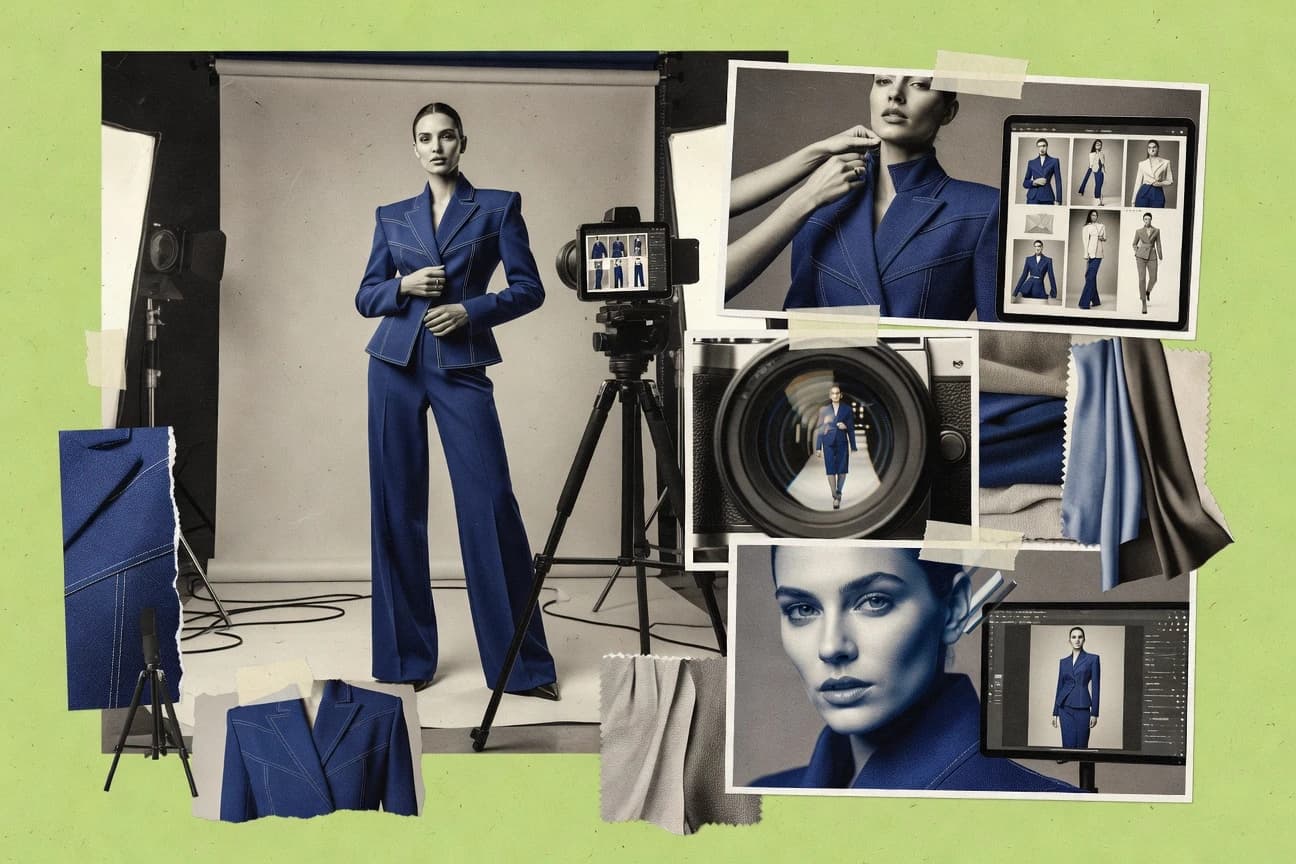
RAWSHOT AI turns a photoshoot into seven editable building-block stages and lets users save the complete configuration as a Stack for repeatable catalogue production. The same block logic extends from still images to video, while the private model builder exposes a published attribute space for creating consistent synthetic models.
Built for fashion brands, e-commerce teams and marketplace sellers needing consistent on-model apparel imagery across collections, especially when physical samples, casting or studio scheduling are impractical..
Secta AI
Editor pickPersonalized batch headshots from an uploaded photo set, with varied professional styling for profiles and team pages.
Built for fits when professionals need coordinated profile portraits across business and social channels..
Ideogram
Editor pickAccurate text rendering inside generated images, combined with Canvas tools for targeted visual edits.
Built for fits when marketing teams need realistic campaign visuals with legible embedded text and quick browser editing..
Comparison Table
RAWSHOT AI
AI fashion photography and videoRAWSHOT AI creates original on-model fashion images and short videos from selectable garments, models, backgrounds, lighting, poses and compositions.
RAWSHOT AI turns a photoshoot into seven editable building-block stages and lets users save the complete configuration as a Stack for repeatable catalogue production. The same block logic extends from still images to video, while the private model builder exposes a published attribute space for creating consistent synthetic models.
RAWSHOT AI combines more than 1,800 licence-free synthetic models with a private model builder, up to four garments per composition and a large catalogue of frames, poses, expressions and makeup options. AI suggests a starting composition as editable selections, while users retain control over every setting; finished stills can also become short videos with selectable camera motions and model actions. C2PA credentials, layered watermarking, AI-labelled metadata and full attribute documentation support brands with disclosure requirements.
The fixed option-based workflow improves consistency but limits users who want open-ended experimentation or stylised post-processing inside the product. A DTC label can upload a collection, save a Stack and apply the same treatment across hundreds of product images, while the REST API supports runs from one image to 10,000 or more. Photoshoots start at $9 a month, and under fifty cents an image on every plan above Starter.
- +Full commercial rights forever, with no recurring licensing on library models.
- +Seven-step selectable workflow avoids prompt-writing and keeps each production choice visible.
- +Saved Stacks provide repeatable treatment across large product catalogues.
- +C2PA credentials, visible and cryptographic watermarking, and AI-labelled metadata are included on every output.
- –The product ships one accuracy-focused image style, so stylised or graded treatments require post-production.
- –No free-text input means users cannot improvise beyond the available model, garment, pose and composition blocks.
- –Models are synthetic composites only and cannot represent a specific real person.
- –Video is limited to three five-second scenes at 720p or 1080p.
Emerging fashion labels
Launch collections without physical samples
Collection-ready product visuals
DTC e-commerce teams
Standardize imagery across SKUs
Consistent product presentation
Show 2 more scenarios
Kidswear brands
Show children’s apparel digitally
Safer kidswear merchandising
Synthetic children’s models provide age-specific coverage without casting, photographing or using a child’s likeness.
Marketplace sellers
Create apparel listing images
More complete product listings
Sellers can produce on-model visuals for garments without arranging individual photography sessions.
Best for: Fashion brands, e-commerce teams and marketplace sellers needing consistent on-model apparel imagery across collections, especially when physical samples, casting or studio scheduling are impractical.
Secta AI
vertical specialistSecta AI generates professional profile pictures from personal photographs.
Personalized batch headshots from an uploaded photo set, with varied professional styling for profiles and team pages.
Recruiters, consultants, founders, and sales teams can use Secta AI to replace inconsistent profile photos with a coordinated portrait set. Users upload personal images, select visual preferences, and receive headshots designed for LinkedIn, websites, speaker profiles, and team pages. Batch generation gives teams more usable options than a single edited portrait.
The tradeoff is limited direct control over exact pose, composition, and scene details compared with prompt-driven generators. Secta AI fits a consultant updating a profile across several business channels, but it is less suitable for product scenes, editorial concepts, or tightly art-directed campaigns.
- +Produces multiple professional portrait variations from one uploaded photo set.
- +Supports consistent personal branding across profiles, websites, and team pages.
- +Requires no physical studio session or manual retouching workflow.
- –Limited control over exact poses, props, and background composition.
- –Output quality depends heavily on the uploaded photo set.
- –Primarily serves portraits rather than broader image-generation scenarios.
Recruiting and talent teams
Standardized employee profile portraits
Consistent team presentation
Consultants and founders
Personal branding image refresh
Updated brand imagery
Show 1 more scenario
Public speakers
Conference biography portraits
Reusable speaker photos
Secta AI supplies polished headshots for speaker pages, event programs, and media kits.
Best for: Fits when professionals need coordinated profile portraits across business and social channels.
Ideogram
creatorIdeogram generates images with realistic scenes, portraits, and readable text.
Accurate text rendering inside generated images, combined with Canvas tools for targeted visual edits.
Ideogram's main advantage is text rendering that remains legible inside generated layouts, including headlines, labels, and poster copy. Canvas tools let users add, replace, and extend selected regions without regenerating the entire composition. Style Reference and Remix provide additional control over visual direction and variation.
The API suits programmatic image generation, but localized Canvas actions remain web-editor features. That split works for social teams producing campaign concepts, while teams needing fully automated editing pipelines may require separate image-processing steps.
- +Accurate lettering inside posters, ads, labels, and social graphics
- +Canvas includes Magic Fill, Extend, Remix, and targeted region editing
- +Style Reference helps maintain a consistent visual direction
- +API supports programmatic image generation
- –Canvas editing is not fully represented in the API
- –Fine control over specific people and objects can remain inconsistent
- –Complex scenes may still produce anatomy and hand errors
- –Advanced production workflows need external asset management
social media marketing teams
Campaign concept image production
More usable first drafts
independent art directors
Poster and cover mockups
Faster visual iteration
Show 1 more scenario
product marketing teams
Product lifestyle scene ideation
Broader concept coverage
Uploaded references guide scene variations for launch concepts before final photography or compositing.
Best for: Fits when marketing teams need realistic campaign visuals with legible embedded text and quick browser editing.
Leonardo AI
creatorLeonardo AI generates realistic images with controls for style, composition, and editing.
Image-to-image generation with strong identity retention for portrait variants without restarting prompt work.
Leonardo AI centers on photorealistic image generation from prompts and supports image-to-image workflows for refining existing visuals. Its workflow favors prompt-driven control and iterative editing, including tools for changing composition without rewriting everything from scratch.
Built-in face handling and style controls support consistent character looks across variations. Leonardo AI is used heavily for generating realistic portraits, product scenes, and concept frames that look like camera captures.
- +Strong photorealistic portrait output with stable facial likeness across generations
- +Image-to-image edits let users iterate on composition and lighting efficiently
- +Fine-grained prompt controls reduce drift when building multi-shot concepts
- +High-resolution generation supports ready-to-use visuals without heavy postwork
- –Hands and small anatomy can break on complex poses more often than faces
- –Control-image workflows need careful preparation to avoid unintended artifacts
Best for: Fits when teams need fast, iterative photorealistic drafts from prompts with targeted image refinements.
Fotor
SMBFotor offers AI image generation, portrait creation, and photo editing tools.
AI Replace edits selected regions with prompt-generated content while preserving the surrounding photograph.
Fotor generates photorealistic images from text prompts and combines generation with a browser-based photo editor. Its AI workflow includes image-to-image generation, background removal, object replacement, portrait retouching, image upscaling, and canvas expansion. Templates, collage tools, and design assets extend Fotor beyond image generation, while standard adjustment controls support final edits.
- +AI Replace changes selected objects without rebuilding the full image.
- +Prompt-based generation includes preset styles and adjustable aspect ratios.
- +Integrated retouching, background removal, and enhancement reduce application switching.
- +Templates and collage layouts support social posts and marketing graphics.
- –Generated hands, faces, and fine details can require repeated prompt attempts.
- –Limited seed and sampling controls restrict repeatable output generation.
- –Advanced layer and masking workflows are less extensive than dedicated desktop editors.
- –AI edits can alter facial details in source images with occlusion or unusual angles.
Best for: Fits when marketers need realistic social images with built-in retouching, layouts, and object replacement.
Picsart
SMBPicsart combines AI image generation with mobile and browser photo editing.
In-editor AI generation plus non-destructive editing tools for fixing prompt outputs without leaving the workspace.
Picsart mixes AI text-to-image creation with a large template and editing workflow for turning prompts into photo-like results. Generations can be refined with layered image edits, including adjustments and selective repaint-style workflows aimed at fixing artifacts.
Creative controls focus on prompt iteration, style selection, and in-editor composition rather than developer-grade parameters. The result fits teams that need fast production drafts and frequent visual revisions inside a single creative interface.
- +Editor-grade workflow for prompt to final composition without exports
- +Multi-step refinement via layered tools to correct common generation issues
- +High iteration speed for concepting with consistent prompt-driven outputs
- +Template ecosystem that accelerates layout and styling around AI images
- –Limited evidence of fine-grained generation controls like sampling steps
- –Automation and API access for production pipelines appears limited
- –Photorealism tends to vary by subject complexity and lighting
- –Deep identity preservation needs extra manual retouching after generation
Best for: Fits when design teams need quick photoreal drafts, then iterative edits inside one creative workflow.
Photo AI
vertical specialistPhoto AI creates realistic photos of virtual people from uploaded images and prompts.
Reusable personal AI model trained from uploaded photos for recurring character-based photoshoots.
Photo AI centers its workflow on training a reusable personal AI model from uploaded photos, rather than generating unrelated characters for each request. Users can create themed photoshoots from prompts, presets, locations, outfits, and visual references.
Face swapping, background removal, image upscaling, and an API extend the service beyond one-off portrait generation. Results can lose facial accuracy in unusual poses, complex scenes, or group compositions.
- +Reusable personal AI models support recurring characters across themed photoshoots.
- +Preset-driven photoshoots reduce prompt-writing requirements for common portrait scenarios.
- +Face swapping and background removal cover practical post-generation editing tasks.
- +API access supports automated image creation outside the main web interface.
- –Model training requires a sufficiently varied and well-selected photo set.
- –Unusual poses and hands can produce visible anatomical errors.
- –Group scenes and precise multi-person interactions receive limited control.
- –Advanced composition control is narrower than node-based image-generation applications.
Best for: Fits when creators need recurring AI personas for social content, profile imagery, or virtual influencer campaigns.
Krea
creatorKrea generates and enhances images with real-time visual iteration tools.
Reference-driven generation workflow improves identity and style consistency across prompt iterations.
Krea is an AI real photo generation tool that centers on controllable image synthesis through reference-based workflows. It supports prompt-driven creation and editing paths such as image-to-image and outpainting to extend scenes beyond the original framing. The workflow is geared toward repeatable results via saved generations, adjustable sampling, and iteration cycles that reduce rework when anatomy and lighting need tuning.
- +Reference image conditioning supports closer face and style alignment than prompt-only workflows
- +Outpainting helps extend real-world scenes without fully restarting generation
- +Iteration controls for sampling and guidance support tighter photoreal tuning loops
- +Saved generations make it faster to compare variants during revisions
- –High photoreal consistency still depends on careful prompt and reference selection
- –Scene-scale edits can drift when prompt intent and reference cues conflict
- –Fine-grained anatomical correction needs extra iterations rather than dedicated pose tooling
- –Automation and API surface are limited compared with tools built for pipeline integration
Best for: Fits when studios need reference-guided photoreal iterations for portraits and extended scenes without custom model work.
Aragon AI
vertical specialistAragon AI generates professional headshots from user-uploaded selfies.
Generates professional headshot collections with coordinated wardrobe, lighting, backgrounds, and expressions from uploaded selfies.
Aragon AI turns uploaded selfies into professional headshot collections with selectable styles, backgrounds, outfits, and expressions. Its workflow targets LinkedIn profiles, team directories, resumes, and social profiles rather than general image creation. Results depend heavily on source-photo quality, while pose, composition, and repeatable output controls remain limited.
- +Generates coordinated headshot sets from user-uploaded selfies
- +Includes selectable outfits, backgrounds, lighting, and facial expressions
- +Requires no prompt engineering for standard professional portraits
- +Targets LinkedIn, resumes, team directories, and social profiles
- –Output quality depends heavily on the uploaded selfie set
- –Pose and composition controls are limited
- –Facial consistency can weaken across different styles
- –The workflow is focused on headshots rather than broader image creation
Best for: Fits when professionals need polished profile portraits without directing image prompts or arranging a studio session.
HeadshotPro
vertical specialistHeadshotPro produces AI business headshots from uploaded selfies.
Identity-focused headshot generation that maintains facial consistency across prompt refinements.
HeadshotPro focuses on AI real photo generation for headshots, with workflows tailored to consistent faces and studio-like portraits. It supports prompt-based creation and refinement so users can iterate toward photorealistic results while keeping subject details stable.
The product’s value comes from production-oriented controls around face consistency and portrait framing rather than general-purpose art generation. It ranks last among the reviewed set for depth of controllability, so complex pose and identity constraints may require more manual iteration than higher-ranked tools.
- +Headshot-focused presets reduce prompt work for portrait-style outputs
- +Face identity tends to stay consistent across iterations
- +Editing loop supports quick re-rolls to narrow the look
- +Output quality looks tuned for human faces and skin rendering
- –Pose and camera-angle control is limited versus higher-ranked tools
- –Fine-grained hand and anatomy correction often needs multiple attempts
- –Workflow integration and automation depth lag behind top competitors
- –Repeatability across sessions is less deterministic than tools with stronger seed control
Best for: Fits when teams need fast headshot iterations with stable facial identity for profiles.
Conclusion
After evaluating 10 fashion apparel, RAWSHOT AI stands out as our overall top pick — it scored highest across our combined criteria of features, ease of use, and value, which is why it sits at #1 in the rankings above.
Use the comparison table and detailed reviews above to validate the fit against your own requirements before committing to a tool.
How to Choose the Right ai real photo generator
RAWSHOT AI, Secta AI, Ideogram, Leonardo AI, Fotor, Picsart, Photo AI, Krea, Aragon AI, and HeadshotPro are compared across photorealism workflows, identity consistency, editing controls, and production repeatability.
RAWSHOT AI leads the list with seven editable stages, reusable Stacks, commercial rights forever, and a private model builder, while Secta AI and Aragon AI focus on coordinated professional headshots.
What an AI Real Photo Generator Produces and Controls
An ai real photo generator creates photographic images from text prompts, uploaded photos, reference images, or trained identity models. It can generate new scenes, alter selected regions, preserve facial likeness, and produce variations for portraits, campaigns, products, or social content.
Leonardo AI uses image-to-image generation to refine composition and lighting while retaining facial identity. RAWSHOT AI organizes catalogue production into seven editable stages and saves the complete configuration as a Stack for repeatable apparel imagery.
Real photo generator features that drive consistent outputs
Repeatability and control matter more than raw photorealism when teams need the same subject across many images. The best results come from tools that organize workflows, preserve identity during iteration, and let editing happen inside a defined pipeline.
Workflow staging and repeatable configurations
RAWSHOT AI converts a photoshoot into seven editable building-block stages and saves the complete configuration as a Stack for repeatable catalogue production. This same block logic extends from still images to video, which keeps production steps consistent across outputs.
Identity retention and face likeness stability
Leonardo AI focuses on image-to-image generation with stable facial likeness for portrait variants without restarting prompt work. HeadshotPro also emphasizes identity-focused headshot generation that keeps facial identity consistent across prompt refinements.
Reference-driven consistency for faces and style
Krea uses a reference image conditioning workflow to align face and style more closely than prompt-only iterations. Photo AI uses reusable personal AI model training from uploaded photos to support recurring character-based photoshoots with the same persona.
Region editing that preserves the surrounding photograph
Fotor’s AI Replace edits selected regions with prompt-generated content while preserving the surrounding photograph, which supports realistic touchups without rebuilding the full image. Picsart adds a multi-step in-editor workflow that uses layered tools to fix prompt outputs without leaving the creative workspace.
Text rendering and targeted visual edits
Ideogram pairs accurate embedded text inside generated images with Canvas tools that support targeted region editing using Magic Fill, Extend, and Remix. This combination helps marketing creatives maintain legibility in posters, ads, labels, and social graphics.
Batch portrait generation from uploaded photo sets
Secta AI produces multiple professional portrait variations from one uploaded photo set and keeps styling coordinated for profiles and team pages. Aragon AI also generates coordinated headshot sets from uploaded selfies with selectable outfits, backgrounds, lighting, and facial expressions.
Choose based on where control lives in the workflow
The first decision is whether production control should come from a guided stage-based pipeline or from direct editing on the final image. RAWSHOT AI treats production as a staged catalogue workflow, while Fotor and Picsart keep control in region replacement and in-editor refinement.
Map the output to the tool’s repeatability model
If the job needs recurring sets that stay consistent across many images, RAWSHOT AI’s saved Stack configuration is built for repeatable catalogue production. If the job is one-off marketing imagery, Ideogram’s Canvas edits and accurate embedded text may match faster iteration needs.
Pick the identity strategy that matches the content source
Use Leonardo AI when identity must remain stable during image-to-image refinement for portrait variants. Use Krea or Photo AI when the workflow should be driven by reference cues or a reusable personal AI model trained from uploaded photos.
Select editing control based on region specificity
Choose Fotor when selected-region replacement must preserve the surrounding photograph for realistic retouching and object replacement. Choose Picsart when prompt outputs must be corrected using a layered in-editor workflow that keeps edits inside one interface.
Decide whether the workflow needs embedded text and browser editing
Choose Ideogram when legible embedded text inside posters and ads is a hard requirement and Canvas targeted region editing supports quick adjustments. Choose RAWSHOT AI when the deliverable is product-centric apparel imagery that benefits from stage control rather than typographic placement.
Match batch headshot generation to your input format
Choose Secta AI when team pages and profile portraits should come from one uploaded photo set with varied professional styling. Choose Aragon AI when a selfie set should generate coordinated headshot collections with selectable wardrobe, backgrounds, lighting, and facial expressions.
Who benefits from these AI real photo generator capabilities
Different buyers prioritize different failure modes, such as identity drift, anatomy artifacts, text legibility, or the need to repeat the same production configuration many times. These tools split across catalogue repeatability, headshot batch consistency, embedded text accuracy, and region-level editing for realistic retouching.
Fashion brands and e-commerce teams producing many apparel images
RAWSHOT AI supports seven editable stages and saves the full configuration as a Stack so the same production choices can be repeated across collections.
Marketing teams that need legible embedded text in photoreal campaigns
Ideogram combines accurate text rendering inside generated images with Canvas tools for targeted edits across posters, ads, and label-style visuals.
HR, recruiting, and business teams coordinating headshots across roles
Secta AI generates multiple professional portrait variations from one uploaded photo set and keeps styling consistent for profile and team page use.
Studios and creators running character-based recurring photoshoots
Photo AI trains a reusable personal AI model from uploaded photos so the same persona can appear consistently across themed shoots.
Design teams doing quick photoreal drafts followed by iterative touchups
Picsart supports an in-editor AI generation workflow and layered refinement tools that help correct prompt outputs without exporting to a separate application.
Common failure points when buying an ai real photo generator
Most failed projects come from choosing a workflow that cannot express the needed control granularity or from assuming input quality will not affect output quality. The risks show up as anatomy breakdown, missing control surfaces, and inconsistent identity across iterations.
Assuming portrait identity will stay stable in any image-to-image tool
Leonardo AI keeps facial likeness stable during image-to-image refinement, but hands and small anatomy can break on complex poses. HeadshotPro also emphasizes facial consistency, yet pose and camera-angle control stays limited versus higher-ranked tools.
Choosing an embedded text workflow without checking edit coverage
Ideogram provides accurate lettering in generated images and Canvas region editing, but Canvas editing is not fully represented in the API. This mismatch can block automation when the production pipeline expects API-first edits.
Expecting region replacement to stay photoreal without multiple attempts
Fotor’s AI Replace can preserve surrounding photograph context, but generated hands, faces, and fine details can require repeated prompt attempts. Picsart’s in-editor layered refinement helps fixes, yet fine-grained generation controls like sampling steps have limited evidence.
Underestimating how much input set quality drives batch portrait outcomes
Secta AI and Aragon AI both rely on uploaded photo sets for coordinated headshot results, so output quality depends heavily on the input. Weak coverage in faces, lighting, or variety in the selfie set can translate into weaker consistency.
Over-relying on a single available style in a structured workflow
RAWSHOT AI ships one accuracy-focused image style, so stylised or graded treatments require post-production. That limitation can conflict with brand teams that expect color grading and stylization to be first-class controls in the generator.
How We Selected and Ranked These Tools
We evaluated RAWSHOT AI, Secta AI, Ideogram, Leonardo AI, Fotor, Picsart, Photo AI, Krea, Aragon AI, and HeadshotPro by weighting feature capability at 40%, ease of producing the target output at 30%, and value fit for repeat usage at 30%. RAWSHOT AI separated itself through seven editable building-block stages, the ability to save the full configuration as a reusable Stack, and a private model builder for consistent synthetic models.
RAWSHOT AI also extended the same block logic from still images to video, which raised throughput across related deliverables compared with tools that stay primarily single-image focused. Secta AI and Aragon AI scored well for batch headshot workflows, while Ideogram scored well for embedded text accuracy and Canvas edits and Leonardo AI scored for image-to-image identity retention.
Frequently Asked Questions About ai real photo generator
Which tool is best for repeatable fashion catalog output without writing prompts?
How does reference-based identity consistency work in Krea compared with Leonardo AI?
Which services offer an API for programmatic generation instead of a purely web editor workflow?
How does image-to-image refinement differ between Leonardo AI and Fotor?
What breaks if the input photos for identity-focused headshots are low quality in Aragon AI?
When does inpainting or outpainting help more in Krea than in Ideogram?
Which tool is designed for batch headshot creation from an uploaded photo set?
How does Ideogram handle readable text inside generated photoreal images versus relying on canvas editing?
What governance or admin controls exist for production teams when automating image generation with RAWSHOT AI?
Tools reviewed
Primary sources checked during evaluation.
Referenced in the comparison table and product reviews above.
- Fashion ApparelTop 10 Best AI Professional Photo Generator of 2026
- Fashion ApparelTop 10 Best AI Flat Lay Product Photography Generator of 2026
- Fashion ApparelTop 10 Best AI Female Model Photo Generator of 2026
- Fashion ApparelTop 10 Best AI Creative Editorial Fashion Photo Generator of 2026
- Fashion ApparelTop 10 Best AI Plus Size Fashion Photo Generator of 2026
Keep exploring
Comparing two specific tools?
Software Alternatives
See head-to-head software comparisons with feature breakdowns, pricing, and our recommendation for each use case.
Explore software alternatives→In this category
Fashion Apparel alternatives
See side-by-side comparisons of fashion apparel tools and pick the right one for your stack.
Compare fashion apparel tools→