
GITNUXSOFTWARE ADVICE
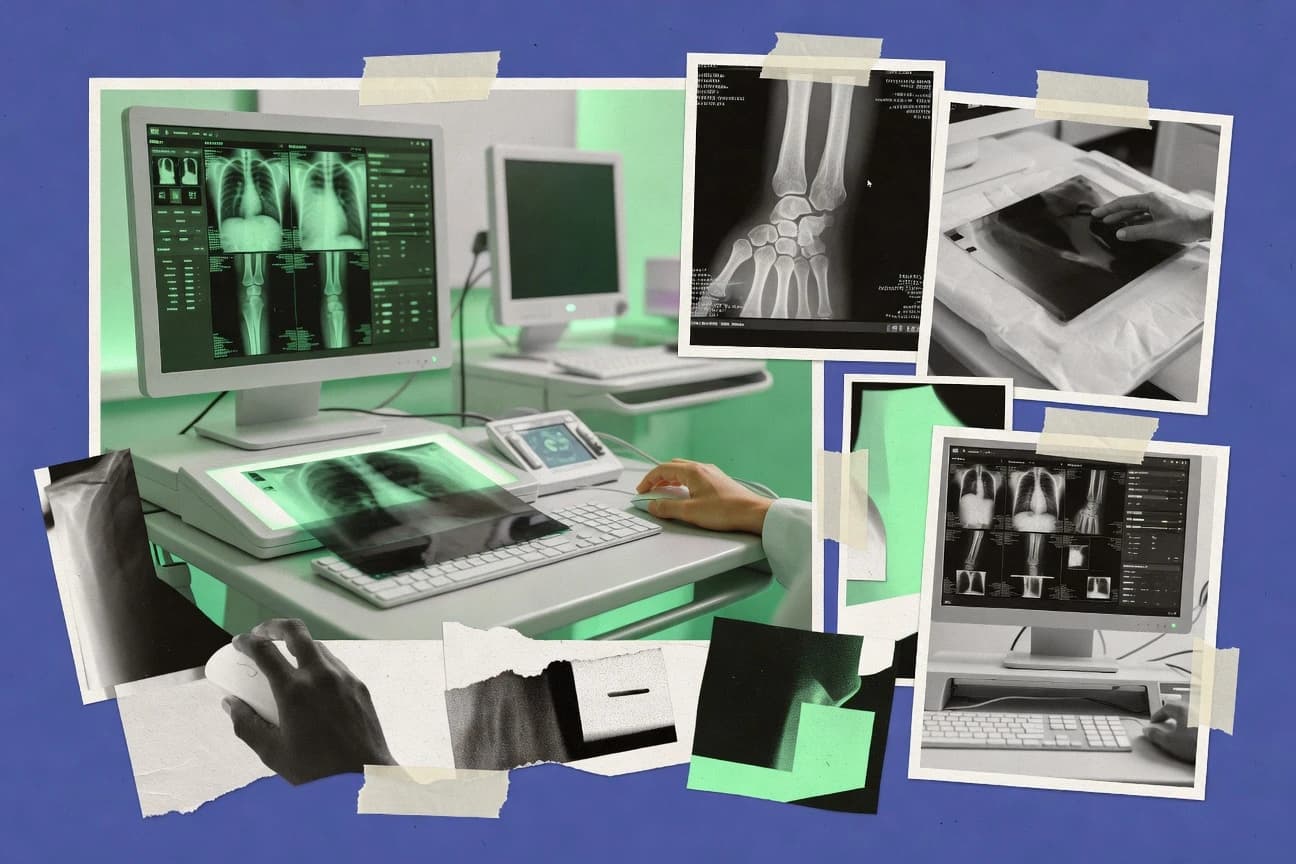
Healthcare MedicineTop 10 Best X Ray Viewer Software of 2026
Top 10 x ray viewer software ranking with feature notes and tradeoffs for medical teams, including AGFA Enterprise Imaging, Horos, and MicroDicom.

How we ranked these tools
Core product claims cross-referenced against official documentation, changelogs, and independent technical reviews.
Analyzed video reviews and hundreds of written evaluations to capture real-world user experiences with each tool.
AI persona simulations modeled how different user types would experience each tool across common use cases and workflows.
Final rankings reviewed and approved by our editorial team with authority to override AI-generated scores based on domain expertise.
Score: Features 40% · Ease 30% · Value 30%
Gitnux may earn a commission through links on this page — this does not influence rankings. Editorial policy
AGFA Enterprise Imaging is the best pick if you’re standardizing radiology viewing across governed enterprise workflows, whereas Horos fits radiology teams on macOS for offline reads with workstation-grade annotations; if you need a budget entry, 3D Slicer works for extensible desktop viewing and analysis.
Editor’s top 3 picks
Three quick recommendations before you dive into the full comparison below — each one leads on a different dimension.
AGFA Enterprise Imaging
Configurable enterprise reading workflows with consistent station behavior across sites and groups.
Built for fits when enterprises standardize imaging workflows across radiology and clinical teams with governed viewer configuration..
Horos
Editor pickHigh-speed workstation interaction with multiplanar reconstruction controls tailored for macOS radiology workflows.
Built for fits when radiology teams need a macOS desktop viewer for offline reads and workstation-grade annotations..
MicroDicom
Editor pickIn-view DICOM header and tag inspection paired with interactive measurements and annotations for review without switching tools.
Built for fits when a department needs standardized web-based review with measurements and metadata visibility, not full enterprise workstation orchestration..
Comparison Table
AGFA Enterprise Imaging
enterpriseAGFA Enterprise Imaging provides enterprise PACS, diagnostic viewing, and medical image management.
Configurable enterprise reading workflows with consistent station behavior across sites and groups.
AGFA Enterprise Imaging is designed for enterprise imaging viewer use with image retrieval tied to DICOM studies and series and with tools for reading tasks like measurement and annotation. Workflow configuration supports consistent hanging and reading behavior across groups rather than leaving every station to manual setup. Access patterns align with radiology workstation needs where staff require fast context switching across studies and reliable viewer defaults.
A key tradeoff is that deep customization typically requires governance discipline to keep configuration consistent across sites. It fits best when an organization wants standardized viewer behavior for multiple modalities and departments under one administrative control set, rather than a single department rolling out ad hoc settings.
- +Enterprise workflow configuration supports consistent reading behavior
- +Study and series navigation uses DICOM metadata context
- +Measurements and annotations support common clinical review tasks
- +Governance-oriented configuration helps standardize viewer defaults
- –Deep configuration requires change control and repeatable admin processes
- –Advanced workflow customization can increase rollout time for new sites
- –Best performance depends on integration and back-end tuning
- –Role-specific setup may require more coordination than lighter viewers
Radiology informatics teams
Standardize reading workflow across multiple sites
More consistent interpretation workflow
Hospital IT operations
Control viewer behavior under governance
Lower configuration inconsistency risk
Show 2 more scenarios
Radiologists
Review DICOM studies with tools
Faster case review
Use metadata-aware study navigation plus measurement and annotation during diagnostic review.
Clinical department leads
Support multi-modality shared access
Reduced training overhead
Provide consistent clinical viewing behavior while keeping access tied to DICOM study context.
Best for: Fits when enterprises standardize imaging workflows across radiology and clinical teams with governed viewer configuration.
Horos
vertical specialistHoros is an open-source macOS DICOM viewer for medical image review and analysis.
High-speed workstation interaction with multiplanar reconstruction controls tailored for macOS radiology workflows.
Horos covers the baseline radiology workstation loop of loading DICOM studies, browsing series, and adjusting image presentation for interpretation. It includes measurement and annotation tooling and supports common advanced viewing functions such as multiplanar reconstruction and maximum intensity projection. That combination fits offline review and second-read workflows where the viewer needs to move quickly through DICOM metadata and image stacks.
A key tradeoff is that Horos is not a web-based DICOM viewer, so DICOMweb access and browser-centered deployment patterns require additional infrastructure or alternate viewers. It also tends to suit environments where imaging files arrive as DICOM data already accessible on the workstation, rather than where every step depends on real-time QIDO-RS and WADO-RS retrieval. Horos works best when macOS workstation users already run a local-centric imaging workflow and need rich manipulation tools without switching into a browser interface.
- +Multiplanar reconstruction and MIP tools support complex anatomical review
- +Measurement and annotation tools support fast capture of clinical findings
- +Native macOS workstation interaction reduces friction during high-frequency reads
- +DICOM study browsing across series supports structured review
- –Desktop-first design limits browser and mobile imaging access
- –Enterprise integration depends on surrounding PACS and DICOM delivery setup
- –Automation and API access are limited compared to viewer stacks built for orchestration
- –Extensibility requires engineering effort for custom workflow integration
Radiologists on macOS workstations
Offline second reads on DICOM studies
Faster interpretation cycles
Imaging QA reviewers
Annotate issues during study triage
Consistent defect documentation
Show 1 more scenario
Surgical planning coordinators
MPR-driven pre-op anatomy checks
More confident planning review
Apply multiplanar reconstruction and MIP to review anatomical structures from DICOM series.
Best for: Fits when radiology teams need a macOS desktop viewer for offline reads and workstation-grade annotations.
MicroDicom
SMBMicroDicom is a Windows DICOM viewer with tools for viewing, measuring, and exporting medical images.
In-view DICOM header and tag inspection paired with interactive measurements and annotations for review without switching tools.
MicroDicom covers core viewing activities such as inspecting DICOM metadata, adjusting window width and level, and using measurement and annotation tools during review. It handles typical DICOM study and series browsing patterns so users can move through a case without leaving the viewer context. The tradeoff is that advanced PACS worklist-driven hanging protocols and deep protocol orchestration are not the primary emphasis compared with dedicated enterprise radiology workstations. MicroDicom is a strong fit when a browser-based clinical viewer reduces friction for reviewing studies across teams.
MicroDicom works best when the viewing surface is the priority and the imaging backend already provides study access. One usage situation is a hospital department that wants standardized measurements and overlays in a web environment for consult workflows. Another situation is an imaging service that needs consistent metadata visibility and review tooling while relying on its existing storage and retrieval layer.
- +Web-first DICOM viewing workflow for cross-team case review
- +Integrated DICOM metadata inspection in the viewing experience
- +Measurement and annotation tools available during image review
- +Window width and level controls tuned for interactive review
- –Limited emphasis on complex hanging protocol orchestration
- –Browser-first workflows can constrain highly customized desktop workstyles
- –Deep PACS admin tooling and governance features are not a primary focus
- –Advanced 3D viewing capabilities are not the core differentiator
Radiology coordinators
Web consults with measured findings
Faster consult turnaround
Imaging QA analysts
Metadata checks during case audits
Higher consistency in QA notes
Show 2 more scenarios
On-call clinicians
Quick review across devices
Reduced review friction
Clinicians can adjust window width and level and annotate findings for urgent review workflows.
Vendor integration teams
Viewer embed into internal portals
Lower integration overhead
Integration teams can surface DICOM review controls in an existing web workflow without building a desktop radiology client.
Best for: Fits when a department needs standardized web-based review with measurements and metadata visibility, not full enterprise workstation orchestration.
RadiAnt DICOM Viewer
vertical specialistRadiAnt displays X-ray, CT, MRI, ultrasound, and other DICOM studies on Windows.
Instant desktop-level interaction with multiplanar reconstruction and measurement tools in a single reading workspace.
RadiAnt DICOM Viewer is a desktop DICOM viewer known for fast, local image playback and a workstation-style layout. It provides core viewing controls for common radiology workflows, including window width and level tuning, multiplanar reconstruction, and measurement and annotation tools.
The software also supports integration patterns through its import and export of DICOM content and configurable reading behavior across studies and series. RadiAnt is typically chosen when teams want a responsive X-ray reading and QA tool that stays out of the browser.
- +Responsive navigation built for scan-to-scan review workflows
- +Multiplanar reconstruction and measurement tools for radiology-style tasking
- +Strong DICOM metadata visibility to support QA and troubleshooting
- +Local-first viewing behavior supports high-throughput image inspection
- –Desktop deployment limits web-based PACS viewer consolidation
- –Automation and API surface are limited compared with enterprise viewers
- –External system integration depends on manual workflows rather than services
- –Advanced enterprise governance features are not its primary focus
Best for: Fits when imaging teams need a fast desktop X-ray DICOM viewer for review, QA, and measurement.
Weasis
enterpriseWeasis is an open-source DICOM viewer for desktop imaging workflows.
Plugin architecture lets deployments add or modify viewer interactions without changing the core viewer.
Weasis renders DICOM studies in a desktop DICOM viewer workspace with synchronized images, series navigation, and measurement tooling. It supports both local DICOM file browsing and DICOMweb-style retrieval patterns that fit imaging gateways and PACS workflows.
The application is extensible through plugins for viewer behaviors and integration points, which helps standardize controls across different deployments. Weasis also exposes DICOM tag viewing and flexible layout workflows for radiology-style review and communication tasks.
- +Strong DICOM viewing workflow with annotations and measurements
- +Plugin-based extensibility for custom viewer behaviors
- +Series organization and synchronized multi-frame navigation
- +DICOM header and tag inspection supports troubleshooting
- –DICOMweb integration typically requires additional system setup
- –Advanced automation needs custom integration work
- –Thick desktop deployment can limit browser-only environments
- –Workflow consistency depends on local configuration discipline
Best for: Fits when teams need a desktop DICOM viewer with extensible controls for local and gateway retrieval flows.
OHIF Viewer
API-firstOHIF Viewer is a web-based open-source viewer for DICOM and medical imaging data.
Extensibility through a modular viewer architecture that supports custom toolbars and workflow behaviors without rewriting the core rendering engine.
OHIF Viewer is a web-based DICOM viewer built from the OHIF codebase, with a focus on browser-native imaging workflows and extensibility. It handles common diagnostic viewing tasks like window width and level, overlays, and measurement-style interactions across DICOM objects.
The viewer can be deployed as a client that connects to imaging servers through DICOMweb-style retrieval flows, and it supports customization through a plugin-style architecture. Teams adopt it to standardize viewing behavior across modalities while keeping UI logic outside the viewer core.
- +Browser-based viewer with fast, shared access across networks
- +Window width and level controls with consistent interaction model
- +Annotation and measurement tools for in-session communication
- +Extensible UI via configurable modules and viewer plugins
- –Real-world integration requires aligning server endpoints and imaging routing
- –Some advanced radiology workstation workflows need custom extensions
- –Deployment choices can complicate governance for regulated environments
- –Plugin customization can increase maintenance overhead over time
Best for: Fits when teams need a configurable web-based DICOM viewer that can match local workflow expectations.
OsiriX MD
vertical specialistOsiriX MD provides DICOM viewing and image analysis on macOS.
Built-in radiology-oriented measurement and annotation workflow inside the desktop DICOM viewer.
OsiriX MD is a desktop DICOM viewer focused on radiology-style reading workflows, including image annotation, measurements, and study organization. The software renders DICOM images with typical hanging-protocol-like behaviors such as series navigation and multiplanar presentation for key viewing tasks.
It supports common medical imaging interchange through DICOM query and retrieve operations, which helps users pull studies from external systems into the viewer. Integration depth is strongest for organizations that standardize on desktop workflows and image exchange via DICOM.
- +Fast series navigation with consistent study organization for review sessions
- +Measurement and annotation tools support common radiology documentation needs
- +Multiplanar reconstruction style views support spine, chest, and extremity review
- +DICOM query and retrieve helps retrieve studies from external archives
- –Desktop-focused use limits browser-style distribution and zero-footprint access
- –Advanced enterprise governance features like fine-grained RBAC are not a core emphasis
- –Automation hooks are limited compared with viewer suites built around DICOMweb
- –Best results depend on consistent DICOM network configuration and study routing
Best for: Fits when radiology teams need a desktop DICOM viewer with strong annotation and study retrieval.
3D Slicer
vertical specialist3D Slicer is a free open-source platform for medical image visualization and analysis.
Extensible module architecture lets imaging workflows, including custom processing and display logic, be added as plugins.
3D Slicer is a desktop medical imaging and visualization application built around an extensible module system. As an X-ray viewer solution, it supports common radiology image formats and provides multiplanar reconstruction style workflows for volumetric data along with measurement and annotation tools.
The core UI lets users window and level, navigate slices, and apply basic segmentation and registration workflows through its plugin modules. Data import, processing, and export are handled inside one workspace, which reduces handoffs for teams that preprocess images before viewing.
- +Module-based workflow lets teams add viewer steps without forking code
- +Built-in measurement and annotation tools work directly on images
- +Supports slice navigation and window width and level controls
- +Comprehensive image processing pipeline reduces external preprocessing steps
- –Not a dedicated zero-footprint DICOM viewer for browser-based viewing
- –Workflows often require understanding modules and dataset organization
- –Large cases can feel slower without careful memory management
- –Enterprise governance like RBAC and audit log is not part of the core viewer
Best for: Fits when desktop imaging teams need an extensible workflow for image viewing, measurement, and downstream processing.
Sectra Enterprise Imaging
enterpriseSectra Enterprise Imaging provides PACS and diagnostic image viewing for healthcare organizations.
Hanging protocol configuration designed for consistent diagnostic review across enterprise study distribution workflows.
Sectra Enterprise Imaging serves radiology review and image distribution for healthcare organizations with tight integration into Sectra's broader imaging ecosystem. It supports DICOM study viewing with configurable hanging protocols, image tools like measurement and annotation, and worklists that help drive review throughput.
Administration focuses on controlled access to imaging resources across sites and departments. For teams that need enterprise imaging viewer deployment with governance around study access and review workflows, Sectra fits long-lived radiology operations.
- +Configurable hanging protocols for consistent radiology review layouts
- +Enterprise imaging workflows that align with study distribution and review
- +Measurement and annotation tools support structured image review
- +Access control focused on organizational imaging governance
- –Implementation typically depends on enterprise integration and workflow mapping
- –Advanced configuration can be admin-heavy for smaller teams
- –Web access patterns are not the primary strength versus dedicated deployments
- –Third-party extensibility is less visible than in viewer-first vendors
Best for: Fits when large radiology operations need controlled enterprise imaging workflows with consistent hanging protocols.
PostDICOM
SMBPostDICOM provides cloud-based DICOM storage, sharing, and browser viewing.
Browser viewing with DICOMweb-style retrieval for loading studies without manual file import steps.
PostDICOM is a web-based DICOM viewer designed for viewing studies and series in a browser without requiring a dedicated desktop radiology workstation install. The core workflow centers on loading DICOM objects, navigating series, and inspecting image presentation with window width and level controls plus basic viewing tools like zoom and pan.
PostDICOM also supports integration with DICOMweb-style services for retrieving studies, which reduces manual file handling during clinical or enterprise imaging workflows. Administration and automation depth appear lighter than enterprise PACS viewer offerings, which affects deployment governance and advanced routing scenarios.
- +Browser-based DICOM viewing avoids desktop client deployment cycles
- +Series-first navigation supports quick review of DICOM study contents
- +Window width and level controls match common radiology image presentation needs
- +DICOMweb-style retrieval reduces manual file transfers for review
- –Limited evidence of advanced radiology workstation hanging protocol orchestration
- –Measurement and annotation tooling appears basic versus enterprise diagnostic viewers
- –Deeper governance controls like RBAC and audit logging are not clearly exposed
- –Multi-user concurrency and throughput controls are not positioned for heavy PACS loads
Best for: Fits when teams need lightweight browser DICOM review with minimal workstation setup overhead.
Conclusion
After evaluating 10 healthcare medicine, AGFA Enterprise Imaging stands out as our overall top pick — it scored highest across our combined criteria of features, ease of use, and value, which is why it sits at #1 in the rankings above.
Use the comparison table and detailed reviews above to validate the fit against your own requirements before committing to a tool.
How to Choose the Right x ray viewer software
This buyer’s guide explains how to select x ray viewer software for diagnostic review, QA, measurement, and enterprise distribution.
Coverage includes AGFA Enterprise Imaging, Horos, MicroDicom, RadiAnt DICOM Viewer, Weasis, OHIF Viewer, OsiriX MD, 3D Slicer, Sectra Enterprise Imaging, and PostDICOM.
The guide maps concrete viewer behaviors like multiplanar reconstruction, measurement and annotation, and reading-workflow control to the decision needs for desktop teams and browser teams.
It also highlights where automation and integration surfaces are limited so planning stays realistic for regulated imaging workflows.
DICOM viewing applications for X-ray and cross-modality review
X ray viewer software renders DICOM studies for reading sessions with image presentation controls, series and study navigation, and measurement and annotation workflows.
Many tools also expose DICOM metadata or header inspection to support QA and troubleshooting during review.
AGFA Enterprise Imaging and Sectra Enterprise Imaging represent enterprise imaging viewer deployments with controlled reading workflows, while RadiAnt DICOM Viewer and Horos represent desktop viewing tools optimized for local workstation interaction.
Evaluation checks for DICOM viewing workflows and enterprise governance
The right tool should match how cases move from storage to review and how reviewers standardize windowing, layouts, and measurement behavior.
The strongest differentiators across the reviewed products are workflow configuration control, viewer extensibility model, and what the viewer does natively versus what requires surrounding PACS or server setup.
Key checks below focus on the specific capabilities each tool emphasizes in real-world reading workflows.
Enterprise reading workflow configuration with consistent station behavior
AGFA Enterprise Imaging excels at configurable enterprise reading workflows that keep station behavior consistent across sites and groups, which reduces variability in diagnostic review behavior.
Multiplanar reconstruction and MIP oriented workstation interaction
Horos and RadiAnt DICOM Viewer deliver multiplanar reconstruction and measurement interactions designed for scan-to-scan reading speed, with RadiAnt positioned for instant desktop-level handling and Horos tailored to macOS radiology workflows.
In-session DICOM metadata and header inspection
MicroDicom pairs interactive measurement and annotation with in-view DICOM header and tag inspection, which supports review without switching to external inspection tools.
Modular extensibility model for viewer tools and UI behavior
OHIF Viewer and Weasis focus on modular or plugin-based architectures that let teams add or modify viewer interactions through configuration and plugins, which supports workflow alignment without rewriting the rendering engine.
Hanging protocol configuration for enterprise diagnostic layouts
Sectra Enterprise Imaging focuses on hanging protocol configuration to standardize diagnostic review layouts across enterprise study distribution workflows.
Browser-first retrieval and viewing without desktop deployment cycles
PostDICOM and MicroDicom emphasize browser-based review flows, and PostDICOM specifically pairs browser viewing with DICOMweb-style retrieval to reduce manual file import steps.
Integrated desktop module workflow for viewing plus downstream processing
3D Slicer bundles a module-based environment where viewing, annotation, measurement, and image processing run inside one workspace, which fits teams that want viewing tied to preprocessing and downstream work.
Choose a viewer by deployment model, workflow control depth, and extension strategy
Start by matching deployment shape to the reading workflow. Desktop-first tools fit offline and workstation-centric behavior, while web-based viewers fit shared access and lighter client rollout.
Then align governance depth with operational needs. Enterprise imaging viewers add workflow standardization and controlled access patterns, while desktop and browser viewers shift standardization responsibility to local configuration and surrounding infrastructure.
Finally, confirm whether extensibility is meant for UI behavior, viewer plugins, or end-to-end processing modules, because each approach changes implementation effort.
Pick desktop-first or browser-first based on client rollout and review access pattern
Use RadiAnt DICOM Viewer or Horos when teams run high-frequency desktop reads and want fast workstation interaction for measurement and multiplanar reconstruction. Use OHIF Viewer or PostDICOM when cases need browser-native access for shared viewing across networks and when avoiding desktop client deployment cycles matters.
Decide how much workflow standardization must be enforced centrally
Select AGFA Enterprise Imaging when enterprise teams need configurable reading workflows that enforce consistent station behavior across sites and groups with governance-oriented configuration. Select Sectra Enterprise Imaging when standardized diagnostic layouts depend on hanging protocol configuration for study distribution workflows.
Require metadata visibility in the review UI when QA and troubleshooting are part of everyday work
Choose MicroDicom when the review workflow must include in-view DICOM header and tag inspection paired with measurement and annotation so QA teams do not switch tools. Choose Weasis or OHIF Viewer when troubleshooting benefits from DICOM header and tag viewing and when flexible layouts help communication inside the same viewer session.
Select an extensibility approach that matches the customization target
Use Weasis or OHIF Viewer when customization focuses on viewer interactions through plugin or modular viewer architectures without replacing the core rendering engine. Use 3D Slicer when customization includes adding new processing and display logic via an extensible module system inside the same desktop workspace.
Plan for orchestration work when enterprise workflows and hanging protocol complexity are required
Avoid assuming a desktop viewer like RadiAnt DICOM Viewer or Horos will provide the enterprise workflow orchestration expected in large environments, since both emphasize local workstation interaction and limited automation and API surface compared with enterprise viewers. If hanging protocols and worklists drive throughput, align requirements to Sectra Enterprise Imaging or AGFA Enterprise Imaging rather than using a lightweight browser viewer like PostDICOM for heavy orchestration needs.
Confirm integration expectations for retrieval and network access
If studies must load through DICOMweb-style retrieval with minimal manual file handling, PostDICOM is designed around that browser loading flow. If the environment relies on gateway or PACS delivery and requires flexible local workflows, Weasis supports both local file browsing and DICOMweb-style retrieval patterns, but it still requires additional system setup for DICOMweb integration.
Which teams should use each type of x ray viewer
Selection depends on whether the organization needs centralized workflow standardization, workstation-grade annotation speed, or browser-first shared access.
The reviewed tools also split strongly between viewers that primarily render and measure and platforms that add module-driven processing inside the same workspace.
The segments below map directly to each tool’s best-fit use case.
Enterprises standardizing diagnostic review across sites and departments
AGFA Enterprise Imaging fits when consistent station behavior must be enforced across radiology and clinical teams with configurable enterprise reading workflows. Sectra Enterprise Imaging fits when consistent diagnostic layouts depend on hanging protocol configuration across enterprise study distribution workflows.
Radiology teams focused on offline workstation reads on macOS
Horos fits when radiology teams need a macOS desktop viewer with high-speed multiplanar reconstruction controls for offline reads and workstation-grade annotations.
Departments needing browser-based review with measurement plus metadata inspection
MicroDicom fits when standardized web-based review must include window width and level controls, measurement and annotation, and in-view DICOM header and tag inspection.
Imaging teams optimizing for fast desktop X-ray review, QA, and measurement
RadiAnt DICOM Viewer fits when teams need instant desktop-level interaction that combines multiplanar reconstruction with measurement and strong DICOM metadata visibility for QA and troubleshooting.
Organizations requiring extensible web or desktop viewing experiences for custom workflows
OHIF Viewer fits when a configurable web-based DICOM viewer must match local workflow expectations through modular extensibility. 3D Slicer fits when extensibility includes custom processing and display logic in a single desktop module workflow, not just viewing interactions.
Pitfalls that cause failed deployments or inconsistent reading behavior
Misalignment between viewer capabilities and the surrounding imaging workflow leads to inconsistent review UX, extra manual work, or governance gaps.
The most common issues come from assuming a lightweight viewer provides the same enterprise control depth as an imaging platform and from underestimating the integration and orchestration effort required for consistent layouts and retrieval endpoints.
The pitfalls below map to concrete limitations seen across the reviewed tools.
Treating a desktop viewer as an enterprise workflow orchestrator
RadiAnt DICOM Viewer and Horos provide fast workstation interaction, but their automation and API surface is limited compared with enterprise viewers, which makes centrally enforced station behavior harder at enterprise scale. Use AGFA Enterprise Imaging or Sectra Enterprise Imaging when consistent reading workflows and layout governance must span multiple sites and groups.
Assuming browser-first viewers will deliver enterprise hanging-protocol throughput
PostDICOM focuses on lightweight browser viewing and DICOMweb-style retrieval for loading studies, but it does not position hanging protocol orchestration as a core strength. For enterprise diagnostic layout consistency, select Sectra Enterprise Imaging with hanging protocol configuration.
Skipping metadata visibility planning for QA workflows
MicroDicom includes in-view DICOM header and tag inspection paired with interactive measurements, which is critical for QA and troubleshooting without tool switching. Relying on viewers like OHIF Viewer or Weasis without verifying how metadata and tag inspection are exposed can force extra context switching for QA tasks.
Choosing extensibility without matching the customization target
OHIF Viewer and Weasis extend viewer behavior through modular or plugin architecture, which fits UI and tool interaction customization. 3D Slicer extends workflows through modules that support processing and display logic, so using it for simple reading-only needs can create unnecessary workflow complexity.
Underestimating the setup effort for retrieval patterns
Weasis supports both local browsing and DICOMweb-style retrieval patterns, but DICOMweb integration typically requires additional system setup. OHIF Viewer requires aligning server endpoints and imaging routing, so planned endpoints and routing rules must be ready before expecting consistent browser viewing.
How We Selected and Ranked These Tools
We evaluated AGFA Enterprise Imaging, Horos, MicroDicom, RadiAnt DICOM Viewer, Weasis, OHIF Viewer, OsiriX MD, 3D Slicer, Sectra Enterprise Imaging, and PostDICOM using a criteria-based scoring model that separates features, ease of use, and value.
The overall rating is a weighted average where features carry the most weight, while ease of use and value each materially affect the final ordering.
This editorial research relied on the provided capability descriptions and practical fit signals inside the tool write-ups, not on any hands-on lab testing or private benchmark experiments.
AGFA Enterprise Imaging set itself apart for enterprises by delivering configurable enterprise reading workflows with consistent station behavior across sites and groups, which raised its features and ease-of-use fit for governed imaging operations.
Frequently Asked Questions About x ray viewer software
How does a web-based DICOM viewer handle retrieval of studies and series for X-ray viewing?
Which tool supports plugin-based extensibility for viewer behavior without changing the core rendering engine?
When is a macOS desktop DICOM viewer like Horos the better choice for X-ray annotation workflows?
What breaks if enterprise teams need consistent hanging-protocol-like behavior across departments and sites?
How do measurement and annotation tools differ between desktop and browser DICOM viewer workflows?
Which viewer exposes DICOM header and tag inspection as part of the reading workflow?
How is DICOM query and retrieve used for pulling studies into an X-ray viewer?
What administrative controls and security posture should be expected from enterprise imaging platforms?
When does an X-ray viewer fall short for high-throughput review and worklist-driven operations?
Tools reviewed
Primary sources checked during evaluation.
Referenced in the comparison table and product reviews above.
- Healthcare MedicineTop 10 Best Digital X Ray Software of 2026
- Healthcare MedicineTop 10 Best Dicom Viewing Software of 2026
- Healthcare MedicineTop 10 Best Ultrasound Imaging Software of 2026
- Healthcare MedicineTop 10 Best Dental Xray Software of 2026
- Healthcare MedicineTop 10 Best Dental X Ray Software of 2026
Keep exploring
Comparing two specific tools?
Software Alternatives
See head-to-head software comparisons with feature breakdowns, pricing, and our recommendation for each use case.
Explore software alternatives→In this category
Healthcare Medicine alternatives
See side-by-side comparisons of healthcare medicine tools and pick the right one for your stack.
Compare healthcare medicine tools→