GITNUXSOFTWARE ADVICE
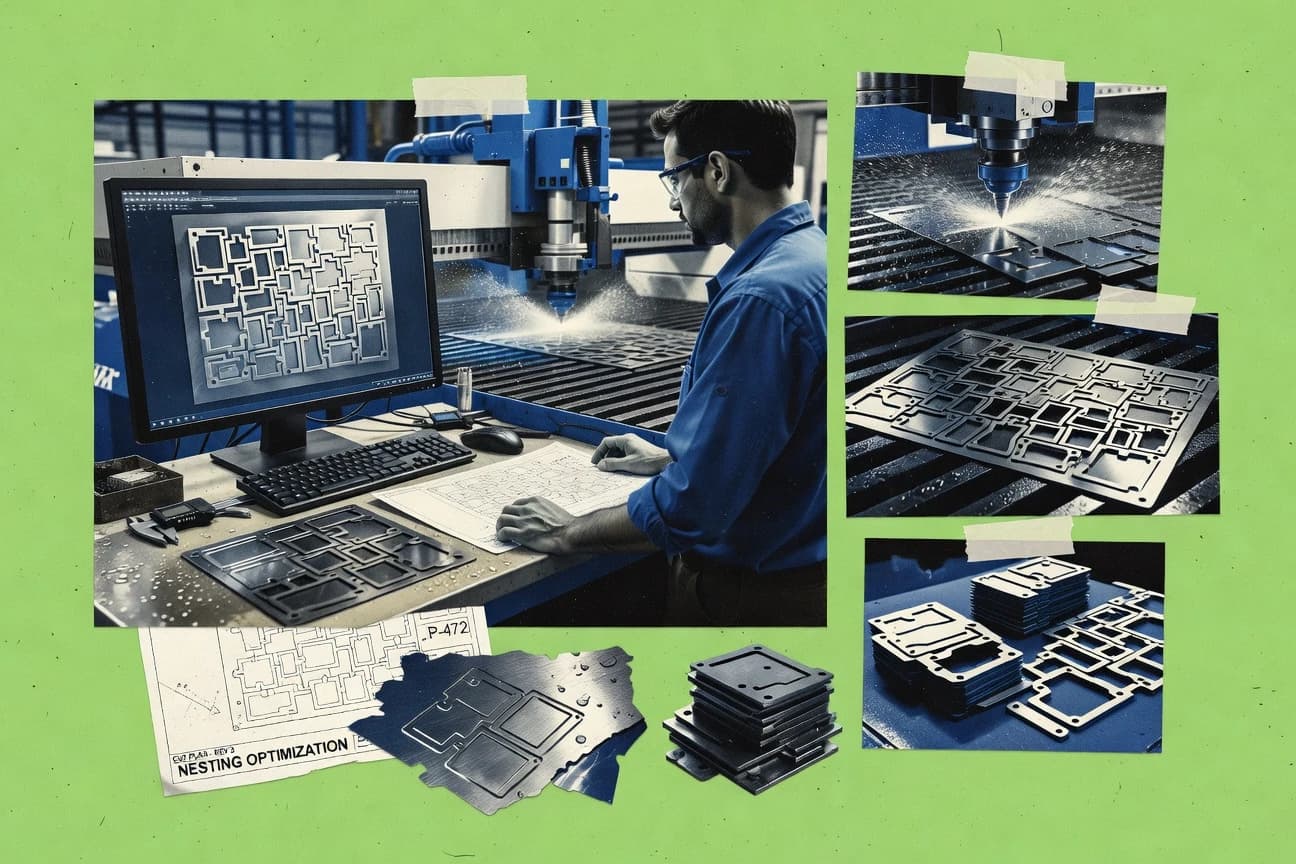
Manufacturing EngineeringTop 10 Best Waterjet Nesting Software of 2026
Ranked roundup of waterjet nesting software for cutting shops, weighing JetCAM Expert, Lantek Expert Cut, and OMAX Intelli-MAX tradeoffs.

How we ranked these tools
An editor sets the topic, the inclusion criteria, and the evaluation framework before research starts.
AI search agents find sources, extract figures with provenance, and aggregate written reviews. They also transcribe video reviews and podcasts.
Framework: Features 40% · Ease 30% · Value 30%
Gitnux may earn a commission through links on this page — this does not influence rankings. Editorial policy
JetCAM Expert is the best fit for production shops that need repeatable waterjet nests and consistent NC output standards, whereas Lantek Expert Cut suits teams standardizing waterjet setups and generating repeatable NC from CAD imports when you want enterprise CAD/CAM workflows.
Editor’s top 3 picks
Three quick recommendations before you dive into the full comparison below — each one leads on a different dimension.
JetCAM Expert
Waterjet-specific constraint handling ties process parameters to pierce planning and cut sequencing before NC generation.
Best for: Fits when production shops need repeatable waterjet nests with consistent NC output standards.
Lantek Expert Cut
Editor pickMachine-oriented NC output control via post-processor configuration ties nesting decisions to waterjet execution details.
Best for: Fits when shops standardize waterjet setup and need repeatable NC output from CAD imports.
OMAX Intelli-MAX
Editor pickNozzle collision avoidance logic is integrated into path planning to limit unsafe tool moves.
Best for: Fits when OMAX-focused shops need tight nesting-to-output control for batch waterjet cutting.
Comparison Table
JetCAM Expert
vertical specialistNesting and NC programming software supports waterjet and other sheet-cutting machines.
Waterjet-specific constraint handling ties process parameters to pierce planning and cut sequencing before NC generation.
JetCAM Expert centers on practical waterjet nesting from imported CAD geometry through automated placement, sequencing, and NC code generation for cutting. DXF import is used as the primary intake format for part outlines, and the output pipeline supports post-processing so cut data matches a specific machine control workflow. Process parameters such as abrasive and waterjet cutting settings, along with geometry-aware constraints, are applied to reduce wasted motion and avoid nozzle conflicts during cut execution.
A key tradeoff is that JetCAM Expert is strongest when the shop can commit to a stable CAD input and a consistent NC output standard, since deep workflow customization depends on how the machine post-processor and templates are configured. The best usage situation is a production environment that runs frequent batches from recurring part families, where material libraries and output formats need to stay aligned across repeated orders. Another strong fit is a multi-shift shop that needs predictable nest generation and repeatable cut sequencing without relying on operators to manually tweak paths each time.
- +DXF-driven nesting workflow maps directly into CNC output creation
- +Waterjet process parameters guide pierce planning and constraint handling
- +Machine post-processing supports reuse of existing output standards
- +Batch nesting enables repeatable production runs from common part sets
- –Template and post setup can limit flexibility when machine conventions change
- –Geometry cleanup is still required when CAD imports contain messy outlines
Waterjet operations supervisors
Batch nests for recurring parts
Lower operator intervention per batch
CAD/CAM coordinators
Standardize NC output formatting
Fewer rework loops after CAM
Show 1 more scenario
Job shop production planners
Nest from supplier DXF cutlists
Faster turnaround from incoming files
DXF imports turn supplier geometry into machine-ready nests for fast order throughput.
Best for: Fits when production shops need repeatable waterjet nests with consistent NC output standards.
Lantek Expert Cut
enterpriseCAD/CAM software supports nesting and programming for waterjet cutting operations.
Machine-oriented NC output control via post-processor configuration ties nesting decisions to waterjet execution details.
Lantek Expert Cut fits cutting shops that treat nesting as part of a larger job flow, from CAD import and nesting definition to NC output for waterjet machines. DXF import and job templates let teams standardize how parts, kerf settings, and material thickness data are applied before optimization runs. Cut-path sequencing choices support production-friendly ordering when multiple parts and job variants share the same sheet plan.
A key tradeoff versus lighter nesting tools is that configuration depth takes time, especially when aligning nozzle travel constraints and machine-specific post-processing behavior across multiple waterjet profiles. Expert Cut works best when jobs repeat and teams need consistent setup across shifts, not when engineers need fully ad hoc one-off nesting changes every hour. For shops doing frequent batch nesting and using remnant inventory to capture leftover yield, the workflow supports tighter turnaround between planning and reorders.
- +Batch nesting workflow supports recurring job variants
- +Configurable NC generation with machine post-processor control
- +Lead-in and lead-out options reduce manual path edits
- +Collision-aware sequencing reduces nozzle travel conflicts
- –Machine profile configuration requires careful setup discipline
- –Manual nest editing feels slower than lightweight nesting editors
Estimating and nesting engineers
DXF-driven jobs with standard kerf settings
Faster quoting to production handoff
Production planners
Multi-part batch sheets
More predictable shop throughput
Show 2 more scenarios
Waterjet programmers
Machine profile alignment
Fewer post-output surprises
Tune post-processor behavior and collision-aware path sequencing for specific nozzle and axis behavior.
Operations teams
Remnant planning for reorders
Higher effective material utilization
Use remnant handling within nesting planning to reduce new sheet starts.
Best for: Fits when shops standardize waterjet setup and need repeatable NC output from CAD imports.
OMAX Intelli-MAX
vertical specialistWaterjet CAD/CAM software provides drawing, nesting, and machine-control functions.
Nozzle collision avoidance logic is integrated into path planning to limit unsafe tool moves.
Intelli-MAX supports importing CAD geometry for nesting and uses kerf compensation and cutting strategy controls to refine cut results for real waterjet conditions. The workflow covers cut path sequencing and NC code generation with a machine post-processor step that aligns output to OMAX motion expectations. OMAX-style part and job setup tends to reduce translation errors between design intent and shop-floor parameters when parts come in as 2D files. This makes Intelli-MAX a fit when nesting decisions and machine parameter decisions must stay tightly coupled.
A key tradeoff is that Intelli-MAX workflow depth is strongest around OMAX-centric configuration, which can increase effort if the shop runs multiple jet brands with different controller expectations. Intelli-MAX is most useful in repetitive batch nesting where operators need consistent pierce and lead-in behavior across many parts, and where remnant planning follows the same parameter set from job to job.
- +True-shape nesting tuned for waterjet kerf and cut strategy
- +NC generation path includes OMAX-specific machine output preparation
- +Nozzle collision avoidance helps reduce scrap from invalid tool motions
- +Pierce and lead-in controls support repeatable batch jobs
- –Stronger fit for OMAX machine ecosystems than mixed-brand fleets
- –Complex jobs can require careful operator setup to maintain consistency
Waterjet operations supervisors
Standardize cut behavior across batches
Fewer operator-to-operator variations
Estimators and quoting teams
Prepare production-ready cut instructions
More reliable job handoff
Show 1 more scenario
Process engineers
Reduce collision-driven scrap
Lower scrap and rework
Use nozzle collision avoidance during toolpath creation to prevent invalid motions on tight layouts.
Best for: Fits when OMAX-focused shops need tight nesting-to-output control for batch waterjet cutting.
SigmaNEST
enterpriseCAD/CAM software provides nesting and waterjet programming for production cutting.
Machine post-processor output ties nesting results to controller-ready code using shared parameter profiles.
SigmaNEST targets waterjet nesting with an emphasis on generating production-ready cut plans from CAD inputs. The workflow supports DXF-driven nesting, automatic cut grouping, and per-job parameter control such as lead-in and lead-out, pierce behavior, and kerf compensation.
- +Post-processor-driven NC output supports controller-specific cut code generation
- +Job setup controls include lead-in and lead-out plus kerf compensation
- +Batch planning supports reusing nesting intent across similar production runs
- +DXF-centric CAD ingestion fits common waterjet drawing pipelines
- –Deep optimization tuning takes time to translate into stable production habits
- –Complex multi-step path planning can require parameter discipline to avoid edge-case surprises
- –Some CAD formats beyond DXF need validation in an existing shop workflow
- –Requires careful machine parameter alignment to prevent collision-related false positives
Best for: Fits when mid-size shops need repeatable waterjet nests with dependable NC generation per machine.
CutLeader
vertical specialistCAD/CAM software provides nesting and cutting control for waterjet equipment.
Operator edit loop that preserves the nest context while adjusting part placement and recalculating toolpaths.
CutLeader generates and edits waterjet nesting cut plans for DXF-based workflows, with emphasis on managing parts on sheets and producing machine-ready cut paths. The core workflow centers on importing CAD geometry, setting material and jet parameters, and running nesting iterations that account for collision avoidance and lead-in sequencing.
- +DXF-first workflow reduces friction for waterjet shops already using 2D CAD exports
- +Post-optimization editing lets operators adjust parts without restarting the nest
- +Material and jet parameter controls support repeatable cut planning per material class
- +Collision-aware cut path generation helps reduce nozzle interference risk
- –Optimization depth depends heavily on correct parameter setup for each material
- –Automation for upstream ERP or shop-floor data handoff is limited compared with deeper integration suites
- –NC output quality depends on the configured machine post-processor settings
- –Complex multi-sheet strategies can require more manual oversight than fully guided flows
Best for: Fits when a waterjet shop needs practical DXF-driven nesting with operator-level edit control.
FlowMaster
vertical specialistWaterjet programming software supports part preparation, nesting, and machine operation.
NC code generation that routes nesting output through a configurable machine post-processor for waterjet production.
FlowMaster targets waterjet nesting workflows for cutting shops that need tighter control of cut path sequencing and shop-ready output from CAD-derived geometry. It centers on DXF-based input handling, nesting-driven lead-in and lead-out planning, and NC code generation through configurable machine post-processing.
- +Batch nesting to keep throughput consistent across recurring jobs
- +Configurable post-processing for translating generated output
- +Lead-in and lead-out control to match shop tooling constraints
- +Straightforward nest editing for late-stage layout changes
- –DXF-first workflows can add friction when incoming CAD is DWG or STEP
- –Automation for exception handling is limited for heavily customized rules
- –Pierce point and nozzle collision tuning lacks the depth of top-tier suites
- –Governance features like audit trails and RBAC are not a primary strength
Best for: Fits when a shop runs mostly DXF-driven waterjet jobs and needs practical nesting edits with machine-specific output.
Jetcam
enterpriseCAM and nesting software with dedicated waterjet modules for automated and manual nesting.
Regenerated NC output updates quickly after parameter edits, reducing the time between trial nests and operator-ready files.
Jetcam focuses on automating waterjet nesting through a workflow that runs from CAD input to machine-ready cut output. The core capability is its nesting engine plus post-processor output controls, which lets shops tune cut path behavior and production sequencing for waterjet setups.
- +Fast round-trip from edited geometry to regenerated cut paths and output
- +Waterjet-specific output control through machine post-processor options
- +Remnant-aware planning supports repeat builds and material reuse
- +Batch nesting supports multi-order production runs with shared sheets
- –Limited guidance for complex nozzle collision avoidance scenarios
- –Setup requires discipline to keep machine parameters consistent across jobs
- –Deep ERP integration depends on external connectivity and shop workflows
- –DXF import outcomes can need cleanup before nesting tolerances are correct
Best for: Fits when mid-size shops need controlled waterjet output generation with operator-friendly iteration cycles.
Alma
enterpriseCAM and nesting software from Alma with waterjet cutting support and advanced nesting strategies.
Kerf-aware cut path sequencing with waterjet-centric parameter handling for consistent job execution.
Alma is a waterjet nesting application from alma.fr that focuses on turning CAD imports into machine-ready cutting instructions. It supports 2D CAD nesting workflows with sheet utilization logic and path generation geared to waterjet constraints like kerf compensation and kerf-aware cut sequencing.
- +Waterjet-leaning path generation that accounts for kerf compensation during nesting
- +DXF-based workflow fits common shop CAD handoff patterns
- +Cut path sequencing supports reducing cut interference between parts
- +Remnant-style thinking improves reuse of leftover sheet area
- –Material thickness handling depends on complete library setup
- –NC output tuning requires stronger CAM discipline than visual-only nest editing
Best for: Fits when waterjet shops need repeatable CAD-to-NC nesting with kerf-aware path logic.
CAMduct
enterpriseAutodesk Fabrication CAMduct with nesting capabilities supporting waterjet cutting for HVAC ductwork.
Configurable machine post-processing for shop-specific NC generation tied to waterjet cut path sequencing controls.
CAMduct generates waterjet nesting from CAD inputs and outputs NC code through configurable machine post-processors. It focuses on true-shape nesting workflows for mixed geometry, including cut sequencing and collision-aware path planning concepts tied to waterjet constraints.
- +Machine post-processor configuration supports shop-specific NC output
- +True-shape nesting workflow suits mixed geometry beyond rectangles
- +Remnant-oriented planning supports multi-sheet and follow-on jobs
- +Cut sequencing controls reduce manual path editing during iteration
- –Material and process libraries require careful maintenance to stay current
- –Automation depth depends on import cleanup and consistent layer conventions
Best for: Fits when waterjet shops standardize NC output and iterate nesting from CAD files without custom development.
NestFab
SMBTrue-shape nesting software designed for waterjet, plasma, and laser cutting operations.
Nozzle collision avoidance is tied directly into the nesting output generation so conflicts are mitigated before NC export.
NestFab is a waterjet nesting workflow tool focused on generating cut-ready layouts from CAD inputs and managing production constraints inside the nesting cycle. The software supports DXF import into nesting, then drives cut path sequencing and collision avoidance behaviors through its nesting settings so the generated paths align with machine realities.
- +DXF import supports common cut part workflows without a full CAD authoring loop
- +Generated output includes machine-directed NC post-processing for shop-floor readiness
- +Collision avoidance controls reduce nozzle conflict risk during path planning
- +Cut path sequencing settings help keep ordering consistent across batch runs
- –Fewer import formats than CAD-first toolchains can require for mixed data sources
- –Advanced nesting tuning needs setup discipline to keep results consistent across operators
- –Remnant management depth can feel light versus systems built around inventory-driven planning
- –API and integration hooks are limited compared with the most automation-heavy nesting suites
Best for: Fits when a cutting shop standardizes DXF-driven nests and needs controlled NC output without deep ERP coupling.
Conclusion
After evaluating 10 waterjet nesting software, JetCAM Expert stands out as our overall top pick — it scored highest across our combined criteria of features, ease of use, and value, which is why it sits at #1 in the rankings above.
Use the comparison table and detailed reviews above to validate the fit against your own requirements before committing to a tool.
How to Choose the Right Waterjet Nesting Software
Waterjet nesting software determines how 2D parts are arranged on sheets, how lead-in and lead-out moves are sequenced, and how NC output is generated for waterjet production. This guide covers JetCAM Expert, Lantek Expert Cut, OMAX Intelli-MAX, SigmaNEST, CutLeader, FlowMaster, Jetcam, Alma, CAMduct, and NestFab.
The featured tools differ in how they tie waterjet process parameters to pierce planning and cut sequencing, how they route output through machine post-processors, and how much operator edit control is preserved during recalculation. JetCAM Expert emphasizes waterjet-specific constraint handling before NC generation, while Lantek Expert Cut emphasizes post-processor configuration that controls how nesting decisions become machine execution details.
Waterjet Nesting Software for sheet layout, constraint handling, and controller-ready NC output
Waterjet nesting software translates imported 2D geometry into cut paths that account for kerf and waterjet execution constraints, then generates controller-ready NC code using configurable machine post-processors. JetCAM Expert links waterjet process parameters to pierce planning and constraint handling before NC generation, which targets consistent output standards across repeat jobs.
Lantek Expert Cut pairs batch nesting with configurable NC generation through its machine post-processor, which places more of the control burden on correct machine profile configuration. OMAX Intelli-MAX integrates nozzle collision avoidance logic into path planning, while SigmaNEST ties nesting results to controller-ready code using shared parameter profiles that include lead-in and lead-out plus kerf compensation.
Waterjet nesting evaluation points that map to NC output control
Waterjet nesting tools stand or fall on how they convert imported geometry into cut paths that match waterjet execution rules. JetCAM Expert, Lantek Expert Cut, and SigmaNEST are evaluated on how nesting decisions flow into controller-ready NC code.
Operator edits and automation depth determine whether the software stays consistent across repeats. CutLeader and Jetcam prioritize rapid operator iteration loops, while FlowMaster and NestFab focus on batch nesting and configurable machine post-processing.
Waterjet-specific constraints linked to pierce planning and sequencing
JetCAM Expert ties waterjet process parameters into pierce planning and cut sequencing before NC generation. This approach contrasts with Alma and CAMduct, where kerf-aware sequencing or machine post-processing drives more of the execution mapping than waterjet pierce planning logic.
Machine post-processor configuration that preserves shop NC conventions
Lantek Expert Cut uses machine post-processor configuration to bind nesting decisions to waterjet execution details and controller code. SigmaNEST and FlowMaster also route output through controller-ready code generation using shared parameter profiles or configurable post-processing.
Path-level safety logic for nozzle collision avoidance
OMAX Intelli-MAX integrates nozzle collision avoidance logic into path planning so unsafe moves are limited during route creation. NestFab ties collision avoidance directly into nesting output generation before NC export, while JetCAM Expert and Jetcam handle collision risk with different levels of guidance.
Operator edit loops that recalculate without losing nesting context
CutLeader preserves nest context during operator edits and recalculates toolpaths after part placement changes. Jetcam also accelerates round-trip regeneration of NC output after parameter edits, while template-driven workflows in JetCAM Expert can reduce flexibility when machine conventions change.
Choose Waterjet Nesting Software by output control model and automation depth
The most consequential decision is where control lives: inside waterjet-specific constraint planning, inside post-processor configuration, or inside path planning safety logic. JetCAM Expert and OMAX Intelli-MAX differ by placing more intelligence before NC generation, while Lantek Expert Cut and SigmaNEST emphasize machine post-processor mapping.
The second decision is how crews operate the software on real jobs. CutLeader and Jetcam are built around iterative operator recalculation, while OMAX Intelli-MAX, FlowMaster, and NestFab lean toward batch consistency with machine-oriented output preparation.
Pick the control anchor: constraint logic before NC or controller mapping after nesting
If production requires waterjet-specific constraint handling tied to pierce planning and cut sequencing before NC generation, JetCAM Expert is engineered for that workflow. If the shop standard centers on controller output mapping, Lantek Expert Cut and SigmaNEST put more weight on machine post-processor configuration and controller-ready code generation.
Select collision avoidance placement based on safety ownership
For safety ownership inside the path planner, OMAX Intelli-MAX integrates nozzle collision avoidance logic during path planning. For safety checks mitigated directly during nesting output generation, NestFab ties collision avoidance to the nesting output before NC export.
Choose an operator recalculation model that matches shop iteration speed
When operators need to adjust part placement while preserving the nest context and recalculating toolpaths, CutLeader supports an operator edit loop that stays in the nest context. When the priority is fast regeneration after geometry and parameter edits, Jetcam focuses on quick NC output updates through round-trip regeneration.
Validate post-processing coverage against the machine mix and fleet conventions
If the shop runs multiple machines and expects controller-ready output via machine post-processors, SigmaNEST and FlowMaster emphasize controller-specific cut code generation and configurable machine post-processing. If the shop relies on a narrower ecosystem, OMAX Intelli-MAX aligns more tightly with OMAX machine ecosystems than mixed-brand fleets.
Stress-test the input pipeline for the CAD handoff formats actually used
If the shop standard is DXF-first nesting, CutLeader and NestFab reduce friction by aligning workflow and DXF import with waterjet cut part workflows. If incoming CAD arrives as DWG or STEP, FlowMaster highlights DXF-first friction and CAMduct flags import cleanup and layer convention requirements for automation depth.
Which shops benefit from each nesting software control profile
Waterjet nesting software fits different operating models based on whether it prioritizes waterjet process constraint logic, machine post-processor mapping, or operator-driven edits. JetCAM Expert supports repeatable output standards where waterjet pierce planning and constraint handling must stay consistent. Lantek Expert Cut and SigmaNEST fit shops that standardize machine conventions and rely on post-processor-driven controller output.
Operator iteration needs drive different fits. CutLeader and Jetcam target faster trial-and-adjust cycles, while OMAX Intelli-MAX and NestFab target batch consistency with path planning or collision mitigation tied into output generation.
Waterjet shops standardizing pierce planning and cut sequencing rules across repeat jobs
JetCAM Expert links waterjet process parameters to pierce planning and constraint handling before NC generation. This reduces variability when repeat jobs require consistent output standards.
Cut shops that standardize NC output via machine post-processor profiles
Lantek Expert Cut and SigmaNEST generate controller-ready code through machine post-processor configuration and shared parameter profiles. This aligns with production environments that treat output conventions as governance.
OMAX-focused operations prioritizing path-level collision avoidance during planning
OMAX Intelli-MAX integrates nozzle collision avoidance logic into path planning and includes OMAX-specific machine output preparation. This reduces reliance on manual checks for unsafe tool moves.
Teams that run frequent operator adjustments and expect rapid NC regeneration
CutLeader preserves nest context during operator edit loops and recalculates toolpaths after part placement changes. Jetcam accelerates the time between parameter edits and operator-ready output regeneration.
Shops that need controlled NC output with DXF-centric workflows and minimal ERP coupling
NestFab and CutLeader support DXF-driven nests with machine-directed NC post-processing for shop-floor readiness. FlowMaster also targets batch nesting with configurable post-processing but can add friction when inputs are DWG or STEP.
Common nesting setup mistakes that break waterjet repeatability
Most failures come from mismatched control responsibilities between nesting settings and machine conventions. Template and parameter setup discipline is a recurring issue in JetCAM Expert, Lantek Expert Cut, and Jetcam because changes must stay synchronized across jobs.
Another failure mode comes from assuming collision avoidance logic is universal across tools. Operator edit workflows can also produce unstable results if the parameter configuration does not match the material and machine setup used for earlier nests.
Treating machine post-processor setup as a one-time task when jobs span multiple waterjet configurations
Lantek Expert Cut explicitly ties NC generation behavior to machine post-processor configuration, so incorrect profiles cause repeatability drift. SigmaNEST also uses controller-ready code generation that depends on shared parameter profiles aligned to each controller.
Assuming collision avoidance guidance exists at the same depth across all toolchains
OMAX Intelli-MAX integrates nozzle collision avoidance logic into path planning, while Jetcam flags limited guidance for complex nozzle collision scenarios. NestFab mitigates conflicts before NC export by tying collision avoidance directly into nesting output generation.
Running iterative edits without validating pierce and constraint handling logic stays consistent before NC export
JetCAM Expert ties waterjet process parameters to pierce planning and constraint handling before NC generation. Alma and CAMduct focus more on kerf-aware sequencing or machine post-processing, so pierce-related consistency must be tested with job samples.
Feeding non-DXF inputs into DXF-first workflows without cleaning geometry and layer conventions
FlowMaster calls out friction when incoming CAD is DWG or STEP in DXF-first workflows. CAMduct emphasizes automation depth depending on import cleanup and consistent layer conventions, so inconsistent layers break repeatability.
Overestimating optimization depth without allocating time for tuning into stable operator habits
SigmaNEST notes that deep optimization tuning takes time to translate into stable production habits. CutLeader’s optimization depth depends heavily on correct parameter setup per material, so missing material parameter discipline creates unexpected results.
How We Selected and Ranked These Tools
We evaluated Jetcam Expert, Lantek Expert Cut, and OMAX Intelli-MAX against how they convert waterjet-relevant inputs into controller-ready NC output using machine post-processors, path planning, and waterjet-specific constraint logic. Features counted for 40%, and ease and value each counted for 30% based on how quickly operators can iterate and how reliably output behavior matches configured execution conventions.
Jetcam Expert ranked highest because waterjet process parameters link directly into pierce planning and constraint handling before NC generation, which reduces variation before output code is produced. Lantek Expert Cut followed closely because machine post-processor configuration ties nesting decisions to waterjet execution details for repeatable NC output when machine profiles are maintained.
Frequently Asked Questions About Waterjet Nesting Software
How does DXF import quality affect nesting results across JetCAM Expert, SigmaNEST, and CutLeader?
Which tool provides the most control over post-processor handling for waterjet NC output, Lantek Expert Cut or SigmaNEST?
When does collision avoidance happen in OMAX Intelli-MAX versus FlowMaster?
What breaks if pierce and lead-in settings are inconsistent between nesting and machine execution in Alma and CAMduct?
How do batch nesting and remnant handling differ in JetCAM Expert, OMAX Intelli-MAX, and NestFab?
Which workflow is better suited for operator edit loops that preserve nest context, Jetcam or CutLeader?
How should toolpath behavior be validated when moving from CAD to NC using Jetcam, CAMduct, and JetCAM Expert?
Which tool targets true-shape nesting and mixed geometry planning best, OMAX Intelli-MAX or CAMduct?
How do admin controls and user access model impact production handoffs in Lantek Expert Cut versus NestFab?
What data model and file format workflow expectations should teams plan for when choosing CAMduct, FlowMaster, and JetCAM Expert?
Tools reviewed
Primary sources checked during evaluation.
Referenced in the comparison table and product reviews above.
- Manufacturing EngineeringTop 10 Best Laser Nesting Software of 2026
- Manufacturing EngineeringTop 10 Best Plasma Nesting Software of 2026
- Construction InfrastructureTop 10 Best Steel Nesting Software of 2026
- Manufacturing EngineeringTop 10 Best Cnc Software of 2026
- Manufacturing EngineeringTop 10 Best Laser Cutting Software of 2026
Keep exploring
Comparing two specific tools?
Software Alternatives
See head-to-head software comparisons with feature breakdowns, pricing, and our recommendation for each use case.
Explore software alternatives→In this category
Manufacturing Engineering alternatives
See side-by-side comparisons of manufacturing engineering tools and pick the right one for your stack.
Compare manufacturing engineering tools→