GITNUXSOFTWARE ADVICE
MediaTop 10 Best Waiting Room Tv Software of 2026
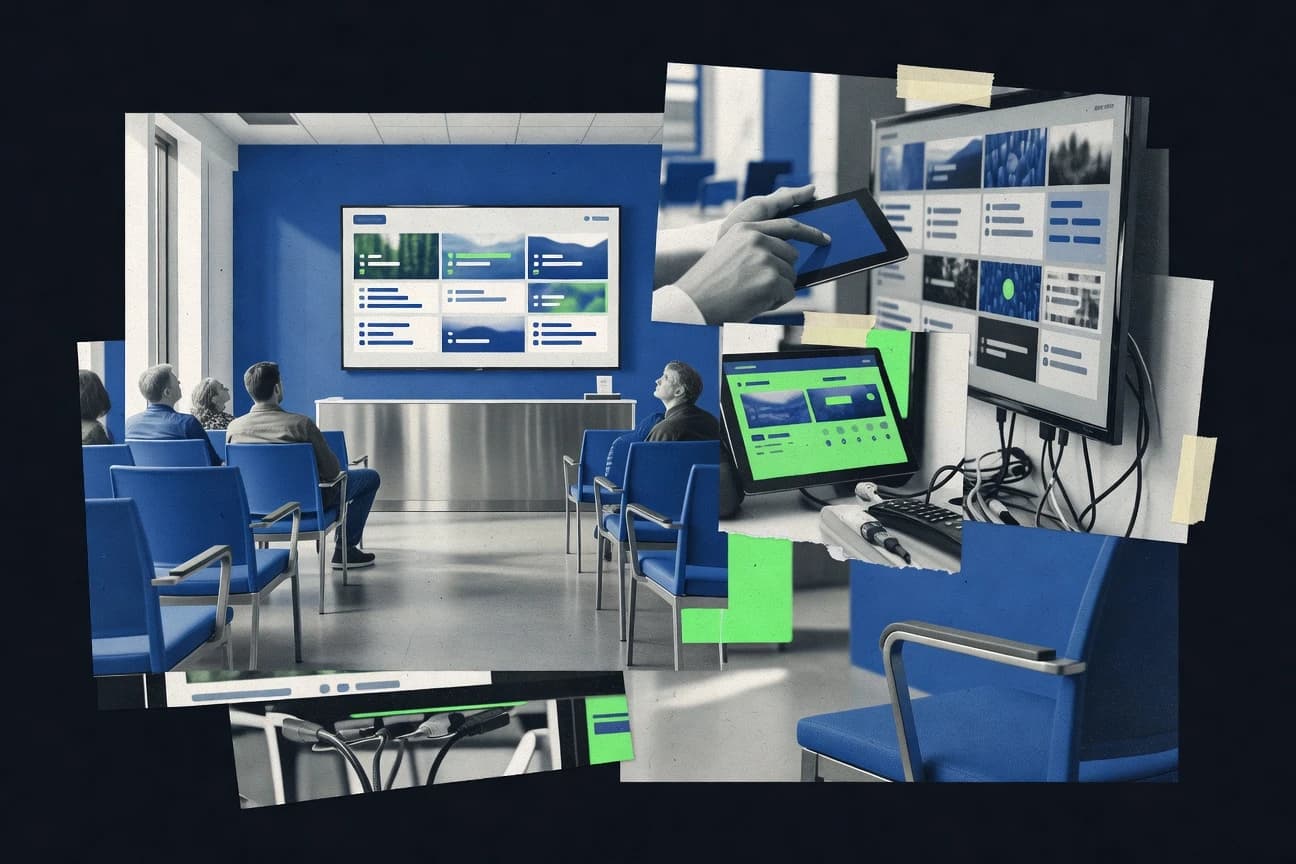
Top 10 waiting room tv software ranked for clinics and salons by features, ease of use, and content management, including Arreya, NoviSign, Yodeck.

How we ranked these tools
Gitnux editors write the brief first: the topic, the inclusion rules, and the frame for what belongs.
Agents extract product evidence with provenance, then collect written reviews and transcribe video reviews and podcasts.
Framework: Features 40% · Ease 30% · Value 30%
Gitnux may earn a commission through links on this page — this does not influence rankings. Editorial policy
Arreya is the best fit if clinic teams want scheduled waiting room TV updates across several screens with reception-ready templates, while It’s Relevant works well when you need controlled health education and entertainment playlists on multi-screen networks.
Editor’s top 3 picks
Three quick recommendations before you dive into the full comparison below — each one leads on a different dimension.
Arreya
Cloud-managed waiting room playlist scheduling with targeted per-screen layout configuration.
Best for: Fits when clinic teams need scheduled waiting room TV updates across several screens.
NoviSign
Editor pickScreen zoning lets administrators build multi-block layouts on a single waiting room display.
Best for: Fits when multi-room clinics need scheduled content control without on-device editing.
Yodeck
Editor pickUptime and playback status reporting that ties each screen to its assigned schedule.
Best for: Fits when clinics need scheduled waiting room playlists with remote device oversight for several screens.
Comparison Table
Arreya
SMBDigital signage software with waiting room and reception display templates.
Cloud-managed waiting room playlist scheduling with targeted per-screen layout configuration.
Arreya is built for running a waiting room playlist with timed content rotations and per-screen configuration, which reduces the operational overhead of updating TVs across locations. Screen management supports organizing multiple displays under a single admin workflow, with settings that map content to the right resolution and layout needs. Operational features focus on ongoing playback control and remote changes so staff do not need to touch the signage device during updates.
A tradeoff appears in governance depth, because fine-grained RBAC-style controls and detailed device auditing are not as explicit in the interface as in systems that target regulated workflows end to end. Arreya fits best for clinics and salons that want fast content updates, consistent scheduling, and manageable multi-screen rollout without building custom integrations.
- +Playlist scheduling and timed rotations for patient-facing TV screens
- +Remote content changes reduce on-site device handling
- +Multi-screen management keeps deployments organized
- +Layout and display configuration support common portrait and landscape setups
- –Limited evidence of granular RBAC and approval workflows for roles
- –Advanced governance and audit depth may require process discipline
Multi-location clinic admins
Rotate waiting room ads weekly
Fewer missed updates
Salon operations coordinators
Run seasonal service promotions
Faster promotion turnover
Show 2 more scenarios
Health practice marketing staff
Coordinate events and announcements
Higher message timeliness
Time sensitive announcements within the waiting room playlist so screens change automatically.
Front-desk managers
Maintain consistent in-room messaging
Consistent patient experience
Keep the same TV setup across rooms while updating the visible content centrally.
Best for: Fits when clinic teams need scheduled waiting room TV updates across several screens.
NoviSign
SMBCloud digital signage software with templates designed for waiting room and lobby displays.
Screen zoning lets administrators build multi-block layouts on a single waiting room display.
NoviSign fits teams that run frequent waiting room playlist changes across multiple rooms or locations. Content can be scheduled by day and time, and zoning lets a single display combine announcements, promotions, and information blocks without manual device-side editing. Screen assignments are handled through centralized configuration, which reduces dependence on staff who physically visit the media players.
A key tradeoff is that getting the desired result depends on initial layout planning for each screen size and zoning layout. It works best when content owners can follow a repeatable publishing workflow and when the organization standardizes formats for images and video to avoid last-minute playback issues.
- +Centralized scheduling across screens reduces daily manual updates
- +Screen zoning supports multiple content blocks on a single display
- +Remote device management helps administer media players at scale
- +Layout configuration supports consistent presentation across rooms
- –Zoning and layout planning require up-front standardization
- –Complex schedules take more admin time than simple rotations
- –Format and codec choices can limit media playback reliability
- –Smaller teams may need process discipline for approvals
Clinic operations managers
Coordinate daily waiting room updates
Fewer missed updates
Practice marketing coordinators
Run campaigns across multiple locations
Campaign timing stays consistent
Show 2 more scenarios
Facilities and IT staff
Manage remote signage players
Reduced site visits
Uses centralized device administration to keep playback aligned during changes.
Reception supervisors
Swap informational blocks quickly
Faster content refreshes
Edits or replaces specific zones without rebuilding the entire screen layout.
Best for: Fits when multi-room clinics need scheduled content control without on-device editing.
Yodeck
SMBCloud digital signage platform with a free tier for single-screen waiting room setups.
Uptime and playback status reporting that ties each screen to its assigned schedule.
Yodeck supports web-based content publishing with scheduling, screen zoning, and multi-display management for portrait or landscape layouts. Device provisioning is handled through remote pairing and onboarding flows, which reduces time spent on on-site USB updates. Remote management includes uptime and playback status visibility so operations teams can see which displays are currently running the assigned content.
A tradeoff appears when governance requirements are strict, because advanced RBAC granularity and audit depth are not the center of the administration model compared with tools that specialize in compliance workflows. Yodeck fits best when a practice needs frequent content rotations and quick corrections across a small or medium number of waiting room displays, such as shifting health education videos between appointment hours.
- +Remote device monitoring helps catch stalled playback quickly
- +Screen zoning supports mixed layouts for video, images, and text
- +Scheduling and templates keep recurring playlists consistent
- +Multi-display management reduces duplicate admin work
- –RBAC granularity and audit depth are less emphasized than content control
- –Queueing and appointment data integration needs extra workflow design
Clinic operations managers
Daily content rotation across rooms
Fewer missed updates
Practice marketing teams
Template-based seasonal announcements
Consistent screen branding
Show 2 more scenarios
Facilities and IT admins
Remote troubleshooting of media players
Reduced downtime
Admins use remote status views to detect non-playing displays and correct configurations without site visits.
Salon management teams
Content scheduling for multiple locations
Lower local maintenance
Managers manage screen assignments and playlists per location while keeping day-part changes aligned.
Best for: Fits when clinics need scheduled waiting room playlists with remote device oversight for several screens.
It's Relevant
vertical specialistWaiting room TV software delivering health education and entertainment content to medical and dental offices.
Governance-focused content workflow that lets teams manage approvals and publish timing across multiple displays.
It’s Relevant focuses on clinic waiting room TV workflows with a web-based content publishing flow and a cloud-managed device layer for maintaining what plays on each screen. It supports scheduling around day parts and locations so teams can update playlists without manual media transfers.
- +Web publishing flow for building and scheduling waiting room playlists
- +Location-aware scheduling to keep screen content consistent across sites
- +Remote updates to keep signage players aligned with the latest playlist
- +Governance-oriented workflow for controlling what goes live
- –Limited transparency into low-level playback diagnostics for each device
- –Requires planning for consistent rollout across multiple screens
Best for: Fits when clinics run multi-screen waiting room playlists and need controlled scheduling.
OptiSigns
SMBAffordable digital signage software supporting waiting room displays across industries.
Day-part scheduling with playlist rotation built for continuously changing waiting-room messaging without per-screen rework.
OptiSigns runs waiting-room playlist playback from a cloud dashboard that pushes content to signage players for clinic and salon screens. It supports scheduled content rotation for patient-facing and customer-facing screens, plus multi-display management for spaces with different layouts.
- +Cloud playlist publishing reduces per-screen manual updates
- +Multi-screen grouping simplifies managing several rooms at once
- +Scheduling supports day-part rotation for consistent messaging
- +Media formats suit common clinic TV use cases like images and video
- –Advanced workflow governance like RBAC and audit trails is not a clear centerpiece
- –Screen zoning and layout control appear limited for complex templates
- –Queue-aware automation for appointment states is not a native focus
- –Device management depends on signage player compatibility and setup effort
Best for: Fits when clinics need scheduled TV playlists across multiple rooms with remote updates and limited custom workflows.
Navori
enterpriseProfessional digital signage software for lobby and waiting room screen networks.
Multi-screen management that keeps scheduled playlists synchronized across distributed signage players.
Navori is a waiting room digital signage software stack for clinics and salons that need browser-based content publishing and managed screen playback. It focuses on remote device management for signage players, including playlist control and scheduling logic for patient-facing TV screens.
- +Remote device management for controlling multiple signage players from one console
- +Playlist scheduling supports repeatable rotation of waiting room content
- +Role-based access supports separating publishing and screen administration duties
- +Multi-screen management helps standardize content across several TVs
- –Admin configuration can require more upfront governance than lightweight players
- –Limited fit for one-off single-screen setups that need minimal controls
Best for: Fits when multi-display clinics need centralized scheduling, remote control, and operator separation.
TelemetryTV
enterpriseDigital signage software with API support for waiting room and corporate displays.
Remote device management built around signage player control for keeping distributed waiting room displays in sync.
TelemetryTV focuses on clinic and salon waiting room TV deployments with a content playback stack meant for reliable remote operation. The product supports multi-screen playlists with scheduled media rotation and screen layouts for portrait and landscape orientations.
- +Multi-screen playlist scheduling supports consistent waiting room rotations
- +Remote device management reduces on-site intervention during content changes
- +Orientation-aware layouts support portrait and landscape display setups
- +Repeatable playback patterns help staff run daily publishing workflows
- –Automation depth for appointment-driven queues is limited compared with specialized competitors
- –More complex multi-location governance can require extra administrator discipline
- –Finer-grained screen zoning controls are less extensive than top-tier signage systems
- –Extensibility options for custom integrations appear narrower than API-first vendors
Best for: Fits when clinics or salons need scheduled waiting room TV updates across multiple screens with controlled remote management.
Look Digital Signage
SMBDigital signage platform supporting waiting room and lobby display management.
Screen-specific playlist mapping in a single console that keeps room zoning consistent during scheduled updates.
Look Digital Signage is a clinic-focused waiting room TV software that manages playlists and screen layouts for patient-facing displays. Its practical differentiator is how it supports signage publishing workflows that revolve around remote device management and recurring content rotation.
- +Central console for screen zoning and playlist assignment across locations
- +Scheduling supports recurring updates for waiting room rotation
- +Remote device management reduces onsite reconfiguration needs
- +Media handling supports common image and video playback formats
- –Limited evidence of deep healthcare integration like EHR or queue linking
- –Governance controls such as RBAC and detailed audit logs are not clearly positioned
- –Emergency messaging workflows are not described with multi-author approvals
- –Local caching and offline resilience are not clearly documented for uptime guarantees
Best for: Fits when clinics need centralized playlist scheduling and remote screen control for multiple waiting rooms.
ScreenCloud
SMBCloud-based digital signage platform widely deployed in waiting rooms and reception areas.
Screen zoning on signage layouts lets different content regions play from separate playlist tracks on the same display.
ScreenCloud runs cloud-managed signage for waiting-room TVs by pushing scheduled playlists and media to remote screens. It supports screen zoning and multiple layouts so clinics and salons can dedicate areas for promos, directions, and service highlights.
- +Cloud publishing sends scheduled playlists to screens without local transfers
- +Screen zoning supports distinct regions for promos, directions, and announcements
- +Role-based access controls reduce editing risk across teams
- +Device pairing flow supports ongoing screen management after initial setup
- –Advanced layouts require careful configuration to avoid region overlap
- –Integration depth for clinical systems like EHR is limited for many deployments
Best for: Fits when clinics or salons need scheduled playlist control across multiple waiting-room screens with zoned layouts.
Rise Vision
SMBCloud digital signage with templates for waiting rooms and reception areas.
Playback audit reporting that shows which content ran on which signage player, supporting proof-of-play workflows for compliance-minded teams.
Rise Vision fits clinics and salons that need cloud-managed display deployment paired with curated, time-based content playlists. The product supports screen zoning layouts, media playback reporting, and device management for maintaining patient-facing displays. Rise Vision also supports integrations and application-like content embedding for pulling in operational updates without manually editing every screen.
- +Cloud-managed device onboarding across multiple locations
- +Screen zoning for mixing videos, images, and live embeds
- +Playback reporting helps track content actually shown
- +Playlist scheduling supports recurring day-part content
- –Some integration workflows require developer involvement
- –Administration UI can feel dense when managing many zones
- –Limited controls for fine-grained moderation across teams
- –Advanced codec or media formatting edge cases can cause playback failures
Best for: Fits when multi-location practices need scheduled clinic TV content with ongoing playback visibility.
Conclusion
After evaluating 10 waiting room tv software, Arreya stands out as our overall top pick — it scored highest across our combined criteria of features, ease of use, and value, which is why it sits at #1 in the rankings above.
Use the comparison table and detailed reviews above to validate the fit against your own requirements before committing to a tool.
How to Choose the Right Waiting Room Tv Software
Waiting room tv software centralizes cloud or console-based publishing so clinics and salons can schedule what each waiting room display shows across multiple screens. This buyer’s guide covers Arreya, NoviSign, Yodeck, and the full set of tools used to rank waiting room playlist scheduling and remote screen control.
The sections that follow ground recommendations in integration depth, administration and governance controls, and the automation surface exposed for remote device management and repeatable content rotation. The tool list also highlights where advanced governance and playback visibility are present, and where teams must rely on setup discipline to keep schedules consistent.
Waiting Room TV Software for cloud scheduling, screen zoning, and remote signage playback control
Waiting room tv software manages patient-facing display content by assigning playlists to screens, applying screen layouts for multi-zone presentations, and sending updates through centralized administration. Teams typically configure how video, images, and text are composed into timed rotations so different rooms show consistent messaging.
Arreya focuses on cloud-managed waiting room playlist scheduling with targeted per-screen layout configuration, which supports scheduled updates without on-site handling. NoviSign differentiates with screen zoning so administrators can build multi-block layouts on a single display, then apply scheduled content blocks through a centralized console.
What to verify in Waiting Room TV Software before rollout
Waiting room tv software succeeds when scheduling rules map cleanly to the screens that must show the content, then remote control pushes the update without site technicians touching a player. The strongest tools keep playlist rotation predictable across multiple locations, while also handling multi-block layouts on a single display.
The evaluation below prioritizes concrete admin controls like screen assignment, zoning, and remote device management, then checks whether governance and playback visibility are built for clinic and salon operations rather than only for basic playlist publishing.
Cloud playlist scheduling with screen-specific layout control
Arreya provides cloud-managed waiting room playlist scheduling with targeted per-screen layout configuration for scheduled updates across several screens without on-site handling.
Screen zoning for multi-block layouts on a single display
NoviSign and ScreenCloud both focus on screen zoning so administrators can build multi-block presentations and assign zoned content through a centralized console.
Remote device monitoring tied to each screen schedule
Yodeck pairs uptime and playback status reporting with the screen’s assigned schedule, which supports faster detection when a waiting room screen stalls mid-rotation.
Governance workflow for approvals and timed publishing
It’s Relevant centers a web publishing flow that manages approvals and publish timing across multiple displays, which fits controlled scheduling in multi-user environments.
Day-part scheduling and room grouping for continuous messaging
OptiSigns emphasizes day-part scheduling and playlist rotation designed for continuously changing waiting-room messaging, with multi-screen grouping to manage several rooms at once.
Centralized multi-screen synchronization across distributed players
Navori is built around multi-screen management that keeps scheduled playlists synchronized across distributed signage players through a single remote control console.
Choose by admin workflow, not by content type
Waiting room tv software planning should start with who must change content and who must approve it, because the product controls for scheduling, layout assignment, and remote device management determine how many steps happen each day. The right choice reduces the number of manual interventions needed to keep every waiting room display aligned with the intended playlist rotation.
The decision paths below force a product philosophy check, because tools like Arreya and NoviSign optimize different parts of the workflow even when both support scheduled screen updates.
Map scheduling ownership to the console structure
If clinic teams expect to update waiting room playlists centrally across several screens with minimal on-site action, prioritize Arreya’s cloud-managed scheduling paired with per-screen layout configuration. If multi-room teams need a centralized console to control content per display without editing on the player, prioritize NoviSign’s centralized scheduling controls.
Pick the layout engine that matches your room zoning needs
If one screen must show multiple blocks such as directions, promos, and announcements, choose NoviSign’s screen zoning and its multi-block layout capability. If mixed regions must be configured as distinct zones on a single display with separate playlist tracks, choose ScreenCloud’s screen zoning approach and plan for careful region overlap avoidance.
Set monitoring expectations based on when failures must be caught
If remote visibility must include whether each screen is running its assigned schedule, prioritize Yodeck’s uptime and playback status reporting tied to screen schedule assignment. If the core requirement is proof of play for compliance-style visibility across players, prioritize Rise Vision’s playback audit reporting that shows which content ran on which signage player.
Test governance depth with role separation and approvals
If controlled scheduling requires a web publishing workflow with approvals and publish timing, evaluate It’s Relevant because governance is the standout capability. If governance needs are mostly about correct content rotation rather than approval granularity, evaluate tools where governance is not positioned as the central strength and focus the demo on scheduling and zoning.
Validate operational fit for appointment-driven workflows
If content must change based on appointment or queue data, evaluate whether the queueing and appointment integration workflow is first-class or needs extra design, since Yodeck’s queueing and appointment data integration requires additional workflow planning. If appointment-driven automation is secondary and day-part rotation is the main use case, evaluate OptiSigns’ day-part scheduling and playlist rotation.
Check multi-location scaling and setup overhead
If multi-location scaling needs centralized remote device management with synchronized schedules across distributed players, evaluate Navori’s multi-screen management and operator separation model. If multi-screen templates are simple and room grouping reduces admin burden, evaluate OptiSigns’ multi-screen grouping and continuously changing messaging approach.
Who Waiting Room TV Software fits best
Waiting room tv software fits teams that must keep patient-facing display content consistent across multiple rooms or locations while reducing on-site adjustments to signage players. It is also a fit when the daily workflow includes scheduled rotations, multi-zone layouts, or remote device control with monitoring.
Multi-room clinics standardizing waiting room messaging
NoviSign supports screen zoning and centralized scheduling for multi-room clinics that need repeatable layouts on one display without on-device editing.
Clinics managing many screens with remote ownership
Arreya is designed for scheduled updates across several screens through cloud-managed playlist scheduling and per-screen layout configuration that reduces on-site device handling.
Operations teams that must detect stalled playback quickly
Yodeck ties uptime and playback status reporting to the assigned schedule, which helps catch screens that fail during waiting-room rotations.
Organizations running approval-based publishing workflows
It’s Relevant provides a governance-focused content workflow with approvals and publish timing across multiple displays, which fits teams that require controlled release.
Compliance-minded multi-location practices needing playback visibility
Rise Vision offers playback audit reporting that shows which content ran on which signage player, supporting proof-of-play style oversight.
Common implementation pitfalls for Waiting Room TV Software
Most rollout failures come from mixing layout expectations, governance expectations, and device monitoring expectations into one assumption. Another common failure is treating schedule creation as the whole job while skipping remote playback verification and operator training for multi-zone templates.
The pitfalls below map to the strongest differences across tools, including governance depth, zoning constraints, and how thoroughly remote oversight is connected to schedule assignment.
Building complex screen zoning layouts without planning the admin workflow
NoviSign’s screen zoning and layout planning need up-front standardization, so teams should design reusable templates before scheduling high-frequency updates.
Skipping playback verification when scheduling is the only success metric
Yodeck’s value depends on uptime and playback status reporting tied to each screen’s assigned schedule, so monitoring should be included in the rollout checklist rather than treated as optional.
Assuming governance exists because scheduling is available
It’s Relevant positions governance via approvals and publish timing, while other tools may not emphasize RBAC and audit depth, so role separation and approval steps must be validated in the console.
Overlooking region overlap risks in zoned layouts
ScreenCloud supports screen zoning with distinct regions playing from separate playlist tracks, so advanced layouts require careful configuration to avoid region overlap during rotation.
Underestimating integration design work for appointment-driven queues
Yodeck’s queueing and appointment data integration needs extra workflow design, so appointment-driven scheduling should be piloted with real operational inputs before expanding screens.
How We Selected and Ranked These Tools
We evaluated each tool on features coverage for waiting room playlist scheduling, admin ease for multi-screen operations, and the value balance between setup effort and day-to-day control. Features accounted for 40% of the score and included screen assignment controls, zoning and layout support, and remote device management capabilities such as scheduling consistency and playback monitoring.
Ease and value each contributed 30% of the score and reflected how quickly operators can publish recurring playlists, manage multiple displays, and handle exceptions without on-site intervention. Arreya ranked highest because cloud-managed waiting room playlist scheduling combined with targeted per-screen layout configuration aligns with remote update workflows across several screens while keeping daily administration straightforward compared with tools that emphasize zoning or monitoring more than layout targeting.
Frequently Asked Questions About Waiting Room Tv Software
How does Arreya handle multi-screen scheduling and layout configuration for waiting room playlists?
Which tool supports screen zoning so different regions of a single display run different content tracks?
Which platforms prioritize remote device management for signage players over on-device editing?
How does Yodeck surface proof-of-play or playback audit trail details for compliance-minded teams?
When does governance-focused workflow matter more than basic scheduling for clinic waiting room TV updates?
What breaks if appointment queues or practice workflows are not integrated with the waiting room playlist schedule?
Which tool is designed for clinics that need status reporting tied to each screen’s assigned schedule?
How should admin teams plan data migration when moving existing media assets into a new waiting room TV platform?
Where does ScreenCloud fall short compared with Rise Vision for proof-of-play reporting needs?
Tools reviewed
Primary sources checked during evaluation.
Referenced in the comparison table and product reviews above.
- Healthcare MedicineTop 10 Best Waiting Room Software of 2026
- MediaTop 10 Best Tv Management Software of 2026
- Business FinanceTop 10 Best Waiting List Software of 2026
- Customer Experience In IndustryTop 10 Best Waitlist Management Software of 2026
- Tourism HospitalityTop 10 Best Hotel Room Software of 2026
Keep exploring
Comparing two specific tools?
Software Alternatives
See head-to-head software comparisons with feature breakdowns, pricing, and our recommendation for each use case.
Explore software alternatives→In this category
Media alternatives
See side-by-side comparisons of media tools and pick the right one for your stack.
Compare media tools→