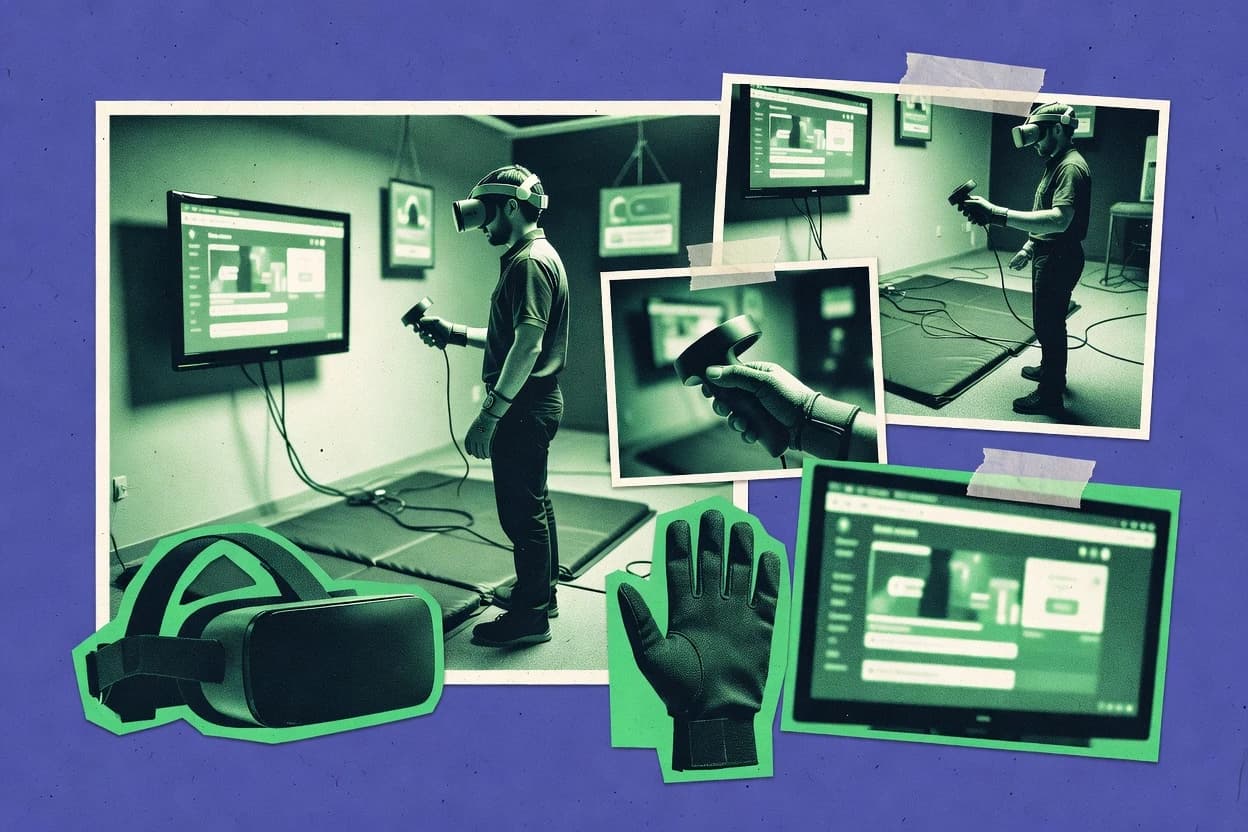
GITNUXSOFTWARE REVIEW
Safety AccidentsTop 9 Best VR Training Simulator Software of 2026
Compare vr training simulator software options for VR trainers, with tools like SimX, Osso VR, and Interplay Learning and key tradeoffs for teams.

How we ranked these tools
Vendors set the topic, but our editors set the inclusion criteria and the evaluation framework before research starts.
Search agents gather the source set and the review record, including transcriptions of video reviews and podcasts.
Framework: Features 40% · Ease 30% · Value 30%
Gitnux may earn a commission through links on this page — this does not influence rankings. Editorial policy
SimX is the best pick for clinical teams that need repeatable VR drills with instructor coaching artifacts because its after-action review links performance to the exact drill timeline, whereas EON-XR fits safety organizations that want enterprise-ready instructor-led runs with checkpoint-based evaluation and recorded debriefs.
Editor’s top 3 picks
Three quick recommendations before you dive into the full comparison below — each one leads on a different dimension.
SimX
After-action review links trainee performance to the executed drill timeline for structured coaching.
Best for: Fits when safety and procedure teams need repeatable VR drills with instructor review artifacts.
Osso VR
Editor pickInstructor-led session controls that turn procedural practice into measurable, rep-based performance review.
Best for: Fits when healthcare teams need repeatable VR procedural practice with instructor oversight and after-action review.
Interplay Learning
Editor pickScenario branching that ties trainee decisions to graded outcomes inside instructor-led sessions.
Best for: Fits when safety teams need repeatable VR drills with graded procedure steps and review-ready session evidence.
Comparison Table
SimX
vertical specialistVR medical simulation platform for clinical team training and patient care scenarios.
After-action review links trainee performance to the executed drill timeline for structured coaching.
SimX targets organizations that run safety drills and procedure simulations where scenario state, timing, and trainee actions must stay repeatable across attempts. Scenario execution includes instructor control during a run, plus post-session review artifacts that make it easier to identify where performance diverged. The training workflow fits teams that need more than a generic VR experience, because it treats the drill as something that can be coached and evaluated over time.
A tradeoff is that teams typically need deliberate scenario design effort before training content becomes reusable at scale. SimX fits best when a training manager or technical lead can own the scenario build cycle and keep the drill logic consistent across sites. It is less ideal when the requirement is rapid ad hoc content changes by non-technical staff during live training days.
- +Instructor-run drills with consistent scenario state across attempts
- +After-action review artifacts tied to session performance
- +Repeatable procedure simulations for safety training and hazard recognition
- +Supports both seated and standing training contexts
- –Scenario authoring requires careful up-front design work
- –Non-technical changes during live training can be slow
- –Iteration loops depend on the scenario build workflow
- –Advanced scenario branching needs more engineering attention
Safety training managers
Hazard recognition drills with consistent outcomes
Faster coaching on key mistakes
Operations trainers
Standard operating procedure simulations
More consistent procedural compliance
Show 2 more scenarios
L&D program leads
After-action review for cohorts
Tighter iteration on training content
Use session review artifacts to compare outcomes across attempts and refine scenario logic.
Technical training leads
Maintaining drill logic across sites
Reduced variation between locations
Keep scenario behavior stable across seated and standing delivery contexts.
Best for: Fits when safety and procedure teams need repeatable VR drills with instructor review artifacts.
Osso VR
vertical specialistSurgical and medical procedure training platform in virtual reality.
Instructor-led session controls that turn procedural practice into measurable, rep-based performance review.
Osso VR is a VR training simulator focused on healthcare procedural practice with instructor-led scenarios. The core workflow emphasizes guided reps, performance feedback, and scenario authoring that uses prebuilt clinical content as a baseline.
Osso VR supports multi-user classroom training with synchronized sessions for instructors and trainees. It also provides after-action review artifacts that help teams compare attempts and identify repeat errors.
- +Healthcare procedure scenarios with tight rep-to-feedback training loops
- +Instructor-led, multi-user sessions for classroom-style practice
- +After-action review view helps teams spot recurring mistakes
- +Scenario authoring supports variations without rebuilding entire experiences
- –Best fit stays close to clinical procedures rather than general industrial sims
- –Custom scenario work still requires VR content authoring know-how
- –Deep integration with external LMS and analytics depends on available connectors
- –Hardware alignment needs careful setup to keep hand tracking reliable
simulation centers and clinical education
Run identical VR modules for cohorts
More consistent curriculum progression
orthopedic training programs
Practice procedure steps and instrument motion
Structured repetition for competence
Show 2 more scenarios
medical device training teams
Teach operative workflows and instrument interactions
Repeatable procedure education
Run guided VR procedure modules to train device-focused operative workflows in a controlled environment.
residency programs and educators
Spot technique gaps during practice
Formative feedback evidence
Use scored attempts and reviewable session data to identify gaps during practice.
Best for: Fits when healthcare teams need repeatable VR procedural practice with instructor oversight and after-action review.
Interplay Learning
vertical specialist3D and VR simulation training for HVAC, solar, plumbing, and electrical trades.
Scenario branching that ties trainee decisions to graded outcomes inside instructor-led sessions.
Interplay Learning is built around guided training sessions that connect scenario steps to performance signals, including pass fail outcomes and action-level assessment. Scenario setup supports branching behavior so different trainee decisions lead to different consequences, which is essential for safety drills with correct and incorrect responses. Replay and review are designed around what trainees did during the run, not only whether they completed the scenario.
A key tradeoff is that building high-fidelity simulations depends on preparing accurate environment content and interaction logic before training delivery. Interplay Learning fits best when a training team already has a content pipeline for locations, props, and procedure requirements and needs consistent assessment across repeated drills.
- +Instructor-led runs with step-based assessment built into the training flow
- +Branching scenario logic supports different trainee decisions and outcomes
- +After-action review centers on trainee actions during each simulation
- +Multi-role scenarios help standardize safety procedure training
- –Scenario setup requires disciplined authoring of steps and interaction triggers
- –Tightly interactive content increases environment preparation time
Safety training managers
Hazard recognition and response drills
Consistent drill pass criteria
Operations training leads
Procedure-based incident simulations
Action-level performance feedback
Show 1 more scenario
LMS program owners
Centralized training completion tracking
Cleaner reporting for stakeholders
Training session outcomes can be exported for downstream learning workflows.
Best for: Fits when safety teams need repeatable VR drills with graded procedure steps and review-ready session evidence.
Transfr
vertical specialistTransfr provides VR job-training simulations for technical, manufacturing, and workforce development programs.
After-action review ties step-level performance to guided remediation workflows inside the training session flow.
Transfr builds VR training simulations from browser-based authoring workflows and deploys them on headsets for procedural practice and safety drills. The system focuses on scenario playback with instructor controls and after-action review cues tied to user performance.
- +Browser-based scenario authoring reduces VR-specific development effort
- +After-action review highlights execution gaps across training steps
- +Instructor controls support guided runs and corrective oversight
- +Content packaging supports scaling multiple scenarios across cohorts
- –Scenario complexity can require more engineering time than expected
- –Headset rollout depends on environment setup and device management discipline
- –Advanced customization beyond provided interaction patterns can be limited
- –Deep analytics dashboards may require integration work outside core authoring
Safety and compliance training teams
Hazard drills with instructor-led controls
More consistent drill performance
Workplace operations supervisors
Procedural practice for critical tasks
Faster task proficiency
Show 2 more scenarios
Enterprise learning and L&D teams
Reporting-driven after-action review workflows
Actionable training analytics
Provides integration paths so training outcomes feed existing learning delivery and reporting processes.
Training content developers
Reusable asset packaging for modules
Lower content production effort
Supports browser-based authoring workflows that scale scenarios through packaged assets instead of rebuilding apps.
Best for: Fits when teams need repeatable procedure training and guided instructor runs without building custom VR apps for each drill.
Pixaera
vertical specialistVR training platform focused on safety and operational skills for the energy and industrial sectors.
Branching lesson logic tied to procedure steps with instructor run control for consistent drill delivery.
Pixaera is positioned for VR training scenarios where instructors need consistent runs across multiple learners, with branching paths and in-session control hooks. The system emphasizes procedure simulation and scenario editing so training teams can change steps, triggers, and feedback without rebuilding an entire experience. It is a fit for organizations that need scenario-level governance over learning flow, rather than only importing a single VR environment.
- +Branching scenario logic supports varied learner paths
- +Instructor run controls make guided drills consistent
- +Scenario editing enables step trigger and feedback iteration
- +Assessment capture supports drill refinement across cohorts
- –Scenario editor logic can become limiting for highly custom mechanics
- –Multi-device testing requires careful scene and interaction QA
- –Asset pipeline steps can add overhead for teams with mixed formats
- –External system reporting may require dedicated integration work
Safety training teams
Hazard recognition walkthrough with branching steps
Fewer missed hazards in practice
Operations training leads
Procedure rehearsal for incident response
More consistent procedure execution
Show 2 more scenarios
Workplace learning administrators
Cohort-based after-action review
Targeted retraining by weak steps
Assessment capture supports comparing learner performance across repeated drill sessions.
VR content producers
Iterate interactive objects and feedback
Shorter iteration cycles
Scenario editing supports updating interaction behaviors and feedback without replacing the whole build.
Best for: Fits when training teams need guided VR drills with step-level branching and repeatable assessment signals.
Labster
vertical specialistLabster provides interactive virtual laboratory simulations for science and technical education.
Branching experiment steps that adapt what happens next based on learner actions and answers.
Labster focuses on VR lab training with guided simulations that target procedure learning, hazard recognition, and assessment prompts inside immersive lessons. It delivers content authored as interactive experiments with branching responses and instructor-facing progress tracking for cohorts.
- +Interactive experiment steps with built-in checks during procedures
- +Cohort progress visibility supports instructor-led after-action review
- +Branching learner responses reduce dead ends in high-risk tasks
- +Assessment prompts map learning moments to measurable outcomes
- –Content customization options are limited compared with full scenario builders
- –Requires consistent lab setup workflows for hardware and content alignment
Corporate lab training teams
Repeatable VR procedures before workplace lab time
More consistent procedural readiness
Teaching lab instructors
Review simulated experiment activity history
Faster feedback and review
Show 2 more scenarios
Department teaching teams
Standardize instruction across multiple sections
Uniform learning checks
Teams run the same guided experiment activities and assessment checkpoints across cohorts.
Anatomy and nursing educators
Practice labeled dissections in VR
Improved anatomical procedure fluency
Learners follow dissection sequences with structure identification prompts inside controlled immersive lessons.
Best for: Fits when training teams need repeatable VR procedure practice with built-in scoring for lab and safety lessons.
EON-XR
enterpriseEON-XR supports immersive training content, 3D learning objects, and interactive VR scenarios.
Instructor-led run control with checkpoint gating and feedback that ties directly into after-action review.
EON-XR is a VR training simulator for procedural safety drills that focuses on scenario control and guided practice. The core workflow centers on building interactive scenes, assigning trainee interactions, and driving an instructor-led run with checkpoints and feedback.
- +Scenario authoring supports step logic and checkpoint-based training flow
- +Instructor controls enable live intervention during a supervised run
- +Session recordings and after-action review make drill review practical
- +Multi-user co-presence supports team practice with shared timing
- –Scenario authoring requires detailed configuration discipline to avoid logic gaps
- –Asset and physics behavior can demand extra iteration for complex hazards
EHS training managers
Run standardized VR safety drills
Fewer drill variations
Plant operations supervisors
Observe trainees at checkpoints
Clear performance gaps
Show 2 more scenarios
Safety drill coordinators
Conduct co-present multi-user drills
Team response alignment
Synchronized sessions support coordinated actions among trainees and observers.
Training analysts
Assess behavior from after-action data
Actionable training insights
After-action review highlights what happened during each drill, not only replay footage.
Best for: Fits when safety teams need instructor-led VR drills with checkpoint evaluation and recorded debriefs.
Oxford Medical Simulation
vertical specialistOxford Medical Simulation delivers immersive clinical scenarios for healthcare education and assessment.
Instructor debrief workflows tied to guided procedural steps and replay review.
Oxford Medical Simulation builds VR training modules for clinical safety and procedure practice inside immersive scenarios. Scenario authoring focuses on guided steps, visual cues, and instructor-led review rather than general-purpose VR creation.
- +Scenario flow uses guided steps that reduce trainee navigation failures
- +Instructor review supports debrief workflows using replayable session content
- +Clinical training emphasis keeps interactions aligned to procedural learning goals
- +Deployment supports institutional VR rollouts without requiring custom app builds
- –External integration options are narrower than developer-led VR training engines
- –No evidence of a public automation API for provisioning and orchestration
- –Scenario customization appears constrained to the provided authoring workflow
- –Asset pipeline flexibility for importing custom content appears limited
Interprofessional clinical training teams
Case scenarios for coordinated communication and handoffs
Rehearsed handoffs and team behaviors
Healthcare simulation departments
Emergency response cases with escalation decisions
Improved rehearsal of urgent decisions
Show 2 more scenarios
Simulation facilitators and leaders
Standardized instructor-led sessions across cohorts
Lower session variation
Uses reusable scenarios and instructor controls to keep session delivery consistent for learner groups.
Clinical skills educators
Guided procedure rehearsal with competency feedback
Structured procedural practice
Provides step-focused VR or screen modules that align tasks to procedure sequences for debriefing.
Best for: Fits when clinical teams need structured VR drills with instructor debrief and limited scenario customization.
3spin Learning
SMB3spin Learning enables no-code creation of immersive VR learning experiences and simulations.
Instructor-led session structuring for repeatable safety drill runs with clear training cycle control.
3spin Learning is a VR training simulator option positioned around guided safety and procedure practice rather than generic VR content authoring. It focuses on scenario-based practice with instructor flow control and repeatable runs for learners.
- +Scenario-driven VR training delivery for safety and procedure rehearsal
- +Instructor-controlled session flow supports repeated practice runs
- +Designed for after-session learning review using session outcomes
- +Practical setup for teams that need repeatable drills, not bespoke VR builds
- –Limited evidence of open scenario portability via common 3D and VR import pipelines
- –Requires discipline to keep scenario updates synchronized across devices
- –Multi-user sync and co-presence controls are not clearly positioned for complex teams
- –Automation depth for LMS data exchange is not a primary emphasis in product positioning
Workplace safety training teams
Guided VR drills for critical procedures
Fewer missed safety steps
Industrial operations supervisors
Scenario practice for high-risk tasks
Improved procedural consistency
Show 2 more scenarios
Training managers for facilities
Standardized onboarding using VR simulations
Faster readiness for new staff
Managers deliver structured VR training sequences and track repeat attempts through post-session analytics.
Maintenance teams and apprentices
Procedure rehearsal inside safety environments
Reduced training time waste
Apprentices practice interactions in scenario environments and review outcomes to refine technique before field work.
Best for: Fits when teams need repeatable VR safety drills with instructor-led runs and reviewable outcomes.
Conclusion
After evaluating 9 vr training simulator software, SimX stands out as our overall top pick — it scored highest across our combined criteria of features, ease of use, and value, which is why it sits at #1 in the rankings above.
Use the comparison table and detailed reviews above to validate the fit against your own requirements before committing to a tool.
How to Choose the Right Vr Training Simulator Software
VR training simulator software is used to deliver instructor-led VR drills, measure step-level execution, and generate review artifacts for after-action coaching. This buyer’s guide covers Interplay Learning, SimX, Pixaera, Osso VR, Transfr, EON-XR, VRtuoso, 3spin Learning, Oxford Medical Simulation, and Labster.
The tools differ most in scenario logic design, how instructor controls gate progression, and how replay and after-action review connect to trainee performance timelines. Interplay Learning and SimX both emphasize repeatable drill delivery with review-ready evidence, while Labster focuses on branching experiment steps driven by learner actions.
VR Training Simulator Software for instructor-led drills, step-level scoring, and debrief workflows
VR training simulator software runs VR procedural practice as structured scenarios where trainee actions drive graded outcomes inside instructor-managed sessions. Interplay Learning links scenario branching to graded results within instructor-led runs, while SimX ties after-action review artifacts to the executed drill timeline.
These systems typically pair scenario step logic with instructor-run controls so training teams can deliver the same drill consistently across attempts and then debrief using replayable session evidence. Some products bias toward branching scenario logic with guided procedure paths, like Pixaera and Labster, while others emphasize checkpoint gating and live intervention during supervised runs, like EON-XR and Osso VR.
Scenario logic, instructor control, and after-action review evidence
VR training simulator software succeeds when scenario step outcomes link back to a repeatable instructor-run sequence and a debriefable record of what happened. The strongest tools treat the drill as a structured workflow rather than a free-form experience.
Interplay Learning and SimX both emphasize review-ready evidence tied to the executed drill timeline, which supports consistent coaching across multiple training attempts. Other systems push different logic design choices, like checkpoint gating or instructor-managed playback progression, which changes how training teams author scenarios and run sessions.
Step-graded branching tied to instructor-led runs
Interplay Learning and Pixaera connect trainee decisions to graded outcomes inside instructor-run sessions, so varied learner paths still produce assessment signals.
After-action review linked to execution timeline
SimX and Transfr generate after-action review artifacts that map performance gaps to the steps executed during the session flow.
Checkpoint gating and instructor live intervention
EON-XR and Osso VR use instructor-led run control with checkpoint evaluation so instructors can intervene during a supervised run and then debrief against recorded checkpoints.
Rep-based performance loop for procedure practice
Osso VR and Oxford Medical Simulation focus instructor-led session structures that reduce navigation failures and drive guided procedural practice with replayable debrief content.
Guided remediation inside the training session
Transfr and EON-XR tie step-level performance to guided remediation workflows or checkpoint-based feedback that feeds into after-action review.
Instructor-managed progression and assessment event outputs
VRtuoso and 3spin Learning both structure sessions so instructor controls gate progression and scoring based on scenario performance events.
Choose by how scenario branching, scoring, and debrief evidence must work together
The selection hinges on how the scenario authoring model translates trainee actions into graded outcomes that instructors can use during and after the run. Scenario logic that supports instructor intervention also changes how teams design steps, triggers, and remediation paths.
The next decisions split along two different training philosophies. Some platforms build assessment and remediation into the drill timeline for structured coaching, while others center on branching lesson logic that adapts what happens next and then supports instructor review.
Pick branching that matches your grading model
Choose Interplay Learning or Pixaera when the training needs branching scenario decisions that still produce graded outcomes inside the same instructor-led session flow. Choose Labster when the primary structure is experiment-style steps that adapt next actions based on learner choices and answers.
Match debrief artifacts to the executed drill timeline
Choose SimX or Transfr when after-action review must link trainee performance directly to the executed drill timeline and highlight execution gaps across training steps. Choose Osso VR or Oxford Medical Simulation when the debrief must center on guided procedural steps with instructor debrief workflows tied to replayable session content.
Decide who controls progression during live sessions
Choose EON-XR or Osso VR when checkpoint gating and instructor live intervention are required during a supervised run. Choose VRtuoso or 3spin Learning when instructor session controls must gate learner progression and produce assessment outputs from scenario performance events during playback.
Evaluate authoring effort against scenario complexity
Choose Interplay Learning, Pixaera, or EON-XR when teams can invest in disciplined scenario setup because tightly interactive content and checkpoint logic increase environment preparation and configuration needs. Choose Transfr or Labster when browser-based or built-in content workflows reduce VR-specific development effort even if scenario complexity still demands careful engineering.
Plan for portability and cross-device testing early
Choose SimX or Osso VR when repeatable scenario delivery and consistent scenario state across attempts matter more than highly custom mechanics. Choose Pixaera or 3spin Learning when teams anticipate frequent scenario updates and must manage multi-device testing and synchronized scenario changes across devices.
Training teams and instructors who need drill repeatability with measurable outcomes
VR training simulator software fits roles that run repeatable VR drills and must turn session behavior into instructor-ready coaching artifacts. The best fit depends on whether the program needs step-level grading, checkpoint intervention, or branching lesson logic tied to assessment signals.
Organizations that run classroom-style instructor sessions tend to value instructor controls, replayable evidence, and consistent session state. Organizations that run curriculum-style learning with adaptive steps tend to value branching logic that adapts next actions while still supporting instructor after-action review.
Safety teams running repeatable hazard drills
Interplay Learning and SimX support repeatable drill delivery with review-ready evidence tied to instructor-led session structure and executed step timelines.
Healthcare training leads focused on procedure reps and feedback loops
Osso VR and Oxford Medical Simulation emphasize rep-to-feedback procedure practice with instructor-led multi-user sessions and replayable debrief workflows.
Operations instructors who must intervene during supervised runs
EON-XR and Osso VR include checkpoint evaluation and instructor run controls that enable live intervention and checkpoint-based after-action debriefs.
Learning designers building branching curricula for varied trainee paths
Pixaera and Labster focus on branching scenario or experiment steps where trainee actions and decisions drive what happens next and produce built-in scoring signals.
Teams that need authoring with minimal VR-specific development
Transfr supports browser-based scenario authoring to reduce VR-specific development work while still producing after-action review highlights across training steps.
Common implementation pitfalls in VR Training Simulator Software rollouts
The most frequent failures come from authoring complexity that exceeds the training team’s capacity and from misalignment between scenario logic design and the debrief evidence instructors actually need. A second failure pattern appears when live session control requirements are treated as afterthoughts instead of core design constraints.
These pitfalls show up across tools with branching scenario editors, checkpoint gating, and instructor-controlled progression. They also show up when teams do not plan for multi-device testing discipline and synchronized updates.
Assuming scenario branching automatically produces valid graded outcomes without step discipline
Interplay Learning and Pixaera require disciplined scenario authoring of steps and interaction triggers so branching scenario logic can map trainee decisions to graded outcomes inside instructor-led sessions.
Designing drills without matching after-action review to the executed drill timeline
SimX and Transfr tie after-action review artifacts to what happened during the session flow, so drill designers should align assessment signals with the step timeline they want instructors to coach.
Treating live intervention and checkpoint evaluation as configurable later
EON-XR and Osso VR rely on checkpoint gating and instructor run control, so teams should define checkpoint logic and live feedback requirements before building the scenario.
Underestimating the engineering time needed for scenario complexity and custom mechanics
SimX and Transfr both flag scenario authoring as demanding up-front design work for more complex drills, so planning should account for the authoring workload and iteration cycle time.
Ignoring device QA and synchronized updates when scenarios change frequently
Pixaera and 3spin Learning both highlight multi-device testing and scenario update synchronization discipline, so rollout plans should include repeatable testing for every device configuration used by instructors.
How We Selected and Ranked These Tools
We evaluated each VR training simulator software on how scenario branching connects to graded outcomes, how instructor-led session controls gate progression, and how after-action review evidence ties to the executed drill timeline. Features counted for 40% of the ranking because step-level assessment signals and session-evidence linkage decide whether instructors can run repeatable drills with measurable coaching.
Ease and value each counted for 30% because scenario authoring effort and practical rollout friction affect whether training teams can maintain consistent scenario delivery. Interplay Learning separated itself by linking scenario branching to graded results inside instructor-led sessions and by integrating branching scenario logic directly into the training flow so instructors can deliver repeatable drills with review-ready outcomes.
Frequently Asked Questions About Vr Training Simulator Software
How do Interplay Learning and SimX handle scenario branching during instructor-led sessions?
Which tool is better for hazard recognition drills with branching lesson logic: Pixaera or Labster?
When does Osso VR’s instructor session control matter for procedural practice?
What breaks if an organization needs browser-based authoring and headset deployment in one workflow: Transfr or Interplay Learning?
How do VRtuoso and EON-XR gate learner progression and evaluation during a run?
How does after-action review differ between EON-XR and Oxford Medical Simulation?
Which tool supports multi-user co-presence with synchronized sessions for supervisor observation: EON-XR or 3spin Learning?
How does Transfr route training outcomes into enterprise learning delivery and reporting workflows?
What security and access controls are commonly required for instructor-led VR drills when multiple roles run scenarios: VRtuoso or Osso VR?
Tools reviewed
Primary sources checked during evaluation.
Referenced in the comparison table and product reviews above.
Funding and competing interests
This study was co-funded by several of the vendors assessed in it. No single vendor funded it. Funders could propose the market studied.
They had no role in selecting vendors, setting or weighting criteria, analysing data or drawing conclusions, and they received the same factual-accuracy check as every other vendor assessed.
Market definition, inclusion rules and criteria weights were fixed by an editor before research began and did not change afterwards. Editorial process →
- Review · 2026 · Safety AccidentsVR Safety Training Software
- Review · 2026 · Education LearningDriver Training Simulator Software
- Review · 2026 · General KnowledgeVR Simulation Software
- Service review · 2026 · Education LearningVR Training
- Service review · 2026 · Sales & Leadership TrainingVirtual Team Building
Keep exploring
Comparing two specific tools?
Software Alternatives
See head-to-head software comparisons with feature breakdowns, pricing, and our recommendation for each use case.
Explore software alternatives→In this category
Safety Accidents alternatives
See side-by-side comparisons of safety accidents tools and pick the right one for your stack.
Compare safety accidents tools→