
GITNUXSOFTWARE ADVICE
Technology Digital MediaTop 10 Best Video Review Software of 2026
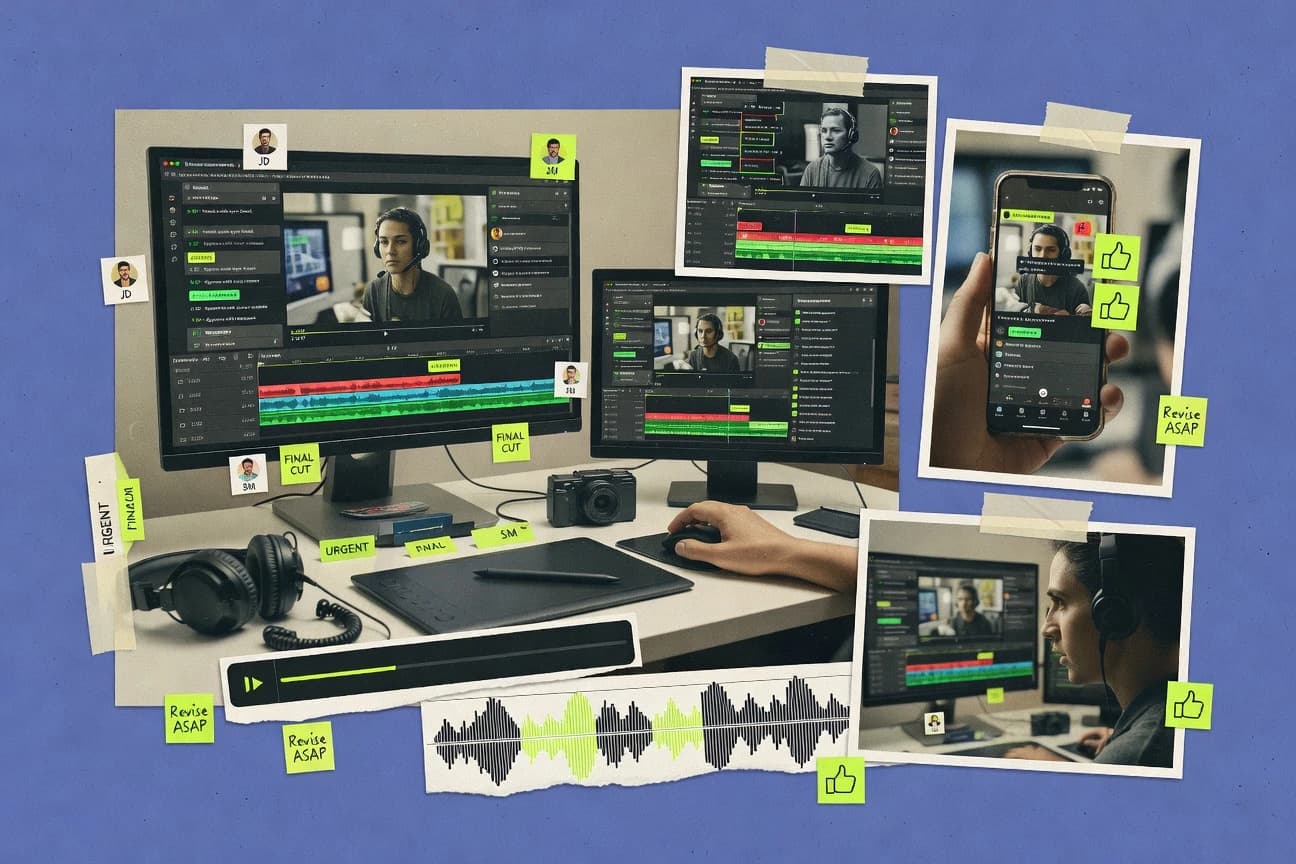
Top 10 video review software ranked by features and workflow fit, with tool notes for teams using Air, Filestage, and Wipster.

How we ranked these tools
Core product claims cross-referenced against official documentation, changelogs, and independent technical reviews.
Analyzed video reviews and hundreds of written evaluations to capture real-world user experiences with each tool.
AI persona simulations modeled how different user types would experience each tool across common use cases and workflows.
Final rankings reviewed and approved by our editorial team with authority to override AI-generated scores based on domain expertise.
Score: Features 40% · Ease 30% · Value 30%
Gitnux may earn a commission through links on this page — this does not influence rankings. Editorial policy
Air is the strongest pick for enterprise creative ops when you need time-linked review threads and approval routing across revision series in one portal, whereas Filestage is the best alternative for SMB teams that want structured, moment-specific video approvals without enterprise complexity, and if you just want an entry-level workflow, Ziflow fits low-friction review routing at scale.
Editor’s top 3 picks
Three quick recommendations before you dive into the full comparison below — each one leads on a different dimension.
Air
Gatekeeper approval routing with revision-linked outcomes keeps sign-off visible per video round.
Built for fits when teams need time-linked review threads and approval routing in one portal for each revision series..
Filestage
Editor pickProject-level approval routing that progresses deliverables by asset status and revision, with comments staying attached to each review round.
Built for fits when creative and post teams need structured, revision-aware video approvals with moment-specific feedback..
Wipster
Editor pickRevision-linked review rounds keep time-anchored annotations attached to the correct uploaded version.
Built for fits when post teams need frame-level markup and revision-linked sign-off across multiple stakeholders..
Comparison Table
Air
enterpriseCreative operations platform with media review, annotation, and asset management for video and images.
Gatekeeper approval routing with revision-linked outcomes keeps sign-off visible per video round.
Air fits teams that need time-anchored feedback with clear ownership over who can submit, approve, or gate progress. Frame-precise commenting is supported through timecode-anchored annotations so notes attach to the review timeline and remain readable during revision rounds. Review-and-approve workflow behavior is tracked per sequence so stakeholders can see what changed and what was decided.
A key tradeoff is that deeper editorial workflows require deliberate setup of review steps and naming conventions so approvals map cleanly to each revision. Air works best when a single review portal is shared across editorial stakeholders and creative directors, and when each new cut is uploaded as a new revision in the same review context.
- +Time-anchored comments keep feedback aligned across revision rounds
- +Threaded notes make multi-stakeholder conversations easier to follow
- +Review-and-approve workflow supports clear gatekeeper routing
- +Portal delivery reduces back-and-forth on where to leave feedback
- –Complex approval paths demand careful configuration discipline
- –Advanced annotation exports depend on the chosen review packaging
- –Heavy review activity can feel slower on low-bandwidth connections
- –Some governance needs require tighter workspace organization
Creative production teams
Director notes across cut revisions
Faster decision cycles
Post-production supervisors
Cross-team sign-off tracking
Clear responsibility handoffs
Show 2 more scenarios
Editorial stakeholder groups
One portal for multi-review rounds
Less duplicated feedback
Stakeholders collaborate in one review workspace while comments persist across versions.
Colorist review workflows
Color notes on specific segments
More precise fixes
Colorists attach notes to exact moments and respond to earlier threads.
Best for: Fits when teams need time-linked review threads and approval routing in one portal for each revision series.
Filestage
SMBReview and approval platform supporting video, images, documents, and audio with annotated comments.
Project-level approval routing that progresses deliverables by asset status and revision, with comments staying attached to each review round.
Filestage fits teams that manage creative sign-off paths for multiple stakeholders, such as creative directors, post-production supervisors, and editorial stakeholders. Video review sessions capture inline feedback tied to playback locations, and the review portal keeps comments associated with the correct asset revision. Approval routing links decisions to specific project items, which reduces ambiguity during handoffs. Version stacking also helps when each round adds edits that must preserve prior context.
A key tradeoff is that Filestage centers on review workflow rather than deep NLE round-tripping, so edits still happen in tools like Premiere or Resolve. Teams that already have assets in their edit timeline often use it to coordinate approvals and track changes per revision rather than to perform editing. One usage pattern is gatekeeper review for each deliverable version before the next creative pass.
- +Timecode-anchored commenting keeps feedback attached to exact playback moments
- +Version stacking maintains context across iterative review rounds
- +Approval routing ties decisions to project items and revision states
- +Role-based access and review status reduce stakeholder confusion
- –Not designed for NLE round-tripping or in-application editing
- –Annotation setup requires governance discipline to keep large threads readable
- –Media processing expectations can affect turnaround when teams upload frequently
- –Asset organization depends on correct project and revision hygiene
Creative director teams
Reviewing cutdowns with stakeholder sign-off
Clear go or revision required
Post-production supervisors
Tracking revisions across finishing stages
Fewer rework loops
Show 2 more scenarios
Brand marketing teams
Coordinating multi-agency approvals
Faster release decisions
Uses role-controlled access and status-driven approvals to keep external and internal stakeholders aligned.
Editorial stakeholder groups
Commenting on versioned editorial changes
Audit-friendly rationale
Threaded feedback attaches to the specific revision and playback location used during review.
Best for: Fits when creative and post teams need structured, revision-aware video approvals with moment-specific feedback.
Wipster
SMBVideo review and approval tool with frame-level commenting and version comparison.
Revision-linked review rounds keep time-anchored annotations attached to the correct uploaded version.
Wipster’s core capability is coordinating time-anchored feedback with a version history so comments stay attached to the correct review round. The interface groups annotations in a way that lets reviewers respond to prior notes during a revision cycle, which matches common editorial routing patterns. Frame-accurate annotations and draw-on-frame overlays support detailed feedback on motion, layout, and timing without leaving the review portal.
A key tradeoff is that Wipster’s governance depends on disciplined version naming and upload habits, because the workflow correctness tracks the asset revision structure. It fits best when a creative lead or post supervisor needs consistent approval routing across rounds, and when stakeholders must review the same clip with reduced latency.
- +Timecode-anchored comments and segment selection reduce “which version” disputes
- +Draw-on-frame overlays add precise motion and layout feedback
- +Revision-oriented review keeps feedback aligned to the correct round
- +Annotation thread context helps stakeholders respond across iterations
- –Workflow accuracy relies on consistent revision and asset naming discipline
- –External pipeline automation and customization are limited compared with API-first tools
- –Deep NLE round-tripping depends on the team’s broader editorial stack
- –Large review batches can require manual organization in the portal
Post-production supervisors
Route approvals across revision rounds
Faster sign-off with fewer mistakes
Creative directors
Review motion and layout timing
Clear change requests
Show 2 more scenarios
Agency editors
Manage stakeholder feedback loops
Reduced rework cycles
Respond to prior annotations after revisions so stakeholders see the updated rationale in context.
Colorists and finish artists
Narrow feedback to in-out segments
Less back-and-forth
Mark the exact playback ranges that need grade or enhancement and track them per version.
Best for: Fits when post teams need frame-level markup and revision-linked sign-off across multiple stakeholders.
Frame.io
enterpriseCloud-based video review and collaboration platform with time-stamped comments and version control.
Draw-on-frame overlays combined with frame-accurate markup lets reviewers annotate specific regions during timecode playback.
Frame.io is a video review system built around frame-accurate commenting and review threads attached to timestamps. It supports review-and-approve routing across versions, with side-by-side revision comparison and timecode-anchored feedback that moves with an asset.
Media playback is delivered through web-hosted review portals that use proxy playback to reduce scrubbing latency. Integration depth shows up most in NLE and DAM workflows that connect edits to review states.
- +Frame-accurate comments that remain anchored to the intended timecode
- +Review-and-approve workflow with gatekeeper-style routing across stakeholders
- +Version stacking with side-by-side revision comparison for iteration tracking
- +Annotation export options for downstream documentation and pipeline handoff
- –Versioning behavior can require disciplined naming and upload practices
- –Advanced administration relies on setup to match role and approval needs
- –Large stakeholder groups can create dense threads that are slow to triage
- –Proxy playback settings can limit review fidelity for critical QC
Best for: Fits when post-production teams need timecode-anchored feedback tied to revisions.
Vimeo
SMBVideo hosting platform with built-in review and approval tools including time-coded comments.
Timestamped comment threads on a shareable Vimeo review link tied to version updates.
Vimeo provides a hosted review portal where uploaded video files can be commented on with timestamped threads and shared with stakeholders. Its workflow centers on link-based access to review pages, plus version updates when new renders replace older uploads.
Vimeo also supports moderation controls for reviewers, notifications for comment activity, and export-style delivery via direct sharing of the reviewed media link. The service is best suited when review is mostly browser-based and stakeholders need consistent playback plus a clear feedback timeline.
- +Browser-based review links with timestamped comment threads
- +Simple stakeholder sharing model for external and internal feedback
- +Version updates keep review context attached to the latest upload
- +Moderation controls for who can view and comment
- –Frame-accurate markup and draw-on-frame overlays are limited
- –Large teams need careful permission planning to avoid comment sprawl
- –Deep workflow features like gated approval routing are not comprehensive
- –Exporting annotation data into external review systems is limited
Best for: Fits when browser-based video review needs timestamped feedback and simple stakeholder sharing.
Ziflow
enterpriseEnterprise creative review and approval platform with video markup and automated workflows.
Stage-based review routing that assigns gatekeeper-style approvals per asset and version to control feedback flow.
Ziflow is a video review workflow tool designed for editorial and production teams that need structured feedback instead of email threads.
It centers on timecode-anchored comments, review stages, and routing rules that map feedback to specific assets and versions.
Ziflow also supports annotation exports and review portal sharing so stakeholders can view the same deliverables and submit markups consistently.
Admin controls focus on managing projects, participants, and permissions across the review-and-approve process.
- +Timecode-anchored comment threads keep feedback tied to exact moments
- +Review routing supports staged approvals and named reviewer assignments
- +Annotation export options help reuse feedback outside the portal
- +Project-based access control limits who can view or act on reviews
- –Granular governance requires careful project and permission setup
- –Deep NLE round-tripping depends on compatible ingest and export paths
- –Large teams may hit workflow friction when many parallel versions exist
- –Extensibility relies on defined integration points rather than free-form customization
Best for: Fits when creative and post teams need structured, timecode-based review routing across stakeholders.
ReviewStudio
SMBOnline proofing and review tool for video, images, and documents with time-coded annotations.
Timecode-anchored annotations that organize timestamped feedback threads across successive versions.
ReviewStudio centers timecode-anchored review threads that keep feedback aligned to specific frames. It supports inline video markup and a review-and-approve routing model for editorial stakeholders. The workflow is built around comment timelines, version stacking, and revision comparisons so feedback stays interpretable across iterations.
- +Timecode-anchored threads keep notes attached to the exact moment
- +Inline markup supports frame-precise feedback instead of general comments
- +Review-and-approve routing supports gatekeeper sign-off flows
- +Version stacking keeps feedback attached to prior revisions
- –Annotation export coverage can be inconsistent across video formats
- –Revision comparison works best when teams follow a strict naming workflow
- –Playback latency can rise on large assets without proxy throttling
- –Advanced governance needs careful role mapping across reviewers and approvers
Best for: Fits when post teams need frame-anchored feedback threads across multiple revisions.
Cage
SMBCreative collaboration and review platform supporting video, images, and design files.
Frame-accurate annotation that remains tied to timecode threads across versioned review exports.
Cage centers video review around timecode-anchored comments that stay attached as media is re-rendered or exported for review. The workflow supports threaded feedback plus version stacking so teams can review iterations without losing prior context.
Cage also provides a review portal experience with in-browser playback and review-ready exports for stakeholder sign-off. The system includes collaboration controls that fit editorial handoffs where multiple roles need to gate approvals.
- +Timecode-anchored threads keep feedback aligned to specific edits
- +Version stacking preserves history across iterative review cycles
- +In-browser playback and markup reduce round trips to editors
- +Review portal supports structured stakeholder handoff
- –Comment capture depends on consistent source upload and mapping
- –Complex approval routing can require tighter governance discipline
Best for: Fits when creative teams need frame-precise video comments with iterative version context for review sign-off.
QuickReviewer
SMBOnline proofing tool for video, images, and documents with annotated feedback.
Gatekeeper approval routing connects annotated feedback to named sign-off states for controlled review progression.
QuickReviewer turns uploaded videos into a browser-based review portal where stakeholders leave time-anchored feedback on the media. The workflow supports review-and-approve routing, including gatekeeper style sign-offs, so comments can progress through named review states.
QuickReviewer also provides version comparison so reviewers can check changes without rewatching from scratch. Annotation and review outputs are delivered in shareable formats designed for editorial handoff and audit trails.
- +Time-anchored annotations tie comments to specific moments in the timeline
- +Review-and-approve routing supports approval gates for stakeholder sign-off
- +Version stacking helps reviewers focus on deltas between iterations
- +Review portal sharing keeps feedback centralized for teams
- –Frame-accurate markup can demand careful reviewer timing for very short edits
- –Automation depth is limited compared with tools that offer deeper API-based workflows
- –Annotation export formats can feel restrictive for custom downstream pipelines
- –Large assets can increase review portal load time during initial playback
Best for: Fits when post-production teams need time-anchored comments, gated approvals, and revision comparison in one review portal.
ftrack
enterpriseProduction tracking and media review platform for film, TV, and animation studios.
Revision stacking with time-anchored threads keeps creative notes aligned across iterative review passes.
ftrack targets video review workflows where feedback must stay tied to frames and revisions, not just timestamps. Core capabilities include timecode-anchored annotations, review status and routing, and a web review portal that supports stakeholders across creative roles.
The system also supports iteration management through revision stacking and side-by-side viewing of updates. Automation and integration depend on ftrack’s API and media handling behaviors for review portal publishing and asset movement.
- +Frame-anchored annotations reduce ambiguity during editing and conform
- +Revision stacking keeps feedback attached to the correct iteration
- +Review routing supports gatekeeper approval flows for sign-off
- +Exports time-aligned comments for downstream review archives
- –Media processing settings can require careful configuration for predictable proxy playback
- –Complex approval trees are harder to maintain without clear governance
- –Bulk annotation operations are slower than expected on large reviews
- –API coverage varies across portal actions and may require workflow mapping
Best for: Fits when post teams need frame-accurate inline feedback and revision-aware approvals.
Conclusion
After evaluating 10 technology digital media, Air stands out as our overall top pick — it scored highest across our combined criteria of features, ease of use, and value, which is why it sits at #1 in the rankings above.
Use the comparison table and detailed reviews above to validate the fit against your own requirements before committing to a tool.
How to Choose the Right video review software
Video review software brings time-anchored comments, revision-aware review rounds, and gated approval routing into a single portal for post-production feedback. This guide covers Air, Filestage, Wipster, Frame.io, Vimeo, Ziflow, ReviewStudio, Cage, QuickReviewer, and ftrack.
Teams typically use frame-accurate markup to reduce ambiguity across iterations. The differentiators for Air and Filestage center on revision-linked approval outcomes and timecode-attached feedback threads that stay readable across changing deliverables.
Video review software for timecode-anchored, revision-aware feedback and approvals
Video review software coordinates inline video markup that attaches feedback to specific playback moments, plus review-and-approve workflows that move revisions through stakeholders. Many tools also support revision stacking so comments remain aligned to the uploaded iteration.
Air and Filestage map feedback to approvals at the routing layer so each revision round shows clear sign-off outcomes tied to the same project context. Wipster and Frame.io focus on timecode-anchored annotations that stay connected to the correct uploaded version as reviewers add frame-precise overlays and threaded notes.
Key capabilities for video review software with revision-linked approvals
The category hinges on timecode-anchored annotations that attach feedback to specific playback moments so reviewers do not argue about where a note applies. Revision-aware review rounds then keep those notes attached to the correct uploaded iteration instead of drifting across edits.
Gated approval routing determines whether stakeholder feedback moves forward as structured sign-off stages or stays as untracked comments. Tools like Air and Filestage connect approval outcomes to revision rounds so each review pass shows who approved which iteration and what feedback drove the result.
Revision-linked approval routing
Air routes gatekeeper-style approvals with revision-linked outcomes so sign-off stays visible per video round. Filestage uses project-level approval routing that progresses deliverables by asset status and revision while keeping comments attached to each review round.
Timecode-anchored commenting and readable threads
Wipster keeps timecode-anchored comments attached to the correct uploaded version while segment selection reduces which-version disputes. ReviewStudio organizes timestamped feedback threads across successive versions using timecode-anchored annotations.
Frame-accurate markup and draw-on-frame overlays
Frame.io combines draw-on-frame overlays with frame-accurate markup so reviewers annotate regions during timecode playback. Wipster adds draw-on-frame overlays with revision-linked review rounds for precise motion and layout feedback.
Revision stacking and change context
Cage preserves history through version stacking so frame-accurate annotations stay tied to timecode threads across versioned review exports. ftrack uses revision stacking with time-anchored threads to keep creative notes aligned across iterative review passes.
Governance controls for staged reviews
Ziflow supports stage-based review routing that assigns gatekeeper-style approvals per asset and version to control feedback flow. QuickReviewer provides review-and-approve routing that connects annotated feedback to named sign-off states for controlled progression.
How to choose video review software by workflow fit and control depth
Start with how the team needs approvals to behave across revisions. Air and Filestage both emphasize approval routing tied to revision rounds, but Air focuses on revision-linked outcomes that keep sign-off visible per video round while Filestage routes by asset status and revision with project-level structure.
Then choose the annotation model that matches review behavior. Frame.io and Wipster lean into draw-on-frame overlays for region and motion feedback, while Vimeo emphasizes timestamped comment threads on shareable review links where frame-accurate markup and overlays are limited.
Pick the approval routing model: revision-linked outcomes vs stage routing
Choose Air when approvals must stay visibly tied to each revision series so gatekeeper-style routing shows sign-off per round in the portal. Choose Ziflow when approvals must follow stage-based routing by asset and version so feedback flow is controlled through staged gatekeeper approvals.
Choose timecode attachment: basic alignment vs strict frame-level markup
Choose Filestage when timecode-anchored commenting must remain attached to exact playback moments and threaded context must stay tied to each review round without focusing on editing inside the tool. Choose Frame.io when draw-on-frame overlays and frame-accurate markup are required so reviewers annotate specific regions during timecode playback.
Validate revision identity handling: naming discipline vs annotation stability
Choose Wipster when revision-linked review rounds are paired with segment selection to reduce which-version disputes, but confirm the team can keep revision and asset naming consistent. Choose Air when revision-linked outcomes must remain correct per round, but confirm annotation export packaging meets the team’s preferred review packaging.
Select the collaboration footprint: open share links vs controlled portal approvals
Choose Vimeo when the review workflow relies on browser-based share links with timestamped comment threads for simpler stakeholder sharing. Choose QuickReviewer when the workflow requires gatekeeper-style approval routing connected to named sign-off states so comments move through approval gates.
Plan governance for long-running projects with many stakeholders
Choose Filestage when governance is needed to keep large threads readable, since annotation setup requires discipline and routing must follow the project structure. Choose ftrack when media processing settings must be configured for predictable proxy playback, since governance and approval tree maintenance gets harder without clear rules.
Who should buy video review software and why
Video review software fits teams that coordinate feedback across multiple stakeholders on iterative media deliveries. The best fit depends on whether reviewers need structured approval routing tied to revision rounds or primarily need timestamped discussions on share links.
Air and Filestage target review-and-approve workflow control where gatekeeper-style routing and timecode-anchored feedback must stay readable across revision changes. Frame.io and Wipster target frame-precise annotation behavior where draw-on-frame overlays and frame-accurate markup are central to feedback quality.
Post-production supervisors running revision cycles across many stakeholders
Air and Filestage keep approval routing tied to revision rounds while timecode-anchored threads stay attached to exact playback moments, which reduces disputes during review-and-approve workflow handoffs.
Creative directors and editorial stakeholders who need to see sign-off outcomes per revision
Air provides gatekeeper approval routing with revision-linked outcomes that keep sign-off visible per video round, while QuickReviewer ties annotated feedback to named sign-off states for controlled progression.
Motion and finishing teams that require region-level and overlay feedback
Frame.io’s draw-on-frame overlays and frame-accurate markup support region annotation during timecode playback, and Wipster’s draw-on-frame overlays support precise motion and layout feedback across revision-linked rounds.
External reviewers who need lightweight shareable links rather than staged approvals
Vimeo uses browser-based review links with timestamped comment threads for easier external and internal sharing, while its frame-accurate markup and draw-on-frame overlays are limited.
Teams with strict revision identity practices and consistent naming discipline
Wipster depends on consistent revision and asset naming discipline for workflow accuracy, while ReviewStudio relies on strict naming workflow for revision comparison to work best.
Common buying and rollout pitfalls for video review software
Teams often underestimate how annotation exports and naming discipline affect long-running revision workflows. Misconfigured governance also causes approvals to drift from the intended revision context, especially when multiple stakeholders review many iterations.
Several tools make governance and workflow accuracy requirements explicit in their behavior, like Air and Frame.io relying on disciplined revision and upload practices and Wipster relying on consistent revision and asset naming discipline.
Assuming approval routing works without governance discipline
Air’s complex approval paths demand careful configuration discipline so sign-off outcomes map correctly to revision rounds. Ziflow’s granular governance also requires careful project and permission setup to keep staged approvals consistent.
Buying for frame-accurate markup but deploying with weak revision identity handling
Wipster workflow accuracy relies on consistent revision and asset naming discipline so revision-linked rounds stay correct. ReviewStudio’s revision comparison works best only when teams follow a strict naming workflow.
Overbuilding a workflow around export assumptions that do not match the team’s packaging needs
Air notes that advanced annotation exports depend on the chosen review packaging, which can break downstream expectations if packaging is not aligned. ReviewStudio reports that annotation export coverage can be inconsistent across video formats.
Expecting deep NLE round-tripping and in-application editing where it is not designed
Filestage is not designed for NLE round-tripping or in-application editing, so editorial tools must be handled outside the review portal. Frame.io and Wipster focus on annotation and revision workflows rather than editing inside the review UI.
How We Selected and Ranked These Tools
We evaluated Air, Filestage, Wipster, Frame.io, Vimeo, Ziflow, ReviewStudio, Cage, QuickReviewer, and ftrack using features at 40%, ease at 30%, and value at 30%. We prioritized integration depth where it was visible as revision-linked outcomes and approval routing that stays readable across review rounds.
We also weighed automation and API surface where the cards described limited external pipeline automation in Wipster and limited automation depth in QuickReviewer compared with the approval and revision workflow depth emphasized in Air. Air ranked first by combining gatekeeper approval routing with revision-linked outcomes and high overall scoring at 9.4, With standout features at 9.6 For keeping sign-off visible per video round.
Frequently Asked Questions About video review software
How does timecode anchoring differ between Frame.io, Air, and ReviewStudio?
When do teams choose a revision-stacking workflow over simple link-based review portals?
Which tool handles gatekeeper-style approval routing with named sign-off states?
What breaks if proxy-based playback is unavailable for scrubbing performance?
How do annotation exports differ across Filestage, Ziflow, and ftrack?
What integrations and APIs matter most when review state must sync with other systems?
How does SSO and RBAC typically show up in admin controls across Filestage, Air, and ftrack?
When media re-rendering changes outputs, which systems keep comments attached without manual re-linking?
Which tool best fits side-by-side revision comparison for editorial stakeholders?
Tools reviewed
Primary sources checked during evaluation.
Referenced in the comparison table and product reviews above.
- Technology Digital MediaTop 10 Best Video AI Software of 2026
- Technology Digital MediaTop 10 Best Product Demo Video Software of 2026
- Technology Digital MediaTop 10 Best Advanced Video Editing Software of 2026
- Technology Digital MediaTop 10 Best Network Video Recorder Software of 2026
- Technology Digital MediaTop 10 Best Remote Video Recording Software of 2026
Keep exploring
Comparing two specific tools?
Software Alternatives
See head-to-head software comparisons with feature breakdowns, pricing, and our recommendation for each use case.
Explore software alternatives→In this category
Technology Digital Media alternatives
See side-by-side comparisons of technology digital media tools and pick the right one for your stack.
Compare technology digital media tools→