GITNUXSOFTWARE ADVICE
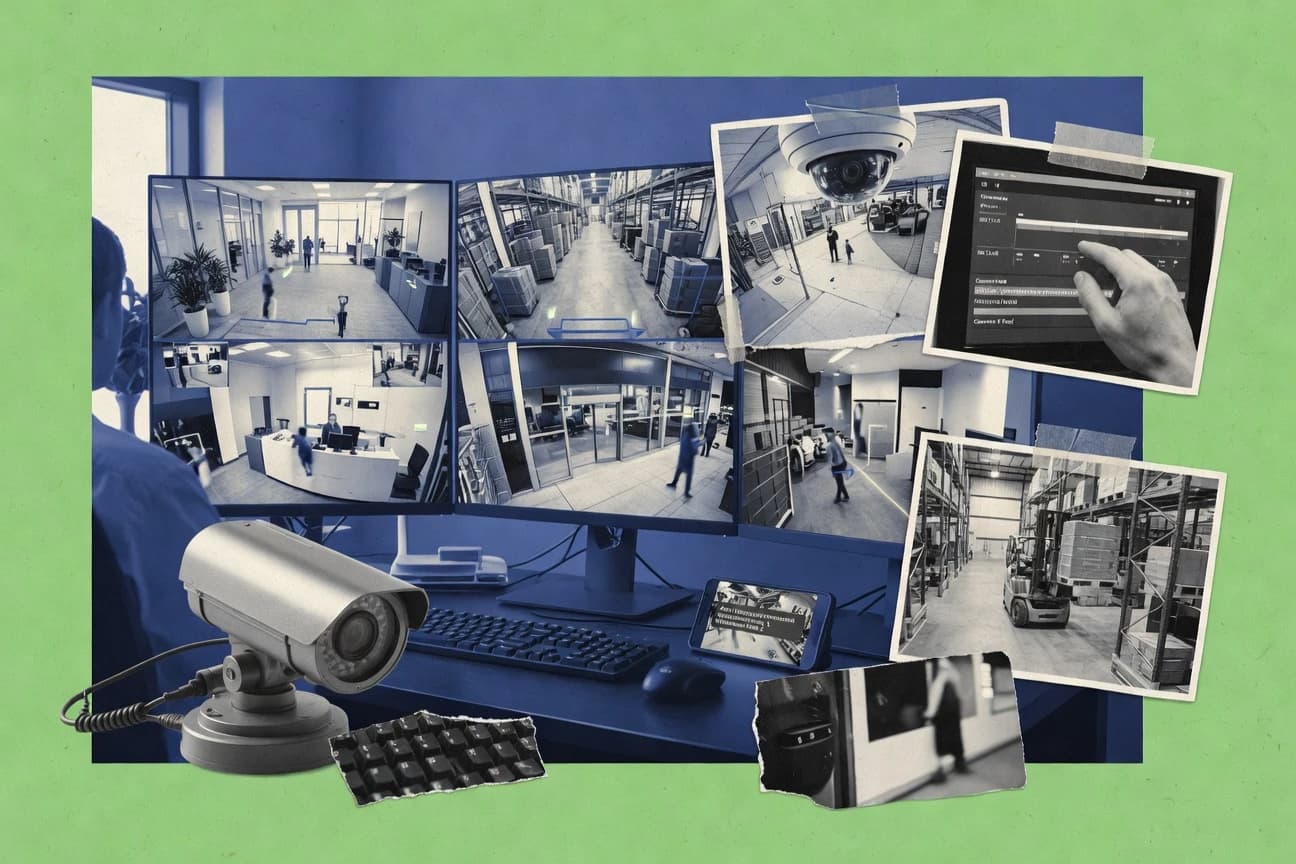
Business FinanceTop 10 Best Video Camera Monitoring Software of 2026
Ranked comparison of video camera monitoring software for real-time alerts and surveillance management, with compatibility checks for small teams and Blue Iris.

How we ranked these tools
Gitnux editors write the brief first: the topic, the inclusion rules, and the frame for what belongs.
Agents extract product evidence with provenance, then collect written reviews and transcribe video reviews and podcasts.
Framework: Features 40% · Ease 30% · Value 30%
Gitnux may earn a commission through links on this page — this does not influence rankings. Editorial policy
Blue Iris is the best fit for small teams that want flexible, alert-driven recording on a single on-premises host, while Samsara makes more sense when you’re running multi-site operations that need governed live access and event-driven evidence at scale.
Editor’s top 3 picks
Three quick recommendations before you dive into the full comparison below — each one leads on a different dimension.
Blue Iris
Configurable alert-to-action rules that can trigger recording, notifications, and snapshots based on camera events.
Best for: Fits when small teams need flexible alert-driven recording on a single on-premises host.
Samsara
Editor pickFleet-level camera management pairs camera health monitoring with event-driven workflows for consistent incident handling.
Best for: Fits when multi-site operations need governed live access and event-driven evidence collection at scale.
iSpy
Editor pickRule-driven alerting and recording that can route events into add-in automations tied to live camera triggers.
Best for: Fits when small teams need local monitoring control and event-driven recording without heavy enterprise governance.
Comparison Table
Blue Iris
SMBVideo surveillance software supporting a wide range of IP cameras and DVRs.
Configurable alert-to-action rules that can trigger recording, notifications, and snapshots based on camera events.
Blue Iris is designed for centralized recording on a single machine that pulls streams via common camera protocols and then evaluates events in its own rule engine. Live view, event timelines, and configurable alert actions support operations like camera health checking and event-based recording without moving video processing into a separate cloud. Administration is largely local to the host, so teams typically standardize the same configuration across cameras and rely on Windows user access rather than a full, centralized RBAC model.
A practical tradeoff is that Blue Iris requires ongoing Windows host tuning to keep throughput stable when multiple cameras increase bitrate and resolution. It fits teams that need fast local alert response and flexible recording logic on-premises, especially when camera compatibility checks and per-model adjustments are already part of deployment work.
- +Rule-based recording and alert actions per camera
- +Event timelines for incident review and fast export
- +Centralized multi-camera live view with consistent controls
- +Built for on-premises operation without camera-side dependencies
- –Windows host resource tuning is required for higher camera loads
- –Deep configuration takes time to standardize across locations
- –Central governance is limited compared with enterprise VMS models
Small security teams
Alert-driven recording for perimeter cameras
Less storage waste, faster incident capture
Retail operations teams
Multi-camera live view during store hours
Shorter investigation time
Show 2 more scenarios
IT administrators
On-premises monitoring for mixed camera models
Fewer cloud dependencies
Blue Iris coordinates streams into one workflow while keeping video processing off camera vendors.
Home-based caretaking teams
Local alerts and evidence exports
Actionable evidence packages
Event snapshots and clips support documentation when access or motion anomalies occur.
Best for: Fits when small teams need flexible alert-driven recording on a single on-premises host.
Samsara
enterpriseCloud-connected operations platform including video monitoring.
Fleet-level camera management pairs camera health monitoring with event-driven workflows for consistent incident handling.
Samsara fits teams that run many physical sites and need one place to manage live access, recordings, and alert rules without rebuilding workflows per location. The system combines live view and playback with event-based recording and evidence export workflows for incident follow-up. Camera health monitoring and connectivity signals help operations identify failing devices before missed events.
A tradeoff is that deployments depend on camera-to-cloud connectivity for centralized visibility and workflow automation. Samsara is a strong fit for retail chains, logistics yards, and construction fleets where staff need consistent alerting and evidence collection across sites with varying camera vendors.
- +Camera health and connectivity monitoring supports faster incident triage
- +Event-based alert workflows tie detection to recording and evidence export
- +Role-based access and audit trail support governed viewing
- +Centralized multi-site management reduces per-location operational drift
- –Central visibility depends on reliable camera-to-cloud connectivity
- –Advanced analytics and detection workflows can require careful camera and rule tuning
Security operations teams
Incident response across many sites
Faster triage and documentation
Retail operations leaders
Consistent alert rules storewide
Fewer inconsistent outcomes
Show 2 more scenarios
Logistics yard managers
Operational monitoring of camera uptime
Reduced missed events
Health and connectivity signals help spot device issues before coverage gaps occur.
Facility and IT teams
Governed access for multiple roles
Improved access governance
Role-based permissions and audit logs support controlled viewing and administrative oversight.
Best for: Fits when multi-site operations need governed live access and event-driven evidence collection at scale.
iSpy
SMBOpen-source video surveillance and security monitoring software.
Rule-driven alerting and recording that can route events into add-in automations tied to live camera triggers.
iSpy focuses on operators who need live view, event-based recording, and camera health checks in one workflow. It supports ONVIF discovery for many cameras and can ingest common video streams for centralized monitoring. Recording can be continuous or event-driven, and retention can be managed per camera and per rule. Evidence review is supported through exports that package clips for sharing and offline review.
A key tradeoff is that governance depth depends on how the installation is managed at the host level rather than on a fully centralized admin console. iSpy fits situations where a small team needs local control near the cameras and wants to tailor alert logic for motion or other trigger signals. It is less suitable when a team requires strict multi-admin RBAC and an enterprise audit log across many sites.
- +Event-triggered recording rules for motion-based workflows
- +ONVIF discovery simplifies adding compatible cameras
- +Built-in exports for evidence-oriented clip sharing
- +Add-ins extend automation without replacing the core app
- –Multi-site administration relies on managing hosts
- –Advanced governance like enterprise audit trails is limited
Security operations managers
Motion alerts with evidence exports
Faster incident triage
IT administrators
Add cameras through ONVIF discovery
Lower onboarding effort
Show 1 more scenario
Facilities supervisors
On-prem recording with retention control
Cost-controlled storage
Run continuous or event-based recording while managing retention per camera and trigger.
Best for: Fits when small teams need local monitoring control and event-driven recording without heavy enterprise governance.
Shinobi
SMBOpen-source CCTV and NVR software written in Node.js.
Event-based recording and alerting tied to per-camera rule conditions, with motion analysis used to gate retention.
Shinobi is a video camera monitoring system built around event-driven recording and configurable alert rules. It supports live viewing across multiple cameras and can retain footage by applying per-event logic rather than relying only on continuous timelines.
- +Event-driven recording ties retention to motion and rule conditions
- +Configurable alert rules reduce noise with per-camera logic
- +Live view supports multi-camera monitoring workflows
- +Standard stream inputs support broad camera compatibility
- –Initial setup and tuning require stronger configuration discipline
- –Higher camera counts can strain hardware without careful throughput planning
Best for: Fits when small teams need rule-based recording and alerts with flexible, configuration-driven control.
ExacqVision
enterpriseVideo management system for IP and analog surveillance cameras.
Alarm integration links detection, live notification, and event recording in a single operator workflow.
ExacqVision provides on-premises IP camera monitoring and video management for real-time live view and event-driven recording workflows. It integrates system-wide alarm handling, camera health monitoring, and configurable recording rules across supported cameras and storage devices.
- +Centralized alarm handling ties events to recording and live notification
- +Camera health monitoring flags connectivity and device status problems
- +Evidence export supports incident sharing for investigations
- +Role-based video access limits who can view and manage recordings
- –Large configuration changes require careful change management discipline
- –Advanced analytics depend on specific camera capabilities and integrations
Best for: Fits when small teams run on-premises IP camera monitoring and need consistent alarm-to-record workflows.
Sighthound
SMBAI-powered video surveillance and people detection software.
Sighthound’s computer-vision event detection prioritizes actionable clips for faster alert review and evidence export.
Sighthound is a video monitoring system built around computer-vision event detection, with workflows tuned for reviewing clips and correlating alerts. It focuses on motion and object events to drive evidence-style playback instead of a broad camera management UI.
- +Vision-driven event detection reduces time spent scanning motion clips
- +Event-based clip review supports investigation workflows with fewer clicks
- +Clear live-to-evidence flow for alert triage during active incidents
- +Configuration favors workable defaults for small deployments
- –Camera onboarding and device coverage can be limiting for mixed fleets
- –Advanced governance controls like granular RBAC and audit trails are limited
- –ONVIF and standards-based integrations are not positioned for broad interoperability
- –Scalability for high camera counts and high event throughput needs careful planning
Best for: Fits when small teams need vision-based alerts and evidence review without enterprise VMS governance depth.
Nx Witness
enterpriseCross-platform video surveillance software for enterprise and SMB.
Evidence export tied directly to event timelines, with per-incident review that keeps context from alert to clip.
Nx Witness from Network Optix focuses on centralized IP camera monitoring with strong event-driven workflows across live view, recording, and notifications. The system integrates camera management with alert rules, evidence export, and administrator controls designed for multi-camera sites.
- +Event-driven alert rules connect alarms to evidence export workflows
- +ONVIF discovery and RTSP streaming support mixed camera models
- +Searchable event timelines speed up incident review across many cameras
- +Admin controls and audit logging support day-to-day operations
- –Complex alert-rule design takes time for small teams to standardize
- –Video analytics and object detection capability varies by camera support
- –Large deployments can require careful tuning to avoid alert noise
- –Role-based access features require deliberate configuration to match policy
Best for: Fits when small teams need centralized IP camera monitoring with event-based alerts and fast evidence exports.
Camcloud
SMBCloud-based video surveillance for home and business cameras.
Camera health monitoring built into the same console as live view and event evidence, reducing context switching.
Camcloud provides cloud video monitoring focused on managing live viewing, camera status, and event-driven alerts for distributed sites. It supports camera-to-cloud ingestion and centralized recording workflows with configurable retention and evidence export for selected events.
- +Event-based alert rules with schedule windows for reduced noise
- +Centralized camera health monitoring to catch offline devices quickly
- +Evidence export tied to specific events rather than whole streams
- +Role-based access patterns that fit small team workflows
- –Limited visibility into low-level event analytics tuning for advanced use cases
- –Requires setup discipline for consistent camera-to-cloud connectivity across sites
Best for: Fits when small teams need cloud-centered monitoring with event notifications and operator-friendly evidence export.
Rhombus
enterpriseCloud-managed video surveillance system.
Event-to-record linkage that saves footage directly from alert conditions, reducing manual searching during incident review.
Rhombus focuses on network camera monitoring with event-based alerts and a live viewing workflow designed for small deployments. The software handles continuous and motion-driven recording so teams can retain evidence tied to specific events rather than only time windows.
- +Event-based recording ties saved footage to alert triggers
- +Camera health monitoring flags connectivity and device issues
- +Live view workflow keeps multi-camera status visible
- +Alert rules reduce noise compared with raw motion feeds
- –Limited automation surface compared with VMS systems built for integrations
- –Advanced governance controls for large teams are not a primary focus
- –Evidence export workflows are less configurable than enterprise VMS tools
- –Camera compatibility depends on supported connectivity paths
Best for: Fits when small teams need alert-driven recording, quick live checks, and basic governance for several cameras.
ZoneMinder
enterpriseOpen-source closed-circuit television software for Linux.
Event-rule driven recording ties camera signals to automated actions inside the on-prem monitoring workflow.
ZoneMinder is an on-premises video management system built to run as a monitoring application over IP cameras with ongoing live viewing and recording control. It focuses on event-driven workflows that tie motion and alarm sources to recording behavior, retention handling, and operator notification.
- +Event-driven recording can map alarms and motion to retention-controlled footage
- +ONVIF discovery reduces manual camera configuration for compatible devices
- +RTSP ingest supports common IP camera streaming setups
- +On-premises deployment keeps video workflows under local operational control
- –Admin configuration and tuning require hands-on system familiarity
- –Advanced analytics capabilities are limited compared with VMS suites focused on object detection
Best for: Fits when small teams need on-prem video monitoring with event-triggered recording and local governance over footage.
Conclusion
After evaluating 10 video camera monitoring software, Blue Iris stands out as our overall top pick — it scored highest across our combined criteria of features, ease of use, and value, which is why it sits at #1 in the rankings above.
Use the comparison table and detailed reviews above to validate the fit against your own requirements before committing to a tool.
How to Choose the Right Video Camera Monitoring Software
Small teams buying video camera monitoring software usually need the same three capabilities working together: event-based recording, live camera monitoring, and incident review that connects alerts to evidence. This guide covers Blue Iris, Samsara, iSpy, Shinobi, ExacqVision, Sighthound, Nx Witness, Camcloud, Rhombus, and ZoneMinder to map where each tool delivers those workflows.
The ranking favors integration depth and operational control such as rule-to-action automation, event timelines for export, and governance behaviors like health monitoring and incident evidence linkage. Blue Iris leads for configurable alert-to-action rules on a single on-premises host, while Samsara targets multi-site fleet handling with camera health monitoring and event-driven evidence workflows.
Video Camera Monitoring Software for live view, event alerts, and evidence export
Video camera monitoring software coordinates live camera feeds, event detection triggers, and recording behavior so alerts and footage stay linked during incident review. Tools like Blue Iris implement configurable alert-to-action rules that can trigger recording, notifications, and snapshots based on camera events.
For teams that manage multiple locations, video camera monitoring software also has to keep devices reachable and keep incident evidence consistent across sites. Samsara couples camera health monitoring with event-based alert workflows so detection can tie directly to recording and evidence export, while Blue Iris stays centered on rule flexibility on a single on-premises host.
Evaluation criteria for Video Camera Monitoring Software
Video camera monitoring software has to connect detection to recording so the incident timeline stays consistent during review. Tools that implement event-triggered recording rules, then expose those events as reviewable timelines, reduce manual searching when alerts matter.
Teams also need live view that operators can use while events are unfolding. Tools that pair live monitoring with incident evidence export keep context from alert triggers to saved footage and snapshots.
Rule-to-action automation for event-triggered recording
Blue Iris uses configurable alert-to-action rules that can trigger recording, notifications, and snapshots based on camera events. Shinobi ties event-based recording and alerts to per-camera rule conditions and uses motion analysis to gate retention.
Incident evidence workflow that links alerts to exports
Nx Witness connects event-driven alert rules to evidence export and keeps per-incident context from alert to clip. Rhombus saves footage directly from alert conditions so evidence appears without manual searching during incident review.
Camera health monitoring and device status coverage
Samsara pairs fleet-level camera management with camera health and connectivity monitoring for faster triage. Camcloud integrates camera health monitoring into the same console as live view and event evidence to reduce context switching.
Alert handling and alarm-to-record operator workflow
ExacqVision links detection, live notification, and event recording in a single operator workflow via alarm integration. ZoneMinder ties camera signals to automated actions in the on-prem monitoring workflow for event-rule driven recording.
Vision-based event detection for faster clip review
Sighthound’s computer-vision event detection prioritizes actionable clips for faster alert review and evidence export. Blue Iris stays focused on configurable alert-to-action rules per camera, which can require tuning to match detection intent.
Onboarding and mixed-camera connectivity support
iSpy uses ONVIF discovery to simplify adding compatible cameras and then routes events into add-in automations tied to live camera triggers. Nx Witness supports ONVIF discovery and RTSP streaming so mixed camera models can be included in centralized monitoring.
How to choose Video Camera Monitoring Software for alerts and evidence
Start by deciding where automation should run. Single-host rule engines favor tools like Blue Iris and Shinobi that keep alert-to-action behavior configurable on-prem, while fleet-centered teams often need governed live access and consistent evidence workflows across sites.
Then define the incident review path that operators must follow. Evidence export tied directly to event timelines favors Nx Witness and Samsara, while alarm-centric operator workflows favor ExacqVision and ZoneMinder.
Choose the automation model: single-host rules or fleet-governed workflows
If rule standardization can be handled on one on-prem host, Blue Iris supports per-camera alert actions that trigger recording, notifications, and snapshots. If multiple locations need consistent incident handling, Samsara pairs camera health monitoring with event-driven workflows for governed evidence collection.
Decide how evidence export should be tied to alerts
If evidence must be generated from an incident timeline without searching saved footage, Nx Witness ties event-driven alert rules to evidence export workflows. If footage should be pulled directly from alert conditions, Rhombus saves footage from alert triggers to reduce manual investigation steps.
Set camera health monitoring as a first-class requirement
If offline devices must be surfaced during live operations, Samsara and Camcloud both include camera health monitoring that supports faster incident triage or quicker operator context. If camera health is secondary to event scripting, iSpy and Blue Iris still support event-driven recording, but they require more attention to host and rule maintenance.
Plan for tuning depth based on alert noise tolerance
If alert noise needs to be controlled with per-camera logic and retention rules, Shinobi’s motion analysis used to gate retention helps link recording to event conditions. If the workflow needs evidence and incident review without deep governance depth, Sighthound’s vision-driven event detection can reduce time spent scanning motion clips.
Pick the operating model for administration and change management
If configuration changes can be managed through careful change management discipline, ExacqVision’s centralized alarm handling can keep recording and notifications consistent. If administration has to stay lightweight with local control, ZoneMinder and iSpy can fit on-prem monitoring workflows, but multi-site administration still relies on managing hosts.
Who Video Camera Monitoring Software is built for
Small teams often need rule-driven recording and incident review that keeps alerts connected to saved footage. The best fit depends on whether operations focus on one host or multiple sites and whether evidence must be generated from event timelines.
Teams that prioritize operator speed benefit from evidence exports tied to incident review workflows. Teams that prioritize detection intent benefit from vision-based event detection that reduces manual scanning.
Small teams running on a single on-prem host
Blue Iris supports configurable alert-to-action rules that trigger recording, notifications, and snapshots per camera on a single host. Shinobi also supports event-based recording and alerts tied to per-camera rule conditions with motion-gated retention.
Multi-site operators with consistent incident handling requirements
Samsara pairs camera health monitoring with event-driven workflows so incident handling stays consistent across sites. Nx Witness provides centralized monitoring with ONVIF discovery and RTSP streaming and then connects event-driven alerts to evidence export.
Teams that need alarm-driven operator workflows
ExacqVision links alarm integration to live notification and event recording in one operator workflow. ZoneMinder maps camera signals to automated event-rule recording inside the on-prem monitoring workflow.
Teams that need faster clip triage using vision detection
Sighthound prioritizes actionable clips using computer-vision event detection to reduce time spent scanning motion. Blue Iris can still support incident review, but its configurable rules require tuning to match detection intent.
Teams extending event workflows with add-ons
iSpy routes event-triggered recording rules into add-in automations tied to live camera triggers. This fits teams that want local monitoring control and event-driven recording without enterprise governance depth.
Common pitfalls in Video Camera Monitoring Software selection
Many deployments fail when alert rules are treated as static configuration instead of incident-handling workflow. Another frequent failure is assuming evidence export will match the alert that triggered recording.
These mistakes show up during tuning and during incident review when operators need predictable evidence timelines and clear device status signals.
Choosing a tool for live view only and under-scoping alert-to-record behavior
Blue Iris and Shinobi both support event-driven recording, but Blue Iris can require time to standardize deep configuration across locations. ExacqVision focuses on alarm-to-record workflows, so incident review expectations should match the operator workflow design.
Designing incident evidence export around manual searching
Nx Witness ties evidence export to event timelines so incident review retains alert-to-clip context. Rhombus also saves footage from alert conditions to reduce manual searching during incident review.
Ignoring connectivity reliability when the workflow depends on cloud reachability
Samsara central visibility depends on reliable camera-to-cloud connectivity for health monitoring and event workflows. Camcloud also requires setup discipline for consistent camera-to-cloud connectivity across sites.
Underestimating tuning requirements for mixed fleets and multi-camera rule logic
Shinobi’s initial setup and tuning require stronger configuration discipline, especially when event rules must stay accurate as cameras scale. Sighthound can limit mixed-fleet device coverage, so camera onboarding and detection coverage should be validated during the configuration phase.
Assuming enterprise governance controls exist when workflows are mostly local
Samsara delivers governed live access for multi-site operations, while iSpy limits advanced governance like enterprise audit trails. Sighthound and Nx Witness both support evidence workflows, but granular RBAC and audit-trail depth are not the primary focus in these smaller-team oriented setups.
How We Selected and Ranked These Tools
We evaluated Blue Iris as the top-ranked option because configurable alert-to-action rules can trigger recording, notifications, and snapshots based on camera events, and because event timelines support incident review and fast export. We weighted features at 40% using each tool’s event-based recording behavior, evidence export workflow, and operator review support across the provided tool set.
We weighted ease of use and value at 30% each by comparing how rule configuration and administration patterns affect day-to-day monitoring, including host resource tuning needs for Blue Iris and connectivity dependencies for Samsara. We then checked that the final ranking kept the strongest automation surface and incident review linkage aligned with the small-team requirements stated in this guide.
Frequently Asked Questions About Video Camera Monitoring Software
How does Blue Iris handle alert-to-recording automation compared with Shinobi and ZoneMinder?
Which tool is best for centralized incident review with searchable event context: Nx Witness or Sighthound?
How does ONVIF discovery and RTSP ingest differ between Nx Witness and ZoneMinder?
What breaks if retention is configured poorly in systems like ExacqVision and Camcloud?
How do admin controls and audit trails compare between Samsara and ExacqVision?
When camera health monitoring must appear in the same workflow as alerts, which tool fits best: Camcloud or Rhombus?
How do integrations and API-style automation differ between iSpy and cloud-first tools like Samsara and Camcloud?
Which tool performs fastest for alert-driven clip retrieval: Blue Iris or Nx Witness?
Where does Sighthound fall short compared with full VMS governance in Nx Witness?
Tools reviewed
Primary sources checked during evaluation.
Referenced in the comparison table and product reviews above.
Funding and competing interests
This study was co-funded by several of the vendors assessed in it. No single vendor funded it. Funders could propose the market studied.
They had no role in selecting vendors, setting or weighting criteria, analysing data or drawing conclusions, and they received the same factual-accuracy check as every other vendor assessed.
Market definition, inclusion rules and criteria weights were fixed by an editor before research began and did not change afterwards. Editorial process →
- Business FinanceTop 10 Best Video Monitoring Software of 2026
- SecurityTop 10 Best Security Camera Software of 2026
- SecurityTop 10 Best Video Surveillance Monitoring Software of 2026
- Communication MediaTop 10 Best Video Conferencing Recording Software of 2026
- Healthcare MedicineTop 10 Best Home Care Business Monitoring Software of 2026
Keep exploring
Comparing two specific tools?
Software Alternatives
See head-to-head software comparisons with feature breakdowns, pricing, and our recommendation for each use case.
Explore software alternatives→In this category
Business Finance alternatives
See side-by-side comparisons of business finance tools and pick the right one for your stack.
Compare business finance tools→