
GITNUXSOFTWARE ADVICE
Technology Digital MediaTop 10 Best User Experience Testing Software of 2026
Top 10 user experience testing software ranked for teams comparing tools like Contentsquare, Maze, and Optimal Workshop.

How we ranked these tools
Core product claims cross-referenced against official documentation, changelogs, and independent technical reviews.
Analyzed video reviews and hundreds of written evaluations to capture real-world user experiences with each tool.
AI persona simulations modeled how different user types would experience each tool across common use cases and workflows.
Final rankings reviewed and approved by our editorial team with authority to override AI-generated scores based on domain expertise.
Score: Features 40% · Ease 30% · Value 30%
Gitnux may earn a commission through links on this page — this does not influence rankings. Editorial policy
Contentsquare is the best fit if you need enterprise-grade journey evidence from moderated replay to pinpoint where UX friction happens, whereas Maze is the better pick when you want repeatable unmoderated usability checks on prototypes without turning every test into a project.
Editor’s top 3 picks
Three quick recommendations before you dive into the full comparison below — each one leads on a different dimension.
Contentsquare
Session review workflow ties moderated replay evidence to journey and funnel drop-offs.
Built for fits when product teams need moderated replay evidence tied to journey friction patterns..
Maze
Editor pickTask templates tied directly to clickable prototypes keep analysis grounded in step-level user behavior.
Built for fits when product teams need repeatable unmoderated usability tests on prototypes..
Optimal Workshop
Editor pickTree testing with outcome metrics tied to navigation structure decisions across study rounds.
Built for fits when product teams run repeated navigation research and need consistent study templates..
Comparison Table
Contentsquare
enterpriseExperience analytics platform mapping customer journeys across digital touchpoints.
Session review workflow ties moderated replay evidence to journey and funnel drop-offs.
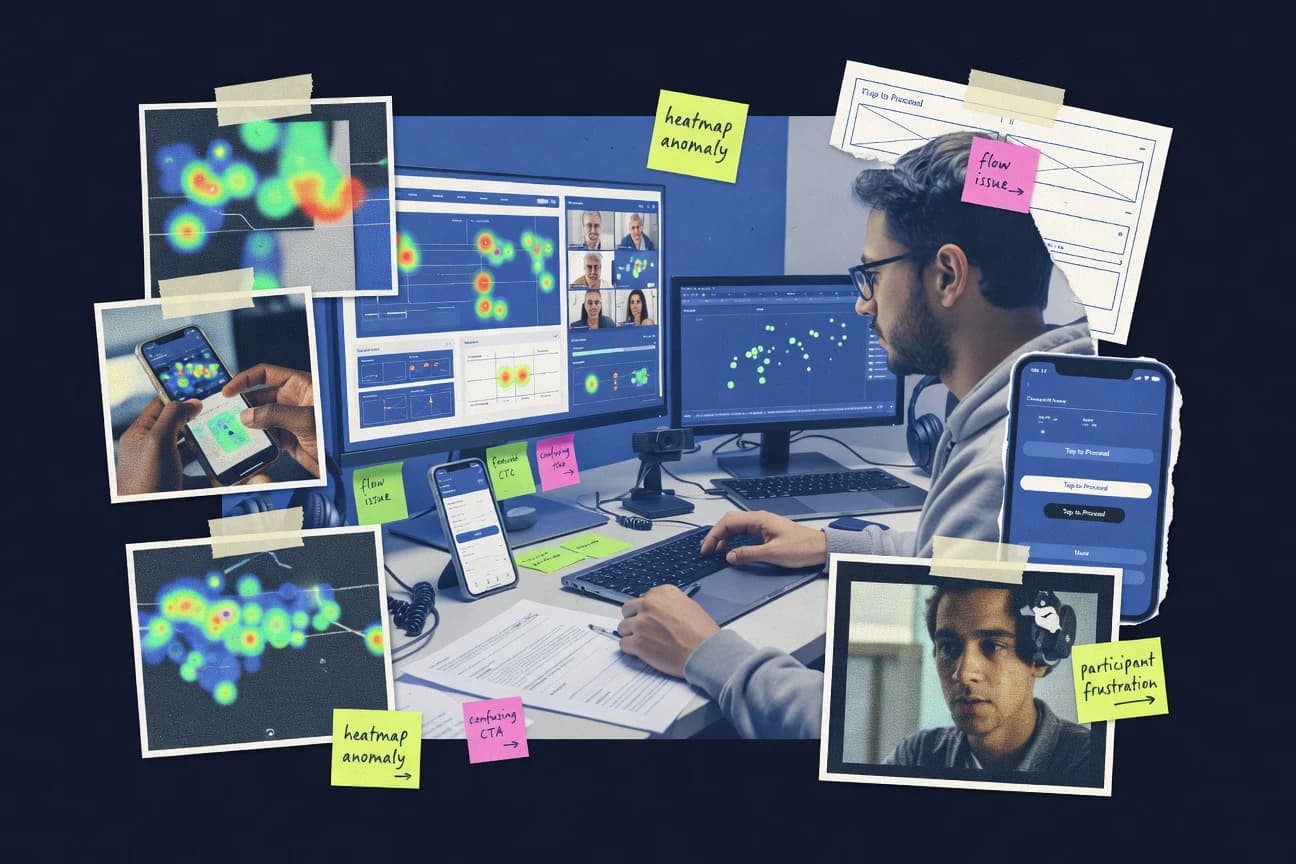
Contentsquare combines heatmaps, click maps, scroll views, and session replay to link what users do with where they stall. Journey and funnel views help map behavior across multi-step flows, and the workflow supports segmenting by attributes such as device type, geography, and user properties. Teams use moderation tools to review captured sessions and extract patterns that align with defined UX hypotheses.
A tradeoff appears in the scope of instrumentation and data governance. Full value depends on reliable event tagging and consistent site deployments, because missing or inconsistent signals reduce replay coverage and distort journey rollups. Contentsquare fits teams that already run continuous product analytics and want UX-focused testing artifacts driven by real sessions.
- +Journey and funnel analytics connect behavior across multi-step flows
- +Moderated session replay supports targeted investigation of friction patterns
- +Heatmaps and click maps make interaction hotspots easy to validate
- +Segmentation helps isolate experience issues by device and user attributes
- –Requires disciplined event instrumentation to keep replay and funnels accurate
- –Advanced configuration has a learning curve for UX analysts
- –Large traffic volumes can increase review effort for manual session sampling
- –Cross-team sharing needs careful permission and data access planning
Product analytics teams
Investigate funnel drop-offs with replay evidence
Faster root-cause identification
UX research leads
Validate redesigns using interaction hotspots
Clearer design iteration priorities
Show 2 more scenarios
Ecommerce product managers
Diagnose checkout friction by segment
Higher task success rate
Segmentation isolates payment and form issues by device and region for faster remediation.
Platform governance teams
Control access to recordings and dashboards
Reduced data exposure risk
RBAC-style permissions and audit-oriented governance support safe collaboration across roles.
Best for: Fits when product teams need moderated replay evidence tied to journey friction patterns.
Maze
SMBUnmoderated product research platform for prototype and usability testing.
Task templates tied directly to clickable prototypes keep analysis grounded in step-level user behavior.
Teams use Maze to run structured task studies against clickable prototypes and live pages, then review recorded sessions and task-level outcomes. The workflow ties test questions to prototype steps so findings stay mapped to the user journey. Maze also supports collaboration features for labeling sessions and sharing results with stakeholders who need decision-ready artifacts.
A tradeoff is that deeper qual workflows, like live think-aloud moderation with observation room dynamics, are not the center of the product. Maze fits most when research questions can be converted into repeatable tasks and shipped quickly across iterations, such as validating navigation or onboarding screens in parallel.
- +Prototype-linked tasks keep findings tied to specific user steps
- +Session recordings with clear task context speed stakeholder review
- +Question and success criteria design supports consistent studies
- +Results sharing workflows reduce manual report assembly
- –Moderated lab-style observation needs separate tooling
- –Complex multi-step test logic can feel rigid versus custom scripts
- –Recruitment and compliance workflows require planning outside the core tool
- –Cross-tool research synthesis takes manual tagging discipline
Product designers
Validate onboarding flow comprehension
Faster onboarding UX decisions
Product managers
Measure first-click navigation clarity
Clearer navigation priorities
Show 2 more scenarios
UX researchers
Benchmark usability changes between releases
Consistent release-level insights
Repeat the same tasks against updated prototypes and track task success shifts.
Engineering enablement
Review UI behavior before rollout
Reduced regressions risk
Use scenario-based tests to surface interaction failures before shipping changes.
Best for: Fits when product teams need repeatable unmoderated usability tests on prototypes.
Optimal Workshop
SMBUX research suite for card sorting, tree testing, and first-click testing.
Tree testing with outcome metrics tied to navigation structure decisions across study rounds.
Optimal Workshop’s core value is workflow coverage across information architecture research formats, including card sorting and tree testing, plus companion studies like first-click style validation. Study setup emphasizes repeatable stimuli and clear task goals so teams can compare findings across iterations without rebuilding every workbook. Reporting consolidates results into visualization views and study exports, which helps stakeholders move from raw responses to decisions on navigation structure.
A key tradeoff is that Optimal Workshop is strongest for information architecture studies and specific UX research templates, so broader usability testing needs can require additional tooling or tighter scope. The best fit is an ongoing IA optimization program where teams run multiple rounds and want consistent templates, analysis views, and exportable artifacts tied to each study run.
- +Card sorting and tree testing workflows reuse consistent stimuli patterns
- +Results visualizations connect participant inputs to derived navigation structure decisions
- +Moderated and unmoderated studies share artifacts in one review flow
- +Exportable reports support handoff to design and IA stakeholders
- –Less suited to end-to-end usability sessions beyond IA-centric protocols
- –Moderation workflows add setup effort for scheduling and study configuration
- –Advanced custom research formats require careful template design
- –Deep clickstream or replay analytics are not the primary strength
UX research teams
Validate site navigation comprehension
Clear IA decision points
Product design leads
Prioritize label and hierarchy changes
Less label churn
Show 2 more scenarios
Information architects
Benchmark information architecture alternatives
Repeatable IA evaluation
Track study artifacts and derived structures as options evolve over time.
Research ops managers
Standardize unmoderated study setup
Faster iteration cycles
Reuse task and stimulus configurations to speed study creation and reviews.
Best for: Fits when product teams run repeated navigation research and need consistent study templates.
Userlytics
enterpriseGlobal remote usability testing platform with multimodal recording.
Study automation via API that binds participant identity to tasks so timelines and findings stay consistent across repeated studies.
Userlytics focuses on remote usability testing workflows that combine moderated sessions with structured study templates and reporting. Sessions capture qualitative feedback alongside task progress timelines, then roll findings into shareable analysis views for stakeholders.
Admin controls center on study permissions, participant management, and audit trails for access-sensitive collaboration. Integration depth comes through an API and automation hooks that connect studies to recruiting, product analytics identifiers, and downstream reporting pipelines.
- +API supports study automation and external data handoff
- +Structured reporting organizes findings for stakeholder review
- +Moderated remote testing workflow reduces logistics overhead
- +RBAC-style permissions keep study access controlled
- –Study setup requires more configuration than tool-first competitors
- –Automation depth depends on consistent participant identity mapping
- –Some analysis views need exports for custom dashboards
Best for: Fits when UX research teams run frequent moderated remote studies and need API-driven workflow automation.
UXtweak
SMBUX research platform with usability testing, card sorting, and tree testing.
Task-scoped session recordings let reviewers jump between participant behavior and the specific step where issues appear.
UXtweak runs unmoderated remote usability tests by guiding participants through tasks in a controlled session flow. It captures quantitative task metrics and supports qualitative observation by recording interactions during each task.
UXtweak also provides test planning and result reporting so teams can compare outcomes across research rounds. Setup centers on configuring study content, recruiting targets, and session settings for repeatable testing.
- +Guided unmoderated studies with task-based session structure
- +Session recordings tied to each task for faster analysis
- +Study configuration supports repeatable research rounds
- +Reporting organizes findings for cross-study comparison
- –Limited fit for deep moderated protocols with live probing
- –Custom analysis views are constrained versus fully bespoke pipelines
- –Prototype and measurement constraints can surface late in planning
- –Recruiting and targeting controls require careful study setup
Best for: Fits when product teams need repeatable unmoderated usability checks on flows and task completion.
Useberry
SMBUnmoderated usability testing and prototype feedback tool.
Guided moderated study scripting that standardizes task delivery and makes cross-session comparison faster.
Useberry focuses on remote UX testing built around moderated sessions and structured task collection. It supports guided study design with scripting, participant tasks, and standardized output so teams can compare findings across sessions.
The workflow also includes automatic media handling for usability observations and centralized review for stakeholders. Useberry is a fit for teams that want consistent session setup and clear synthesis for usability and prototype validation.
- +Moderated remote studies keep consistent think-aloud coverage
- +Session scripting supports repeatable task flow across studies
- +Centralized media and findings reduce stakeholder coordination friction
- +Standardized outputs help teams compare sessions during triage
- –Advanced automation needs careful study configuration discipline
- –Usability research coverage may be narrower than endpoint-first tools
- –Deep persona-level analytics require extra analysis time
- –Customization beyond standard study flows can feel limited
Best for: Fits when teams need repeatable moderated remote usability sessions with structured findings review.
User Interviews
SMBParticipant recruitment platform for research studies.
Panel recruitment and screener-to-session workflow that keeps participant sourcing and protocol execution linked per study.
User Interviews is distinct because it couples remote and moderated usability testing with a participant recruitment marketplace. It supports study workflows for usability tasks, surveys, and concept or prototype evaluation with session-level artifacts for analysis.
Studies are managed around panel recruitment and scripted protocols, so stakeholders can run consistent tests across products and iterations. The result is a testing service shape with operational controls and exportable outputs tied to each study.
- +Study workflow ties recruitment to scripted sessions
- +Exports and artifacts stay organized per study
- +Moderation templates reduce protocol drift across tests
- +Screening and quota controls support repeatable samples
- –Less suited for fully instrumented analytics workflows
- –API access and automation surface are limited for bespoke pipelines
- –Customization options for complex study designs can be constrained
- –Governance like role-based access and audit logs needs process discipline
Best for: Fits when product teams need moderated usability sessions with repeatable recruitment and study-ready artifacts.
Dovetail
enterpriseQualitative research analysis and repository platform.
Evidence-to-initiative traceability that connects notes, themes, and decisions inside shared projects.
Dovetail is a user research testing and insights workspace focused on consolidating moderated and unmoderated findings into structured themes. It centralizes qualitative evidence from interviews, survey responses, and research repositories, then links that evidence to initiatives, questions, and deliverables.
Dovetail also supports automation through workflows and a documented API surface for syncing research artifacts into internal systems. Governance features include role-based permissions, shared projects, and auditability around research access and changes.
- +Evidence-to-theme linking keeps claims traceable across projects
- +API supports programmatic syncing of research artifacts into workflows
- +Workflow automation reduces manual cleanup of tags and fields
- +RBAC and project scoping control access across research teams
- –Qualitative analysis is stronger than session-level usability instrumentation
- –Moderated testing workflows need external tooling for recording and playback
- –Complex project structures can slow setup for small teams
- –Some integrations rely on mapping consistency of imported fields
Best for: Fits when research teams need structured synthesis with controlled access across many studies.
Mouseflow
SMBSession replay and heatmap analytics for websites.
Form analytics that segments field-level friction inside longer multi-step funnels, not just overall conversion rate.
Mouseflow captures session replay with click maps and heatmaps so UX teams can see what users did and when they got stuck. The tool adds form analytics and funnel-style analysis to pinpoint drop-off points in multi-step flows.
Mouseflow also provides tag-based event tracking for custom interactions, which supports more than just generic clicks and scrolls. Admin workflows include role-based access controls and audit visibility for managing replay and tagging activity.
- +Session replay ties user actions to visual evidence across devices
- +Click maps and scroll maps reduce manual behavior investigation time
- +Form analytics highlights field friction and step-level drop-offs
- +Tag-based custom events extend tracking beyond standard interactions
- –Replay governance requires consistent tagging and sampling discipline
- –Qualitative research workflows like participant studies are limited
- –Advanced automation depends more on integrations than native rules
- –Deep prototyping validation like tree or card sorting is not central
Best for: Fits when teams need session replay and interaction maps to debug conversion and checkout friction.
LogRocket
enterpriseSession replay and error tracking for web and mobile apps.
Session replay that reconstructs the full interaction timeline and correlates it with console errors and network activity.
LogRocket records session replay alongside event context so product teams can reproduce and diagnose UX issues from real user flows. It captures click and navigation behavior, console errors, network calls, and configurable events, then ties those signals to the exact user session timeline.
Teams can instrument releases, segment by attributes, and add custom data to correlate user actions with outcomes like form failures. Admin workflows support workspace access controls and moderation features for sensitive data handling during replay review.
- +Session replay is tied to console and network timelines for faster root cause
- +Event instrumentation supports custom properties for targeted UX segmentation
- +Release comparisons help isolate changes tied to regressions in user behavior
- +Data masking options reduce exposure of sensitive fields in captured sessions
- –Capturing richer custom context requires deliberate instrumentation design and upkeep
- –High session volume can create review throughput pressure for large traffic apps
- –Some advanced analysis workflows rely on platform configuration rather than export-only pipelines
- –Replay investigations can feel fragmented across separate views for events and errors
Best for: Fits when product teams need session replay plus event context to debug UX regressions quickly.
Conclusion
After evaluating 10 technology digital media, Contentsquare stands out as our overall top pick — it scored highest across our combined criteria of features, ease of use, and value, which is why it sits at #1 in the rankings above.
Use the comparison table and detailed reviews above to validate the fit against your own requirements before committing to a tool.
How to Choose the Right user experience testing software
User experience testing software covers both session replay evidence and structured study workflows for validating UX changes, including Contentsquare, Maze, and Maze-style prototype grounded testing. The coverage in this guide includes Contentsquare for moderated replay linked to journey and funnel drop-offs, Maze for prototype-linked unmoderated task templates, and Optimal Workshop for navigation studies driven by tree testing outcomes.
It also includes Userlytics for API-driven moderated study automation, Useberry for scripted moderated remote sessions, and User Interviews for panel recruitment tied to study-ready session artifacts. The remaining tools address synthesis traceability in Dovetail, field-level friction debugging in Mouseflow, and event-correlated timeline replay in LogRocket.
User experience testing software for moderated and unmoderated UX validation with replay, tasks, and structured evidence
User experience testing software records user behavior during UX evaluation using moderated sessions, unmoderated task flows, or both, then turns that evidence into review-ready outputs. Contentsquare anchors this workflow by tying moderated session replay to journey and funnel drop-offs so teams can investigate where friction appears inside multi-step patterns.
Maze anchors the same category focus by linking task templates directly to clickable prototypes so step-level behavior stays grounded in specific user steps. Other tools in the category support research-grade structures such as Optimal Workshop tree testing that ties outcomes to navigation structure decisions across study rounds, and Useberry scripted moderated remote studies that standardize think-aloud task delivery for cross-session comparison.
User experience testing capability checks that map evidence to UX decisions
User experience testing software needs mechanisms that connect recorded evidence to a specific evaluation question, like where a journey breaks or which navigation choice fails. Contentsquare links moderated replay evidence to journey and funnel drop-offs so teams can investigate friction inside multi-step patterns without manually correlating artifacts.
Moderated replay tied to quantitative journey signals
Contentsquare connects moderated session replay to journey and funnel drop-offs so teams can trace UX friction to specific multi-step moments.
Prototype-linked tasks for repeatable unmoderated studies
Maze binds task templates to clickable prototypes so each participant runs aligned steps for step-level behavior analysis.
Navigation research designed for repeated study rounds
Optimal Workshop supports tree testing outcomes linked to navigation structure decisions across study rounds, with card sorting and tree testing using consistent stimuli patterns.
API-driven moderated study automation with participant identity binding
Userlytics provides a study automation API that binds participant identity to tasks, keeping timelines and findings consistent across repeated studies.
Guided moderated scripting for think-aloud consistency
Useberry standardizes task delivery through guided moderated study scripting so cross-session comparisons focus on the scripted task flow.
Evidence traceability and controlled sharing across research projects
Dovetail connects notes, themes, and decisions into evidence-to-initiative traceability inside shared projects.
Choose by integration depth, automation surface, and governance fit for study workflows
Some buyers need moderated replay evidence linked to behavior analytics, while others prioritize study repeatability through task templates and scripting. Contentsquare fits when moderated replay evidence must connect directly to journey and funnel drop-offs, while Maze fits when unmoderated usability checks must stay grounded in prototype steps.
Map replay evidence to quantified UX failure points
If the evaluation goal is to explain why a journey or funnel drops at specific steps, Contentsquare ties moderated session replay to journey and funnel drop-offs. If the goal is to debug conversion and field-level friction patterns, Mouseflow uses session replay plus click maps and scroll maps to narrow where users struggle.
Standardize task delivery for repeatable usability testing
If studies must run consistently on clickable prototypes without live moderation, Maze uses prototype-linked task templates to keep analysis grounded in step-level behavior. If moderated sessions must keep consistent think-aloud coverage, Useberry uses guided moderated study scripting to standardize task delivery and session flow.
Pick automation strategy for frequent studies across teams
If external systems must trigger or manage studies programmatically, Userlytics offers an API that automates study setup and binds participant identity to tasks. If research workflows need programmatic syncing of artifacts rather than study execution automation, Dovetail provides API support to sync research artifacts into shared workflows.
Align navigation research format to the decision being tested
If the decision is how users should navigate an information architecture, Optimal Workshop centers tree testing outcomes linked to navigation structure decisions across study rounds. If the decision needs to be assessed via task-scoped recording reviews, UXtweak ties session recordings to each task step so reviewers can jump to where issues appear.
Decide where evidence traceability should live
If evidence needs to turn into shared claims with controlled access across many studies, Dovetail ties notes, themes, and decisions inside shared projects through evidence-to-initiative traceability. If the team needs high-signal debugging across runtime issues, LogRocket reconstructs a full interaction timeline and correlates it with console errors and network activity.
Teams that benefit from different evidence and workflow models
Buyer fit depends on whether the core work is moderated investigation, unmoderated step validation, navigation decision testing, or research synthesis across studies. Contentsquare supports journey-focused moderated investigation, and Maze supports prototype-linked unmoderated step validation.
Product teams running moderated usability studies tied to funnels and journeys
Contentsquare supports moderated session replay tied to journey and funnel drop-offs so teams can investigate step-specific friction in multi-step patterns.
UX researchers running repeatable unmoderated prototype tests
Maze uses task templates tied directly to clickable prototypes so step-level findings stay grounded in participant actions on the same prototype workflow.
Information architecture teams running repeat rounds of navigation research
Optimal Workshop delivers tree testing with outcome metrics tied to navigation structure decisions across study rounds so results align to specific IA choices.
UX research ops teams automating study workflows through external systems
Userlytics provides API-driven study automation that binds participant identity to tasks so study timelines and findings remain consistent across repeated studies.
Research and insights teams synthesizing evidence into decisions across many studies
Dovetail keeps evidence traceable through links from notes to themes to decisions inside shared projects and supports API syncing of research artifacts.
Common buying mistakes that break UX testing execution
UX testing software failures usually come from mismatched workflow assumptions rather than missing features. A tool that records sessions without aligning replay to the right study construct often creates review overhead and weak decision traceability.
Choosing a replay-first analytics tool without the workflow links needed for study questions
Contentsquare works when teams need replay evidence tied to journey and funnel drop-offs, while LogRocket is better when console errors and network activity must correlate with the reconstructed interaction timeline.
Treating task templates and scripts as interchangeable with real step context
Maze keeps findings grounded by tying tasks to clickable prototypes, and UXtweak keeps analysis anchored by tying recordings to each task step instead of presenting undifferentiated sessions.
Underestimating the configuration discipline required for accurate instrumentation and automation
Mouseflow requires consistent tagging and sampling discipline for replay governance, and Userlytics automation depends on consistent participant identity mapping to keep study timelines and findings stable.
Buying for end-to-end moderated usability while ignoring the tool's IA or research synthesis strengths
Optimal Workshop is less suited for end-to-end usability sessions beyond IA-centric protocols, and Dovetail is stronger on qualitative evidence-to-theme traceability than on session-level usability instrumentation.
How We Selected and Ranked These Tools
We evaluated each tool on feature fit for session replay evidence and structured study workflows, with feature coverage weighted at 40%. We used ease and value weighting of 30% each to score how directly the tool supports repeatable tasks, moderated protocols, and review-ready outputs.
We favored integration depth and automation surface when those capabilities directly support study execution or artifact syncing, with Userlytics standing out for API-driven study automation that binds participant identity to tasks. We also credited Contentsquare for moderated session replay workflows that tie journey and funnel drop-offs to the investigation process.
Frequently Asked Questions About user experience testing software
How should teams decide between moderated sessions and unmoderated sessions for usability testing?
Which tools handle navigation research formats like tree testing and card sorting with consistent templates?
How do user experience testing tools connect recordings to the specific journey or session context?
When do teams need event tracking and custom instrumentation rather than default click and scroll capture?
What tradeoff appears when a workflow relies on product analytics identifiers and automation hooks?
How do APIs and integrations affect test automation and downstream reporting?
How do admin controls differ for access governance and auditability in moderated and replay review?
How does data migration typically work when moving from one research repository or panel workflow to another?
What breaks if the tool does not support extensibility for custom workflows and analysis outputs?
Tools reviewed
Primary sources checked during evaluation.
Referenced in the comparison table and product reviews above.
- Technology Digital MediaTop 10 Best Remote User Testing Software of 2026
- Customer Experience In IndustryTop 10 Best Customer Experience Optimization Software of 2026
- Communication MediaTop 10 Best Contact Center Experience Software of 2026
- Business FinanceTop 10 Best Usage Tracking Software of 2026
- Technology Digital MediaTop 10 Best User Interview Software of 2026
Keep exploring
Comparing two specific tools?
Software Alternatives
See head-to-head software comparisons with feature breakdowns, pricing, and our recommendation for each use case.
Explore software alternatives→In this category
Technology Digital Media alternatives
See side-by-side comparisons of technology digital media tools and pick the right one for your stack.
Compare technology digital media tools→