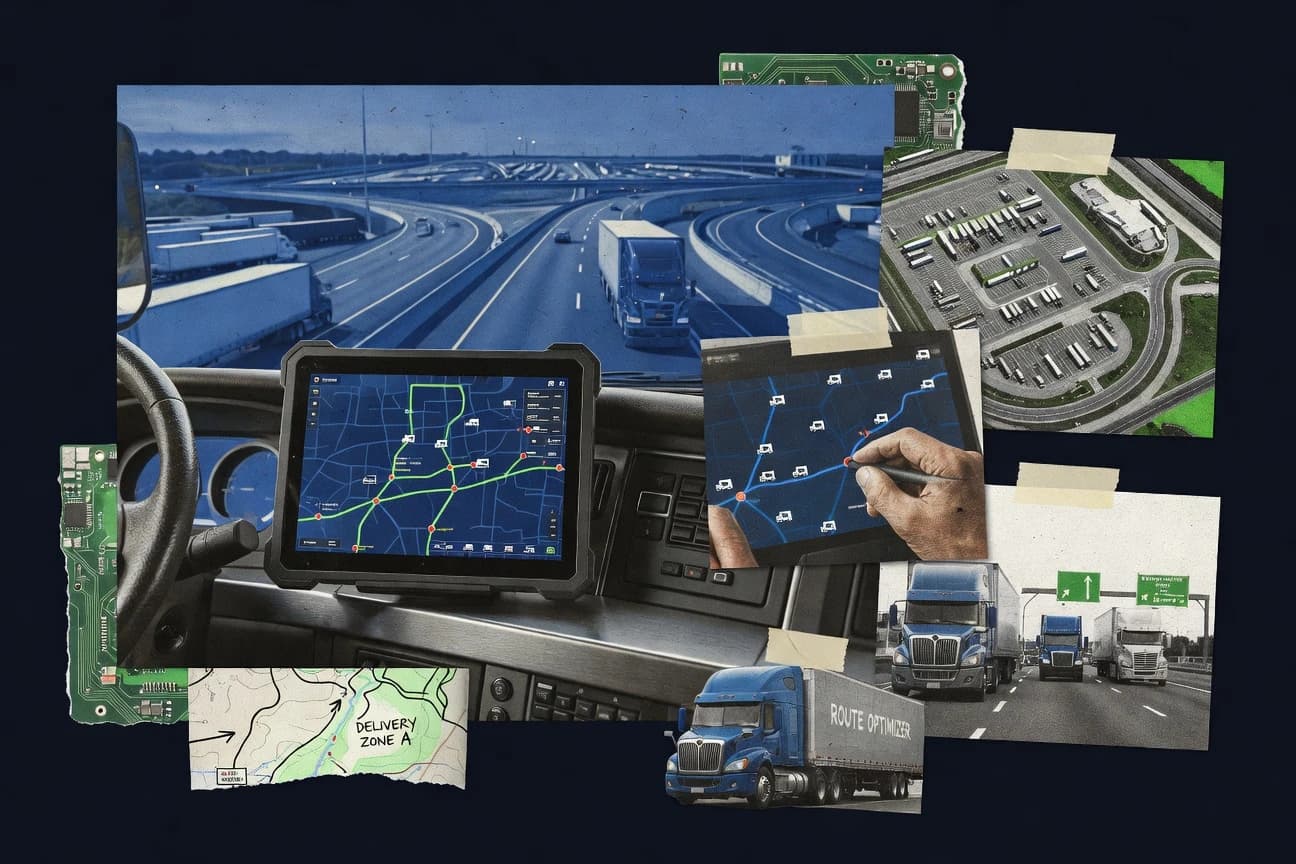
GITNUXSOFTWARE REVIEW
Transportation LogisticsTop 10 Best Truck Route Software of 2026
A research roundup comparing truck route software tools, covering how Samsara, Verizon Connect, and Motive handle routing, planning, and dispatch for fleets.

How we ranked these tools
Vendors set the topic, but our editors set the inclusion criteria and the evaluation framework before research starts.
AI search agents find sources, extract figures with provenance, and aggregate written reviews. They also transcribe video reviews and podcasts.
Framework: Features 40% · Ease 30% · Value 30%
Gitnux may earn a commission through links on this page — this does not influence rankings. Editorial policy
Samsara is the best pick for telematics-heavy fleets that need route execution tied to live GPS so stop-level exceptions surface quickly for faster correction, whereas Onfleet fits delivery teams that want a cleaner delivery timeline with route replay for post-run adjustments.
Editor’s top 3 picks
Three quick recommendations before you dive into the full comparison below — each one leads on a different dimension.
Samsara
Tight coupling between live GPS telemetry and route execution signals drives stop-level exceptions instead of passive route viewing.
Best for: Fits when telematics-heavy fleets need route execution with fewer manual exceptions handling steps.
Verizon Connect
Editor pickDispatch-to-driver workflow keeps route status and exceptions connected to telematics updates for faster operational correction.
Best for: Fits when fleets need routing tied to ongoing dispatch and driver execution with strong telematics-backed visibility.
Motive
Editor pickMotive AI Dashcam links video events with driver coaching, incident workflows, and contextual vehicle data.
Best for: Fits when carriers need dispatch, compliance, and driver execution in one system.
Comparison Table
Samsara
enterpriseFleet management software combines truck routing, dispatch, telematics, and driver workflows.
Tight coupling between live GPS telemetry and route execution signals drives stop-level exceptions instead of passive route viewing.
Samsara is a truck route software choice centered on telematics-first workflows that connect route execution to real-world vehicle behavior. Core capabilities include multi-stop routing support paired with live trip visibility, plus dispatch and driver app execution for stop-level progress.
The operational loop closes through GPS-based events and exception signals that help teams manage ETA drift and missed schedules rather than only producing a static itinerary. For teams already using Samsara devices, the tight coupling between routing steps and device telemetry reduces manual reconciliation during daily delivery cycles.
- +Device-driven trip events support faster route adherence checks
- +Driver app execution reduces dependence on desktop dispatching
- +Exception signals help teams react to ETAs and stop progress drift
- +Routing execution stays aligned with live location updates
- –Routing changes require operational discipline to avoid workflow mismatch
- –Multi-stop planning depth can be constrained versus dedicated planners
- –Advanced compliance constraints depend on accurate vehicle profile setup
- –Deep API customization requires more integration work than simpler routing tools
Fleet managers and dispatchers
Track multi-stop trips with route alerts
Faster delay awareness and escalation
Freight and delivery operators
Coordinate stop-level execution and proof
More consistent delivery records
Show 2 more scenarios
Fleet maintenance managers
Tie maintenance work to vehicle condition
Repairs aligned to real health
Maintenance teams use diagnostics and inspection findings linked to field operations and locations.
Yard and utility operations
Coordinate yard equipment and vehicle movement
Improved equipment availability visibility
Teams track asset location and movement to support activity planning around routes and work schedules.
Best for: Fits when telematics-heavy fleets need route execution with fewer manual exceptions handling steps.
Verizon Connect
enterpriseFleet management software includes vehicle tracking, dispatch support, and route visibility.
Dispatch-to-driver workflow keeps route status and exceptions connected to telematics updates for faster operational correction.
Verizon Connect routes and manages commercial vehicles using GPS fleet tracking plus an operations workflow for dispatch and driver execution. For truck routing, it supports multi-stop planning workflows that tie map-based routes to day-to-day dispatch, driver assignment, and route status updates.
The product’s distinct angle is tight pairing between routing outputs and ongoing fleet data so route adherence and exception handling can feed back into operations. Verizon Connect also supports integrations for order and transportation management system data so route plans can be synchronized with upstream planning signals.
- +Routing outputs stay linked to live vehicle locations and status changes
- +Dispatch and driver workflow reduces manual handoffs during multi-stop days
- +Integration options help synchronize route plans with upstream planning data
- +Exception visibility supports faster corrections when vehicles deviate
- –Route optimization depth depends on the enabled routing configuration and feature set
- –Complex constraints can require more setup work than teams expect
- –Advanced compliance needs may require careful process design around ELD and logs
- –Address quality impacts results, and data cleanup adds operational overhead
Fleet supervisors and control-room teams
Monitor geofence deviations during route execution
Faster exception identification
Transport planners and service managers
Build multi-stop delivery routes
Coordinated route planning
Show 2 more scenarios
Dispatchers and logistics coordinators
Reassign routes using live locations
More informed day-of dispatch
Dispatchers adjust assignments and active runs using current vehicle and driver locations.
Fleet maintenance managers
Schedule maintenance within route operations
Better maintenance scheduling
Maintenance teams plan work alongside broader fleet operations and review activity against routes.
Best for: Fits when fleets need routing tied to ongoing dispatch and driver execution with strong telematics-backed visibility.
Motive
enterpriseFleet software supports dispatch, route planning, vehicle tracking, and driver operations.
Motive AI Dashcam links video events with driver coaching, incident workflows, and contextual vehicle data.
Regional carriers with mixed equipment can manage dispatch instructions, driver messages, inspection reports, and electronic logging device integration from connected Motive applications. Dispatchers receive live vehicle positions, monitor route progress, and review exceptions without switching between separate fleet systems. Motive also provides API access and integrations for exchanging operational data with external business systems.
The tradeoff is lighter delivery-sequence specialization than software built primarily for dense last-mile operations. A carrier running scheduled regional loads can use Motive to assign work, track execution, collect documents, and connect driver activity with compliance records.
- +Unified driver app for dispatch instructions, documents, messaging, and inspections
- +Electronic logging device data connects with operational fleet records
- +API access and integrations support external system data exchange
- +AI Dashcam adds video evidence to safety reviews
- –Route sequencing is less specialized than dedicated last-mile optimization software
- –Advanced workflows require disciplined administrator configuration
- –Several capabilities depend on Motive hardware installations
- –Reporting depth can vary across connected systems
Regional freight carriers
Scheduled multi-stop load execution
Fewer disconnected dispatch tasks
Private fleet managers
Driver compliance oversight
Centralized compliance visibility
Show 2 more scenarios
Safety and claims teams
Incident evidence review
Faster incident assessment
AI Dashcam footage connects incidents with driver context and structured follow-up actions.
Fleet operations analysts
External data synchronization
Less manual data entry
API connections transfer vehicle, driver, and activity records into business intelligence or transportation systems.
Best for: Fits when carriers need dispatch, compliance, and driver execution in one system.
Geotab
enterpriseConnected fleet software supports route management, telematics, compliance, and third-party integrations.
Route replay tied to GPS traces and operational exceptions shows what changed and where deviations occurred.
Geotab is a telematics-first fleet system that adds route intelligence through its routing workflows and integrations. GPS fleet tracking, driver and vehicle context, and route replay support operational review after a change in delivery sequences.
- +ELD and telematics integration supports delivery compliance workflows
- +Route replay and adherence checks reduce manual post-trip investigation
- +API supports custom dispatch and routing-related automation
- +Commercial vehicle context improves operational decision-making with live data
- –Standalone route optimization depth is limited without external planning logic
- –Admin setup requires governance discipline for roles and data access
- –Exception workflows can feel broad compared with tour-specific dispatch tools
- –Address quality and geocoding depend on integrated mapping and processes
Route planners and dispatch managers
Assign stops using live fleet availability
Routes match current fleet conditions
Fleet maintenance managers
Schedule service from engine health signals
Maintenance planned more systematically
Show 2 more scenarios
Dispatch and field service teams
Update job status from geofence events
Job and vehicle statuses stay current
Dispatch teams use geofence events, live vehicle status, and driver job updates to keep workflows current.
Safety and driver training teams
Review risky driving events for coaching
Consistent performance feedback and coaching
Safety managers analyze driving behavior and risk indicators to standardize reviews and targeted driver coaching.
Best for: Fits when fleet teams need routing visibility, adherence analysis, and telematics-driven automation alongside dispatch systems.
Onfleet
API-firstLast-mile delivery software provides route optimization, dispatch, tracking, and proof of delivery.
Route replay ties GPS movement and stop-level status updates into a single timeline for post-run correction and training.
Onfleet is a delivery and dispatch execution system that maps multi-stop routing into driver-ready workflows. It focuses on operational control through GPS-based tracking, automated status capture, and route replay for troubleshooting delivery runs.
- +Route replay with field event timelines for fast delivery exception analysis
- +Event capture from drivers supports near-real-time dispatch status changes
- +API for synchronizing shipments and updating delivery and stop events
- +Proof of delivery artifacts link directly to stop execution
- –Commercial-vehicle routing constraints like turn restrictions need careful configuration
- –Advanced compliance coverage for ELD and legal route constraints is not the core workflow
- –Complex fleet governance needs extra process around roles and change control
- –Address and geocoding quality still depends on upstream data hygiene
Last-mile delivery dispatchers
Reassign multi-stop routes during same-day changes
Routes stay aligned to reality
Pickup and delivery operators
Manage stop order and driver progress
Each stop tracks its status
Show 2 more scenarios
Field service and delivery teams
Capture signatures, photos, and scans
Completion has auditable evidence
Drivers record proof-of-delivery artifacts tied to completed jobs for verifiable operational records.
Delivery operations and customer service
Handle failed deliveries and return follow-up
Exceptions move to resolution
Dispatchers see missed stops and delivery exceptions to coordinate next actions without constant calls.
Best for: Fits when dispatch teams need delivery-grade execution with tracking, stop status events, and route replay.
ORTEC
enterpriseTransportation planning software optimizes routes, schedules, vehicle capacity, and workforce allocation.
Compliance-aware route planning that incorporates prohibited roads and turn restrictions into multi-stop sequence generation.
ORTEC performs truck route optimization that accounts for commercial delivery constraints and legal compliance requirements for large fleets. The system focuses on multi-stop sequencing with truck-specific road and access rules, then produces dispatch-ready route plans for operations.
- +Generates delivery sequences that respect truck-specific road restrictions
- +Produces route plans aligned to compliance constraints and legal limitations
- +Supports operational recalculation for changed constraints during planning
- +Integrates routing outputs directly into dispatch workflows for execution
- –Requires careful constraint modeling to avoid counterintuitive routing
- –Exception handling depends on manual workflows when real-world events diverge
- –Address normalization and geocoding quality can limit routing consistency
- –Admin configuration for optimization parameters can slow early rollout
Commercial fleet planning teams
Optimize multi-stop truck routes with vehicle limits
Improved truck route feasibility
Daily dispatch and operations
Generate dispatch-ready daily delivery routes
More feasible daily routes
Show 2 more scenarios
Warehouse and yard coordinators
Plan dock sequencing and loading constraints
Actionable loading and dock plans
Coordinates loading sequence with vehicle, shipment, dock, and yard constraints for execution-ready operations.
Distribution planning teams
Schedule deliveries around time-window compliance
Better on-time delivery alignment
Plans routes and schedules to align service requirements with customer delivery windows.
Best for: Fits when carriers need constraint-driven routing for complex delivery networks and compliance-heavy operations.
Descartes Route Planning
enterpriseRoute planning software supports delivery optimization, fleet constraints, and transportation execution.
Descartes' integrated planning workspace links orders, vehicle constraints, driver schedules, and execution data across connected logistics applications.
Large fleets can centralize planning across depots, apply vehicle restrictions, and compare planned routes with operational results. Integration options cover transportation management systems, order systems, fleet telematics, and Descartes delivery products. The fit is strongest where routing decisions depend on shared enterprise data rather than isolated dispatcher edits.
- +Handles complex multi-stop route planning across large delivery fleets.
- +Connects planning with Descartes transportation management and fleet telematics.
- +Supports time-window constraints and vehicle-specific operating rules.
- +Provides territory design, dispatcher controls, and route performance visibility.
- –Implementation depends on clean order, address, and vehicle master data.
- –Broader capabilities can require multiple Descartes modules.
- –Smaller fleets may face more administration than lightweight planners.
- –Driver-facing depth depends on selected mobile and fleet components.
National delivery fleets
Depot-wide route publication
Consistent daily dispatch
Wholesale distributors
Time-windowed customer deliveries
Fewer missed delivery windows
Show 1 more scenario
Logistics IT teams
Connected planning data flows
Less duplicate data entry
Integrations move orders and execution updates between Descartes applications and existing operational systems.
Best for: Fits when national fleets need centralized planning across many depots and connected logistics systems.
Route4Me
SMBMulti-stop route planning software supports fleet routing, driver dispatch, and delivery tracking.
Route4Me’s Route Optimization API supports direct control over addresses, routes, drivers, and optimization jobs.
Route4Me supports recurring route templates, stop validation, territory management, driver assignment, and live route adjustments. Its API and webhook capabilities let dispatch software create routes, update stops, receive status events, and synchronize operational records.
- +Route Optimization API exposes route, address, driver, and optimization-job operations.
- +Supports truck dimensions and commercial road restrictions.
- +Driver app captures signatures, photos, notes, and delivery status.
- +Route templates support repeatable daily dispatch patterns.
- –Advanced configuration requires careful vehicle and driver rule maintenance.
- –Some telematics connections depend on third-party integrations.
- –Large deployments may need API engineering and monitoring.
- –Dispatch analytics are less specialized than transportation management suites.
Regional distribution fleets
Repeat customer delivery routes
Consistent daily dispatch
Field service dispatchers
Technician stop sequencing
Faster schedule changes
Show 1 more scenario
Logistics software teams
Embedded route optimization
Integrated dispatch workflows
API endpoints let custom systems submit stops, create routes, and receive operational status updates.
Best for: Fits when delivery teams need configurable routing, driver workflows, and API connectivity across existing dispatch systems.
TruckLogics
vertical specialistTrucking management software combines dispatch, trip management, accounting, and fleet administration.
TruckLogics route planning applies vehicle and restriction constraints to route generation, reducing invalid segments before dispatch.
TruckLogics is a truck route software option aimed at carriers that need repeatable multi-stop planning with operational constraints. It supports delivery sequencing and schedule-aware routing, then produces route outputs suited for dispatch and driver handoff.
- +Truck-specific restriction controls reduce routing into invalid road segments
- +Multi-stop planning produces delivery sequence outputs for dispatch
- +Route compliance options help enforce prohibited roads and constraints
- +Driver-ready route outputs support practical handoff from planning
- –Constraint configuration requires disciplined setup to avoid bad plans
- –Less emphasis on real-time recalculation workflows than some competitors
- –API and automation surface appears limited for deep TMS automation
- –Telemetry-focused features depend more on external systems than built-in
Safety managers and fleet supervisors
Prepare hours-of-service records for inspections
More controlled hours-of-service logs
Fleet administrators and compliance staff
Reconcile trip mileage for IFTA
More traceable mileage records
Show 2 more scenarios
Small-fleet dispatchers and operations
Coordinate multi-stop loads and handoffs
Fewer manual handoffs
Assign loads, track job status, and manage driver handoffs using a shared operations record.
Owner-operators and independent carriers
Organize expenses for trucking accounting
Accountant-ready expense records
Record trip income, fuel, repairs, and receipts for cleaner month-end bookkeeping and exports.
Best for: Fits when dispatch teams must enforce truck restrictions and prohibited roads across multi-stop routes.
PTV Logistics
vertical specialistCommercial vehicle routing software plans routes around truck restrictions, schedules, and fleet constraints.
Truck-specific road permissions and turn restrictions are applied inside the optimization loop for compliance-first routing.
PTV Logistics combines commercial vehicle routing and dispatch support with logistics planning workflows built around fleet operations. The tool focuses on truck-specific constraints such as turn restrictions and road permissions so route compliance can be enforced during multi-stop planning.
- +Enforces truck-specific restrictions during route generation
- +Supports multi-stop sequencing with operational constraint handling
- +Designed for dispatch and planning workflows beyond pure routing
- +Integration-focused outputs for execution-side process continuity
- –Configuration effort rises with complex vehicle and network constraints
- –Less suited to lightweight route planning without operational workflows
- –Tighter dependency on integrations for full dispatch impact
- –Workflow customization can require specialist administration
Fleet dispatch coordinators
Assign compliant routes for multi-stop loads
Fewer route compliance exceptions
Logistics planners
Plan yard-to-customer delivery networks
More reliable delivery ETAs
Show 2 more scenarios
Transportation operations managers
Coordinate planning to dispatch handoff
Faster planning-to-dispatch transfer
Operations managers use planning outputs that integrate into execution steps for driver-facing assignment workflows.
Compliance and safety teams
Validate truck access constraints
Lower risk of violations
Compliance teams check vehicle routing against restrictions to reduce incidents tied to prohibited roads.
Best for: Fits when operations teams need compliant multi-stop routing that feeds dispatch execution.
Conclusion
After evaluating 10 truck route software, Samsara stands out as our overall top pick — it scored highest across our combined criteria of features, ease of use, and value, which is why it sits at #1 in the rankings above.
Use the comparison table and detailed reviews above to validate the fit against your own requirements before committing to a tool.
Frequently Asked Questions About Truck Route Software
How do route-optimization APIs change the planning workflow?
Which tools support dispatch and driver execution in the same operating loop?
What breaks if a fleet treats routing as a one-time map generation step?
How does route replay help diagnose delivery sequence changes?
Which systems handle truck-specific turn restrictions and road permissions inside route generation?
How do tools handle ELD or E-log compliance signals alongside routing?
What data migration work is usually required when switching route software?
How can route software integrate with transportation management system order flows?
When do dedicated delivery optimizers beat all-in-one telematics platforms?
Tools reviewed
Primary sources checked during evaluation.
Referenced in the comparison table and product reviews above.
How to Choose the Right Truck Route Software
We separate truck route options by whether route output matches your real constraints and how directly you can control that output. Look hardest at time-window constraints, route change handling, and integration depth so the plan stays usable after you load or refresh stops.
Time-window constraints behavior
Why it matters
Time-window constraints decide whether routes are merely plausible or actually schedulable when drivers hit real pickup or delivery windows. When behavior is unclear, you end up with frequent plan breaks and rework.
How to check
Load a small sample with two stops that have tight windows and one flexible stop. Then adjust the window width (wider vs tighter) and watch whether the tool recalculates without dropping stops or producing obvious violations.
Multi-stop sequence quality
Why it matters
Multi-stop routing determines whether the delivery sequence reduces deadhead and avoids impractical day plans. Poor sequencing tends to look good on paper but creates constant exceptions in the field.
How to check
Use a day with 8–20 stops across a region and compare the produced sequence to a manually sensible baseline (near-to-far or clustered). On a demo, ask the tool to optimize again after you reorder two stops and verify how much it changes the overall route.
Truck-specific turning and restriction rules
Why it matters
Truck-specific turn restrictions and similar limits change routing more than many people expect, especially in cities. If rules are generic, you may get routes that are hard to execute even when the distance is short.
How to check
Pick a few stops in a dense area and run planning for a vehicle type that implies restrictions. Ask to see the route explanation or warnings for disallowed turns, and verify the route avoids blocked maneuvers on the displayed map.
Replanning workflow after stop changes
Why it matters
Route output is rarely one-and-done; stop changes happen daily. This label shows whether the system can replan without resetting the entire day or losing your intent.
How to check
Start with a saved plan, then change one stop time or location and run the update. Confirm whether it keeps unaffected stops stable and how it flags what changed before you accept the new route.
Address handling and location accuracy
Why it matters
Address validation and location accuracy affect whether the optimizer works from real pickup and delivery points. If it resolves poorly, you get wrong sequences and avoidable road detours.
How to check
Enter several addresses with common data issues (abbreviations, missing suite/unit, slightly different spelling). Check whether the tool proposes corrections and whether it updates route geometry accordingly.
API and automation depth
Why it matters
Integration depth and API surface matter when you load orders, refresh stops, and trigger reroutes automatically. Without a usable automation surface, operators spend time moving data instead of managing plans.
How to check
In the demo, ask for an API walkthrough that includes creating a job, submitting stops, and retrieving the route output. Request a sandbox or sample payload format and validate that the workflow supports the way you plan (batch schedules vs repeated updates).
Red flags
- It produces a route but can’t explain what it avoided
- It recalculates everything when one stop changes
- Address issues lead to silent routing shifts
Fit by situation
- If you run tight pickup and delivery windows, prioritize time-window constraints behavior.
- If your days have many deliveries in one region, prioritize multi-stop sequence quality.
- If you need reroutes driven by frequent stop updates, prioritize Replanning workflow after stop changes.
Funding and competing interests
This study was co-funded by several of the vendors assessed in it. No single vendor funded it. Funders could propose the market studied.
They had no role in selecting vendors, setting or weighting criteria, analysing data or drawing conclusions, and they received the same factual-accuracy check as every other vendor assessed.
Market definition, inclusion rules and criteria weights were fixed by an editor before research began and did not change afterwards. Editorial process →
- Review · 2026 · Transportation LogisticsTruck Software
- Review · 2026 · Transportation LogisticsVehicle Route Optimization Software
- Review · 2026 · Transportation LogisticsHeavy Truck Fleet Maintenance Software
- Review · 2026 · Transportation LogisticsSmall Trucking Company Software
- Review · 2026 · Transportation LogisticsTruck Driving Software
Keep exploring
Comparing two specific tools?
Software Alternatives
See head-to-head software comparisons with feature breakdowns, pricing, and our recommendation for each use case.
Explore software alternatives→In this category
Transportation Logistics alternatives
See side-by-side comparisons of transportation logistics tools and pick the right one for your stack.
Compare transportation logistics tools→