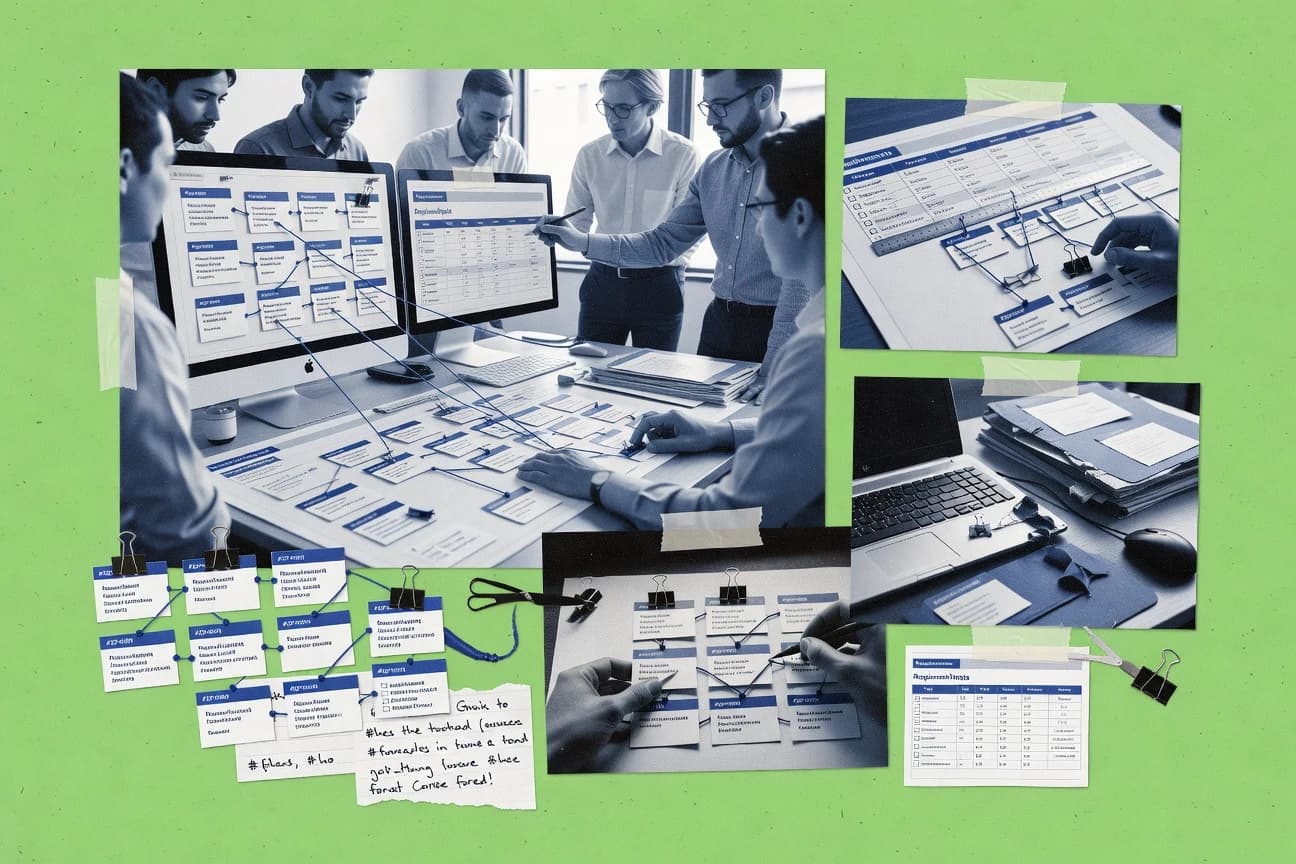
GITNUXSOFTWARE ADVICE
Business FinanceTop 10 Best Traceability Matrix Software of 2026
Compare traceability matrix software options, including Matrix Req., for teams assessing requirements coverage, links, and change impact.

How we ranked these tools
Vendors set the topic, but our editors set the inclusion criteria and the evaluation framework before research starts.
AI search agents find sources, extract figures with provenance, and aggregate written reviews. They also transcribe video reviews and podcasts.
Framework: Features 40% · Ease 30% · Value 30%
Gitnux may earn a commission through links on this page — this does not influence rankings. Editorial policy
Matrix Req suits medical-device and regulated-product teams because Matrix Mind can draft requirements, risks, and tests from their templates within the design-control workspace, whereas TestRail fits QA teams linking outside requirements to release testing since its plans bring runs across configurations into one execution view.
Editor’s top 3 picks
Three quick recommendations before you dive into the full comparison below — each one leads on a different dimension.
Matrix Req
Matrix Mind is an AI assistant inside Matrix Req that can create requirements, risks, and test cases using a team's specific template, as well as help users navigate project documentation. It brings these AI-assisted tasks into the same environment where regulated design records are managed.
Best for: Medical-device and regulated-product engineering, quality, and regulatory teams using Matrix Req to connect development records, manage design control, and prepare technical or compliance documentation.
TestRail
Editor pickTest Plans consolidate multiple test runs across configurations into one execution view.
Best for: Fits when QA teams need release-level test execution tracking linked to requirements managed in other systems.
Jama Connect
Editor pickLive Traceability visualizes linked requirements, risks, and tests, then flags affected relationships after item changes.
Best for: Fits when regulated product teams need linked requirements, structured reviews, and controlled change records across disciplines.
Comparison Table
Matrix Req
AI-assisted medical-device design controlMatrix Req helps medical-device teams manage requirements, risks, specifications, and tests, with linked design-control records and compliance documentation.
Matrix Mind is an AI assistant inside Matrix Req that can create requirements, risks, and test cases using a team's specific template, as well as help users navigate project documentation. It brings these AI-assisted tasks into the same environment where regulated design records are managed.
Matrix Req brings requirements, design artifacts, risks, and tests into a shared, versioned workspace. Teams can configure which connections are optional or required, review downstream effects when items change, and generate trace tables and technical documents from project data. The product is positioned for regulated development, with examples spanning SaMD, diagnostics, and medical devices.
A concrete tradeoff is the implementation effort: the site describes a typical rollout of 2–3 months, though teams familiar with ALM tools may become productive sooner. For example, a SaMD team preparing lifecycle evidence can connect requirements, risks, and verification activities, then assemble supporting documentation.
- +Matrix Mind can help create requirements, risks, and test cases based on a team's specific template.
- +Native integrations with Jira, Azure DevOps, GitHub, and GitLab can create tickets from requirements and sync status updates.
- +The import system maps Excel columns or Word sections to Matrix Req fields and preserves links for imported requirements, risks, tests, and specifications.
- –Teams seeking only a general-purpose task board may be better served by project-management software.
SaMD engineering teams
Organizing IEC 62304 lifecycle evidence
Connected lifecycle records
Medical-device quality teams
Preparing design-control documentation
Submission-ready documentation
Show 1 more scenario
Multi-product device companies
Reusing shared requirements
Consistent product requirements
The Compose Base Library lets product teams include common requirements and propagate updates across products.
Best for: Medical-device and regulated-product engineering, quality, and regulatory teams using Matrix Req to connect development records, manage design control, and prepare technical or compliance documentation.
TestRail
SMBTestRail manages test cases, runs, results, requirements links, and coverage reporting.
Test Plans consolidate multiple test runs across configurations into one execution view.
TestRail organizes cases into suites and sections, then groups selected cases into test runs and plans for release or configuration cycles. Teams can attach external references to cases, submit automated results through the REST API, and connect defects through issue-tracker integrations such as Jira and Azure DevOps. Reports include reference coverage, activity, and defect views.
TestRail relies on identifiers maintained in connected requirement systems and does not replace requirements authoring, version baselines, or formal approval controls. It suits QA groups gathering execution evidence across browsers or builds, while teams needing lifecycle requirements governance must maintain those controls elsewhere.
- +Test Plans consolidate runs across browsers, platforms, and configurations.
- +The REST API accepts automated results and supports case and run management.
- +Coverage reports summarize the status of linked external references.
- –Requirement definitions and version baselines remain outside TestRail.
- –Formal approval controls for requirement changes require another system.
Product QA teams
Release regression across configurations
Configuration-level execution status
CI engineering teams
Pipeline result ingestion
Centralized run results
Show 1 more scenario
Jira-based QA teams
Defect-linked test execution
Linked defect records
Jira integration connects test cases and run failures to issue records for defect follow-up.
Best for: Fits when QA teams need release-level test execution tracking linked to requirements managed in other systems.
Jama Connect
enterpriseRequirements management software with bidirectional traceability across requirements, risks, tests, and releases.
Live Traceability visualizes linked requirements, risks, and tests, then flags affected relationships after item changes.
Teams can represent requirements, risks, and test cases as linked items, then inspect relationships across project views. Review Center lets assigned reviewers comment, resolve feedback, and record decisions in a controlled review. Baselines retain approved item states for comparison after revisions.
Configurable item types, relationship rules, and permissions demand administrator planning, and dense projects can make relationship views harder to interpret. That tradeoff suits regulated product groups coordinating requirement, risk, and test evidence across engineering disciplines, where recorded reviews and retained states support change control.
- +Live Traceability flags suspect links when connected items change.
- +Review Center records reviewer comments and decisions against selected items.
- +REST API and Jira and Azure DevOps integrations support engineering handoffs.
- +Baselines preserve approved item states for later comparison.
- –Complex item types, permissions, and review processes require administrator planning.
- –Large projects can produce dense relationship views that take time to interpret.
Regulated product teams
Formal requirement reviews
Recorded review decisions
Systems engineering teams
Assess downstream change effects
Visible affected items
Show 1 more scenario
Software delivery teams
Jira-linked requirement handoff
Tracked implementation scope
Jama Connect links requirements with Jira work items so engineering teams can track implementation against approved scope.
Best for: Fits when regulated product teams need linked requirements, structured reviews, and controlled change records across disciplines.
Enterprise Architect
enterpriseEnterprise Architect links requirements to models, tests, changes, and project artifacts.
Relationship Matrix filters source elements, target elements, and connectors to expose links across requirements, tests, components, and defects.
Enterprise Architect takes a model-centric approach to traceability, keeping requirement links in the same repository as UML, SysML, and business-process models. Its Relationship Matrix filters source and target element types and connectors to show links among requirements, tests, components, and defects. Package baselines, impact analysis, and document generation support change review, while the Automation Interface and scripting support bulk updates and external integrations.
- +A shared UML and SysML repository links requirements with architecture, design elements, tests, and defects.
- +The Automation Interface and scripting support bulk model updates and external integrations.
- +Package baselines and comparison views help teams review model changes.
- –The desktop-first Windows client limits teams seeking browser-native authoring.
- –Relationship Matrix views depend on configured connectors and element scopes.
- –Requirements workflows offer less guided lifecycle management than dedicated ALM suites.
Best for: Fits when systems teams need traceability embedded in UML or SysML models and can manage a desktop repository.
IBM Engineering Requirements Management DOORS Next
enterpriseDOORS Next manages structured requirements, baselines, links, and traceability across systems engineering programs.
Global Configuration Management assembles matching requirements, design, and test configurations across linked engineering applications.
IBM Engineering Requirements Management DOORS Next manages requirements as artifacts in modules and links them to related work across engineering applications. Module views, baselines, review workflows, and suspect-link indicators support change tracking and controlled approvals. OSLC links and REST APIs connect DOORS Next with IBM Engineering Lifecycle Management tools and external engineering systems.
- +Artifact modules support structured requirements breakdown, reusable content, and tailored views.
- +Suspect-link indicators help teams identify relationships that need review after changes.
- +Global Configuration Management connects matching requirements and test configurations across IBM engineering applications.
- +OSLC and REST interfaces support integrations with IBM tools and external engineering systems.
- –Test planning and execution rely on companion Engineering Test Management rather than DOORS Next itself.
- –Module navigation and link management can be cumbersome for occasional reviewers.
- –Large implementations can require specialist administration across project areas and configurations.
Best for: Fits when engineering teams need controlled requirements management linked to test and design work across IBM lifecycle applications.
IBM Engineering Requirements Management DOORS Next
enterpriseEnterprise requirements management software with traceability links, baselines, and impact analysis.
Global Configuration Management assembles versioned requirements, test, and change-management components into lifecycle-specific configurations.
IBM Engineering Requirements Management DOORS Next suits regulated systems engineering teams that need controlled requirements authoring across complex product lifecycles. Its artifact-based modules support hierarchical decomposition, review workflows, trace links, and baselines.
- +Global Configuration Management aligns versioned requirements, test, and change artifacts across IBM lifecycle applications.
- +OSLC integration links requirements with IBM Engineering Test Management and Engineering Workflow Management.
- +ReqIF import and export support exchange with external requirements repositories.
- –Administration across Jazz applications and global configurations adds significant setup overhead.
- –The web interface can feel dense for occasional reviewers and smaller teams.
- –Advanced reporting often requires configured lifecycle queries or external reporting tools.
Best for: Fits when regulated engineering teams need version-controlled requirements linked across IBM lifecycle applications.
Orcanos
vertical specialistOrcanos manages requirements, design controls, risks, tests, and submissions for regulated products.
Unified ALM-QMS records connect product requirements and tests with CAPA, controlled documents, and quality changes.
Orcanos differentiates itself through a combined application lifecycle management and quality management system for regulated product development. Requirements, test cases, defects, and risks can be linked in matrix views, while reports show requirements without test coverage.
- +Links requirements, tests, defects, and risks in shared matrix views.
- +Pairs ALM records with CAPA, document control, and change management.
- +Configurable review paths and signed approvals support controlled change records.
- –The extensive module set creates more configuration overhead than a standalone matrix tool.
- –Teams needing only lightweight matrix reporting must work within a broader ALM-QMS workspace.
Best for: Fits when medical-device teams need engineering traceability alongside regulated quality records.
Modern Requirements4DevOps
API-firstAzure DevOps extension for requirements management, traceability matrices, reviews, and reporting.
Smart Docs provides document-style requirements authoring while synchronizing content with Azure DevOps work items.
Among traceability products built around an ALM host, Modern Requirements4DevOps is distinguished by operating as an extension inside Azure DevOps. Smart Docs supports document-style requirements authoring and synchronizes content with Azure DevOps work items, while Smart Reports generates traceability matrices. Baselines and review workflows support version comparisons and approval tracking, but teams need Azure DevOps for the product's native workflows.
- +Smart Docs supports document-style authoring while synchronizing requirements with Azure DevOps work items.
- +Smart Reports can generate traceability matrices from linked requirements and tests.
- +Baselines and review workflows support version comparisons and approval tracking.
- –Native operation depends on Azure DevOps, limiting teams standardized on Jira or standalone repositories.
- –Template, field, and workflow setup can require administrator effort before wider adoption.
Best for: Fits when requirements teams already use Azure DevOps and need document authoring, reviews, and traceability reports in one environment.
Xray
API-firstXray adds requirements, test management, traceability, and coverage reporting to Jira.
Test Execution issues combine individual Test Runs, execution status, and test environments within Jira's issue model.
Xray links Jira requirement issues to tests and execution results, keeping traceability inside the issue tracker. Its Jira issue types include Tests, Test Sets, Test Plans, and Test Executions, with manual steps and imported automated test results. REST and GraphQL APIs, CI integrations, and execution reports support pipeline workflows and show test status across Jira projects.
- +Native Jira issue types connect Tests, Test Sets, Test Plans, and executions to project issues.
- +REST and GraphQL APIs plus result imports connect automation frameworks and CI pipelines.
- +Reports show linked test counts, execution status, and results across Jira projects.
- –Xray requires Jira, so teams outside Atlassian's issue tracker lack a standalone workspace.
- –Xray does not replace dedicated requirements authoring or baseline management for regulated specifications.
Best for: Fits when Jira teams need test execution, framework imports, and linked coverage reports in one workspace.
Siemens Polarion ALM
enterprisePolarion ALM connects requirements, tests, defects, and approvals in a browser-based lifecycle repository.
LiveDocs connects document-style requirement authoring directly to Polarion work items, keeping structured records linked to collaborative specification documents.
Siemens Polarion ALM suits engineering teams that need requirements work and test management in one version-controlled environment, with LiveDocs linking document-style authoring to structured work items. Teams connect requirements, test cases, executions, and defects, then use baselines, approval workflows, and configurable permissions to retain change history. LiveReports, dashboards, a REST API, and an SDK provide reporting and integration options, while deployment and workflow configuration demand specialist time.
- +LiveDocs supports document-style requirements editing while retaining links to structured work items.
- +Test management connects test cases, executions, and defects to requirement records.
- +The REST API, SDK, and configurable workflows support integration and lifecycle tailoring.
- –Project administration and workflow configuration demand experienced Polarion specialists.
- –Interface density can slow users navigating large work-item projects.
- –Third-party integrations may require connector development beyond built-in configuration.
Best for: Fits when engineering teams need linked requirements and tests, controlled document workflows, and configurable integrations.
Conclusion
After evaluating 10 traceability matrix software, Matrix Req stands out as our overall top pick — it scored highest across our combined criteria of features, ease of use, and value, which is why it sits at #1 in the rankings above.
Use the comparison table and detailed reviews above to validate the fit against your own requirements before committing to a tool.
How to Choose the Right Traceability Matrix Software
Traceability matrix software differs in where it anchors linked work. Enterprise Architect ties relationships to UML and SysML models, while IBM Engineering Requirements Management DOORS Next connects requirements with IBM lifecycle applications. Jama Connect flags affected links after changes, and Matrix Req connects regulated design records with Jira, Azure DevOps, GitHub, and GitLab.
Modern Requirements4DevOps synchronizes Smart Docs with Azure DevOps, Orcanos combines engineering records with quality workflows, and Siemens Polarion ALM links LiveDocs to structured work items. TestRail consolidates test runs across configurations, while Xray keeps test execution records in Jira's issue model.
How Traceability Matrix Software links requirements to engineering records
Traceability matrix software records relationships between requirements and related design, test, defect, or quality records, then presents those links in matrix views or reports. Teams use the relationships to locate requirements without linked tests and to trace changes to affected records.
Enterprise Architect connects requirements, tests, and defects to UML or SysML model elements through configured connectors. TestRail consolidates test runs across configurations, while requirement definitions and baselines remain in another system.
Repository, linkage, and execution capabilities
Most traceability matrix software links requirements with related tests, design elements, or defects, but products differ in where teams author and maintain those records. Enterprise Architect uses a UML or SysML model repository, while Xray stores test execution records in Jira.
Model-based relationship views
Enterprise Architect's Relationship Matrix filters source elements, target elements, and connectors across model records. Siemens Polarion ALM's LiveDocs links specification documents to structured work items.
Lifecycle configuration and review records
IBM Engineering Requirements Management DOORS Next uses Global Configuration Management to assemble matching requirements, design, and test configurations across linked applications. Jama Connect's Review Center records reviewer comments and decisions against selected items.
Document authoring tied to work items
Modern Requirements4DevOps synchronizes Smart Docs content with Azure DevOps work items. Siemens Polarion ALM uses LiveDocs to connect document-style editing with structured work items.
Test execution across environments
TestRail Test Plans consolidate multiple runs across browsers, platforms, and configurations, and its REST API accepts automated results. Xray represents Test Runs, execution status, and environments in Jira Test Execution issues, with REST and GraphQL APIs for integrations.
Regulated product and quality records
Matrix Req connects regulated design records with Jira, Azure DevOps, GitHub, and GitLab, while Matrix Mind can create requirements, risks, and test cases from a team's template. Orcanos links engineering records with CAPA, controlled documents, and quality changes.
Choose a repository model and workflow
The first decision is whether traceability belongs inside a systems model, a lifecycle application suite, or an existing issue tracker. Enterprise Architect organizes links around UML and SysML elements, while IBM Engineering Requirements Management DOORS Next assembles lifecycle configurations across IBM applications.
Select the repository philosophy
Choose Enterprise Architect when requirements and related records need to sit within UML or SysML models managed in a desktop repository. Choose IBM Engineering Requirements Management DOORS Next when teams need matching requirements, design, and test configurations across IBM lifecycle applications.
Choose document-led or work-item-led authoring
Choose Modern Requirements4DevOps when Azure DevOps is already the work-item system and Smart Docs should synchronize with it. Choose Siemens Polarion ALM when LiveDocs should connect specification documents to Polarion work items and its controlled document workflows.
Decide whether test execution or requirements authoring is central
Choose TestRail when QA teams need release-level runs across multiple configurations and can keep requirement definitions elsewhere. Choose Xray when Jira teams need test cases, plans, executions, and imported automation results in the same issue model.
Match regulated records to the required quality workflow
Choose Orcanos when engineering records must share a workspace with CAPA, document control, and change management. Choose Matrix Req when medical-device teams need design records plus native links to Jira, Azure DevOps, GitHub, or GitLab.
Teams served by distinct traceability architectures
Systems engineering teams benefit from tools that anchor relationships in their established modeling or lifecycle environment. Enterprise Architect centers work on UML and SysML models, while IBM Engineering Requirements Management DOORS Next coordinates records across IBM applications.
Systems engineering teams using UML or SysML
Enterprise Architect places requirements, architecture, design, tests, and defects in a shared model repository. Its Automation Interface and scripting support bulk model updates and external integrations.
Engineering teams managing work in IBM lifecycle applications
IBM Engineering Requirements Management DOORS Next connects requirements with test and design work across IBM applications. Global Configuration Management assembles versioned artifacts into lifecycle-specific configurations.
QA teams coordinating release test runs
TestRail consolidates runs across browsers, platforms, and configurations, and its REST API accepts automated results. Requirement definitions and version baselines must remain in another system.
Medical-device and regulated-product teams
Matrix Req connects development records with Jira, Azure DevOps, GitHub, and GitLab, while Orcanos combines engineering records with CAPA and controlled documents. Matrix Req also supports template-based creation of requirements, risks, and test cases through Matrix Mind.
Common repository and workflow mismatches
A matrix view does not guarantee that a product owns every record needed for a complete engineering workflow. TestRail leaves requirement definitions and baselines outside its workspace, while Modern Requirements4DevOps depends on Azure DevOps.
Treating TestRail as the system of record for requirements
Keep requirement definitions and version baselines in a separate system, then use TestRail for run consolidation and automated result intake.
Selecting Modern Requirements4DevOps without Azure DevOps
Confirm that Azure DevOps is the team's work-item environment because Smart Docs synchronizes with Azure DevOps and native operation depends on it.
Assuming Enterprise Architect creates every relationship automatically
Plan the connector and element-scope configuration required by Relationship Matrix views before relying on them for cross-model links.
Choosing Orcanos only for lightweight matrix reporting
Account for its broader ALM-QMS workspace, including CAPA, document control, and change management, when estimating administration needs.
Analyst source and figure review
Analysts gather product figures from original publications, and search tools place each figure beside the passage that states it. Analysts compare each figure with official documentation, changelogs, and an independent review when one is cited. They retain figures that match those materials and include a published benchmark only when that benchmark is the cited source.
Frequently Asked Questions About Traceability Matrix Software
What does traceability matrix software connect?
How does a model-centric tool differ from a Jira-based traceability tool?
Which tool fits a team that manages requirements in Azure DevOps?
How do APIs and integrations connect traceability software to engineering workflows?
When does a combined quality-management and traceability platform make sense?
What security controls should teams check when selecting traceability software?
What breaks when a linked requirement changes?
How should a team migrate an existing spreadsheet matrix?
Where can traceability administration become difficult?
Tools reviewed
Primary sources checked during evaluation.
Referenced in the comparison table and product reviews above.
Funding and competing interests
This study was co-funded by several of the vendors assessed in it. No single vendor funded it. Funders could propose the market studied.
They had no role in selecting vendors, setting or weighting criteria, analysing data or drawing conclusions, and they received the same factual-accuracy check as every other vendor assessed.
Market definition, inclusion rules and criteria weights were fixed by an editor before research began and did not change afterwards. Editorial process →
- Agriculture FarmingTop 10 Best Produce Traceability Software of 2026
- Food Service RestaurantsTop 10 Best Food Safety Traceability Software of 2026
- Business FinanceTop 10 Best Project Management Tracking Software of 2026
- Business FinanceTop 10 Best Travel Tracking Software of 2026
- Business FinanceTop 10 Best Agile Project Tracking Software of 2026
Keep exploring
Comparing two specific tools?
Software Alternatives
See head-to-head software comparisons with feature breakdowns, pricing, and our recommendation for each use case.
Explore software alternatives→In this category
Business Finance alternatives
See side-by-side comparisons of business finance tools and pick the right one for your stack.
Compare business finance tools→