
GITNUXSOFTWARE ADVICE
Finance Financial ServicesTop 10 Best Stock Market Charting Software of 2026
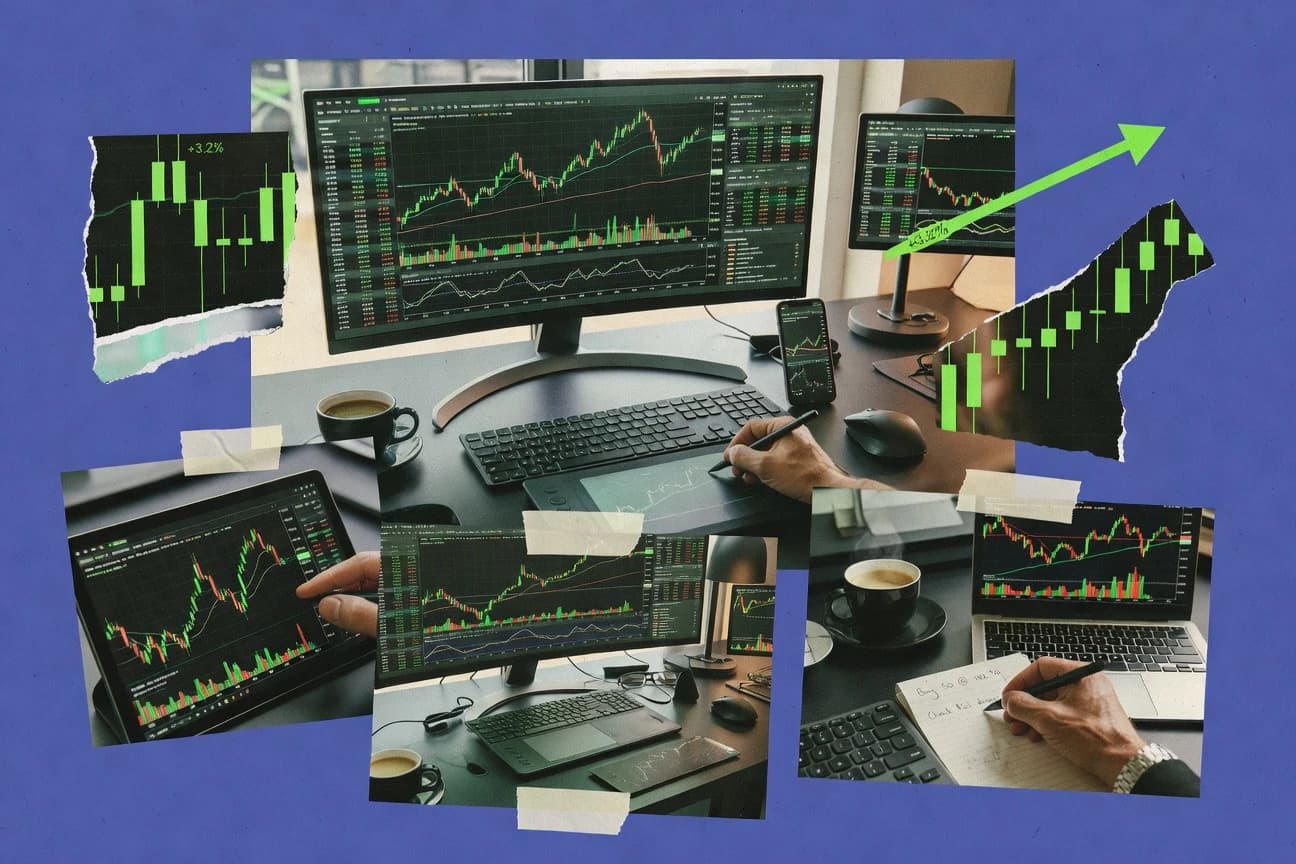
Top 10 stock market charting software ranked for technical analysis, watchlists, and trade workflows, with ProRealTime, NinjaTrader, Sierra Chart notes.

How we ranked these tools
Core product claims cross-referenced against official documentation, changelogs, and independent technical reviews.
Analyzed video reviews and hundreds of written evaluations to capture real-world user experiences with each tool.
AI persona simulations modeled how different user types would experience each tool across common use cases and workflows.
Final rankings reviewed and approved by our editorial team with authority to override AI-generated scores based on domain expertise.
Score: Features 40% · Ease 30% · Value 30%
Gitnux may earn a commission through links on this page — this does not influence rankings. Editorial policy
ProRealTime is the best pick for traders who want reusable chart studies plus alerts and built-in strategy testing, whereas NinjaTrader fits if you connect chart work to strategy backtests and broker order execution, and if you’re set on Elliott Wave templates with automated wave detection, WaveBasis is the smoother entry.
Editor’s top 3 picks
Three quick recommendations before you dive into the full comparison below — each one leads on a different dimension.
ProRealTime
ProRealTime links custom technical studies to strategy orders inside one scripting and backtesting workflow.
Built for fits when traders need reusable chart studies plus in-platform strategy testing and alerts..
NinjaTrader
Editor pickTrade strategy testing loop that connects chart conditions to paper execution and broker-ready order logic.
Built for fits when traders need chart studies tied to strategy backtests and broker order execution..
Sierra Chart
Editor pickTrade workstation integration and connectivity adapters designed for event-driven order handling inside a chart-first workspace.
Built for fits when traders and small teams need controlled chart configurations plus deep connectivity for repeatable workflows..
Comparison Table
ProRealTime
retailMulti-asset charting platform with ProBuilder scripting and end-of-day or real-time data.
ProRealTime links custom technical studies to strategy orders inside one scripting and backtesting workflow.
ProRealTime provides chart timeframes, indicator overlays, and study templates that can be reused across symbols and watchlists. The strategy workflow connects chart studies to automated trading rules, then runs them through a backtesting engine and a paper trading simulator for validation. The scripting surface supports custom indicators and order logic, which helps teams standardize methodologies rather than relying only on built-in studies.
A key tradeoff is that deeper automation outside the ProRealTime environment is limited because the platform centers on its own scripting runtime rather than broad external execution APIs. The fit is best for traders and small teams that want consistent chart templates, reusable studies, and repeatable strategy tests inside one tooling ecosystem.
- +Built-in strategy scripting connects indicators to automated trading rules
- +Backtesting and paper trading reduce the gap between charts and execution logic
- +Reusable chart templates and studies support standardized workflows
- +Alerting rules can follow chart conditions instead of static schedules
- –External integration and automation via external APIs are narrower than trader-first competitors
- –Scripting depth requires learning the platform's specific language and conventions
- –Advanced market depth and DOM laddering workflows depend on available data feeds
- –Custom exports and data interchange formats can feel limited versus dedicated data platforms
Independent traders
Validate swing trading rules before execution
Fewer rule inconsistencies
Trading teams
Standardize chart templates across symbols
Consistent decision workflows
Show 2 more scenarios
Quant-oriented analysts
Prototype custom indicator overlays
Faster indicator iteration
Script studies that plot directly on candlestick charts for iterative parameter tuning.
Risk and compliance reviewers
Audit rule behavior via test runs
Better traceability of rules
Review simulated outcomes and alert triggers from the same strategy logic used for testing.
Best for: Fits when traders need reusable chart studies plus in-platform strategy testing and alerts.
NinjaTrader
professional traderFutures and forex charting platform with NinjaScript custom indicator support.
Trade strategy testing loop that connects chart conditions to paper execution and broker-ready order logic.
NinjaTrader pairs interactive candlestick charting with strategy development and a broker connectivity layer for turning signals into orders. Chart configuration supports reusable templates, studies, alerts, and consistent time frame views for watchlists and chart workflows. Automation is centered on trade strategies and their testing loop with paper trading, which reduces friction between chart logic and execution testing.
A key tradeoff is that advanced automation, such as custom order routing logic and deeper integration with external systems, depends on platform extension patterns rather than a broad public external API surface. NinjaTrader fits teams who run repeatable technical setups and want chart-driven strategies with backtesting and event-based order management, rather than building custom data pipelines.
- +Chart templates and studies support repeatable technical workflows
- +Strategy backtesting and paper trading help validate trade logic
- +Broker execution integration reduces handoff between charts and orders
- +Alerting supports rule-based monitoring tied to chart conditions
- –External integrations depend more on platform extension patterns
- –Market data and routing depth can vary by connected broker
Active traders
Validate swing setups before risking capital
Fewer surprises in live trading
Quant developers
Build custom indicators and strategies
Faster iteration on signal logic
Show 1 more scenario
Futures day traders
Trade event-driven execution from charts
Lower execution workflow overhead
Use platform order event handling to manage entries, exits, and stops tied to signals.
Best for: Fits when traders need chart studies tied to strategy backtests and broker order execution.
Sierra Chart
professional traderAdvanced desktop charting and trading platform with ACSIL custom study support.
Trade workstation integration and connectivity adapters designed for event-driven order handling inside a chart-first workspace.
Sierra Chart fits teams that need consistent chart configurations across instruments, since chart templates and studies can be reused while maintaining the same visual and calculation logic. The platform also supports alert rules tied to chart conditions, which helps convert indicator states into operational notifications. Integration depth matters because Sierra Chart is commonly used with specific brokerage connectivity adapters and market data feed setups.
A key tradeoff is that building a working automation and connectivity stack requires more up-front configuration than lighter charting tools. Sierra Chart works best when a user already has a defined trade workflow, such as a repeatable setup and execution event model, and when the goal is consistent chart state plus dependable order handling.
- +Chart templates keep indicator and display settings consistent across instruments
- +Alert rules can be tied to study conditions for faster operational response
- +Automation and connectivity support repeated trade workflows
- +Historical chart data persistence supports reliable multi-session analysis
- –Configuration depth can slow initial setup for market data and connectivity
- –Complex workspaces can become difficult to maintain without governance discipline
- –Automation and scripting require more learning than chart-only tools
Active swing traders
Standardized setup tracking across symbols
Fewer setup variations
Day traders
Alert-driven monitoring during sessions
Faster decision timing
Show 2 more scenarios
Algorithm-adjacent traders
Automation with market connectivity
More consistent execution
Connect data feeds and order handling so automated actions follow chart state and event updates.
Quant-style analysts
Repeatable historical technical review
Cleaner research iterations
Use persisted historical chart data to rerun indicator logic and refine entry criteria over time.
Best for: Fits when traders and small teams need controlled chart configurations plus deep connectivity for repeatable workflows.
TradeStation
professional traderBrokerage-embedded charting and trading platform with EasyLanguage scripting.
TradeStation strategy scripting ties chart conditions to execution logic inside one trading workspace.
TradeStation pairs candlestick charting with a built-in automation layer for strategy scripting, chart studies, and alerting rules. It is distinct for its brokerage-aligned workflow, where chart signals and orders can follow an event-driven execution model without rebuilding the trading stack.
The charting workspace supports customizable templates, timeframes, and a large indicator library, with persistence for charts and studies across sessions. TradeStation also supports paper trading so strategy logic can be tested against market behavior before routing live activity.
- +Integrated strategy scripting connects chart signals to trade workflows.
- +Chart templates and studies library speed repeat setups for watchlists.
- +Paper trading lets strategies run against historical market behavior.
- +Extensive technical indicator overlays with configurable chart timeframes.
- –Automation setup requires learning its scripting and execution conventions.
- –Some chart exports rely on manual formatting steps for reports.
Best for: Fits when active traders need chart-driven scripting and a consistent workflow into orders.
MultiCharts
professional traderProfessional charting and backtesting platform supporting EasyLanguage and PowerLanguage.
MultiCharts strategy engine tightly couples historical simulation results with the same studies and automation logic used on charts.
MultiCharts runs candlestick charting with technical indicator overlays and supports multiple chart timeframes per symbol.
A single scripting workflow covers custom chart studies, strategy logic, and automation behavior used in both testing and live-style operation.
Chart templates and studies libraries reduce setup drift across watchlists and recurring technical analysis routines.
Alerting rules and chart data export options support downstream monitoring and external analysis.
- +Integrated strategy testing and chart studies use one scripting model
- +Chart templates keep multi-study layouts consistent across symbols and timeframes
- +Alerting rules can trigger from study and strategy conditions
- +Export formats support moving chart data into CSV and JSON workflows
- –Scripting and event models add ramp time for first-time automation
- –Some advanced broker connectivity requires adapter-specific configuration discipline
- –Chart rendering can lag during heavy study stacks on dense watchlists
- –Cross-platform deployment limits can complicate team standardization
Best for: Fits when active traders need repeatable chart studies plus backtesting-driven automation in one scripting workflow.
MotiveWave
professional traderDesktop charting software with Elliott Wave, Gann, and harmonic pattern tools.
MotiveWave’s indicator scripting lets studies emit chart-level alerts and reuse custom logic across symbols and templates.
MotiveWave targets traders who want technical indicator overlays, chart timeframes from intraday to swing horizons, and repeatable chart studies across many symbols. It combines an extensive studies library with scripting for custom indicators and alerting rules on chart events. Workflow support centers on watchlists, chart templates, and exports for analysis artifacts like drawings and data snapshots.
- +Chart studies and templates support repeatable setups across watchlists.
- +Custom indicator scripting enables automation beyond built-in overlays.
- +Alerting rules can trigger from indicator logic and chart events.
- +Export outputs support sharing and offline analysis workflows.
- –Custom script maintenance takes discipline when workflows expand.
- –Broker and data connectivity options require careful adapter selection.
- –Tick-by-tick workflows can increase chart redraw and memory load.
- –Complex multi-study layouts can slow interaction on slower machines.
Best for: Fits when active traders need scripted indicators, event-based alerts, and repeatable chart templates across many symbols.
Optuma
institutionalTechnical analysis software for professional charting, Gann analysis, and scripting.
Template-first studies with watchlist workflows keep complex indicator setups consistent across many symbols.
Optuma pairs charting with a workflow built around structured watchlists and consistent studies across multiple symbols. It supports candlestick charting with indicator overlays and configurable chart timeframes, plus chart templates that keep setups repeatable.
The platform also includes a historical data persistence model for OHLCV bars and tools for managing corporate actions adjustments like split and dividend effects. Automation focuses on templates, saved studies, and alerting rules that reduce manual rework during swing trading cycles.
- +Chart templates keep indicator layouts consistent across watchlists.
- +Watchlist-driven workflows reduce symbol switching during scans and reviews.
- +Corporate actions handling helps maintain split and dividend adjusted history.
- +Alerting rules support repeatable monitoring for swing trading setups.
- –Advanced automation relies more on saved configurations than full scripting control.
- –Export options for chart outputs can be limiting for bulk technical reporting.
- –Multi-broker connectivity coverage is narrower than some event-driven platforms.
- –Tuning data retention and adjustments requires careful settings management.
Best for: Fits when active traders want repeatable chart studies and watchlist workflows with adjustment-aware historical charts.
Ensign Software
professional traderCharting and backtesting software for futures and forex with custom template tools.
Scripted chart studies with attached alerting rules that keep analysis logic consistent across charts.
Ensign Software provides charting and trading-adjacent workflows built around scripted analysis and study libraries for technical analysis use cases. Charts support indicator overlays, configurable chart timeframes, and reusable chart templates that help standardize swing trading setups across sessions.
The product is geared toward repeatable analysis via technical analysis scripts and alerting rules that stay attached to chart studies. Ensign Software also supports exporting chart outputs for reporting and recordkeeping.
- +Scripted studies make indicator logic reusable across multiple watchlists
- +Chart templates standardize overlays and timeframes for repeatable setups
- +Alerting rules tie notifications to chart study conditions
- +Chart export outputs cover common reporting formats
- –Chart study customization can feel slow for frequent parameter iteration
- –Broker connectivity adapters are not as extensive as on some execution-first tools
- –Advanced workflow automation depends more on chart scripting than external integration
- –Large watchlists can add navigation overhead during multi-chart review
Best for: Fits when teams need reusable chart studies and alert rules for disciplined technical workflows.
WaveBasis
vertical specialistWeb-based Elliott Wave charting platform with automated wave detection.
Chart-study alert rules that trigger from indicator conditions without building external logic.
WaveBasis provides browser-based stock charting with technical indicator overlays, study templates, and configurable chart timeframes. It focuses on OHLCV chart workflows with persistence for historical bars and chart templates that can be reused across symbols.
Its differentiator is automation for trade-adjacent monitoring through alert rules and study-driven signals rather than only manual chart interaction. WaveBasis also supports export-oriented review and reporting using common chart output formats.
- +Alert rules tied to chart studies for signal-driven monitoring
- +Reusable chart templates for consistent setups across symbols
- +Export chart outputs for review workflows in CSV, JSON, or PDF
- +Clear handling of split and dividend adjusted price series
- –Less emphasis on full trade execution event modeling
- –Automation depth depends on the availability of study-based signal inputs
Best for: Fits when teams need study-driven alerts and repeatable chart templates across many symbols.
MetaStock
professional traderDesktop technical analysis software with end-of-day and real-time data packages.
Chart templates with a bundled studies library that keep technical setups consistent across symbols and timeframes.
MetaStock is a long-running charting and technical analysis platform with a study library and workflow built around configurable chart templates. Its core capabilities cover candlestick charting, technical indicator overlays, backtesting, and chart-based alerts tied to market data bars.
The software also supports OHLCV-driven analysis with corporate actions adjustments for split and dividend adjusted prices, which helps keep historical views consistent. For trade workflows, MetaStock emphasizes repeatable chart setups and exports for sharing charts and results.
- +Extensive indicator and chart template library for consistent technical layouts
- +Backtesting that uses the same charting inputs as technical studies
- +Corporate actions adjustments support split and dividend adjusted historical views
- +Chart export options for sharing results in common formats
- –Automation is mostly chart and study driven rather than full event model integration
- –API and external connectivity options are limited compared with trading platforms
- –Advanced scripting and deployment patterns require careful study configuration
- –Tick-level workflows lag behind products built for tick-by-tick execution modeling
Best for: Fits when analysts need repeatable chart templates, indicator-driven alerts, and backtesting in one desktop workflow.
Conclusion
After evaluating 10 finance financial services, ProRealTime stands out as our overall top pick — it scored highest across our combined criteria of features, ease of use, and value, which is why it sits at #1 in the rankings above.
Use the comparison table and detailed reviews above to validate the fit against your own requirements before committing to a tool.
How to Choose the Right stock market charting software
Stock market charting software turns OHLCV history into configurable candlestick charting, overlays, and reusable watchlists, then connects those visual conditions to alerts and workflow actions. This guide covers ProRealTime, NinjaTrader, and Sierra Chart, along with eight additional chart-first trading platforms for technical analysis, chart studies, and trade workflows.
The ranked tools are compared for integration depth, automation and API surface, and how each environment keeps chart setup consistent across symbols and timeframes. ProRealTime is highlighted for linking custom technical studies to strategy orders inside one scripting and backtesting workflow, while NinjaTrader and Sierra Chart emphasize chart-to-strategy loops and connectivity adapters built for repeatable operational use.
Stock market charting software for technical analysis, alerts, and chart-driven trade workflows
Stock market charting software is a desktop or trading-platform workspace that renders technical indicator overlays on chart timeframes using persistent historical bars and supports watchlist-driven chart templates. It also provides signal logic through built-in study systems or indicator scripting, and it uses alert rules to trigger from chart study conditions.
For chart-to-order workflows, ProRealTime links custom technical studies to strategy orders inside one scripting and backtesting workflow, which keeps chart logic and execution logic coupled. NinjaTrader and Sierra Chart focus on strategy testing loops and chart-first workstation configurations that tie study conditions to paper execution and broker-ready handling through their platform patterns.
Chart-to-workflow integration and chart setup consistency
Chart-first software only becomes actionable when chart study conditions map to strategy logic and then to alert rules or trade workflows. The strongest platforms keep chart templates, study configuration, and strategy execution aligned so the same signals produce the same outcomes across symbols and timeframes.
These features matter because most workflow risk sits between chart configuration and the next step. The comparison below focuses on how each tool keeps study logic reusable, repeatable, and operational through scripting, backtesting, paper execution, and connectivity adapters.
Reusable chart studies connected to strategy logic
ProRealTime links custom technical studies to strategy orders inside one scripting and backtesting workflow, so indicator logic and execution rules stay coupled. NinjaTrader and MultiCharts also connect chart conditions to strategy backtesting and paper execution using their own strategy event patterns.
Chart templates and repeatable multi-symbol layouts
Sierra Chart and TradeStation use chart templates to keep indicator and display settings consistent across instruments so watchlist work does not drift. MetaStock and Optuma also emphasize template-driven study layouts to reduce per-symbol setup variance.
Alerts that trigger from chart studies without external glue
WaveBasis ties chart-study alert rules directly to indicator conditions so monitoring stays inside the chart environment. Ensign Software and MotiveWave support scripted studies that attach alerting rules to the same chart logic used for analysis.
Automation depth and external integration surface
ProRealTime can drive workflow automation through external integration, but its API-driven automation surface is narrower than trader-first competitors. NinjaTrader and Sierra Chart put more emphasis on platform extension patterns and connectivity adapters that can change the integration workload by connected broker.
Connectivity adapters and execution-ready event handling
Sierra Chart and NinjaTrader focus on event-driven order handling inside a chart-first workspace with broker connectivity patterns that affect routing depth. TradeStation and MultiCharts provide chart-to-order strategy scripting, but their automation setup depends on mastering each platform’s scripting and execution conventions.
Select by workflow coupling, not by chart appearance
Most charting tools can render indicators and OHLCV history. The deciding factor is whether the environment keeps chart study conditions, strategy logic, alerts, and execution or paper simulation in one coherent workflow.
The steps below split choices by product philosophy. Some tools center on a chart studies plus strategy testing loop, while others prioritize workstation connectivity patterns and operational governance for consistent chart configurations.
Choose a chart-to-strategy coupling model
If custom chart studies must attach directly to strategy orders in one scripting and backtesting workflow, ProRealTime fits the workflow coupling requirement. If the workflow must validate broker-ready order logic through chart conditions and paper execution loops, NinjaTrader and TradeStation fit better.
Prioritize template governance for multi-symbol consistency
If the main failure mode is inconsistent indicator parameters across instruments, Sierra Chart and Optuma reduce drift using chart templates tied to watchlist workflows. If the main need is keeping study layouts standardized while analysts iterate less on parameters, MetaStock and Ensign Software also emphasize template and study library consistency.
Match alerting to the source of truth for signals
If alerts must trigger from indicator or study conditions inside the chart environment with minimal external logic, WaveBasis and Sierra Chart fit the study-driven monitoring model. If alert logic must be programmable as part of custom indicator scripting, MotiveWave and Ensign Software support that scripted indicator and alert attachment approach.
Plan around how integrations get built and maintained
If external automation and API-driven extensions are a core requirement, ProRealTime works best when the automation scope stays within the platform’s narrower integration surface. If integrations depend on platform extension patterns and broker connectivity depth, NinjaTrader and Sierra Chart require planning for adapter-specific configuration discipline.
Check maintenance burden for complex workspaces and automation models
If a small team needs controlled chart configurations plus deep connectivity, Sierra Chart supports that but complex workspaces require governance discipline to keep configurations maintainable. If the strategy event model and scripting conventions feel like ramp friction, MultiCharts and ProRealTime both add learning time for their automation logic and strategy frameworks.
Who benefits from chart-first workflow coupling
Chart-first platforms fit teams that treat technical analysis as a workflow input rather than just a visual output. These environments matter when the same study configuration must drive alerts, simulation results, and operational execution logic.
The audience splits depend on whether the work centers on reusable studies, watchlist consistency, or broker connectivity and event-driven handling inside the chart workspace.
Traders who want studies and execution rules coupled in one script
ProRealTime fits when custom technical studies must link directly to strategy orders inside one scripting and backtesting workflow. TradeStation and NinjaTrader fit when chart conditions must flow into paper execution and strategy order logic.
Teams that manage many symbols with standardized chart setups
Sierra Chart and Optuma fit when chart templates and watchlist workflows must keep indicator parameters consistent across symbols and timeframes. MetaStock and Ensign Software also fit when standardization matters more than deep event-model customization.
Operations-focused users who depend on study-driven alert monitoring
WaveBasis fits when alert rules must trigger from chart study conditions without building separate external logic. MotiveWave and Ensign Software fit when custom scripted indicators must emit chart-level alerts tied to reusable templates.
Users whose broker connectivity is part of the product decision
Sierra Chart fits when connectivity adapters and event-driven order handling must be controlled inside a chart-first workspace. NinjaTrader also fits when market data and routing depth depend on the connected broker and the platform’s extension patterns.
Common pitfalls when buying stock market charting software
Buying mistakes usually happen when charting capability gets treated as equivalent to workflow automation. The gap shows up when strategy logic, alert triggering, and execution handling do not share the same source of truth.
The issues below focus on how specific tools behave in real workflows, including setup friction, automation boundaries, and maintainability of complex workspaces.
Choosing a tool by indicator count while ignoring how study logic connects to strategy orders
ProRealTime and TradeStation connect chart signals to strategy execution logic inside their trading workflows. NinjaTrader and MultiCharts also tie chart conditions to strategy backtesting, so the integration point must be reviewed before committing to a chart-only environment.
Assuming template standardization will happen automatically without governance discipline
Sierra Chart uses chart templates to keep indicator and display settings consistent across instruments, but complex workspaces still need governance discipline to stay maintainable. MultiCharts also keeps chart templates consistent across symbols, yet its automation ramp adds maintenance load if governance is weak.
Overestimating external automation coverage without checking platform extension patterns and connectivity adapter requirements
ProRealTime’s external integration and API-driven automation surface is narrower than trader-first competitors, so the automation roadmap must match that boundary. NinjaTrader and Sierra Chart can rely on extension and adapter patterns that vary by broker, so adapter-specific configuration discipline becomes part of ongoing operations.
Building alerts that depend on external glue instead of chart-study signal sources
WaveBasis and Sierra Chart support alert rules tied directly to chart studies, which keeps alert triggering aligned with the chart’s own signal conditions. Tools that rely more on scripted alert attachments, like MotiveWave and Ensign Software, still require disciplined script maintenance as workflows expand.
How We Selected and Ranked These Tools
We evaluated ProRealTime, NinjaTrader, Sierra Chart, and the other listed platforms for chart-first workflow integration, then for how consistently chart templates and study configuration persist across symbols and timeframes. We scored features at 40%, ease at 30%, and value at 30% to reflect the daily cost of workflow setup and iteration.
ProRealTime placed highest because its standout workflow links custom technical studies to strategy orders inside one scripting and backtesting workflow, which keeps indicator logic and execution rules coupled. We also weighted each tool’s automation and extension surface by how reliably chart logic translates into paper trading behavior and operational connectivity patterns.
Frequently Asked Questions About stock market charting software
How do ProRealTime and TradeStation link chart studies to orders inside a single workflow?
How does Sierra Chart handle automation and connectivity for repeatable chart-to-trade workflows?
Which tool provides the tightest loop between paper execution and chart-based strategy testing?
What breaks when a workflow relies on fixed chart templates instead of template-aware studies?
When do corporate actions adjustments matter most for technical analysis and backtesting?
Where does RBAC and audit logging typically fall short in charting workspaces compared to full enterprise platforms?
How do Optuma and MultiCharts differ in how they keep alerting rules consistent across watchlist workflows?
Which tool is better for export-oriented chart review and reporting without rebuilding analysis logic externally?
How do chart engines handle tick-by-tick versus bar data, and where can results diverge?
Tools reviewed
Primary sources checked during evaluation.
Referenced in the comparison table and product reviews above.
- Finance Financial ServicesTop 10 Best Stock Market Chart Software of 2026
- Finance Financial ServicesTop 10 Best Day Trading Charting Software of 2026
- Finance Financial ServicesTop 10 Best Stock Charting Software of 2026
- Finance Financial ServicesTop 10 Best Stock Market Trading Software of 2026
- Finance Financial ServicesTop 10 Best Technical Stock Analysis Software of 2026
Keep exploring
Comparing two specific tools?
Software Alternatives
See head-to-head software comparisons with feature breakdowns, pricing, and our recommendation for each use case.
Explore software alternatives→In this category
Finance Financial Services alternatives
See side-by-side comparisons of finance financial services tools and pick the right one for your stack.
Compare finance financial services tools→