
GITNUXSOFTWARE ADVICE
Technology Digital MediaTop 10 Best Sticky Note Software of 2026
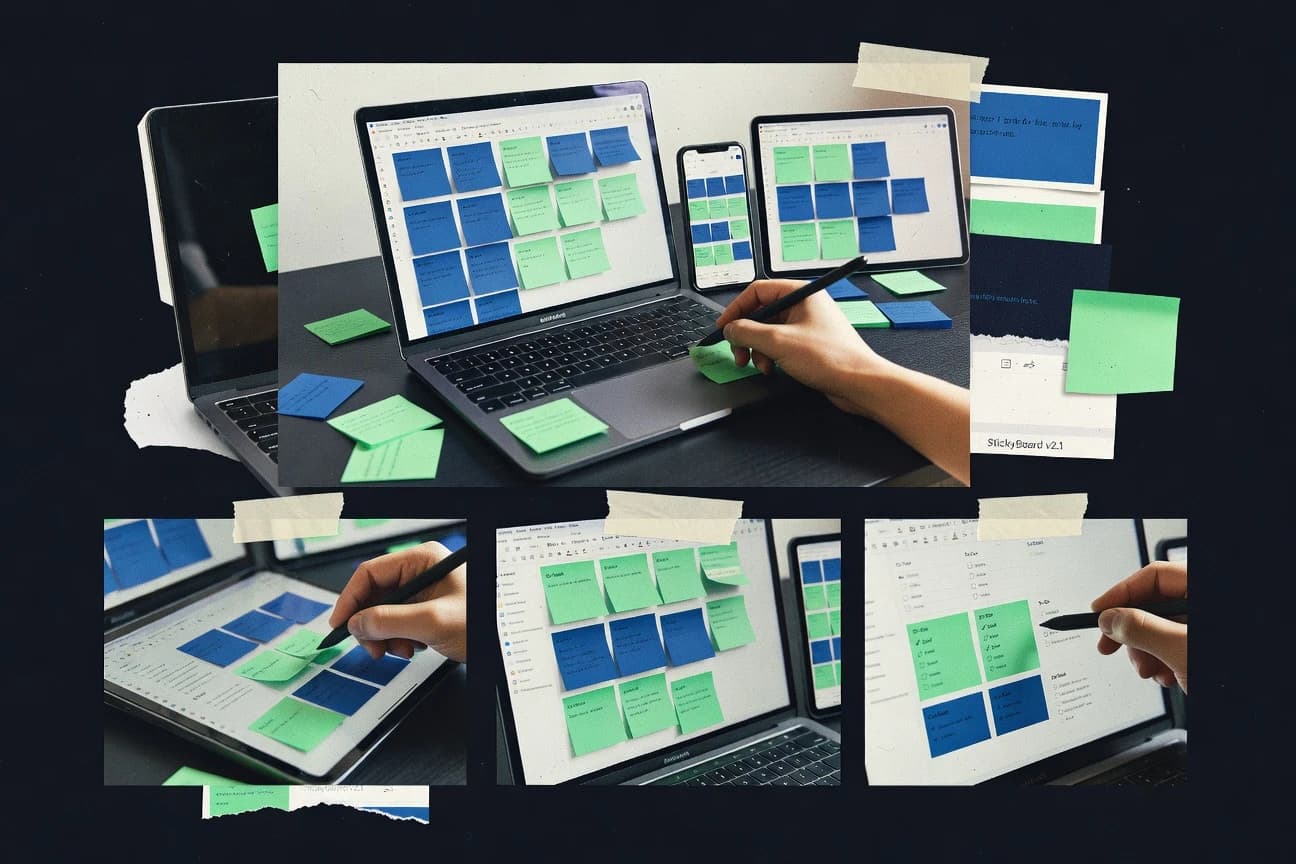
Top 10 best sticky note software ranked for organizing notes and ideas, with tradeoffs for workflows using tools like IdeaFlip, Stormboard, Padlet.

How we ranked these tools
Core product claims cross-referenced against official documentation, changelogs, and independent technical reviews.
Analyzed video reviews and hundreds of written evaluations to capture real-world user experiences with each tool.
AI persona simulations modeled how different user types would experience each tool across common use cases and workflows.
Final rankings reviewed and approved by our editorial team with authority to override AI-generated scores based on domain expertise.
Score: Features 40% · Ease 30% · Value 30%
Gitnux may earn a commission through links on this page — this does not influence rankings. Editorial policy
IdeaFlip is the best fit when teams need repeatable visual ideation boards for review cycles, not just quick note capture, whereas Stormboard works better when facilitation and collaboration stay anchored to specific sticky notes in shared workspaces.
Editor’s top 3 picks
Three quick recommendations before you dive into the full comparison below — each one leads on a different dimension.
IdeaFlip
Canvas layout persistence keeps spatial arrangement meaningful across revisions and shared sessions.
Built for fits when teams need repeatable visual ideation boards for review cycles, not just one-off note capture..
Stormboard
Editor pickIdea voting tied to sticky notes on a shared board for structured workshop decision-making.
Built for fits when teams need repeatable, facilitator-led idea boards with collaboration anchored to specific notes..
Padlet
Editor pickBoard publishing with moderation controls for managing guest and collaborator contributions.
Built for fits when teams need fast visual submissions and board publishing for recurring prompts..
Comparison Table
IdeaFlip
vertical specialistIdeaFlip provides online boards for arranging, grouping, voting on, and exporting sticky notes.
Canvas layout persistence keeps spatial arrangement meaningful across revisions and shared sessions.
IdeaFlip’s core value shows up in how notes stay attached to a canvas layout, which helps teams preserve spatial context during ideation and review. Boards support grouping through labels and color coding, and notes can include richer content plus file attachments so decisions connect to artifacts. Collaboration is board-scoped, so edits and discussions remain tied to the same visual surface rather than scattered across separate documents.
A tradeoff appears in offline use and device parity, since the workspace is browser-centric rather than a native always-on-top desktop notes app. For fast asynchronous review cycles, teams can cluster related notes on a single canvas, tag for sorting, and then iterate with comments while keeping the original layout intact.
- +Canvas-first editing keeps note layout stable during collaboration
- +Rich note content plus attachments reduce context switching
- +Labels and color coding support fast visual triage
- +Board-scoped sharing supports guest access without separate tools
- –Offline access depends on browser behavior rather than full native caching
- –Advanced workflows require board setup discipline to stay organized
Product management teams
Sprint review ideation board
Faster alignment on next steps
UX research teams
Insight clustering with artifacts
Cleaner evidence-to-decision trace
Show 2 more scenarios
Project managers
Cross-team kickoff workspace
Less coordination overhead
Shared boards collect goals, risks, and owners while guests contribute to the same visual map.
Customer success teams
Account feedback triage canvas
Quicker prioritization
Labels and colors sort issues visually while comments track review status on the board.
Best for: Fits when teams need repeatable visual ideation boards for review cycles, not just one-off note capture.
Stormboard
enterpriseStormboard combines digital sticky notes with voting, templates, reports, and collaborative workspaces.
Idea voting tied to sticky notes on a shared board for structured workshop decision-making.
Stormboard fits teams running recurring workshops because boards can be templated and reused for ideation, feedback, and decision activities. Notes can include rich content like text and attachments, while each item stays easy to reposition on a canvas. Collaboration centers on capturing ideas on sticky notes and keeping discussion anchored to the relevant items with built-in annotation and response mechanisms.
Stormboard can feel heavier than lightweight sticky note apps because it emphasizes facilitated boards and session structure over quick capture. It works best when multiple stakeholders need a shared place to cluster ideas and converge on decisions, rather than when only one person needs personal notes.
- +Facilitator-first boards with voting and structured session flow
- +Comments stay attached to specific sticky notes and clusters
- +Board templating supports repeatable ideation and feedback cycles
- +Cross-team collaboration in shared workspaces
- –Less focused on instant capture compared with lightweight note apps
- –Canvas organization takes practice for large boards
- –Export and offline workflows are not as fluid as note-first tools
- –Advanced coordination can require admin attention
Product management teams
Run discovery workshops with voting
Faster alignment on priorities
Customer success teams
Collect feedback and cluster themes
Clearer themes and action owners
Show 2 more scenarios
HR and L&D teams
Facilitate training design sessions
Consistent design documentation
Use repeatable board templates to gather curriculum inputs and converge on learning objectives.
Agile coaches
Structure retrospectives with voting
More actionable follow-ups
Organize retro notes on a canvas and attach discussion to each sticky item before decisions.
Best for: Fits when teams need repeatable, facilitator-led idea boards with collaboration anchored to specific notes.
Padlet
SMBPadlet lets users post notes, media, files, and links on collaborative visual walls.
Board publishing with moderation controls for managing guest and collaborator contributions.
Padlet organizes notes as tiles on customizable canvases, which makes it easier to browse than linear lists. Shared boards support real-time collaboration, moderation controls, and guest access for one-time contributions. Media attachments and rich-text formatting support richer posts than plain text sticky notes.
A key tradeoff is that Padlet’s note model centers on canvas tiles rather than spreadsheet-like structured fields, so automation around strict schemas needs extra steps. Padlet fits best when teams or classes need a reusable visual workspace for periodic prompts, then publish or export the results for review.
- +Publishable canvas layouts for sharing results with a consistent visual structure
- +Real-time collaboration with moderation controls for managing submissions
- +Media attachments and rich-text formatting inside individual posts
- +Export workflows support PDF outputs for board reviews
- –Canvas-first note model limits strict, field-based data workflows
- –Automation and integration depth depends on external setup for advanced flows
- –Offline editing is not a primary path compared with browser-first usage
- –Permission granularity can feel coarse for complex org governance
Educators and classrooms
Collect prompts and share summaries
Curated class responses in one view
Product and UX teams
Capture research insights by theme
Faster idea review across stakeholders
Show 2 more scenarios
Project management leads
Run feedback rounds on a board
Consolidated feedback without manual collation
Leads publish a board for stakeholder input and then export a single PDF recap.
Community moderators
Moderate guest contributions at scale
Less noise in shared workspaces
Moderators manage submission flow and remove problematic posts while keeping board structure intact.
Best for: Fits when teams need fast visual submissions and board publishing for recurring prompts.
Miro
enterpriseMiro provides collaborative boards with sticky notes, voting, templates, and workshop tools.
Miro’s public API supports programmatic board and element automation beyond manual collaboration.
Miro turns sticky-note style ideation into a shared visual workspace built around an infinite canvas. Sticky notes in Miro support rich text, images, and pinning on boards that also include frames, diagrams, and lightweight structured layouts.
The tool’s integration depth is strongest in workflow contexts where boards connect to common planning artifacts through supported imports, embed options, and automation via its public API. Governance controls are geared toward workspace-wide administration with roles, guest access rules, and activity logging.
- +Rich-text sticky notes with image attachments and flexible placement on boards
- +Public API enables board automation and integration into existing workflows
- +Role-based access supports shared workspaces with controlled permissions
- +Activity logs support oversight of board and workspace changes
- –Sticky note editing feels less focused than dedicated note-only tools
- –Offline access and local-only persistence are limited compared with note apps
- –Large canvases can slow interaction when boards include heavy assets
- –Guest collaboration can add governance overhead for multi-team environments
Best for: Fits when teams need sticky-note ideation tied to diagramming and automated integrations.
Notezilla
SMBNotezilla provides desktop sticky notes with reminders, synchronization, sharing, and cloud access.
Always-on-top pinning per note, plus time-based reminders that persist until acknowledged.
Notezilla creates always-on-top desktop sticky notes that can be pinned per note for quick reference while multitasking.
Each note supports rich text, checklists, tags, and attachments to keep tasks and supporting context together.
Reminders support due dates and recurring schedules to turn pinned notes into ongoing prompts.
A single account enables cross-device synchronization so the same note set follows users across computers.
- +Always-on-top pinned notes keep context visible over other apps
- +Rich text, checklists, and tags make notes more task-ready
- +Recurring reminders and due dates add time-based tracking
- +Attachments let notes carry supporting files in the same view
- –Collaboration features are limited compared with shared workspace tools
- –Automation and integration options are thinner than API-first note apps
Best for: Fits when individual workflows need pinned, reminder-driven notes that stay visible while working.
Stickies
SMBStickies places lightweight notes on the Windows desktop and supports networked note sharing.
Always-on-top note windows that stay readable while working in other applications.
Stickies is a desktop-first sticky note app that keeps notes always visible as “sticky” windows on the screen. It focuses on fast note creation with rich-text support, color and layout controls, and quick organization for day-to-day brainstorming.
Stickies also supports attachments and import or export workflows for moving note content between sessions. Cross-device sync and admin-level governance features are not its core strength compared with browser-first sticky note tools.
- +Always-on-top notes work without switching apps
- +Rich-text formatting supports readable outlines and lists
- +Color-coded organization helps separate topics quickly
- +Attachment support keeps reference material close to notes
- –Collaboration features are limited versus shared workspace tools
- –Cross-platform synchronization is not a primary focus
- –Automation options are shallow with no documented workflow API
- –Bulk management tools for large note collections are limited
Best for: Fits when individual knowledge work needs always-visible notes and fast desktop capture.
Conceptboard
enterpriseConceptboard provides collaborative visual boards with sticky notes, comments, files, and presentation tools.
Board templates combined with automation and API hooks for wiring boards into repeatable workflows.
Conceptboard turns sticky-note style ideation into a visual whiteboard with board-level templates and structured layouts. Notes can be placed onto a shared canvas for collaborative feedback, and boards support workflows that map ideas to owners and next steps.
The tool also emphasizes extensibility through automation hooks and an API surface intended for integration into existing work management processes. For teams that need controlled collaboration, shared boards and permissioning support repeatable sessions rather than ad hoc note piles.
- +Board templates reduce setup time for recurring workshops and reviews
- +Drag-and-drop canvas supports fast note placement and visual grouping
- +Collaboration model supports shared workspaces for real-time feedback
- +Automation and API enable integration with internal workflows
- –Setup of board structures takes more time than simple note lockers
- –Complex boards can feel harder to navigate than tag-first systems
Best for: Fits when teams need structured visual canvases for recurring collaboration and system integrations.
Milanote
SMBMilanote organizes text notes, images, links, and tasks on flexible visual boards.
Infinite canvas note layout with clickable connectors via linking keeps relationships visible during iterative planning.
Milanote turns sticky-note style ideation into a freeform visual workspace where notes, images, and links sit on an infinite canvas. It supports drag-and-drop organization with freeform cards, color coding, and tags for grouping and scanning large boards.
Collaboration covers shared workspaces with comments, and the canvas structure is designed for rapid reshuffling during planning and review cycles. Import and export options support getting content in and out of Milanote when moving between workflows.
- +Freeform drag-and-drop canvas supports rapid board restructuring
- +Tags and color coding make large boards easier to scan
- +Shared boards support comments for lightweight collaboration
- +Import and export options help with moving content between tools
- –No native spreadsheet-style data views for structured note tracking
- –Automation and workflow integrations are limited versus checklist-first task tools
Best for: Fits when individuals or teams need a flexible visual workspace for planning, then review boards in shared context.
Corkulous
SMBCorkulous presents notes, cards, photos, and lists on virtual corkboards.
Always-on-top pinned notes that keep selected ideas visible while work continues on the same canvas.
Corkulous creates and manages digital sticky notes in a browser-based visual workspace, with notes that can be pinned for always-on-top viewing. It focuses on fast note capture with structured organization through colors, labels, and lightweight collaboration.
Corkulous supports attachments on notes and offers export options designed for sharing static outputs. Governance for teams is comparatively limited, so large deployments need clear workspace ownership rather than deep administrative controls.
- +Browser-based sticky notes work without desktop installs
- +Pinning supports reference-style notes that stay visible
- +Labels and color coding help separate workstreams visually
- +Note attachments keep context close to the idea
- –Automation and API surface are minimal compared with workflow-focused tools
- –Admin controls for RBAC and audit logging are not a core strength
- –Offline access is not positioned as a first-class requirement
- –Large canvas organization tools feel lighter than in board-first editors
Best for: Fits when teams need quick pinned note capture on a shared canvas without heavy workflow automation.
Klaxoon
enterpriseKlaxoon provides workshop activities that include digital cards, brainstorming, voting, and collaboration.
Facilitator-oriented workshop mode that centralizes moderation for live collaborative canvas sessions.
Klaxoon focuses on shared, interactive canvases built for group idea work, not just single-user note capture. Note elements can be organized into structured spaces for workshops, with collaborative editing and role-based access for shared sessions.
The product emphasizes moderation and governance features for managing who can create, edit, and present content during live work. Its export and interoperability options center on capturing outcomes from the visual workspace into files for later reuse.
- +Workshop-style interactive canvases support fast group facilitation workflows
- +Role-based access controls limit who can create and modify workspace content
- +Session-friendly moderation helps keep live collaboration on track
- +Outcome capture options support exporting visual work for distribution
- –Canvas-first workflows can feel heavy for simple personal sticky notes
- –Offline work is limited compared with always-available note apps
- –Advanced organization features require consistent workshop setup discipline
- –API and automation coverage is narrower than general-purpose collaboration tools
Best for: Fits when teams run recurring workshops and need governed shared canvases with controlled edit access.
Conclusion
After evaluating 10 technology digital media, IdeaFlip stands out as our overall top pick — it scored highest across our combined criteria of features, ease of use, and value, which is why it sits at #1 in the rankings above.
Use the comparison table and detailed reviews above to validate the fit against your own requirements before committing to a tool.
How to Choose the Right sticky note software
This guide compares sticky note software built for virtual and browser-based note pinning, canvas-driven ideation, and shared workspace collaboration. The coverage includes IdeaFlip, Stormboard, Padlet, Miro, Notezilla, Stickies, Conceptboard, Milanote, Corkulous, and Klaxoon.
The comparison focuses on integration depth, automation and API surface, and control mechanisms like moderation and role-based access. The tools are also framed around how each product preserves spatial layout during revisions, how it handles offline access, and how it supports workshop-style workflows.
Sticky note software evaluation criteria for pinned notes, canvases, and automation
Sticky note software succeeds when pinned notes keep context visible during work, and when canvas layout stays meaningful after revisions and collaboration sessions. IdeaFlip leads with canvas-first persistence that preserves spatial arrangement across shared sessions.
Evaluation also needs integration depth and control mechanisms, since workshop workflows rely on moderation, voting, and role-based access rather than just drag-and-drop placement. Miro differentiates with a public API for programmatic board and element automation.
Canvas layout persistence across edits and shared sessions
IdeaFlip keeps spatial arrangement meaningful by persisting the canvas layout during revisions and collaboration. Milanote uses an infinite canvas with clickable connectors, which supports relationship mapping but does not provide spreadsheet-style structured views for tracking.
Automation and API surface for programmatic workflows
Miro offers a public API that enables board and element automation beyond manual collaboration. Conceptboard adds board templates plus automation and API hooks for wiring recurring workshops into repeatable workflows.
Workshop governance with moderation and structured facilitation
Stormboard ties idea voting to specific sticky notes on a shared board and keeps comments attached to notes and clusters. Klaxoon centralizes facilitator-oriented workshop mode with role-based access controls that limit who can create and modify workspace content.
Publishing and moderation controls for guest contributions
Padlet provides board publishing with moderation controls that manage guest and collaborator contributions for recurring prompts. Corkulous focuses on browser-based pinned notes on a shared canvas, which keeps reference notes visible but keeps automation and admin controls minimal.
Always-on-top pinned notes for hands-on task context
Notezilla supports always-on-top pinning per note plus time-based reminders that persist until acknowledged. Stickies and Corkulous both keep notes readable while work continues in other apps, but Corkulous stays browser-based while Stickies is desktop-oriented.
How to choose sticky note software by workflow model, not feature checklists
Sticky note software selection should start with the workflow model, because canvas-first tools behave differently from note-only pinning apps under collaboration pressure. IdeaFlip and Milanote optimize for spatial ideation that stays readable as boards evolve, while Notezilla and Stickies optimize for individual always-on-top context.
Next, the selection should split by automation philosophy and governance needs. Miro and Conceptboard support programmatic integrations through API surfaces, while Stormboard and Klaxoon provide structured workshop controls like voting and role-based access.
Pick the primary artifact: persistent canvas board or always-visible pinned notes
Choose IdeaFlip for teams that need canvas-first boards where spatial arrangement stays meaningful across shared revisions. Choose Notezilla when each note must remain always-on-top with time-based reminders until acknowledged.
Decide whether workshops need structured facilitation or lightweight capture
Choose Stormboard when idea voting must attach to specific sticky notes and comments must stay anchored to clusters for decision flow. Choose Padlet when recurring prompts require published canvases with moderation controls for guest and collaborator submissions.
Select an integration approach based on API-driven automation requirements
Choose Miro when board and element automation must be driven by a public API that supports programmatic workflows. Choose Conceptboard when board templates and automation hooks must standardize recurring collaboration setups.
Match governance depth to edit permissions and sharing shape
Choose Klaxoon when role-based access control must restrict who can create and modify shared canvas content in workshop sessions. Choose Padlet when publishing needs moderation controls that manage contributions on shared boards for guest participation.
Validate offline behavior for the actual usage pattern
If offline use must be dependable, test IdeaFlip because offline access depends on browser behavior rather than full native caching. If offline independence is less critical, Corkulous stays browser-based with pinned notes but keeps automation and API surface minimal.
Who sticky note software buyers should match to the right collaboration and automation needs
Sticky note software fits buyers who need persistent ideas tied to work context, either through always-on-top pinning or through canvas boards that preserve spatial structure. It also fits teams that run facilitated workshops and want controls like voting, moderation, and role-based access rather than only shared editing.
The right selection depends on whether the workflow centers on individual visibility, shared ideation boards, or integration-driven automation that connects canvases to existing systems.
Facilitators running repeatable workshops and decision sessions
Stormboard supports structured session flow with idea voting tied to sticky notes and comments anchored to clusters. Klaxoon adds role-based access controls for governed shared canvas content.
Teams standardizing visual planning across reviews and iteration cycles
IdeaFlip keeps canvas layout persistence so spatial arrangement remains meaningful across revisions in shared sessions. Milanote supports freeform iteration with tags and connectors, which helps planning relationships stay visible.
Engineering and ops teams building automation around ideation artifacts
Miro provides a public API that enables programmatic board and element automation beyond manual collaboration. Conceptboard pairs board templates with automation and API hooks for repeatable workflow wiring.
Knowledge workers who need pinned reminders that stay visible over other apps
Notezilla combines always-on-top pinned notes with time-based reminders that persist until acknowledged. Stickies and Corkulous also keep notes readable while work continues, with Corkulous staying browser-based.
Teams publishing canvases to collect submissions from guests and collaborators
Padlet supports publishable canvas layouts and real-time collaboration with moderation controls for managing submissions. IdeaFlip and Miro focus more on internal ideation persistence or API-driven automation than on guest publishing moderation.
Common sticky note software mistakes that break workflows
Buyers often mis-pair pinned-note behavior with collaboration expectations, which leads to clutter or losing context during sessions. They also underestimate how canvas organization affects navigation when boards grow large and workflows require repeatable structure.
Another frequent mistake is choosing a tool without validating offline behavior and automation constraints, since offline access and API depth differ sharply between canvas-first platforms and note-only pinning apps.
Choosing a pinned-note app for a workshop where ideas must be voted and discussed at the note level
Stormboard anchors idea voting to sticky notes and keeps comments attached to notes and clusters, which supports decision workshops more directly than pinned-note tools.
Assuming offline access is equivalent across browser-based and native-feel note experiences
IdeaFlip’s offline access depends on browser behavior rather than full native caching, while Notezilla and Stickies focus on always-on-top context during active work.
Treating canvas-first layout as an automatic data structure for tracking fields
Padlet’s canvas-first note model limits strict, field-based data workflows, so checklist-style structured tracking may require a different workflow than board publishing.
Buying for API automation but selecting a product without a meaningful automation surface
Miro’s public API supports programmatic board and element automation, while Corkulous keeps automation and API surface minimal compared with workflow-focused tools.
Overloading a shared canvas without board setup discipline for large collaborative sessions
IdeaFlip’s advanced workflows require board setup discipline to stay organized, while Conceptboard’s templates reduce setup time but can add navigation overhead when boards become complex.
How We Selected and Ranked These Tools
We evaluated IdeaFlip, Stormboard, Padlet, Miro, Notezilla, Stickies, Conceptboard, Milanote, Corkulous, and Klaxoon using features at 40%, ease at 30%, and value at 30%. Features emphasized canvas-first behavior like layout persistence and the presence of collaboration controls such as voting, moderation, and role-based access.
Ease emphasized how quickly users can place notes, keep content readable, and navigate boards during active sessions. IdeaFlip set the pace with canvas layout persistence that keeps spatial arrangement meaningful across revisions and shared collaboration sessions.
Frequently Asked Questions About sticky note software
How do IdeaFlip and Miro handle shared board layouts over multiple sessions?
Which tools offer board templates for repeatable facilitation workflows?
How does collaboration around specific notes differ in Stormboard versus Padlet?
When do always-on-top desktop notes like Notezilla and Stickies become harder to manage than browser canvases?
What breaks if an organization needs deep admin controls and audit trails rather than shared access?
How do Conceptboard and Milanote support connecting notes into workflows instead of standalone ideas?
How do attachments and rich-text editing work across these tools?
Which tools provide an API surface for integration and automation?
When moving content between workflows, how do export paths differ across Notezilla and Padlet?
Tools reviewed
Primary sources checked during evaluation.
Referenced in the comparison table and product reviews above.
- Technology Digital MediaTop 10 Best Sticky Notes Software of 2026
- Technology Digital MediaTop 10 Best Pc Software of 2026
- Technology Digital MediaTop 10 Best Software Documentation Software of 2026
- Technology Digital MediaTop 10 Best Status Tracking Software of 2026
- Technology Digital MediaTop 10 Best Directory Software of 2026
Keep exploring
Comparing two specific tools?
Software Alternatives
See head-to-head software comparisons with feature breakdowns, pricing, and our recommendation for each use case.
Explore software alternatives→In this category
Technology Digital Media alternatives
See side-by-side comparisons of technology digital media tools and pick the right one for your stack.
Compare technology digital media tools→