
GITNUXSOFTWARE ADVICE
Healthcare MedicineTop 10 Best Smile Simulation Software of 2026
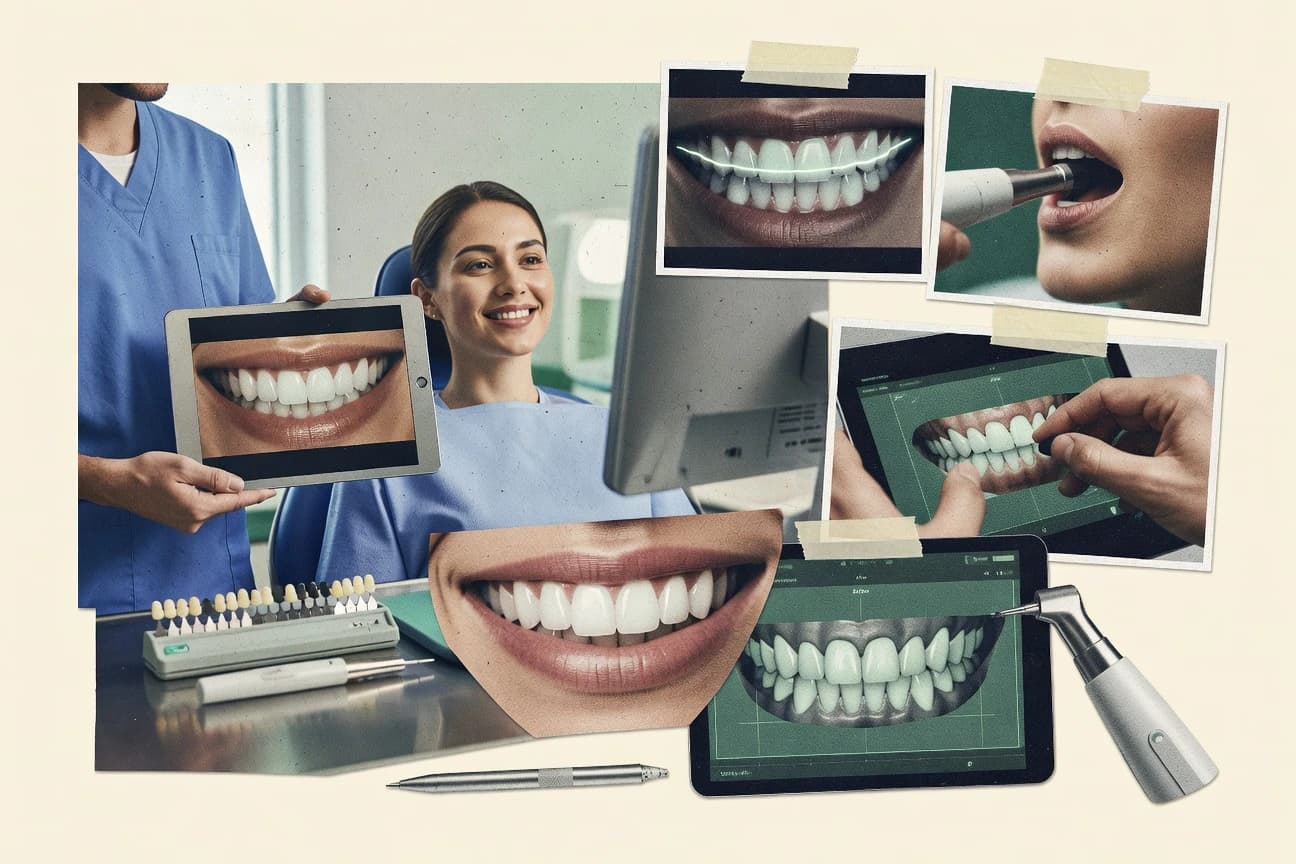
Ranking of smile simulation software tools with feature comparisons for dental teams, covering Smilecloud, exocad Smile Creator, Xadia.

How we ranked these tools
Core product claims cross-referenced against official documentation, changelogs, and independent technical reviews.
Analyzed video reviews and hundreds of written evaluations to capture real-world user experiences with each tool.
AI persona simulations modeled how different user types would experience each tool across common use cases and workflows.
Final rankings reviewed and approved by our editorial team with authority to override AI-generated scores based on domain expertise.
Score: Features 40% · Ease 30% · Value 30%
Gitnux may earn a commission through links on this page — this does not influence rankings. Editorial policy
Smilecloud is the best pick if you run frequent co-design sessions and want repeatable AI smile mock-ups with predictable outputs, whereas exocad Smile Creator fits restorative and orthodontic teams that need simulations tied to aligned facial and intraoral records across CAD workflows.
Editor’s top 3 picks
Three quick recommendations before you dive into the full comparison below — each one leads on a different dimension.
Smilecloud
Case reuse with locked output settings for consistent visual style across treatment scenario comparisons.
Built for fits when clinics need repeatable AI smile mock-ups with predictable outputs for frequent co-design sessions..
exocad Smile Creator
Editor pickFacial-driven alignment workflow that ties imported facial records to dental setup for consistent 2D preview and 3D simulation.
Built for fits when restorative and orthodontic teams need repeatable simulations from aligned facial and intraoral records..
Xadia
Editor pickFacial alignment to configurable smile composition enables consistent scenario comparisons across iterations.
Built for fits when clinics and labs need scenario-based 2D smile previews from facial imagery..
Comparison Table
Smilecloud
vertical specialistCloud software for two-dimensional and three-dimensional smile design and patient presentations.
Case reuse with locked output settings for consistent visual style across treatment scenario comparisons.
Smilecloud turns input photos and optional scan data into simulation views that clinicians can annotate for treatment scenario comparison. The workflow is designed for predictable output settings so teams can reproduce the same visual style across cases instead of re-tuning exports each time. For organizations that run frequent restorative simulation or orthodontic simulation planning, that consistency helps reduce rework.
A tradeoff is that full 3D simulation depth depends on the quality and completeness of the incoming scan data and alignment. Smilecloud fits situations where teams need repeatable mock-ups for many patients and want less time spent on export cleanup than with photo-only tools.
- +Repeatable configuration for consistent mock-up outputs across cases
- +Case annotations support clinician feedback without re-exporting
- +Supports before-and-after visualization for treatment scenario discussions
- +Automation reduces manual file cleanup during busy chairside workflows
- –3D fidelity depends heavily on scan alignment quality
- –Advanced analysis depth is limited compared with specialist simulation suites
- –Some integrations require dedicated workflow setup to match lab needs
Orthodontic teams
Scenario comparison for aligner planning
Faster option discussions
Restorative clinics
Tooth and gingival change preview
Clearer treatment approvals
Show 2 more scenarios
Dental laboratories
Clinician-to-lab handoff
Fewer iteration cycles
Packages simulations with consistent settings so labs receive stable references for remakes.
Hygiene and chairside staff
Daily photo-based mock-up workflow
Less time per case
Automates photo handling and view generation to keep chairside time focused on review.
Best for: Fits when clinics need repeatable AI smile mock-ups with predictable outputs for frequent co-design sessions.
exocad Smile Creator
enterpriseSmile design software that integrates digital treatment planning with dental CAD workflows.
Facial-driven alignment workflow that ties imported facial records to dental setup for consistent 2D preview and 3D simulation.
Smile simulation in exocad Smile Creator is driven by aligning scan-based records and then generating both visual previews and simulation-ready models from the aligned dataset. The workflow supports intraoral scan import and 3D simulation tied to the dental setup, with outputs designed for lab communication and clinician review. Use this software when a team needs repeatable digital mock-up generation for before-and-after visualization and multiple scenarios within a single case.
A key tradeoff is that the quality of the simulation depends heavily on input calibration and facial alignment accuracy, so inconsistent scan capture produces less reliable smile arc and gingival display results. exocad Smile Creator fits best in practices that can standardize camera protocol and manage input preprocessing before running simulations for each treatment step.
- +Facial scan alignment workflow improves cross-record consistency
- +2D preview and 3D simulation support chairside-style review
- +STL export supports downstream visualization and lab handoff
- +Scenario comparisons keep changes tied to the same case dataset
- –Simulation accuracy depends on consistent input capture and calibration
- –Limited automation depth for batch case processing across large cohorts
- –Advanced setup requires more training than guided mock-up tools
- –Facial-driven refinement takes time when alignment must be corrected
Restorative treatment coordinators
Compare veneers placement scenarios
Faster patient approvals
Orthodontic planning teams
Simulate midline and smile arc changes
Clearer treatment discussions
Show 2 more scenarios
Dental labs supporting cases
Receive simulation outputs for workup review
Reduced handoff rework
Use STL exports to align lab visualization with clinician simulation expectations.
Clinics standardizing documentation
Maintain repeatable record capture
More consistent outcomes
Apply consistent preprocessing so simulations stay stable across appointments and revisions.
Best for: Fits when restorative and orthodontic teams need repeatable simulations from aligned facial and intraoral records.
Xadia
SMBHIPAA-compliant dental smile simulation software for virtual consultations and multi-location clinics.
Facial alignment to configurable smile composition enables consistent scenario comparisons across iterations.
Xadia’s workflow emphasizes converting patient face data into a configurable smile composition so teams can iterate on tooth display and gingival display choices with consistent context. The product’s case handling centers on repeatable comparisons across treatment scenarios, which reduces the need to rebuild visuals from scratch. For teams that need chairside-to-lab continuity, Xadia’s export and handoff artifacts support review outside the simulation view.
A tradeoff is that Xadia’s best results depend on consistent photo calibration and capture quality, because facial alignment quality directly affects preview positioning. Xadia fits usage when a clinic wants fast, scenario-based visual comparison for restorative or orthodontic mock-ups before deeper design finalization. It is also useful when labs need predictable visual outputs for client-facing review rather than only engineering-grade geometry.
- +Facial alignment driven controls improve repeatable smile positioning
- +Scenario comparisons speed up restorative and orthodontic visual review
- +Export-ready artifacts support clinic to lab handoff workflows
- +2D preview workflow reduces time spent re-rendering visuals
- –Output quality drops when photo calibration is inconsistent
- –Advanced 3D scene fidelity work requires extra steps and external tools
- –Workflow flexibility is narrower than tools built around full scan pipelines
- –Scenario granularity can feel limited for highly staged surgical plans
Restorative treatment coordinators
Compare tooth and gingival display scenarios
Faster case option sign-off
Orthodontic planning teams
Review midline and smile arc changes
Fewer revision cycles
Show 2 more scenarios
Dental laboratory designers
Receive handoff visuals for client review
Clearer handoff alignment
Labs use exported artifacts for review and internal discussion before final design changes.
Chairside co-design clinicians
Iterate on patient-facing mock-ups
Improved patient understanding
Clinicians make controlled visual updates tied to the same facial reference frame.
Best for: Fits when clinics and labs need scenario-based 2D smile previews from facial imagery.
Romexis Smile Design
enterpriseSmile design software within the Planmeca Romexis dental imaging platform.
Scenario-based smile visualization tied to calibrated patient photos for direct comparison during treatment planning within Romexis workflows.
Romexis Smile Design pairs CAD-style smile simulation with clinician-driven photo and scan workflows inside the Romexis ecosystem. The software supports digital mock-ups that can be overlaid against patient images for before-and-after style treatment scenario comparison.
It also handles intraoral scan and imaging inputs to support planning of tooth and gingival display changes across restorative, orthodontic, and surgical concepts. Romexis Smile Design is designed for chairside review and lab handoff workflows where consistent case documentation matters.
- +Photo calibration tools support consistent face and smile overlays
- +Intraoral scan import helps align mock-up geometry to existing dentition
- +Treatment scenarios enable structured before-and-after comparisons
- +Works within the Romexis imaging workflow for faster case handling
- –Facial scan alignment can be time-consuming for complex face poses
- –Advanced simulation steps depend on good imaging capture quality
- –Exports can require downstream adjustments for lab-specific format rules
- –Role separation and audit trails are limited compared with enterprise DICOM suites
Best for: Fits when practices need chairside smile mock-ups that align photos and scans for consistent documentation and lab handoff.
TRIOS Smile Design
enterpriseSmile design functionality connected to 3Shape intraoral scanning and digital dentistry workflows.
Clinician annotations are placed on top of the generated smile visualization for direct patient-facing discussion.
TRIOS Smile Design creates smile simulations by combining intraoral scan data with facial photo or capture workflows to generate a 2D smile preview and a 3D visualization. The workflow supports digital mock-up comparisons across treatment scenarios so clinicians and labs can review before-and-after views.
TRIOS Smile Design focuses on treatment communication by letting teams add clinician annotations over the simulation output. Export options enable handoff from scan-based design into downstream restorative or orthodontic planning tools used by dental teams.
- +Generates chairside-friendly before-and-after visualization for scenario comparisons
- +Supports clinician annotation directly on the simulation output for faster review
- +Handles intraoral scan import as the baseline for digital mock-up
- +Provides both 2D preview and 3D visualization for communication workflows
- –Facial photo calibration and alignment steps add time when capture quality varies
- –Advanced analysis like midline and gingival display analysis needs additional workflow discipline
- –Scenario versioning can feel limited when comparing many alternatives at once
- –Handoff into non-3Shape workflows may require format translation effort
Best for: Fits when dental teams need scan-based smile simulations for chairside treatment communication and lab handoff.
Smilefy
vertical specialistThree-dimensional smile design software for dental treatment planning and patient communication.
Built-in before-and-after scenario comparison tied to clinician annotations and display adjustments.
Smilefy targets digital smile design work that needs rapid visual iteration on clinician-approved inputs. The core workflow centers on turning reference material into a 2D smile preview with annotations for alignment decisions and display choices. Smilefy also supports scenario comparison so clinicians can review before-and-after changes tied to specific treatment intents.
- +2D smile preview workflow supports quick iteration during chairside or lab review
- +Annotation tools clarify clinician intent on top of the preview
- +Scenario comparison helps track before-and-after options without rebuilding a case
- +Integration-friendly import handling supports common digital design inputs
- –3D smile simulation depth is limited compared with full scan-to-simulation systems
- –Advanced analysis tooling coverage is thinner than products focused on full orthodontic metrics
- –Complex multi-user review workflows need extra process discipline to stay organized
- –Automation and API surfaces are not emphasized for high-throughput case generation
Best for: Fits when teams need fast 2D smile mock-ups with clinician annotations and scenario comparison.
DSDApp
vertical specialistDigital smile design software for clinical analysis, treatment planning, and case presentation.
Clinician annotation is linked to specific simulation views so design rationale stays attached during before-and-after comparisons.
DSDApp focuses on smile simulation workflows that support both digital mock-up review and clinician annotation for treatment planning. The core experience centers on importing scan-derived geometry, aligning it to facial context, and iterating tooth and smile composition with side-by-side scenario comparison.
DSDApp also targets chairside communication by turning simulation outputs into shareable visual deliverables for patient co-design and lab handoff. Admin workflows emphasize repeatable project creation and controlled access for team roles working on the same case file.
- +Scenario comparison keeps design iteration auditable within a single case file
- +Annotation tools support clinician notes tied to specific simulation views
- +Scan-aligned geometry reduces manual repositioning during review
- +Exports support downstream dental laboratory and documentation workflows
- –Advanced alignment tuning needs consistent input quality across cases
- –Automation and API depth are less comprehensive than top-tier automation-first tools
- –3D-centric analysis depth is thinner than platforms dedicated to full digital orthodontic analytics
- –RBAC granularity and audit tooling are less detailed for large multi-site orgs
Best for: Fits when orthodontic and restorative teams need annotated, scan-aligned smile scenarios for fast review and handoff.
SmileViz
SMBAI dental smile simulation platform for chairside previews, virtual consultations, and waiting-room self-simulation.
Clinician annotation tools stay attached to the same smile mock-up to standardize review rounds across scenarios.
SmileViz is a smile simulation tool focused on digital smile design workflows that connect visual preview to clinician review. It supports photo-based inputs and produces a 2D smile preview that can be used for before-and-after visualization and treatment scenario comparison.
The workflow emphasizes chairside review and clinician annotation so teams can validate tooth display changes without moving directly into heavy modeling. For more advanced cases, SmileViz can pair visual outputs with export-friendly artifacts for lab handoff.
- +2D preview workflow supports before-and-after visualization for scenarios
- +Clinician annotation keeps review notes tied to the same mock-up
- +Export-ready outputs support consistent dental laboratory handoff artifacts
- +Photo calibration workflow improves alignment between capture and preview
- –Limited depth for full 3D simulation compared with 3D-first systems
- –Intraoral scan import coverage can be thin for scan-to-design handoffs
- –Advanced analyses like occlusal detail are not the core workflow focus
- –Automation and API surface are limited for large-scale integration
Best for: Fits when clinics need repeatable photo-driven smile previews with clinician markup for lab handoff.
Dentrino
SMBAI-powered chairside smile simulations and website lead capture for cosmetic dentistry.
Clinician annotation on AI-generated smile scenarios for reviewable before-and-after treatment outcome comparisons.
Dentrino runs an AI smile simulation workflow that turns patient imagery into a digital smile preview with clinician-facing design iterations. The core capability centers on scenario comparison for treatment options so teams can annotate changes and review before-and-after outcomes.
Dentrino is positioned for chairside and lab-adjacent collaboration where consistent visual calibration reduces variation between capture sessions. Built for repeatable demos, it supports controlled output generation from the same patient inputs across multiple edits.
- +Scenario comparison keeps treatment options visually side-by-side
- +Clinician annotation supports review during digital mock-up iterations
- +Repeatable capture-to-preview loop reduces session-to-session drift
- +Output generation supports fast before-and-after visual storytelling
- –Limited visibility into medical-style integration inputs like DICOM or STL
- –Advanced workflow customization needs stricter configuration discipline
- –3D simulation depth depends on available source data and alignment quality
- –Export formats for downstream lab handoff can constrain automation pipelines
Best for: Fits when clinics need fast, image-driven smile simulations with clinician review loops for co-design sessions.
DentView Smile
SMBAI-generated smile previews for cosmetic treatment case acceptance.
Photo-to-smile design workflow with interactive preview and scenario comparison for consult-ready visuals.
DentView Smile targets clinicians and dental labs that need smile mock-ups built from patient photos and aligned facial references. It centers on digital smile design style workflows with interactive adjustments and before-and-after visualization for treatment scenario comparison.
The tool supports exporting deliverables for patient communication and handoff style use cases. Compared with the stronger engines in the category, it offers fewer documented pathways for importing structured clinical scans.
- +Photo-driven workflow supports quick chairside style mock-ups
- +Interactive smile adjustments with visual comparisons for scenario review
- +Deliverable outputs designed for patient communication and review
- +Guided controls reduce time spent learning design operations
- –Limited visibility into intraoral scan import and DICOM workflows
- –Less evidence of 3D simulation depth than scanner-centric tools
- –Annotation and review collaboration features are not clearly defined
- –Automation and API surface are not documented for integrations
Best for: Fits when clinics need fast photo-based digital smile design outputs for consults.
Conclusion
After evaluating 10 healthcare medicine, Smilecloud stands out as our overall top pick — it scored highest across our combined criteria of features, ease of use, and value, which is why it sits at #1 in the rankings above.
Use the comparison table and detailed reviews above to validate the fit against your own requirements before committing to a tool.
How to Choose the Right smile simulation software
This smile simulation software buyer's guide covers Smilecloud, exocad Smile Creator, Xadia, Romexis Smile Design, TRIOS Smile Design, Smilefy, DSDApp, SmileViz, Dentrino, and DentView Smile. Each tool review focused on how repeatable the visual output is across scenario iterations, how clinician feedback is captured directly on the simulation, and how much scan or photo alignment work the workflow requires.
The differences show up in facial alignment and photo calibration workflows, the depth of 2D preview versus 3D simulation, and how quickly teams can run before-and-after comparisons for treatment scenario review and lab handoff. Smilecloud is top-ranked for consistent case reuse with locked output settings, while exocad Smile Creator and Romexis Smile Design emphasize facial-driven alignment tied to imported records.
Smile Simulation Software for Scan-Aligned and Scenario-Based Digital Smile Design
Smile simulation software turns calibrated patient face imagery and intraoral records into patient-facing digital smile mock-ups that support treatment scenario comparison. These tools typically produce 2D smile previews for chairside discussion and can extend into scan-based 3D simulation when alignment quality is sufficient.
Across the covered options, Smilecloud is built around repeatable scenario iterations using case reuse with locked output settings, which keeps visual style consistent across frequent co-design sessions. exocad Smile Creator instead centers on a facial-driven alignment workflow that ties imported facial records to the dental setup for consistent 2D preview and 3D simulation, which changes how teams plan around input capture and calibration.
Repeatability, alignment tolerance, and scenario comparison controls
Smile simulation outcomes depend less on the marketing label for AI smile simulation and more on how each tool locks or recalculates a scenario when inputs change. Clinicians and labs notice repeatability gaps fastest during before-and-after visualization and treatment scenario comparison across the same patient workflow.
Locked scenario outputs for consistent co-design rounds
Smilecloud reuses cases with locked output settings so repeated scenario iterations keep a consistent visual style across co-design sessions. Xadia focuses on configurable smile composition tied to facial alignment, which changes how repeatability is achieved between iterations.
Facial-driven alignment workflows tied to dental records
exocad Smile Creator uses a facial-driven alignment workflow that ties imported facial records to the dental setup for consistent 2D preview and 3D simulation. Romexis Smile Design ties scenario visualization to calibrated patient photos inside Romexis workflows, which shifts repeatability risk to photo calibration effort.
Clinician annotations attached to the right simulation view
TRIOS Smile Design places clinician annotations on top of the generated smile visualization for direct patient-facing discussion without switching contexts. DSDApp links clinician annotation to specific simulation views so design rationale stays attached during before-and-after comparisons.
Scenario-based review speed and before-and-after comparison packaging
Smilefy includes built-in before-and-after scenario comparison tied to clinician annotations and display adjustments for fast 2D iteration. SmileViz keeps clinician annotation attached to the same smile mock-up across scenarios to standardize review rounds for lab handoff.
Alignment and fidelity sensitivity thresholds
Smilecloud shows 3D fidelity dependence on scan alignment quality and limits advanced analysis depth versus specialist simulation suites. Xadia and TRIOS both report that output quality degrades when photo calibration is inconsistent, with advanced 3D fidelity requiring extra steps outside the core workflow.
Scan and import depth for lab handoff scenarios
Romexis Smile Design supports intraoral scan import to align mock-up geometry to existing dentition for chairside documentation and lab handoff. Dentrino shows limited visibility into medical-style integration inputs like DICOM or STL, which can constrain scan-to-design handoffs for teams with those file types.
Choose by workflow philosophy: locked outputs, alignment-first, or 2D-annotation speed
Decision-making hinges on whether the team needs repeatable visuals from case reuse, repeatable visuals from facial alignment and capture discipline, or fast 2D review loops with annotations. Each path changes which failures become visible first, like scan alignment quality for Smilecloud or photo calibration consistency for Xadia and TRIOS Smile Design.
Select locked-output repeatability if co-design sessions happen often
Choose Smilecloud when the clinic needs repeatable AI smile mock-ups with predictable outputs for frequent co-design sessions. Prefer this path when consistent visual style matters more than deep re-tuning for every new input set.
Choose alignment-first tools if consistent capture can be enforced
Choose exocad Smile Creator when facial-driven alignment is feasible from imported facial records to the dental setup for consistent 2D preview and 3D simulation. Choose Romexis Smile Design when calibrated patient photos and intraoral scan import must align inside Romexis workflows for documentation and lab handoff.
Choose 2D annotation speed when chairside discussion is the priority
Choose Smilefy when teams need fast 2D smile mock-ups with built-in before-and-after scenario comparison tied to clinician annotations and display adjustments. Choose SmileViz when the review workflow relies on clinician annotation staying attached to the same mock-up across scenarios for lab handoff.
Pick view-linked rationale if audit-like review inside the case matters
Choose DSDApp when clinician annotation needs to stay linked to specific simulation views so design rationale remains attached during before-and-after comparisons. Choose TRIOS Smile Design when annotations on top of the generated smile visualization support faster patient-facing discussion during scenario review.
Filter out fidelity risk when input capture quality varies
If photo calibration varies across operators, plan for Xadia and TRIOS Shine Design workflows that report output quality drops or extra steps when calibration is inconsistent. If scan alignment quality is unreliable, plan for Smilecloud where 3D fidelity depends heavily on scan alignment quality.
Teams that should buy based on scenario frequency and input discipline
Smile simulation software best fits teams that must run treatment scenario comparisons repeatedly for the same patient or that need clinician feedback captured directly on the generated visualization. The right pick depends on whether the team can standardize face and photo capture or whether the team needs locked output settings to avoid inconsistency.
Orthodontic teams running frequent co-design sessions
Smilecloud supports repeatable configuration for consistent mock-up outputs and case annotations without re-exporting, which matches high-frequency scenario iteration needs.
Restorative and orthodontic teams standardizing capture for alignment-first workflows
exocad Smile Creator ties imported facial records to the dental setup for consistent 2D preview and 3D simulation, which rewards consistent input capture and calibration discipline.
Clinicians who rely on patient-facing annotation during chairside review
TRIOS Smile Design places clinician annotations on top of the generated smile visualization so comments remain visible during discussion of before-and-after comparisons.
Clinics and labs focused on 2D scenario visuals with quick review loops
Smilefy delivers fast 2D smile preview workflow with clinician annotations and scenario comparison, and SmileViz keeps review markup attached to the same mock-up across scenarios.
Teams needing view-specific design rationale tied to a single case file
DSDApp links clinician annotation to specific simulation views so design rationale stays attached during before-and-after comparisons within one case file.
Common failure modes during smile simulation buying and rollout
Teams often misjudge how much quality loss comes from alignment steps rather than from the smile simulation engine itself. Products that depend on photo calibration or scan alignment quality show predictable failure patterns when capture varies between operators.
Selecting based on 3D capability while ignoring scan alignment sensitivity
Smilecloud reports that 3D fidelity depends heavily on scan alignment quality, so inconsistent alignment will degrade output even with repeatable case settings.
Underestimating photo calibration workload in alignment-heavy tools
Xadia and TRIOS both report that output quality drops when photo calibration is inconsistent, and TRIOS adds time for facial photo calibration and alignment when capture quality varies.
Using annotation tools without checking view linkage for scenario rationale
DSDApp links clinician annotation to specific simulation views so rationale stays attached during before-and-after comparisons, while Smilecloud supports case annotations without re-exporting to reduce context loss.
Expecting batch automation for large cohort processing without workflow depth
exocad Smile Creator has limited automation depth for batch case processing across large cohorts, so teams that run mass simulations should not assume batch orchestration is a native strength.
Assuming scan-to-design handoff formats are covered when import depth is thin
Dentrino shows limited visibility into medical-style integration inputs like DICOM or STL, which can break handoff workflows that rely on those file types.
How We Selected and Ranked These Tools
We evaluated repeatability mechanisms like Smilecloud case reuse with locked output settings, and we weighted ease and value alongside feature coverage. Features accounted for 40% of the scoring and ease and value each accounted for 30%.
Smilecloud ranked highest because locked output settings supported consistent visual style across scenario iterations while case annotations supported clinician feedback without re-exporting. We also scored alignment sensitivity and view-linked annotation behaviors to explain where each tool stays consistent or drifts when capture quality changes.
Frequently Asked Questions About smile simulation software
How does case reuse affect consistent before-and-after outputs in Smilecloud versus exocad Smile Creator?
Which tools support exporting STL for lab handoff from a smile simulation workflow?
When teams need scan-aligned facial context, how do exocad Smile Creator and Xadia differ in their alignment approach?
What breaks if clinician annotations must stay linked to specific simulation views during scenario comparison?
How do TRIOS Smile Design and Romexis Smile Design handle chairside documentation for before-and-after visualization?
Which tools are best suited for fast 2D iteration with clinician-approved inputs rather than heavy 3D modeling?
Where does Dentrino fall short compared with Romexis Smile Design when the workflow requires calibrated photo alignment for direct overlays?
How do admin controls and controlled access show up in DSDApp compared with Smilecloud?
What common workflow problem occurs when importing structured clinical scans is required, and how does DentView Smile compare?
When cloud-based deployment and API automation are required for integrations, which tools in the list provide an explicit integration path?
Tools reviewed
Primary sources checked during evaluation.
Referenced in the comparison table and product reviews above.
- Healthcare MedicineTop 10 Best Clinical Trial Simulation Software of 2026
- Mental Health PsychologySmiling Statistics
- Utilities PowerTop 10 Best Energy Simulation Software of 2026
- Healthcare MedicineTop 10 Best Dentistry Software of 2026
- Manufacturing EngineeringTop 10 Best Plastic Injection Molding Simulation Software of 2026
Keep exploring
Comparing two specific tools?
Software Alternatives
See head-to-head software comparisons with feature breakdowns, pricing, and our recommendation for each use case.
Explore software alternatives→In this category
Healthcare Medicine alternatives
See side-by-side comparisons of healthcare medicine tools and pick the right one for your stack.
Compare healthcare medicine tools→