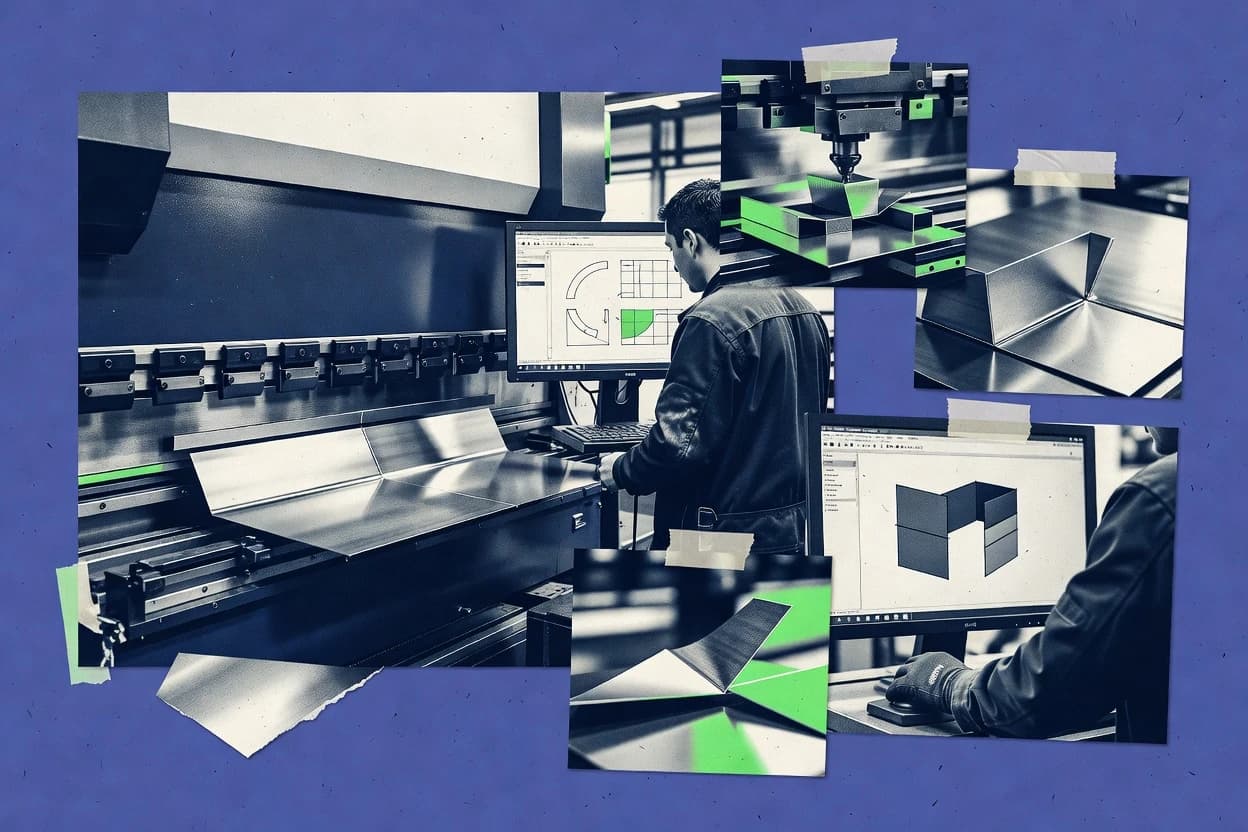
GITNUXSOFTWARE REVIEW
Manufacturing EngineeringTop 9 Best Sheet Metal Bending Software of 2026
Compare sheet metal bending software tools like Solid Edge, detailing fit for workflows, capabilities, and tradeoffs for production planning teams.

How we ranked these tools
Vendors set the topic, but our editors set the inclusion criteria and the evaluation framework before research starts.
AI search agents find sources, extract figures with provenance, and aggregate written reviews. They also transcribe video reviews and podcasts.
Framework: Features 40% · Ease 30% · Value 30%
Gitnux may earn a commission through links on this page — this does not influence rankings. Editorial policy
Metalix CNCKAD is the best pick for fabricators who want repeatable brake programs from standardized tooling and materials because its bend-first flow keeps the bend sequence explicit from input geometry to flat pattern and output. SigmaNEST is the alternative for shops needing offline bend programming tied to press brake setups since its machine-aware planning generates brake-ready sequences with tooling constraints that cut rework.
Editor’s top 3 picks
Three quick recommendations before you dive into the full comparison below — each one leads on a different dimension.
Metalix CNCKAD
Explicit bend sequence definition is maintained from input geometry through flat pattern and brake output generation.
Best for: Fits when fabricators need repeatable brake programs from standardized tooling and materials.
SigmaNEST
Editor pickMachine-integrated bend planning that outputs brake-ready sequences using shop tooling constraints.
Best for: Fits when shops need consistent offline bend programming tied to press brake setups.
Solid Edge
Editor pickPress brake simulation tied directly to the Solid Edge sheet metal model, so bend sequence review reflects the same geometry used for flat pattern output.
Best for: Fits when CAD-first teams need bend table control and press brake simulation inside one mechanical workflow.
Comparison Table
Metalix CNCKAD
enterpriseCNCKAD includes sheet metal programming functions for punching, laser cutting, and bending preparation.
Explicit bend sequence definition is maintained from input geometry through flat pattern and brake output generation.
Metalix CNCKAD turns part geometry into a bend plan by pairing a bend table style setup with tooling selection that feeds the computed flat pattern and sequencing. Geometry intake supports common neutral exchange formats, and the workflow keeps the bend order explicit so operators can trace what the program will do on the brake. Export focuses on brake-ready outputs rather than general-purpose CAM simulation. This makes it a fit for shops that already standardize tooling families and want consistent programs across similar parts.
A tradeoff appears in governance and automation depth when compared with automation-first ecosystems because CNCKAD programming is driven more by project setup than by external API-driven generation. Metalix CNCKAD fits situations where engineering publishes bend programs for production runs and where the team benefits from controlled sequencing and repeatable parameter selection. It is less suited for environments that require deep integration with MES or fully automated bend plan generation from external configuration systems.
- +Bend-first workflow keeps sequence decisions explicit for brake execution
- +Flat pattern output stays tied to the same tooling and material inputs
- +Neutral geometry import supports practical handoff from CAD systems
- +Tooling library usage helps standardize dies and punch setups
- –Limited evidence of deep external API and automation hooks for system integration
- –Workflow depends on consistent project setup for tooling and material parameters
- –Simulation coverage is more focused on bend planning than full shop-floor collision validation
- –Project scaling across many part families can require extra administrative effort
Press brake programming teams
Convert CAD parts into bend programs
Fewer rework iterations on the brake
Job shop fabricators
Program small batches quickly
Faster program turnaround per quote
Show 1 more scenario
Engineering roles in sheet metal
Publish controlled bend logic
More consistent outcomes across operators
Engineering locks sequence decisions so production sees the same bend intent each run.
Best for: Fits when fabricators need repeatable brake programs from standardized tooling and materials.
SigmaNEST
vertical specialistNesting and CAM software supporting sheet metal bending operations.
Machine-integrated bend planning that outputs brake-ready sequences using shop tooling constraints.
SigmaNEST provides a planning pipeline that turns sheet and material inputs into bend results and then into CNC-ready brake instructions. The workflow connects tooling, setup constraints, and bend ordering so programs reflect the shop floor reality of press brake sequencing. It also supports importing DXF geometry and preparing flats for downstream nesting or production steps.
A key tradeoff is that accurate bend outputs depend on maintaining a complete materials and tooling library plus correct machine and backgauge settings. SigmaNEST fits best when repeated part families justify that setup work and when offline programming needs to produce consistent machine code for daily production runs.
- +Strong bend-to-machine program flow for press brake sequencing
- +Tooling and setup constraints reduce rework from bad bend planning
- +DXF import supports reuse of existing CAD outputs
- +Predictable outputs for standardized part families
- –Materials and tooling library upkeep is required for accuracy
- –Machine integration details can require shop-specific configuration
- –Complex jobs need careful bend ordering rule selection
CNC programming teams
Offline press brake program generation
Fewer interruptions at the brake
Estimating and engineering
Validate bend plans before release
Lower engineering change churn
Show 1 more scenario
Production supervisors
Standardize execution across shifts
More stable throughput
Consistent bend sequencing and setup logic improves repeatability across frequently produced parts.
Best for: Fits when shops need consistent offline bend programming tied to press brake setups.
Solid Edge
enterpriseSiemens 3D CAD with sheet metal bending and flattening capabilities.
Press brake simulation tied directly to the Solid Edge sheet metal model, so bend sequence review reflects the same geometry used for flat pattern output.
Solid Edge connects sheet metal bending to a mechanical CAD workflow where the same model drives bend parameters and fabrication geometry. Its sheet metal tools support bend allowance and bend deduction settings, then generate flat patterns from the 3D sheet definition. The workflow also supports press brake simulation so bend sequences can be reviewed against the modeled intent before fabrication work starts.
Solid Edge can be heavier to adopt when the starting point is already a dedicated CAM or bend programming system rather than a full CAD model. It fits best when bend logic must stay consistent from the 3D model through drawings and manufacturing handoff outputs for a continuous documentation chain. Usage tends to be strongest for fabricators that already standardize tooling geometry and bend planning within a single CAD environment.
For shops running repeated parts, the ability to update the model and regenerate bend-related outputs reduces the risk of stale flattening data. Solid Edge supports drawing outputs that preserve geometry continuity from the model into documentation workflows. That makes it practical for teams that need design control and fabrication review in one workflow rather than separate bend-only files.
- +Tight coupling between sheet metal modeling and press brake simulation review
- +Bend tables drive bend allowance settings and flat pattern outputs consistently
- +CAD-native geometry continuity reduces rework between model, drawing, and fabrication views
- +Bend sequence checks help catch order-dependent issues before releasing the job
- –Offline programming depth can lag dedicated sheet metal bending and CAM suites
- –Collision checking and tooling detail fidelity depends on how machine and tooling are configured
- –Automation for bulk quoting and nested production needs workflow engineering
- –DXF import and neutral-file variations can require manual cleanup to maintain sheet parameters
Mechanical CAD users
Generate bend-ready flat patterns from model
Fewer flattening mismatches
Press brake simulation teams
Review bend sequences before shop programming
Lower sequence rework
Show 1 more scenario
Fabricators with documentation workflows
Maintain geometry continuity to drawings
Cleaner fabrication documentation
Teams use model-driven drawing outputs for manufacturing handoff with aligned geometry.
Best for: Fits when CAD-first teams need bend table control and press brake simulation inside one mechanical workflow.
Fusion 360
enterpriseCloud-based 3D CAD with sheet metal bending and unfolding tools.
Model-linked sheet metal bend simulation updates bend allowance results automatically after geometry edits.
Fusion 360 converts sheet metal CAD models into bend-oriented outputs by combining press brake style simulation with flat pattern generation inside one modeling environment. The sheet metal workflow supports DXF import and STEP file support, then drives fabrication outputs through a model-derived bend sequence.
- +Sheet metal bend simulation ties bend results to the same parametric model
- +Unfold-refold logic keeps updates consistent across revisions and tooling changes
- +CAM post-processor workflow supports machine-ready exports from the same design
- +Material library and thickness-based parameters reduce repeat setup across parts
- –Best bend sequencing depends on disciplined tooling library setup per material set
- –Offline programming for press brake operations is less structured than dedicated bend software
- –DXF import is more reliable for simple outlines than complex flange and hole geometry
- –Collision detection depth is limited compared with press brake-focused simulation tools
CNC press brake teams
Match CAD bend logic to CNC outputs
Consistent bend execution
Design engineering teams
Import DXF or STEP into sheet metal workflow
Faster geometry handoff
Show 2 more scenarios
Manufacturing CAM administrators
Coordinate model-derived toolpaths
Reduced CAD-CAM drift
Admins configure CAM toolpaths so downstream machining aligns with the sheet metal bend logic.
Distributed product teams
Control revisions with role-based access
Lower revision confusion
Teams manage shared designs using collaboration controls that support audit-friendly access patterns.
Best for: Fits when mid-size fabricators need one CAD-to-CAM workflow with model-linked bend simulation.
BySoft
vertical specialistBystronic software for sheet metal bending and cutting programming.
Press brake-oriented job programming that incorporates shop tooling and backgauge behavior into the bend sequence.
BySoft is built around bend planning for press brakes, so output targets controlled execution rather than general-purpose CAD automation. The workflow includes defining material and bend parameters, generating a flat pattern, and producing bend sequence data that aligns with press brake programming needs. Tooling setup and machine-specific details are part of the model, which reduces ambiguity when programming is used across shifts and multiple machines.
- +Bend sequence output aligned with Bystronic press brake execution
- +Tooling-aware planning supports repeatable job programming handoff
- +Flat pattern generation supports faster review before machine work
- +Offline bend programming supports batch processing workflows
- –Less suitable for mixed-brake environments with non-Bystronic conventions
- –Initial setup of machine and tooling references can take shop time
- –Geometry import can require normalization for consistent results
- –Advanced automation beyond job programming needs external process design
Production planning teams
Offline bend programming for recurring jobs
Lower rework from sequence drift
Bending programmers
Machine-specific programming with tooling context
Shorter setup and fewer interventions
Show 1 more scenario
Job shops
Flat pattern review before brake run
Fewer scrap parts
Creates flat patterns for operator review and early detection of bend planning mistakes.
Best for: Fits when fabricators standardize press brakes on Bystronic machines and need fast offline bend programming.
Kinetics
vertical specialistKinetics provides 3D sheet metal CAD software with unfolding and manufacturing-oriented bending features.
Springback-aware bend verification linked to bend sequence planning within the same program workflow.
Kinetics focuses on sheet metal bending workflows that connect CAD inputs to press brake programs with simulation and shop-ready outputs. The workflow centers on bend sequence planning, flat pattern generation, and springback-aware verification so operators can validate intent before cutting.
- +Bend sequence workflow connects simulation to executable press brake steps
- +Tooling and machine context improves collision detection during program creation
- +Springback compensation supports verification against expected geometry
- +Flat pattern generation ties directly to the resulting bent model
- –DXF and STEP import complexity can slow down mixed CAD-to-CAM jobs
- –Collision checks depend on accurate machine and tooling configuration
- –Material and bend parameter setup requires disciplined library management
- –Automation depth is limited for high-throughput variant management
Press brake programmers
Plan bend sequence and verify springback
Fewer trial bends
Sheet metal operators
Run collision checks with backgauge context
Safer bend runs
Show 1 more scenario
Manufacturing engineering teams
Generate shop-ready bend outputs from CAD
More predictable throughput
Engineers convert CAD inputs into bend plans suitable for offline-style CNC press brake execution.
Best for: Fits when fabricators need bend simulation plus shop-ready press brake sequencing with controlled tooling and machine data.
Bend-Tech
SMBBend-Tech delivers tube and pipe bending software with design, flattening, and machine-oriented workflow tools.
Tooling-aware collision and interference checking directly against the selected bend setup.
Bend-Tech targets sheet metal bending workflows with an emphasis on press brake planning and shop-floor execution rather than generic CAD export. The software centers on bend table driven logic, with file-driven workflows that support common engineering exchange inputs such as DXF and STEP.
- +Bend table driven bend planning supports consistent press brake operations
- +Tooling and sequence handling reduces manual mapping between model and machine
- +DXF and STEP input support helps integrate with common engineering sources
- +Collision and interference checking aligns bend setup with physical constraints
- –Offline programming depth can lag tools that cover end-to-end CAM postprocessing
- –Automation depends on accurate tooling libraries and bend setup configuration discipline
Fabrication engineering teams
Create bend-table-driven bend plans
Less manual setup work
Manufacturing planners
Use DXF or STEP file-driven workflows
Quicker quoting cycles
Show 2 more scenarios
Shop-floor production supervisors
Reduce translation between design and operations
Fewer operator errors
Supervisors rely on tooling and sequence support to reduce manual mapping from CAD to press brake steps.
CNC press brake setup teams
Validate collisions for selected tooling
Lower reprogramming workload
Setup teams run interference and collision checks tied to the chosen setup before execution.
Best for: Fits when fabricators need press brake bend planning from imported geometry with tooling-aware validation.
Onshape
SMBCloud-native CAD platform with sheet metal features for bend allowances, flat views, and collaborative design.
Real-time collaborative parametric CAD with change history tied to exported manufacturing geometry.
Onshape is a CAD-centric workflow that can support sheet metal bending planning through its 3D parametric modeling and bend-friendly geometry. Its core strength is keeping sheet metal definitions, revisions, and collaborating edits inside a single browser-based product development environment.
- +Single model with revision control supports multi-user design change tracking
- +Browser-based CAD reduces setup overhead for collaboration and review cycles
- +Parametric feature history helps maintain consistent bend geometry through edits
- +Solid geometry exported to downstream tools stays tied to one shared source model
- –Dedicated press brake bending features are not the primary focus in Onshape
- –Bend sequence optimization and collision checks often require external CAM steps
- –Tooling library and backgauge-level planning are limited compared to bending-first apps
- –Requires disciplined configuration to keep material and bend settings consistent
Product development teams
Maintain sheet metal edits with revision control
More controlled design changes
Sheet metal fabricators
Coordinate bend planning with standardized pipelines
Fewer coordination gaps
Show 1 more scenario
Design collaboration teams
Review bend-related geometry during collaboration
Faster design review
Teams collaborate inside the same Onshape workspace so bend-related geometry stays aligned across edits.
Best for: Fits when fabricators standardize sheet metal intent in CAD and rely on external CAM for bend planning.
AP100
vertical specialistAmada CAD/CAM software for sheet metal bending programming.
Amada-specific press brake bend sequencing and execution logic generated from CAD-driven bend layouts.
AP100 from amada.com targets shops standardizing sheet metal bending workflows around Amada press brake operations. The software builds bend layouts from CAD input and pairs them with machine-ready bend logic, including press brake sequencing and offline-style preparation.
- +Bend programming aligns with Amada press brake workflow expectations
- +Tooling and material definitions help keep simulation and output consistent
- +Supports CAD-driven bend layout to reduce manual bend entry
- +Sequencing output supports CNC press brake execution planning
- –Workflow depth depends on having accurate tooling and material data configured
- –Integration paths feel more Amada-centric than cross-ecosystem
Press brake production shops
Standardize bend layouts from CAD input
More consistent production
Manufacturing engineering teams
Define materials and tooling for simulation alignment
Better model-to-machine fit
Show 1 more scenario
Bend planning coordinators
Generate sequencing for production runs
Lower setup variability
Coordinators use press brake sequencing and offline-style preparation outputs to reduce repeated programming work.
Best for: Fits when an Amada-focused fab needs consistent bend programming and sequencing from CAD inputs.
Conclusion
After evaluating 9 sheet metal bending software, Metalix CNCKAD stands out as our overall top pick — it scored highest across our combined criteria of features, ease of use, and value, which is why it sits at #1 in the rankings above.
Use the comparison table and detailed reviews above to validate the fit against your own requirements before committing to a tool.
How to Choose the Right Sheet Metal Bending Software
This buyer's guide narrows on sheet metal bending software used to turn sheet metal intent into repeatable press brake bend sequences and usable flat patterns. It covers BySoft, SigmaNEST, and CadCAM-E alongside Solid Edge, Fusion 360, AP100, Bend-Tech, Kinetics, Solid Edge from siemens.com, and Onshape. The focus stays on bend sequencing quality, the strength of tooling and machine-context handling, and how well each tool fits into an offline programming workflow.
The included tools fall into two dominant approaches. Some center bend sequence planning tightly around a press brake execution model, and others start from a CAD-based sheet metal model then carry bend results into flat pattern generation. That split affects integration depth, where collisions can be verified, and how changes flow through revisions without manual remapping.
Sheet Metal Bending Software for press brake bend sequencing, tooling-aware planning, and flat pattern output
Sheet metal bending software generates and validates bend sequences that map a part’s geometry to press brake steps, including tooling and setup constraints for consistent outcomes. It typically supports flat pattern generation so fabricators can unfold and then regenerate shop-ready geometry after geometry edits. BySoft and SigmaNEST both emphasize offline bend programming that stays aligned with brake execution patterns using tooling-aware planning, which reduces rework when setups are repeated.
Other tools prioritize coupling bend simulation to CAD model changes so bend allowance and bend-step review reflect the same geometry used for output. Solid Edge links press brake simulation directly to the sheet metal feature model so bend sequence review follows the part’s sheet metal structure. Fusion 360 similarly ties bend simulation updates to a parametric model using unfold-refold logic so bend results stay consistent across revisions, while Bend-Tech adds tooling-aware collision and interference checking against the selected bend setup.
Key features that determine repeatable press brake bend sequencing
Sheet metal bending software must convert geometry intent into bend steps that match press brake execution, tooling selection, and backgauge positioning so each change request does not cause manual re-mapping. The feature set should also keep flat pattern output and bend-step intent connected so edits to the source model or tooling setup do not break downstream manufacturing geometry.
Tooling-aware bend sequence planning tied to brake execution
BySoft produces bend sequence output aligned with Bystronic press brake execution using shop tooling and backgauge behavior. SigmaNEST likewise outputs brake-ready sequences using tooling and setup constraints to reduce rework from incorrect planning.
Explicit bend sequence continuity from geometry to flat pattern and output
Metalix CNCKAD maintains an explicit bend sequence from input geometry through flat pattern and brake output generation. This bend-first workflow keeps sequence decisions explicit for brake execution and keeps flat pattern tied to the same tooling and material inputs.
CAD-linked press brake simulation that stays coupled to the sheet metal model
Solid Edge links press brake simulation to the Solid Edge sheet metal model so bend sequence review reflects the same geometry used for flat pattern output. Fusion 360 similarly ties bend simulation results to a parametric model so bend allowance outcomes update after geometry edits using unfold-refold logic.
Collision and interference checking against the selected bend setup
Bend-Tech performs tooling-aware collision and interference checking directly against the selected bend setup. Kinetics connects springback-aware bend verification to the same bend sequence workflow while using tooling and machine context to improve collision detection during program creation.
Offline programming depth and integration suitability for CNC press brake workcells
BySoft and SigmaNEST focus on offline bend programming that stays aligned with press brake sequencing patterns and reduce manual translation between design intent and machine steps. Solid Edge and Onshape can remain CAD-centric, with press brake sequence optimization and collision checks often depending on external downstream toolchains.
How to choose Sheet Metal Bending Software for press brake planning and flat pattern output
The right choice depends on which starting point drives the shop workflow. Shops that standardize press brakes tend to need bend programming designed around the machine execution model, while CAD-first teams tend to need simulations that stay coupled to the sheet metal model before exporting for bending steps.
Choose the bend-sequence foundation based on the shop’s standard workflow
If bending begins as press brake job programming and the shop repeats the same machine setups, prioritize BySoft for Bystronic-aligned bend sequence output or SigmaNEST for machine-integrated bend planning tied to shop tooling constraints. If bending decisions must remain explicit from geometry into flat pattern and brake output, select Metalix CNCKAD for its bend-first continuity across those stages.
Decide whether bend verification must follow CAD revisions automatically
If the bend-step review must reflect the same geometry used for flat pattern output inside the CAD workflow, prioritize Solid Edge because press brake simulation is tied directly to the sheet metal feature model. If model-linked bend simulation updates must track parametric edits using unfold-refold logic, Fusion 360 provides the update behavior through bend allowance results tied to the same parametric model.
Validate tooling risk with collision and interference checks for the bend setup you actually run
If collision risk must be checked against the selected bend setup using tooling-aware validation, choose Bend-Tech. If the shop needs springback-aware verification connected to the bend sequence steps and wants collision detection improvements during program creation, Kinetics connects simulation and executable press brake steps in one workflow.
Confirm the tooling and material data lifecycle the software expects in practice
SigmaNEST accuracy depends on maintaining the materials and tooling library for correct bend planning, so stores that cannot keep that library current often see preventable rework. Metalix CNCKAD and BySoft also depend on consistent project setup for tooling and material parameters, so confirm the shop can standardize those inputs across jobs.
Check how well the tool fits mixed-brake environments and downstream CNC steps
If the shop runs mixed-brake conventions and multiple machine execution norms, note BySoft can be less suitable when jobs deviate from Bystronic conventions. If offline programming for press brake operations must extend into full CNC press brake sequencing and interop beyond CAD, Solid Edge’s strengths are stronger inside CAD and Onshape often requires external CAM steps.
Who Sheet Metal Bending Software fits best
Sheet metal bending software fits shops that need bend sequences that match tooling and machine behavior, not just unfolded geometry. It also fits teams that require a change workflow where edits do not force manual regeneration of bend steps or flat patterns.
Press brake standardization shops running Bystronic machines
BySoft aligns bend sequence output with Bystronic press brake execution and incorporates shop tooling and backgauge behavior into the bend sequence.
Fabricators maintaining consistent offline bend programs across repeated press brake setups
SigmaNEST outputs brake-ready sequences tied to shop tooling constraints and uses machine-integrated bend planning to reduce rework from incorrect bend planning.
CAD-first teams that require bend simulation tied to the sheet metal model
Solid Edge ties press brake simulation directly to the Solid Edge sheet metal model so bend sequence review reflects the same geometry used for flat pattern output, and Fusion 360 updates bend simulation results from the parametric model after edits.
Shops prioritizing collision and interference validation against a configured tooling setup
Bend-Tech uses tooling-aware collision and interference checking directly against the selected bend setup, and Kinetics links springback-aware bend verification with collision detection improvements using tooling and machine context.
Common pitfalls when selecting and deploying Sheet Metal Bending Software
Many failures come from mismatched expectations about what the software treats as the source of truth for bend steps and flat patterns. Other failures come from tooling and machine context setup that is incomplete, which undermines collision checks and bend sequencing consistency.
Treating bend simulation as interchangeable with press brake execution details
Choose Solid Edge or Fusion 360 when bend-step review must stay coupled to the sheet metal model, because their bend simulation is tied to the CAD representation. Choose Bend-Tech, Kinetics, BySoft, or SigmaNEST when the shop needs tooling-aware validation and brake execution-oriented bend planning.
Allowing tooling and material libraries to drift out of sync with real shop setups
SigmaNEST requires materials and tooling library upkeep for accuracy, so stale data directly increases rework risk. Metalix CNCKAD and BySoft also depend on consistent project setup for tooling and material parameters, so standardize those inputs before relying on repeatability.
Assuming offline bend programming will work without disciplined machine and tooling references
BySoft can take shop time to set up machine and tooling references, so plan an initial configuration phase rather than starting with incomplete tooling mapping. Bend-Tech’s automation depends on accurate tooling libraries and bend setup configuration discipline, so avoid using default or generic setups for collision validation.
Overlooking interop friction when CNC press brake sequencing must extend beyond CAD
Onshape is optimized for collaborative parametric CAD and relies on external CAM steps for bend sequence optimization and collision checks, which can introduce extra work. Solid Edge can remain strongest inside CAD workflow for sheet metal bending, so confirm external downstream toolchain fit if the shop needs standalone bending CAM outputs.
How We Selected and Ranked These Tools
We evaluated each tool on features at 40% weight, ease and deployment fit at 30% weight, and value at 30% weight. BySoft earned the top position by producing bend sequence output aligned with Bystronic press brake execution and by incorporating shop tooling and backgauge behavior into bend sequence planning.
BySoft also earned higher practical fit because its tooling-aware planning supports repeatable job programming handoff rather than requiring extra translation steps. In contrast, tools like Metalix CNCKAD and Solid Edge scored well for specific workflow strengths, but they did not match BySoft’s press brake execution-oriented bend sequencing fit across the same offline programming scenario.
Frequently Asked Questions About Sheet Metal Bending Software
Which tools in this list generate bend sequence output that is directly tied to press brake tooling constraints?
How does bend planning stay consistent after CAD geometry edits in a model-linked workflow?
When does offline programming break down, and what workflow dependency typically causes it?
Which software supports CAD exchange formats like DXF import and STEP file support for bend planning?
What tradeoff exists between maintaining bend data explicitly across the workflow versus deriving it from a broader CAD model?
How do these tools handle springback-aware verification before releasing manufacturing geometry?
Which products include tooling-aware collision and interference checks tied to the selected bend setup?
How do integrations and automation differ for CAM post-processor style handoff versus machine tool integration?
Which tools support collaboration controls that help control changes to shared design inputs used for bend planning?
Tools reviewed
Primary sources checked during evaluation.
Referenced in the comparison table and product reviews above.
Funding and competing interests
This study was co-funded by several of the vendors assessed in it. No single vendor funded it. Funders could propose the market studied.
They had no role in selecting vendors, setting or weighting criteria, analysing data or drawing conclusions, and they received the same factual-accuracy check as every other vendor assessed.
Market definition, inclusion rules and criteria weights were fixed by an editor before research began and did not change afterwards. Editorial process →
- Review · 2026 · Manufacturing EngineeringSheet Metal Software
- Review · 2026 · Manufacturing EngineeringPress Brake Bending Software
- Review · 2026 · Business FinanceSheet Metal Unfolding Software
- Service review · 2026 · Manufacturing EngineeringSheet Metal Design
- Service review · 2026 · Manufacturing EngineeringSteel Detailing
Keep exploring
Comparing two specific tools?
Software Alternatives
See head-to-head software comparisons with feature breakdowns, pricing, and our recommendation for each use case.
Explore software alternatives→In this category
Manufacturing Engineering alternatives
See side-by-side comparisons of manufacturing engineering tools and pick the right one for your stack.
Compare manufacturing engineering tools→