GITNUXSOFTWARE ADVICE
Technology Digital MediaTop 10 Best Session Replay Software of 2026
Top 10 session replay software ranked for UX and analytics teams, with comparisons across tools like Mouseflow, Glassbox, and Quantum Metric.

How we ranked these tools
An editor sets the topic, the inclusion criteria, and the evaluation framework before research starts.
AI search agents find sources, extract figures with provenance, and aggregate written reviews. They also transcribe video reviews and podcasts.
Framework: Features 40% · Ease 30% · Value 30%
Gitnux may earn a commission through links on this page — this does not influence rankings. Editorial policy
Mouseflow is the best fit overall for UX and analytics teams that want repeatable, privacy-aware session review, while Glassbox is the stronger alternative if you need governed replay with identity stitching for root-cause work, and Microsoft Clarity is the cheapest entry when you just need fast web-session triage with built-in masking.
Editor’s top 3 picks
Three quick recommendations before you dive into the full comparison below — each one leads on a different dimension.
Mouseflow
Session tagging plus filtering lets teams build investigation views around specific UX hypotheses.
Best for: Fits when UX and analytics teams need repeatable session review with privacy-aware capture and controlled access.
Glassbox
Editor pickIdentity resolution and session stitching keep replay context consistent across page navigations and fragmented user journeys.
Best for: Fits when UX analytics teams need governed replay with identity stitching for repeatable root-cause workflows.
Quantum Metric
Editor pickAnalytics-linked replay investigations connect user sessions to the same event definitions used in funnel analysis.
Best for: Fits when UX and analytics teams need governed replay tied to consistent instrumentation and identity.
Comparison Table
Mouseflow
SMBSession replay, heatmaps, and funnel analytics for websites.
Session tagging plus filtering lets teams build investigation views around specific UX hypotheses.
Mouseflow’s core workflow starts with capturing real user sessions through a client-side script, then replaying input-event sequences with DOM updates so teams can correlate UI friction with specific user journeys. Session browsing supports segmentation views that reduce manual searching during UX reviews and funnel investigations. Privacy masking rules help prevent sensitive fields from being stored in recordings, and configuration options let teams adjust what gets captured to meet governance needs.
A key tradeoff is replay fidelity depends on how pages mutate in the browser and how much UI state is represented in captured DOM snapshots, so some heavily interactive widgets may require tighter capture configuration. Mouseflow fits best when a team needs daily replay review for form drop-off, navigation confusion, and rage-click patterns, and wants a repeatable process for assigning and filtering sessions.
- +Replay view quickly shows user actions, cursor behavior, and navigation paths
- +Configurable capture and masking reduce exposure of sensitive UI fields
- +Session tagging and filtering support repeatable UX triage workflows
- +Admin permissions support controlled access across teams
- –Highly dynamic interfaces can need extra capture configuration for clean replays
- –Investigations can slow when segmentation is too broad for daily triage
- –Some cross-property correlation still requires consistent event discipline
- –Replay performance depends on page complexity and capture scope
UX research teams
Weekly form friction triage
Faster issue identification
Analytics teams
Funnel drop-off correlation
Cleaner root-cause evidence
Show 2 more scenarios
Product managers
New feature behavior validation
Reduced rollout risk
Compare session replays before and after a UI change to confirm expected interaction patterns.
Data governance leads
Privacy-aware replay operations
Lower privacy exposure
Use masking rules and capture configuration to limit storage of sensitive interface inputs.
Best for: Fits when UX and analytics teams need repeatable session review with privacy-aware capture and controlled access.
Glassbox
enterpriseEnterprise digital experience analytics with session replay and journey mapping.
Identity resolution and session stitching keep replay context consistent across page navigations and fragmented user journeys.
Glassbox is built for teams that need session stitching and user identity resolution to group fragmented browsing into a single investigation unit. Its replay experience is paired with data controls that reduce accidental exposure when capture includes form fields, identifiers, or free text. Configuration options support replay filtering so analysts can narrow what gets stored and viewed for specific testing and reporting workflows. This makes Glassbox a strong fit for organizations that treat replay data as a governed analytics input, not just a visual debugging artifact.
A key tradeoff is that governance-ready capture requires deliberate setup, especially when replay should align to consent rules and internal masking requirements. Teams that want immediate value from default capture often need extra configuration to match their risk and data-handling expectations. Glassbox works best during root-cause analysis of UX friction where identity stitching and replay controls help teams compare the same journey across devices and traffic sources. It also suits ongoing iteration cycles where analysts regularly separate high-signal sessions from noise through replay configuration and filtering.
- +Session stitching and identity resolution reduce fragmented replay investigations
- +PII masking controls support safer capture for sensitive UI elements
- +Replay filtering helps analysts focus on relevant traffic patterns
- +Extensibility options fit teams that need controlled instrumentation
- –Governed capture needs careful configuration to avoid over-collection
- –Replay setup can take longer when identity rules are complex
- –Some investigation workflows require more administrative coordination
- –High coverage use cases can increase operational overhead
UX analytics teams
Investigate checkout drop-offs from real replays
Fewer sessions, clearer cause
Product research teams
Validate form changes with safe replays
Review without sensitive leakage
Show 2 more scenarios
Data governance leads
Control what gets stored and viewed
Lower governance risk
Replay filtering and masking configuration support consistent retention boundaries and safer review workflows.
Experiment analysts
Compare user journeys across test cohorts
More signal, faster review
Replay configuration narrows stored data to the cohorts that matter for analysis and follow-up review.
Best for: Fits when UX analytics teams need governed replay with identity stitching for repeatable root-cause workflows.
Quantum Metric
enterpriseDigital analytics platform with session replay for enterprise customers.
Analytics-linked replay investigations connect user sessions to the same event definitions used in funnel analysis.
Quantum Metric captures replay data alongside product analytics signals, which supports faster investigation than playback-only workflows. The system uses session stitching and user-identity resolution to reduce confusion when users navigate across pages or return later. Admin controls include role-based access and audit logging, which helps governed teams review replays without broad visibility. Automated workflows and API-based integrations support pulling replay context into other operational tools.
The tradeoff is that deep correlation depends on disciplined event tagging and identity rules, so retroactive insight quality tracks instrumentation consistency. This approach works well when teams investigate conversion drop-off tied to specific UI changes, because replay context can be aligned to the same analytics taxonomy. It is less ideal for teams that only need lightweight playback with minimal analytics alignment.
- +Replay context ties back to analytics events for faster root-cause analysis
- +Session stitching and user identity resolution improve continuity across journeys
- +RBAC and audit log support governed review workflows
- +API access enables automation across investigation and reporting pipelines
- –Quality of investigations depends on consistent instrumentation and identity setup
- –Replay investigations can take longer when teams lack clear analytics taxonomy
- –Some admin governance requires tighter process than playback-first tools
Product analytics teams
Funnel drop-off investigation with replay
Faster root-cause identification
UX research teams
Validate UI fixes across journeys
Reduced regression uncertainty
Show 2 more scenarios
Web and app growth teams
Debug checkout friction in context
Lower abandonment rates
Inspect replay with event context to pinpoint where users stall or rage-click.
Analytics engineering teams
Automate replay review workflows
More repeatable triage
Use API surface to route investigation findings into internal tools and dashboards.
Best for: Fits when UX and analytics teams need governed replay tied to consistent instrumentation and identity.
Microsoft Clarity
SMBFree session replay and heatmap analytics for web properties.
Rage-click and dead-click detection surfaced directly in session replay insights for faster UX root-cause review.
Microsoft Clarity captures session replays with built-in click, scroll, and rage-click style signals, plus search and filters for faster triage. The product focuses on web and works with a lightweight CDN-hosted script, which reduces integration overhead for UX and analytics teams.
- +Quick script-based deployment and replay start without custom client SDK builds
- +Strong replay search filters that reduce time spent scanning sessions
- +Automatic DOM snapshotting supports faithful playback for many UI changes
- +Built-in data masking options help reduce exposure of sensitive form inputs
- –Limited control for multi-property taxonomy compared with deeper analytics suites
- –Advanced event instrumentation relies more on tag-manager patterns than code-first APIs
- –Replay sampling and volume controls can require careful coordination with traffic spikes
- –Server-side replay and network-request replay coverage is less comprehensive than some competitors
Best for: Fits when UX and analytics teams need fast web-session triage with built-in replay signals and masking.
Contentsquare
enterpriseDigital experience analytics platform with session replay and zone-based heatmaps.
Funnel drop-off correlation links replayed behavior to specific conversion losses for focused root-cause review.
Contentsquare instruments web sessions to replay user behavior with synchronized context for UX and analytics workflows. It pairs session playback with analytics-style insights like session segmentation, funnel drop-off correlation, and automated annotation of meaningful moments.
- +Session playback stays tied to journey analysis workflows for faster UX triage.
- +Session segmentation supports targeted replay review by user and journey attributes.
- +Consent-aware capture controls reduce exposure risk during replay collection.
- +Annotations and context improve review throughput during bug reproduction.
- –Setup for tagging and identity stitching needs careful governance to avoid misattribution.
- –Mobile-web coverage can lag behind desktop workflows for complex app shells.
Best for: Fits when UX and analytics teams need replay plus journey correlation for systematic funnel debugging.
Smartlook
mid-marketSession replay and product analytics for web and mobile apps.
Rage-click and dead-click detection surfaced inside session replays for faster usability debugging.
Smartlook records user sessions in a way that helps UX and analytics teams compare what users saw with what they did. Its replay workflow centers on event-driven session views, including rage-click and dead-click style signals and device-mode replay for mobile-web.
- +Rage-click and dead-click indicators speed up triage of usability failures
- +Device-mode replay helps validate touch behavior and viewport-specific issues
- +Consent and PII masking controls reduce exposure in captured sessions
- +Tag-manager setup supports quick rollout across environments
- –Deep DOM mutation coverage can degrade on highly dynamic single-page apps
- –Workflow linking from replay to analytics segments needs deliberate configuration
Best for: Fits when UX and analytics teams need replay with event context and privacy controls.
Lucky Orange
SMBSession replay, heatmaps, live chat, and conversion funnels for websites.
Feedback capture linked to replay recordings lets reviewers correlate qualitative notes with specific session playback.
Lucky Orange combines session replay with heatmaps and feedback capture, then ties events to a configurable visitor identity. Replays include DOM snapshot playback and annotations that support UX troubleshooting across funnels and forms.
- +Replay playback includes click context and form field state for UX debugging
- +Heatmaps and session lists speed triage of rage-click and dead-click patterns
- +Built-in PII masking reduces exposure for common input fields
- +API access supports exporting recordings and metadata into internal workflows
- –Deeper analytics need external enrichment for attribution and full journey stitching
- –DOM mutation tracking coverage can miss highly dynamic component states in some apps
Best for: Fits when UX and analytics teams need replay plus heatmaps with practical privacy redaction.
Inspectlet
SMBSession replay, heatmaps, and A/B testing for websites.
Device-mode replay that preserves how sessions appear and behave on mobile layouts during playback.
Inspectlet delivers session replay with device-mode playback and granular heatmap views to help UX and analytics teams correlate what users did with where they got stuck. Replay records user input sequences and DOM-related state so teams can review clicks, scroll behavior, and form interactions across sessions. Inspectlet also supports retroactive session filtering and integrations that route replay access through existing analytics workflows.
- +Device-mode replay makes mobile UX issues easier to review end to end
- +Retroactive session filtering speeds up root-cause checks after findings are known
- +Captures input interactions in a timeline that matches user behavior review
- +Heatmaps connect with replay so teams can validate anomalies visually
- –Advanced debugging workflows depend on tight tag placement and event consistency
- –Deep instrumentation beyond replay and heatmaps requires additional implementation work
Best for: Fits when UX teams need replay plus heatmaps to validate UX hypotheses with retroactive filtering.
UXCam
mobileMobile session replay and user analytics for native apps.
Mobile replay with user-identity resolution that keeps cross-session debugging centered on the same person.
UXCam records user sessions in client-side web and mobile applications and replays them with overlays that help teams connect UI behavior to user actions. The product centers on mobile-web replay, session-level analysis, and visual context that supports debugging and product iteration.
- +Mobile-first replay workflow with clear session context for UI debugging
- +Identity stitching improves replay grouping across sessions and entry points
- +Event-based segmentation supports targeted replay triage
- +DOM mutation and interaction capture reduces blind spots during repro
- –Replay filtering and server-side workflows need careful setup discipline
- –Export and automation surface is less flexible than tools with broader API coverage
Best for: Fits when product and UX teams need mobile and web replay with identity-based segmentation for fast debugging.
OpenReplay
open-sourceOpen-source session replay with error tracking and performance monitoring.
Server-side session reconstruction that ties playback to captured errors and console output for debugging workflows.
OpenReplay is a session replay system that pairs playback with practical debugging artifacts for UX and analytics teams. It captures frontend session behavior and correlates replays with errors, network activity, and console output to reduce time spent reproducing issues.
- +Replays link to console logs and error traces for faster root-cause checks
- +Session capture can be constrained using retroactive filtering
- +Network and DOM change context reduces guesswork during playback reviews
- +PII masking rules help limit sensitive data in captured sessions
- –Advanced capture scope and retention require careful configuration discipline
- –Network-request replay can miss server-enriched context without consistent headers
- –Cross-domain and embedded content capture needs extra setup in many apps
- –High session volume can slow investigator workflows without sampling controls
Best for: Fits when teams need replay-to-debug context for UX fixes and analytics instrumentation reviews.
Conclusion
After evaluating 10 session replay software, Mouseflow stands out as our overall top pick — it scored highest across our combined criteria of features, ease of use, and value, which is why it sits at #1 in the rankings above.
Use the comparison table and detailed reviews above to validate the fit against your own requirements before committing to a tool.
How to Choose the Right Session Replay Software
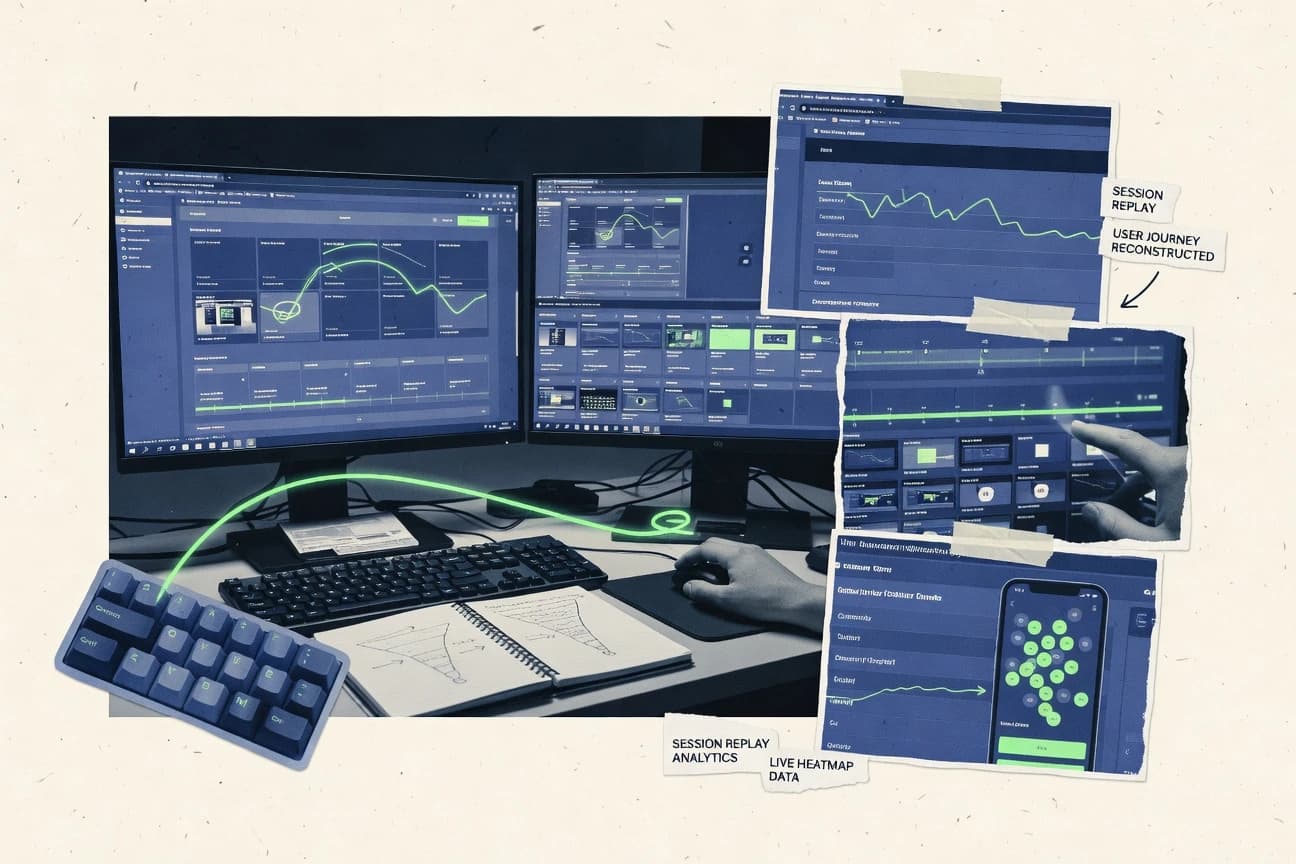
Session replay software records real user sessions so UX and analytics teams can review user behavior from playback instead of relying on screenshots or reports.
This guide covers Mouseflow, Glassbox, Quantum Metric, Microsoft Clarity, Contentsquare, Smartlook, Lucky Orange, Inspectlet, UXCam, and OpenReplay, with each tool grounded in replay signals, filtering workflow, and governance controls.
Session Replay Software for UX and analytics teams
Session replay software captures front-end user interactions during web sessions and turns them into step-by-step playback for investigation, including cursor behavior, clicks, and navigation paths.
Many implementations also add governed replay context through mechanisms like identity resolution and session stitching, as seen in Glassbox, or analytics-linked investigation workflows, as seen in Quantum Metric. Tools like Microsoft Clarity and Smartlook surface usability signals such as rage-click and dead-click indicators directly inside the replay review experience. Teams typically use replay search filters, segmentation, and replay-to-insights linking to reduce time spent scanning sessions.
Replay investigation controls and instrumentation alignment
The next layer is governance control over capture so investigations stay usable with PII masking and identity stitching. This is where Glassbox, Mouseflow, and Microsoft Clarity reduce exposure of sensitive UI fields while keeping replays actionable for root-cause workflows.
Session tagging and hypothesis-based filtering
Mouseflow lets teams build investigation views by tagging and filtering sessions around specific UX hypotheses. This speeds triage when the same failure mode recurs across many sessions.
Identity resolution and session stitching for continuous journeys
Glassbox links replay context across page navigations using identity resolution and session stitching. Quantum Metric also uses session stitching and user identity resolution to keep investigations coherent across fragmented journeys.
Analytics-linked replay investigations tied to event definitions
Quantum Metric connects replay investigations to the same event definitions used for funnel analysis. This reduces the gap between analytics findings and the replay evidence that explains them.
Built-in usability failure signals for faster triage
Microsoft Clarity highlights rage-click and dead-click detection inside session replay insights. Smartlook surfaces rage-click and dead-click indicators as well, then adds device-mode replay to validate viewport-specific issues.
Funnel drop-off correlation to connect UX behavior to conversion loss
Contentsquare correlates replayed behavior to specific funnel drop-offs. This makes replay review map to conversion losses instead of generic navigation paths.
Device-mode replay and touch or viewport validation
Inspectlet preserves how mobile sessions appear and behave during playback with device-mode replay. Smartlook also uses device-mode replay to validate touch behavior and viewport issues.
Debugging context from console and error traces
OpenReplay performs server-side session reconstruction and ties playback to captured errors and console output. This turns replay reviews into replay-to-debug workflows for instrumentation issues and broken UX flows.
Choose a replay workflow based on investigation governance and correlation depth
Teams should also decide upfront how much governance discipline is acceptable for identity stitching and governed capture. Some tools prioritize quick script-based deployment and built-in replay signals while others require careful tagging and identity rules to avoid misattribution.
Start with the investigation hook that will drive daily triage
If triage is driven by recurring UX hypotheses, prioritize Mouseflow because session tagging and filtering turn replays into repeatable investigation views. If triage is driven by funnel loss, prioritize Contentsquare because funnel drop-off correlation links replayed behavior to conversion losses.
Pick identity and stitching based on journey continuity needs
If the same person spans multiple page navigations and replay context must remain consistent, prioritize Glassbox because identity resolution and session stitching reduce fragmented investigations. If replay continuity must match analytics instrumentation, prioritize Quantum Metric because replay context ties back to analytics events.
Select usability signal coverage based on how failures are detected
If the primary debugging signal is click-level usability failure, prioritize Microsoft Clarity because rage-click and dead-click detection appear in replay insights and speed root-cause review. If viewport-specific touch behavior is equally critical, prioritize Smartlook because device-mode replay pairs with rage-click and dead-click indicators.
Decide whether mobile replay fidelity is a first-class requirement
If mobile playback must preserve how sessions appear and behave end to end, prioritize Inspectlet because device-mode replay targets mobile UX validation. If mobile replay also needs identity-based grouping across entry points, prioritize UXCam because mobile replay includes user-identity resolution.
Choose debugging tie-ins based on whether technical errors explain UX breakdowns
If UX failures need immediate linkage to console logs and error traces, prioritize OpenReplay because server-side reconstruction connects playback to debugging signals. If the investigation focus stays on UX workflow plus heatmaps and feedback notes, prioritize Lucky Orange because feedback capture links reviewers’ notes to specific replay recordings.
Validate capture governance tradeoffs before scaling instrumentation
If governed capture needs careful configuration, ensure the team can maintain identity rules because Glassbox warns that over-collection is possible without careful setup. If advanced event instrumentation relies on tag-manager patterns instead of code-first APIs, ensure tagging governance is in place because Microsoft Clarity notes that advanced instrumentation depends more on tag-manager patterns.
Who should buy Session Replay Software for UX and analytics outcomes
Organizations that already run structured funnel analysis or identity stitching workflows will get faster results from tools that align replay context with existing event taxonomies. Teams that focus on controlled privacy masking and repeatable filters need platforms that keep access disciplined during daily investigations.
UX analytics teams running recurring usability investigations
Mouseflow fits teams that need repeatable session review because session tagging and filtering build investigation views around specific UX hypotheses.
Product and analytics teams stitching fragmented journeys across pages
Glassbox fits teams that want governed replay with identity stitching because session stitching and identity resolution keep replay context consistent.
Teams that debug conversion loss using event-aligned evidence
Quantum Metric fits teams that want replay-to-event continuity because replay context ties back to analytics event definitions for faster root-cause analysis.
UX teams that triage usability failures based on click outcomes
Microsoft Clarity fits teams that need fast web-session triage because rage-click and dead-click detection appears directly in session replay insights.
Mobile UX teams that need viewport-preserving playback
Inspectlet fits teams that need device-mode replay for mobile UX validation because playback preserves how sessions behave on mobile layouts.
Common session replay buying and rollout mistakes
Teams also make rollout mistakes when they try to use replay filtering for daily triage without defining narrow segmentation boundaries. Other mistakes involve treating mobile or dynamic single-page app coverage as equivalent across platforms.
Using broad segmentation for daily triage and then treating slow investigations as a product defect
Mouseflow warns that investigations can slow when segmentation is too broad for daily triage. Narrow tagging and filters around known UX hypotheses before expanding coverage.
Assuming identity stitching works without maintaining identity rules and governance
Glassbox notes that governed capture needs careful configuration to avoid over-collection. Plan governance for identity rules so replay context does not drift across sessions.
Relying on replay signals without ensuring instrumentation and analytics taxonomy consistency
Quantum Metric states that investigation quality depends on consistent instrumentation and identity setup. Align event definitions and identity rules before expecting fast analytics-linked replay debugging.
Underestimating the impact of dynamic single-page app behavior on replay fidelity
Smartlook warns that deep DOM mutation coverage can degrade on highly dynamic single-page apps. Run capture tests on the most dynamic routes before standardizing the deployment.
Connecting mobile workflows to replay without validating viewport behavior during playback
Lucky Orange includes replay with click context and form field state but notes DOM mutation tracking can miss highly dynamic component states. Validate the same component states on mobile layouts and touch interactions before rolling out broad capture.
How We Selected and Ranked These Tools
We evaluated Mouseflow, Glassbox, Quantum Metric, Microsoft Clarity, Contentsquare, Smartlook, Lucky Orange, Inspectlet, UXCam, and OpenReplay on replay investigation features that map to real UX and analytics workflows. Feature coverage counted for 40% of the score because tagging and filtering, identity resolution and session stitching, click outcome signals, funnel drop-off correlation, device-mode playback, and replay-to-debug links each change how quickly root-cause work completes.
Ease and value each counted for 30% because script-based deployment and replay start time affect adoption and because governance effort influences day-to-day usability. Mouseflow ranked highest because session tagging and filtering enable repeatable investigation views around UX hypotheses while replay playback surfaces cursor behavior, click context, and navigation paths with configurable capture and masking.
Frequently Asked Questions About Session Replay Software
How do Contentsquare and Mouseflow differ in turning replays into UX investigation workflows?
Which tools provide stronger identity resolution and session stitching for cross-page journeys?
What breaks if a replay implementation lacks proper PII masking rules?
How do teams migrate existing event taxonomies when adopting session replay tools?
When do rage-click and dead-click signals matter, and which products expose them directly?
Which session replay tools support automation and routing through integrations or APIs?
How does device-mode replay change debugging for mobile-web UX issues?
What tradeoff occurs when replay relies on client-side capture versus server-side reconstruction?
How should admin controls be evaluated for auditability and controlled access to recordings?
Tools reviewed
Primary sources checked during evaluation.
Referenced in the comparison table and product reviews above.
- Entertainment EventsTop 10 Best Game Replay Software of 2026
- Technology Digital MediaTop 10 Best Remote Recording Software of 2026
- Technology Digital MediaTop 10 Best Replication Software of 2026
- Technology Digital MediaTop 10 Best User Tracking Software of 2026
- Technology Digital MediaTop 10 Best Real Time Software of 2026
Keep exploring
Comparing two specific tools?
Software Alternatives
See head-to-head software comparisons with feature breakdowns, pricing, and our recommendation for each use case.
Explore software alternatives→In this category
Technology Digital Media alternatives
See side-by-side comparisons of technology digital media tools and pick the right one for your stack.
Compare technology digital media tools→