GITNUXSOFTWARE ADVICE
Business FinanceTop 10 Best Security Printing Software of 2026
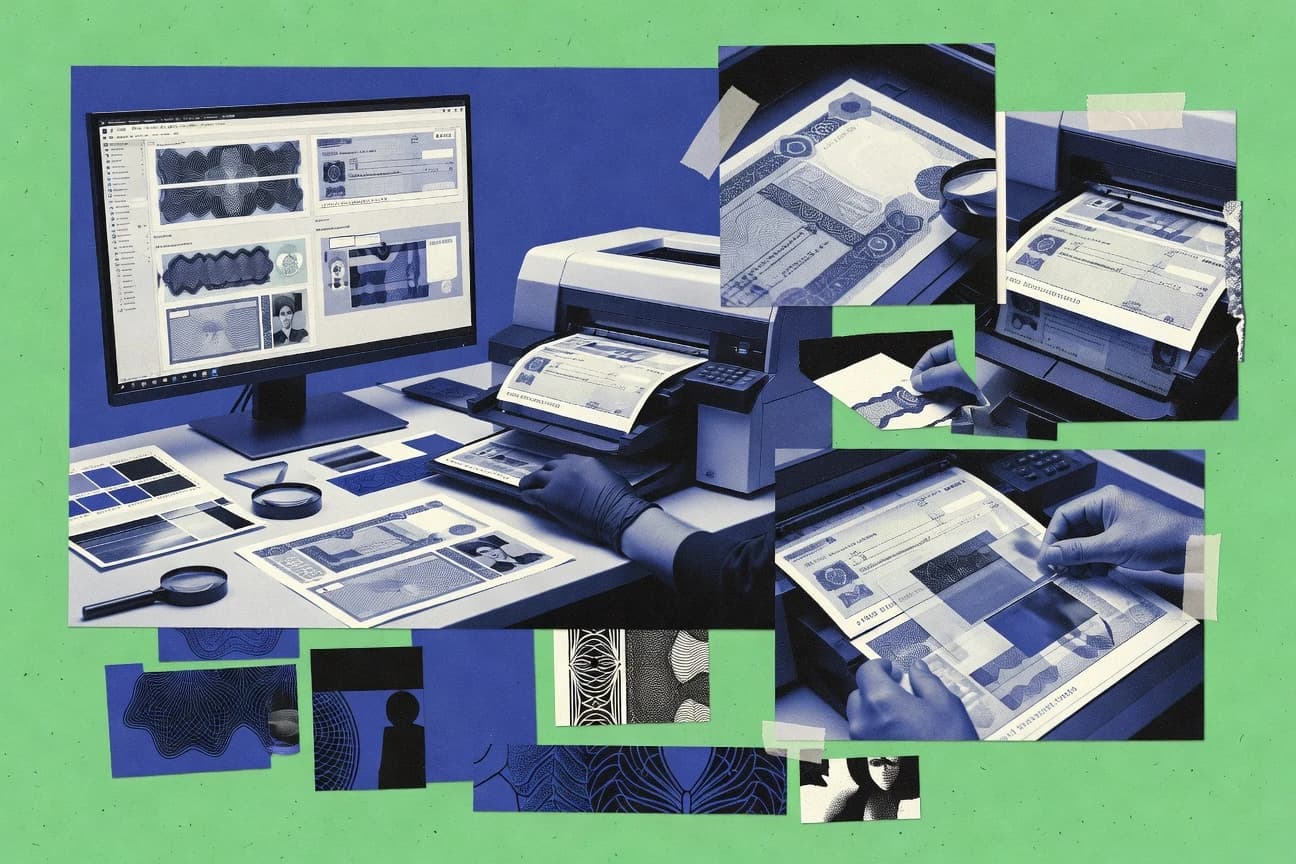
Ranking roundup of security printing software for document security, comparing Printix, ezCheckPrinting, and other tools with key tradeoffs.

How we ranked these tools
An editor sets the topic, the inclusion criteria, and the evaluation framework before research starts.
AI search agents find sources, extract figures with provenance, and aggregate written reviews. They also transcribe video reviews and podcasts.
Framework: Features 40% · Ease 30% · Value 30%
Gitnux may earn a commission through links on this page — this does not influence rankings. Editorial policy
Tungsten Equitrac is the strongest pick for organizations that need identity-based control over who can release sensitive print jobs across managed devices, while ezCheckPrinting fits finance teams printing MICR checks and business forms who want repeatable, batch-controlled runs.
Editor’s top 3 picks
Three quick recommendations before you dive into the full comparison below — each one leads on a different dimension.
Tungsten Equitrac
Authenticated release and device-aware controls enforce print-room governance tied to user permissions and job queues.
Best for: Fits when organizations need identity-based control over who can release sensitive print jobs at managed devices.
ezCheckPrinting
Editor pickMICR-ready template fields that enforce bank-style character placement during variable check generation.
Best for: Fits when finance teams need repeatable check printing with MICR and batch variable data control.
Printix
Editor pickSecure print release workflow that enforces authorization at the printer before jobs release.
Best for: Fits when organizations need controlled document release and printer policy enforcement across managed print fleets.
Comparison Table
Tungsten Equitrac
enterpriseEnterprise print control software with secure release, accounting, and cost policies.
Authenticated release and device-aware controls enforce print-room governance tied to user permissions and job queues.
Tungsten Equitrac focuses on print control and secure release, including authenticated job submission and follow-me style retrieval from authorized printers. Administrative functions support queue policies, device authorization, and audit logging for print events across managed output devices. The automation surface emphasizes workflow configuration through the management console rather than per-job manual intervention.
A key tradeoff is that Tungsten Equitrac does not replace variable data printing engines or template authoring tools, so security printing designers still need a separate document generation pipeline. It fits best when organizations already have prepress and variable data output steps and need centralized control for who can release which jobs at which printers.
- +Authenticated pull printing reduces accidental or unauthorized document release
- +Centralized device and printer authorization controls output access
- +Audit logs connect print events to managed identities and queues
- +Directory-based onboarding supports consistent policy across sites
- –Does not provide variable data design or security template authoring
- –Secure release requires careful queue and printer configuration across sites
Print operations teams
Control release at shared printers
Fewer misprints and fewer leaks
IT governance administrators
Standardize print permissions across sites
Consistent access enforcement
Show 1 more scenario
Compliance and security leads
Track print events for investigations
Clear traceability for audits
Audit logs capture job actions tied to users, queues, and devices for traceable handling of sensitive outputs.
Best for: Fits when organizations need identity-based control over who can release sensitive print jobs at managed devices.
ezCheckPrinting
SMBCheck-printing software for MICR checks, business forms, and financial documents.
MICR-ready template fields that enforce bank-style character placement during variable check generation.
ezCheckPrinting centers on check printing and related forms by combining template authoring, field mapping, and batch printing of many documents in one run. Variable data entry is handled through data input files and field rules that populate named fields in the template. MICR support is a concrete capability for banks that require consistent magnetic characters in check lines. Serial numbering can be automated per batch to reduce manual mis-numbering during high-throughput print production.
A tradeoff appears in the limited breadth of security controls outside the printed output itself, since the product does not act as a full document lifecycle system with custody tracking. The software fits best when print-room staff need prepress automation and repeatable imposition of check layouts from structured inputs. It also fits situations where operational teams must produce consistent machine-readable characters without custom development.
- +MICR-oriented check field handling for bank-compliant outputs
- +Template-driven variable data mapping for batch document runs
- +Automated serialized numbering to reduce operator transcription errors
- +Print workflow supports consistent results across repeated batches
- –Security controls concentrate on printed output, not lifecycle custody
- –Template customization requires careful governance to avoid layout drift
- –API surface for external integration is limited compared with enterprise print suites
- –Advanced anti-counterfeit mechanisms depend on template design choices
Finance operations teams
Print payroll checks from batch data
Fewer manual errors per run
Accounts payable teams
Generate vendor checks with serials
Lower mismatched check references
Show 1 more scenario
Print-room operators
Run controlled check layouts at scale
More consistent production throughput
Predefined templates standardize form layout across high-volume batches with fewer layout surprises.
Best for: Fits when finance teams need repeatable check printing with MICR and batch variable data control.
Printix
SMBCloud print management with identity-based access and secure print release.
Secure print release workflow that enforces authorization at the printer before jobs release.
Printix is built around a user release model that reduces casual printing by requiring authorized access at the point of print. The workflow supports managed printer targeting and centralized configuration, so print rules can be enforced across offices and devices. Audit-friendly output can be achieved through job and release event tracking, which supports operational review of who printed what and when.
A tradeoff appears in setup depth because enforcing consistent security requires careful printer mappings, user assignment, and workflow configuration. Printix fits best when a print production workflow already routes through supervised printer fleets and wants policy controls for document release rather than batch-only imposition.
- +Policy-based secure release reduces unauthorized print access
- +Centralized configuration supports consistent printer targeting
- +Event tracking supports operational review of print releases
- +Automation supports provisioning of print permissions and routing
- –Security control rollout requires careful user and printer mapping
- –Advanced prepress integration needs tighter workflow alignment
- –Some organizations may need additional components for edge cases
IT and workplace services teams
Control printing across shared printers
Fewer unauthorized print events
Finance and document operations
Release invoices after approval
Improved document handling control
Show 2 more scenarios
Compliance and internal audit
Review who released sensitive jobs
Clearer print-room accountability
Tracked print release events support audits of printing actions against policy.
Print management teams
Route jobs to approved printers
Lower misrouted print volume
Configuration sets consistent printer targeting for controlled devices and locations.
Best for: Fits when organizations need controlled document release and printer policy enforcement across managed print fleets.
PrinterOn
API-firstCloud printing software with secure release, mobile printing, and guest access controls.
Print access and release control built around authentication and centralized queue routing for managed device endpoints.
PrinterOn is a print access and security gate for organizations that need controlled print-room interactions with managed device endpoints. It centralizes job submission, user authentication, and queue handling around printer targeting, which supports governed print release rather than ad hoc “print and hope” behavior.
- +Centralized authentication and job release control for managed print devices
- +Device-queue routing supports consistent enforcement across printer fleets
- +API-oriented integration supports automated provisioning into existing print workflows
- +Mobile and web submission reduces reliance on workstation-side printing
- –Security document controls depend on upstream document generation and template governance
- –Advanced authorization policies require disciplined integration and configuration
- –Queue features do not replace prepress audit trails inside the document generator
- –Feature coverage varies by connected device capabilities and integration mode
Best for: Fits when controlled release and fleet routing matter more than in-job security rendering.
Ringdale FollowMe Printing
enterpriseFollow-me print software that retains documents until authenticated release.
User-authenticated FollowMe job release that enforces controlled print-room custody and traceability at output time.
Ringdale FollowMe Printing manages pull-print access for secure print-room workflows by binding print release to user authentication and job tracking. It supports variable data printing workflows that route personalized output through queue-based release, which reduces manual handoffs at the device.
- +Pull-print release tied to authenticated user identity and tracked print jobs
- +Queue-based controls reduce misprints and incorrect document handouts
- +Variable data job routing supports personalized output delivery at device level
- +Operational visibility supports troubleshooting across print release events
- –Security artwork creation tools are not the main focus compared with print release control
- –Workflow governance needs careful device and queue configuration to avoid release bypass
Best for: Fits when document sensitivity risk is highest at release, handoff, and device custody.
TROY MICR Software
vertical specialistMICR printing software for secure checks and financial documents.
MICR character preparation and placement controls geared toward checks and financial documents with machine-readable requirements.
TROY MICR Software targets security printing workflows that need MICR encoding and controlled variable data placement on check and financial document substrates. It focuses on MICR-specific job preparation, template-driven text/graphics placement, and predictable print output for documents that require machine-readable characters.
- +MICR-focused preparation supports consistent machine-readable character placement
- +Template-driven layout helps standardize document formats across print runs
- +Batch job processing fits high-volume production schedules and reprints
- +Prepress automation reduces manual steps during document setup
- –MICR-centric workflow coverage may not cover wider security print mixes
- –Complex templates and variable mappings require careful configuration discipline
- –Limited visibility into downstream QC steps beyond job-level controls
- –Integration depth depends on how TROY is deployed in the print shop
Best for: Fits when security document production needs MICR encoding consistency and prepress automation for variable runs.
PrintBoss
SMBMICR check-printing software with secure document formatting and printer support.
Production audit trails linked to print job runs for traceability across template inputs and generated outputs.
PrintBoss is focused on securing print production workflows with rule-based generation of print artifacts rather than generic document composition. The product supports variable printing tasks like barcode generation and formatted personalisation inputs for production runs that need repeatable output.
- +Rule-driven print artifact generation reduces manual steps during secure production runs
- +Variable inputs support barcode generation with consistent formatting per job
- +Prepress job preparation packaging supports repeatable downstream imposition workflows
- +Production audit trails improve traceability for print-room oversight
- –Secure template authoring requires careful configuration to avoid inconsistent outputs
- –API and automation surface appear narrower than larger enterprise print orchestration suites
Best for: Fits when print operations need controlled, repeatable variable output generation with traceable production execution.
Y Soft SAFEQ
enterprisePrint management software with secure release, authentication, and workflow controls.
Policy-driven print release authorization in a managed print environment.
Y Soft SAFEQ targets secure print-room control and document flow around enterprise print fleets. It coordinates authentication, job permissions, and print release across supported MFP and print management components, with centralized policy enforcement.
- +Fine-grained print release controls tied to user authentication
- +Centralized governance for print permissions and job handling
- +Audit trail coverage for print-related events and policy actions
- +Works in mixed enterprise printer environments with managed release
- –Security printing feature generation depends on upstream document content
- –Integrations and workflow changes require admin planning and configuration discipline
- –Extensibility is strongest for workflow control than for template authoring
- –Monitoring depth for production prepress steps can lag print-release events
Best for: Fits when print-room governance must control who can release secure documents across many printers.
Pharos Secure Release
enterpriseSecure print release software that holds documents until users authenticate at a device.
Approval-gated secure release workflow that enforces print-room control before jobs can enter production.
Pharos Secure Release generates controlled, secure print releases for document workflows that require governed template use. The product focuses on enforcing approval gates before jobs reach production, which reduces the risk of printing incorrect or unapproved variable data runs.
- +Approval-gated release reduces incorrect job submissions to production.
- +Audit trail support helps track who approved each release event.
- +Configurable release workflows fit multi-stream document print operations.
- +Governed template handling supports consistent secure template usage.
- –Workflow governance requires disciplined administrator configuration to avoid delays.
- –Integration depth depends on the surrounding print workflow components.
Best for: Fits when secure release controls and production audit trails are required before variable data printing starts.
MyQ X
enterprisePrint management platform with secure print release, accounting, and user policies.
Role-governed job orchestration that ties approved design assets to executable print runs.
MyQ X by myq-solution.com targets security printing workflows that require controlled template creation and predictable production runs.
- +Governed template and job execution helps keep production consistent
- +Barcode and QR encoding supports machine-readable document elements
- +Variable-data personalization fits serial and conditional output scenarios
- +Operational logging supports traceability across print runs
- –Security template authoring needs established internal standards
- –Some advanced prepress edge cases depend on external production tooling
- –Workflow configuration can be time-consuming for small teams
- –API depth for custom integrations is limited compared with top automation vendors
Best for: Fits when print operations need governed personalized document generation and audit-style job traceability.
Conclusion
After evaluating 10 security printing software, Tungsten Equitrac stands out as our overall top pick — it scored highest across our combined criteria of features, ease of use, and value, which is why it sits at #1 in the rankings above.
Use the comparison table and detailed reviews above to validate the fit against your own requirements before committing to a tool.
How to Choose the Right Security Printing Software
Security printing software manages controlled access to secure documents during variable data printing, personalized document generation, and print release. This guide covers Tungsten Equitrac, Printix, ezCheckPrinting, and the other tools evaluated for authorization, traceability, and production workflow fit.
Tungsten Equitrac targets authenticated pull printing with device-aware controls tied to user permissions. Printix and Ringdale FollowMe emphasize secure print release at the printer so unauthorized access does not reach output. ezCheckPrinting focuses on MICR-ready template fields for bank-style character placement during variable check generation.
Security Printing Software for controlled release, traceable production, and governed variable document output
Security printing software coordinates secure document design workflows with controlled print release so sensitive content reaches only authenticated users and authorized printers. It typically combines policy-based release controls, tracked print job execution, and rules that reduce misprints during production for variable data printing and personalized document generation.
Tungsten Equitrac stands out for authenticated release and device-aware controls that enforce print-room governance tied to user permissions and job queues. Printix also emphasizes secure print release workflow enforcement at the printer before jobs release, while ezCheckPrinting centers MICR-ready template fields to keep machine-readable check character placement consistent across batch runs.
Security release controls, traceability, and document-output governance
Security printing software also needs production traceability so operators can reconstruct who released, modified, and executed each print run. Tools that link release events to job runs, and that keep rule-driven generation consistent from inputs to generated outputs, reduce misprints and downstream custody gaps.
Authenticated pull release and device-aware output authorization
Tungsten Equitrac enforces authenticated pull printing with centralized device and printer authorization controls tied to user permissions and job queues. Printix also emphasizes secure print release workflow authorization at the printer before jobs release, but without Tungsten’s same level of device-aware enforcement described for managed endpoints.
Printer-side authorization with centralized queue routing
PrinterOn builds print access and release control around centralized authentication and job routing for managed device endpoints. Printix offers printer policy enforcement across managed fleets, while PrinterOn’s standout emphasizes routing and device endpoint control as the primary security mechanism.
MICR-ready template handling for bank-style variable check output
ezCheckPrinting provides MICR-ready template fields that enforce bank-style character placement during variable check generation. TROY MICR Software also focuses on MICR character preparation and placement controls, but ezCheckPrinting’s standout centers on template-driven variable data mapping for batch runs.
Rule-driven job execution with production audit trails
PrintBoss generates production audit trails linked to print job runs for traceability across template inputs and generated outputs. Pharos Secure Release also supports approval-gated workflows with audit trail support, while PrintBoss ties traceability to execution artifacts across variable inputs.
Approval-gated release before production entry and audit logging
Pharos Secure Release enforces approval-gated secure release that tracks who approved each release event before jobs enter production. Ringdale FollowMe emphasizes user-authenticated FollowMe job release for print-room custody at output time, while Pharos’s standout is pre-production approval gating.
Governed linkage between approved design assets and executable runs
MyQ X ties approved design assets to governed job execution with role-governed orchestration and audit-style job traceability. Tungsten Equitrac also targets identity-based control, but MyQ X centers governed linkage between design assets and executable print runs.
Choose the control plane that matches the security risk at your print room
Next map traceability needs to the system’s event model, because audit trail coverage differs when traceability ties to release approvals versus run-level execution artifacts. PrintBoss focuses on traceability linked to print job runs and generated artifacts, while Pharos focuses on approval events before production starts and the audit trail around those approvals.
Pick the release enforcement point: printer-side authorization vs pre-production approval
Select printer-side authorization when the threat is unauthorized users releasing print jobs that already entered the queue. Printix and PrinterOn both emphasize printer or device endpoint release control, while Pharos Secure Release adds approval-gated release so jobs cannot enter production until an approver signs off.
Confirm device-aware governance when release must be limited per endpoint
Choose Tungsten Equitrac when print-room governance must follow authenticated users to specific managed devices with centralized device and printer authorization controls. Choose Ringdale FollowMe or MyQ X when the primary operational model is user-authenticated pull release and queue-based handoff at output time, but validate that governance depth matches the device authorization needs.
Validate template governance and variable mapping discipline for security-critical documents
If security printing depends on variable check generation, validate MICR-ready template handling end-to-end for batch runs. ezCheckPrinting emphasizes MICR-oriented check field handling and template-driven variable data mapping, while TROY MICR Software focuses on MICR character preparation and placement consistency for checks and financial documents.
Match audit trail granularity to operational forensics targets
If the need is run-level traceability across template inputs to generated outputs, select PrintBoss and ensure its production audit trails map to those execution stages. If the need is decision traceability around who approved each release event, select Pharos Secure Release and align its audit trail events to the pre-production approval workflow.
Test integration assumptions with surrounding print workflow components
If secure release authorization depends on upstream document content and existing workflow tooling, treat integration planning as part of implementation rather than as an afterthought. Ringdale FollowMe and PrinterOn both tie release and routing to surrounding workflow governance, and Y Soft SAFEQ is positioned around policy-driven print release that depends on upstream document content.
Security printing teams that need controlled release, not just controlled printing
Procurement also fits teams producing regulated financial documents where machine-readable character placement is part of security correctness. MICR-oriented workflows benefit from tools that enforce bank-style placement at the template level during variable data runs.
Enterprises running managed print fleets with strict print-room release policies
Tungsten Equitrac and Printix align release authorization to authenticated users and controlled printer targeting so secure documents do not reach output without policy permission.
Finance operations generating MICR-compliant checks in variable batches
ezCheckPrinting and TROY MICR Software support MICR-ready character placement so variable check generation stays machine-readable and consistent across batch runs.
Organizations needing approval-gated control before production entry
Pharos Secure Release is built around approval-gated secure release with audit trail support that tracks who approved each release event before jobs start production.
Print operations that require run-level forensics across template inputs and generated outputs
PrintBoss focuses on rule-driven print artifact generation with production audit trails tied to print job runs so operators can trace execution from inputs to outputs.
Teams using queue-based handoff models that must prevent misprints at release time
Ringdale FollowMe centers user-authenticated FollowMe job release tied to authenticated identity and tracked print jobs, which targets custody and handoff risk at output time.
Common failure modes in Security Printing Software deployments
Another failure mode is assuming that output security controls cover document lifecycle needs when the software only governs printed output. Y Soft SAFEQ and PrintBoss each position their strengths around release controls or execution traceability, so lifecycle custody gaps can appear if upstream design assets and approval steps are not governed with the same rigor.
Treating secure release as plug-and-play without validating user-to-device or printer-to-queue mapping
Tungsten Equitrac requires careful queue and printer configuration across sites so authenticated pull release matches managed devices. Printix also requires careful user and printer mapping so policy-based secure release does not fail under inconsistent fleet targeting.
Focusing on security release while ignoring template governance for variable outputs
ezCheckPrinting notes that template customization needs careful governance to avoid layout drift that can break MICR requirements. PrintBoss also warns that secure template authoring needs configuration discipline to avoid inconsistent outputs.
Expecting run-level security custody without approval-stage controls in workflows that demand pre-production gating
Pharos Secure Release is designed for approval-gated control before jobs enter production, and it can introduce delays if governance configuration is not disciplined. Printix and Ringdale FollowMe emphasize output-time release enforcement, so teams with strict pre-production control requirements may need additional workflow gating outside the release mechanism.
Relying on upstream workflow components without validating integration depth and content assumptions
Y Soft SAFEQ states that security printing feature generation depends on upstream document content and that integrations and workflow changes require admin planning. PrinterOn likewise depends on upstream document generation and template governance, so security output integrity can degrade when upstream rules differ from the expected template discipline.
How We Selected and Ranked These Tools
We evaluated Tungsten Equitrac, Printix, ezCheckPrinting, and the other tools on release control behavior, traceability signals, and variable-document workflow fit. Features counted for 40% of the score because authenticated pull release, printer-side policy enforcement, and audit trail coverage determine whether secure documents can be safely released and investigated.
Ease and value each counted for 30% because queue and printer mapping complexity, template governance burden, and the operational effort to keep release policies aligned affect day-to-day outcomes. Tungsten Equitrac ranked highest because authenticated pull printing with device-aware controls ties print-room governance to user permissions and job queues, which directly matches the category’s highest-impact failure mode of unauthorized or incorrect job release.
Frequently Asked Questions About Security Printing Software
How do Printix and Y Soft SAFEQ handle authenticated print release in a managed print fleet?
Which tools are most suited for MICR-ready check printing with variable data placement controls?
What breaks if a secure release layer is bypassed, and how do Ringdale FollowMe Printing and Pharos Secure Release respond?
When organizations need directory-based policy enforcement, which integrations matter for Tungsten Equitrac and Printix?
How does PrintBoss differ from Printix for security document workflows that depend on prepress automation and artifact packaging?
Which approach best fits teams that already author security templates elsewhere and only want controlled handoff at the device?
How do MyQ X and Pharos Secure Release handle workflow configuration for variable personalized runs?
What role does audit logging play in production traceability, and how do PrintBoss and Y Soft SAFEQ implement it?
How do teams choose between queue-centric access control and template-centric security rendering when selecting tools like PrinterOn and ezCheckPrinting?
Where does extensibility show up in admin controls and automation for Printix and MyQ X?
Tools reviewed
Primary sources checked during evaluation.
Referenced in the comparison table and product reviews above.
- Business FinanceTop 10 Best Check Printing Software of 2026
- Business FinanceTop 10 Best Security Filing Software of 2026
- Consumer RetailTop 10 Best Screen Printing Business Software of 2026
- Technology Digital MediaTop 10 Best Barcode Label Printing Software of 2026
- Manufacturing EngineeringTop 10 Best Large Format Printing Software of 2026
Keep exploring
Comparing two specific tools?
Software Alternatives
See head-to-head software comparisons with feature breakdowns, pricing, and our recommendation for each use case.
Explore software alternatives→In this category
Business Finance alternatives
See side-by-side comparisons of business finance tools and pick the right one for your stack.
Compare business finance tools→