
GITNUXSOFTWARE ADVICE
Business FinanceTop 10 Best Receptionist Software of 2026
Top 10 receptionist software ranking for front desk teams, covering features, pricing, and tradeoffs in side-by-side comparisons, including Envoy Visitors.

How we ranked these tools
Core product claims cross-referenced against official documentation, changelogs, and independent technical reviews.
Analyzed video reviews and hundreds of written evaluations to capture real-world user experiences with each tool.
AI persona simulations modeled how different user types would experience each tool across common use cases and workflows.
Final rankings reviewed and approved by our editorial team with authority to override AI-generated scores based on domain expertise.
Score: Features 40% · Ease 30% · Value 30%
Gitnux may earn a commission through links on this page — this does not influence rankings. Editorial policy
Envoy Visitors is the receptionist pick for front desks managing frequent in-person visitors who need consistent, host-linked check-in workflows, whereas Goodcall is the smarter alternative when you want AI phone coverage that reliably qualifies callers and routes them with strict rules.
Editor’s top 3 picks
Three quick recommendations before you dive into the full comparison below — each one leads on a different dimension.
Envoy Visitors
Host-linked visitor notifications that update in real time as visitors check in and check out.
Built for fits when front desks manage frequent in-person visitors and need consistent, host-linked check-in workflows..
Goodcall
Editor pickLive-agent call handling paired with scripted caller intake that turns calls into structured, actionable message records.
Built for fits when teams need live reception coverage with consistent caller intake and tight routing rules..
Sign In App
Editor pickStatus-based visitor routing that lets reception assign a host team and notify them on arrival.
Built for fits when sites need visitor check-in coordination and host routing without building custom workflows..
Comparison Table
Envoy Visitors
enterpriseVisitor management software handles guest registration, notifications, badges, and evacuation records.
Host-linked visitor notifications that update in real time as visitors check in and check out.
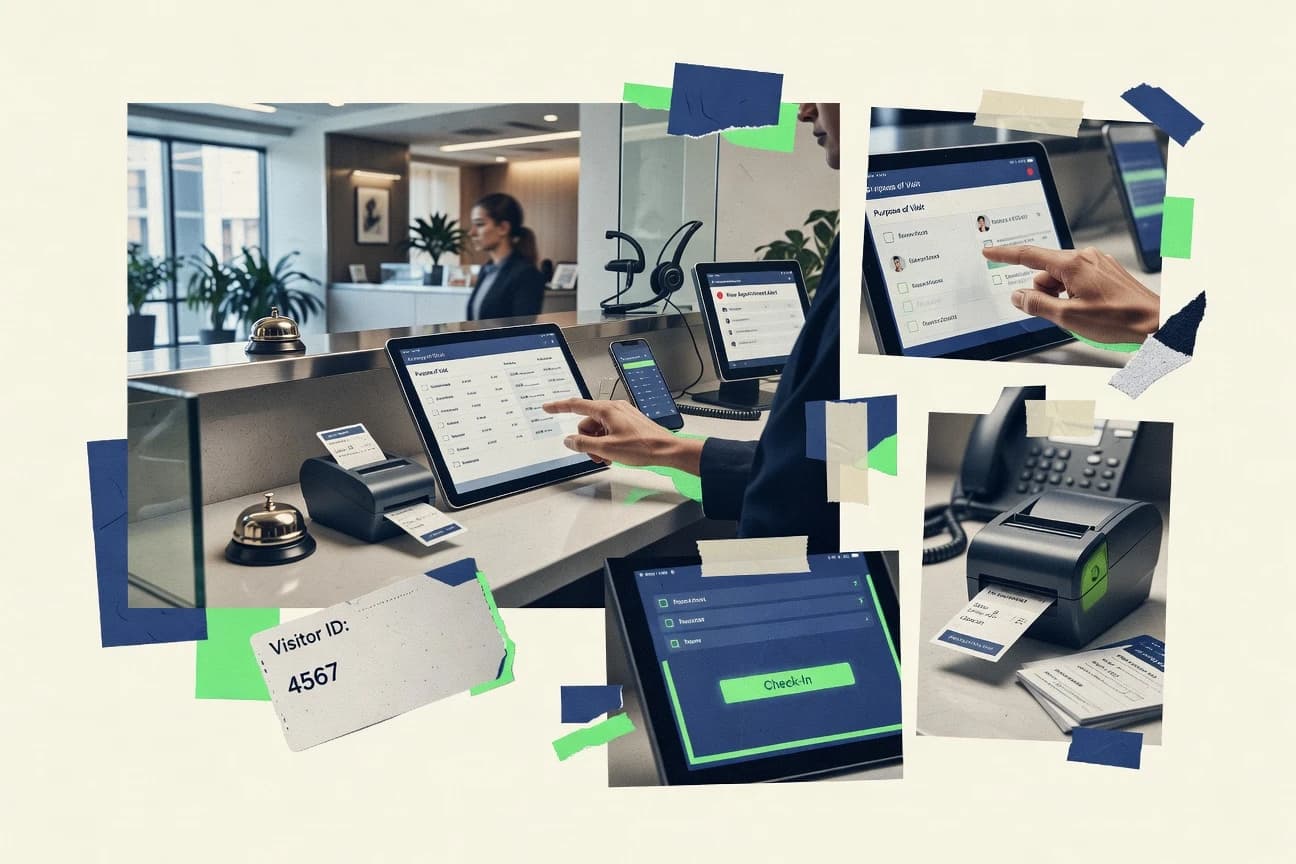
Envoy Visitors centers on visitor registration, check-in, and check-out workflows that reception staff can complete quickly at the desk. The product focuses on linking each visit to a host and capturing the information staff need for identity verification and onsite routing. Staff operations can be standardized through configurable check-in steps and location-specific rules that reduce manual variation between desks.
A tradeoff appears when a team needs complex call answering behaviors or voice-first coverage since Envoy Visitors is built for onsite visitor management rather than automated call screening. It fits best for offices where reception work is dominated by visitor processing and where hosts expect digital notifications tied to actual arrival status.
- +Fast reception workflow for identity capture and host assignment
- +Pre-registration support reduces desk data entry during arrival
- +Location-level configuration supports consistent front-desk procedures
- +Visitor status updates notify hosts at arrival and check-out
- –Not designed for phone auto attendant or call routing workflows
- –Advanced workflow needs may require deeper configuration discipline
- –Host-side setup can add overhead when many departments are involved
- –Limited fit for teams that expect voice transcription of incoming calls
Office operations teams
Manage daily visitor check-in at lobbies
Fewer delays at the desk
Facilities managers
Standardize procedures across multiple locations
Reduced process variation
Show 2 more scenarios
Sales and partnerships teams
Coordinate scheduled visits with hosts
Better prepared host meetings
Supports pre-registration so hosts receive visitor context ahead of arrival.
Administrative assistants
Handle walk-ins without re-keying
More check-ins per shift
Uses guided desk steps to record visit details with minimal typing.
Best for: Fits when front desks manage frequent in-person visitors and need consistent, host-linked check-in workflows.
Goodcall
AI-firstAI phone agents answer business calls, qualify callers, capture information, and transfer conversations.
Live-agent call handling paired with scripted caller intake that turns calls into structured, actionable message records.
Goodcall is tailored for organizations that want a live receptionist experience with consistent caller intake and structured call notes. Business-hours coverage and routing rules determine whether calls are answered by an agent or handled under after-hours instructions. Caller details are captured in a repeatable format so teams can act on requests without re-hearing calls.
A key tradeoff is that live coverage depends on agent scheduling and defined workflows, so edge-case scenarios may need tighter instructions than fully automated voice systems. Goodcall fits best when a front desk team needs reliable call answering and message taking during peak hours while still enforcing the same intake steps each time.
- +Live receptionist handling with consistent intake scripts
- +Business-hours and after-hours routing rules reduce missed calls
- +Structured message capture improves follow-up accuracy
- +Operational configuration supports multi-location workflows
- –Less flexible for highly customized voice flows than IVR-first systems
- –Agent performance depends on how clearly intake instructions are written
- –Integrations can require setup work to match internal processes
- –Reporting depth is limited compared with contact-center platforms
Medical offices and clinics
Appointment and message intake during busy hours
Fewer missed calls
Professional services firms
Lead capture and routing to the right team
Faster routing to staff
Show 2 more scenarios
Multi-location retail operations
Store-specific routing for after-hours inquiries
More predictable after-hours coverage
Calls are handled with business-hours logic and location-aware routing instructions for agents.
IT and managed service providers
After-hours incident message intake
Cleaner incident intake
Incoming calls are converted into structured messages so escalation workflows can be triggered quickly.
Best for: Fits when teams need live reception coverage with consistent caller intake and tight routing rules.
Sign In App
enterpriseVisitor management software supports sign-in, host notifications, access controls, and reporting.
Status-based visitor routing that lets reception assign a host team and notify them on arrival.
Sign In App fits front desks that need consistent visitor intake, including capture of visitor details and staff notifications tied to arrival and status changes. The workflow supports multi-staff handoff where reception can mark a visitor state and then route the visitor to a host team. Configuration is geared toward operational control of who receives which notifications and how reception staff updates statuses.
A key tradeoff appears when teams expect AI receptionist call answering or IVR-style phone-tree logic, because Sign In App primarily covers in-person sign-in coordination rather than automated call answering. It works best when a site uses a desk sign-in process as the operational record of visitor arrivals and then uses staff routing to reduce interruptions.
- +Visitor sign-in and status tracking modeled for front desk workflows
- +Staff notification and routing reduce host lookup time
- +Browser-based receptionist UI supports desk operations with minimal training
- +Operational activity trail supports receptionist-level accountability
- –Primarily in-person intake, with limited emphasis on phone automation
- –Integrations and automation require setup to match team-specific routing
Facilities and front desk teams
Visitor check-in with host assignment
Fewer missed arrivals and faster handoffs
Office administrators
Consistent arrival intake process
More consistent operations across teams
Show 1 more scenario
Multi-site operations managers
Team-based visitor notification rules
Reduced desk interruptions
Different hosts and teams can be notified based on selection during sign-in.
Best for: Fits when sites need visitor check-in coordination and host routing without building custom workflows.
The Receptionist
SMBiPad-based reception software manages visitor check-in, host alerts, deliveries, and employee sign-in.
Rule-based call flow control that combines business-hours routing with department handoff and structured message intake.
The Receptionist is a virtual receptionist system designed for call answering, message capture, and front-desk continuity when staff are unavailable.
It routes incoming calls to named departments and schedules based on business hours, then takes structured messages for follow-up.
The tool supports caller intake workflows and sends notifications so staff can respond without checking multiple channels.
Its primary differentiation is operational control over answering rules and handoff behavior across multiple locations and call flows.
- +Business-hours routing with multiple call flows per location
- +Structured caller intake reduces back-and-forth for key fields
- +Notification delivery supports quick staff follow-up
- +Department handoff supports consistent message ownership
- –Advanced routing requires careful configuration across call scenarios
- –Limited visibility into caller journeys compared with call analytics tools
- –Transcript formatting can take extra work for long conversations
- –Extensibility depends on the available integration set
Best for: Fits when multi-location offices need controlled call routing and consistent caller intake.
My AI Front Desk
AI-firstAI receptionist software handles calls, texts, appointment booking, lead capture, and follow-up.
AI receptionist behavior configuration for intent-based routing and intake scripting in one receptionist workflow.
My AI Front Desk handles inbound calls using an AI receptionist workflow that gathers caller intent and drives a scripted resolution path.
Core receptionist functions include message taking and caller intake with business-hours behavior, plus appointment booking and confirmation steps.
Operational administration emphasizes configuring call handling rules and receptionist prompts so outcomes stay consistent across calls.
- +AI call handling covers routine questions without human escalation
- +Routing rules keep intake consistent across common caller intents
- +Appointment flow reduces back-and-forth for booking requests
- +Caller transcripts support review of what the receptionist understood
- –Edge-case callers sometimes need manual takeover to finish the task
- –Conversation quality depends on prompt and routing configuration discipline
- –Less granular controls than specialist desk systems for multi-queue routing
- –Limited visibility into downstream CRM updates during call intake
Best for: Fits when a small front desk needs automated intake and booking with predictable call routing.
Greetly
SMBDigital receptionist software manages visitor check-in, host notifications, badges, and workplace announcements.
Business-hours aware caller intake that routes to destinations and triggers notifications based on the contact reason.
Greetly targets front desk teams that need real-time caller handling with routing logic and message capture.
It combines receptionist-style call workflows with multi-channel notifications so missed calls and after-hours contact do not stall operations.
Greetly supports automated caller intake and configurable responses that reduce manual call logs.
Administration centers on managing destinations, hours rules, and user access for front desk roles.
- +Configurable business-hours and after-hours routing for consistent caller handling
- +Automated caller intake reduces manual typing into call logs
- +Notification delivery helps route missed calls to the right team quickly
- +Front-desk role access supports separation between setup and day-to-day users
- –Complex multi-branch call flows can require careful testing before rollout
- –Limited visibility into call outcomes compared with dedicated contact center suites
- –Extensibility depends on integrations rather than native workflow builders
- –SIP and telephony configuration can be time-consuming for non-technical admins
Best for: Fits when a small to mid-size office needs scripted call handling with reliable notifications and hours-based routing.
Smith.ai
SMBAI and live receptionists answer calls, qualify leads, schedule appointments, and route messages.
Live-agent handoff from AI conversations with routing logic for exceptions and scheduling follow-through.
Smith.ai pairs an AI receptionist with a call-forwarding workflow that can route callers to a live agent when needed. It handles appointment scheduling conversations and takes structured caller intake that can be delivered to business systems.
Admin controls focus on routing rules, business-hours coverage, and conversation logging for later review. The strongest fit comes when teams want conversational screening plus operational handoff instead of a basic phone tree.
- +AI screening with live handoff for exceptions
- +Structured caller intake designed for follow-up workflows
- +Business-hours and after-hours routing rules
- +Conversation transcripts for QA and dispute resolution
- –Requires careful configuration to avoid misrouted intents
- –Limited depth of per-agent governance controls
- –Call coverage outcomes depend on dialed-number setup
- –Advanced integrations can involve extra work with existing CRMs
Best for: Fits when a team needs AI phone intake plus a reliable live-agent fallback for business-hours and after-hours.
Dialzara
AI-firstAI receptionists answer calls, schedule appointments, collect caller details, and transfer calls.
Scripted caller intake prompts that collect standardized details before routing to staff queues or extensions.
Dialzara is a receptionist software tool built for front-desk call handling with scripted caller intake and automated routing. Core capabilities include automated message taking, business-hours and after-hours call distribution, and transfer flows to extensions or staff queues.
Admin tools focus on configuring greetings, routing rules, and availability states without requiring developer involvement. Dialzara also supports operational visibility through call and interaction records for desk teams and supervisors.
- +Routing rules support separate business-hours and after-hours handling
- +Caller intake scripts capture consistent details before transfers
- +Extension or queue transfers reduce manual call control at the desk
- +Operational records provide traceability for handled calls
- –Advanced workflows need careful configuration to avoid misroutes
- –Integrations beyond telephony may require additional setup work
- –Reporting depth is limited compared with contact-center suites
- –Complex multi-location routing can become configuration-heavy
Best for: Fits when a small front desk needs scripted intake, hour-based routing, and reliable transfers without deep development.
Numa
vertical specialistAI customer communication software handles calls and messages for appointment-based businesses.
Live receptionist workflows that bind visitor and caller context to scheduled meetings for host-ready handoff.
Numa routes visitor and call interactions through a virtual front desk that combines live reception with automated workflows. It supports appointment and meeting coordination with calendar-aware handoff to hosts, plus message capture when nobody is available.
Admin configuration focuses on business-hours rules, staff availability, and templated responses for common caller and visitor intents. Numa also provides integration options and an API surface to connect the front desk to internal tools for lead capture and scheduling.
- +Business-hours routing with predictable handling for day, after-hours, and holidays
- +Live reception handoff tied to meeting context and host selection
- +Caller and visitor message intake with structured follow-up records
- +Integration and API support for connecting scheduling and lead capture systems
- –Automation quality depends on upfront setup of rules and response templates
- –Fewer native contact center features than dedicated call analytics vendors
- –SIP or telephony edge cases may require extra IT work
- –Deep CRM field mapping can require customization effort
Best for: Fits when office teams need a virtual receptionist that mixes live handoff with meeting-aware coordination.
Slang.ai
vertical specialistAI phone agents answer restaurant calls, manage reservations, and provide location information.
Conversation-first caller intake that collects details during the call and escalates to a live agent when needed.
Slang.ai is an AI receptionist focused on turn-by-turn caller conversations, not just call forwarding rules. It routes inbound calls through an intake flow that can collect contact details and answer common questions before handing off.
The system relies on conversational transcripts to support follow-up, and it can connect those interactions to downstream tools when integrations are available. For teams that need call screening with human transfer and message capture, Slang.ai fits better than pure IVR menu systems.
- +AI-driven caller intake handles nuanced questions beyond menu options
- +Human handoff logic supports escalation when the call needs a person
- +Conversation transcripts help teams review what callers asked and when
- +Configurable conversation behavior reduces reliance on rigid phone trees
- –Advanced behavior changes often require careful prompt and workflow tuning
- –Appointment flows are only as reliable as the linked scheduling setup
- –Reporting depth may lag dedicated contact center analytics
- –Audit visibility into decision logic can be limited for compliance reviews
Best for: Fits when a small front desk needs AI intake, human transfer, and follow-up messages for inbound calls.
Conclusion
After evaluating 10 business finance, Envoy Visitors stands out as our overall top pick — it scored highest across our combined criteria of features, ease of use, and value, which is why it sits at #1 in the rankings above.
Use the comparison table and detailed reviews above to validate the fit against your own requirements before committing to a tool.
How to Choose the Right receptionist software
Receptionist software coordinates inbound phone handling and in-person visitor check-in so staff spend less time hunting for hosts and repeating the same intake questions. This guide covers Envoy Visitors for host-linked visitor workflows, Goodcall for live-agent call handling with scripted intake, and The Receptionist for rule-based call flow control.
It also covers Sign In App for status-based visitor routing, My AI Front Desk for AI receptionist intent routing, and Greetly for business-hours aware caller intake. The remaining tools include Smith.ai for AI with live handoff, Dialzara for scripted prompts and transfers, Numa for meeting-aware receptionist workflows, and Slang.ai for conversation-first AI intake with escalation.
Receptionist software for phone calls and visitor check-in workflows
Receptionist software runs configured call flows for phone routing, caller intake, and handoffs during business hours, after hours, and holidays. Tools like The Receptionist combine business-hours routing with department handoff and structured message intake, while Greetly focuses on hours-based routing plus notifications triggered by the contact reason.
Many solutions also cover visitor check-in and host notification so front desks can assign the right team when people arrive. Envoy Visitors uses host-linked visitor notifications that update in real time as visitors check in and check out, while Sign In App routes visitors through status tracking that notifies the assigned host team.
Reception workflow automation controls to compare across phone and visitor handling
Receptionist software earns its role when it turns inbound callers and arriving visitors into structured handoffs that staff can execute without retyping details. Strong solutions reduce time spent on host lookup, repetitive caller questions, and inconsistent routing between departments and locations.
Real-time visitor status plus host-linked notifications
Envoy Visitors updates host-linked visitor notifications in real time as visitors check in and check out. Sign In App provides status-based visitor routing with staff notifications tied to the assigned host team.
Structured caller intake with consistent records
Goodcall pairs live-agent handling with scripted caller intake that creates structured, actionable message records. The Receptionist uses structured caller intake to reduce back-and-forth for key fields during routed calls.
Business-hours call routing with multi-branch handoff
The Receptionist combines business-hours routing with department handoff and structured message intake across multiple call flows per location. Greetly applies business-hours aware caller intake and triggers notifications based on contact reason.
AI intent routing and intake scripting under predictable rules
My AI Front Desk configures AI receptionist behavior with intent-based routing and intake scripting inside a receptionist workflow. Slang.ai collects details during the call and escalates to a live agent when the call needs a person.
AI-to-live handoff for exceptions and follow-up coverage
Smith.ai delivers AI screening that hands off to a live agent with routing logic for exceptions and scheduling follow-through. Goodcall keeps coverage on live reception and uses scripted intake to keep the handoff consistent.
Scripted intake prompts that standardize routing decisions
Dialzara uses scripted caller intake prompts to collect standardized details before routing to staff queues or extensions. Greetly also supports configurable scripted intake tied to routing destinations and notifications by contact reason.
A decision framework for matching receptionist workflows to your front desk reality
Choose first based on whether day-to-day work is dominated by in-person visitor check-in or inbound phone coverage. Envoy Visitors and Sign In App focus on visitor status tracking and host notification, while Goodcall and The Receptionist focus on call handling and structured intake.
Map the dominant front desk workflow to the product shape
Pick Envoy Visitors when visitor check-in needs host-linked updates during arrivals and departures. Pick The Receptionist when callers need business-hours routing, department handoff, and structured message intake across locations.
Choose the phone automation approach: rule-based flows versus AI-first intake
Pick The Receptionist or Dialzara when call handling should follow rule-based call flow control or scripted intake prompts with hour-based routing. Pick My AI Front Desk or Slang.ai when intake needs intent handling and flexible conversation-first data capture before escalation.
Plan for exceptions and live fallback behavior
Pick Smith.ai when AI screening must hand off to a live agent with routing logic for exceptions and scheduling follow-through. Pick Goodcall when live receptionist handling with scripted intake is preferred for consistent caller capture during business-hours and after-hours routing.
Validate business-hours coverage across day, after-hours, and holidays
Pick Numa when reception needs predictable handling across day, after-hours, and holidays with meeting-aware host selection and live reception handoff. Pick Greetly when business-hours and after-hours routing must trigger notifications based on contact reason for a smaller front desk footprint.
Confirm configuration discipline matches the complexity of call scenarios
Pick The Receptionist when multi-branch routing across call scenarios requires careful configuration, especially for advanced routing needs. Pick Dialzara when scripted intake and transfers work best with limited branching so misroutes stay low after rollout.
Assess setup effort for integrations and workflow matching
Pick Sign In App when visitor workflows need status-based routing without building custom workflows, while integrations still require setup for team-specific routing. Pick My AI Front Desk when routine call routing should run on configured intent and intake scripts, while edge-case callers may require manual takeover.
Who receptionist software fits best across phone routing and visitor operations
Receptionist software fits teams that must standardize who gets contacted, what gets captured, and when handoffs happen for both calls and visits. The strongest matches depend on whether the front desk runs mostly in-person check-in, mostly inbound phone handling, or a mix of both with meeting-aware coordination.
Front desks with high visitor volume that must assign hosts quickly
Envoy Visitors fits when visitors need host-linked updates in real time during check-in and check-out. Sign In App fits when status-based visitor routing and host team notifications reduce host lookup time.
Offices that treat inbound calls as structured intake rather than open-ended Q and A
Goodcall fits when live receptionist handling must use consistent intake scripts to create structured, actionable message records. The Receptionist fits when business-hours routing plus structured caller intake must reduce repetitive back-and-forth for key fields.
Teams that want AI-driven phone intake with reliable live escalation
Smith.ai fits when AI screening must hand off to a live agent for exceptions and scheduling follow-through. Slang.ai fits when conversation-first AI intake must escalate to a live agent when a call needs a person.
Organizations that need meeting-aware reception coordination
Numa fits when the receptionist workflow binds visitor and caller context to scheduled meetings for host-ready handoff. This reduces delays caused by mismatched expectations between inbound calls and meeting schedules.
Small offices that prefer scripted hour-aware handling without deep call-flow building
Dialzara fits when scripted intake prompts should collect standardized details before routing to staff queues or extensions. Greetly fits when business-hours aware routing needs notifications triggered by contact reason with careful testing for complex branching.
Common receptionist software pitfalls that break routing and handoff quality
Routing failures usually come from mismatched workflow complexity, weak intake instructions, or untested exception paths. The result is missed calls, misrouted transfers, and visitor notifications that do not land on the correct host or team.
Treating AI routing as plug-and-play when edge-case calls require manual takeover
My AI Front Desk depends on configured intent routing and intake scripting, and edge-case callers can require manual takeover to finish tasks. Slang.ai also requires careful tuning of prompt and workflow behavior to keep escalation accurate.
Overcomplicating multi-branch call scenarios without rollout testing
Greetly can require careful testing for complex multi-branch call flows before rollout. The Receptionist advanced routing across call scenarios also needs careful configuration across business-hours and handoff paths.
Assuming the tool covers phone automation when the primary value is visitor check-in
Envoy Visitors is designed for host-linked visitor workflows and does not target phone auto attendant or call routing workflows. Sign In App is primarily modeled for in-person intake and host routing and requires setup to match team-specific routing for automation.
Writing intake instructions that are too ambiguous for consistent live reception handling
Goodcall agent performance depends on how clearly intake instructions are written, since live agents follow scripted caller intake. Smith.ai misrouted intents can occur if AI configuration does not clearly define the exceptions and follow-up routing.
Skipping governance discipline for exception handling and handoff paths across hours and holidays
Numa requires upfront setup of rules and response templates because automation quality depends on that configuration. Numa’s meeting-aware handoff also needs accurate scheduling context so host selection stays correct.
How We Selected and Ranked These Tools
We evaluated how receptionist software handles front desk throughput across both inbound phone calls and in-person visitor check-in, then weighted features at 40%, ease at 30%, and value at 30%. For integration depth, automation surface, and API and extensibility, tools with clear workflow update behavior and automation fit into operational handoffs were favored. Envoy Visitors stood out for host-linked visitor notifications that update in real time as visitors check in and check out, while also pairing pre-registration to reduce arrival-time desk data entry.
Frequently Asked Questions About receptionist software
How do Envoy Visitors and Sign In App route visitors to the right host team at check-in?
Which tools use scripted caller intake instead of only answering calls with a phone tree?
When does call handling switch between business-hours routing and after-hours coverage?
What breaks if receptionist workflows lack RBAC and audit visibility for desk roles?
How do integrations and APIs affect CRM or internal workflow handoff in Numa and Slang.ai?
Can appointment scheduling happen inside the receptionist workflow without manual follow-up work?
Which tool design is better for front desks that need consistent multi-location call routing and handoff behavior?
What tradeoff appears when comparing AI intent routing in My AI Front Desk with AI conversation handling in Slang.ai?
How do Envoy Visitors and Goodcall differ in how they create actionable records for follow-up?
Tools reviewed
Primary sources checked during evaluation.
Referenced in the comparison table and product reviews above.
- Communication MediaTop 10 Best Virtual Reception Software of 2026
- Business FinanceTop 10 Best Front Desk Software of 2026
- Business FinanceTop 10 Best Administrative Assistant Software of 2026
- Business FinanceTop 10 Best Recurring Appointment Scheduling Software of 2026
- Business FinanceTop 10 Best Receipt Scanner Software of 2026
Keep exploring
Comparing two specific tools?
Software Alternatives
See head-to-head software comparisons with feature breakdowns, pricing, and our recommendation for each use case.
Explore software alternatives→In this category
Business Finance alternatives
See side-by-side comparisons of business finance tools and pick the right one for your stack.
Compare business finance tools→