GITNUXSOFTWARE ADVICE
Healthcare MedicineTop 10 Best Patient Engagement Software of 2026
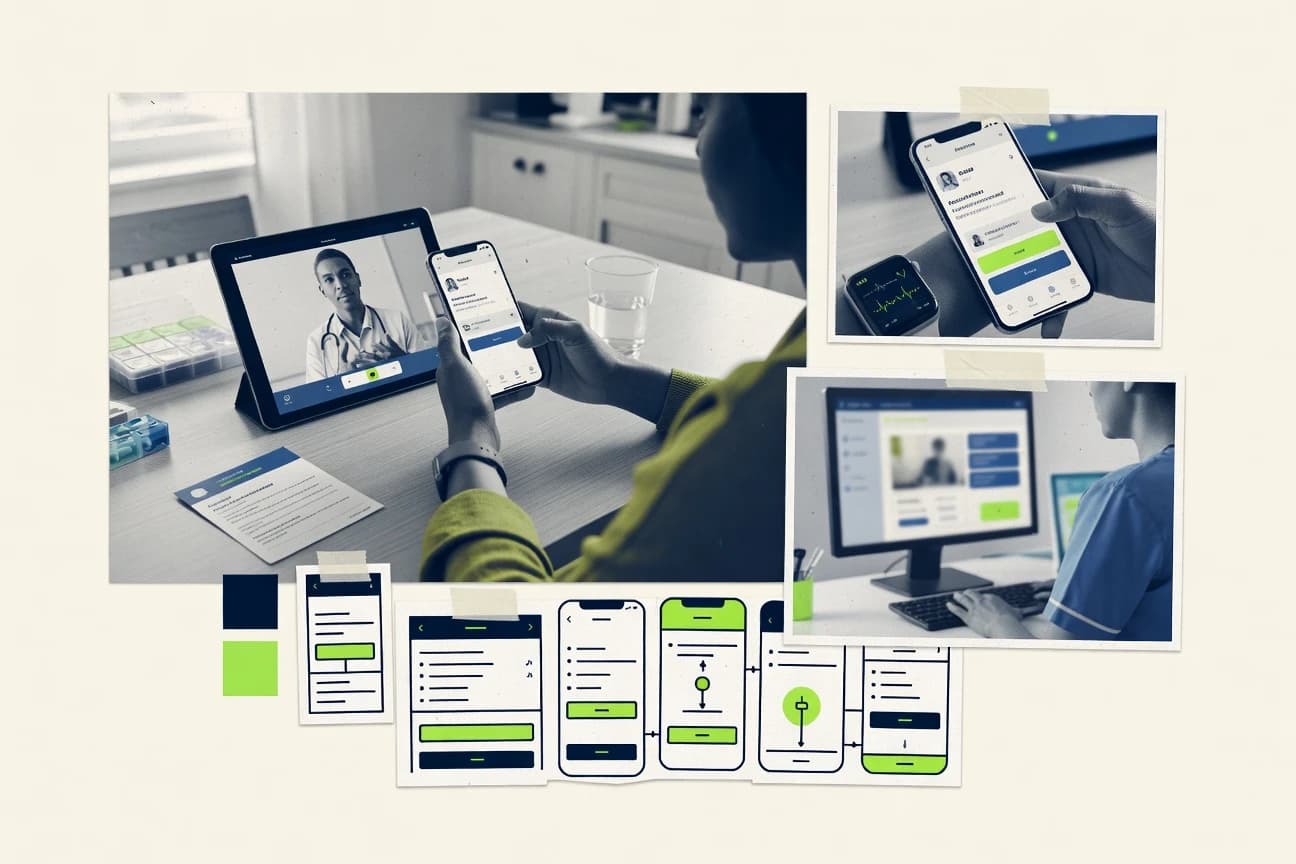
Compare patient engagement software options for healthcare teams and review key differences in tools like CipherHealth, Solv, and OhMD to shortlist.

How we ranked these tools
Vendors set the topic, but our editors set the inclusion criteria and the evaluation framework before research starts.
Agents extract product evidence with provenance, then collect written reviews and transcribe video reviews and podcasts.
Framework: Features 40% · Ease 30% · Value 30%
Gitnux may earn a commission through links on this page — this does not influence rankings. Editorial policy
CipherHealth is the best pick for care teams that run call-driven outreach with queue-based escalation because its queue-centric secure communications turn patient follow-ups into clinician tasks with rule-based timing, whereas Solv fits SMB access and intake teams thanks to end-to-end journey orchestration that links scheduling, intake, and routing.
Editor’s top 3 picks
Three quick recommendations before you dive into the full comparison below — each one leads on a different dimension.
CipherHealth
Queue-driven patient contact handling that turns secure communications into clinician tasks with rule-based escalation.
Best for: Fits when care teams need call-driven outreach with queue-based escalation and message outcome tracking.
Solv
Editor pickJourney orchestration that ties scheduling availability, intake forms, and routing rules into one end-to-end patient workflow.
Best for: Fits when access and intake teams need automated patient journeys tied to scheduling and follow-up.
OhMD
Editor pickPatient communication workflows connect directly to appointment and follow-up tasking for coordinated outreach.
Best for: Fits when care teams need messaging plus visit-tied follow-ups in one workflow surface.
Comparison Table
CipherHealth
enterpriseCipherHealth supports patient outreach, care coordination, rounding, and post-discharge engagement.
Queue-driven patient contact handling that turns secure communications into clinician tasks with rule-based escalation.
CipherHealth drives patient engagement through call-center workflows, outbound and inbound secure communications, and clinician tasking tied to patient requests. The system routes contacts into care-team queues with escalation rules, then tracks outcomes across message threads and follow-up tasks.
Core capabilities include appointment-related outreach, clinical education content distribution, and adherence and symptom capture that can feed care plans. CipherHealth also supports EHR interoperability via standards-based integration patterns for bidirectional data movement.
- +Call-center and messaging workflows mapped to care-team queues
- +Configurable escalation rules for time-sensitive patient follow-ups
- +Education and engagement content tied to measurable patient outcomes
- +EHR interoperability patterns support bidirectional data flow
- –Workflow configuration requires governance across departments and teams
- –Omnichannel coverage depends on how communications are routed in setup
care teams running telehealth
Coordinate pre and post virtual visit messaging
More organized virtual care journey
patient experience and quality teams
Send post-visit surveys and track responses
Higher consistency in feedback capture
Show 2 more scenarios
hospital access and appointment teams
Automate pre-visit outreach with intake tasks
Better visit preparation
Access teams automate reminders and questionnaires so patients arrive prepared with required information.
clinic operations and ambulatory care teams
Guide identity-aware digital check-in
Less same-day manual intake
The system guides patients through readiness steps using questionnaires and structured check-in flows.
Best for: Fits when care teams need call-driven outreach with queue-based escalation and message outcome tracking.
Solv
SMBPatient engagement platform for on-demand care, focused on booking, intake, and communication.
Journey orchestration that ties scheduling availability, intake forms, and routing rules into one end-to-end patient workflow.
Solv is a patient engagement workflow tool for clinics and care networks that want patients to complete intake steps, understand availability, and receive consistent next-step instructions without manual coordination. The system centers on orchestrated journeys that combine scheduling, secure messaging, and form-driven intake so care teams can track what a patient completed and what remains. Automation and integration are a primary design theme, since engagement actions typically need to trigger downstream updates in scheduling and eligibility processes.
A tradeoff appears in governance depth. Solv works best when teams map patient journey states and escalation rules up front so automation and routing behave as intended. One strong fit is high-volume access and intake teams that need consistent intake completion before appointments and tighter coordination between front desk messaging and clinical staff.
- +Configurable patient journeys connect scheduling, intake, and messaging in one workflow
- +Automation routes engagement outcomes to the right care team tasks
- +Form-based intake reduces phone back-and-forth for missing details
- +Integration-oriented design supports operational handoffs after patient actions
- –Journey state setup requires careful mapping to avoid misrouted patients
- –Advanced governance and custom routing logic take time to configure
- –Some workflow customization depends on integration with external systems
- –Omnichannel expansion may require additional configuration effort per channel
Front desk and scheduling teams
Reduce manual scheduling and intake calls
Fewer handoffs and faster booking
Clinical operations leaders
Standardize intake completion before care
More consistent pre-visit readiness
Show 2 more scenarios
Care management coordinators
Route follow-up messages by status
Lower response delays
Secure messaging and automated routing send patients to the right staff based on journey stage.
Eligibility and access workflows
Drive eligibility steps before appointments
Fewer eligibility-related appointment failures
Engagement events coordinate intake and access logic so patients get clear actions before scheduling completes.
Best for: Fits when access and intake teams need automated patient journeys tied to scheduling and follow-up.
OhMD
SMBHIPAA-compliant patient texting and telehealth platform for healthcare providers.
Patient communication workflows connect directly to appointment and follow-up tasking for coordinated outreach.
OhMD is a patient engagement suite aimed at care teams that need more than outbound notifications, with clinician-oriented workflow surfaces for coordination and follow-up. Secure messaging connects to operational steps like scheduling and education delivery, so outreach can be tied to a defined care moment. Patient-facing content can be used to reinforce clinical education goals, and care teams can manage responses through internal task queues.
A key tradeoff is that deeper automation and integration outcomes depend on the specific connected systems and the effort to map workflows and statuses. OhMD fits best when a practice wants consistent engagement around appointments and follow-ups while keeping care team coordination inside the same operational space.
- +Secure patient messaging tied to visit and follow-up workflows
- +Appointment management built into patient engagement flows
- +Clinical education content supports structured patient learning
- +Care team tasking supports coordinated follow-ups
- –Workflow mapping takes governance discipline across care teams
- –Advanced automation depends on integration fit with connected systems
Care coordination teams
Manage follow-ups after appointments
Lower missed follow-ups
Clinics running education programs
Deliver structured clinical education
More consistent patient education
Show 2 more scenarios
Specialty practices
Coordinate multi-step care plans
Faster care plan execution
The team tracks patient interactions while routing next steps through internal coordination tasks.
Operations leaders
Standardize scheduling-related outreach
Fewer scheduling escalations
Engagement sequences align with appointment events to reduce manual scheduling follow-up work.
Best for: Fits when care teams need messaging plus visit-tied follow-ups in one workflow surface.
Get Well
enterpriseGet Well combines patient education, care navigation, and digital engagement for hospitals and health systems.
Workflow configuration that ties engagement events to care plan status changes for consistent patient follow-up.
Get Well targets care teams that need structured patient engagement workflows, rather than just message delivery. Core capabilities include a patient portal experience, secure messaging for ongoing outreach, and configurable care plan activities for adherence and follow-up.
- +Configurable engagement journeys tied to care plan activities
- +Patient portal and secure messaging built around clinical outreach
- +Event-driven workflow design supports repeatable follow-up cycles
- +Interoperability oriented integrations for pulling patient context into flows
- –Advanced automation requires careful setup of workflows and triggers
- –Customization depth can increase governance effort across teams
- –Analytics depend on how engagement events are mapped into reporting
- –Complex multi-system deployments need strong interface ownership
patient experience and service recovery teams
Turn survey signals into follow-up tasks
Faster concern resolution
clinic access and care gap teams
Run appointment outreach with context
Trackable appointment engagement
Show 2 more scenarios
nursing and unit leadership teams
Standardize rounding questionnaires and routing
More consistent rounding
Teams use configurable rounding questionnaires to capture observations and trigger follow-up actions.
hospital operations and care transition teams
Coordinate patient flow and discharge progression
Fewer manually chased steps
Operational teams get shared visibility into movement, discharge progression, transport, and delayed actions.
Best for: Fits when care teams need automated engagement tied to care plans, with messaging and portal experience in one workflow.
Relatient
SMBPatient engagement and scheduling platform with messaging, recall, and online booking.
PRO response routing with escalation rules maps patient signals to specific care team actions.
Relatient is built for care teams that need message timing tied to clinical state, not just broadcast schedules. The workflow layer supports automation across enrollment, outreach, PRO collection, and escalation handling. The integration surface is oriented around healthcare interoperability formats and event notifications, which supports EHR-linked patient journeys.
- +Workflow automation ties outreach and follow-ups to clinical triggers
- +PRO capture routes responses through configurable escalation rules
- +Interoperability-oriented integration supports bidirectional care updates
- +Care plan step tracking is designed for longitudinal adherence monitoring
- –Complex routing logic can increase configuration effort during rollout
- –Custom patient journey logic may require developer support for edge cases
- –Reviewing end-to-end message timing requires disciplined QA of templates
Chronic care managers
Automated symptom check-ins and follow-ups
Faster clinician review
Cardiology care coordination
Care plan adherence messaging
Higher adherence completion
Show 2 more scenarios
Oncology survivorship teams
Patient education tied to milestones
More consistent follow-up
Delivers education content and collects outcome signals after care milestones.
Health system integration teams
FHIR-connected engagement workflows
Reduced manual coordination
Integrates patient identity and clinical updates to keep engagement state synchronized.
Best for: Fits when care teams need PRO-driven outreach and escalation with EHR-linked automation.
Memora Health
enterpriseMemora Health uses conversational workflows to automate patient monitoring, education, and care coordination.
Workflow-driven remote care check-ins that connect patient education, adherence nudges, and escalation-ready follow-up tasks.
Memora Health focuses on patient engagement centered on remote care workflows, where care teams coordinate outreach and education tied to ongoing clinical status. The core capabilities cover clinical education content, adherence and task reminders, and structured patient check-ins that feed care team follow-up.
- +Care team workflows tie education and follow-ups to specific remote care statuses
- +Automation rules reduce manual outreach for recurring reminders and check-ins
- +Integration approach supports bidirectional patient data flows into and out of EHR systems
- +Configuration tools support role-based access for engagement actions
- –Advanced workflow tuning can require governance discipline to avoid message fatigue
- –Omnichannel coverage can lag compared with vendors that lead in unified messaging channels
- –Customization depth may be constrained when organizations need highly bespoke patient journeys
- –Some interoperability scenarios can add integration effort when data mapping is complex
population health outreach teams
Run recall and follow-up multi-step campaigns
Trackable outreach progression
ambulatory care clinics
Collect pre-visit intake and readiness data
More complete visit information
Show 2 more scenarios
medication management and chronic care teams
Trigger adherence interventions after misses
Actionable interventions
Care teams monitor adherence signals and initiate outreach or escalation workflows when targets are missed.
oncology nurse navigation programs
Coordinate treatment milestone follow-up
Clearer patient status across milestones
Nurse navigation workflows coordinate outreach, referrals, and documentation across treatment phases.
Best for: Fits when remote care programs need structured patient check-ins, education, and automated follow-up tied to clinical workflow.
Cedar
enterpriseCedar provides digital patient financial engagement, billing communication, and payment experiences.
Identity and consent workflow built for engagement enrollment, so messaging and education can be governed by patient status changes.
Cedar targets patient engagement workflows around onboarding, secure communication, and data synchronization with clinical systems. It supports patient identity and consent-oriented flows so care teams can send messages and education with fewer manual steps.
- +Event-driven automation reduces manual coordination for patient status changes
- +Identity and consent flows align engagement actions with governance needs
- +Integration choices support EHR interoperability workflows without custom stitching
- +Care workflow configuration supports task routing and escalation patterns
- –Omnichannel design can require thoughtful configuration to match care processes
- –Advanced engagement logic may depend on integration events rather than UI-only rules
patient access and payment teams
Guide collections using responsibility estimates
Connected eligibility to payment
patient account and billing teams
Coordinate invoices, statements, and support
More consistent billing operations
Show 2 more scenarios
patient accounting and general ledger teams
Track charge reconciliation and balance updates
More traceable financial records
The system tracks charge reconciliation, credits, adjustments, and posting actions at the account level.
patient posting and payment teams
Apply remittances with adjustments and refunds
Controlled payment application
Teams apply remittance and payment events and manage related adjustments and refunds in account workflows.
Best for: Fits when mid-size care networks need governed patient onboarding plus automated engagement tied to EHR updates.
Artera
enterpriseArtera provides healthcare organizations with automated patient communication across text, voice, and digital channels.
Configurable clinical follow-up automation that turns patient events into care-team tasks and escalation steps.
Artera sends automated patient engagement messages and orchestrates care-team workflows around defined milestones. It focuses on secure communications, scheduling handoffs, and structured follow-up tasks tied to patient status.
- +Rule-based message and task sequences tied to patient milestones
- +Workflow templates reduce build time for common engagement patterns
- +Integration via healthcare data standards supports bidirectional status updates
- +Care team coordination uses assignment and escalation logic
- –Advanced routing rules take governance time to keep consistent
- –Some engagement surfaces depend on configuration rather than built-in clinician views
- –Migration from existing messaging workflows can be non-trivial
- –Analytics depth for engagement KPIs varies by connected data inputs
care teams managing preventive visits
Run recurring patient recall outreach sequences
Consistent recall cadence
clinic operations and scheduling staff
Recover missed appointments with routed replies
Acted on repeatable recovery work
Show 2 more scenarios
front-desk and registration teams
Support intake, consent, and questionnaire steps
Less repeated data entry
Intake workflows include questionnaires, forms, and consent steps to guide patients through registration.
patient access and referral teams
Coordinate referral intake to scheduling handoffs
Handoff from referral to scheduling
Referral intake outcomes and related tasks are routed toward appointment scheduling coordination.
Best for: Fits when care teams need automated messaging plus task coordination tied to EHR-linked patient status.
CareMessage
SMBCareMessage provides text-based patient outreach for health education, reminders, and care management.
Engagement journeys that drive both internal task creation and patient education delivery from the same workflow.
CareMessage is a patient engagement and care coordination system built around guided outreach journeys rather than generic messaging alone. Core capabilities include secure communication threads, scheduled touchpoints, and workflow-based task assignment for care teams that follow up on patient actions.
- +Journey-based outreach sequences support consistent follow-up across care teams
- +Secure messaging keeps patient conversations organized for ongoing care
- +Task assignment links patient responses to internal coordination workflows
- +Clinical education tied to engagement events reduces timing gaps
- –Advanced automation requires careful configuration of triggers and escalation rules
- –Integration depth depends on project scope and may not cover all EHR workflows
care team coordinators
Assign outreach follow-up tasks from patient actions
Faster care team follow-through
care coordinators planning patient journeys
Run scheduled touchpoints within guided journeys
Consistent outreach timing
Show 1 more scenario
clinical education coordinators
Deliver education materials at the right moment
Better-timed education delivery
Clinical education content is tied to engagement events so patients receive materials when triggered in the journey.
Best for: Fits when care teams need structured outreach journeys that combine messaging, tasks, and time-aligned education content.
Upfront Healthcare
enterpriseUpfront Healthcare coordinates personalized patient outreach, navigation, and access campaigns.
Care-plan aligned engagement workflows that connect secure messaging to follow-up and escalation handling.
Upfront Healthcare targets care teams that need more than generic patient portal content and want structured outreach tied to clinical workflows. It centers on patient engagement workflows for scheduling support, secure communications, and education tied to care plans and adherence behaviors.
- +Workflow-first outreach ties messages to follow-up tasks and escalation rules
- +Secure communication supports consistent patient interactions across scheduled touchpoints
- +Care education can be structured around adherence goals instead of standalone articles
- +Operational configuration supports care team coordination without custom app development
- –FHIR and HL7 depth is not as transparent as newer competitors in documentation
- –Advanced automation depends on careful workflow configuration and rule design
- –Omnichannel reach may require additional setup beyond basic messaging
- –Patient identity and consent handling details need validation during implementation
scheduling support teams
Coordinate outreach to improve appointment scheduling
More coordinated scheduling outreach
care plan adherence operations teams
Send education tied to adherence behaviors
Education aligned to adherence needs
Show 1 more scenario
care coordination administrators
Configure message and workflow rules for teams
Operationally aligned team workflows
Administrators configure message and workflow rules so care teams coordinate outreach and follow-ups together.
Best for: Fits when clinical teams need rule-based outreach, education, and task coordination tied to care plans.
Conclusion
After evaluating 10 patient engagement software, CipherHealth stands out as our overall top pick — it scored highest across our combined criteria of features, ease of use, and value, which is why it sits at #1 in the rankings above.
Use the comparison table and detailed reviews above to validate the fit against your own requirements before committing to a tool.
How to Choose the Right Patient Engagement Software
Patient engagement software for care teams covers secure patient messaging, appointment-tied outreach, portal-style education delivery, and task orchestration that turns patient signals into follow-ups. This buyer’s guide covers Relatient, Solv, and Luma Health alongside the other tools evaluated in the top list, so feature tradeoffs stay anchored to concrete workflow behavior.
The rest of the guide follows individual tool reviews by focusing on integration depth, automation and API surface, and admin and governance controls that determine whether outreach logic stays reliable at scale. The narrative also calls out where routing, escalation, and consent handling differ between Relatient’s PRO-driven escalation rules and Solv’s journey orchestration that spans scheduling, intake, and routing.
Patient Engagement Software that automates outreach, messaging, and care-team tasking
Patient engagement software automates omnichannel patient contact by turning intake, PRO signals, and visit events into structured engagement journeys and care-team actions. The best fit tools connect engagement steps to measurable outcomes by mapping responses into escalation rules, queue-based clinician tasks, or follow-up tasking that stays aligned with care workflows.
Relatient illustrates PRO-driven engagement by routing patient responses through configurable escalation rules tied to care-team actions, so outreach can follow explicit decision paths. Solv illustrates end-to-end journey orchestration by connecting scheduling availability, intake forms, and routing rules into a single workflow that routes engagement outcomes to the right care team tasks.
Integration depth, automation surfaces, and governance controls that keep engagement logic reliable
Patient engagement software succeeds when outreach logic stays traceable from a patient signal to a specific care-team action. The tools in this top list differ most in how they connect engagement steps to downstream tasks, follow-ups, and escalation paths.
Evaluation should focus on integration depth, automation and API surface, and admin controls because these determine whether workflows behave consistently across scheduling, intake, and clinical review cycles. Relatient, Solv, and the other reviewed tools each make different tradeoffs in routing, queue handling, and workflow orchestration.
PRO response routing with escalation rules that map signals to actions
Relatient routes patient-reported outcomes responses through configurable escalation rules that trigger explicit care-team actions. This approach is designed for PRO-driven outreach and follow-up decisions instead of generic message threads.
End-to-end journey orchestration across scheduling, intake forms, and routing
Solv connects scheduling availability, intake forms, and routing rules into a single end-to-end patient workflow. It then routes engagement outcomes to the right care team tasks based on configured journey states.
Queue-driven call and secure message handling with rule-based escalation
CipherHealth turns secure communications into clinician tasks by using call-center and messaging workflows mapped to care-team queues. It applies configurable escalation rules for time-sensitive patient follow-ups.
Care plan tied engagement that links portal-style outreach to clinical status changes
Get Well ties engagement journeys to care plan activities so follow-up stays consistent with clinical status. It bundles patient portal and secure messaging around clinical outreach tied to care plan changes.
Visit-tied communication workflows that create appointment and follow-up tasking
OhMD links secure patient messaging to visit and follow-up workflows so outreach and follow-ups share the same workflow surface. Appointment management is built into the patient engagement flow to keep follow-up aligned with visits.
Identity and consent workflows that gate enrollment and engagement actions
Cedar builds identity and consent workflow controls for engagement enrollment so messaging and education are governed by patient status changes. Event-driven automation reduces manual coordination when patient status changes.
Choose by workflow philosophy: PRO-first escalation, journey orchestration, or queue and care-plan governance
Start with the workflow pattern that best matches day-to-day operations. Relatient is built around PRO-driven escalation routing, while Solv is built around journey orchestration that starts from scheduling and intake and then routes outcomes.
Then validate how configuration effort and governance discipline will land on the actual care team. Tools like Get Well and Cedar tie automation to care plan status changes and identity or consent events, while CipherHealth emphasizes queue-driven handling that fits call-centered operations.
Pick a primary workflow trigger: PRO signals or scheduling and intake
Choose Relatient when care workflows need PRO responses to drive configurable escalation rules tied to care-team actions. Choose Solv when access and intake teams need a single workflow that connects scheduling availability, intake forms, and routing to downstream tasks.
Match the routing model to how teams actually work: care-team tasks or queues
Choose CipherHealth when patient contacts are handled through care-team queues and time-sensitive escalation rules must create clinician tasks from communications. Choose OhMD when messaging must be anchored to visit and follow-up workflows so appointment handling and outreach move together.
Require governance anchors: care plan activities or consent and enrollment status
Choose Get Well when engagement steps must stay tied to care plan status changes so follow-up is consistent with clinical activities. Choose Cedar when onboarding and engagement enrollment must be gated by identity and consent workflows tied to patient status changes.
Plan for workflow configuration effort based on how logic will be authored
Prefer Relatient when escalation logic should be authored as configurable decision paths, even though complex routing logic can increase configuration effort during rollout. Prefer Solv when journey state setup can be mapped carefully to avoid misrouted patients, because advanced governance and custom routing logic take configuration time.
Stress-test automation dependency on workflow mapping and integration fit
Choose OhMD or Artera when the organization can support workflow mapping discipline across care teams so follow-up stays aligned to visit tied or milestone driven events. Choose Memora Health or CareMessage when remote check-ins or education delivery sequences must align with recurring statuses, even if advanced workflow tuning risks message fatigue.
Confirm coverage of omnichannel surfaces in the rollout scope
If omnichannel coverage is a requirement, validate whether setup creates the desired cross-channel routing behavior because CipherHealth omnichannel coverage depends on communications routing setup. If omnichannel is secondary to governed enrollment and event-driven enrollment actions, Cedar focuses on consent and identity gating that reduces manual coordination.
Who should buy Patient Engagement Software from this list and why
Care teams should select tools based on where engagement breaks down in current workflows. PRO response handling, journey orchestration across intake and scheduling, queue-based call handling, and care plan tied follow-up each represent distinct operational failure modes that the tools address differently.
The segments below map real workflow needs to specific product behaviors described in the tool cards.
Care teams running PRO programs that require response-driven outreach
Relatient routes PRO responses through configurable escalation rules so patient signals can map to specific care-team actions without losing decision paths.
Access and intake teams that need scheduling linked intake and routing automation
Solv uses configurable patient journeys that connect scheduling availability, intake forms, and messaging outcomes to the right care team tasks.
Call centers and care coordination teams using queue-based task assignment
CipherHealth maps call-center and messaging workflows to care-team queues and uses rule-based escalation to create clinician tasks from communications.
Clinical programs that require care plan status changes to trigger consistent engagement follow-up
Get Well ties configurable engagement journeys to care plan activities and delivers portal and secure messaging around those clinical outreach triggers.
Mid-size networks that need governed enrollment and consent-aligned engagement
Cedar provides event-driven identity and consent workflows so messaging and education are governed by patient status changes during enrollment.
Common buyer pitfalls when patient engagement workflows are configured without governance
Patient engagement implementations fail when workflow logic is mapped loosely to clinical operations. Several tools in this top list warn about the same pattern: routing complexity, workflow mapping discipline, and governance effort can determine whether automation stays reliable.
The mistakes below translate those failure patterns into concrete configuration checks tied to the tool behaviors described in the cards.
Treating journey state setup as a one-time setup instead of a mapping exercise
Solv journey state setup requires careful mapping to avoid misrouted patients, and advanced governance and custom routing logic take configuration time.
Authoring escalation rules without planning for configuration effort and edge cases
Relatient’s PRO response routing uses configurable escalation rules, but complex routing logic can increase configuration effort during rollout and custom patient journey logic may need developer support for edge cases.
Assuming advanced workflow automation works without cross-team governance discipline
OhMD warns that workflow mapping takes governance discipline across care teams, and Artera notes that advanced routing rules take governance time to keep consistent.
Overlooking how workflow mapping can create omnichannel gaps
CipherHealth and Memora Health call out that omnichannel coverage depends on how communications are routed in setup, so channel behavior must be validated as part of rollout design.
Letting remote check-ins and education sequences drift into message fatigue
Memora Health ties education nudges and escalation-ready follow-up tasks to remote care statuses, but advanced workflow tuning can require governance discipline to avoid message fatigue.
How We Selected and Ranked These Tools
We evaluated Relatient, Solv, and the other reviewed patient engagement platforms across workflow automation behavior, configuration constraints, and how well engagement steps turn into care-team tasks. Features accounted for 40% of the ranking score, ease accounted for 30%, and value accounted for 30%.
Relatient ranked highest because PRO response routing with configurable escalation rules maps patient signals to specific care team actions and also ties outreach and follow-ups to clinical triggers. We weighted operational traceability in the scoring because the top tools each differ most in whether routing, escalation, and follow-up tasking stay aligned to the same workflow surface.
Frequently Asked Questions About Patient Engagement Software
How do Solv and Luma Health each handle journey routing tied to next clinical steps?
When care teams need PRO-driven outreach with escalation rules, which tool is typically the better match?
What breaks if automation rules in CareMessage are configured without a clear task ownership model?
How do Cedar and CipherHealth approach identity and consent before patient messaging?
Which integrations and APIs support bidirectional data flows for engagement status updates?
When administrative teams must control who can configure messages and workflows, how do Solv and Memora Health compare?
How should teams migrate existing care plans and patient portal content into Get Well or Upfront Healthcare without losing workflow context?
Where does Luma Health fall short compared with Relatient for PRO triage into specific clinician actions?
How does appointment scheduling interplay with secure messaging in OhMD and Solv?
Tools reviewed
Primary sources checked during evaluation.
Referenced in the comparison table and product reviews above.
Funding and competing interests
This study was co-funded by several of the vendors assessed in it. No single vendor funded it. Funders could propose the market studied.
They had no role in selecting vendors, setting or weighting criteria, analysing data or drawing conclusions, and they received the same factual-accuracy check as every other vendor assessed.
Market definition, inclusion rules and criteria weights were fixed by an editor before research began and did not change afterwards. Editorial process →
- Healthcare MedicineTop 10 Best Digital Patient Engagement Software of 2026
- Healthcare MedicineTop 10 Best Patient Medical Record And History Software of 2026
- Non Profit Public SectorTop 10 Best Community Engagement Software of 2026
- Healthcare MedicineTop 10 Best Patient Experience Survey Software of 2026
- Real Estate PropertyTop 10 Best Resident Engagement Software of 2026
Keep exploring
Comparing two specific tools?
Software Alternatives
See head-to-head software comparisons with feature breakdowns, pricing, and our recommendation for each use case.
Explore software alternatives→In this category
Healthcare Medicine alternatives
See side-by-side comparisons of healthcare medicine tools and pick the right one for your stack.
Compare healthcare medicine tools→