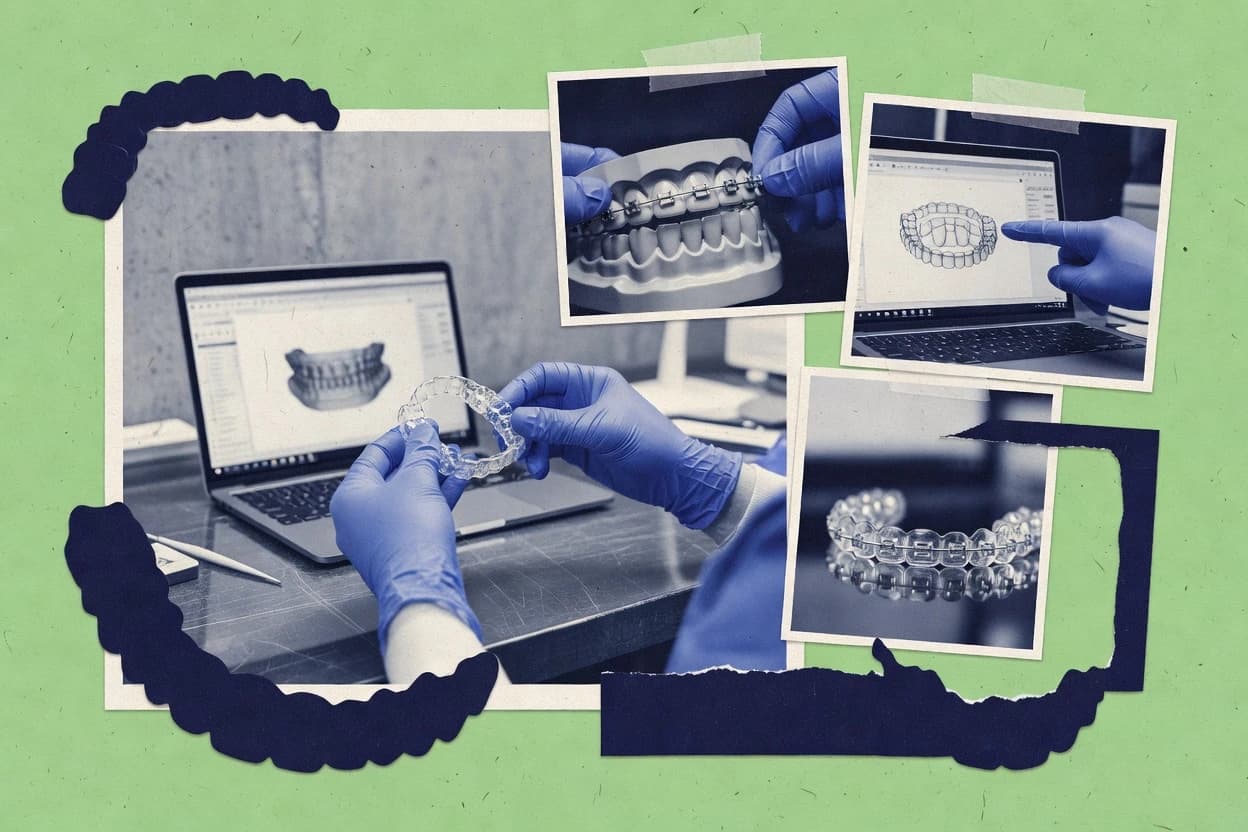
GITNUXSOFTWARE REVIEW
Healthcare MedicineTop 10 Best Orthodontic CAD Software of 2026
Compare orthodontic cad software for clinics and labs, covering Planmeca Romexis and other workflow tradeoffs for CAD-to-orthodontic planning.

How we ranked these tools
Vendors set the topic, but our editors set the inclusion criteria and the evaluation framework before research starts.
Agents extract product evidence with provenance, then collect written reviews and transcribe video reviews and podcasts.
Framework: Features 40% · Ease 30% · Value 30%
Gitnux may earn a commission through links on this page — this does not influence rankings. Editorial policy
Planmeca Romexis is the best pick for labs that want Planmeca-linked, imaging-through-export continuity because its digital indirect bonding prep is built on segmentation and keeps planning aligned with downstream tray and STL work, whereas Dolphin Imaging fits teams that need a case-centric orthodontic pipeline for consistent measurements and setup outputs without extra integration.
Editor’s top 3 picks
Three quick recommendations before you dive into the full comparison below — each one leads on a different dimension.
Planmeca Romexis
Digital indirect bonding preparation built around segmentation and planning continuity from imaging through export.
Best for: Fits when a lab standardizes Planmeca-linked planning to indirect bonding and STL production.
3dMD
Editor pickSegmentation-to-setup workflow keeps volumetric context through planning, then exports manufacturing-ready models.
Best for: Fits when orthodontic teams standardize CBCT capture and want one pipeline from imaging to fabrication outputs.
Dolphin Imaging
Editor pickCase record coupling that keeps orthodontic measurements and setup artifacts consistent across planning and review steps.
Best for: Fits when orthodontic teams want case-linked planning and repeatable digital setup outputs without custom integration work.
Comparison Table
Planmeca Romexis
enterpriseComprehensive dental software suite including an orthodontic module for model analysis and treatment planning.
Digital indirect bonding preparation built around segmentation and planning continuity from imaging through export.
Romexis handles orthodontic planning with segmentation from CBCT datasets and model visualization tools that support digital setup style workflows. It can produce design outputs for lab production, including tooth and appliance related files that move into scanning and fabrication pipelines. The tooling favors a workflow depth that aligns with Planmeca capture and review rather than a purely open import and export toolbox. This makes it a strong fit for labs that want consistent case planning outcomes across multiple clinicians and technicians.
A tradeoff appears when labs must integrate non-Planmeca capture artifacts or rely on heavily custom CAD automation, because the deepest automation tends to track Planmeca ecosystem components. Planning and design setup still require staff discipline for case management, layer organization, and output validation. Romexis is best used when the lab can commit to a consistent ingestion format from imaging, then run standardized digital bonding or appliance design steps to STL export for fabrication.
- +CBCT segmentation workflow supports orthodontic planning from imaging data
- +Indirect bonding preparation reduces manual tray design steps
- +STL export supports downstream fabrication and scanning pipelines
- +Tight Planmeca imaging integration reduces transfer friction
- –Deeper automation and integrations depend on Planmeca-aligned workflows
- –Orthodontic case setup needs careful configuration to avoid output inconsistencies
Orthodontic lab technicians
Indirect bonding tray and setup
Faster tray turnaround
Dental imaging teams
CBCT-driven orthodontic planning
More consistent baselines
Show 2 more scenarios
Clinics with Planmeca imaging
Model and appliance workflow handoff
Lower handoff errors
Transfer planned orthodontic outputs into lab production using export artifacts like STL.
Multi-site orthodontic groups
Standardized case workflow
More predictable production
Repeat planning and export steps with consistent process settings across technicians and sites.
Best for: Fits when a lab standardizes Planmeca-linked planning to indirect bonding and STL production.
3dMD
enterprise3D surface imaging and analysis software for craniofacial and orthodontic assessment.
Segmentation-to-setup workflow keeps volumetric context through planning, then exports manufacturing-ready models.
3dMD supports DICOM import for clinical imaging so planning inputs can come from CBCT and related radiology exports without needing full manual re-registration. The workflow emphasizes volumetric segmentation and orthodontic measurement layers that tie into digital setup generation, then hands off to downstream STL export for manufacturing. It fits teams that need predictable imaging-to-model continuity and want fewer format conversions across the planning pipeline.
A tradeoff appears when labs rely on scanner-specific mesh sources or nonstandard file sets since consistency depends on the imaging and export conventions used upstream. 3dMD works best when the practice or lab standardizes CBCT capture and segmentation output so each case shares the same planning assumptions. Labs that already run fully open mesh pipelines may spend more time repairing and normalizing geometry before planning proceeds.
- +CBCT-first workflow links segmentation to orthodontic planning outputs
- +DICOM import reduces manual alignment steps for radiology-based cases
- +Digitally generated setups feed downstream manufacturing exports
- +Aligner and bonding design steps can be kept inside one planning session
- –Mesh-first labs may need extra prep for consistent planning inputs
- –Advanced planning steps require disciplined workflow standardization
- –Some edge cases depend on geometry cleanup before export
- –Integration automation depth can be limited without a lab-specific setup
Orthodontic imaging teams
Standardized CBCT cases to plan
Fewer manual setup iterations
Aligner production labs
Attachment planning and staging
More consistent aligner outputs
Show 2 more scenarios
Digital indirect bonding teams
Tray generation from planned setup
Tighter bonding workflow
Digital setup planning can drive indirect bonding tray preparation for bracket placement.
Multi-site orthodontic groups
Cross-site imaging standardization
Lower variability between sites
Using consistent imaging exports helps maintain planning assumptions across sites.
Best for: Fits when orthodontic teams standardize CBCT capture and want one pipeline from imaging to fabrication outputs.
Dolphin Imaging
vertical specialistOrthodontic imaging and treatment planning software with cephalometric analysis and 3D model integration.
Case record coupling that keeps orthodontic measurements and setup artifacts consistent across planning and review steps.
Dolphin Imaging is a dental orthodontics CAD and records workflow used by clinics that need integrated treatment planning from imaging capture to setup output. It centers on tools for treatment simulation, measurement and analysis, and model and scan handling for digital setups that feed into downstream orthodontic steps.
Strong fit comes from teams that already standardize on Dolphin for records management and want consistent case data across planning, reviewing, and export. The practical difference is the way planning artifacts stay tied to a case record rather than living as separate files that must be manually reconciled.
- +Case-centric workflow keeps measurements, planning notes, and outputs linked
- +Treatment simulation supports iterative setup changes inside the case timeline
- +Image and model review tools reduce round-trips between planning and verification
- +Output handling for common orthodontic lab steps fits mixed hardware environments
- –Orthodontic CAD depth can feel thinner than specialized ortho-only engines
- –Interoperability can depend on correct import settings for scan and model data
- –Automation options are limited compared with vendors that expose scriptable APIs
- –Governance and multi-user controls require clearer process design in shared networks
Orthodontists and imaging staff
Review 3D images with diagnostic measures
Consolidated diagnostic view
Orthodontic digital planning staff
Align scans to simulate setups
3D planning linked to imaging
Show 2 more scenarios
Orthodontic surgical care teams
Compare visits with recorded changes
Clear progress documentation
Teams compare images and measurements across visits while retaining clinical notes in the same case record.
Maxillofacial orthodontic specialists
Trace cephalometric landmarks and measure
Structured measurement results
Specialists trace landmarks to produce structured cephalometric measurements and analysis outputs per case.
Best for: Fits when orthodontic teams want case-linked planning and repeatable digital setup outputs without custom integration work.
exocad DentalCAD
enterpriseOpen-architecture dental CAD platform with orthodontic appliance design capabilities and model editing tools.
Prescription-aligned orthodontic planning designed for digital indirect bonding workflow continuity from setup to tray generation.
exocad DentalCAD targets orthodontic CAD workflows with a focus on prescription-driven bracket placement, digital indirect bonding design, and aligner-ready setups. The software supports a repeatable pipeline from scan or model inputs to treatment simulation outputs and appliance geometry for downstream manufacturing.
- +Prescription-aware bracket placement helps keep digital indirect bonding consistent
- +Digital orthodontic setups support repeatable revisions for staged treatment planning
- +Geometry export workflows fit common 3D printing and production handoffs
- +Parameter-based tool behavior reduces rework across similar case types
- –Orthodontic automation depends on careful configuration of case templates
- –Some workflow variants require add-on components for full production coverage
- –Mesh repair and cleanup steps can become time-consuming on damaged scans
- –Advanced setup tooling can feel dense for teams without CAD operators
Orthodontic laboratories
Edit appliance-focused digital models
Appliance design outputs
Digital production teams
Export scans for milling-ready geometry
Manufacturing-ready export files
Show 2 more scenarios
Removable prosthodontic laboratories
Plan dentures for downstream fabrication
Downstream-ready denture designs
Labs digitally plan complete, partial, and implant-retained dentures including base, occlusal, and gingival design.
Dental technicians
Design restorative bridges from scans
Refined restorative design
Technicians create single-unit and multi-unit restorative designs from imported scan and model data.
Best for: Fits when orthodontic labs need standardized digital setups and indirect bonding planning across frequent revisions.
BlueSkyPlan
vertical specialistDental CAD and surgical planning software with orthodontic model analysis and appliance design features.
Treatment simulation with staged movement planning that links design decisions to trajectory review before export.
BlueSkyPlan is built around an end-to-end orthodontic workflow that starts with patient geometry ingestion and ends with lab-ready design outputs. Treatment simulation and staging features support review loops for movement planning and visual checks of how changes affect contacts and overall goals. Labs benefit from repeatable plan generation when multiple cases share a similar protocol and appliance configuration.
- +Strong treatment simulation with practical staging for tooth movement review
- +Consistent plan-to-output workflow reduces rework between planning and production
- +STL export outputs work naturally with common lab 3D printing pipelines
- +Automation around repeated orthodontic planning steps improves throughput
- –Workflow quality drops when scan-to-reference alignment is inconsistent
- –Advanced customization needs more time than basic design-only CAD tools
Orthodontic labs
Staged setup planning for aligners
Fewer revisions after design review
Digital indirect bonding teams
Tray design from planned setups
More consistent tray fit
Show 1 more scenario
Clinician-lab collaboration
Protocol-based treatment simulation review
Clearer design handoffs
Coordinate simulation checkpoints so labs can align appliance staging with the clinical intent.
Best for: Fits when labs need reliable digital setups and staged simulation outputs for daily production.
CephX
vertical specialistCloud-based AI cephalometric analysis and orthodontic treatment planning platform.
Batch-oriented import and conversion workflow that keeps mesh outputs consistent for production handoffs.
CephX focuses on orthodontic workflows around digital data ingestion and conversion for lab and clinic handoff. Core capabilities center on consistent STL and mesh processing, treatment setup export readiness, and repeatable case preparation for indirect bonding and aligner staging work.
- +Stable mesh conversion pipeline for consistent downstream exports
- +Processing steps support repeatable case preparation across batches
- +Clear handoff orientation from scan data to lab production files
- +Works well as a middle layer between capture and manufacturing workflows
- –Limited orthodontic-specific design depth versus full CAD treatment suites
- –Automation relies more on pipeline configuration than rule-based editing
- –Mesh repair coverage can require manual intervention on damaged scans
- –Integration quality depends on matching toolchain formats across labs
Orthodontic practices
Prepare files for indirect bonding steps
Coordinated fabrication-ready planning
Orthodontic laboratories
Generate repeatable virtual orthodontic setups
Repeatable virtual setups
Show 2 more scenarios
Multi-operator orthodontic clinics
Standardize DICOM and model case intake
More consistent case prep
Clinics connect DICOM studies and 3D models to repeatable tracing and preparation procedures across operators and locations.
Oral surgery and orthodontic teams
Plan using CBCT spatial measurements
Imaging-based planning information
Teams review CBCT datasets, perform spatial measurements, and prepare cases for orthodontic or surgical planning decisions.
Best for: Fits when labs need reliable scan-to-manufacturing file processing with repeatable batch handling.
Maestro 3D Dental
vertical specialistDental CAD software with modules for orthodontic model analysis, setup simulation, and appliance design.
Orthodontics-first digital setup and guide generation that keeps manufacturing output tightly coupled to treatment changes.
Maestro 3D Dental converts orthodontic scan and planning data into a digital workflow for setups, aligner staging artifacts, and indirect bonding guides. Its core capabilities focus on segmentation inputs and STL output for lab and 3D printing workflows, with tools aimed at consistent tooth positioning across revisions.
- +Ortho-focused workflow for digital setups and manufacturing-ready geometry
- +STL export workflow fits common 3D printing and lab toolchains
- +Revision-friendly output targets repeatable staging artifacts
- +Ortho tasks stay centered on treatment simulation and guides
- –Mesh repair tooling is limited compared with CAD suites built around geometry editing
- –Advanced automation and API integration surface are not clearly positioned for enterprise orchestration
- –Segmentation depth depends on input quality rather than providing consistent auto-repair
- –Interoperability between planners can require manual file handling steps
Orthodontic labs and 3D print teams
Aligner staging file preparation from scans
Faster manufacturing-ready geometry
Clear aligner treatment planners
Refine tooth movement intent across revisions
More consistent revision outputs
Show 2 more scenarios
Orthodontists using indirect bonding
Generate guides from treatment setups
Accurate guide production
Produces manufacturing-ready geometry to support indirect bonding guide workflows from planned tooth positions.
Clinics managing lab file workflows
Keep planning data independent from portals
Lab workflow portability
Uses file-driven outputs so teams can move between planning and lab production without portal lock-in.
Best for: Fits when orthodontic labs need an ortho-specific CAD workflow that produces repeatable manufacturing geometry.
uLab Systems
vertical specialistCloud-based orthodontic aligner design platform enabling in-house clear aligner fabrication with 3D treatment simulation.
Setup-to-appliance change linking that updates appliance geometry after digital setup edits without manual rework.
uLab Systems supports orthodontic CAD workflows centered on digital setup creation, appliance design, and lab-ready outputs for downstream production. The software focuses on practitioner-to-lab exchange and guided modeling steps that keep setup edits tied to appliance generation.
- +Guided orthodontic CAD steps reduce setup-to-appliance mismatch risk
- +Supports lab output workflows that match typical digital orthodontic production queues
- +Change-driven modeling keeps appliance geometry aligned to updated setup edits
- +Workflow orientation supports multi-staff consistency for routine cases
- –Export and downstream handoff coverage can lag specialized CAD ecosystems
- –Workflow automation surface is limited compared with more API-first competitors
- –Advanced occlusal and treatment analysis tooling is narrower than top-tier tools
- –Setup customization can require careful procedural discipline across staff
Orthodontic lab CAD technicians
Create bracket and aligner setups digitally
Fewer remake cycles
Practice to lab coordinators
Send controlled digital setup updates
Lower communication errors
Show 1 more scenario
Production planners in labs
Standardize exports for milling or printing
More predictable turnaround
The software maintains consistent appliance outputs when setup revisions occur across cases.
Best for: Fits when an orthodontic lab needs repeatable digital setups and appliance generation with consistent handoffs.
Graphy
vertical specialistOrthodontic aligner design software providing treatment planning, tooth movement simulation, and STL export for in-house 3D printing.
Indirect bonding tray planning with attachment-aware workflow control for case-specific bonding kit generation.
Graphy targets orthodontic labs that need CAD workflows for digital setups, aligner staging, and indirect bonding tray planning. The software emphasizes an end-to-end model-to-visit pipeline with configuration-driven treatment simulation and export-ready outputs for downstream processes.
- +Treatment simulation workflow supports repeatable digital setup staging steps
- +Attachment design and placement controls reduce manual remodeling per case
- +Indirect bonding tray planning fits teams producing bonding kits in-house
- +Export-focused outputs support downstream lab steps without rework
- –Interoperability depends on consistent scanner exports and model cleanup discipline
- –Less visibility into multi-user governance and audit trails for case edits
- –Automation surfaces for bulk case processing are limited compared with enterprise CAD suites
- –Mesh repair tooling coverage can be thinner for complex scan artifacts
Orthodontic labs and production workflows
Create setup files and export STL
STL export for review
Education businesses
Host branded course pages
Branded learning destination
Show 2 more scenarios
Independent educators
Publish self-paced video courses
Structured video course access
Creators publish lessons into courses and manage learner access through a hosted storefront.
Membership content creators
Manage communities and digital products
Expanded digital catalog
Creators offer learning content through memberships, communities, and digital product formats.
Best for: Fits when orthodontic labs standardize setups and trays and need dependable CAD exports into printing and manufacturing workflows.
Anatomage Invivo
enterprise3D CBCT imaging and treatment planning software with orthodontic analysis capabilities.
Interactive 3D anatomy measurement and annotation over orthodontic imaging datasets for repeatable, spatially grounded planning.
Anatomage Invivo targets orthodontic workflows with a focus on interactive 3D patient anatomy for planning and analysis, including CBCT-supported visualization and measurements. The software supports digital setup style use cases by letting clinicians and labs annotate anatomy, assess relationships, and run treatment simulation steps tied to spatial planning.
- +CBCT-oriented 3D anatomy viewing for orthodontic measurement workflows
- +Interactive landmarking and measurement tools tied to spatial relationships
- +Case visualization supports clearer discussion and review of planned outcomes
- +Annotation and reporting outputs align with imaging-based planning steps
- –Less focused on CAD appliance geometry than orthodontic model-first tools
- –Automation depth for lab-scale batch workflows is limited
- –Advanced analysis depends on disciplined imaging quality and landmark consistency
- –Integration and API extensibility are not as transparent as CAD-first vendors
Orthodontic practices
Assess cephalometric and anatomical options
Structured planning evidence
Dental design teams
Inspect and clean CBCT-derived geometry
Prepared geometry for design
Show 2 more scenarios
Oral surgery and orthodontic teams
Stage interdisciplinary surgical-orthodontic changes
Coordinated treatment decisions
Teams stage and review anatomical and treatment changes for surgical-orthodontic cases using shared visual references.
Maxillofacial clinicians
Review 3D airway and maxillofacial measures
3D anatomical reference
Clinicians review three-dimensional maxillofacial anatomy and measurements to support planning and assessment workflows.
Best for: Fits when imaging-based orthodontic analysis drives planning, and appliance CAD happens in separate tools.
Conclusion
After evaluating 10 orthodontic cad software, Planmeca Romexis stands out as our overall top pick — it scored highest across our combined criteria of features, ease of use, and value, which is why it sits at #1 in the rankings above.
Use the comparison table and detailed reviews above to validate the fit against your own requirements before committing to a tool.
How to Choose the Right Orthodontic CAD Software
Orthodontic CAD software for labs supports digital setup creation, indirect bonding tray generation, and export-ready manufacturing models that stay aligned to planned tooth movement. This buyer’s guide covers BlueSkyPlan, Planmeca Romexis, 3dMD, exocad DentalCAD, Maestro 3D Dental, Dolphin Imaging, CephX, Anatomage Invivo, uLab Systems, and Graphy.
Orthodontic CAD Software for lab workflows: setups, staging, and indirect bonding outputs
Orthodontic CAD software is the planning and manufacturing layer that turns imaging inputs into digital setups and staged treatment outputs that feed downstream bonding and production queues. BlueSkyPlan pairs treatment simulation with staged movement planning that ties design choices to trajectory review before export, which reduces handoff mismatches between planning and manufacturing. Planmeca Romexis focuses on digital indirect bonding preparation built around a CBCT segmentation and planning continuity flow through export.
Across these tools, the practical differences show up in how each product links case artifacts to production geometry, how consistently it maintains planning-to-output continuity, and how much workflow governance is available for repeatable lab throughput. Labs also weigh whether the pipeline stays imaging-first with DICOM import and segmentation continuity, or whether it centers on orthodontic prescription logic and digital bonding workflow variants that require careful template configuration.
Integration depth and planning-to-output continuity for orthodontic CAD
Orthodontic CAD software for labs earns its day-to-day value when planned case artifacts remain consistent as they move from imaging or model input into digital setups and indirect bonding tray geometry. The differentiator is how each tool preserves continuity between the planning edits and the export-ready outputs used for production.
Treatment simulation tied to staged movement review before export
BlueSkyPlan links treatment simulation and staged movement planning to trajectory review before exporting manufacturing outputs. This keeps planning decisions traceable to movement sequencing rather than treating export as a disconnected step.
CBCT segmentation continuity from imaging through indirect bonding preparation
Planmeca Romexis supports orthodontic planning continuity using a CBCT segmentation workflow that carries forward into indirect bonding preparation and STL production steps. 3dMD also uses a segmentation-to-setup workflow that preserves volumetric context through orthodontic planning and then exports manufacturing-ready models.
Prescription-aware setup and digital indirect bonding workflow variants
exocad DentalCAD anchors orthodontic planning around prescription-aligned logic designed to keep digital indirect bonding workflow continuity from setup to tray generation. This reduces manual drift across frequent revisions but increases the need for careful case template configuration.
Ortho-focused setup and guide generation built for repeatable manufacturing geometry
Maestro 3D Dental concentrates on orthodontics-first digital setups and guide generation that keep manufacturing geometry tightly coupled to treatment changes. Graphy also focuses on indirect bonding tray planning with attachment-aware workflow control for case-specific bonding kit generation.
Case-linked consistency for measurements, artifacts, and iterative setup changes
Dolphin Imaging uses a case-centric record structure that keeps orthodontic measurements and setup artifacts consistent across planning and review steps. uLab Systems similarly links setup edits to appliance geometry updates to reduce manual rework between digital setup and appliance generation.
Batch-oriented mesh conversion pipeline for consistent production handoffs
CephX provides a batch-oriented import and conversion workflow designed to keep mesh outputs consistent for production handoffs. This suits scan-to-manufacturing file processing where predictable conversion outcomes matter more than CAD editing depth.
How to choose Orthodontic CAD Software for lab throughput and revision control
Labs should choose based on whether the work starts from imaging segmentation, from mesh-heavy model workflows, or from orthodontic prescription logic that drives appliance and tray geometry. The decision changes which integration and automation mechanics matter most across the pipeline.
Select the pipeline shape that matches the lab’s input sources
Choose BlueSkyPlan if the lab’s workflow depends on staged movement planning and treatment simulation that must link design choices to trajectory review before export. Choose 3dMD if the lab starts with CBCT capture and wants a single pipeline where DICOM import and segmentation context carry into orthodontic setup outputs.
Decide between indirect bonding continuity as a core workflow vs an add-on stage
Choose Planmeca Romexis when indirect bonding preparation is built around segmentation and planning continuity from imaging through STL production. Choose exocad DentalCAD when indirect bonding tray generation must stay prescription-aware across frequent setup revisions.
Use a governance-first approach when multiple revisions and templates are routine
Choose exocad DentalCAD when the lab can standardize case templates so orthodontic automation behaves consistently and tray generation remains repeatable. Choose Dolphin Imaging when the lab needs case record coupling that keeps measurements, planning notes, and outputs linked as edits move through the case timeline.
Pick an automation depth that matches manufacturing scale and orchestration needs
Choose BlueSkyPlan when plan-to-output continuity and staged simulation reduce rework between planning and production. Choose CephX when the lab’s main bottleneck is reliable batch conversion for consistent mesh outputs that downstream production tools can consume.
Match CAD editing and repair expectations to the current model quality baseline
Choose tools like 3dMD when volumetric context from segmentation should remain consistent through planning and into exported manufacturing models. Choose CephX when mesh conversion consistency matters more than CAD depth and editing strategies.
Confirm export handoff coverage against the lab’s manufacturing chain
Choose Graphy when indirect bonding tray planning must include attachment design and placement controls that reduce manual remodeling per case. Choose uLab Systems when guided orthodontic steps need to update appliance geometry after digital setup edits without manual rework, while accepting that export and downstream handoff coverage can lag specialized ecosystems.
Who should buy Orthodontic CAD Software for lab workflows
Orthodontic CAD software fits labs that run repeatable digital setups and indirect bonding tray generation as part of production, not labs that only need one-off visualization. The right tool depends on where continuity breaks in the current workflow and what kind of rework the team can tolerate between planning and manufacturing.
Orthodontic labs that run staged treatment planning and want trajectory review before manufacturing export
BlueSkyPlan aligns treatment simulation and staged movement planning to trajectory review so exports reflect the same movement sequencing the lab designed.
Labs that build cases from CBCT capture and want segmentation context to persist into setup and export
3dMD links segmentation to orthodontic planning outputs, and Planmeca Romexis carries CBCT segmentation continuity into indirect bonding preparation and STL production steps.
Labs that require prescription-aware bracket or bonding planning consistency across frequent revisions
exocad DentalCAD ties prescription-aligned planning into digital indirect bonding workflow continuity so bracket placement and tray generation stay consistent after revision edits.
Labs focused on case-linked record keeping and iterative setup changes without heavy custom integration work
Dolphin Imaging keeps measurements, planning notes, and outputs linked in a case-centric timeline, which supports repeatable iterative setup changes.
Labs optimizing scan-to-file processing pipelines that depend on batch conversion consistency
CephX focuses on batch-oriented import and conversion so mesh outputs remain consistent for downstream production handoffs.
Common mistakes labs make when selecting Orthodontic CAD Software
Labs often misjudge where planning-to-output continuity breaks because they evaluate only setup creation features instead of how the tool carries edits into tray or appliance geometry. This shows up as rework after export and as repeated manual alignment or cleanup steps.
Treating simulation and staging as a standalone feature rather than a plan-to-output continuity requirement
Choose BlueSkyPlan only if the lab’s reference alignment stays consistent, because workflow quality drops when scan-to-reference alignment is inconsistent.
Choosing an indirect bonding workflow without matching the imaging and planning continuity shape
Planmeca Romexis depends on Planmeca-aligned workflows for deeper automation and integrations, so indirect bonding outcomes can diverge when the lab’s imaging and export steps do not match that pipeline.
Using orthodontic automation without disciplined template configuration
exocad DentalCAD requires careful configuration of case templates, because orthodontic automation depends on those templates to keep bracket placement and tray generation consistent across revisions.
Assuming mesh conversion stability will cover deeper orthodontic setup editing needs
CephX provides stable mesh conversion pipeline behavior, but it has limited orthodontic-specific design depth compared with full CAD treatment suites.
Underestimating scanner export and model cleanup variance across multi-user production
Graphy interoperability depends on consistent scanner exports and model cleanup discipline, so tray planning accuracy can degrade when the lab does not control those inputs.
How We Selected and Ranked These Tools
We evaluated each orthodontic CAD software for how strongly it maintains planning-to-output continuity for lab production and for how consistently it supports digital setup and indirect bonding tray workflows. Features received 40 percent of the weighting because staged simulation, segmentation-to-setup continuity, prescription-aware planning, and case-linked artifact coupling directly affect revision rework.
Ease of use and value each received 30 percent because lab throughput depends on predictable case handling and practical workflow time from input to export. BlueSkyPlan set the ranking pace by combining treatment simulation with staged movement planning that links design decisions to trajectory review before export, which reduces handoff mismatches between planning and manufacturing.
Frequently Asked Questions About Orthodontic CAD Software
How does BlueSkyPlan connect staged treatment simulation to exported manufacturing files?
When labs need a Planmeca-linked workflow from imaging to design, what does Planmeca Romexis change in the handoff?
Which tool handles CBCT segmentation and keeps volumetric context through the digital setup workflow?
What breaks if prescription-driven bracket placement is treated as manual work instead of a configured pipeline in exocad DentalCAD?
How do file-driven workflows differ between Maestro 3D Dental and portal-centric lab exchange systems?
Where does Dolphin Imaging fall short for teams that require hard automation beyond case record coupling?
What tradeoff appears when CephX automation is focused on batch import and conversion instead of interactive design?
When should labs separate imaging-based measurement and annotation from appliance CAD using Anatomage Invivo?
How does uLab Systems prevent setup edits from turning into mismatched appliance geometry during exchange?
What configuration-driven workflow steps does Graphy support for indirect bonding tray planning with attachment-aware control?
Tools reviewed
Primary sources checked during evaluation.
Referenced in the comparison table and product reviews above.
Funding and competing interests
This study was co-funded by several of the vendors assessed in it. No single vendor funded it. Funders could propose the market studied.
They had no role in selecting vendors, setting or weighting criteria, analysing data or drawing conclusions, and they received the same factual-accuracy check as every other vendor assessed.
Market definition, inclusion rules and criteria weights were fixed by an editor before research began and did not change afterwards. Editorial process →
Keep exploring
Comparing two specific tools?
Software Alternatives
See head-to-head software comparisons with feature breakdowns, pricing, and our recommendation for each use case.
Explore software alternatives→In this category
Healthcare Medicine alternatives
See side-by-side comparisons of healthcare medicine tools and pick the right one for your stack.
Compare healthcare medicine tools→