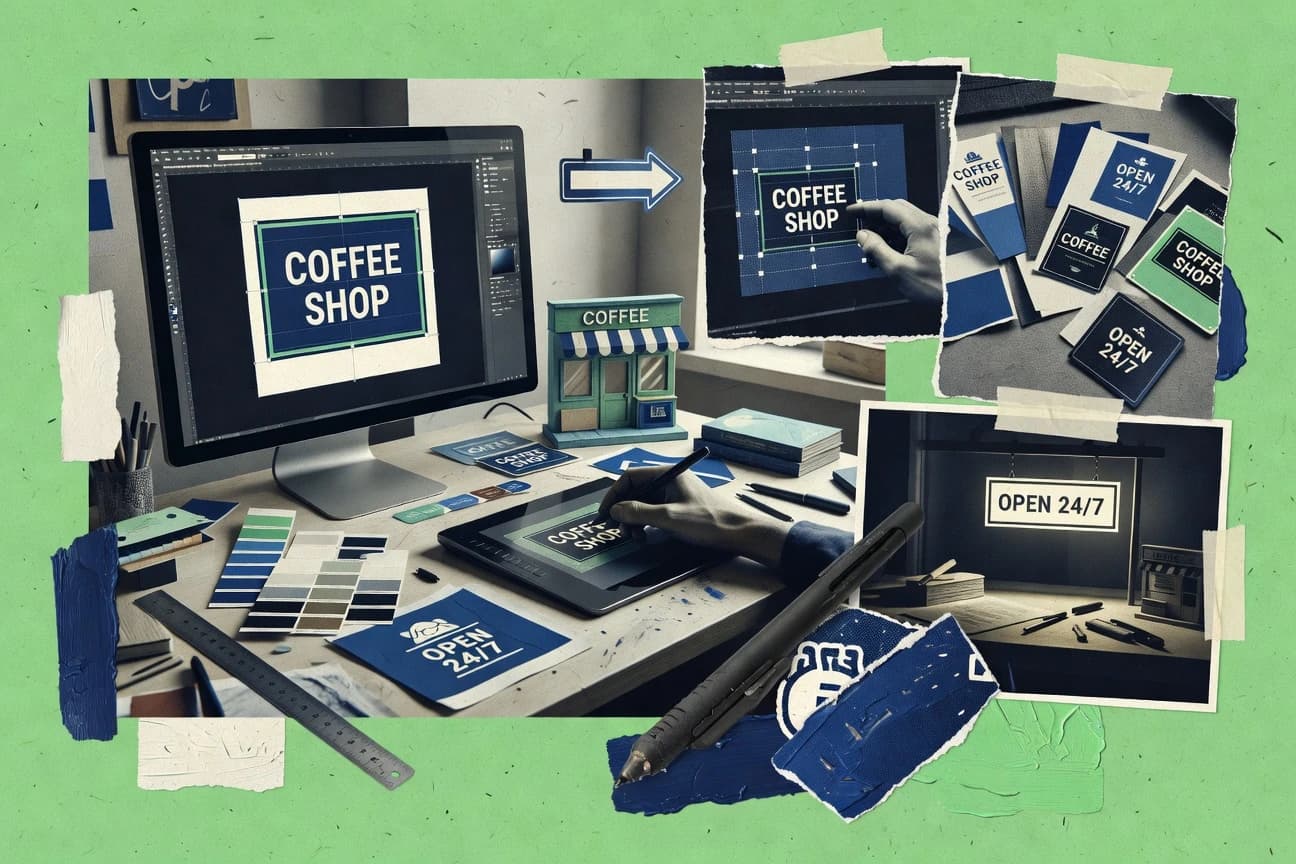
GITNUXSOFTWARE ADVICE
Digital Products And SoftwareTop 10 Best Online Sign Design Software of 2026
Editorial roundup comparing online sign design software options like Desygner, Fotor, and Kittl, with tradeoffs for teams choosing tools.

How we ranked these tools
Before any source is gathered, an editor locks the question, what qualifies, and how the piece will be judged.
Search agents gather the source set and the review record, including transcriptions of video reviews and podcasts.
Framework: Features 40% · Ease 30% · Value 30%
Gitnux may earn a commission through links on this page — this does not influence rankings. Editorial policy
Desygner is the best pick for sign shops that need repeatable web-to-print layouts because its template system with dimension, bleed, trim, and safe-area guides keeps every variation print-ready and consistent, while CorelDRAW Go fits when you want browser-based vector editing with export-ready PDFs for frequent proofs.
Editor’s top 3 picks
Three quick recommendations before you dive into the full comparison below — each one leads on a different dimension.
Desygner
Template-driven sign layouts with dimension, bleed, trim, and safe-area guides that enforce print-ready composition across variations.
Best for: Fits when sign shops need repeatable web-to-print layouts with vector output and template-driven consistency.
Fotor
Editor pickBackground removal combined with template-based sign layouts accelerates photo-to-sign conversions.
Best for: Fits when solo designers or small teams need fast online sign drafts from photos.
Kittl
Editor pickTemplate-driven sign layout creation with editable vector elements inside the same web canvas.
Best for: Fits when small teams need fast web-to-print sign layouts with reliable vector text and template reuse.
Comparison Table
Desygner
SMBWeb design platform for signs and social graphics.
Template-driven sign layouts with dimension, bleed, trim, and safe-area guides that enforce print-ready composition across variations.
Desygner lets teams design web-to-print sign artwork on a drag-and-drop canvas, then manage versions for production output. Vector shape tools, detailed typography controls, and CMYK-oriented color workflows support print-ready layout without switching editors.
Asset libraries and template catalog options speed repeat layouts while keeping sign dimensions, bleed, trim, and safe-area guides consistent. Exports cover vector PDF artwork and other print handoff formats used in sign production workflows.
- +Drag-and-drop canvas for fast sign layout edits
- +Strong typography controls for storefront and wayfinding text
- +Vector-focused export for cleaner print reproduction
- +Asset library and templates for repeatable campaigns
- –Multi-user governance controls are less granular than enterprise design suites
- –Contour-cut and vinyl workflow coverage can be limited for advanced production needs
- –Artwork rework can be slower when templates lock critical layout parts
- –Background handling for complex photos may need manual cleanup
Best for: Fits when sign shops need repeatable web-to-print layouts with vector output and template-driven consistency.
Fotor
SMBBrowser-based graphic design software with poster, banner, flyer, and sign-making templates.
Background removal combined with template-based sign layouts accelerates photo-to-sign conversions.
Fotor focuses on quick online sign creation with a drag-and-drop editor and a library of ready-made layouts for common signage needs. It includes image-focused tools such as background removal and adjustable typography controls, which help designers turn product photos into print-ready sign visuals.
Export supports common sign artwork formats for production handoff and sharing, with vector-friendly options for scaling text and shapes. The workflow is geared toward visual iteration, not enterprise approval chains or deep print-production configuration.
- +Background removal works well for photo-based sign designs
- +Template catalog shortens layout time for common sign formats
- +Typography and alignment controls support fast visual consistency
- +Export options support practical sharing and production workflows
- –Advanced wide-format production constraints like bleed setup are limited
- –Multi-user collaboration controls are basic for larger teams
- –Variable data fields for bulk sign runs are not a core focus
- –Vector contour cut workflows for vinyl are not clearly supported
Best for: Fits when solo designers or small teams need fast online sign drafts from photos.
Kittl
SMBBrowser-based design software with typography tools, sign templates, mockups, and vector export features.
Template-driven sign layout creation with editable vector elements inside the same web canvas.
Kittl is an online sign design editor used to build print-ready sign graphics without managing design software installs. It provides a drag-and-drop canvas with vector shape tools, typography controls, and export outputs for downstream production workflows.
Kittl also includes a built-in asset and template library to speed up repeatable sign layouts and themed variations. For teams, it focuses on collaborative design review workflows within the same web editor rather than enterprise print MIS integrations.
- +Drag-and-drop canvas supports quick layout for sign text, shapes, and images
- +Typography controls include sizing, spacing, and styling for production-friendly text layouts
- +Template catalog speeds up consistent sign formats and seasonal variants
- +Vector-first workflows produce crisp output for scalable sign dimensions
- –Advanced production details like contour cut lines need manual handling
- –Export options can require extra setup to match specific wide-format print requirements
- –Brand enforcement controls are limited compared with enterprise design systems
- –Variable data field workflows are not as automation-focused as print-focused tools
Best for: Fits when small teams need fast web-to-print sign layouts with reliable vector text and template reuse.
Canva
SMBOnline design platform with sign templates and print preparation.
Brand Kit keeps logos, fonts, and colors consistent across sign variations during collaborative editing.
Canva’s editor workflow centers on reusable templates that speed up sign layout creation without requiring custom tooling. Vector shape tools and detailed typography settings support common sign design needs like headline hierarchy and spacing control. Brand assets can be managed in one place so designers pull consistent logos and reusable elements when generating sign variants. Multi-user collaboration supports team review and iteration on the same design file.
- +Template-driven sign layouts reduce setup time for new designs
- +Vector shapes and typography controls support precise layout adjustments
- +Brand asset library keeps logos and reusable elements consistent
- +Multi-user collaboration supports review cycles on shared designs
- –Limited enforcement of print production handoff constraints
- –Sign-dimension preset management can become manual for frequent formats
- –Variable-data style automation is weaker than dedicated web-to-print tools
Best for: Fits when marketing teams need fast sign design and collaboration before print handling.
Placeit
SMBOnline design mockups and sign templates for businesses.
Template-led sign layout presets with drag-and-drop editing for rapid production-ready sign files.
Placeit is a web-to-print sign design workflow focused on template-driven creation, with a drag-and-drop canvas for arranging text, shapes, and images into sign layouts. Typography controls and layout presets keep repeated signage consistent across sizes, and the export set includes vector PDF and SVG for production use. The strongest fit shows up when a brand can adopt reusable layouts and asset choices instead of needing fully custom vector drawing tooling.
- +Template catalog speeds up consistent sign creation
- +Drag-and-drop canvas reduces design training time
- +Vector PDF and SVG exports support production pipelines
- +Background removal streamlines cutout sign assets
- –Bleed and trim controls are less granular than pro editors
- –Deep custom vector illustration tools are limited
- –Advanced print handoff steps are not workflow-led
Best for: Fits when marketing teams need fast, template-based sign artwork for print with consistent layout control.
Easelly
SMBSimple online design tool for infographics and signs.
Template catalog plus layout presets that standardize signage composition across repeated formats.
Easelly’s core workflow centers on a canvas editor with snapping and alignment tools, plus guided layout options that reduce mis-spacing in multi-element signs. The template catalog and layout presets speed up first drafts for common sign formats, while typography controls help standardize headings, body text, and label hierarchies. Vector shape tools keep text and graphics crisp compared with designs built purely from raster elements.
- +Template-driven sign layouts reduce setup time for recurring sign formats
- +Typography controls make consistent text styling across multiple sign sizes easier
- +Vector shape tools keep signage graphics scalable after dimension changes
- +Canvas editing supports quick alignment of layered elements
- –Bleed and safe area validation needs manual diligence for print accuracy
- –Collaboration features are limited compared with dedicated design governance suites
- –Advanced prepress controls can require workarounds for niche production steps
- –Complex, data-driven variable content workflows are not the primary focus
Best for: Fits when teams need fast sign iterations with consistent typography and template-based layouts.
FotoJet
SMBWeb-based graphic designer with sign and poster templates.
Background removal inside the editor reduces the manual effort needed to prep image cutouts for signs.
FotoJet is an online sign design editor focused on fast, template-driven layout for print-ready artwork. The canvas workflow supports common sign building blocks like shapes, layered images, and typography controls with export options aimed at downstream production.
- +Template catalog speeds up first drafts for standard sign sizes
- +Background removal supports quick cutout composition for signage images
- +Layered canvas editing makes it practical for iterative layout tweaks
- +Typography controls cover basic hierarchy without complex studio setup
- –Limited variable-data and form-driven print workflows for batch signage
- –Collaboration and brand governance controls are thin for multi-user teams
- –Vector tooling depth is less suitable for precision production artwork
- –Production handoff features like proofing and approvals are not prominent
Best for: Fits when small teams need quick online sign drafts and simple print-ready exports without batch automation.
CorelDRAW Go
vertical specialistBrowser-based vector design software for signs, logos, marketing graphics, and other scalable artwork.
CorelDRAW Go’s browser vector editor preserves Corel-style shape and typography workflows while still exporting vector PDF for production handoff.
CorelDRAW Go creates print-ready sign artwork in a browser canvas with vector shape tools and tight typography controls. It supports web-to-print style workflows through templates and design layout presets, with trim and safe-area guides to keep production outputs consistent.
- +Vector-first sign tools for fast lettering and shape building
- +Templates and layout presets reduce layout drift across sign runs
- +Export includes vector PDF for print-ready handoff
- +Multi-user editing supports review cycles without file shuffling
- –Advanced prepress steps like complex spot workflows need extra care
- –Variable data fields and QR automation are limited versus dedicated web-to-print tools
- –Batch production for high-volume sign catalogs is not a focus
- –Large file performance can lag on dense vector artwork
Best for: Fits when a sign shop needs browser-based vector editing with export-ready files for frequent proofs.
Design.com
SMBOnline design platform for creating signs, logos, business graphics, and branded marketing materials.
Layout presets with safe area and bleed guides built into the editing flow for consistent production-ready sign geometry.
Design.com targets sign shops that need a browser-based design workflow with production-ready export for print and cutting. Its editor supports a drag-and-drop canvas, vector shape building, and detailed typography controls for repeatable sign layouts.
- +Browser canvas with straightforward element placement and alignment tools
- +Vector shape tools and typography controls cover common sign styles
- +Bleed and safe area guides reduce cut and trim mistakes
- +Layout presets speed repeatable sign variations across sizes
- –Automation is limited compared with tools that manage full web-to-print workflows
- –Some production exports depend on selecting the correct output format settings
- –Collaboration features are thinner than multi-user enterprise design systems
- –Advanced production details like contour cutting lines need careful manual placement
Best for: Fits when a sign shop needs repeatable online design work with production-guided layout controls.
Signs.com Design Tool
vertical specialistOnline sign ordering software that lets customers design products with templates, text, images, and uploaded artwork.
Sign size presets tied to print-ready layout guides for faster production setup than freeform canvas work.
Signs.com Design Tool is an online sign editor built around production-ready sign artwork for web-to-print workflows. The canvas focuses on vector layout controls, typography styling, and sign layout presets that map to common sign sizes.
- +Template-based layout speeds repeat jobs without manual rework
- +Typography and alignment controls support consistent sign text placement
- +Vector-first editing keeps shapes scalable for changing dimensions
- +Export outputs are oriented to print production handoff
- –Advanced customization can feel limited versus pro vector editors
- –Collaboration tools are not as visible as in dedicated design suites
- –Complex multi-element artwork needs careful ordering on the canvas
- –Bleed, trim, and safe area guidance can require extra attention
Best for: Fits when sign shops need fast, print-ready web-to-print layouts with repeatable templates and vector editing.
Conclusion
After evaluating 10 online sign design software, Desygner stands out as our overall top pick — it scored highest across our combined criteria of features, ease of use, and value, which is why it sits at #1 in the rankings above.
Use the comparison table and detailed reviews above to validate the fit against your own requirements before committing to a tool.
How to Choose the Right Online Sign Design Software
Teams building signs in the browser face a split between template-first tools like Canva and Placeit and browser vector editors like CorelDRAW Go and Kittl that emphasize export-ready artwork. This buyer's guide covers online sign design software such as Design.com, Desygner, Easelly, FotoJet, Fotor, and Signs.com Design Tool, alongside Canva, CorelDRAW Go, Kittl, and Placeit.
The tool set centers on how each editor handles sign geometry, typography consistency, and production handoff formats, especially when repeated sign runs require dependable layout presets. The guide then narrows buying decisions to integration depth, automation and API surface, and admin and governance controls where those capabilities exist.
Online Sign Design Software for web-to-print sign layout, vector editing, and production handoff
Online sign design software is a web-based workspace for creating printable sign artwork using a drag-and-drop canvas, template catalog, and typography controls that keep layouts consistent across sign variations. Many platforms also include production-oriented guides such as safe-area and bleed assistance to reduce off-by-a-margin mistakes when artwork must match print constraints.
In practice, the buying decision comes down to how the editor produces exportable sign files and how much workflow structure it enforces. Design.com uses layout presets with built-in safe area and bleed guidance, while CorelDRAW Go focuses on browser-based vector editing that preserves a Corel-style shape and typography workflow and exports vector PDF for production handoff.
Sign geometry controls, export handoff formats, and governance depth
Online sign design software can still fail production if it does not constrain bleed, safe-area, and sign-dimension presets during layout. Design.com and Desygner build safe-area and bleed guidance into the editing flow, while Signs.com Design Tool uses sign size presets tied to print-ready layout guides.
Safe-area and bleed guidance that stays tied to sign presets
Design.com and Desygner place safe area and bleed guides directly in the layout flow to reduce off-by-a-margin mistakes during sign variations. Signs.com Design Tool links sign size presets to print-ready layout guides to speed repeat jobs without manual geometry setup.
Vector-first editing that exports production-ready artwork
CorelDRAW Go keeps a browser vector editor workflow that exports vector PDF for production handoff. Kittl uses a drag-and-drop canvas with editable vector elements and template reuse for consistent sign text, shapes, and images.
Template and layout preset coverage for repeated sign runs
Canva and Placeit emphasize template-led sign creation that reduces setup time for new designs. Easelly, Desygner, and Design.com shift teams toward standardized signage composition when frequent sign formats require consistent typography and placement.
Typography controls that reduce layout drift across variations
Canva’s Brand Kit keeps fonts and colors aligned across collaborative sign variations during editing. Design.com, Desygner, and Kittl provide typography controls that support consistent sizing, spacing, and styling for sign text.
Production handoff constraints and export option clarity
CorelDRAW Go’s vector PDF export aligns with proofing and production handoff for frequent proofs. Placeit and Signs.com Design Tool can feel constrained when deep customization is required for advanced production workflows and format-specific output.
Automation and data-driven workflows for scaling sign output
CorelDRAW Go lists limited variable data fields and QR automation compared with dedicated web-to-print tools, which matters when signage needs batch-driven content swaps. Placeit and Canva can support rapid template creation but provide less governance over batch signage inputs than full web-to-print workflows.
Choose by workflow philosophy: presets with guides, vector-first export, or image-focused drafts
The fastest path is not the one with the most templates. The right choice depends on whether sign geometry must be constrained by built-in guides, whether the team edits in vector for predictable output, or whether image cutouts and photo-to-sign drafts drive the workflow.
Map geometry risk to built-in guides and preset management
Select Design.com or Desygner when sign layouts must stay inside safe-area and bleed constraints across many variations. Select Signs.com Design Tool when sign size presets should drive layout structure for repeat jobs.
Pick the editor shape model that matches production handoff needs
Choose CorelDRAW Go when browser vector shape and typography editing must export vector PDF for production handoff with Corel-style workflows. Choose Kittl when template reuse and a vector-editable canvas support consistent sign text and graphics, with advanced production details handled manually.
Choose collaboration control around brand assets
Choose Canva when teams need Brand Kit consistency across collaborative editing for logos, fonts, and colors across sign variants. Choose other editors when print-ready geometry needs stronger enforcement than collaboration-first brand governance.
Decide whether scaling requires batch-driven inputs or template repeatability
Choose Desygner or Design.com when the repeat job problem is primarily geometry consistency rather than variable-data automation. Choose a dedicated web-to-print approach outside this specific set when variable data fields and QR automation must be central, since CorelDRAW Go and template-focused editors list limited automation in those areas.
Match your photo workflow to background removal depth
Choose FotoJet or Fotor when sign drafts rely on quick image cutouts through in-editor background removal. Choose template-driven or vector-first tools when the workflow depends on tight bleed setup and production geometry rather than rapid photo-to-sign conversions.
Teams that benefit from browser sign design with production constraints
Online sign design software fits teams that need browser-based sign artwork creation without building and maintaining a desktop toolchain. The best match depends on whether the team’s bottleneck is layout consistency, vector output for proofs, or photo preparation for signage images.
Sign shops producing repeat storefront or wayfinding formats
Desygner and Design.com enforce print-ready composition with template layouts that include bleed and safe-area guidance. Signs.com Design Tool speeds repeat jobs with sign size presets tied to production-ready layout guides.
Marketing teams coordinating sign variations across multiple collaborators
Canva’s Brand Kit keeps logos, fonts, and colors consistent during collaborative editing across sign variations. Placeit supports template-led sign creation with drag-and-drop editing to reduce training time for routine campaigns.
Small studios drafting signs from customer photos or cutouts
FotoJet and Fotor include background removal inside the editor to reduce manual work for image cutouts. Kittl and Easelly can still work for template-led layouts when photos become secondary to typography and shape placement.
Production-focused teams that need proof-ready vector exports
CorelDRAW Go exports vector PDF while preserving a Corel-style vector editing workflow in the browser. CorelDRAW Go also emphasizes templates and layout presets to reduce layout drift across sign runs.
Teams scaling signage output and automating content swaps
Tools in this set describe limited variable data fields and QR automation, so teams that require those workflows should plan for a different web-to-print automation layer. Template-driven editors can still work when scaling is mainly repetition of standardized layouts.
Common buying and rollout pitfalls in Online Sign Design Software
Teams often select a tool for speed during early drafts and then discover that the geometry rules for print are not enforced with the same rigor across all formats. Other teams adopt collaboration without checking how well exports match wide-format production requirements.
Assuming templates guarantee print-ready output without checking bleed and safe-area behavior
Easelly and template-first editors require manual diligence for bleed and safe-area validation when print accuracy depends on strict margins. Design.com and Desygner reduce this risk by embedding safe area and bleed guidance in the editing flow.
Choosing a fast photo cutout tool and then hitting wide-format production constraints
FotoJet and Fotor help with background removal and photo-to-sign drafts, but they list limited advanced wide-format production constraints like bleed setup. For sign shops that must manage production geometry, Design.com, Desygner, or Signs.com Design Tool align better with repeatable layout guides.
Treating browser vector editing as equivalent to production-ready vector workflows
CorelDRAW Go is vector-first and exports vector PDF, but advanced prepress steps like complex spot workflows can require extra care. Kittl supports vector editing in the canvas, but advanced production details like contour cut lines need manual handling.
Relying on collaboration without controlling brand assets and repeatable styling
Canva’s Brand Kit addresses brand consistency by keeping logos, fonts, and colors aligned across sign variations. Other editors can support collaboration, but they may not enforce brand styling as tightly as Canva during multi-user sign variation editing.
How analysts grounded the Online Sign Design Software shortlist
Analysts searched the original publication and copied each product figure next to the passage that states the capability. Analysts compared each copied figure with official documentation, the changelog, and an independent review when one is cited. Analysts kept the figure when it matched those sources and included a published benchmark only when the benchmark itself was the stated source.
Frequently Asked Questions About Online Sign Design Software
Which tools handle print-ready vector export in a browser without extra design software?
How do template-led workflows differ between Placeit and Signs.com Design Tool for repeated sign sizes?
When a sign needs consistent brand assets across many variants, how do Canva and Kittl compare?
What breaks when teams rely on Easelly for production geometry like bleed, trim, and safe area enforcement?
How should teams plan data migration when moving existing sign templates from Canva or FotoJet to a web-to-print sign editor?
Which tools support multi-user collaboration for sign layout iteration without exporting intermediate files?
What integration options exist if a workflow needs variable fields like batch signage data or print production handoff?
How do security and access controls differ between tools used by marketing teams and sign shops with tighter governance?
Which editor best fits photo-to-sign cutout workflows, and what tradeoff appears in production-grade output?
Tools reviewed
Primary sources checked during evaluation.
Referenced in the comparison table and product reviews above.
Funding and competing interests
This study was co-funded by several of the vendors assessed in it. No single vendor funded it. Funders could propose the market studied.
They had no role in selecting vendors, setting or weighting criteria, analysing data or drawing conclusions, and they received the same factual-accuracy check as every other vendor assessed.
Market definition, inclusion rules and criteria weights were fixed by an editor before research began and did not change afterwards. Editorial process →
- Technology Digital MediaTop 10 Best Design Application Software of 2026
- Business FinanceTop 10 Best Sign Printing Software of 2026
- Art DesignTop 10 Best Online Design Studio Software of 2026
- Marketing AdvertisingTop 10 Best Display Sign Software of 2026
- Consumer RetailTop 10 Best Retail Digital Signage Software of 2026
Keep exploring
Comparing two specific tools?
Software Alternatives
See head-to-head software comparisons with feature breakdowns, pricing, and our recommendation for each use case.
Explore software alternatives→In this category
Digital Products And Software alternatives
See side-by-side comparisons of digital products and software tools and pick the right one for your stack.
Compare digital products and software tools→