
GITNUXSOFTWARE ADVICE
HR In IndustryTop 10 Best Nonprofit HR Software of 2026
Top 10 nonprofit hr software for nonprofits with HR features, reporting, and integrations, ranked with tools like UKG Pro, Workday HCM, SAP SuccessFactors.

How we ranked these tools
An editor sets the topic, the inclusion criteria, and the evaluation framework before research starts.
AI search agents find sources, extract figures with provenance, and aggregate written reviews. They also transcribe video reviews and podcasts.
Framework: Features 40% · Ease 30% · Value 30%
Gitnux may earn a commission through links on this page — this does not influence rankings. Editorial policy
Aplos is the best fit for small nonprofits that want HR administration grounded in lifecycle checklists tied to their reporting workflows, whereas UltiPro (UKG) works best when payroll must be the system of record with clean finance integration.
Editor’s top 3 picks
Three quick recommendations before you dive into the full comparison below — each one leads on a different dimension.
Aplos
Onboarding workflow with step tracking for nonprofit HR packets and completion status per employee.
Best for: Fits when a nonprofit needs HR administration with lifecycle checklists tied to reporting workflows.
UltiPro
Editor pickConfigurable approval and workflow controls that apply across employee, pay, and benefits changes.
Best for: Fits when nonprofit payroll and HR must stay system-of-record and integrate cleanly with finance reporting.
Paylocity
Editor pickManager-driven onboarding task workflows tie required documents, approvals, and employee status updates into one lifecycle flow.
Best for: Fits when nonprofits need payroll-ready HR workflows plus automation and integrations to finance tools.
Comparison Table
Aplos
vertical specialistNonprofit software platform providing fund accounting, donor management, and basic HR tools for small organizations.
Onboarding workflow with step tracking for nonprofit HR packets and completion status per employee.
Aplos centers employee lifecycle work such as employee onboarding packets, role and status updates, and recurring HR checklists that track each step to completion. The system is also built to keep employee context aligned with finance and reporting needs used by nonprofits, including program and fund distinctions that show up in downstream reporting. Data handling emphasizes consistent employee identity across modules so HR outcomes can be referenced during audit-oriented reporting cycles.
A tradeoff is that deeper HR depth, like complex compensation modeling and full HR service management, is limited compared with enterprise HCM suites. Aplos fits teams that need structured onboarding and ongoing employee administration tied to nonprofit reporting workflows, not teams that require advanced workforce planning or extensive HR case management.
- +Nonprofit-focused employee workflows link people records to reporting context
- +Onboarding checklists keep document collection and approvals organized
- +Role-based access supports separation between HR data entry and review
- +Recurring HR tasks reduce missed steps during employee lifecycle changes
- –Advanced workforce planning and compensation analytics are not as comprehensive
- –Some HR edge cases require manual process steps outside the core workflow
- –Extensibility and API coverage for HR-specific objects are more constrained
HR coordinators at nonprofits
Standardize onboarding and document collection
Fewer missing documents
Operations teams managing volunteers
Track volunteer onboarding tasks
Faster readiness to serve
Show 1 more scenario
Grant administrators
Align employee assignments to programs
Cleaner reporting traceability
Employee context can be used to connect HR actions to program and reporting expectations.
Best for: Fits when a nonprofit needs HR administration with lifecycle checklists tied to reporting workflows.
UltiPro
enterpriseEnterprise HCM suite from UKG providing HR, payroll, and talent management for large nonprofit organizations.
Configurable approval and workflow controls that apply across employee, pay, and benefits changes.
UltiPro is built around an HR and payroll data model that HR and finance teams can extend using integrations for constituent and reporting needs. Payroll-related configuration, time capture, and benefits workflows are handled in the same system so changes propagate through the employee lifecycle instead of requiring manual rekeying across spreadsheets. The integration approach supports data exchange for reporting and operational workflows, which matters when nonprofit staff also runs grant and fund accounting processes outside HR.
A key tradeoff is that nonprofit-specific reporting requirements often require configuration work and careful mapping of employee compensation and employment attributes to downstream formats. UltiPro fits a situation where payroll and benefits must stay system-of-record while HR data also feeds other tools for reporting, onboarding, and internal controls.
- +Tight coupling of HR, time, benefits, and payroll workflows
- +Role-based permissions and audit trails for separation of duties
- +Integration-ready employee data for downstream reporting systems
- +Configurable approvals for changes across the employee lifecycle
- –Nonprofit reporting mappings often need detailed data configuration
- –Admin setup complexity increases with workflow and role granularity
- –Some nonprofit-adjacent modules rely on integration rather than native forms
- –Change management is needed when governance roles evolve
Nonprofit HR administrators
Manage employee lifecycle with approvals
Fewer unauthorized HR changes
Payroll and finance ops
Coordinate time, pay, and reporting
More consistent payroll outputs
Show 2 more scenarios
Compliance and internal controls teams
Run audit-ready access governance
Stronger audit trail coverage
RBAC and audit logging help track who changed HR and payroll-related configurations.
Technology integrators
Provision HR events to other systems
Lower integration rework
Integration flows move employee and HR event updates to downstream tools without manual rekeying.
Best for: Fits when nonprofit payroll and HR must stay system-of-record and integrate cleanly with finance reporting.
Paylocity
SMBCloud-based payroll and HR platform with nonprofit sector experience including grant tracking and compliance.
Manager-driven onboarding task workflows tie required documents, approvals, and employee status updates into one lifecycle flow.
Paylocity’s core strength for nonprofit operations is end-to-end HR execution with payroll and timekeeping connected to employee records that HR and finance teams can audit through consistent processing logic. Admin governance is handled through role-based access that controls who can view sensitive data, submit approvals, and run configuration tasks. Automation is available for recurring HR actions, including onboarding steps, document collection, and manager task queues tied to employee lifecycle events.
A key tradeoff is that Paylocity’s nonprofit-specific modules for finance-grade reporting are not its primary differentiator, so fund accounting alignment often depends on integration partners and downstream BI or finance tooling. Paylocity fits best when a nonprofit needs strong nonprofit payroll tax exemption handling, volunteer onboarding workflow support via HR records, and tight manager-driven workflows for ongoing employee administration.
- +Payroll and HR data stay connected for consistent processing across teams
- +Role-based permissions control who can configure, approve, and view HR records
- +Manager task queues reduce manual follow-ups during onboarding and transitions
- +API and partner integrations support HR data exchange for downstream systems
- –Nonprofit finance-grade reporting often requires external tooling beyond HR
- –Some nonprofit workflows need extra configuration and admin governance discipline
HR operations teams
Automate onboarding approvals and document capture
Fewer missed onboarding tasks
Nonprofit payroll administrators
Run payroll with exemption-aware processing
More consistent payroll runs
Show 2 more scenarios
Volunteer program managers
Track volunteer onboarding in HR records
Clearer volunteer onboarding status
HR status and documents help manage volunteer onboarding workflow steps and approvals.
Finance integration teams
Sync HR and payroll data to finance
Reduced manual data entry
APIs and integrations move structured employee and payroll data into downstream reporting systems.
Best for: Fits when nonprofits need payroll-ready HR workflows plus automation and integrations to finance tools.
Nonprofit HR
vertical specialistHR consulting firm offering software-enabled HR services and workforce planning for nonprofit organizations.
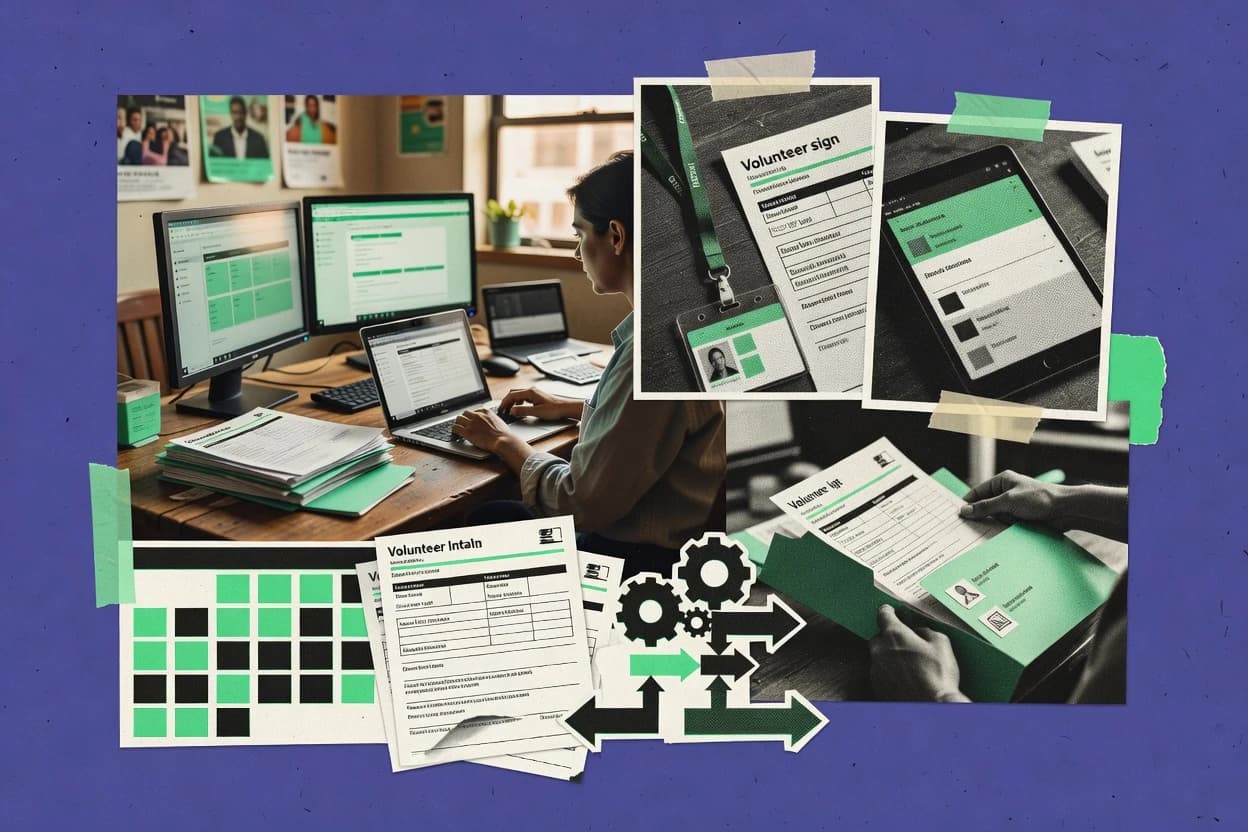
Volunteer onboarding workflow that ties applicant intake, required documents, and assignment tasks to the same HR administration model.
Nonprofit HR targets organizations that need HR workflows with nonprofit-specific administration, including volunteer and constituent-facing onboarding tasks. The system supports employee lifecycle processes like hiring, time-off tracking, and internal document handling, alongside volunteer onboarding workflow steps.
Administration features include configurable fields and role-based access for managing HR data, plus reporting for staffing and compliance-oriented views. Integrations and automation focus on moving HR events into downstream tools rather than building new HR logic per department.
- +Volunteer onboarding workflow supports consistent intake, screening steps, and task tracking
- +Role-based access helps separate HR admin, manager, and staff views of records
- +Configurable forms support custom nonprofit onboarding packets without code changes
- +Audit-style activity history improves traceability for HR edits and workflow actions
- –Automation depends on setup discipline to keep HR and volunteer processes aligned
- –Fewer advanced HR analytics views than large enterprise HCM suites
Best for: Fits when nonprofit HR needs volunteer onboarding workflows plus controllable HR records in one workflow.
NonProfitEasy
vertical specialistNonprofit management software with donor CRM, volunteer management, and staff tracking modules.
Reusable onboarding workflow templates that enforce consistent data capture and approval steps for new staff.
NonProfitEasy is nonprofit HR software focused on staff onboarding, personnel records, and configurable HR workflows. It supports common HR administration needs like leave management and document handling, with options to align workflows to internal policies.
It also connects HR operations to nonprofit recordkeeping use cases through integrations and exportable data for reporting. Governance controls appear oriented around role-based access to profiles, forms, and approval steps rather than deep enterprise HR suite capabilities.
- +Configurable onboarding workflows with reusable HR forms
- +Role-based access limits what users can view or submit
- +Document storage tied to employee records for audits
- +Workflow approvals create a clear audit trail for changes
- –HRIS depth is lighter than enterprise HCM suites
- –Automation coverage depends on workflow configuration discipline
Best for: Fits when a nonprofit needs structured HR onboarding and approvals without enterprise HCM complexity.
GoCo
SMBHR software for onboarding, document management, benefits, time tracking, and payroll connections.
Workflow builder that ties onboarding tasks and approvals to role-based access controls, reducing manual handoffs.
GoCo is an HR system built for nonprofits that need HR workflows tied to mission operations like onboarding and volunteer-facing administration. It centers on configurable employee lifecycle steps, policy acknowledgements, and role-based access so different teams can run HR tasks without sharing account privileges.
GoCo also supports integrations via an API for syncs that connect HR records to other nonprofit systems. In practice, it fits organizations that want HR governance, automated checklists, and controlled access across departments.
- +Configurable onboarding and offboarding workflows without custom code
- +RBAC supports separating admin roles across HR, managers, and coordinators
- +API supports HR record syncs with external nonprofit systems
- +Audit-friendly activity trails for key HR actions
- –Nonstandard nonprofit workflows may require careful configuration work
- –Reporting depth for specialized HR analytics can lag behind enterprise suites
Best for: Fits when a nonprofit needs governed employee lifecycle workflows and integration-ready HR records.
Justworks
PEOPEO and payroll platform for payroll, benefits, HR support, and compliance administration.
Employee lifecycle changes flow into payroll processing with admin permission controls and audit visibility.
Justworks is a payroll and HR workflow system that pairs employee record management with admin controls for mid-market organizations. It supports HR administration for employee lifecycle events, permissions, and audit visibility needed for day-to-day governance.
Nonprofits can use it to standardize hiring, onboarding, and leave processes while coordinating downstream payroll execution. Its fit depends on whether required nonprofit reporting and fund accounting steps sit outside Justworks.
- +Clear employee record workflows tied directly to payroll operations
- +Role-based access controls support separation between admins and managers
- +Audit log visibility helps trace administrative changes over time
- +Integrations reduce manual HR data re-entry for common toolchains
- –Nonprofit-specific reporting like Form 990 inputs is not a native focus
- –Volunteer workflows and background checks require external tooling
- –Grant expenditure reporting and restricted fund allocation need separate systems
- –Some advanced process automation depends on configuration discipline
Best for: Fits when nonprofits need HR administration and payroll-connected workflows with strong admin permissions, while nonprofit reporting runs in other systems.
Dayforce
enterpriseHCM platform for payroll, HR, benefits, talent, workforce management, and analytics.
Dayforce Time and Scheduling configuration ties time collection rules to downstream payroll processing across the employee lifecycle.
Dayforce pairs enterprise payroll and HR management with configuration-driven scheduling, time collection, and workflow automation. It is distinct for how it operationalizes employee lifecycle data across pay, time, and HR workflows, which matters for nonprofit payroll accuracy and audit-ready reporting trails.
Admins can control access with role-based permissions, and they can integrate external systems through an API layer used for provisioning and data exchange. For nonprofits, Dayforce’s fit depends on whether grant, volunteer, and fund accounting processes sit in connected systems rather than inside the core HR suite.
- +API supports integration for provisioning, data sync, and workflow triggers
- +Time and scheduling configuration reduces manual time correction work
- +HR and payroll data stay consistent across employee lifecycle events
- +Role-based access and audit logging support governance and reporting trails
- –Nonprofit finance workflows often require external systems and custom integration
- –Advanced automation can require careful governance to avoid workflow sprawl
- –Volunteer-specific workflows are not native and need integration or custom forms
- –Implementation effort can be high when configuration must match complex pay rules
Best for: Fits when nonprofit teams need enterprise-grade payroll and time workflows with strong integrations to external grant and finance systems.
isolved People Cloud
mid-marketHuman capital management software for HR, payroll, benefits, talent, and workforce management.
Configurable approval routing tied to granular permissions for HR transactions reduces unauthorized lifecycle edits.
isolved People Cloud coordinates nonprofit-ready HR workflows like onboarding, employee lifecycle updates, and payroll integrations from one administrative environment. It also supports configuration-driven approval routing and role-based access so HR, finance, and leadership teams can operate under different permissions.
Integration depth matters for nonprofit data flows, and isolved People Cloud provides API and integration options that can feed downstream systems used for reporting. For teams that need audit-friendly configuration and consistent governance across departments, its administrative controls help keep changes traceable.
- +Workflow approvals are configurable with role-based access controls for safer HR changes
- +API and integration options support data exchange into downstream nonprofit reporting tools
- +Onboarding and lifecycle management reduce manual handoffs between HR and managers
- +Audit-focused administration helps track configuration changes across HR operations
- –Nonprofit-specific reporting like Form 990 needs extra mapping and setup work
- –Some advanced automation patterns require deeper configuration discipline
Best for: Fits when HR operations, payroll integrations, and reporting data handoffs must be controlled across departments.
Employment Hero
SMBEmployment management software for HR, payroll, hiring, benefits, and workforce operations.
Configurable HR approval workflows for core employee changes, enforced by role-based permissions in everyday admin screens.
Employment Hero fits organizations that want HR core workflows plus payroll and people-ops reporting in one tenant, with integration and automation built around HR administration tasks. It covers employee onboarding, time and leave management, performance and learning modules, and compensation management that support ongoing HR operations.
Admin tooling includes role-based access controls and approval workflows for common HR actions like hiring changes and employee data edits. Its HR integrations and automation surface are geared toward connecting HR records to external systems used for nonprofit payroll, reporting, and operational data exchange.
- +HR onboarding workflows combine forms, approvals, and employee document capture
- +Role-based access controls restrict who can change employee records
- +Time and leave support includes built-in reporting for workforce visibility
- +Performance and learning features can run without separate HR add-ons
- –Nonprofit-specific modules for restricted fund allocation are not native to HR administration
- –Grant and volunteer lifecycle data requires custom integration and workflow mapping
- –Some nonprofit governance actions depend on careful configuration of approvals
- –External reporting often needs data export mapping to nonprofit reporting formats
Best for: Fits when a nonprofit needs HR, onboarding, time tracking, and role-based approvals with integration to other systems.
Conclusion
After evaluating 10 nonprofit hr software, Aplos stands out as our overall top pick — it scored highest across our combined criteria of features, ease of use, and value, which is why it sits at #1 in the rankings above.
Use the comparison table and detailed reviews above to validate the fit against your own requirements before committing to a tool.
How to Choose the Right Nonprofit Hr Software
Nonprofit HR software supports employee and lifecycle administration with workflow checklists, role-based permissions, and audit-ready change tracking, with tools in this guide ranging from Aplos to Dayforce. The shortlist covers UKG Pro, Workday HCM, and SAP SuccessFactors with HR features, reporting, and integration behavior alongside Aplos, Paylocity, Nonprofit HR, NonProfitEasy, GoCo, Justworks, isolved People Cloud, and Employment Hero. Aplos leads for onboarding step tracking that ties HR packet completion status to employee records, while UKG Pro and isolved People Cloud focus on configurable workflow approvals tied to HR transactions. Dayforce adds time and scheduling configuration tied to downstream payroll processing through an integration-friendly API surface.
A buyer making a nonprofit HR software decision needs to map workflow automation, permissions governance, and integration depth to HR administration tasks that connect to finance and reporting outputs like Form 990 inputs and grantor-required documentation. This guide’s structure shifts from how each tool handles nonprofit HR administration to where setup discipline, governance controls, and integration boundaries create operational differences.
Nonprofit HR Software for governed employee lifecycles, onboarding workflows, and HR-to-reporting integrations
Nonprofit HR software centralizes HR records and workflow-driven lifecycle actions for employees and, in some systems, volunteers, with admin controls that govern who can submit, approve, and edit HR transactions. Tools like Aplos use nonprofit HR packet onboarding workflows with step tracking and completion status per employee, while UKG Pro emphasizes configurable approval and workflow controls across employee, pay, and benefits changes. Nonprofit HR software also connects HR events to downstream needs through integration and API surfaces, including provisioning and data sync that support finance reporting and operational handoffs.
Some deployments keep advanced finance and nonprofit reporting work outside the HR system, so the practical question becomes whether the HR tool can feed structured data consistently into external reporting workflows. Across the reviewed products, governance depth and automation control surfaces drive daily administration throughput, while integration boundaries determine how cleanly HR changes propagate into reporting-ready datasets.
Nonprofit HR Software features that change daily administration and handoffs
Nonprofit HR software affects throughput through governed onboarding and lifecycle workflows that track document collection, approvals, and status updates on the employee record. The practical differences show up in workflow step tracking, approval routing, and how HR events propagate into payroll and downstream reporting datasets.
The shortlist below focuses on integration depth and governance controls that determine whether HR changes become structured inputs for external processes. Aplos centers onboarding packet completion status, while UKG Pro and isolved People Cloud emphasize permissioned HR transaction approvals tied to audit visibility and downstream handoffs.
Lifecycle workflow step tracking and HR packet completion status
Aplos ties nonprofit HR packet steps to completion status per employee so HR admin can prove which checklist items are finished. Paylocity also uses manager-driven onboarding task workflows to link required documents, approvals, and status updates into one lifecycle flow.
Configurable approval routing with role-based permissions for HR transactions
UKG Pro provides configurable approval and workflow controls across employee, pay, and benefits changes with RBAC and audit trails for separation of duties. isolved People Cloud configures approval routing tied to granular permissions so unauthorized lifecycle edits are less likely during day-to-day HR operations.
Integration and API surfaces that connect HR records to payroll and external systems
Dayforce includes an API that supports integration for provisioning, data sync, and workflow triggers so time and scheduling configuration can reach downstream payroll processing. GoCo positions itself as integration-ready with governed onboarding and offboarding workflows that reduce manual handoffs.
Onboarding and governance models that extend beyond employees into volunteers
Nonprofit HR includes a volunteer onboarding workflow that ties applicant intake, required documents, and assignment tasks to the same HR administration model. Aplos stays centered on employee HR packet onboarding workflows, while Nonprofit HR’s volunteer process is built into the admin model rather than handled externally.
Template-based onboarding forms that enforce consistent data capture
NonProfitEasy supplies reusable onboarding workflow templates that enforce consistent HR forms and approval steps for new staff. Aplos delivers step tracking tied to completion status, which is different from template-driven onboarding when teams need strict proof of checklist progress.
How to choose Nonprofit HR Software for governed workflows and HR-to-reporting handoffs
Selection starts with how onboarding and lifecycle workflows should be governed. If daily work depends on proving packet completion status per employee, Aplos and Paylocity provide step-tracked lifecycles that connect documents and approvals to employee status.
Selection also depends on where HR data becomes system-of-record. If payroll and HR must stay tightly coupled for processing, UKG Pro, Paylocity, and Dayforce align workflows to payroll operations, while Justworks, Nonprofit HR, and Employment Hero often require external tooling for nonprofit-specific reporting inputs.
Choose workflow tracking depth based on whether onboarding completion needs measurable status
If onboarding requires checklist proof, Aplos ties nonprofit HR packet steps to completion status per employee so admins can track progress across multiple tasks. If onboarding is driven by managers with required documents and approvals, Paylocity concentrates that lifecycle flow so employees reach payroll-ready status through the workflow.
Pick governance-first approval models when HR transaction edits must be permissioned and auditable
If HR, pay, and benefits changes must follow configurable approvals with audit trails, UKG Pro provides workflow controls across employee, pay, and benefits changes with RBAC. If approvals must be tied to granular permission checks that reduce unauthorized lifecycle edits, isolved People Cloud configures approval routing tied to role-based access for HR transactions.
Match integration expectations to the place where downstream payroll or reporting processes run
If time and scheduling rules must travel into payroll workflows with integration triggers, Dayforce positions time and scheduling configuration to reduce manual time correction work and uses an API for provisioning, data sync, and workflow triggers. If payroll and HR data must stay connected for consistent processing but nonprofit finance-grade reporting needs external tooling, Paylocity fits that operating boundary.
Decide whether volunteers must share the same HR administration model
If volunteer onboarding must be handled through the HR administration model with applicant intake, documents, and assignment tasks, Nonprofit HR provides a volunteer onboarding workflow built into the HR model. If the organization expects volunteer processes outside core HR administration, Aplos and other systems without that native volunteer model often require a parallel process or integration mapping.
Select between template enforcement and governed workflow building when configuration discipline varies
If onboarding should be standardized through reusable templates that enforce consistent data capture and approvals, NonProfitEasy offers reusable onboarding workflow templates. If the organization wants workflow building with RBAC to reduce manual handoffs, GoCo’s workflow builder ties onboarding and offboarding tasks to role-based access controls.
Set expectations for what remains outside HR when nonprofit reporting inputs are not native
If nonprofit reporting inputs require extra mapping and setup work, tools like Justworks and isolved People Cloud explicitly show that nonprofit-specific reporting is not a native focus. If the organization expects to keep nonprofit reporting and finance processes outside HR, the HR system should be evaluated on how reliably it structures lifecycle changes for downstream use rather than on native reporting modules.
Who Nonprofit HR Software is built for across employee onboarding, payroll coupling, and volunteer workflows
Nonprofit HR software buyers typically need governed lifecycle actions that prevent unauthorized HR edits and provide audit visibility for approvals. The category also splits between systems that center employee onboarding and systems that model volunteer onboarding as part of HR administration.
The audience fit below maps directly to standout workflow mechanics and governance controls present in the reviewed tools.
Nonprofits that must track HR packet completion with employee-level status
Aplos records onboarding packet step completion status per employee, which supports consistent document collection and approvals within the HR workflow.
Nonprofits that treat HR and payroll as one system-of-record for lifecycle changes
UKG Pro links HR, time, benefits, and payroll workflows with RBAC and audit trails, while Paylocity keeps payroll-ready workflows connected to HR lifecycle processing.
Nonprofits running onboarding tasks through managers with approval-driven document flow
Paylocity uses manager-driven onboarding task workflows that tie required documents, approvals, and employee status updates into a single lifecycle flow.
Nonprofits that need volunteer onboarding tasks governed inside the HR administration model
Nonprofit HR ties volunteer onboarding applicant intake, required documents, and assignment tasks to the same HR administration model so volunteer lifecycle steps follow the same governance pattern.
Nonprofits that prioritize configurable approvals for HR transactions with granular permission control
isolved People Cloud configures approval routing tied to granular permissions for HR transactions, which is aligned with separation-of-duties workflows.
Common Nonprofit HR Software pitfalls that create governance gaps or workflow sprawl
Buyers often overestimate what HR automation covers without committing to workflow governance discipline. Several tools in the shortlist signal that automation and integrations depend on careful configuration to keep HR and volunteer processes aligned and to prevent approval and workflow sprawl.
Other pitfalls appear when nonprofit-specific reporting inputs are assumed to be native in the HR system. Justworks and isolved People Cloud flag that Form 990 inputs typically need extra mapping, which can shift implementation effort from HR workflows to downstream data handoffs.
Assuming onboarding automation will work without workflow configuration discipline
Aplos supports onboarding packet step tracking, but edge cases can still require manual process steps outside the core workflow, so workflows should be stress-tested with real nonprofit scenarios.
Choosing an HR system without planning for nonprofit reporting mapping work
Justworks and isolved People Cloud both indicate that nonprofit-specific reporting inputs like Form 990 often require external tooling or extra mapping, so integration scope should include downstream reporting datasets.
Creating too many workflow variations without governance controls
Dayforce can support advanced automation through configuration and API-triggered workflow triggers, but advanced automation can require governance to avoid workflow sprawl during HR administration.
Overlooking the configuration burden of approval granularity
UKG Pro role granularity and workflow controls can increase admin setup complexity, so teams should plan for detailed data configuration when nonprofit reporting mappings must align with HR fields.
Forcing volunteer onboarding into an employee-only HR workflow
Nonprofit HR is built around a volunteer onboarding workflow tied to intake, documents, and assignments, so nonprofits needing that coverage should not rely on an employee-only onboarding design.
How We Selected and Ranked These Tools
We evaluated Aplos, UKG Pro, Workday HCM, SAP SuccessFactors, and the other shortlisted Nonprofit HR software tools using feature depth at 40%, ease of HR administration and workflow use at 30%, and value fit at 30%. The scoring weighted onboarding and lifecycle workflow mechanics that drive daily throughput such as Aplos onboarding step tracking and completion status per employee.
The evaluation also prioritized governance controls that reduce unauthorized HR transaction edits, including UKG Pro workflow approvals with RBAC and audit trails and isolved People Cloud granular approval routing. Integration readiness and automation surface area were compared using evidence like Dayforce API support for provisioning, data sync, and workflow triggers, and these factors helped distinguish tools that stay system-of-record for HR changes from tools that push nonprofit reporting into external systems.
Frequently Asked Questions About Nonprofit Hr Software
Which nonprofit HR systems are strongest for API-based integrations to finance and reporting tools?
How does SSO provisioning and access control typically get handled in nonprofit HR platforms like UKG Pro, Dayforce, and isolved People Cloud?
When migrating HR data into nonprofit HR software, what data structures usually require the most mapping work?
Where does each tool place admin controls for approvals and audit visibility, and what breaks if governance is not enforced?
What tradeoff occurs when nonprofits choose a workflow-first onboarding system instead of an enterprise HR suite?
How do manager-driven onboarding workflows work in nonprofit HR tools like Paylocity and Employment Hero?
When a nonprofit needs volunteer onboarding steps alongside employee HR administration, which platforms handle that combined workflow model?
What integration workflow differences appear between systems focused on HR-plus-payroll execution, like UKG Pro, and systems that rely on external reporting engines, like Justworks?
How does grant-aware reporting integration show up across tools that connect HR events to finance and compliance workflows?
Tools reviewed
Primary sources checked during evaluation.
Referenced in the comparison table and product reviews above.
- Customer Experience In IndustryTop 10 Best Nonprofit Client Management Software of 2026
- Finance Financial ServicesTop 10 Best Nonprofit ERP Software of 2026
- Entertainment EventsTop 10 Best Nonprofit Event Software of 2026
- Digital Transformation In IndustryTop 10 Best Nonprofit It Services of 2026
- Art DesignTop 10 Best Nonprofit Website Design Services of 2026
Keep exploring
Comparing two specific tools?
Software Alternatives
See head-to-head software comparisons with feature breakdowns, pricing, and our recommendation for each use case.
Explore software alternatives→In this category
HR In Industry alternatives
See side-by-side comparisons of hr in industry tools and pick the right one for your stack.
Compare hr in industry tools→