
GITNUXSOFTWARE ADVICE
Entertainment EventsTop 10 Best Music Transcription Software of 2026
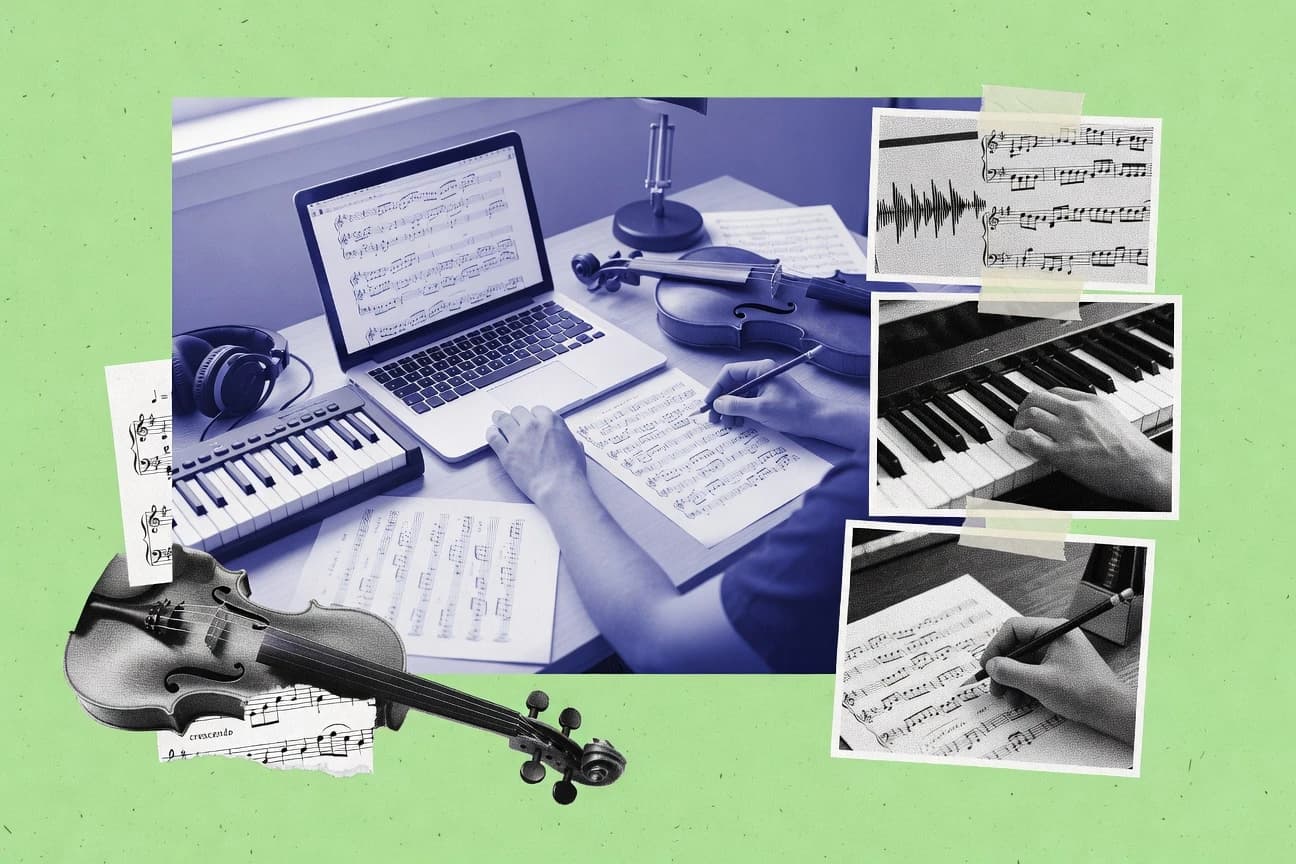
Ranked roundup of music transcription software tools with feature and usability comparisons for Capo, Moises, and MuseScore, plus other picks.

How we ranked these tools
Core product claims cross-referenced against official documentation, changelogs, and independent technical reviews.
Analyzed video reviews and hundreds of written evaluations to capture real-world user experiences with each tool.
AI persona simulations modeled how different user types would experience each tool across common use cases and workflows.
Final rankings reviewed and approved by our editorial team with authority to override AI-generated scores based on domain expertise.
Score: Features 40% · Ease 30% · Value 30%
Gitnux may earn a commission through links on this page — this does not influence rankings. Editorial policy
Soundslice is the best pick if you need playback-aligned score editing during practice or instruction, whereas MuseScore is the go-to cheap entry when you’re cleaning up staff notation for publish-ready exports, and ScoreCloud fits better if you want to arrange from recordings by prioritizing harmony over perfect note capture.
Editor’s top 3 picks
Three quick recommendations before you dive into the full comparison below — each one leads on a different dimension.
Soundslice
Playback-synced notation editing lets timing corrections be validated instantly in context.
Built for fits when musicians need tight playback-aligned score editing for practice or instruction..
MuseScore
Editor pickMusicXML round-tripping plus detailed engraving controls make transcription cleanup and publication consistent.
Built for fits when transcription output needs staff-notation cleanup, quantization, and publish-ready exporting..
ScoreCloud
Editor pickChord-centric transcription output that converts audio into notation-friendly material for arrangement workflows.
Built for fits when arranging from recordings and prioritizing harmonic structure over perfect note transcription..
Comparison Table
Soundslice
SMBInteractive sheet music platform that syncs notation with audio and video.
Playback-synced notation editing lets timing corrections be validated instantly in context.
Soundslice provides an interactive score editor where note placement and timing can be validated by immediate playback. The workflow pairs listening and visual correction so transcription outputs can be refined through repeated loop playback and section marking. Exports include MIDI and MusicXML so results can feed sequencers or notation tools without re-entry.
A tradeoff is that audio-to-MIDI accuracy still depends on recording quality and arrangement complexity. In practice, Soundslice fits best for correcting and polishing existing transcriptions for lead instruments or parts where timing and phrasing need tight review.
- +Timeline-synced editing keeps note placement grounded in playback
- +MusicXML and MIDI export support downstream notation and sequencing
- +Looping and section markers speed iterative transcription correction
- +Annotations help turn a score into a guided practice resource
- –Complex polyphonic mixes can produce notes that need heavy manual cleanup
- –Audio-to-MIDI results require careful source selection and volume balance
Guitar instructors
Annotate lessons from recorded solos
Faster student practice sessions
Session musicians
Refine MIDI-derived parts
More accurate ensemble readiness
Show 1 more scenario
Arrangers and copyists
Move transcriptions into notation tools
Reduced manual transcription work
Arrangers export MusicXML to preserve measures and staff structure for engraving passes.
Best for: Fits when musicians need tight playback-aligned score editing for practice or instruction.
MuseScore
SMBFree open-source music notation software with playback and score editing capabilities.
MusicXML round-tripping plus detailed engraving controls make transcription cleanup and publication consistent.
MuseScore supports MIDI export and MusicXML import and export, which makes it a common endpoint for automatic audio-to-MIDI or MIDI transcription outputs. The core editor provides quantization and note-level editing, so timing corrections and rhythmic cleanup are possible after an initial capture. Repeated runs benefit from file-based workflows that can be batch organized outside the app.
A key tradeoff is that MuseScore itself does not perform audio-to-MIDI transcription from raw microphone input, so an external transcription step is required for polyphonic audio. It fits situations where an automatic tool generates a draft MIDI or MusicXML, then the user needs reliable staff layout control and repeatable editing for publishing.
- +Strong MIDI and MusicXML interchange for moving transcription results
- +Quantization and note editing support post-transcription cleanup
- +Engraving-oriented layout controls for readable printed output
- +Works well as a refinement stage after external audio-to-MIDI
- –No built-in audio-to-MIDI transcription from raw audio
- –Higher-volume batch ingestion needs external tooling
- –Advanced recognition accuracy depends on the upstream transcription engine
- –Complex orchestration editing can feel slower than DAW workflows
Cover band arrangers
Refine imported MIDI into sheet music
Readable parts with corrected rhythm
Music teachers
Turn student recordings into notation
Printable student-ready scores
Show 2 more scenarios
Small production studios
Prepare DAW MIDI for publishing
Consistent notation across tools
Imported MIDI can be quantized and exported as MusicXML for distribution to notation workflows.
Arrangers transcription engineers
Iterate multiple transcription passes
Faster revision cycles
Edited MIDI files support repeatable refinements after comparing transcription outputs and corrections.
Best for: Fits when transcription output needs staff-notation cleanup, quantization, and publish-ready exporting.
ScoreCloud
vertical specialistAutomatic music notation from audio input or MIDI performance.
Chord-centric transcription output that converts audio into notation-friendly material for arrangement workflows.
ScoreCloud converts recorded audio into editable musical notation outputs aimed at musicians who need a quick draft they can refine. The workflow is oriented around capturing harmonic structure first, which makes the output useful for reharmonization and arrangement planning. Transcription results can be exported for downstream editing rather than being locked into a viewer-only product.
A key tradeoff is that audio-to-notation accuracy still depends heavily on recording quality and instrument separation. The tool fits best when a team needs consistent turnaround for rehearsal materials and quick lead-sheet style drafts. It is also suitable when batch processing multiple takes matters more than fine-grained note-by-note fidelity.
- +Chord-focused transcription outputs are practical for rehearsal and arrangement
- +Staff-ready exports support faster notation round-trips
- +Batch workflows reduce repetitive transcription effort
- +Editing-oriented results reduce time spent rebuilding structure
- –Note-level detail can degrade with dense mixes and overlapping parts
- –Audio preparation and separation quality still drive accuracy outcomes
Arrange and produce teams
Convert demo tracks to lead drafts
Faster arrangement iteration
Church music teams
Build rehearsal sheets from live recordings
Reduced manual transcription
Show 1 more scenario
Session musicians
Draft backing parts from references
Less transcription overhead
Create a starting staff document from recordings to refine in a notation editor.
Best for: Fits when arranging from recordings and prioritizing harmonic structure over perfect note transcription.
Transcribe!
vertical specialistSoftware for slowing down and analyzing music to assist manual transcription by ear.
Audio-to-MIDI conversion settings support rapid re-runs so MIDI cleanup can converge faster.
Transcribe! focuses on turning audio into editable MIDI, with a workflow aimed at fast transcription-to-edit loops for common instrumental material. It supports batch-style processing and outputs that can be carried into MIDI editing and downstream notation work.
Source handling emphasizes controlled import and conversion settings, which helps when the same piece must be transcribed repeatedly. The result is a practical tool for producing usable MIDI quickly, then refining note timing and pitch artifacts through MIDI editing.
- +Batch-style audio processing supports repeatable transcription runs
- +MIDI export output is directly usable in standard MIDI editors
- +Conversion controls enable quicker iteration when notes misalign
- +Workflow stays focused on audio to MIDI then manual correction
- –Polyphonic results can require substantial cleanup in MIDI editing
- –Long or dense recordings often produce timing jitter and missed notes
- –Export-oriented pipeline leaves notation formatting to downstream tools
- –Advanced tuning needs careful setup to avoid worse note mapping
Best for: Fits when quick audio to editable MIDI is needed, followed by manual cleanup in a MIDI editor.
Moises
SMBAI music separation and chord detection app for practice and transcription.
Voice separation that isolates sources before generating part-oriented MIDI and MusicXML exports.
Moises converts audio into editable MIDI and MusicXML for faster notation workflows. It handles voice separation and pitch extraction so users can isolate parts before editing and exporting.
The output supports musical editing in common notation and DAW tools through file exports, not DAW-native audio processing. For transcription projects that need quick starting material from real recordings, Moises focuses on automation from uploaded audio to structured notes.
- +Produces editable MIDI and MusicXML exports from uploaded audio
- +Voice separation helps isolate parts before note-level editing
- +Fast workflow from transcription to file-based editing in other tools
- +Supports common downstream paths like notation import and MIDI editing
- –Editing results can require manual cleanup for timing and note accuracy
- –Complex polyphonic material can reduce reliability without post-editing
Best for: Fits when recordings need quick MIDI and MusicXML drafts for notation or arrangement work.
Neuratron PhotoScore
vertical specialistOptical music recognition software that scans printed sheet music into editable notation.
Optical music recognition of scanned staff pages that produces editable notation data, then supports playback-based review.
Neuratron PhotoScore is built for converting scanned sheet music pages into editable note data, which makes it distinct from audio-to-MIDI transcription tools. It targets optical music recognition workflows with staff parsing, pitch extraction, and creation of MusicXML or MIDI for further editing.
PhotoScore supports batch processing for multiple images or pages and includes playback that helps validate what the OCR captured. The tool is geared toward notation fidelity for printed sources rather than real-time transcription from recordings.
- +Converts scanned notation into editable MusicXML or MIDI output
- +Playback and verification help catch OCR capture issues early
- +Batch processing supports multi-page document workflows
- +Good results when source scans are clean and well aligned
- –Accurately extracting crowded notation depends heavily on scan quality
- –Less suited for transcription from audio recordings and performances
Best for: Fits when printed scores must be digitized into editable notation for MusicXML or MIDI editing.
Sonic Visualiser
vertical specialistOpen-source application for analyzing and annotating music audio recordings.
Layer-based timeline annotation with spectrogram-derived tracks that stay editable and time-synchronized for iterative review.
Sonic Visualiser is distinct for turning annotated audio into synchronized visual timelines for review, not for generating one-click audio-to-MIDI results. It supports time-aligned layers such as pitch traces, spectrogram views, and analyst notes so users can refine transcriptions in context.
Export support includes MIDI and MusicXML, which helps move from analysis to notation workflows. Its plugin ecosystem adds feature coverage like beat tracking and additional analysis layers.
- +Layered spectrogram and annotation workflow supports detailed verification passes
- +Pitch and rhythm data can be edited and kept synchronized to audio
- +MusicXML and MIDI export support notation and DAW handoff
- +Plugin system extends analysis views and processing steps
- –User workflow depends on manual curation of annotations and timing
- –Interface complexity can slow down first-time transcription tasks
- –Automation for large batch transcription is limited versus dedicated tools
- –Plugin availability varies by platform, which can affect parity
Best for: Fits when accurate human-reviewed transcription needs a visual, layer-based editing workflow.
Amazing Slow Downer
vertical specialistAudio slowdown tool for practicing and transcribing music without pitch change.
Phrase looping with tempo and pitch independent playback optimized for stepwise transcription refinement.
Amazing Slow Downer focuses on audio slowdown and transcription workflow tools rather than an automatic audio-to-MIDI engine. It provides tempo and pitch independent playback, phrase looping, and note-finding aids that support manual MIDI and MusicXML-style output workflows.
Ronimusic software workflows are built around a playback-and-edit loop, which helps when accuracy depends on repeated listening and surgical timing. For musicians and arrangers who need controllable inspection of recordings, it reduces the friction between listening, marking, and exporting results.
- +Tempo and pitch independent slowdown for precise phrase capture
- +Fast looping and marker workflow for iterative note checking
- +Manual transcription helpers that reduce guesswork on timing
- +Export path supports common notation and MIDI editing steps
- –Not designed for fully automatic audio-to-MIDI transcription
- –Polyphonic transcription quality depends on user manual work
- –Automation and integration surfaces for pipelines are limited
- –Real-time transcription into editable tracks is not the core focus
Best for: Fits when recordings need careful manual transcription with repeatable slowdown and looping.
Capo
vertical specialistMac and iOS tool for slowing audio and detecting chords for by-ear transcription.
Batch transcription with MIDI-to-score handoff geared for fast review and iterative correction.
Capo performs automatic music transcription by converting audio into editable MIDI and notation workflows. It focuses on usable outputs like MIDI and MusicXML so results can move into a DAW or score editor.
The workflow supports batch processing and typical cleanup passes such as quantization and note edits after conversion. Capo’s practical value comes from how quickly audio-to-MIDI results can become something reviewable for transcription accuracy checks.
- +Exports outputs that fit common DAW and score-editor pipelines
- +Batch transcription supports faster throughput across multiple files
- +MIDI output reduces manual re-entry for many passages
- +Quantization and note editing help correct pitch and timing drift
- –Polyphonic source material often needs heavy post-editing
- –Drum transcription and rhythm isolation can degrade on busy mixes
Best for: Fits when quick audio-to-notation drafts are needed and cleanup time is acceptable.
Dorico
enterpriseProfessional notation software by Steinberg with advanced engraving and audio export.
High-fidelity notation editing with engraving-grade formatting controls after MusicXML or MIDI import.
Dorico is a music transcription workflow built around precise score engraving and structured input control, not just an audio to MIDI converter. It imports and manages notation data using a consistent internal representation that supports MusicXML and MIDI interchange for editing after transcription. The core value is turning extracted notes into readable staff notation with controlled formatting, part layout, and repeatable editing operations.
- +MusicXML and MIDI import that preserves structure for notation editing
- +Engraving controls make post-transcription staff layout predictable
- +Input methods support consistent pitch and rhythm correction workflows
- +Library-style project organization helps manage many parts in one score
- –Audio-to-MIDI transcription is not a native focus of Dorico
- –Complex multi-instrument editing takes time for new transcription workflows
- –Automation for large batches depends on external prep steps
- –Advanced layout control can slow iteration during note cleanup
Best for: Fits when accurate staff notation and structured score editing matter more than automatic audio transcription.
Conclusion
After evaluating 10 entertainment events, Soundslice stands out as our overall top pick — it scored highest across our combined criteria of features, ease of use, and value, which is why it sits at #1 in the rankings above.
Use the comparison table and detailed reviews above to validate the fit against your own requirements before committing to a tool.
How to Choose the Right music transcription software
This buyer’s guide compares music transcription software tools that turn recorded or captured music into editable notation and MIDI outputs, including Soundslice, Moises, and Capo. The lineup also covers MuseScore, ScoreCloud, Transcribe!, Neuratron PhotoScore, Sonic Visualiser, Amazing Slow Downer, and Dorico based on their concrete transcription and post-editing workflows.
Music Transcription Software for Audio-to-MIDI and Notation Export Workflows
Music transcription software converts audio or scanned score input into editable musical data so users can correct timing, notes, and structure in downstream editors. Soundslice targets playback-synced notation editing to validate timing fixes directly against the audio while producing MusicXML and MIDI exports for later sequencing and engraving. Moises focuses on voice separation that isolates sources before generating part-oriented MIDI and MusicXML drafts that can then be manually corrected for accuracy.
Some tools specialize in notation round-tripping and cleanup once MIDI or MusicXML exists, such as MuseScore with its quantization and engraving controls. Others optimize different input types, such as Neuratron PhotoScore for scanned staff OCR into editable MusicXML or MIDI, or Sonic Visualiser for layer-based spectrogram annotation that stays time-synchronized for iterative human verification.
Music transcription feature checklist for audio-to-editable MIDI and notation
Transcription software succeeds when it turns audio or scanned notation into a data format that can be corrected inside a score editor or MIDI editor. The most visible differences show up in timing validation, export interchange, and how much manual cleanup the workflow requires.
For this category, a buyer needs to match input type to the strongest output path. Soundslice and Moises prioritize audio-to-notation drafts with different correction loops, while MuseScore, Neuratron PhotoScore, and Dorico concentrate on notation cleanup and round-tripping after import.
Playback-aligned score editing versus export-only correction
Soundslice keeps a timeline-synced editing loop so timing corrections can be validated directly against playback, then exported via MusicXML and MIDI. MuseScore focuses on post-transcription cleanup with quantization and engraving controls, but it does not provide built-in audio-to-MIDI transcription from raw audio.
Input pathway fit for audio recordings versus scanned staff pages
Moises uses voice separation to isolate sources before generating part-oriented MIDI and MusicXML exports from uploaded audio. Neuratron PhotoScore converts scanned staff pages into editable MusicXML or MIDI, then supports playback-based verification to catch OCR capture issues early.
Export interchange for score engraving and MIDI sequencing
MuseScore supports MusicXML round-tripping with detailed engraving controls, which makes transcription cleanup and publication consistent. Soundslice also exports MusicXML and MIDI, while Transcribe! outputs MIDI that is directly usable in standard MIDI editors after conversion.
Automation knobs for repeated conversion runs
Transcribe! is built around audio-to-MIDI conversion settings that support rapid re-runs, which helps converge on cleaner MIDI quickly. Capo also supports batch transcription so multiple files can move through an iterative MIDI-to-score handoff faster.
Chord-first versus note-first transcription emphasis
ScoreCloud converts audio into chord-centric, arrangement-friendly output so rehearsal work can prioritize harmony over exact note detail. Soundslice targets playback-synced notation editing where note placement is grounded in playback context.
Verification workflow for human review at the timeline level
Sonic Visualiser provides a layer-based spectrogram and annotation workflow with time-synchronized editing that stays editable for iterative verification passes. Soundslice provides a timeline-synced notation editing loop that validates corrections against audio playback without requiring spectrogram curation.
How to choose music transcription software based on workflow control points
Start by mapping the input type to the workflow control point that matters most for corrections. Audio-to-notation tools differ most in whether timing fixes can be validated in context or whether users must rely on export cleanup in a separate editor.
Then pick the output format path that matches the next tool in the chain. If the workflow ends in engraving, MusicXML and engraving controls drive the decision more than conversion speed, and if the workflow ends in MIDI editing, MIDI usability and iteration speed matter more.
Choose the correction loop that matches how timing will be fixed
If timing corrections must be validated against playback during editing, Soundslice supports timeline-synced notation editing that grounds note placement in context. If transcription cleanup happens primarily after import with quantization and engraving controls, MuseScore provides a more notation-centered correction loop.
Match the input type to the product’s native capture path
For uploaded audio with multiple parts, Moises uses voice separation to isolate sources before creating part-oriented MIDI and MusicXML outputs. For scanned printed scores, Neuratron PhotoScore focuses on OCR of staff pages into editable MusicXML or MIDI with playback-based verification to detect capture issues.
Decide whether chords or note-level detail is the primary deliverable
For arrangement and rehearsal where harmonic structure drives the work, ScoreCloud prioritizes chord-centric transcription output that is practical for getting into notation faster. For detailed note placement and timing, Soundslice favors playback-validated notation editing even when polyphonic mixes require manual cleanup.
Pick the iteration model for repeated runs across multiple files
For rapid convergence on MIDI quality, Transcribe! reruns conversion using adjustable audio-to-MIDI conversion settings so MIDI cleanup can converge faster. For throughput across many files, Capo uses batch transcription with MIDI-to-score handoff geared for faster review and iterative correction.
Select a workflow philosophy when manual verification is the bottleneck
When a human verification pass must stay tightly coupled to time-aligned visual evidence, Sonic Visualiser supports layer-based spectrogram and annotation editing that remains time-synchronized to audio. When verification is primarily about notation correctness and publishing readiness, MuseScore’s quantization and engraving controls provide a more direct post-import workflow.
Who needs music transcription software for audio-to-MIDI and notation
This category fits users who must convert real performances and recordings into editable musical data. The strongest fit depends on whether the job requires playback-aligned notation editing, scanned score digitization, or audio source isolation before editing.
Musicians and producers usually care about MIDI usability and export interchange, while engravers and notation-first workflows care about consistent staff layout after import.
Guitarists, pianists, and band members practicing from recordings
Soundslice supports playback-synced notation editing so timing corrections can be validated instantly in context, then exported as MusicXML or MIDI for downstream use.
Arrangers prioritizing harmonic structure over perfect note capture
ScoreCloud outputs chord-centric material from audio so rehearsal and arrangement work can move forward even when dense mixes reduce note-level reliability.
Notation workflow teams digitizing paper scores
Neuratron PhotoScore converts scanned staff pages into editable MusicXML or MIDI and supports playback-based verification to catch OCR problems before editing continues.
Producers who need fast MIDI drafts for editing
Moises produces editable MIDI and MusicXML drafts from uploaded audio using voice separation to isolate sources before note-level editing.
Technical reviewers who need time-synchronized human verification
Sonic Visualiser provides layer-based spectrogram-derived tracks with editable, time-synchronized annotation so verification can occur across multiple passes.
Common mistakes when buying music transcription software
Buying mistakes usually come from mismatching the input source type to the product’s native path or assuming the software will eliminate the need for cleanup. Audio-to-MIDI and audio-to-notation outputs often require manual cleanup, and dense polyphonic material increases that burden.
Another frequent mistake is choosing a notation editor for audio transcription duties. Tools like MuseScore and Dorico excel after MusicXML or MIDI import, while audio capture and conversion live in different parts of the tool lineup.
Expecting built-in audio-to-MIDI transcription when the tool is notation-focused
MuseScore supports MusicXML round-tripping and quantization for post-import cleanup, but it does not provide built-in audio-to-MIDI transcription from raw audio, which shifts the workflow to an external conversion step.
Assuming chord-centric output will preserve note-level detail
ScoreCloud is optimized for chord-centric transcription, so dense mixes and overlapping parts can degrade note-level detail and require arrangement-level reconstruction rather than note-by-note editing.
Underestimating cleanup time for polyphonic material
Soundslice and Transcribe! can generate useful drafts, but complex polyphonic mixes typically produce notes that need heavy manual cleanup, so timelines should include MIDI or notation editing work.
Buying scanned-score OCR for performance recordings
Neuratron PhotoScore is designed for scanned staff pages, so accuracy depends heavily on scan quality and it is less suited for transcription from audio recordings and performances.
Choosing batch throughput without a repeatable correction plan
Capo supports batch transcription and faster review across multiple files, but polyphonic source material often needs heavy post-editing, so conversion settings and cleanup consistency must be part of the workflow.
How We Selected and Ranked These Tools
We evaluated Soundslice, Moises, and the other tools using feature coverage for editable output workflows, ease of turning input into corrected notation or MIDI, and value for practical iterative use. Feature coverage counted how well each product supports editing loops such as playback-synced validation, post-import engraving controls, and verification workflows across exports.
Ease and value weighted how quickly users can rerun conversions, clean results, and move into a standard editor with MusicXML or MIDI outputs. Soundslice led the ranking because its playback-synced notation editing validates timing corrections instantly in context while still exporting MusicXML and MIDI for downstream sequencing and engraving.
Frequently Asked Questions About music transcription software
How do Soundslice and MuseScore handle timing edits during transcription cleanup?
When does Moises beat Capo for turning voice recordings into editable parts?
What breaks if a transcription workflow needs staff-engraving grade output instead of quick MIDI drafts?
Where does Sonic Visualiser fit when the main requirement is analysis-first transcription review?
How does batch processing differ between ScoreCloud and Transcribe!?
Which tool is best when the input is scanned sheet pages rather than an audio performance?
What are the key differences in MusicXML round-tripping between MuseScore and Dorico?
How do admins typically manage collaboration controls when teams need shared transcription workspaces?
Where does automation stop and manual editing begins when using Amazing Slow Downer versus Capo?
Tools reviewed
Primary sources checked during evaluation.
Referenced in the comparison table and product reviews above.
- Entertainment EventsTop 10 Best Music Management Software of 2026
- Communication MediaTop 10 Best Audio Transcription Software of 2026
- AI In IndustryTop 10 Best Automatic Music Transcription Software of 2026
- Education LearningTop 10 Best Music Lesson Software of 2026
- Music And AudioTop 10 Best Bass Transcription Software of 2026
Keep exploring
Comparing two specific tools?
Software Alternatives
See head-to-head software comparisons with feature breakdowns, pricing, and our recommendation for each use case.
Explore software alternatives→In this category
Entertainment Events alternatives
See side-by-side comparisons of entertainment events tools and pick the right one for your stack.
Compare entertainment events tools→